# blueprint
**Repository Path**: 203014/blueprint
## Basic Information
- **Project Name**: blueprint
- **Description**: No description available
- **Primary Language**: Unknown
- **License**: MIT
- **Default Branch**: master
- **Homepage**: None
- **GVP Project**: No
## Statistics
- **Stars**: 3
- **Forks**: 2
- **Created**: 2023-12-25
- **Last Updated**: 2024-11-09
## Categories & Tags
**Categories**: Uncategorized
**Tags**: None
## README
# blueprint
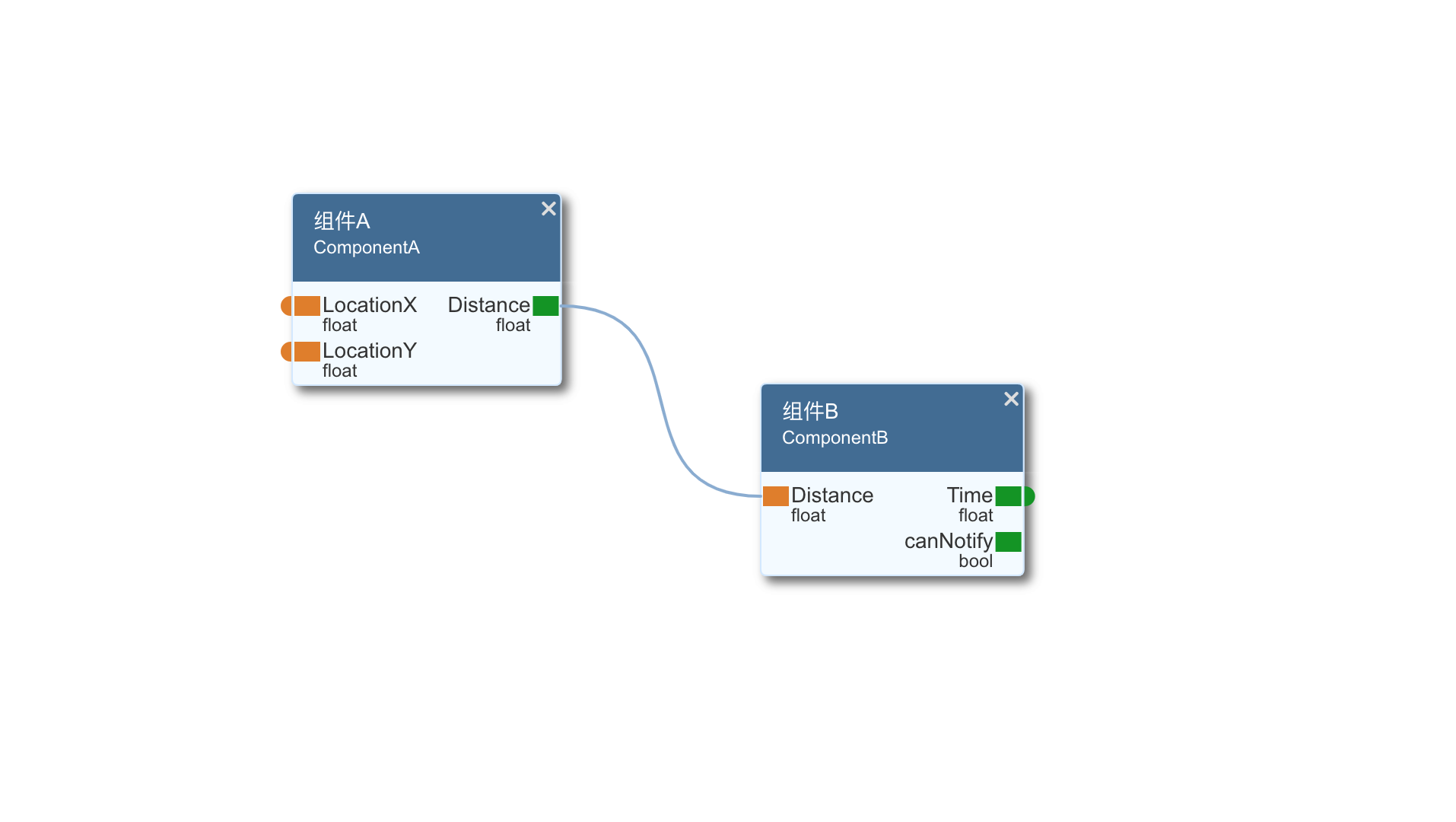
基于Canvas的轻量级可视化编辑器,底层框架采用Konva,支持拖放、缩放、连线、Undo/Redo、Save/Load等功能
## 安装
```
npm install orion-blueprint
```
## Vue框架中使用
App.Vue
```
```
## 主要API
### blueprint.init(option)
用来初始化编辑器,返回一个Stage对象实例。
option选项包含:
{
container: string 用来容纳的DOM节点Id(必须有)
width: number canvas宽度(必须有)
height: number canvas高度(必须有)
draggable: boolean 是否允许内容拖放,默认false
canZoom: boolean true 是否允许缩放,默认true
canWheelZoom: true // 是否允许滚轮缩放,默认true
model:
{
portName: string 用于显示端口名称的字段,默认为'name'
showDataType: boolean 是否显示端口数据类型,默认为true
}
}
示例
```
let editor = blueprint.init({
container: 'editor',
width: this.size.width,
height: this.size.height
})
```
### Stage.addModel(option)
添加一个模型,返回一个对象节点(Konva.Group对象)
option选项包含:
```
{
uid: string 模型唯一ID(没有则自动生成)
x: number X坐标
y: number Y坐标
title: string 模型标题
name: string 模型ID名
version: string 模型版本
ports: [ 端口列表
{
orientation: in | out 端口方向
external: boolean 是否暴露给外部
name: string 端口ID
title: string 端口标题
dataType: string 数据类型
version: string 数据类型版本
}
]
}
```
示例
```
let model = this.scene.stage.addModel({
name: 'ComponentA',
title: '组件A',
x: 200,
y: 200,
ports: [
{
orientation: 'in',
external: true,
name: 'LocationX',
datatype: 'float'
},
{
orientation: 'in',
external: true,
name: 'LocationY',
datatype: 'float'
},
{
orientation: 'out',
name: 'Distance',
datatype: 'float'
}
]
})
```
返回的Model对象,提供inport和outport函数来获取端口对象,使用方法如下:
```
let o = g1.outport('Distance')
let i = g1.inport('LocationX')
```
### Stage.addLine(option)
添加一个连线,返回一个对象节点(Konva.Line对象)
option选项包含:
```
{
start: konva.Group 起始端口(必须是outport类型)
end: konva.Group 终止端口(必须是inport类型)
points: array[number] 连线的坐标点数组(共4个坐标点,连线为贝塞尔曲线,2个顶点 + 2个控制点),如果不提供则自动根据端口生成
}
```
示例
```
editor.addLink({
start: model1.outport('Distance'),
end: model2.inport('Distance')
})
```
### Stage.saveToJson()
将编辑器内容保存为JSON对象
JSON格式示例:
```
{
models: [
{
name: "ComponentA",
ports: [
{orientation: "in", external: true, name: "LocationX", datatype: "float"},
{orientation: "in", external: true, name: "LocationY", datatype: "float"},
{orientation: "out", name: "Distance", datatype: "float"}
],
title: "组件A",
uid: "1jr8rp20d",
x: 162,
y: 310
}
],
links: [
{
end: {mid: "1jr8rp20f", port: "Distance"},
points: [338.7373046875, 384, 438.7373046875, 384, 450, 217, 550, 217],
start: {mid: "1jr8rp20d", port: "Distance"}
}
]
}
```
示例
```
let cache = editor.saveToJson()
```
### Stage.loadFromJson(data, cache = true)
加载JSON数据(由Stage.saveToJson()函数生成), 其中cache参数用于控制是否清除Undo缓存,默认为true
示例
```
editor.loadFromJson(cache)
```
### Stage.snapshot()
生成编辑器内容快照,主要用于Undo/Redo
### Stage.zoomIn()
放大编辑区的缩放比例,最大为10倍
### Stage.zoomOut()
缩小编辑区的缩放比例,最小为1/10倍
### Stage.reset()
恢复编辑区的缩放比例和位置偏移(回到原点)
### Stage.undo()
撤销最近的一步操作
### Stage.redo()
重做上一次撤销的操作
### Stage.clear(cache = true)
清空编辑区, 其中cache参数用于控制是否清除Undo缓存,默认为true
### Stage.autoLink()
自动实现端口连线,连线条件必须是端口名+数据类型+版本完全一致
### Stage.clearLink()
清空所有连线
## Demo
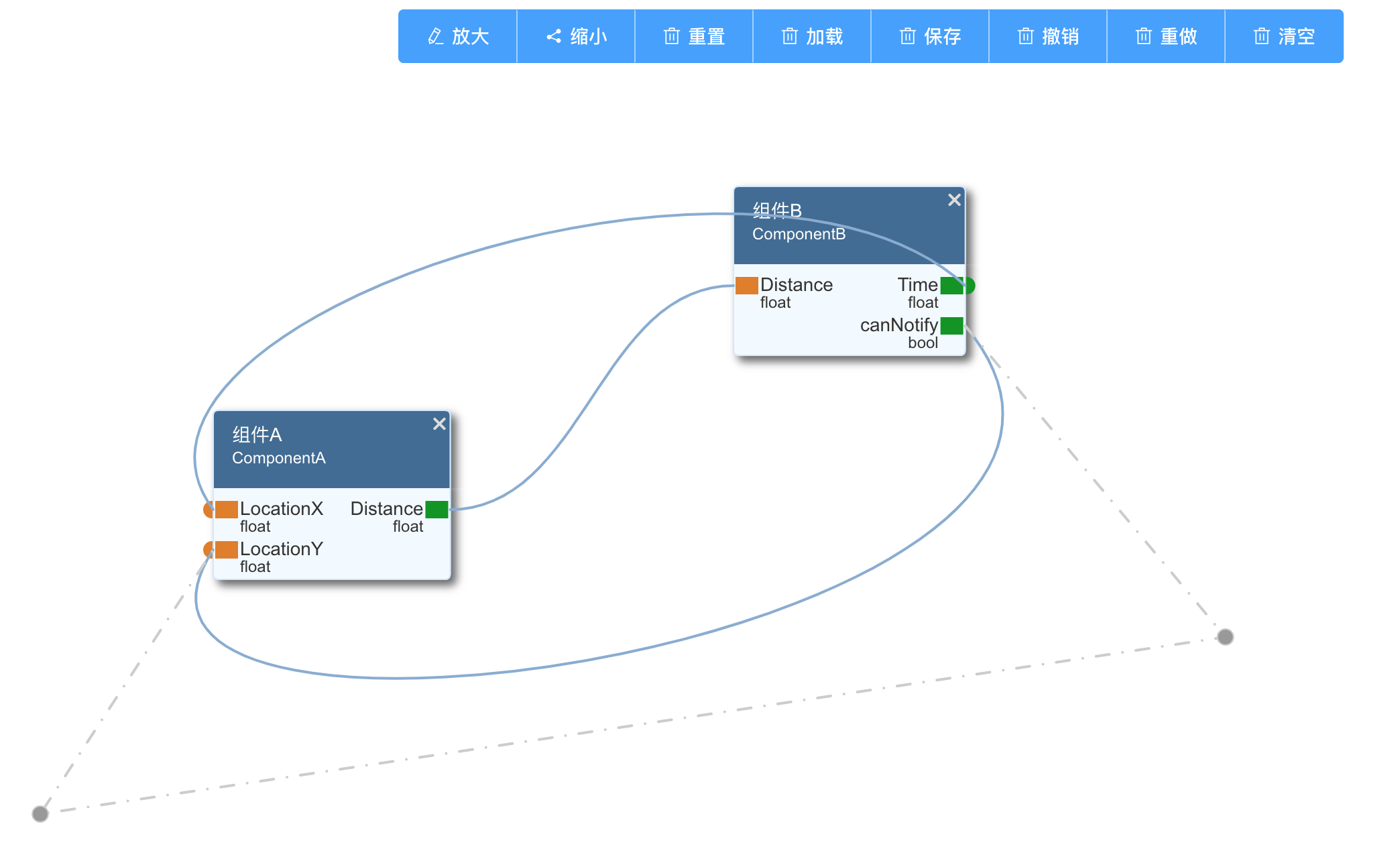
在工程demo目录下,有简单的使用Demo代码(基于Vue)
## Release Note
v1.1 增加模型版本属性,端口自动连线
v1.1.1 增加clearLnk(),滚轮缩放控制功能