# QRScanner
**Repository Path**: 270580156/QRScanner
## Basic Information
- **Project Name**: QRScanner
- **Description**: No description available
- **Primary Language**: Unknown
- **License**: MIT
- **Default Branch**: master
- **Homepage**: None
- **GVP Project**: No
## Statistics
- **Stars**: 0
- **Forks**: 0
- **Created**: 2024-09-30
- **Last Updated**: 2024-09-30
## Categories & Tags
**Categories**: Uncategorized
**Tags**: None
## README
# QRScanner
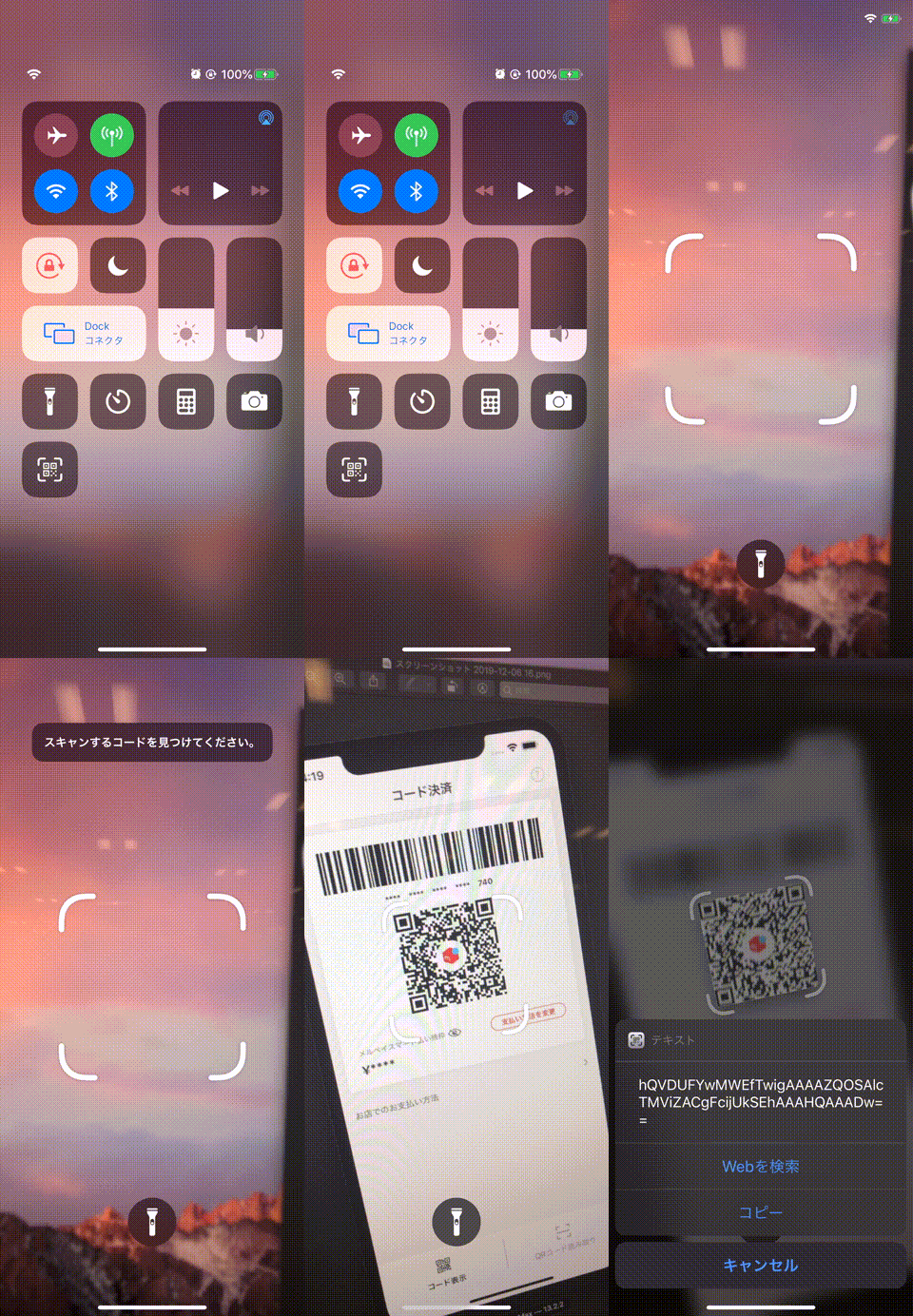
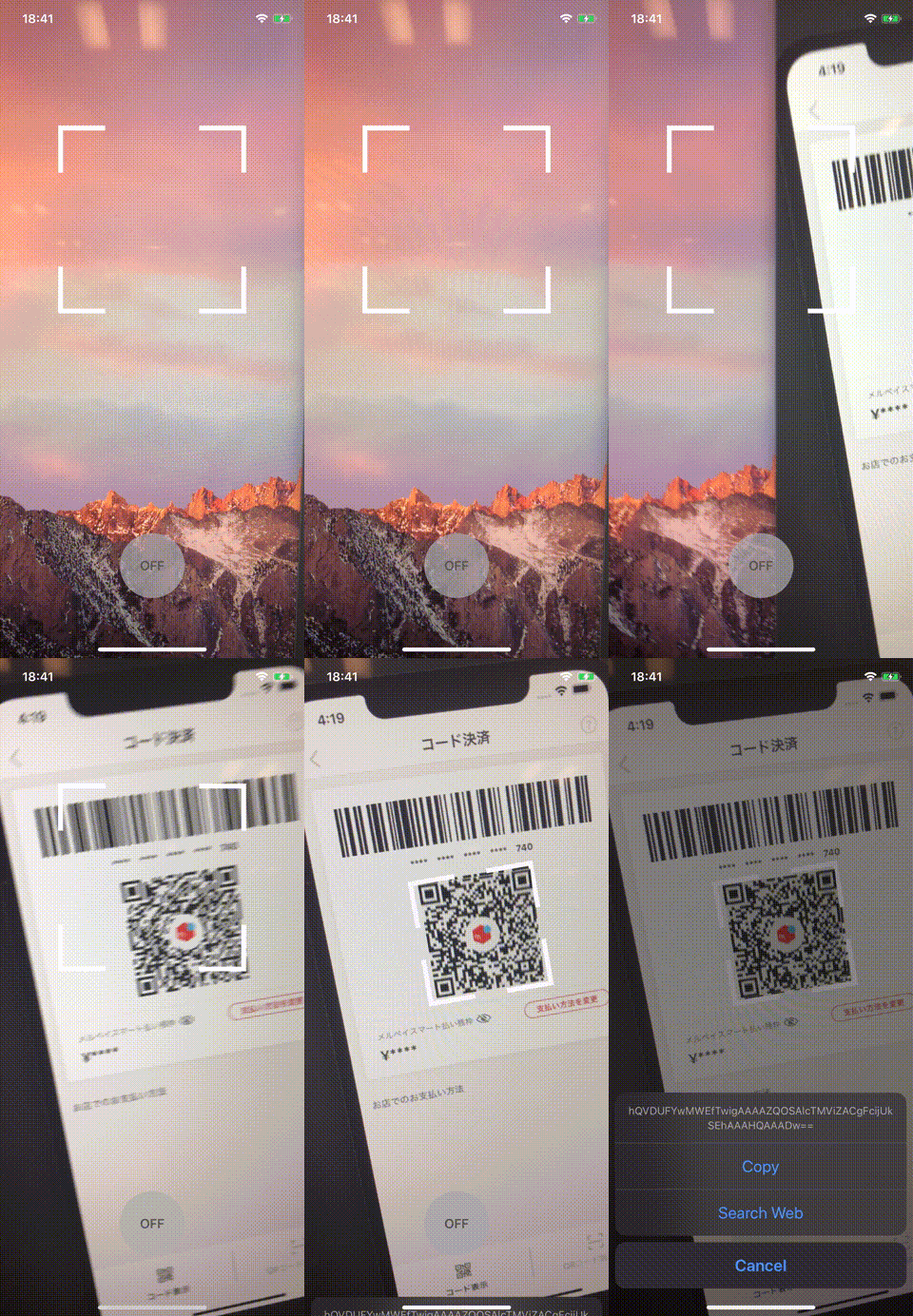
A simple QR Code scanner framework for iOS. Provides a similar scan effect to ios13+. Written in Swift.
* [日本語のブログ](https://tech.mercari.com/entry/2019/12/12/094129)
|iOS 13.0+| Use QRScanner in iOS 10.0+|
|-|-|
| |
| |
"QR Code" is a registered trademark of DENSO WAVE INCORPORATED
## Feature
- Similar to iOS 13.0+ design
- Simple usage Sample
- Support from iOS 10.0+
## Development Requirements
- iOS 10.0+
- Swift: 5.4.2
- Xcode Version: 13.0
## Installation
CocoaPods is the recommended method of installing QRScanner.
### The Pod Way
- Simply add the following line to your
|
"QR Code" is a registered trademark of DENSO WAVE INCORPORATED
## Feature
- Similar to iOS 13.0+ design
- Simple usage Sample
- Support from iOS 10.0+
## Development Requirements
- iOS 10.0+
- Swift: 5.4.2
- Xcode Version: 13.0
## Installation
CocoaPods is the recommended method of installing QRScanner.
### The Pod Way
- Simply add the following line to your Podfile
```ruby
platform :ios, '10.0'
pod 'MercariQRScanner'
```
- Run command
```
pod install
```
- Write Import statement on your source file
```swift
import MercariQRScanner
```
### The Carthage Way
- Move your project dir and create Cartfile
```
> touch Cartfile
```
- add the following line to Cartfile
```
github "mercari/QRScanner"
```
- Create framework
```
> carthage update --platform iOS
```
- In Xcode, move to "General > Build Phase > Linked Frameworks and Libraries"
- Add the framework to your project
- Add a new run script and put the following code
```
/usr/local/bin/carthage copy-frameworks
```
- Click "+" at Input file and Add the framework path
```
$(SRCROOT)/Carthage/Build/iOS/QRScanner.framework
```
+ Write Import statement on your source file
```swift
import QRScanner
```
## Usage
See [QRScannerSample](https://github.com/mercari/QRScanner/tree/master/QRScannerSample)
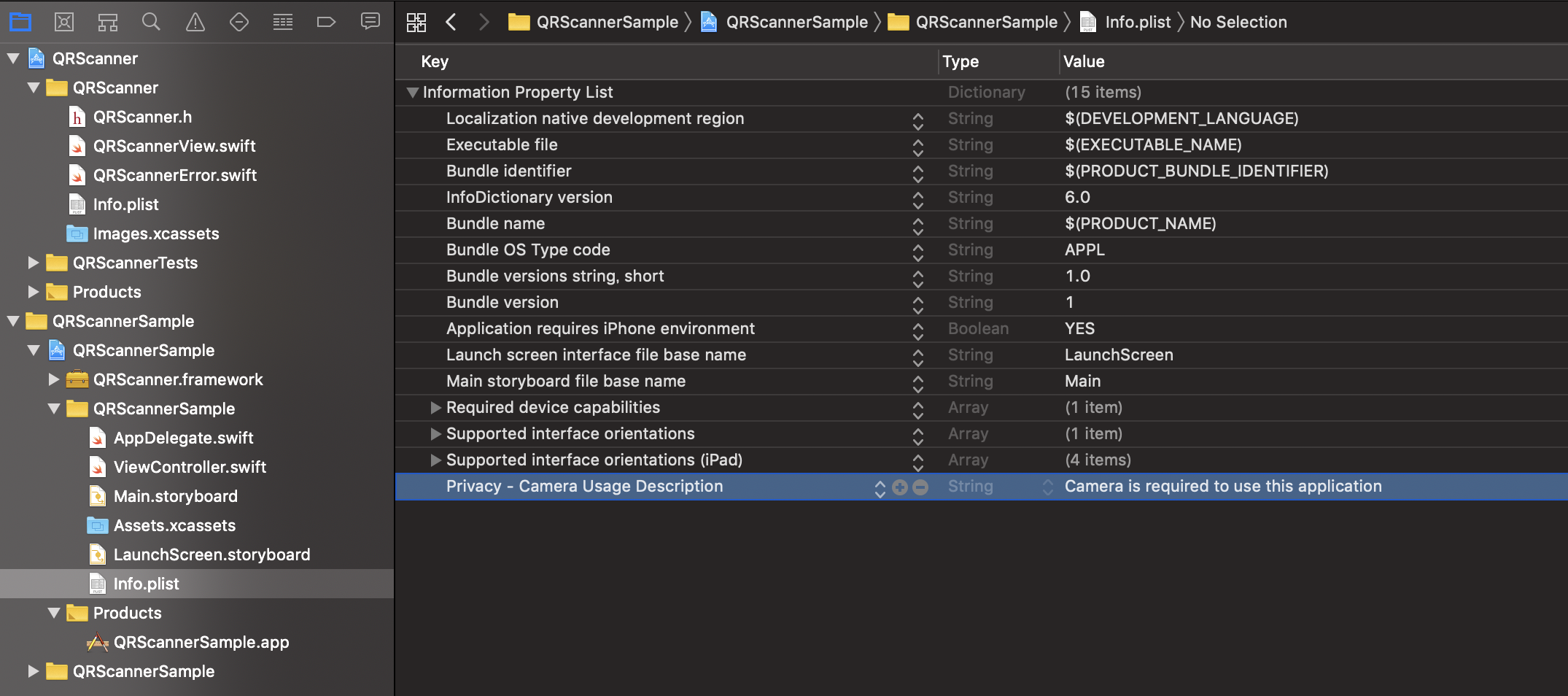
### Add `Privacy - Camera Usage Description` to Info.plist file
 ### The Basis Of Usage
```swift
import QRScanner
// If use the Pod way, please import MercariQRScanner
final class ViewController: UIViewController {
override func viewDidLoad() {
super.viewDidLoad()
let qrScannerView = QRScannerView(frame: view.bounds)
view.addSubview(qrScannerView)
qrScannerView.configure(delegate: self)
qrScannerView.startRunning()
}
}
extension ViewController: QRScannerViewDelegate {
func qrScannerView(_ qrScannerView: QRScannerView, didFailure error: QRScannerError) {
print(error)
}
func qrScannerView(_ qrScannerView: QRScannerView, didSuccess code: String) {
print(code)
}
}
```
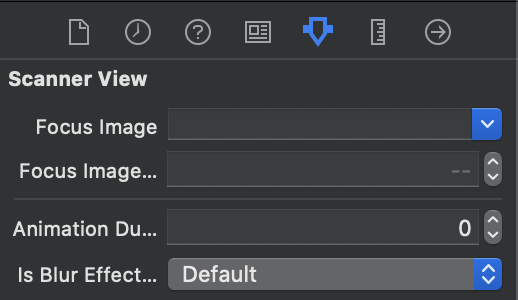
### Customization
#### Source Code Way
```swift
override func viewDidLoad() {
super.viewDidLoad()
let qrScannerView = QRScannerView(frame: view.bounds)
// Customize focusImage, focusImagePadding, animationDuration
qrScannerView.focusImage = UIImage(named: "scan_qr_focus")
qrScannerView.focusImagePadding = 8.0
qrScannerView.animationDuration = 0.5
qrScannerView.configure(delegate: self)
view.addSubview(qrScannerView)
qrScannerView.startRunning()
}
```
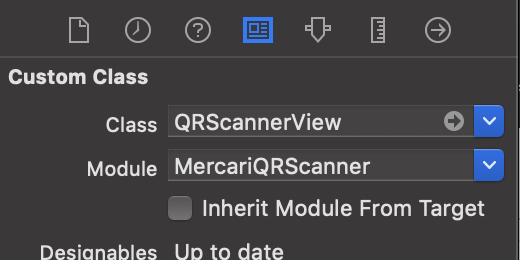
#### Interface Builder Way
|Setup Custom Class|Customize|
|-|-|
|
### The Basis Of Usage
```swift
import QRScanner
// If use the Pod way, please import MercariQRScanner
final class ViewController: UIViewController {
override func viewDidLoad() {
super.viewDidLoad()
let qrScannerView = QRScannerView(frame: view.bounds)
view.addSubview(qrScannerView)
qrScannerView.configure(delegate: self)
qrScannerView.startRunning()
}
}
extension ViewController: QRScannerViewDelegate {
func qrScannerView(_ qrScannerView: QRScannerView, didFailure error: QRScannerError) {
print(error)
}
func qrScannerView(_ qrScannerView: QRScannerView, didSuccess code: String) {
print(code)
}
}
```
### Customization
#### Source Code Way
```swift
override func viewDidLoad() {
super.viewDidLoad()
let qrScannerView = QRScannerView(frame: view.bounds)
// Customize focusImage, focusImagePadding, animationDuration
qrScannerView.focusImage = UIImage(named: "scan_qr_focus")
qrScannerView.focusImagePadding = 8.0
qrScannerView.animationDuration = 0.5
qrScannerView.configure(delegate: self)
view.addSubview(qrScannerView)
qrScannerView.startRunning()
}
```
#### Interface Builder Way
|Setup Custom Class|Customize|
|-|-|
| |
| |
### Add FlashButton
[FlashButtonSample](https://github.com/mercari/QRScanner/blob/master/QRScannerSample/QRScannerSample/FlashButton.swift)
```swift
final class ViewController: UIViewController {
...
@IBOutlet var flashButton: FlashButton!
@IBAction func tapFlashButton(_ sender: UIButton) {
qrScannerView.setTorchActive(isOn: !sender.isSelected)
}
}
extension ViewController: QRScannerViewDelegate {
...
func qrScannerView(_ qrScannerView: QRScannerView, didChangeTorchActive isOn: Bool) {
flashButton.isSelected = isOn
}
}
```
### Add Blur Effect
#### Source Code Way
```swift
qrScannerView.configure(delegate: self, input: .init(isBlurEffectEnabled: true))
```
#### Interface Builder Way
|Customize|
|-|
||
## Committers
* Hitsu ([@hitsubunnu](https://github.com/hitsubunnu))
* Sonny ([@tedbrosby](https://github.com/tedbrosby))
* Daichiro ([@daichiro](https://github.com/daichiro))
## Contribution
Please read the CLA carefully before submitting your contribution to Mercari.
Under any circumstances, by submitting your contribution, you are deemed to accept and agree to be bound by the terms and conditions of the CLA.
https://www.mercari.com/cla/
## License
Copyright 2019 Mercari, Inc.
Licensed under the MIT License.
|
### Add FlashButton
[FlashButtonSample](https://github.com/mercari/QRScanner/blob/master/QRScannerSample/QRScannerSample/FlashButton.swift)
```swift
final class ViewController: UIViewController {
...
@IBOutlet var flashButton: FlashButton!
@IBAction func tapFlashButton(_ sender: UIButton) {
qrScannerView.setTorchActive(isOn: !sender.isSelected)
}
}
extension ViewController: QRScannerViewDelegate {
...
func qrScannerView(_ qrScannerView: QRScannerView, didChangeTorchActive isOn: Bool) {
flashButton.isSelected = isOn
}
}
```
### Add Blur Effect
#### Source Code Way
```swift
qrScannerView.configure(delegate: self, input: .init(isBlurEffectEnabled: true))
```
#### Interface Builder Way
|Customize|
|-|
||
## Committers
* Hitsu ([@hitsubunnu](https://github.com/hitsubunnu))
* Sonny ([@tedbrosby](https://github.com/tedbrosby))
* Daichiro ([@daichiro](https://github.com/daichiro))
## Contribution
Please read the CLA carefully before submitting your contribution to Mercari.
Under any circumstances, by submitting your contribution, you are deemed to accept and agree to be bound by the terms and conditions of the CLA.
https://www.mercari.com/cla/
## License
Copyright 2019 Mercari, Inc.
Licensed under the MIT License.