# RNGridMenu
**Repository Path**: Calvin_00/RNGridMenu
## Basic Information
- **Project Name**: RNGridMenu
- **Description**: A grid menu with elastic layout, depth of field, and realistic animation.
- **Primary Language**: Objective-C
- **License**: MIT
- **Default Branch**: master
- **Homepage**: None
- **GVP Project**: No
## Statistics
- **Stars**: 0
- **Forks**: 0
- **Created**: 2020-07-23
- **Last Updated**: 2020-12-19
## Categories & Tags
**Categories**: Uncategorized
**Tags**: None
## README
RNGridMenu
===========
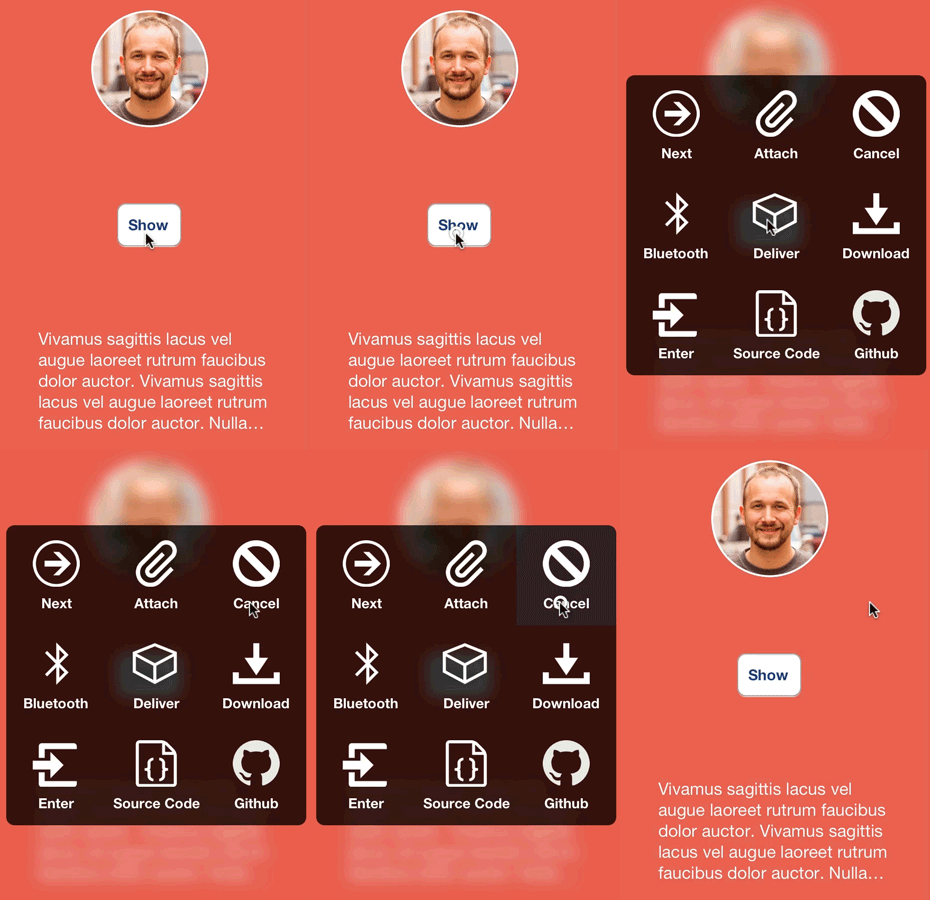
A grid based menu view with field depth and bounce animation: inspired by Mailbox, and extended for multiple needs. I created this project out of a stint of boredom. This control is customizable to a degree, but kept simple so you can take it and spin your own subclass or fork out of it.
## Installation ##
Installation with [CocoaPods](http://cocoapods.org/) made available by [thaberkern](https://github.com/thaberkern). Just add this line to your Podfile.
```
pod 'RNGridMenu', '~> 0.1.2'
```
Drag and drop the RNGridMenu .h and .m files into your project. To get this working, you'll need to include the following frameworks:
- QuartCore
- Accelerate
## Usage ##
Getting started with RNGridMenu is dead simple. Just initialize it with a list of options, images, or both, and call the -show method. Like this:
```objc
NSArray *images = //...
NSArray *options = //...
RNGridMenu *av = [[RNGridMenu alloc] initWithOptions:options images:images delegate:self];
[av show];
```
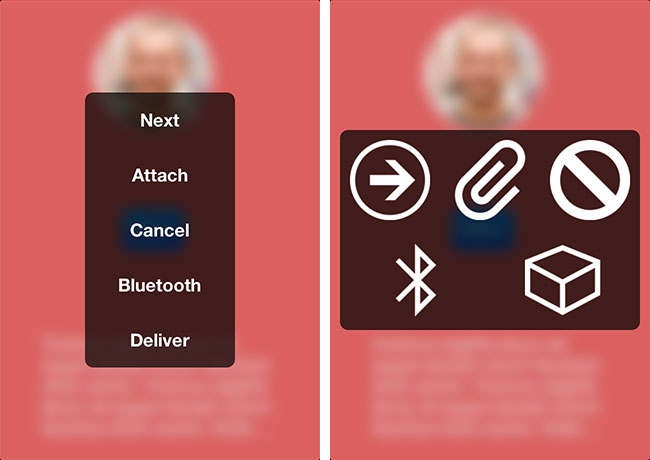
There are 3 initialization methods in all for now. Note that the delgate is entirely optional. Just set that parameter to nil (though the control is kind of useless without it, right?).
```objc
// Note this changes the view to style RNGridMenuStyleList since there are no images
- (id)initWithOptions:(NSArray *)options delegate:(id )delegate;
- (id)initWithImages:(NSArray *)images delegate:(id )delegate;
// The count of both options and images must be equal (caught with assert)
- (id)initWithOptions:(NSArray *)options images:(NSArray *)images delegate:(id )delegate;
```
## Customization
```objc
@property (nonatomic, copy) UIColor *highlightColor;
```
The color that items will be highlighted with on selection. Defaults to table view selection blue.
```objc
@property (nonatomic, strong, readonly) UIColor *backgroundColor;
```
The background color of the main view (note this is a UIViewController subclass). Default is black with 0.7 alpha.
```objc
@property (nonatomic, assign) CGSize itemSize;
```
The size of a list or grid item. Default is 100x100.
```objc
@property (nonatomic, assign) CGFloat blurLevel;
```
The level of blur for the background image. Range is 0.0 to 1.0. Default is 0.3.
```objc
@property (nonatomic, assign) BOOL addsToWindow;
```
Set to YES if you want to add the control to the window of your app. Default is NO.
```objc
@property (nonatomic, assign) CGFloat animationDuration;
```
The time in seconds for the show and dismiss animation. Default is 0.25.
```objc
@property (nonatomic, copy) UIColor *itemTextColor;
```
The text color for list items. Default is white.
```objc
@property (nonatomic, copy) UIFont *itemFont;
```
The font used for list items. Default is bold size 14.
```objc
@property (nonatomic, assign) NSTextAlignment itemTextAlignment;
```
The text alignment of the item titles. Default center alignment.
```objc
@property (nonatomic, assign) RNGridMenuStyle menuStyle;
```
The list layout. Default RNGridMenuStyleGrid. Options are
```objc
RNGridMenuStyleDefault
RNGridMenuStyleList
```
```objc
@property (nonatomic, strong) UIView *headerView;
```
An optional header view. Make sure to set the frame height when setting. Same usage as [UITableView header](http://developer.apple.com/library/ios/#documentation/uikit/reference/UITableView_Class/Reference/Reference.html).
## Credits
I finally got a solid implementation on responding to orientation changes by looking at the source of [MBAlertView](https://github.com/mobitar/MBAlertView). Great project if you haven't seen it.
Sample icons provided by [IcoMoon](http://icomoon.io/).
I followed [Peter Steinberger](http://petersteinberger.com/)'s [post](http://petersteinberger.com/blog/2013/uiappearance-for-custom-views/) on setting up [UIAppearance](http://developer.apple.com/library/ios/#documentation/uikit/reference/UIAppearance_Protocol/).
The blurring algorithm was initially used from [this post](http://indieambitions.com/idevblogaday/perform-blur-vimage-accelerate-framework-tutorial/) but then perfected by [Club15CC](https://github.com/Club15CC) in a [pull request](https://github.com/rnystrom/RNBlurModalView/pull/11) for [RNBlurModalView](https://github.com/rnystrom/RNBlurModalView).
## Apps
If you've used this project in a live app, please let me know! Nothing makes me happier than seeing someone else take my work and go wild with it.
## Todo
- ~~Images only~~
- ~~Vertical list with text only~~
- Advanced styles - Item borders, gradients (Mailbox)
- UIAppearance with styles
- ~~Title view~~
- ~~Readme~~
- Cocoapods
- ~~More screenshots~~
- Optional block callbacks
## Contact
* [@nystrorm](https://twitter.com/_ryannystrom) on Twitter
* [@rnystrom](https://github.com/rnystrom) on Github
* rnystrom [at] whoisryannystrom [dot] com
## License
See [LICENSE](https://github.com/rnystrom/RNGridMenu/blob/master/LICENSE).