# esp-who
**Repository Path**: EspressifSystems/esp-who
## Basic Information
- **Project Name**: esp-who
- **Description**: Face detection and recognition framework
- **Primary Language**: C
- **License**: MIT
- **Default Branch**: master
- **Homepage**: None
- **GVP Project**: No
## Statistics
- **Stars**: 15
- **Forks**: 6
- **Created**: 2022-03-08
- **Last Updated**: 2026-04-30
## Categories & Tags
**Categories**: Uncategorized
**Tags**: None
## README
# ESP-WHO [[English]](./README.md)
ESP-WHO 是基于乐鑫芯片的图像处理开发平台,其中包含了实际应用中可能出现的开发示例。
## 概述
ESP-WHO 提供了人脸检测、人脸识别、行人检测、二维码识别等示例。您可以基于这些示例,衍生出丰富的实际应用。ESP-WHO 基于[ESP-DL](https://github.com/espressif/esp-dl)开发,配合各种外设可以实现许多有趣的应用。
## 新功能
1. 该仓库已完全重构。适配新版 [ESP-DL](https://github.com/espressif/esp-dl)
2. 支持新芯片 [ESP32-P4](https://www.espressif.com/en/products/socs/esp32-p4)。
3. 摄像头和深度学习模型现在异步执行,可实现更高的帧率。
4. 添加 [lvgl](https://lvgl.io/)(轻量级多功能图形库) 支持,您可以自由开发自己的图形应用程序。
5. 添加了新的行人检测模型。
某些芯片(如 esp32 和 esp32-s2)以及示例(如猫脸检测、颜色检测)目前不在此分支中,还未适配完成。旧分支可在此处找到。
[老 ESP-WHO 分支](https://github.com/espressif/esp-who/tree/release/v1.1.0)
## 支持的 ESP-IDF 版本
| ESP-IDF
[Release/v5.4](https://github.com/espressif/esp-idf/tree/release/v5.4) | ESP-IDF
[Release/v5.5](https://github.com/espressif/esp-idf/tree/release/v5.5) |
|-------------------------------------------------------------------------------------|-------------------------------------------------------------------------------------|
| :heavy_check_mark: | :heavy_check_mark: |
## 支持的开发版
| 开发板 | SoC | 支持的功能 | 外观 |
|:----------:|:---:|:-------------------|:-----:|
| [ESP32-P4 Function EV Board](https://docs.espressif.com/projects/esp-dev-kits/zh_CN/latest/esp32p4/esp32-p4-function-ev-board/user_guide.html) | esp32p4 | :musical_note: Audio
:microphone: Audio Microphone (es8311)
:speaker: Audio Speaker (es8311)
:pager: LCD Display (ek79007, ili9881c, lt8912b)
:floppy_disk: uSD Card
:point_up: Display Touch (gt911)
|  |
| [ESP32-S3-EYE](docs/zh_CN/get-started/ESP32-S3-EYE_Getting_Started_Guide.md) | esp32s3 | :musical_note: Audio
|
| [ESP32-S3-EYE](docs/zh_CN/get-started/ESP32-S3-EYE_Getting_Started_Guide.md) | esp32s3 | :musical_note: Audio
:microphone: Audio Microphone
:radio_button: Button
:camera: Camera
:pager: LCD Display (st7789)
:video_game: IMU
:floppy_disk: uSD Card
|  |
| [ESP32-S3-Korvo-2](https://docs.espressif.com/projects/esp-adf/zh_CN/latest/design-guide/dev-boards/user-guide-esp32-s3-korvo-2.html) | esp32s3 | :musical_note: Audio
|
| [ESP32-S3-Korvo-2](https://docs.espressif.com/projects/esp-adf/zh_CN/latest/design-guide/dev-boards/user-guide-esp32-s3-korvo-2.html) | esp32s3 | :musical_note: Audio
:microphone: Audio Microphone (es7210)
:speaker: Audio Speaker (es8311)
:radio_button: Button
:camera: Camera
:pager: LCD Display (ili9341)
:bulb: LED
:floppy_disk: uSD Card
:point_up: Display Touch (tt21100)
| 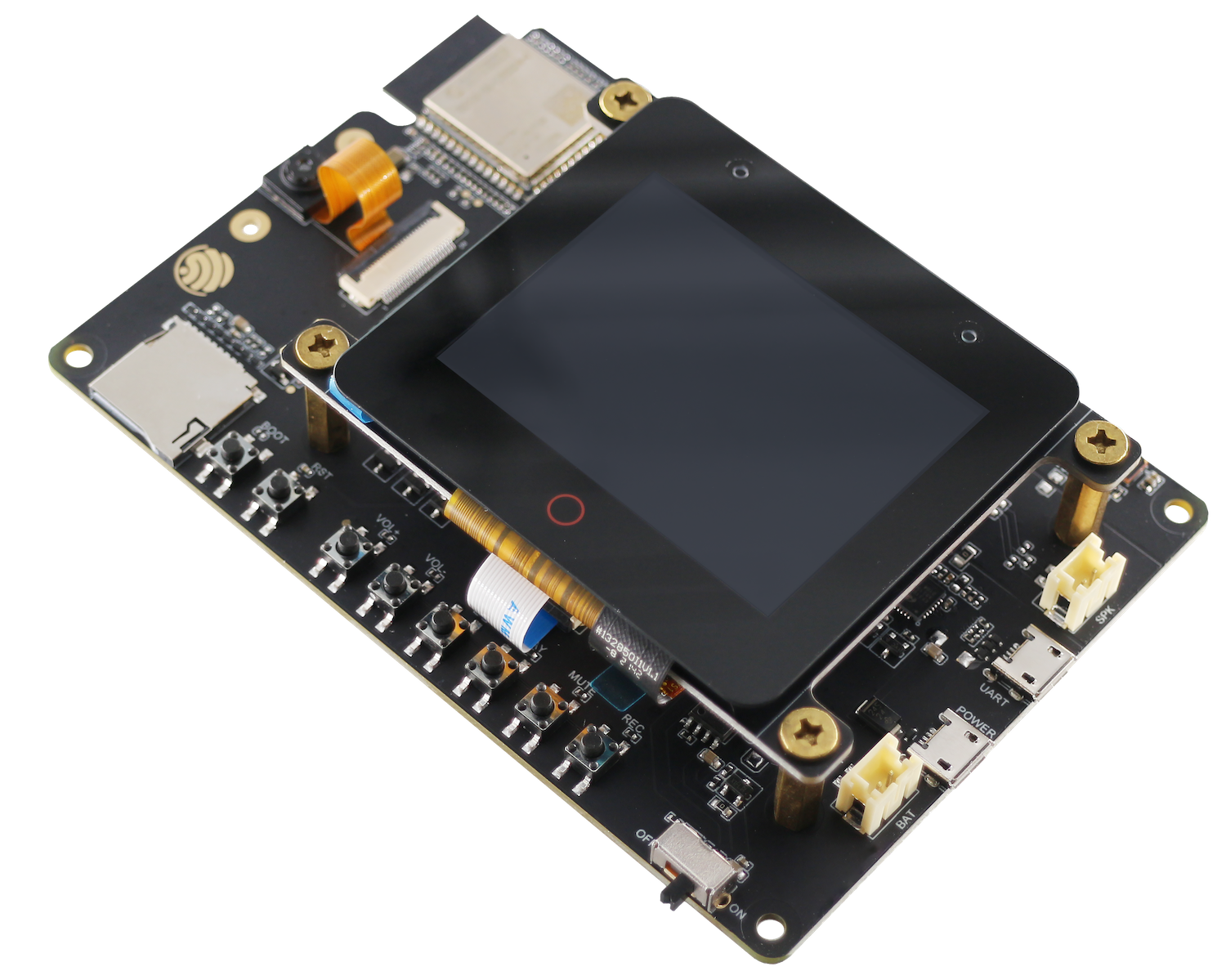 |
## 快速开始
ESP-WHO 的所有示例都存放在 [examples](./examples) 中,进入对应的文件夹,执行下面的步骤。
### 添加环境变量
Linux:
```
export IDF_EXTRA_ACTIONS_PATH=/path_to_esp-who/tools/
echo $IDF_EXTRA_ACTIONS_PATH
```
Win/powershell:
```
$Env:IDF_EXTRA_ACTIONS_PATH="/path_to_esp-who/tools/"
echo $Env:IDF_EXTRA_ACTIONS_PATH
```
Win/cmd:
```
set IDF_EXTRA_ACTIONS_PATH=/path_to_esp-who/tools/
echo %IDF_EXTRA_ACTIONS_PATH%
```
> [!IMPORTANT]
> 确保 echo 命令返回正确的路径。
#### 设定目标 SOC 和默认 sdkconfig 配置文件。
```
idf.py -DSDKCONFIG_DEFAULTS=sdkconfig.bsp.bsp_name set-target esp32xx
```
如果用powershell的话,添加""。
```
idf.py -DSDKCONFIG_DEFAULTS="sdkconfig.bsp.bsp_name" set-target "esp32xx"
```
> [!NOTE]
> 查看每个示例下的 sdkconfig.bsp.* 文件以查看支持的 bsp_name。
#### (可选) 配置 sdkconfig 选项
```
idf.py menuconfig
```
### 编译,烧录并监视
```
idf.py flash monitor [-p port]
```
> [!NOTE]
> - 这里的 [-p port] 是可选的,如果没有指定端口,则将扫描所有端口。
> - [在 linux/macos 查看端口](https://docs.espressif.com/projects/esp-idf/zh_CN/stable/esp32/get-started/establish-serial-connection.html#linux-macos)
> - [在 win 查看端口](https://docs.espressif.com/projects/esp-idf/zh_CN/stable/esp32/get-started/establish-serial-connection.html#windows)
## 参考资源
* 需要部署自己的模型可以参考 [ESP-DL](https://github.com/espressif/esp-dl), [ESP-DETECTION](https://github.com/espressif/esp-detection)。
* 开发板相关外设接口的使用可以参考 [ESP-BSP](https://github.com/espressif/esp-bsp)。
* camera 驱动相关可以参考 [ESP32_CAMERA](https://github.com/espressif/esp32-camera), [ESP_VIDEO_COMPONENTS](https://github.com/espressif/esp-video-components)。
* 如果你在使用中发现了错误或者需要新的功能,请先查看 [GitHub Issues](https://github.com/espressif/esp-who/issues),确保该问题没有重复提交。
|
## 快速开始
ESP-WHO 的所有示例都存放在 [examples](./examples) 中,进入对应的文件夹,执行下面的步骤。
### 添加环境变量
Linux:
```
export IDF_EXTRA_ACTIONS_PATH=/path_to_esp-who/tools/
echo $IDF_EXTRA_ACTIONS_PATH
```
Win/powershell:
```
$Env:IDF_EXTRA_ACTIONS_PATH="/path_to_esp-who/tools/"
echo $Env:IDF_EXTRA_ACTIONS_PATH
```
Win/cmd:
```
set IDF_EXTRA_ACTIONS_PATH=/path_to_esp-who/tools/
echo %IDF_EXTRA_ACTIONS_PATH%
```
> [!IMPORTANT]
> 确保 echo 命令返回正确的路径。
#### 设定目标 SOC 和默认 sdkconfig 配置文件。
```
idf.py -DSDKCONFIG_DEFAULTS=sdkconfig.bsp.bsp_name set-target esp32xx
```
如果用powershell的话,添加""。
```
idf.py -DSDKCONFIG_DEFAULTS="sdkconfig.bsp.bsp_name" set-target "esp32xx"
```
> [!NOTE]
> 查看每个示例下的 sdkconfig.bsp.* 文件以查看支持的 bsp_name。
#### (可选) 配置 sdkconfig 选项
```
idf.py menuconfig
```
### 编译,烧录并监视
```
idf.py flash monitor [-p port]
```
> [!NOTE]
> - 这里的 [-p port] 是可选的,如果没有指定端口,则将扫描所有端口。
> - [在 linux/macos 查看端口](https://docs.espressif.com/projects/esp-idf/zh_CN/stable/esp32/get-started/establish-serial-connection.html#linux-macos)
> - [在 win 查看端口](https://docs.espressif.com/projects/esp-idf/zh_CN/stable/esp32/get-started/establish-serial-connection.html#windows)
## 参考资源
* 需要部署自己的模型可以参考 [ESP-DL](https://github.com/espressif/esp-dl), [ESP-DETECTION](https://github.com/espressif/esp-detection)。
* 开发板相关外设接口的使用可以参考 [ESP-BSP](https://github.com/espressif/esp-bsp)。
* camera 驱动相关可以参考 [ESP32_CAMERA](https://github.com/espressif/esp32-camera), [ESP_VIDEO_COMPONENTS](https://github.com/espressif/esp-video-components)。
* 如果你在使用中发现了错误或者需要新的功能,请先查看 [GitHub Issues](https://github.com/espressif/esp-who/issues),确保该问题没有重复提交。