


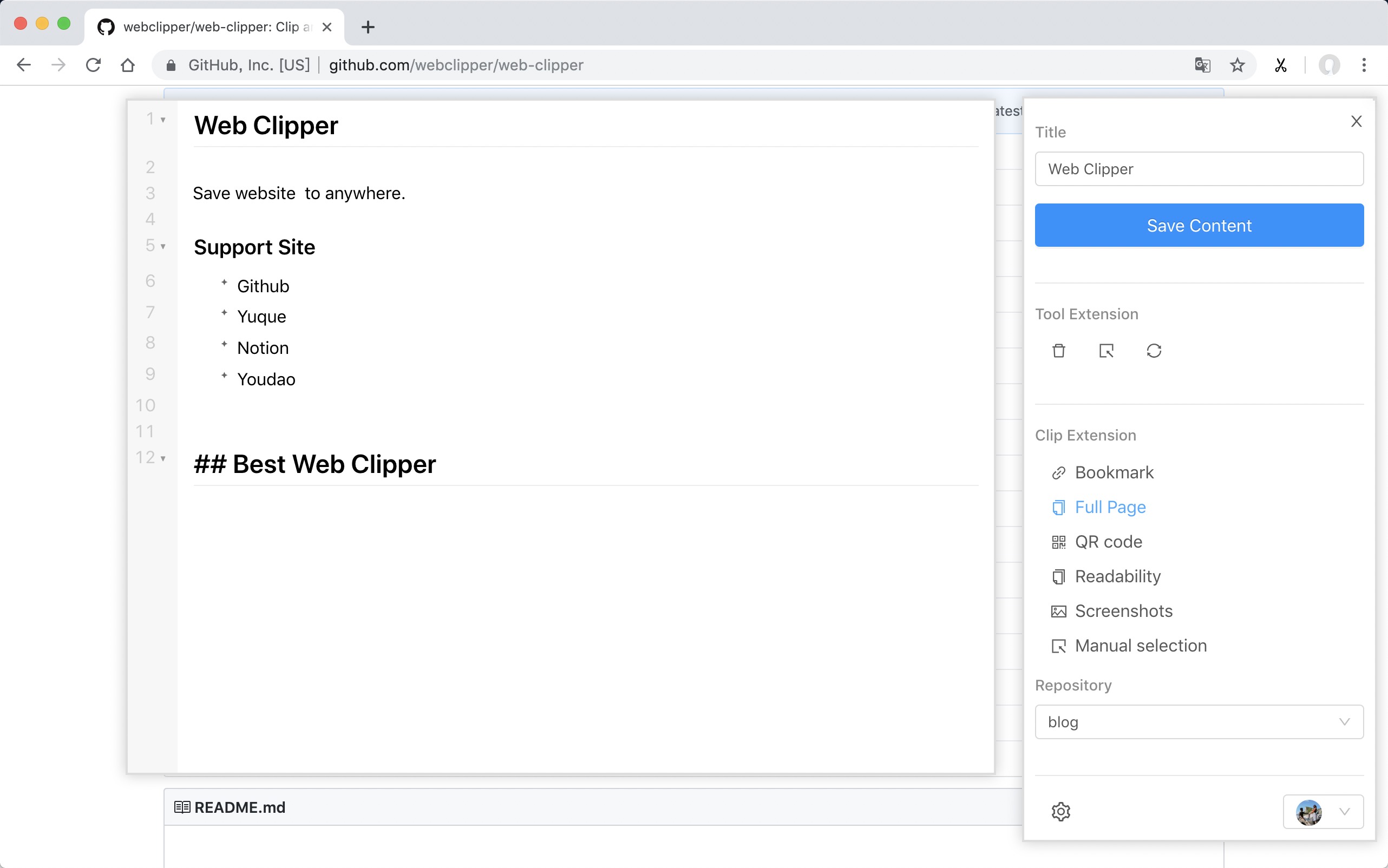
 ### Support Site
- [FlowUs](https://flowus.cn/)
### Support Site
- [FlowUs](https://flowus.cn/)
 * [Github](https://github.com)
* [Yuque](https://www.yuque.com)
* [Notion](https://www.notion.so/)
* [Youdao](https://note.youdao.com/)
* [OneNote](https://www.onenote.com/)
* [Bear](https://bear.app)
* [Joplin](https://joplinapp.org/)
* [Server Chan](http://sc.ftqq.com/3.version)
* [dida365](https://dida365.com/)
* [baklib](https://www.baklib-free.com/)
* [wolai](https://www.wolai.com/)
* [Leanote](https://github.com/leanote/leanote)
* [Flomo](https://flomoapp.com/)
### Install
- [Firefox](https://addons.mozilla.org/en-US/firefox/addon/universal-web-clipper/) 1.30.0
- [Chrome](https://chrome.google.com/webstore/detail/web-clipper/mhfbofiokmppgdliakminbgdgcmbhbac) 1.32.0
- [Chrome Beta](https://chrome.google.com/webstore/detail/web-clipper/finhmpmkpbacljcdemplngnnjdenihpp?hl=zh-CN&authuser=0) 1.32.0
- [Edge](https://microsoftedge.microsoft.com/addons/detail/opejamnnohhbjflpbhnmdlknhjkfhfdp) 1.31.0
ps: Because the review takes a week, the version will fall behind.
#### From Github
1. Download the webclipper.zip from [release page](https://github.com/webclipper/web-clipper/releases)
2. Go to **chrome://extensions/** and check the box for **Developer mode** in the top right.
3. Locate the ZIP file on your computer and unzip it.
4. Go back to the chrome://extensions/ page and click the **Load unpacked extension** button and select the unzipped folder for your extension to install it.
[Canary](https://github.com/webclipper/web-clipper/releases/tag/canary)
### Develop
```bash
$ git clone https://github.com/webclipper/web-clipper.git
$ cd web-clipper
$ yarn
$ yarn dev # Chrome
$ yarn dev:ff # Firebox
```
### Test
```bash
$ yarn test
```
### Feedback
| Type | Link |
| -------- | ---------------------------------------------------- |
| Telegram | [Link](https://t.me/joinchat/HoVttRRUIA6aXASixzoqAw) |
### Sponsors
#### 感谢 [FlowUs 息流](https://flowus.cn/product) 赞助本项目
FlowUs 息流是一款为个人和团队打造的新一代知识管理与协作平台,以云端空间承载,配合灵活的信息搭建能力,为用户在工作、生活、学习中提供更多效率与专注。
产品覆盖移动及 PC 端全生态链条,依托 FlowUs 息流,团队和个人用户能够实现项目管理、知识库、企业网盘、内部工作流等一站式解决方案。
**官网**: [https://flowus.cn/product](https://flowus.cn/product)

* [Github](https://github.com)
* [Yuque](https://www.yuque.com)
* [Notion](https://www.notion.so/)
* [Youdao](https://note.youdao.com/)
* [OneNote](https://www.onenote.com/)
* [Bear](https://bear.app)
* [Joplin](https://joplinapp.org/)
* [Server Chan](http://sc.ftqq.com/3.version)
* [dida365](https://dida365.com/)
* [baklib](https://www.baklib-free.com/)
* [wolai](https://www.wolai.com/)
* [Leanote](https://github.com/leanote/leanote)
* [Flomo](https://flomoapp.com/)
### Install
- [Firefox](https://addons.mozilla.org/en-US/firefox/addon/universal-web-clipper/) 1.30.0
- [Chrome](https://chrome.google.com/webstore/detail/web-clipper/mhfbofiokmppgdliakminbgdgcmbhbac) 1.32.0
- [Chrome Beta](https://chrome.google.com/webstore/detail/web-clipper/finhmpmkpbacljcdemplngnnjdenihpp?hl=zh-CN&authuser=0) 1.32.0
- [Edge](https://microsoftedge.microsoft.com/addons/detail/opejamnnohhbjflpbhnmdlknhjkfhfdp) 1.31.0
ps: Because the review takes a week, the version will fall behind.
#### From Github
1. Download the webclipper.zip from [release page](https://github.com/webclipper/web-clipper/releases)
2. Go to **chrome://extensions/** and check the box for **Developer mode** in the top right.
3. Locate the ZIP file on your computer and unzip it.
4. Go back to the chrome://extensions/ page and click the **Load unpacked extension** button and select the unzipped folder for your extension to install it.
[Canary](https://github.com/webclipper/web-clipper/releases/tag/canary)
### Develop
```bash
$ git clone https://github.com/webclipper/web-clipper.git
$ cd web-clipper
$ yarn
$ yarn dev # Chrome
$ yarn dev:ff # Firebox
```
### Test
```bash
$ yarn test
```
### Feedback
| Type | Link |
| -------- | ---------------------------------------------------- |
| Telegram | [Link](https://t.me/joinchat/HoVttRRUIA6aXASixzoqAw) |
### Sponsors
#### 感谢 [FlowUs 息流](https://flowus.cn/product) 赞助本项目
FlowUs 息流是一款为个人和团队打造的新一代知识管理与协作平台,以云端空间承载,配合灵活的信息搭建能力,为用户在工作、生活、学习中提供更多效率与专注。
产品覆盖移动及 PC 端全生态链条,依托 FlowUs 息流,团队和个人用户能够实现项目管理、知识库、企业网盘、内部工作流等一站式解决方案。
**官网**: [https://flowus.cn/product](https://flowus.cn/product)
