# sftp
**Repository Path**: MrXuxu/sftp
## Basic Information
- **Project Name**: sftp
- **Description**: 一键将打包好的文件发送至远程仓库
- **Primary Language**: Unknown
- **License**: Not specified
- **Default Branch**: master
- **Homepage**: None
- **GVP Project**: No
## Statistics
- **Stars**: 0
- **Forks**: 0
- **Created**: 2022-09-13
- **Last Updated**: 2022-09-13
## Categories & Tags
**Categories**: Uncategorized
**Tags**: None
## README
[circleci-image]: https://img.shields.io/circleci/build/github/nestjs/nest/master?token=abc123def456
[circleci-url]: https://circleci.com/gh/nestjs/nest
One-line command to quickly publish resources to a specified server..



### Usage
> Add sftp.json to the root of the project
```
// ./sftp.json
{
"localPath": "./dist",
"remotePath": "/export/App/xxx",
"protectedRemotePath": "/export/App/xxx",
"connect": {
"host": "xxx.xxx.xxx.xx",
"port": 22,
"username": "root",
"password": "123456"
}
}
```
### Getting started
```
yarn add publish-sftp
```
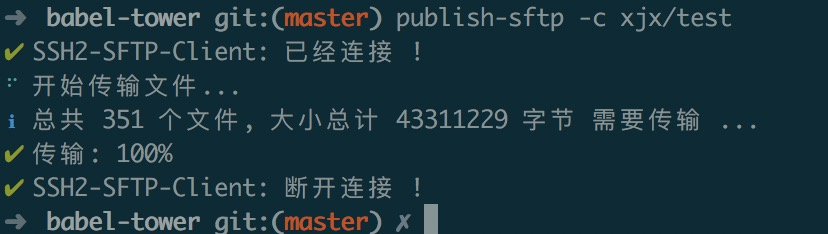
> 复制 localPath 下所有文件到 remotePath/xjx/test, -c 参数为空则是复制到 remotePath, 远程目录不存在会先创建
#### copy
> 复制 localPath 下所有文件到 remotePath 目录下, 如果 xxx 有值则是复制到 `${remotePath}/${xxx}` 目录
```
publish-sftp -c xxx
```
#### remove
> 删除 remotePath 目录, 如果 xxx 有值则是删除 `${remotePath}/${xxx}` 目录
```
publish-sftp -r xxx
```
### Tips
> protectedRemotePath 字段为避免误操作增加,删除等危险操作涉及到该目录会立即终止 ⚠️