# otomi-core
**Repository Path**: NQL886/otomi-core
## Basic Information
- **Project Name**: otomi-core
- **Description**: No description available
- **Primary Language**: Unknown
- **License**: Apache-2.0
- **Default Branch**: main
- **Homepage**: None
- **GVP Project**: No
## Statistics
- **Stars**: 0
- **Forks**: 0
- **Created**: 2022-05-10
- **Last Updated**: 2022-05-10
## Categories & Tags
**Categories**: Uncategorized
**Tags**: None
## README

Self-hosted PaaS for Kubernetes
A complete platform experience on top of any Kubernetes cluster to empower developers and lower the burden on operations









Join our Slack channel for Q&A
Otomi brings a PaaS experience to your Kubernetes cluster without the constraints and abstractions of traditional PaaS offerings like OpenShift, Cloud Foundry and Heroku. No more reinventing the wheel when building and maintaining your own K8s based (developer) platform.

## 🚀 Getting started
### Helm
To install Otomi using Helm, make sure to have a K8s cluster running with at least:
- Version `1.18` up to `1.23`
- A node pool with **6 vCPU** and **8GB+ RAM** (more is advised!)
- Calico CNI installed (or any other CNI that supports K8s network policies)
- When installing using the `custom` provider, make sure the K8s LoadBalancer Service created by Otomi can obtain an external accessible IP (using a cloud load balancer or MetalLB)
Add the Helm repository:
```bash
helm repo add otomi https://otomi.io/otomi-core \
helm repo update
```
and then install the Helm chart:
```bash
helm install otomi otomi/otomi \
--set cluster.k8sVersion=$VERSION \ # 1.19, 1.20, 1.21, 1.22 and 1.23 are supported
--set cluster.name=$CLUSTERNAME \
--set cluster.provider=$PROVIDER # use azure, aws, google, digitalocean or custom for any other cloud or onprem K8s
```
When the installer job is completed, follow the [activation steps](https://otomi.io/docs/installation/activation/).
### K8s quick starts
Use the [quickstarts](https://github.com/redkubes/quickstart) for Azure, GCP, AWS, Linode, Digital Ocean and Minikube to provision a Kubernetes cluster. Then use the helm chart to install Otomi.
### Workshops
In our [workshops](https://github.com/redkubes/workshops) repository, we have prepared a comprehensive set of hands-on labs to get a good understanding/overview of Otomi.
## 🎉 Otomi Features
✅ Drag and Drop apps to create your own preferred suite
✅ GitOps with Argo CD out-of-the-box
✅ Advanced ingress architecture. Expose services with just a few clicks
✅ Configure network policies for internal ingress and external egress
✅ Deploy Knative serverless workloads without writing any YAML
✅ Create and manage secrets in HashiCorp Vault and use them in your workloads
✅ Create Kubernetes Jobs and Cron Jobs without writing any YAML
✅ Role-based access to all integrated applications based on group membership
✅ Policy enforcement based on a default set of security policies
✅ Direct access to logs and metrics of your deployed workloads
✅ Onboard new development teams or projects within minutes in a comprehensive multi-tenant setup
✅ Make development teams self-serving by providing access to predefined automation tasks
✅ Bring your favorite IdP, DNS and/or CA
## 🧑💻 Integrated technologies
`Otomi` installs, configures, integrates and automates all of your favorite technologies:
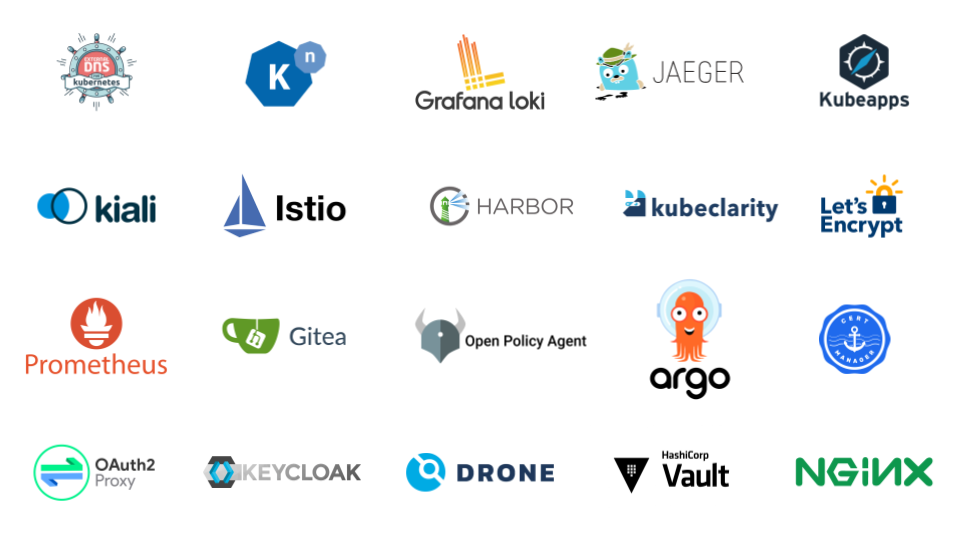
Learn more about all the integrated technologies
- [Istio](https://istio.io/): The service mesh framework with end-to-end transit encryption
- [Argo CD](https://argo-cd.readthedocs.io/en/stable/): Declarative continuous deployment
- [Knative](https://knative.dev/): Deploy and manage serverless workloads
- [Prometheus](https://prometheus.io/): Collecting container application metrics
- [Loki](https://grafana.com/oss/loki/): Collecting container application logs
- [Harbor](https://goharbor.io/): Container image registry with role-based access control, image scanning, and image signing
- [HashiCorp Vault](https://www.vaultproject.io/): Manage Secrets and Protect Sensitive Data
- [Kubeapps](https://bitnami.com/kubernetes/kubeapps): Launching and managing applications on Kubernetes
- [Keycloak](https://www.keycloak.org/): Identity and access management for modern applications and services
- [OPA](https://www.openpolicyagent.org/): Policy-based control for cloud-native environments
- [Let's Encrypt](https://letsencrypt.org/): A nonprofit Certificate Authority providing industry-recognized TLS certificates
- [Jaeger](https://www.jaegertracing.io/): End-to-end distributed tracing and monitor for complex distributed systems
- [Kiali](https://kiali.io/): Observe Istio service mesh relations and connections
- [External DNS](https://github.com/kubernetes-sigs/external-dns): Synchronize exposed ingresses with DNS providers
- [Drone](https://www.drone.io/): Continuous integration platform built on Docker
- [Gitea](https://gitea.io/): Self-hosted Git service
- [Nginx Ingress Controller](https://kubernetes.github.io/ingress-nginx/): Ingress controller for Kubernetes
## 💪 Otomi Projects
`Otomi` consists out of the following projects:
- Otomi Core (this project): The heart of Otomi
- [Otomi Tasks](https://github.com/redkubes/otomi-tasks): Autonomous jobs orchestrated by Otomi Core
- [Otomi API](https://hub.docker.com/repository/docker/otomi/api): The brain of Otomi, handling console input and talking to Otomi Core
- [Otomi Console](https://hub.docker.com/repository/docker/otomi/console): The UI of Otomi for admins and teams, talking to Otomi API
- [Otomi Clients](https://github.com/redkubes/otomi-clients): Factory to build and publish openapi clients used in the redkubes/otomi-tasks repo
## 📖 Documentation
Check out the [dev docs index](./docs/index.md) for developer documentation or go to [otomi.io](https://otomi.io) for more detailed documentation and [tutorials](https://otomi.io/docs/tutorials/).
## 🤝 Contribution
If you wish to contribute please read our [Contributor Code of Conduct](https://otomi.io/community/code-of-conduct) and [Contribution Guidelines](https://otomi.io/community/get-involved).
If you want to say **thank you** or/and support the active development of `Otomi`:
main
- Add a [GitHub Star](https://github.com/redkubes/otomi-core) to the project
- Feel free to write articles about the project on [dev.to](https://dev.to/), [medium](https://medium.com/) or on your personal blog as we are curious to see how you use Otomi
## 🔖 License
`Otomi` is free and open-source software licensed under the [Apache 2.0 License](https://github.com/redkubes/otomi-core/blob/main/LICENSE).