# hjt-vuese
**Repository Path**: SmallYangY/hjt-vuese
## Basic Information
- **Project Name**: hjt-vuese
- **Description**: vue组件自动生成文档
- **Primary Language**: Unknown
- **License**: MIT
- **Default Branch**: main
- **Homepage**: None
- **GVP Project**: No
## Statistics
- **Stars**: 0
- **Forks**: 0
- **Created**: 2021-01-30
- **Last Updated**: 2021-02-02
## Categories & Tags
**Categories**: Uncategorized
**Tags**: None
## README
## vue组件文档自动生成
> 基于 [vuese](https://vuese.org/)
> 使用方式同vuese,命令替换为**hjtvuese**,配置文件将会读取 .hjtvueserc 或 hjtvuese.config.js
## 安装
```shell
npm install @hjtvuese/cli -D 或 yarn add @hjtvuese/cli -D
```
## 使用
### 生成文档
```shell
npx hjtvuese gen
```
或者写入package.json中
```shell
"scripts": {
"docs": "hjtvuese gen"
}
```
```shell
npm run docs
```
### 使用配置文件
在根目录创建 .hjtvueserc 或 hjtvuese.config.js
```js
module.exports = {
title: 'xxx组件文档', // 生成组件文档index的title
include: ['**/*.vue'], // 包含的文件
exclude: [], // 排除的文件,node_modules已被默认排除
outDir: './docs', // 文档的输出目录
}
```
### 预览组件文档
```shell
npx hjtvuese serve --open
```
### 响应式预览单个组件文档
```shell
npx hjtvuese preview ./src/components/CmpA.vue
```
## 为你的组件编写文档
参考 [vuese-为你的组件编写文档](https://vuese.org/zh/cli/#%E4%B8%BA%E4%BD%A0%E7%9A%84%E7%BB%84%E4%BB%B6%E7%BC%96%E5%86%99%E6%96%87%E6%A1%A3)
## 改造添加的功能
### 1.支持自定义编写markdown
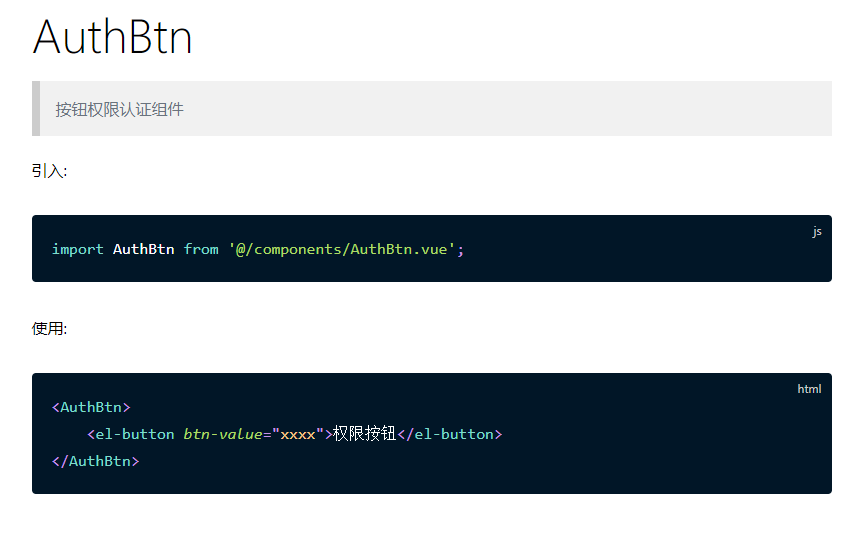
可使用 *desc 开头的注释来标记自定义markdown描述,显示在抬头位置。在vuese基础上可以写一些自定义的内容,比如组件的使用例子。
需要将注释的位置放在 import 与 export default {} 之间
```js
import xxx from 'xxx';
/**desc
## 组件描述
...
*/
// @group xxx
export default {}
```
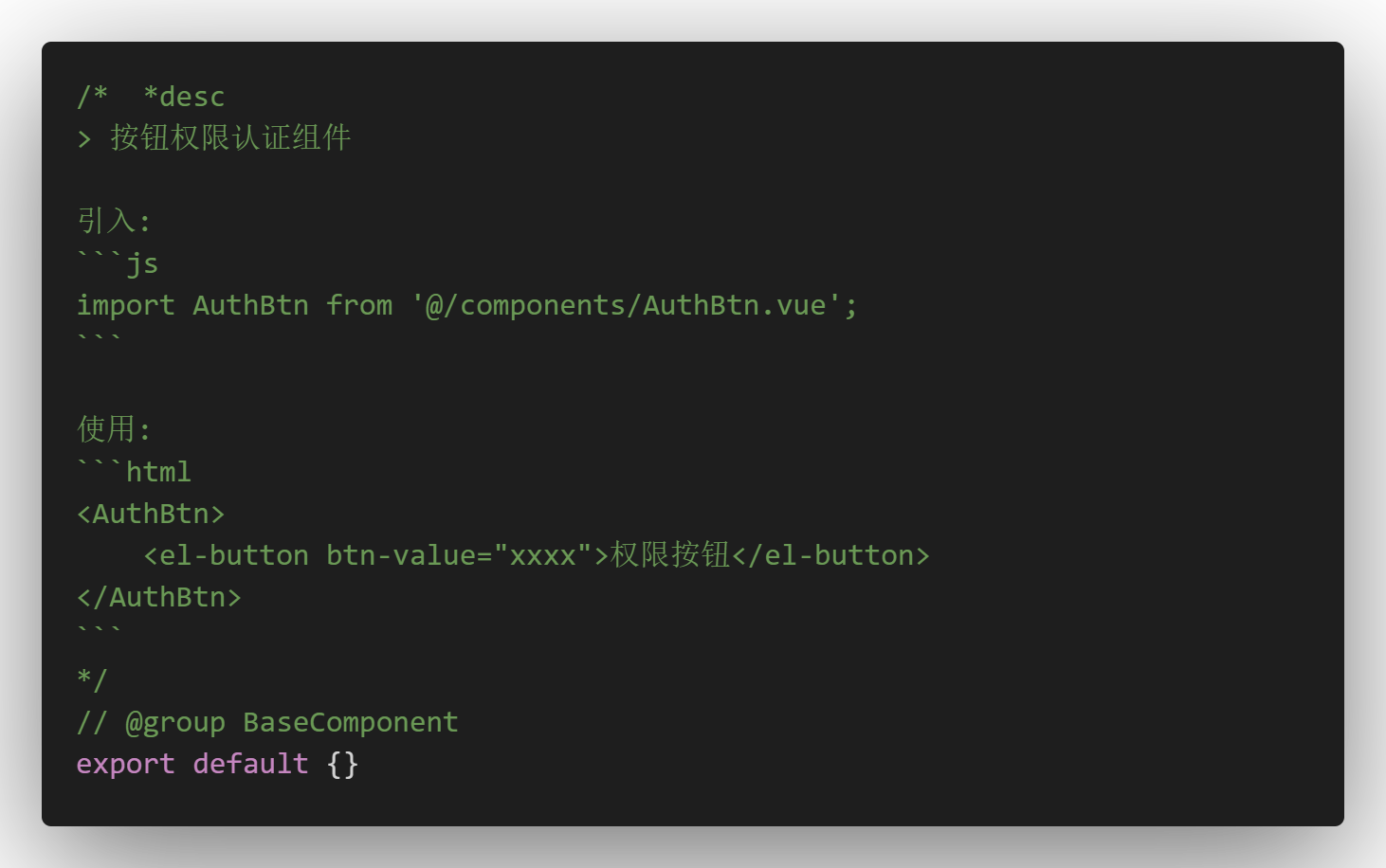
解析后:
### 2.对生成的md文件添加相对路径标识
解决2个不同位置同名组件覆盖的问题。
### 3.增量更新
组件文件未修改,不会再重新生成md文件