# roomler
**Repository Path**: ZhiLiTang/roomler
## Basic Information
- **Project Name**: roomler
- **Description**: No description available
- **Primary Language**: Unknown
- **License**: Not specified
- **Default Branch**: master
- **Homepage**: None
- **GVP Project**: No
## Statistics
- **Stars**: 0
- **Forks**: 0
- **Created**: 2022-03-27
- **Last Updated**: 2022-03-27
## Categories & Tags
**Categories**: Uncategorized
**Tags**: None
## README
# Roomler
> Roomler.Live - Live video conferencing & collaboration tool using WebRTC (Janus Gateway)
It's like Slack on Crack and Microsoft Teams on Steroids.
All that fully free and open source.
[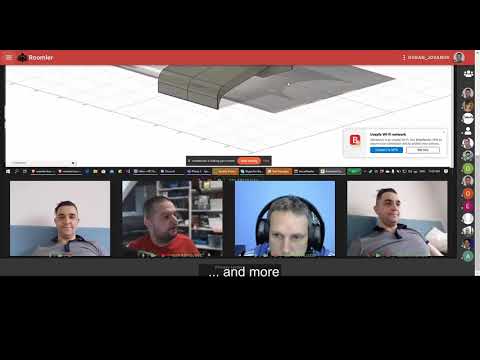](https://www.youtube.com/watch?v=lzHeRwVDfPQ)
# Features
| MULTI PARTY CALLS | POWERFUL CHAT | ORGANIZED ROOMS |
|-------------------------|-------------------------|-------------------------|
| - [x] Video
- [x] Audio
- [x] Screen share
- [x] Encrypted
- [x] up to 50 call participants
| - [x] Rich-text
- [x] File sharing
- [x] Emojis & Giphy's
- [x] Mentions
- [x] Reactions
| - [x] Public Rooms
- [x] Private Rooms
- [x] Hierarchy of Rooms
- [x] User invite system
- [x] Owner, moderator & member roles
|
# Technology stack
- [Janus Gateway](https://github.com/meetecho/janus-gateway)
- [Coturn](https://github.com/coturn/coturn)
- [Fastify](https://github.com/fastify/fastify)
- [PM2](https://github.com/Unitech/pm2)
- [MongoDB](https://github.com/mongodb/mongo)
- [Redis](https://github.com/antirez/redis)
- [VueJS](https://github.com/vuejs/vue)
- [NuxtJS](https://github.com/nuxt/nuxt.js/)
- [VuetifyJS](https://github.com/vuetifyjs/vuetify)
- [Tiptap](https://github.com/ueberdosis/tiptap)
- [ProseMirror](https://github.com/ProseMirror/prosemirror)
- [Nginx](https://github.com/nginx/nginx)
- [Docker](https://github.com/docker)
# Architecture

# Prerequisites
Roomler requires:
- docker engine being installed on your host machine
- two docker networks being created
- environment variables being setup
- serveral micro services up and running
before we can start Roomler (both in development and production environemnt)
## Docker network
Besides the default `host` Docker network, we need to create two addition bridge networks:
1. `docker network create frontend` (used by containers `roomler`, `nginx`)
2. `docker network create backend` (used by containers `roomler`, `mongo`, `redis`)
3. on the existing `host` network `janus` and `coturn` will be attached
## Microservice dependencies
- [Janus Gateway](docs/deps-janus.md)
- [Coturn](docs/deps-coturn.md)
- [MongoDB](docs/deps-mongo.md)
- [Redis](docs/deps-redis.md) - optional in development, but recommended in production!
- [Nginx](docs/deps-nginx.md) - optional in development, but recommended in production!
## Environment variables
You need to setup all your Required (even Optional if desired) [environment variables](docs/env.md), before you can run Roomler
# Start Roomler App
## Start in development mode
``` bash
# install dependencies
$ npm i
# Start API server (localhost:3001)
$ npm run dev:api
# Start UI server (localhost:3000)
$ npm run dev:ui
```
## Start in production mode
``` bash
# install dependencies
$ npm i
# build for production and launch server
$ npm run build
$ npm start
```
## Start in production mode using docker
### Docker build
`./build.sh`
### Docker release
`./release.sh`
### Docker run
``` bash
docker run -d --name roomler \
--hostname roomler \
--network backend \
--restart always \
-e API_URL=https://roomler.live \
-p 8082:3000 \
-e DB_CONN=YOUR_DB_CONN \
-e WS_SCALEOUT_ENABLED=true \
-e WS_SCALEOUT_HOST=redis \
-e SENDGRID_API_KEY=YOUR_SEND_GRID_KEY \
-e FACEBOOK_ID=YOUR_FACEBOOK_ID \
-e FACEBOOK_SECRET=YOUR_FACEBOOK_SECRET \
-e GOOGLE_ID=YOUR_GOOGLE_ID \
-e GOOGLE_SECRET=YOUR_GOOGLE_SECRET \
-e GITHUB_ID=YOUR_GITHUB_ID \
-e GITHUB_SECRET=YOUR_GITHUB_SECRET \
-e LINKEDIN_ID=YOUR_LINKEDIN_ID \
-e LINKEDIN_SECRET=YOUR_LINKEDIN_SECRET \
-e TURN_URL=YOUR_TURN_URL \
-e TURN_USERNAME=YOUR_TURN_USERNAME \
-e TURN_PASSWORD=YOUR_TURN_PASSWORD \
-e GIPHY_API_KEY=YOUR_GIPHY_KEY \
-e GOOGLE_ANALYTICS_ID=YOUR_GOOGLE_ANALYTICS_ID \
-e SUPER_ADMIN_EMAILS='["your_super_admin_email@gmail.com"]' \
-e WEB_PUSH_CONTACT="mailto: your_email@gmail.com" \
-e WEB_PUSH_PUBLISH_KEY=YOUR_VAPID_PUBLIC_KEY \
-e WEB_PUSH_PRIVATE_KEY=YOUR_VAPID_PRIVATE_KEY \
-e NUXT_TELEMETRY_DISABLED=1 \
gjovanov/roomler
# attach roomler container to backend network
docker network connect backend roomler
```
## Start in production mode using docker-compose
`docker-compose up` - this will start the whole docker stack of services
# Testing
## Run API tests
``` bash
# makes sure MongoDB is reachable based on /config/index.js (dbSettings)
$ npm run test:api
```
## Run E2E tests (TODO)
``` bash
# makes sure MongoDB is reachable based on /config/index.js (dbSettings)
# first start the API and UI servers in TEST envrionment
$ npm run start:test-e2e
# then run all E2E test
$ npm run test:e2e
```