# OpenPNM
**Repository Path**: Zhou_Chuanyou/OpenPNM
## Basic Information
- **Project Name**: OpenPNM
- **Description**: A Python package for performing pore network modeling of porous media
- **Primary Language**: Unknown
- **License**: MIT
- **Default Branch**: add_style_check
- **Homepage**: None
- **GVP Project**: No
## Statistics
- **Stars**: 0
- **Forks**: 0
- **Created**: 2021-11-29
- **Last Updated**: 2021-11-29
## Categories & Tags
**Categories**: Uncategorized
**Tags**: None
## README
[](https://github.com/PMEAL/OpenPNM/actions)
[](https://github.com/PMEAL/OpenPNM/actions)
[](https://codecov.io/gh/PMEAL/OpenPNM)
[](https://pmeal.github.io/OpenPNM/)
[](https://pypi.python.org/pypi/openpnm)
[](https://anaconda.org/conda-forge/openpnm)
-----
# Overview of OpenPNM
*OpenPNM* is a comprehensive framework for performing pore network simulations of porous materials.
## More Information
For more details about the package can be found in the [on-line documentation](https://openpnm.org)
## Stay Informed
It is surprizingly hard to communicate with our users, since Github doesn't allow sending out email newsletters or announcements. To address this gap, we have created a [Substack channel](https://openpnm.substack.com/), where you can subscribe to our feed to receive periodic news about important events and updates. Also, follow us on Twitter [(@OpenPnm)](https://twitter.com/OpenPnm) for periodic announcements about new releases and other important events.
## Installation and Requirements
### Preferred method
The preferred way of installing OpenPNM is through [Anaconda Cloud](https://anaconda.org/conda-forge/openpnm) using:
```
conda install -c conda-forge openpnm
```
### Alternative method
OpenPNM can also be installed from the [Python Package Index](https://pypi.org/project/openpnm/) using:
```
pip install openpnm
```
However, we don't recommend installing using `pip` since `pypardiso`, which is a blazing fast direct solver, is not available for Windows users who use Python 3.7+.
### For developers
For developers who intend to change the source code or contribute to OpenPNM, the source code can be downloaded from [Github](https://github.com/pmeal/OpenPNM/) and installed by running:
```
pip install -e 'path/to/downloaded/files'
```
The advantage to installing from the source code is that you can edit the files and have access to your changes each time you import *OpenPNM*.
OpenPNM requires the *Scipy Stack* (Numpy, Scipy, Matplotlib, etc), which is most conveniently obtained by installing the [Anaconda Distribution](https://conda.io/docs/user-guide/install/download.html).
## Example Usage
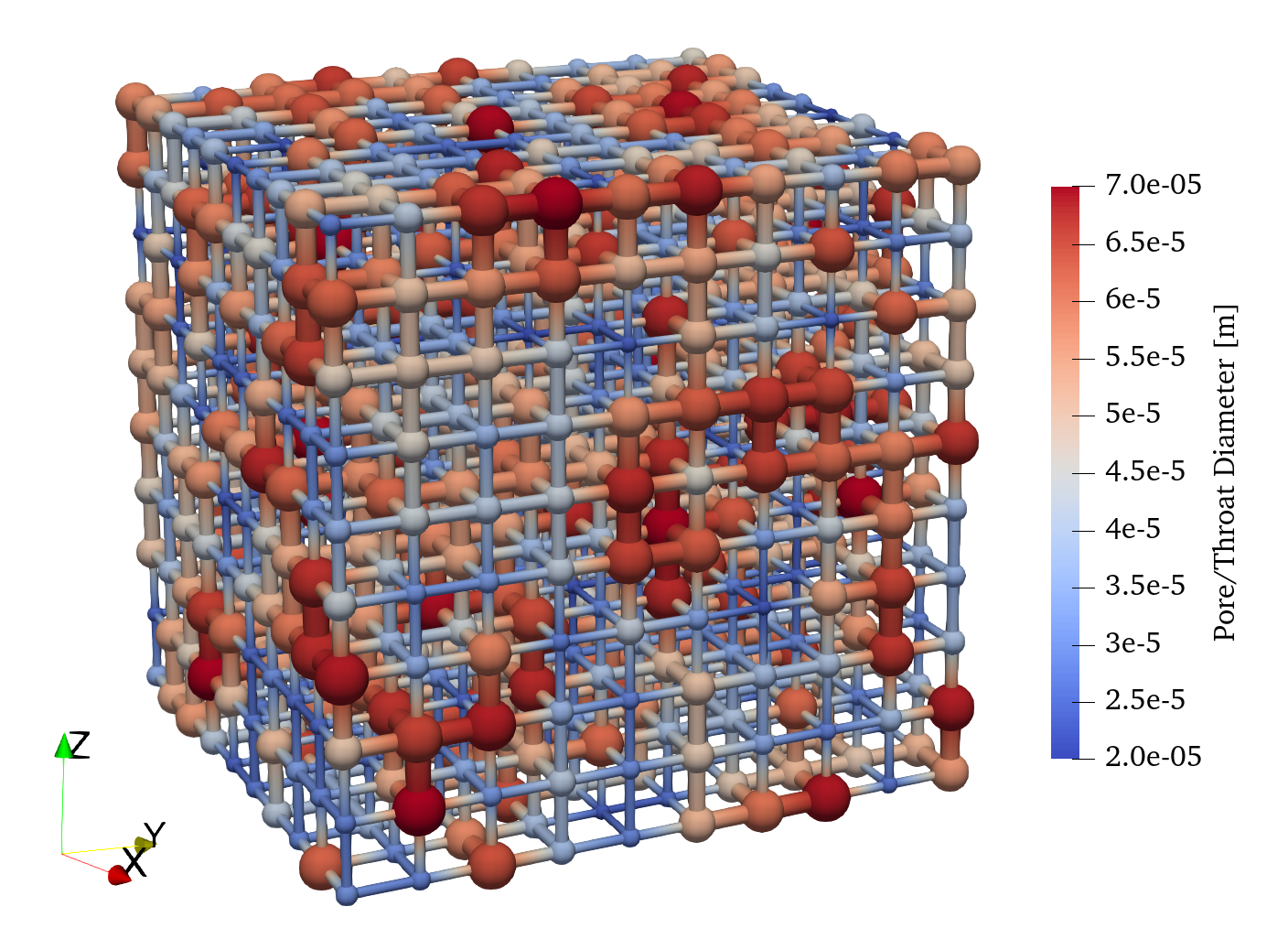
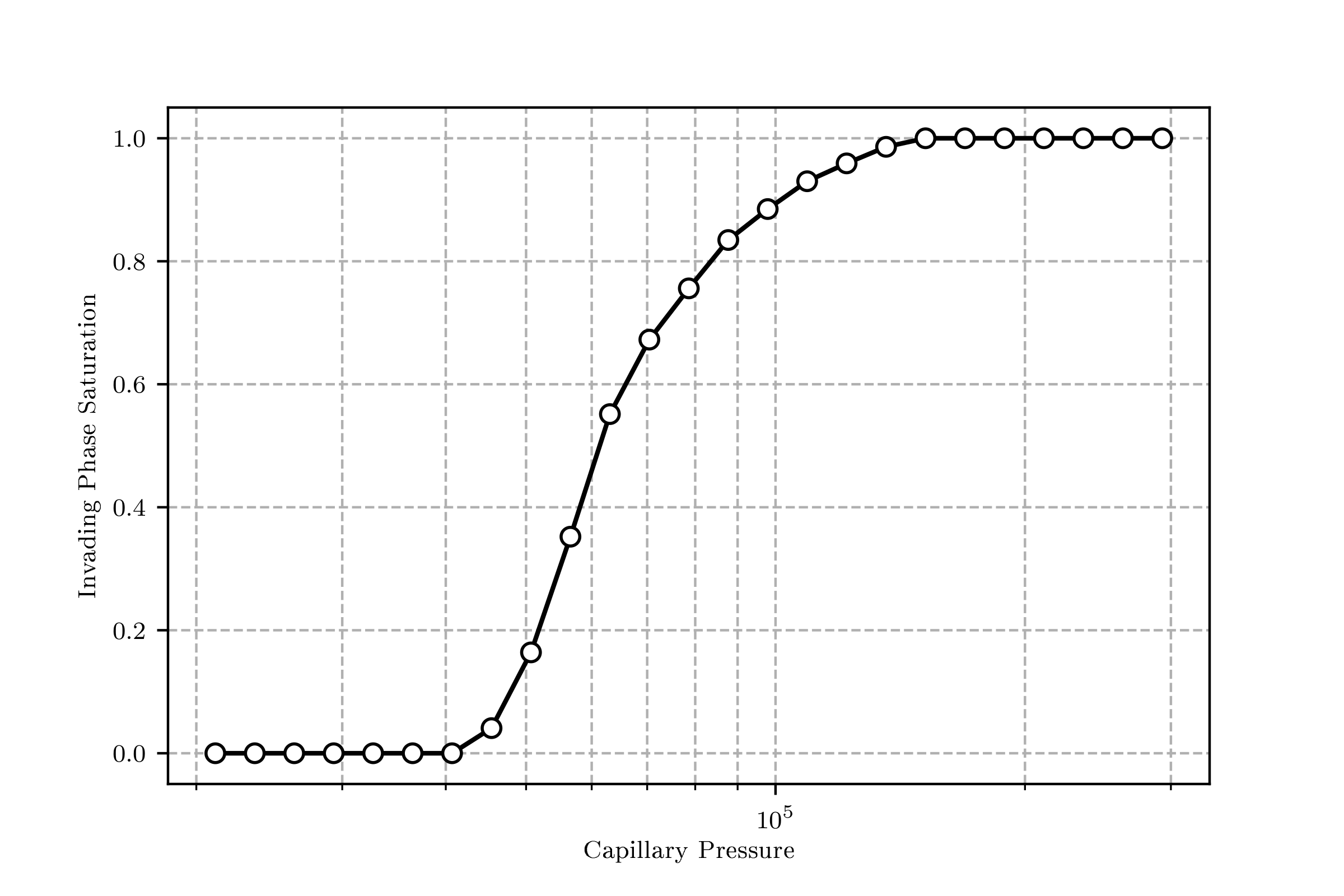
The following code block illustrates how to use OpenPNM to perform a mercury intrusion porosimetry simulation:
``` python
import openpnm as op
pn = op.network.Cubic(shape=[10, 10, 10], spacing=0.0001)
geo = op.geometry.SpheresAndCylinders(network=pn, pores=pn.Ps, throats=pn.Ts)
Hg = op.phases.Mercury(network=pn)
phys = op.physics.Standard(network=pn, phase=Hg, geometry=geo)
mip = op.algorithms.Porosimetry(network=pn, phase=Hg)
mip.set_inlets(pores=pn.pores(['left', 'right', 'top', 'bottom']))
mip.run()
```
The network can be visualized in [`ParaView`](http://www.paraview.org) giving the following:
The drainage curve can be visualized with `mip.plot_intrusion_curve()` giving something like this:
A collection of examples is available in the *examples* folder of this repository: [Examples](https://www.github.com/PMEAL/OpenPNM/tree/dev/examples)
## Asking Questions and Getting Help
Github now has a [Discussions](https://github.com/PMEAL/OpenPNM/discussions) function, which works similarly to [stack overflow](https://www.stackoverflow.com). Please post your question in the [Q&A category](https://github.com/PMEAL/OpenPNM/discussions?discussions_q=category%3AQ%26A) so devs or users can provide answers, vote on accepted answers, improve on each other's answers, and generally discuss things. Most importantly, all answers are searchable so eventually, once enough questions have been posted and answered, you can find what you're looking for with a simple search.
## Contact
OpenPNM is developed by the Porous Materials Engineering and Analysis Lab [(PMEAL)](http://pmeal.com), in the [Department of Chemical Engineering](https://uwaterloo.ca/chemical-engineering/) at the [University of Waterloo](https://uwaterloo.ca/) in Waterloo, Ontario, Canada.
The lead developer for this project is Prof. Jeff Gostick (jgostick@gmail.com).
## Acknowledgements
OpenPNM is grateful to [CANARIE](https://canarie.ca) for their generous funding over the past few years. We would also like to acknowledge the support of [NSERC of Canada](https://www.nserc-crsng.gc.ca/) for funding many of the student that have contributed to OpenPNM since it's inception in 2011.
## Citation
If you use OpenPNM in a publication, please cite the following paper:
> _Gostick et al._ "**OpenPNM: a pore network modeling package.**" Computing in Science & Engineering 18, no. 4 (2016): 60-74.
> [doi:10.1109/MCSE.2016.49](https://ieeexplore.ieee.org/document/7478437)
Also, we ask that you "star" :star: this repository so we can track the number of users who are interested in this project, which is helpful for securing future grant funding.