# alibabacloud-api-jetbrains-toolkit
**Repository Path**: aliyun/alibabacloud-api-jetbrains-toolkit
## Basic Information
- **Project Name**: alibabacloud-api-jetbrains-toolkit
- **Description**: No description available
- **Primary Language**: Unknown
- **License**: Apache-2.0
- **Default Branch**: master
- **Homepage**: None
- **GVP Project**: No
## Statistics
- **Stars**: 0
- **Forks**: 0
- **Created**: 2025-05-08
- **Last Updated**: 2025-05-18
## Categories & Tags
**Categories**: Uncategorized
**Tags**: None
## README
English | [简体中文](./README-CN.md)
# Alibaba Cloud Developer Toolkit for JetBrains
[](https://github.com/aliyun/alibabacloud-api-jetbrains-toolkit/actions/workflows/ci.yml)
[](https://plugins.jetbrains.com/plugin/23361-alibaba-cloud-developer-toolkit)
[](https://plugins.jetbrains.com/plugin/23361-alibaba-cloud-developer-toolkit)
The Alibaba Cloud Developer Toolkit for JetBrains makes it easier to access Alibaba Cloud services.
## Supported IDEs
IntelliJ IDEA(Ultimate, Community) 2022.2 ~ 2024.1
Pycharm (Professional, Community) 2022.2 ~ 2024.1
GoLand 2022.2 ~ 2024.1
## Getting Start
### Installation
* You can download the Alibaba Cloud Developer Toolkit for JetBrains by searching for "Alibaba Cloud Developer Toolkit" in
the Marketplace in your IDE.
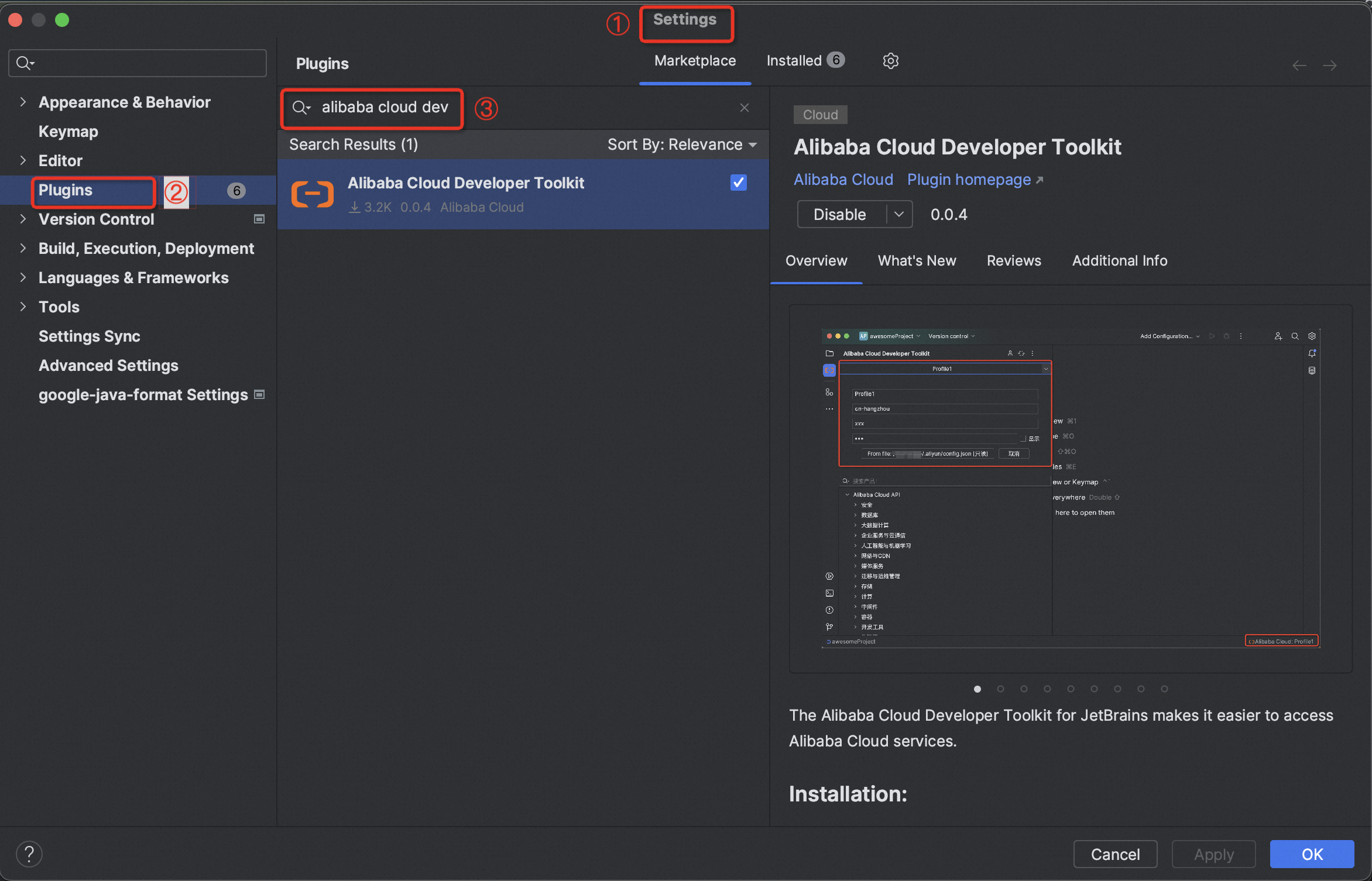
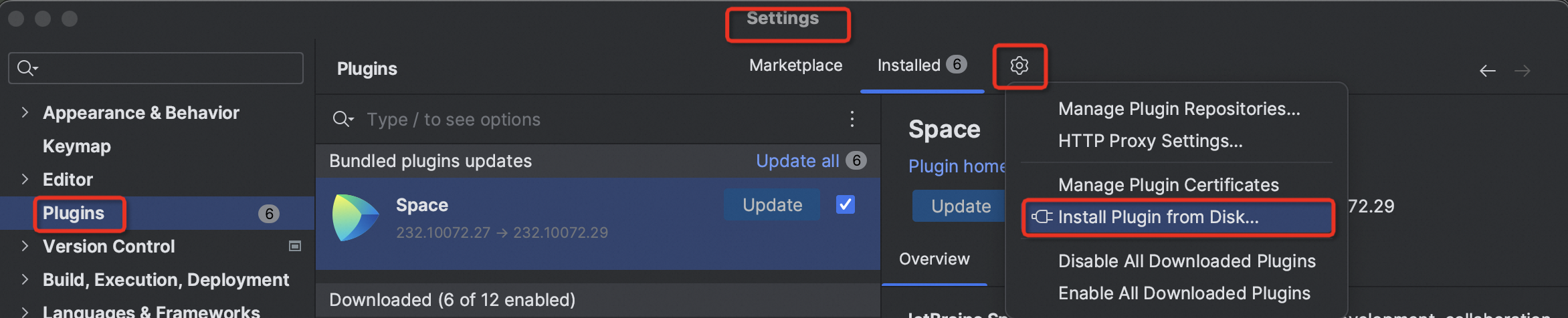
* Or download zip file from your web browser through [JetBrains Marketplace](https://plugins.jetbrains.com/plugin/23361-alibaba-cloud-developer-toolkit) and choose "Install Plugin from Disk..." in
settings to finish installation.
## Plugin UI Guide
## Features
### Profile Configuration
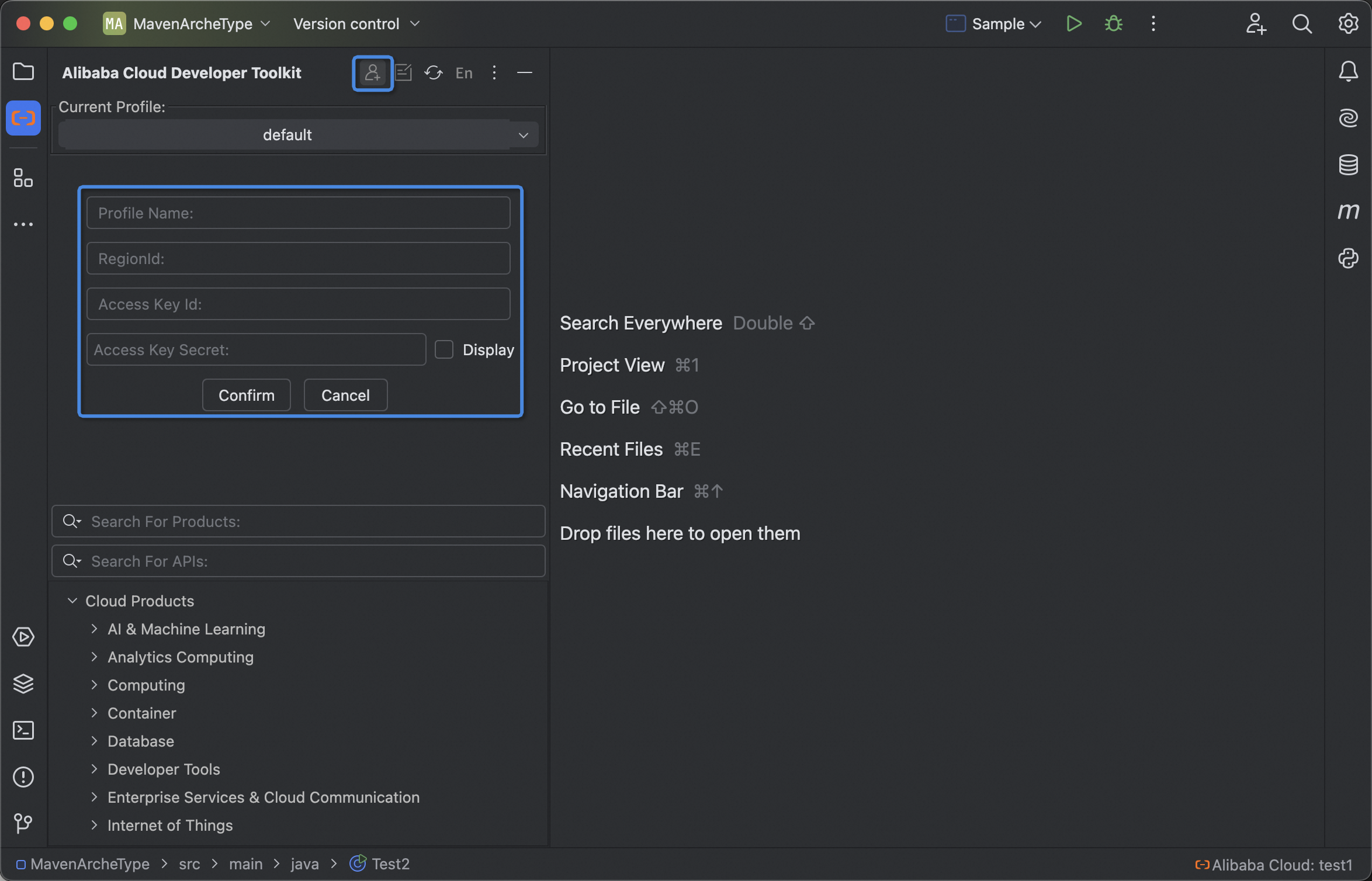
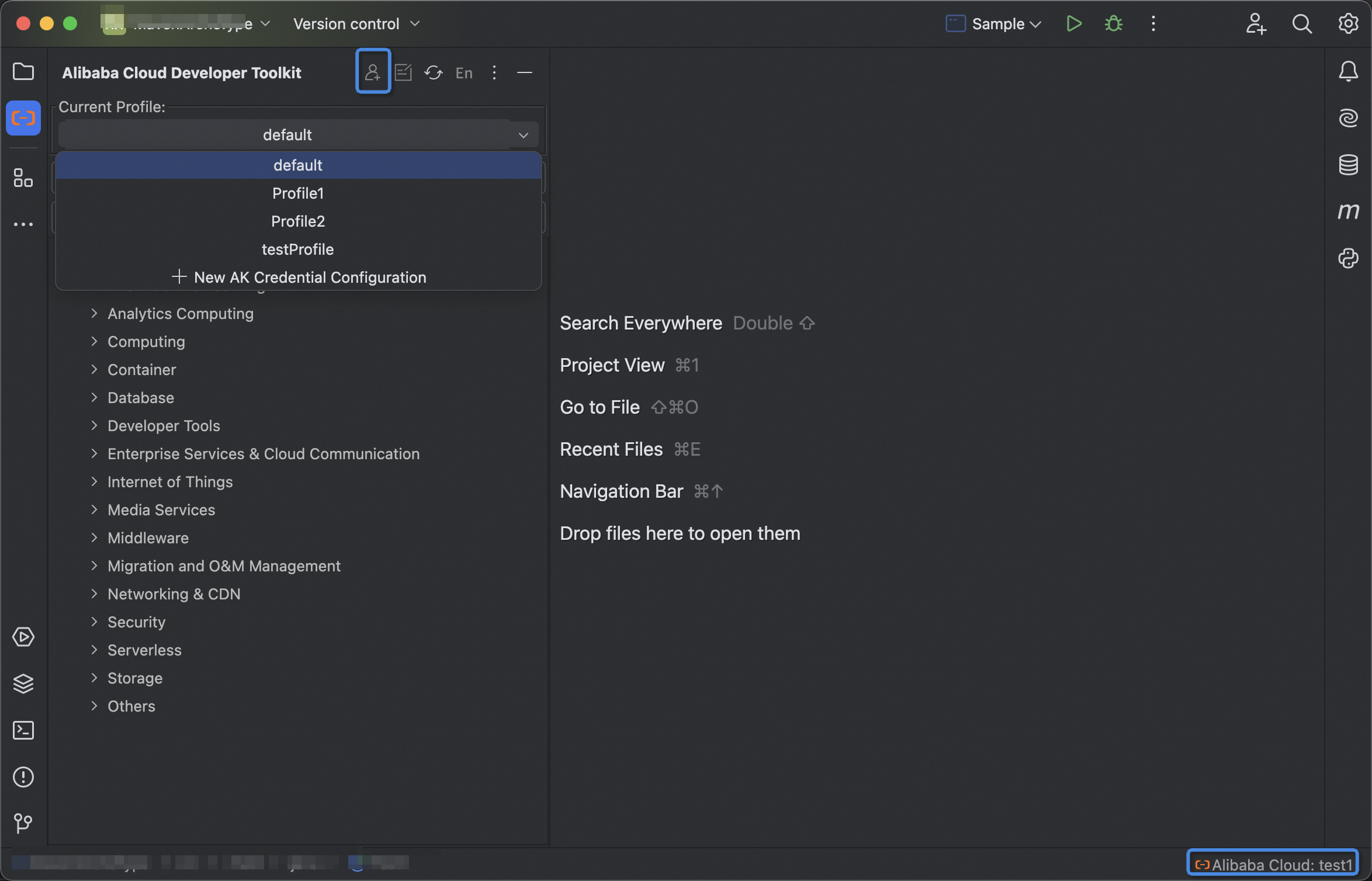
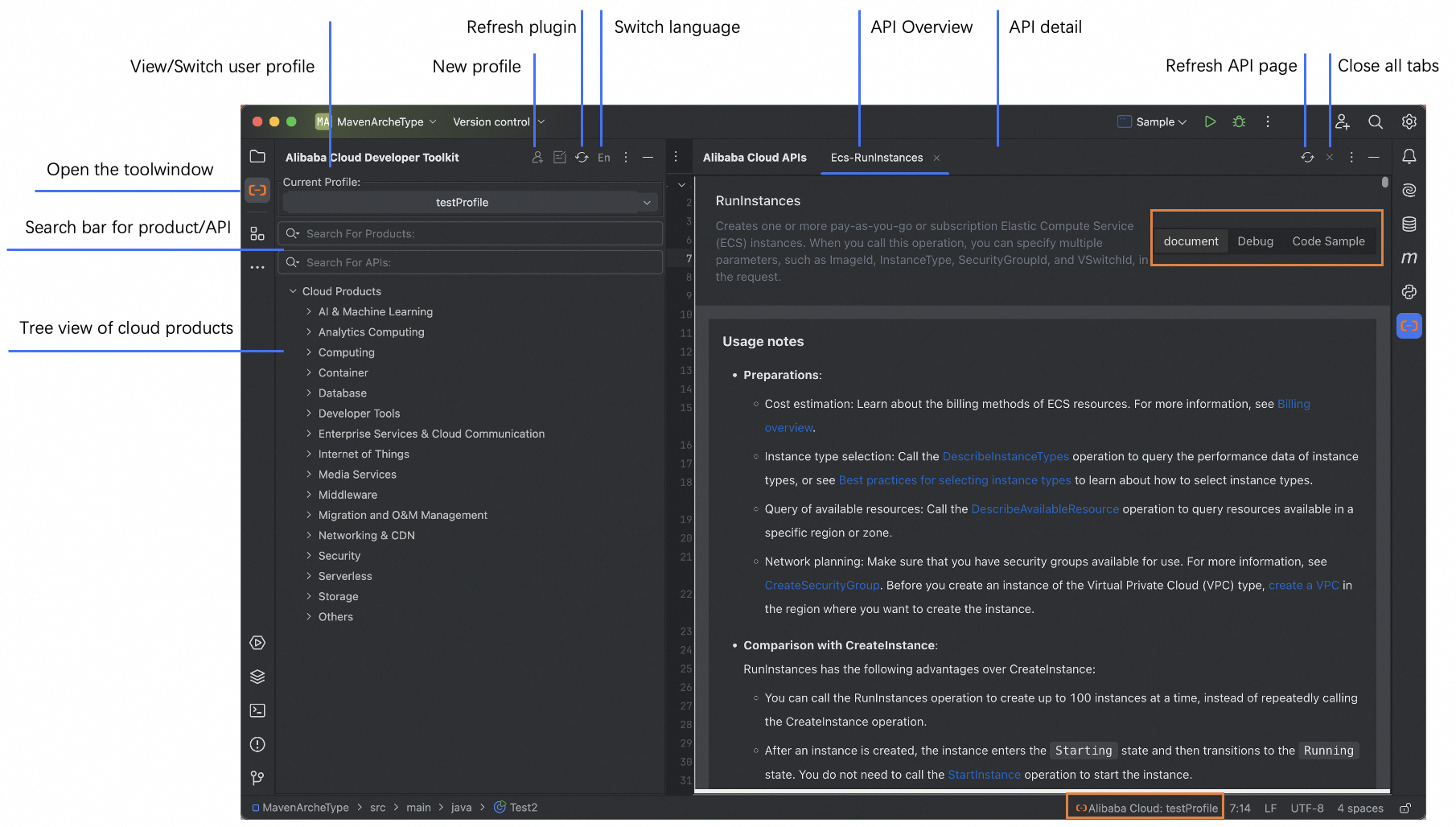
Support switch and new user profiles. Not necessary but needed to be configured when execute API debug.
If you have installed the Alibaba Cloud CLI, you can reuse its configuration.
* If you have already installed [Alibaba Cloud CLI](https://help.aliyun.com/document_detail/123181.html?spm=a2c4g.121544.0.0.2d7e76e3XWMs4u), you can switch your existing profiles.
* Without Alibaba Cloud CLI installed, you can select "New Profile" to new user profiles when needed.
### Product and API Searching
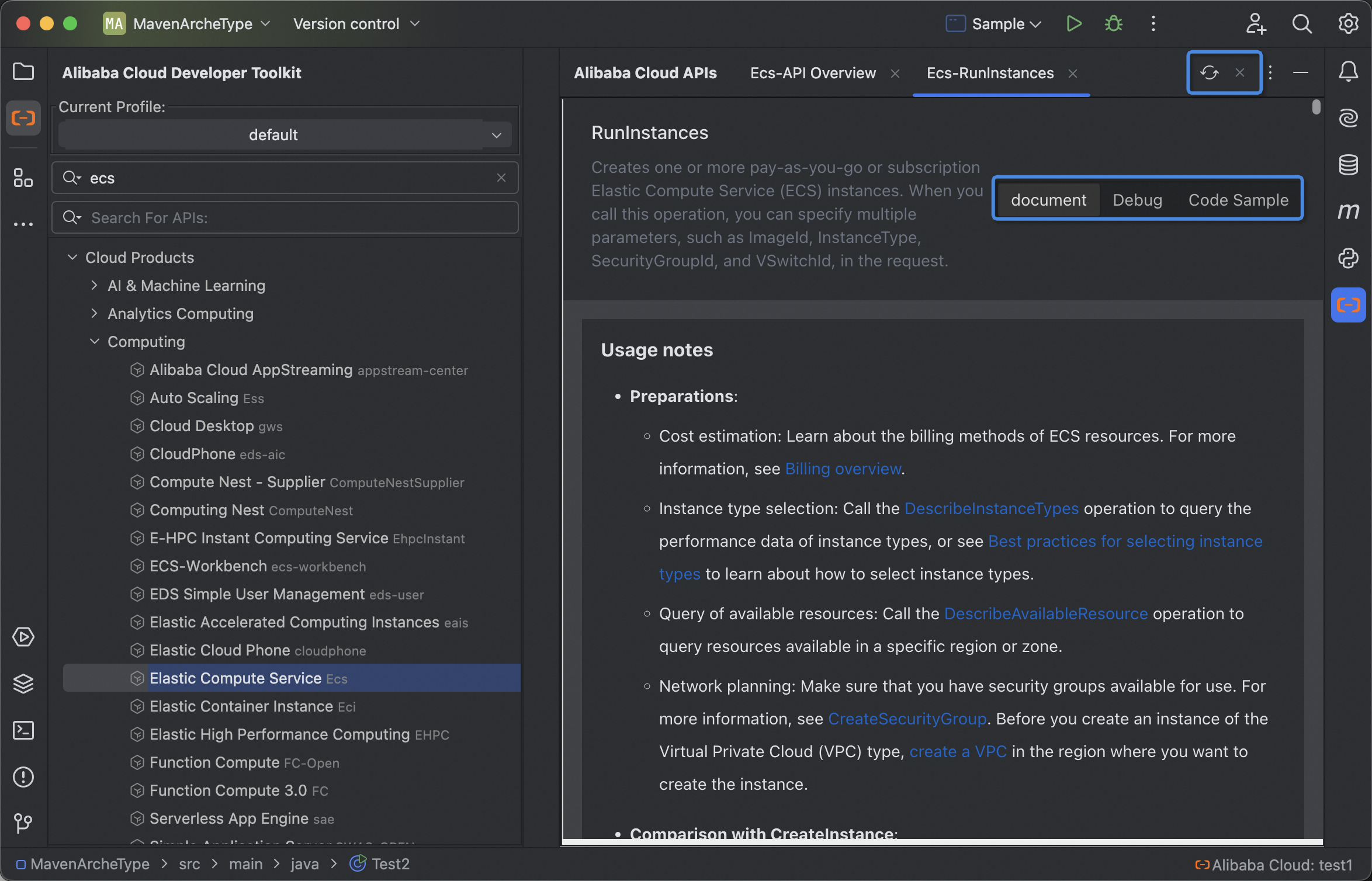
A tree-view of Alibaba Cloud products with search, quickly navigate you to the corresponding products or APIs.
Refresh the product list or API detail page by clicking the refresh button in the window toolbar.

### API Document and Debug
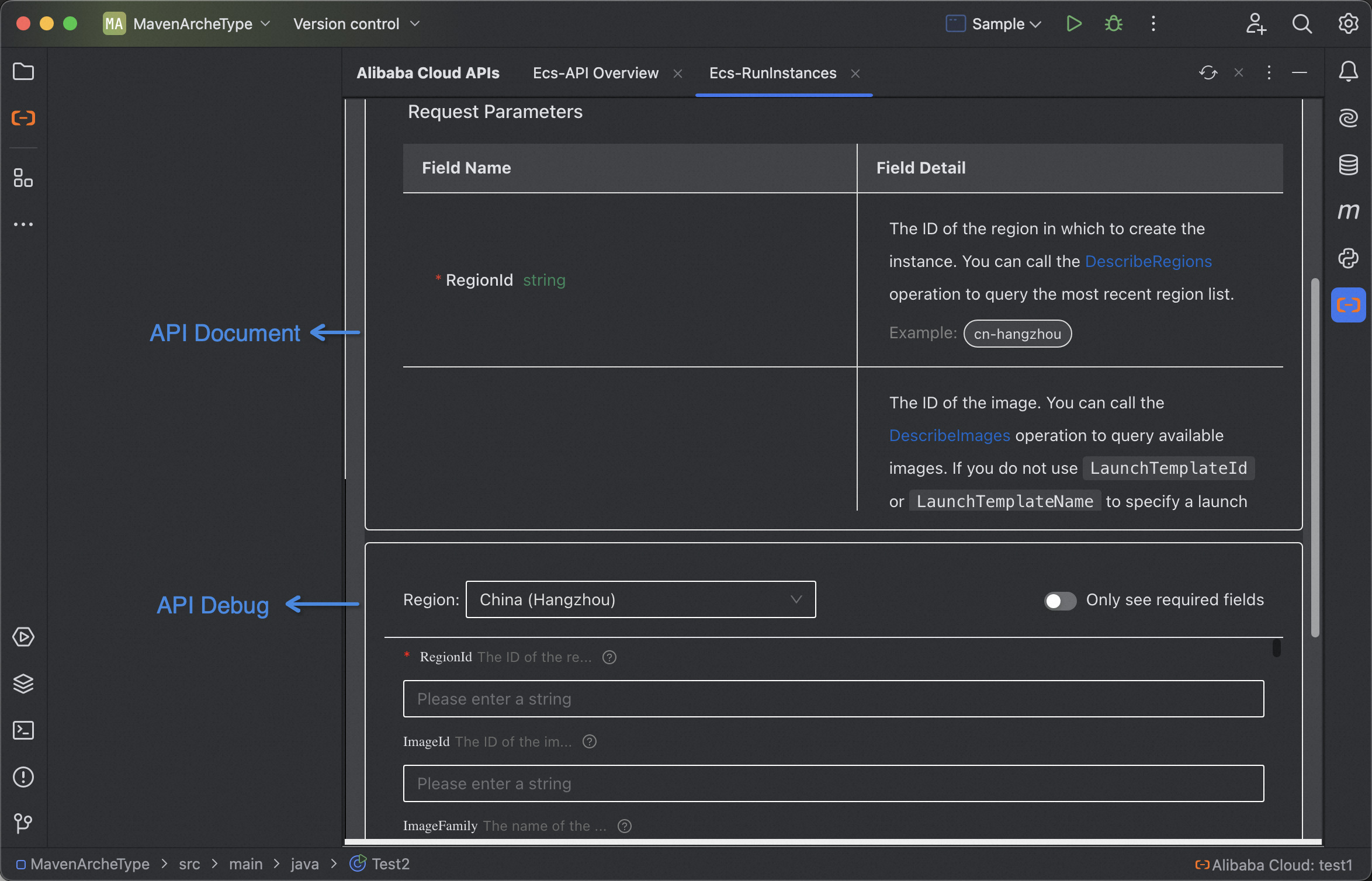
Clicking on an API can navigate you to a new tab which displays the corresponding API document,
including descriptions, request parameters, response parameters and error codes.
Support convenient API debugging within the IDE against the parameter form. (**Please configure the user profile
in advance if you need debug API.**)
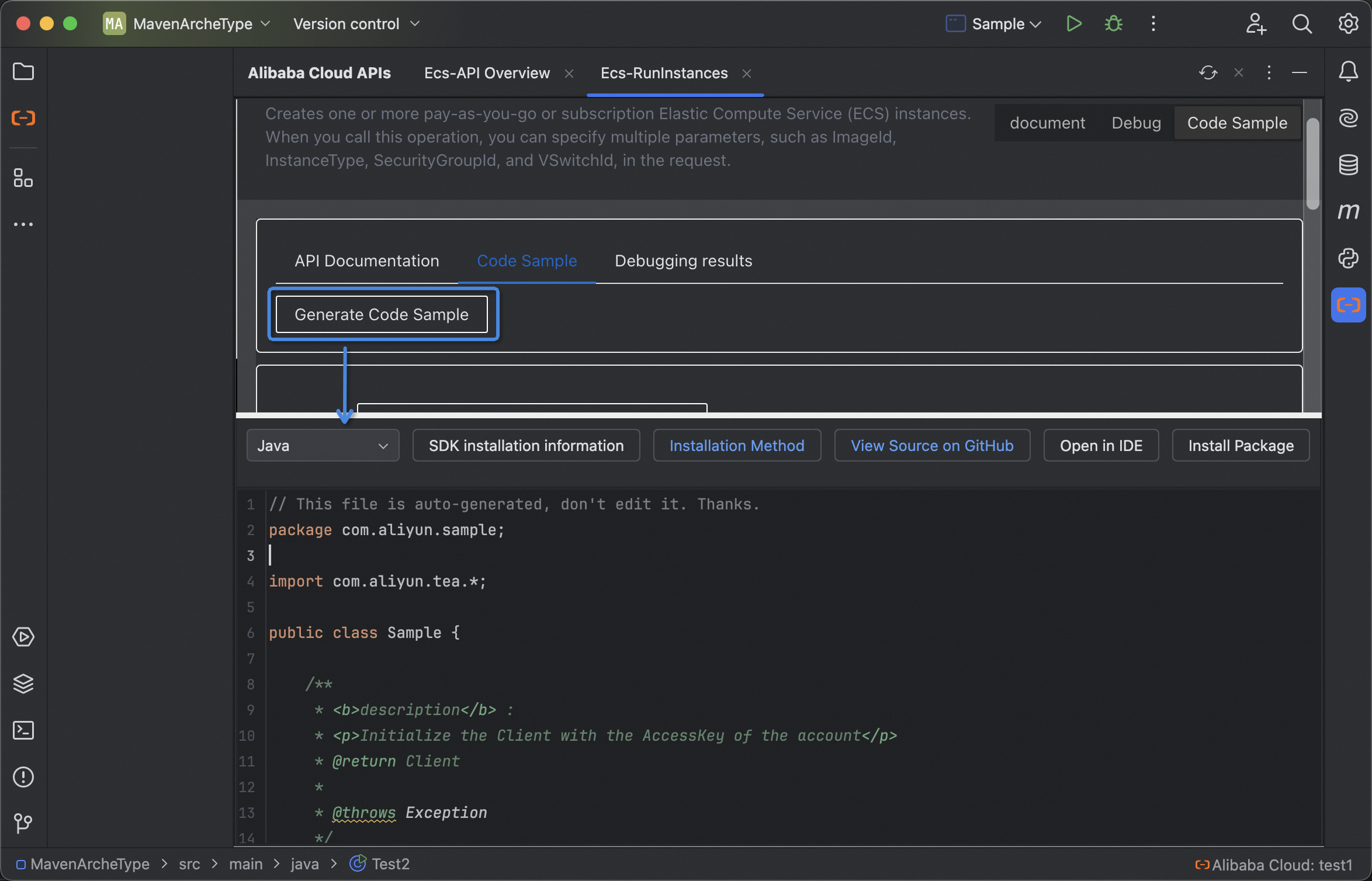
### SDK Code Sample
Support viewing, quickly opening SDK code samples and automatic import of Maven and Python dependencies.
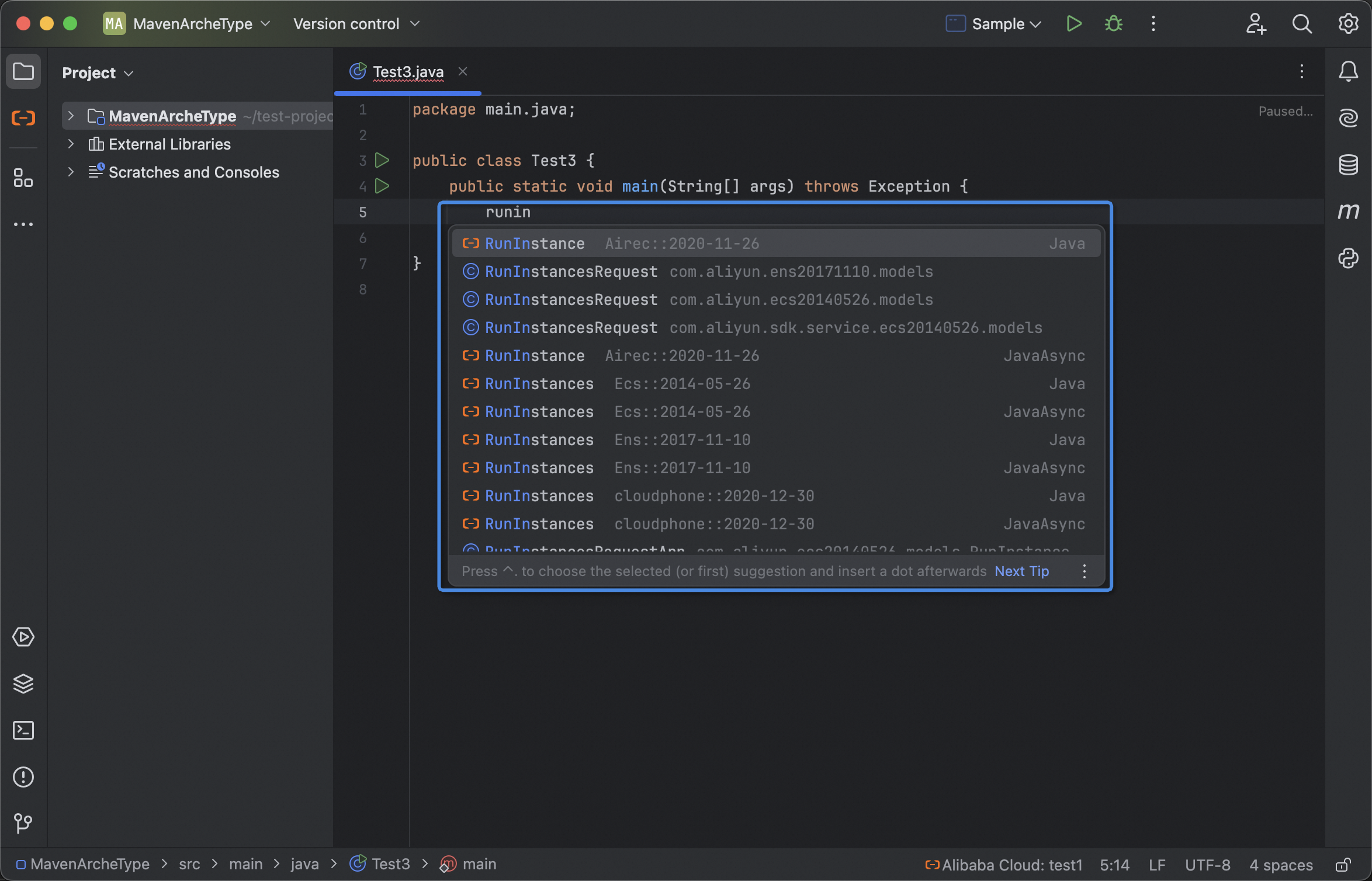
### Code Snippets
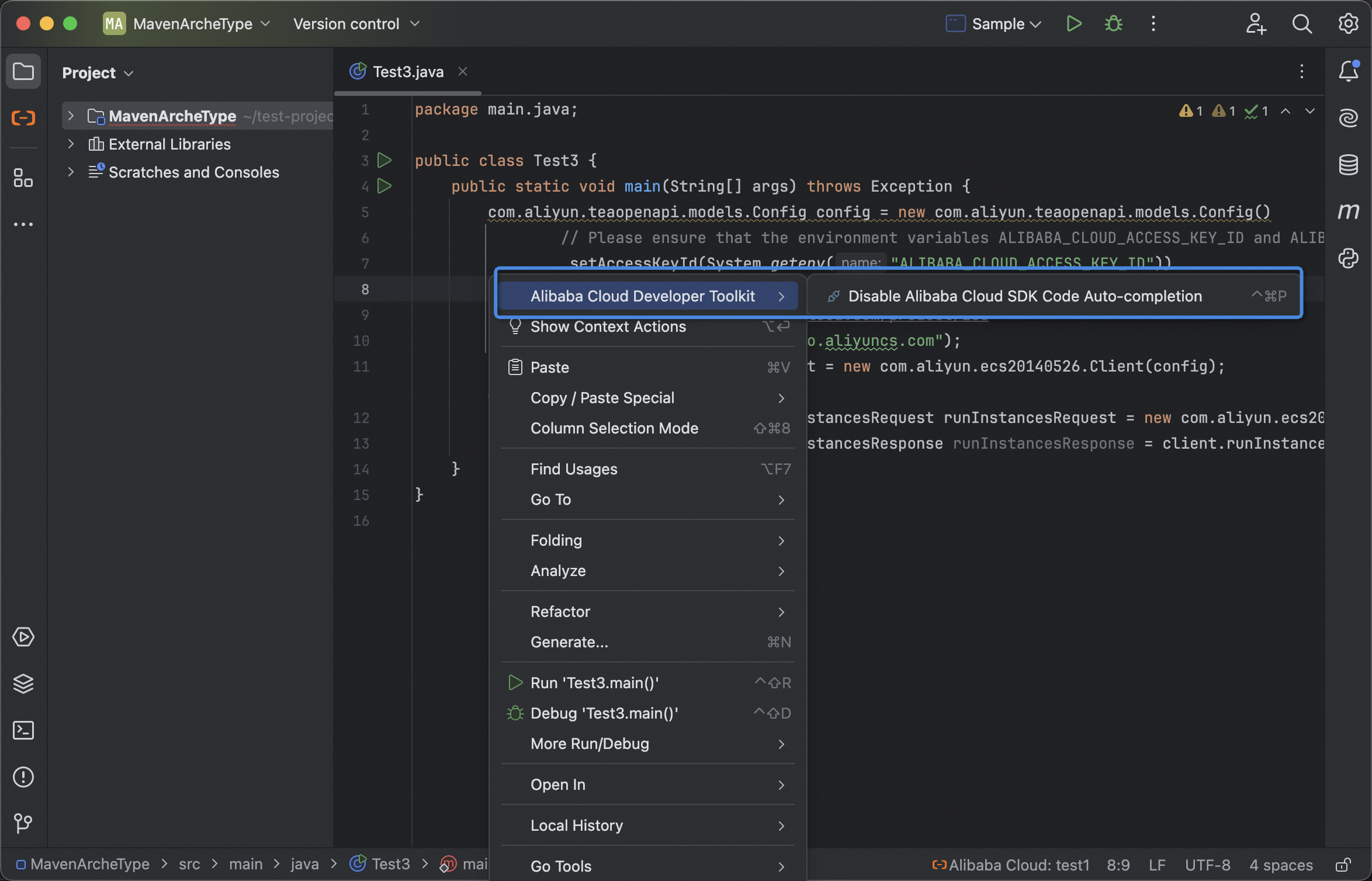
Support auto-completion of Java, Java Async, Python and Go SDK code sample. Switch on and off
by keyboard shortcuts `ctrl + cmd + p` or check in >settings >Alibaba Cloud Developer Toolkit.
Available about half a minute after plugin started (loading metadata). If the pull fails, you can pull it again manually.
### Document Enhancement
#### Related Code Samples
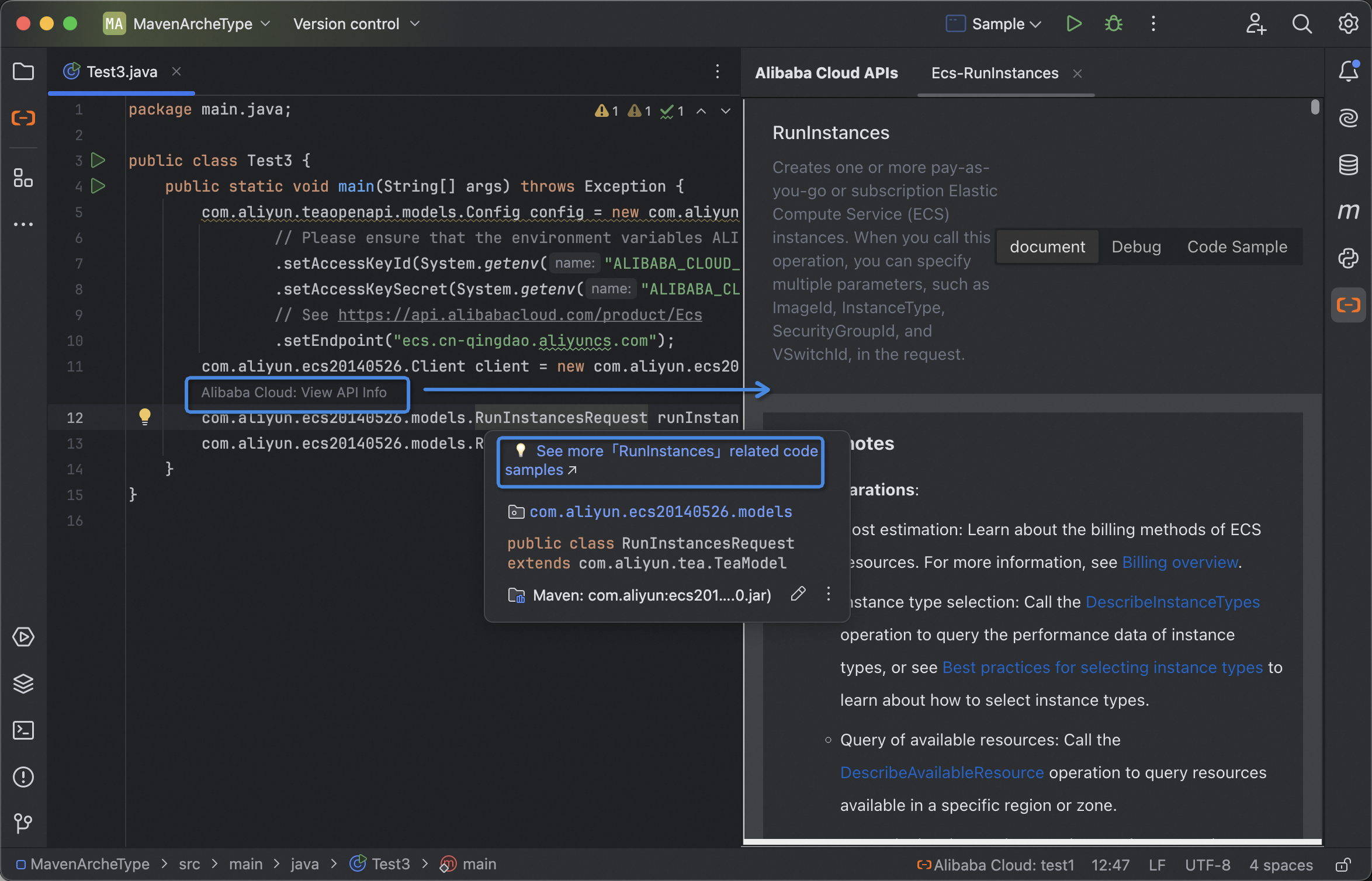
When writing SDK code, it supports displaying OpenAPI description information and more relevant example links
in the documentation popup to obtain more code samples. Prerequisite: IDE allows documentation popup (check
「settings-Editor-General-Code Completion-Show Documentation Popup」).
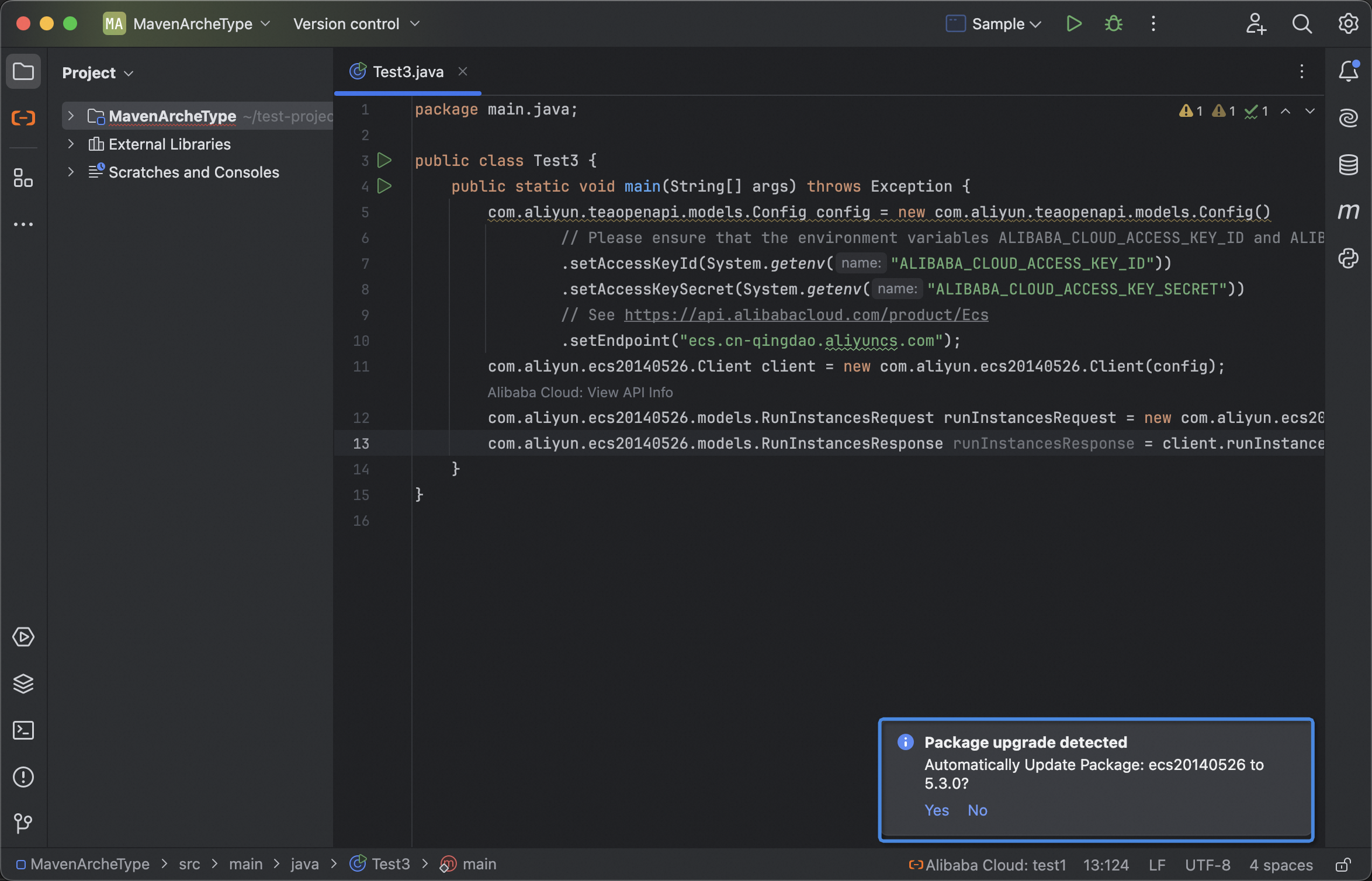
#### Inlay Hints for API Info
Support inlay hints for viewing API Info when coding with Cloud OpenAPI. Click on the hints can navigate you
to API detail page to view API documentation and code sample, and debug the API.
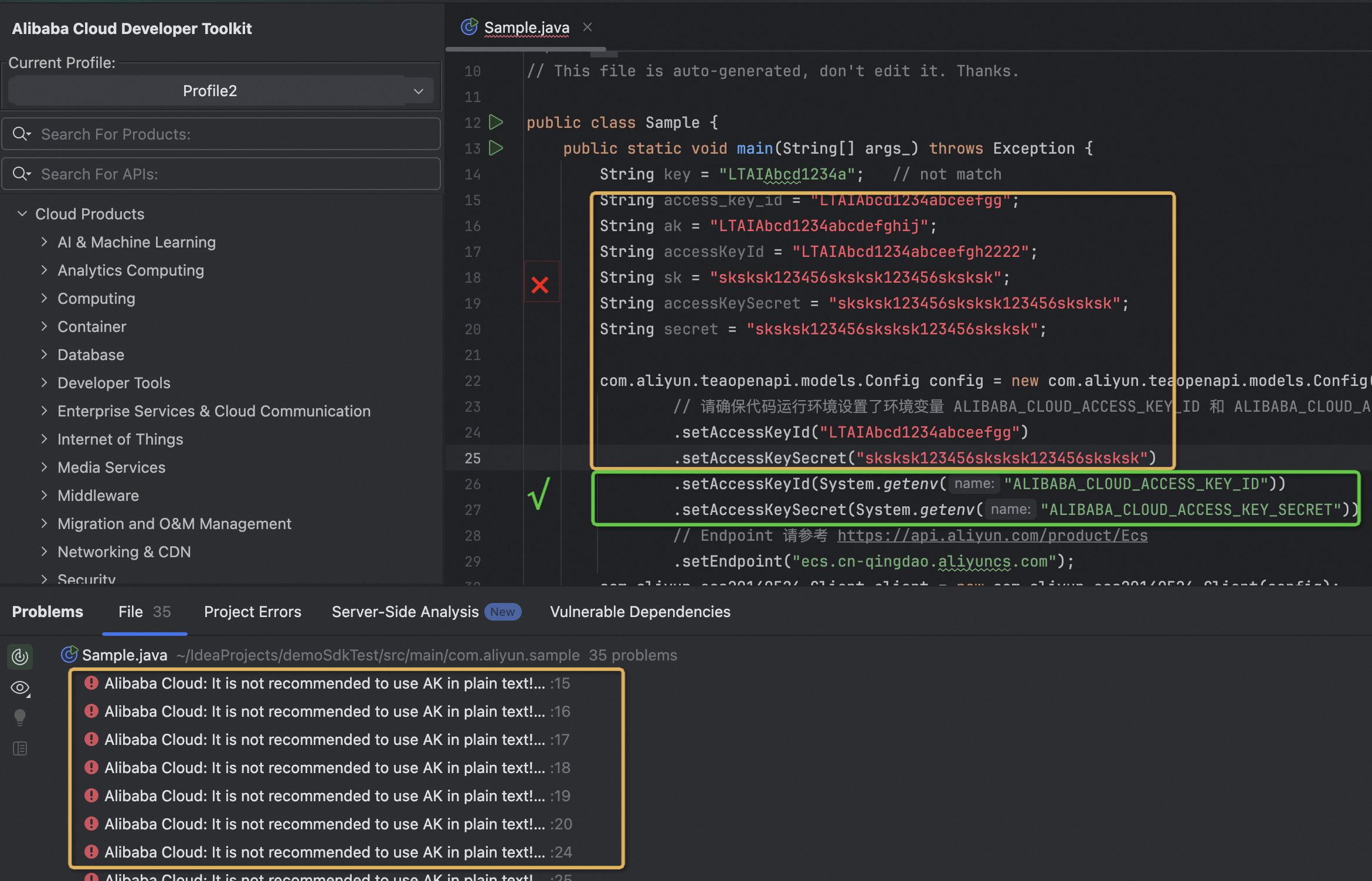
### Plaintext AK Inspections and Warning
Support inspections of plaintext AK pairs in code. The warning given will not affect the normal operation of your code.
We only use regular expressions to match the plaintext AK in your code and will not save or upload anything.
>An Alibaba Cloud account has full access to all resources of the account. AccessKey pair leaks of an Alibaba Cloud account
pose critical threats to the system. It is not recommended to use AK in plaintext.
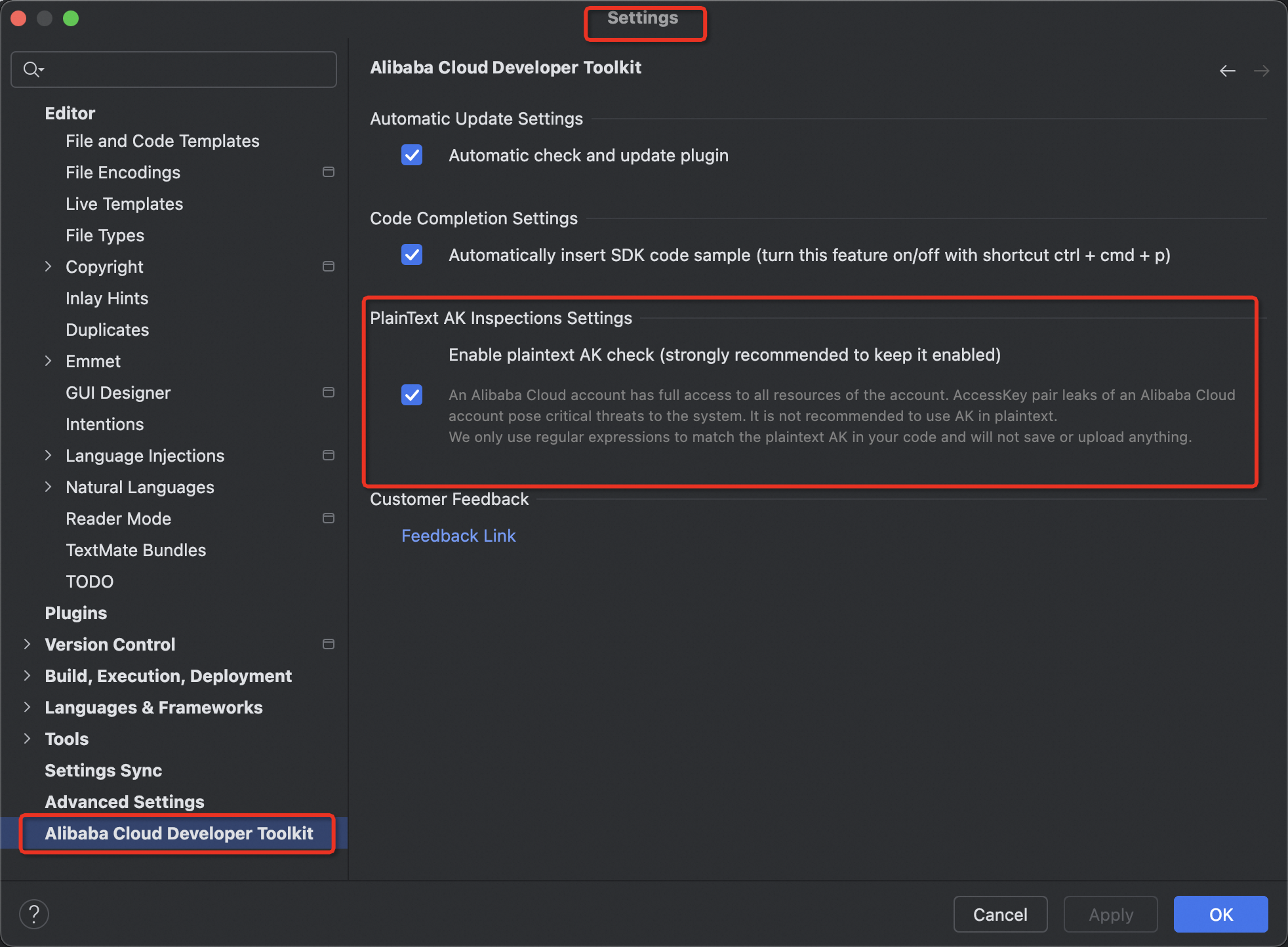
You can close this inspections in settings (strongly recommended to keep it enabled):
## Licensing
[Apache-2.0](http://www.apache.org/licenses/LICENSE-2.0)
Copyright (c) 2009-present, Alibaba Cloud All rights reserved.