# kernel-examples
**Repository Path**: amcax-corp/kernel-examples
## Basic Information
- **Project Name**: kernel-examples
- **Description**: Here are the example projects which explain how to use AMCAX geometry kernel library for 3D modeling.
- **Primary Language**: C++
- **License**: Not specified
- **Default Branch**: main
- **Homepage**: None
- **GVP Project**: No
## Statistics
- **Stars**: 5
- **Forks**: 1
- **Created**: 2024-05-20
- **Last Updated**: 2026-04-20
## Categories & Tags
**Categories**: Uncategorized
**Tags**: None
## README
[](./README.md) [](./README.zh_cn.md)
### 每一个 example 均可通过 cmake 命令执行,步骤如下:
#### 一、设置系统环境变量
1.点击环境变量
2.点击新建
3.将下载的 AMCAXKernel 包解压,然后添加其路径到 CMAKE_PREFIX_PATH 中
#### 二、打开终端
1. 切换到每个模块对应的 example 文件夹下
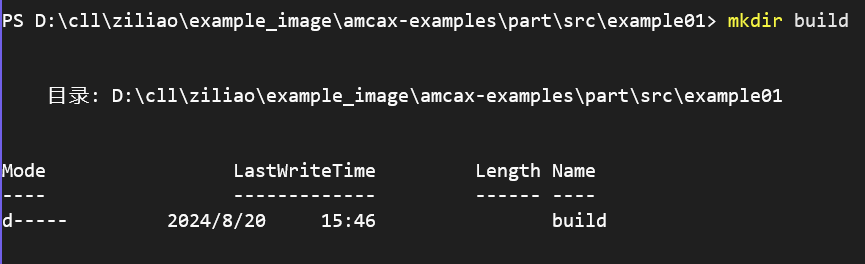
2. mkdir build
3. cd build
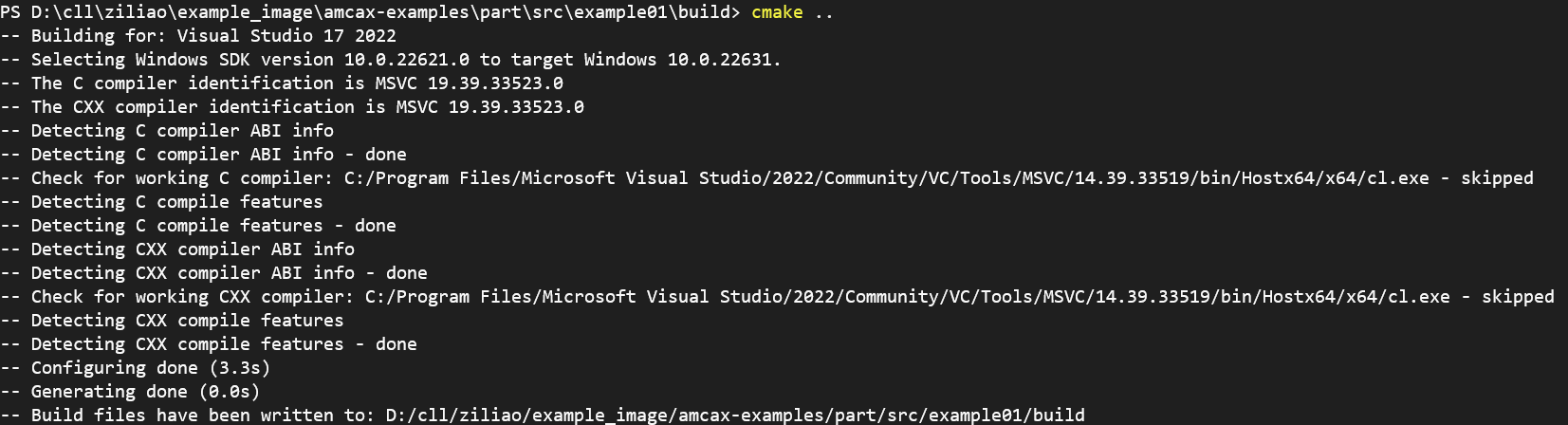
4. cmake ..
5. cmake --build . --config release 或 cmake --build . --config debug
6. cd .\Release\ 或 cd .\Debug\
7. .\test.exe
##### 以下以 part 的 example1 为例
1. 切换到 example1 文件夹下
2. mkdir build
3. cd build
4. cmake ..
5. cmake --build . --config release
6. cd .\Release\
7. ./test.exe
注:某些example依赖conan进行第三方库的管理,请参考[Conan官网](https://conan.io/)获取详细指南。并且我们内核库使用 msvc_2022 编译。