# NodeBase
**Repository Path**: badou119/NodeBase
## Basic Information
- **Project Name**: NodeBase
- **Description**: Android NodeJS Platform to Build Sharable Application
- **Primary Language**: JavaScript
- **License**: Apache-2.0
- **Default Branch**: master
- **Homepage**: None
- **GVP Project**: No
## Statistics
- **Stars**: 0
- **Forks**: 0
- **Created**: 2020-03-21
- **Last Updated**: 2020-12-19
## Categories & Tags
**Categories**: Uncategorized
**Tags**: None
## README
# NodeBase
 Android NodeJS Platform to Build Sharable Application (Android as a Server)
Share application with your friends in the same Wi-Fi!
Build IoT edge on your phone; smart your home!
# How to use
- build to generate apk
- install the apk on Android phone
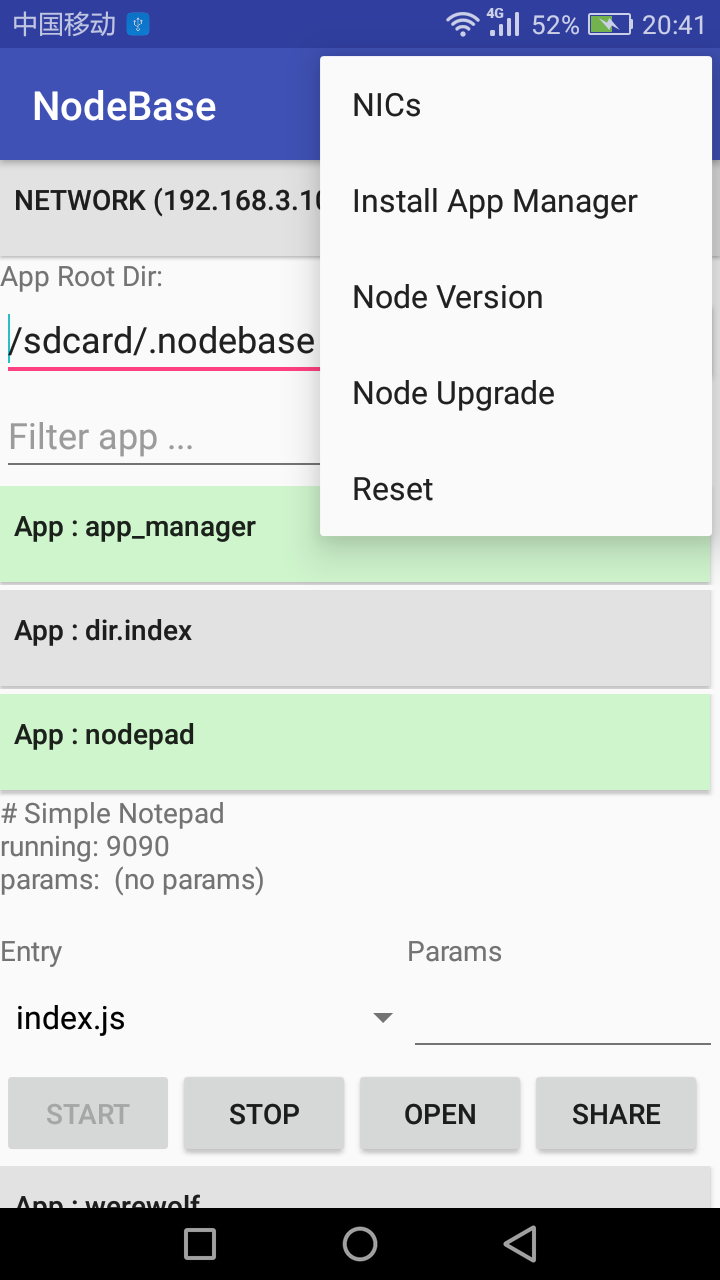
- click "Reset" in right-top menu will donwload NodeJS binary and copy to app scope target
- (notice that in this repo, there is no NodeJS binary provided, [download latest](https://github.com/dna2github/dna2oslab/releases)) put compiled NodeJS binary to `/sdcard/.nodebase/.bin/node`
- click "Node Upgrade" to update NodeJS binary for NodeBase
- do `npm install` in `modules` folder
- to make node-gyp work, download GCC4droid from for example Google Play Store and then unzip the apk to get android `gcc`
- adb push entire `modules` as `/sdcard/.nodebase`
# How to share apps
- `Service Share`
Android NodeJS Platform to Build Sharable Application (Android as a Server)
Share application with your friends in the same Wi-Fi!
Build IoT edge on your phone; smart your home!
# How to use
- build to generate apk
- install the apk on Android phone
- click "Reset" in right-top menu will donwload NodeJS binary and copy to app scope target
- (notice that in this repo, there is no NodeJS binary provided, [download latest](https://github.com/dna2github/dna2oslab/releases)) put compiled NodeJS binary to `/sdcard/.nodebase/.bin/node`
- click "Node Upgrade" to update NodeJS binary for NodeBase
- do `npm install` in `modules` folder
- to make node-gyp work, download GCC4droid from for example Google Play Store and then unzip the apk to get android `gcc`
- adb push entire `modules` as `/sdcard/.nodebase`
# How to share apps
- `Service Share`
  Write nodeJS server program and listen on 0.0.0.0
  (set `app_manager` as an example; if listen on 127.0.0.1, local use only)
  "Start" app and share IP and port to near device
- `Copy Share`
  read the label on top of another Nodebase "Network (xxx.xxx.xxx.xxx)"
  click "Install App Manager" in right-top menu
  "Refresh" application list
  "Start" app manager and "Open" in browser
  "Start" app manager in another Android
  type xxx.xxx.xxx.xxx:20180 under "Shared Application" and click "Enter"
  select an app and click to enter
  click "Import" to get app
  then NodeBase Application Manager will make a copy of the app on local
# FAQ
- "Network" shows 0.0.0.0?
- A: probably not connect to Wi-Fi; not support start service on Internet.
# Modules
#### Screenshots