# slate-angular
**Repository Path**: balckiki/slate-angular
## Basic Information
- **Project Name**: slate-angular
- **Description**: No description available
- **Primary Language**: JavaScript
- **License**: MIT
- **Default Branch**: master
- **Homepage**: None
- **GVP Project**: No
## Statistics
- **Stars**: 0
- **Forks**: 0
- **Created**: 2025-03-28
- **Last Updated**: 2025-10-16
## Categories & Tags
**Categories**: Uncategorized
**Tags**: None
## README
# slate-angular
[](https://circleci.com/gh/worktile/slate-angular)
[![Coverage Status][coveralls-image]][coveralls-url]
[](https://www.npmjs.com/package/slate-angular)
[](https://www.npmjs.com/package/slate-angular)

[](https://t.me/slateangular)
[coveralls-image]: https://coveralls.io/repos/github/worktile/slate-angular/badge.svg?branch=master
[coveralls-url]: https://coveralls.io/github/worktile/slate-angular
基于 Slate 的 Angular 视图层
## 介绍
[Slate](https://github.com/ianstormtaylor/slate) 是一款架构良好、高扩展性的富文本编辑器框架,包括核心模型和视图层,但 slate 官方只提供了基于 react 的视图层,slate-angular 是 slate 视图层实现的补充,可帮助您使用 slate 和 angular 构建富文本编辑器。
slate-angular 以 slate-react 为灵感,并且尽量保持 slate 和 angular 各自的风格, 对中文输入友好, 开启你的 slate-angular 之旅吧。
## 示例
[Try out our live demo](http://slate-angular.ngnice.com)
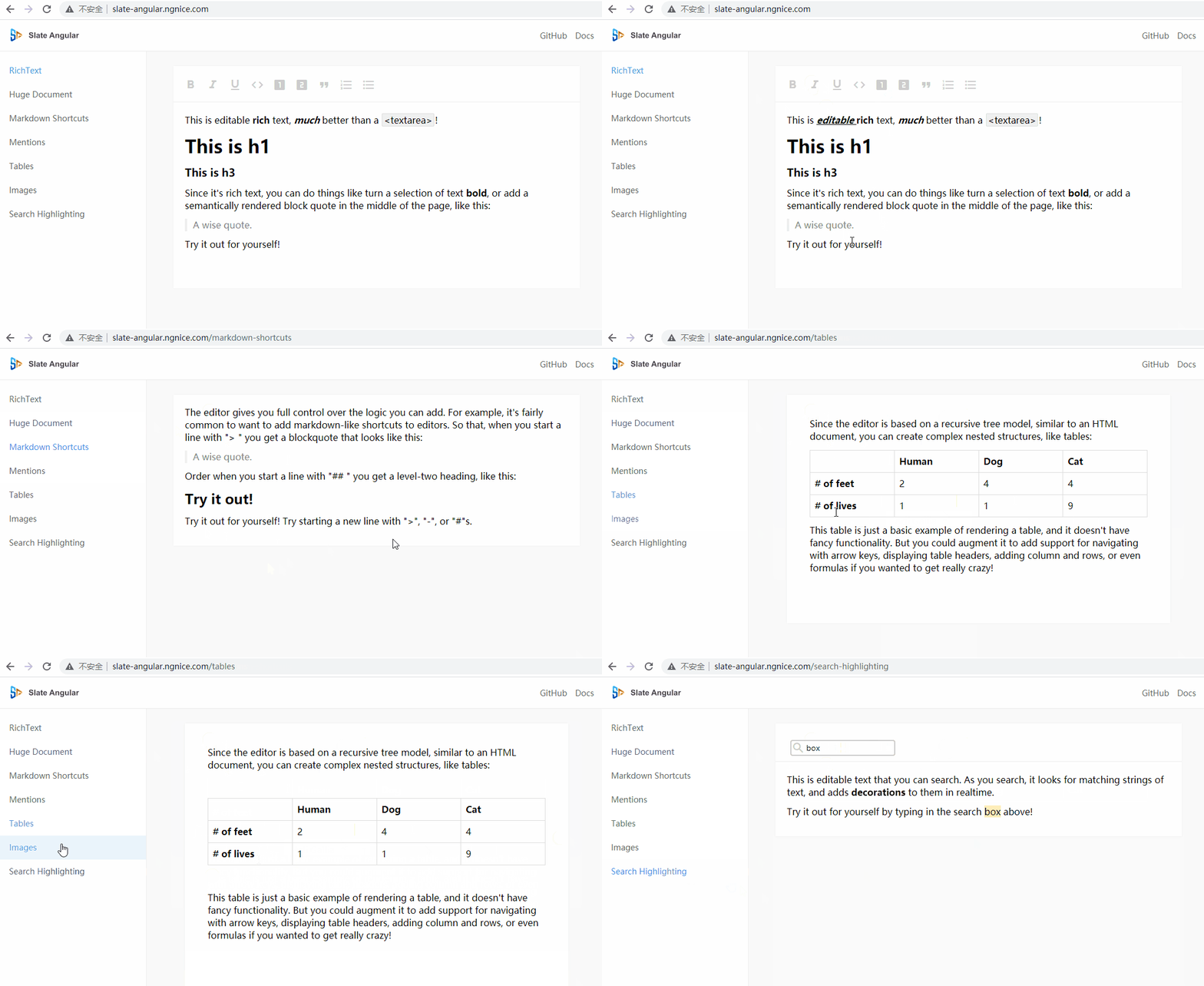
### 功能
- 支持 Element 前后光标方案
- 支持自定义组件/模版渲染 Element
- 支持自定义组件/模版渲染 Text
- 支持自定义组件/模版渲染 Leaf
- 支持 decorate 装饰
- 支持 void 元素
### 兼容浏览器
Chrome、Edge、Safari、Firefox、QQ Browser
## Usage
### 1. 安装依赖
```
"dependencies": {
"direction": "^2.0.1",
"is-hotkey": "^0.2.0",
"slate": "~0.101.5",
"slate-history": "~0.100.0",
"slate-angular": "~16.1.0-next.8"
}
```
### 2. 导入 SlateModule 模块
```
import { FormsModule } from '@angular/forms';
import { SlateModule } from 'slate-angular';
@NgModule({
imports: [
// ...,
FormsModule,
SlateModule
],
// ...
})
export class AppModule { }
```
### 3. 导入基础样式文件
src/styles.scss
```
@use 'slate-angular/styles/index.scss';
// basic richtext styles
.slate-editable-container {
[slate-underlined][slate-strike] {
text-decoration: underline line-through;
}
[slate-strike] {
text-decoration: line-through;
}
[slate-underlined] {
text-decoration: underline;
}
[slate-italic] {
font-style: italic;
}
[slate-bold] {
font-weight: bold;
}
[slate-code-line] {
margin: 0 4px;
padding: 2px 3px;
border: 1px solid rgba($color: #000000, $alpha: 0.08);
border-radius: 2px;
background-color: rgba($color: #000000, $alpha: 0.06);
}
blockquote {
margin: 0;
margin-left: 0;
margin-right: 0;
color: #888;
padding-left: 10px !important;
border-left: 4px solid #eee;
}
h1,h2,h3 {
margin: 0px;
}
&>[data-slate-node="element"],&>slate-block-card {
margin-bottom: 12px;
}
}
// basic richtext container styles
.demo-richtext-container {
max-width: 42em;
margin: 50px auto;
background-color: #fff;
box-shadow: 0px 0px 4px rgba(0, 0, 0, 0.2);
}
```
### 4. 添加本文标记组件
```
import { ChangeDetectorRef, Component, ElementRef, Renderer2 } from "@angular/core";
import { BaseTextComponent } from "slate-angular";
export enum MarkTypes {
bold = 'bold',
italic = 'italic',
underline = 'underlined',
strike = 'strike',
code = 'code-line'
}
@Component({
selector: 'span[textMark]',
template: ``,
host: {
'data-slate-node': 'text'
}
})
export class DemoTextMarkComponent extends BaseTextComponent {
attributes: string[] = [];
constructor(public renderer2: Renderer2) {
super();
}
applyTextMark() {
this.attributes.forEach(attr => {
this.renderer2.removeAttribute(this.elementRef.nativeElement, attr);
});
this.attributes = [];
for (const key in this.text) {
if (Object.prototype.hasOwnProperty.call(this.text, key) && key !== 'text') {
const attr = `slate-${key}`;
this.renderer2.setAttribute(this.elementRef.nativeElement, attr, 'true');
this.attributes.push(attr);
}
}
}
onContextChange() {
super.onContextChange();
this.applyTextMark();
}
}
```
### 5. 使用 slate-editable 组件
**Template**
```
```
**TS**
```
import { Component, ViewChild, TemplateRef } from '@angular/core';
import { createEditor, Element } from 'slate';
import { withHistory } from 'slate-history';
import { withAngular } from 'slate-angular';
import { DemoTextMarkComponent, MarkTypes } from './text-mark.component';
@Component({
selector: 'app-root',
templateUrl: './app.component.html',
styleUrls: ['./app.component.scss']
})
export class AppComponent {
title = 'slate-angular-basic';
value = initialValue;
@ViewChild('heading_1', { read: TemplateRef, static: true })
headingOneTemplate!: TemplateRef;
@ViewChild('heading_2', { read: TemplateRef, static: true })
headingTwoTemplate!: TemplateRef;
@ViewChild('heading_3', { read: TemplateRef, static: true })
headingThreeTemplate!: TemplateRef;
@ViewChild('blockquote', { read: TemplateRef, static: true })
blockquoteTemplate!: TemplateRef;
@ViewChild('ul', { read: TemplateRef, static: true })
ulTemplate!: TemplateRef;
@ViewChild('ol', { read: TemplateRef, static: true })
olTemplate!: TemplateRef;
@ViewChild('li', { read: TemplateRef, static: true })
liTemplate!: TemplateRef;
editor = withHistory(withAngular(createEditor()));
ngOnInit(): void {
}
valueChange(value: Element[]) {
}
renderElement = (element: any) => {
if (element.type === 'heading-one') {
return this.headingOneTemplate;
}
if (element.type === 'heading-two') {
return this.headingTwoTemplate;
}
if (element.type === 'heading-three') {
return this.headingThreeTemplate;
}
if (element.type === 'block-quote') {
return this.blockquoteTemplate;
}
if (element.type === 'numbered-list') {
return this.olTemplate;
}
if (element.type === 'bulleted-list') {
return this.ulTemplate;
}
if (element.type === 'list-item') {
return this.liTemplate;
}
return null;
}
renderText = (text: any) => {
if (text[MarkTypes.bold] || text[MarkTypes.italic] || text[MarkTypes.code] || text[MarkTypes.underline]) {
return DemoTextMarkComponent;
}
return null;
}
}
const initialValue = [
{
type: 'paragraph',
children: [
{ text: 'This is editable ' },
{ text: 'rich', bold: true },
{ text: ' text, ' },
{ text: 'much', bold: true, italic: true },
{ text: ' better than a ' },
{ text: '