# jpush-demo
**Repository Path**: biaowww/jpush-demo
## Basic Information
- **Project Name**: jpush-demo
- **Description**: SpringBoot集成极光推送demo
- **Primary Language**: Java
- **License**: Not specified
- **Default Branch**: master
- **Homepage**: None
- **GVP Project**: No
## Statistics
- **Stars**: 10
- **Forks**: 1
- **Created**: 2021-12-30
- **Last Updated**: 2025-07-23
## Categories & Tags
**Categories**: Uncategorized
**Tags**: None
## README
# 集成准备
官方相关链接:
[极光推送官网](https://www.jiguang.cn/push)
[极光推送文档](https://docs.jiguang.cn//jpush/guideline/intro/)
[极光推送Java SDK源码地址](https://github.com/jpush/jpush-api-java-client)
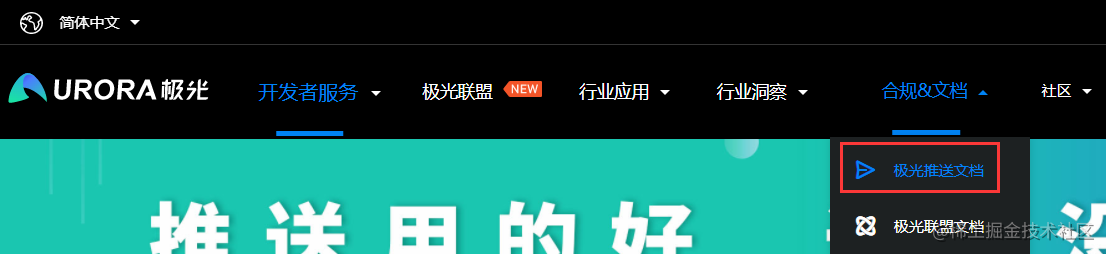
进入极光推送官网后点击文档
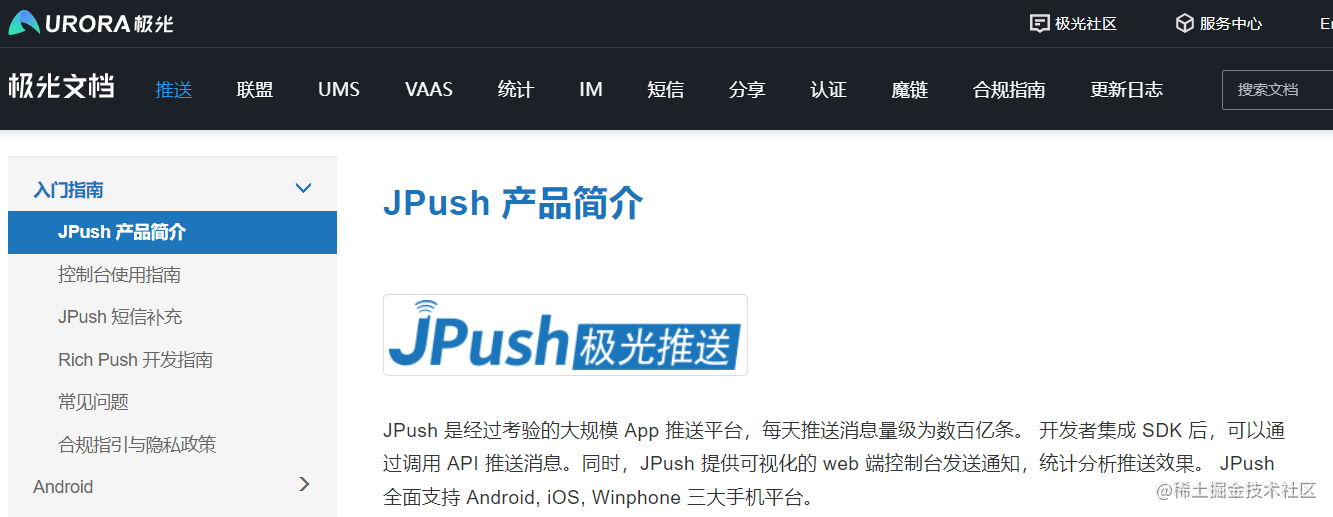
以下为官方文档
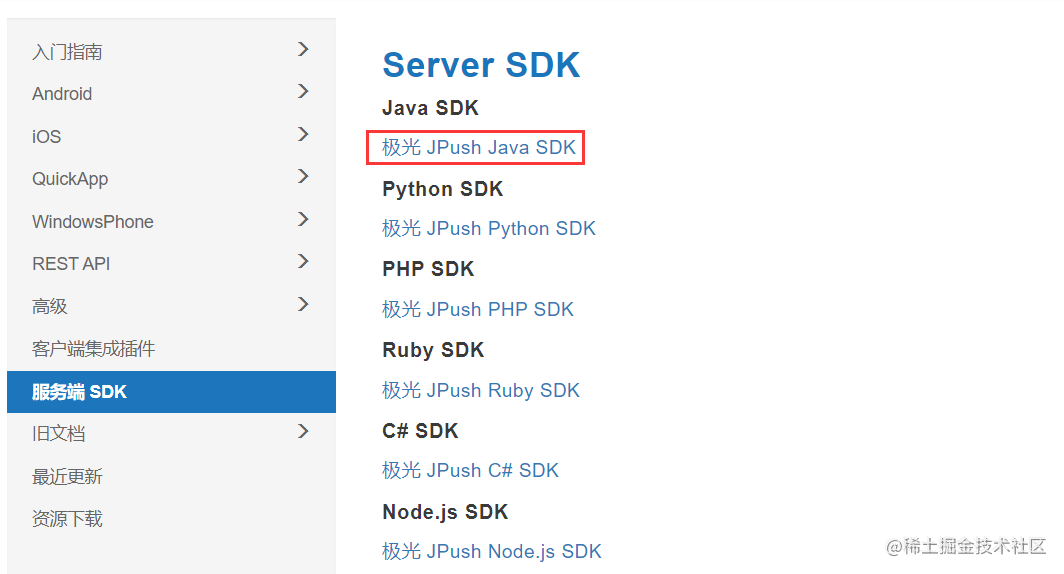
文档页面选择服务端SDK,下载java服务端SDK即可 注:注意版本与想要集成的版本一致
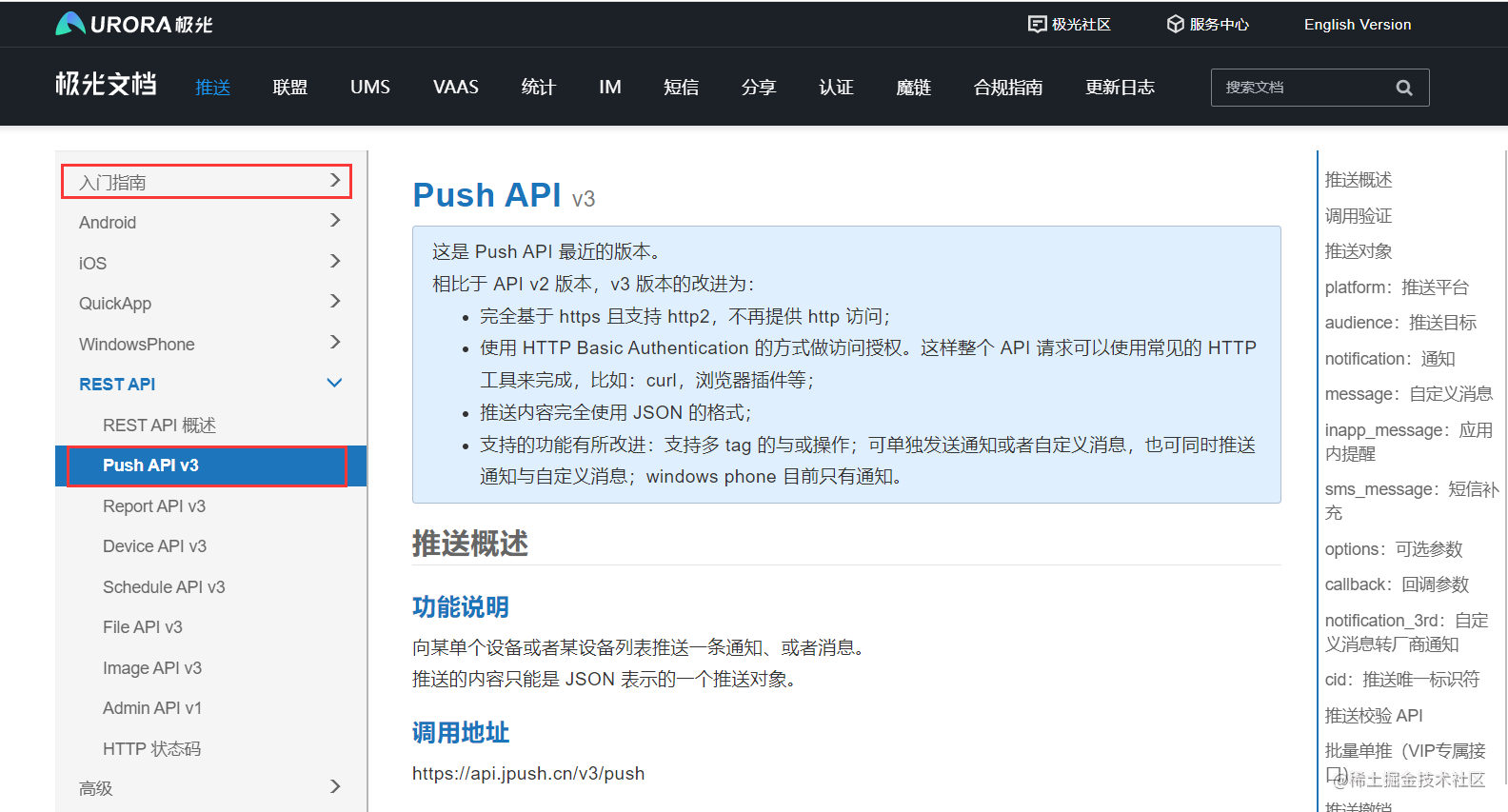
**有关极光推送的介绍与java api调用,主要看以下部分**
**推送的代码案例可以参照java SDK源码的readme.md文档**
# 集成极光推送
新建springboot项目,pom.xml添加极光推送依赖
```xml
cn.jpush.api
jpush-client
3.3.10
```
application.yml 添加极光推送配置
```yml
# 极光推送配置
jpush:
appKey: xxx # 极光平台应用的唯一标识
masterSecret: xxx # masterSecret密钥 与 appKey 配合使用达到鉴权的目的
apnsProduction: false # 是否生产环境,该配置只对ios通知有效(true生产环境,false开发环境)
```
以上 appKey 和 masterSecret 通过登录官网,查看自己的应用信息获取,例:官网demo应用

MyJpushClient 封装极光客户端操作组件类
```java
/**
* 极光推送客户端
**/
@Component
public class MyJpushClient {
@Value("${jpush.appKey}")
private String appKey;
@Value("${jpush.masterSecret}")
private String masterSecret;
@Value("${jpush.apnsProduction}")
private boolean apnsProduction;
private static JPushClient jPushClient = null;
private static final int RESPONSE_OK = 200;
private static final Logger logger = LoggerFactory.getLogger(MyJpushClient.class);
/**
* 获取极光推送客户端对象
* @return jPushClient
*/
public JPushClient getJPushClient() {
if (jPushClient == null) {
jPushClient = new JPushClient(masterSecret, appKey);
}
return jPushClient;
}
/**
* 推送到alias列表
*
* @param alias 别名或别名组
* @param notificationTitle 通知内容标题
* @param msgTitle 消息内容标题
* @param msgContent 消息内容
* @param extras 扩展字段
*/
public void sendToAliasList(List alias, String notificationTitle, String msgTitle, String msgContent, String extras) {
PushPayload pushPayload = buildPushObject_all_aliasList_alertWithTitle(alias, notificationTitle, msgTitle, msgContent, extras);
this.sendPush(pushPayload);
}
/**
* 推送到tag列表
*
* @param tagsList Tag或Tag组
* @param notificationTitle 通知内容标题
* @param msgTitle 消息内容标题
* @param msgContent 消息内容
* @param extras 扩展字段
*/
public void sendToTagsList(List tagsList, String notificationTitle, String msgTitle, String msgContent, String extras) {
PushPayload pushPayload = buildPushObject_all_tagList_alertWithTitle(tagsList, notificationTitle, msgTitle, msgContent, extras);
this.sendPush(pushPayload);
}
/**
* 发送给所有安卓用户
*
* @param notificationTitle 通知内容标题
* @param msgTitle 消息内容标题
* @param msgContent 消息内容
* @param extras 扩展字段
*/
public void sendToAllAndroid(String notificationTitle, String msgTitle, String msgContent, String extras) {
PushPayload pushPayload = buildPushObject_android_all_alertWithTitle(notificationTitle, msgTitle, msgContent, extras);
this.sendPush(pushPayload);
}
/**
* 发送给所有IOS用户
*
* @param notificationTitle 通知内容标题
* @param msgTitle 消息内容标题
* @param msgContent 消息内容
* @param extras 扩展字段
*/
public void sendToAllIOS(String notificationTitle, String msgTitle, String msgContent, String extras) {
PushPayload pushPayload = buildPushObject_ios_all_alertWithTitle(notificationTitle, msgTitle, msgContent, extras);
this.sendPush(pushPayload);
}
/**
* 发送给所有用户
*
* @param notificationTitle 通知内容标题
* @param msgTitle 消息内容标题
* @param msgContent 消息内容
* @param extras 扩展字段
*/
public void sendToAll(String notificationTitle, String msgTitle, String msgContent, String extras) {
PushPayload pushPayload = buildPushObject_android_and_ios(notificationTitle, msgTitle, msgContent, extras);
this.sendPush(pushPayload);
}
/**
* 发送推送
* @param pushPayload 推送对象
* @return 推送结果
*/
private PushResult sendPush(PushPayload pushPayload) {
logger.info("pushPayload={}", pushPayload);
PushResult pushResult = null;
try {
pushResult = this.getJPushClient().sendPush(pushPayload);
logger.info("" + pushResult);
if (pushResult.getResponseCode() == RESPONSE_OK) {
logger.info("push successful, pushPayload={}", pushPayload);
}
// 请求结束后,调用 NettyHttpClient 中的 close 方法,否则进程不会退出。
this.getJPushClient().close();
} catch (APIConnectionException e) {
logger.error("push failed: pushPayload={}, exception={}", pushPayload, e);
} catch (APIRequestException e) {
logger.error("push failed: pushPayload={}, exception={}", pushPayload, e);
}
return pushResult;
}
/**
* 向所有平台所有用户推送消息
*
* @param notificationTitle
* @param msgTitle
* @param msgContent
* @param extras
* @return
*/
public PushPayload buildPushObject_android_and_ios(String notificationTitle, String msgTitle, String msgContent, String extras) {
return PushPayload.newBuilder()
.setPlatform(Platform.android_ios())
.setAudience(Audience.all())
.setNotification(Notification.newBuilder()
.setAlert(notificationTitle)
.addPlatformNotification(AndroidNotification.newBuilder()
.setAlert(notificationTitle)
.setTitle(notificationTitle)
// 此字段为透传字段,不会显示在通知栏。用户可以通过此字段来做一些定制需求,如特定的key传要指定跳转的页面(value)
.addExtra("androidNotification extras key", extras)
.build()
)
.addPlatformNotification(IosNotification.newBuilder()
// 传一个IosAlert对象,指定apns title、title、subtitle等
.setAlert(notificationTitle)
// 直接传alert
// 此项是指定此推送的badge自动加1
.incrBadge(1)
// 此字段的值default表示系统默认声音;传sound.caf表示此推送以项目里面打包的sound.caf声音来提醒,
// 如果系统没有此音频则以系统默认声音提醒;此字段如果传空字符串,iOS9及以上的系统是无声音提醒,以下的系统是默认声音
.setSound("default")
// 此字段为透传字段,不会显示在通知栏。用户可以通过此字段来做一些定制需求,如特定的key传要指定跳转的页面(value)
.addExtra("iosNotification extras key", extras)
// 此项说明此推送是一个background推送,想了解background看:http://docs.jpush.io/client/ios_tutorials/#ios-7-background-remote-notification
// .setContentAvailable(true)
.build()
)
.build()
)
// Platform指定了哪些平台就会像指定平台中符合推送条件的设备进行推送。jpush的自定义消息,
// sdk默认不做任何处理,不会有通知提示。建议看文档http://docs.jpush.io/guideline/faq/的
// [通知与自定义消息有什么区别?]了解通知和自定义消息的区别
.setMessage(Message.newBuilder()
.setMsgContent(msgContent)
.setTitle(msgTitle)
.addExtra("message extras key", extras)
.build())
.setOptions(Options.newBuilder()
// 此字段的值是用来指定本推送要推送的apns环境,false表示开发,true表示生产;对android和自定义消息无意义
.setApnsProduction(apnsProduction)
// 此字段是给开发者自己给推送编号,方便推送者分辨推送记录
.setSendno(1)
// 此字段的值是用来指定本推送的离线保存时长,如果不传此字段则默认保存一天,最多指定保留十天,单位为秒
.setTimeToLive(86400)
.build())
.build();
}
/**
* 向所有平台单个或多个指定别名用户推送消息
*
* @param aliasList
* @param notificationTitle
* @param msgTitle
* @param msgContent
* @param extras
* @return
*/
private PushPayload buildPushObject_all_aliasList_alertWithTitle(List aliasList, String notificationTitle, String msgTitle, String msgContent, String extras) {
// 创建一个IosAlert对象,可指定APNs的alert、title等字段
// IosAlert iosAlert = IosAlert.newBuilder().setTitleAndBody("title", "alert body").build();
return PushPayload.newBuilder()
// 指定要推送的平台,all代表当前应用配置了的所有平台,也可以传android等具体平台
.setPlatform(Platform.all())
// 指定推送的接收对象,all代表所有人,也可以指定已经设置成功的tag或alias或该应应用客户端调用接口获取到的registration id
.setAudience(Audience.alias(aliasList))
// jpush的通知,android的由jpush直接下发,iOS的由apns服务器下发,Winphone的由mpns下发
.setNotification(Notification.newBuilder()
// 指定当前推送的android通知
.addPlatformNotification(AndroidNotification.newBuilder()
.setAlert(notificationTitle)
.setTitle(notificationTitle)
// 此字段为透传字段,不会显示在通知栏。用户可以通过此字段来做一些定制需求,如特定的key传要指定跳转的页面(value)
.addExtra("androidNotification extras key", extras)
.build())
// 指定当前推送的iOS通知
.addPlatformNotification(IosNotification.newBuilder()
// 传一个IosAlert对象,指定apns title、title、subtitle等
.setAlert(notificationTitle)
// 直接传alert
// 此项是指定此推送的badge自动加1
.incrBadge(1)
// 此字段的值default表示系统默认声音;传sound.caf表示此推送以项目里面打包的sound.caf声音来提醒,
// 如果系统没有此音频则以系统默认声音提醒;此字段如果传空字符串,iOS9及以上的系统是无声音提醒,以下的系统是默认声音
.setSound("default")
// 此字段为透传字段,不会显示在通知栏。用户可以通过此字段来做一些定制需求,如特定的key传要指定跳转的页面(value)
.addExtra("iosNotification extras key", extras)
// 此项说明此推送是一个background推送,想了解background看:http://docs.jpush.io/client/ios_tutorials/#ios-7-background-remote-notification
// 取消此注释,消息推送时ios将无法在锁屏情况接收
// .setContentAvailable(true)
.build())
.build())
// Platform指定了哪些平台就会像指定平台中符合推送条件的设备进行推送。jpush的自定义消息,
// sdk默认不做任何处理,不会有通知提示。建议看文档http://docs.jpush.io/guideline/faq/的
// [通知与自定义消息有什么区别?]了解通知和自定义消息的区别
.setMessage(Message.newBuilder()
.setMsgContent(msgContent)
.setTitle(msgTitle)
.addExtra("message extras key", extras)
.build())
.setOptions(Options.newBuilder()
// 此字段的值是用来指定本推送要推送的apns环境,false表示开发,true表示生产;对android和自定义消息无意义
.setApnsProduction(apnsProduction)
// 此字段是给开发者自己给推送编号,方便推送者分辨推送记录
.setSendno(1)
// 此字段的值是用来指定本推送的离线保存时长,如果不传此字段则默认保存一天,最多指定保留十天;
.setTimeToLive(86400)
.build())
.build();
}
/**
* 向所有平台单个或多个指定Tag用户推送消息
*
* @param tagsList
* @param notificationTitle
* @param msgTitle
* @param msgContent
* @param extras
* @return
*/
private PushPayload buildPushObject_all_tagList_alertWithTitle(List tagsList, String notificationTitle, String msgTitle, String msgContent, String extras) {
//创建一个IosAlert对象,可指定APNs的alert、title等字段
//IosAlert iosAlert = IosAlert.newBuilder().setTitleAndBody("title", "alert body").build();
return PushPayload.newBuilder()
// 指定要推送的平台,all代表当前应用配置了的所有平台,也可以传android等具体平台
.setPlatform(Platform.all())
// 指定推送的接收对象,all代表所有人,也可以指定已经设置成功的tag或alias或该应应用客户端调用接口获取到的registration id
.setAudience(Audience.tag(tagsList))
// jpush的通知,android的由jpush直接下发,iOS的由apns服务器下发,Winphone的由mpns下发
.setNotification(Notification.newBuilder()
// 指定当前推送的android通知
.addPlatformNotification(AndroidNotification.newBuilder()
.setAlert(notificationTitle)
.setTitle(notificationTitle)
//此字段为透传字段,不会显示在通知栏。用户可以通过此字段来做一些定制需求,如特定的key传要指定跳转的页面(value)
.addExtra("androidNotification extras key", extras)
.build())
// 指定当前推送的iOS通知
.addPlatformNotification(IosNotification.newBuilder()
// 传一个IosAlert对象,指定apns title、title、subtitle等
.setAlert(notificationTitle)
// 直接传alert
// 此项是指定此推送的badge自动加1
.incrBadge(1)
// 此字段的值default表示系统默认声音;传sound.caf表示此推送以项目里面打包的sound.caf声音来提醒,
// 如果系统没有此音频则以系统默认声音提醒;此字段如果传空字符串,iOS9及以上的系统是无声音提醒,以下的系统是默认声音
.setSound("default")
// 此字段为透传字段,不会显示在通知栏。用户可以通过此字段来做一些定制需求,如特定的key传要指定跳转的页面(value)
.addExtra("iosNotification extras key", extras)
// 此项说明此推送是一个background推送,想了解background看:http://docs.jpush.io/client/ios_tutorials/#ios-7-background-remote-notification
// 取消此注释,消息推送时ios将无法在锁屏情况接收
// .setContentAvailable(true)
.build())
.build())
// Platform指定了哪些平台就会像指定平台中符合推送条件的设备进行推送。jpush的自定义消息,
// sdk默认不做任何处理,不会有通知提示。建议看文档http://docs.jpush.io/guideline/faq/的
// [通知与自定义消息有什么区别?]了解通知和自定义消息的区别
.setMessage(Message.newBuilder()
.setMsgContent(msgContent)
.setTitle(msgTitle)
.addExtra("message extras key", extras)
.build())
.setOptions(Options.newBuilder()
// 此字段的值是用来指定本推送要推送的apns环境,false表示开发,true表示生产;对android和自定义消息无意义
.setApnsProduction(apnsProduction)
// 此字段是给开发者自己给推送编号,方便推送者分辨推送记录
.setSendno(1)
// 此字段的值是用来指定本推送的离线保存时长,如果不传此字段则默认保存一天,最多指定保留十天;
.setTimeToLive(86400)
.build())
.build();
}
/**
* 向android平台所有用户推送消息
*
* @param notificationTitle
* @param msgTitle
* @param msgContent
* @param extras
* @return
*/
private PushPayload buildPushObject_android_all_alertWithTitle(String notificationTitle, String msgTitle, String msgContent, String extras) {
return PushPayload.newBuilder()
// 指定要推送的平台,all代表当前应用配置了的所有平台,也可以传android等具体平台
.setPlatform(Platform.android())
// 指定推送的接收对象,all代表所有人,也可以指定已经设置成功的tag或alias或该应应用客户端调用接口获取到的registration id
.setAudience(Audience.all())
// jpush的通知,android的由jpush直接下发,iOS的由apns服务器下发,Winphone的由mpns下发
.setNotification(Notification.newBuilder()
// 指定当前推送的android通知
.addPlatformNotification(AndroidNotification.newBuilder()
.setAlert(notificationTitle)
.setTitle(notificationTitle)
// 此字段为透传字段,不会显示在通知栏。用户可以通过此字段来做一些定制需求,如特定的key传要指定跳转的页面(value)
.addExtra("androidNotification extras key", extras)
.build())
.build()
)
// Platform指定了哪些平台就会像指定平台中符合推送条件的设备进行推送。jpush的自定义消息,
// sdk默认不做任何处理,不会有通知提示。建议看文档http://docs.jpush.io/guideline/faq/的
// [通知与自定义消息有什么区别?]了解通知和自定义消息的区别
.setMessage(Message.newBuilder()
.setMsgContent(msgContent)
.setTitle(msgTitle)
.addExtra("message extras key", extras)
.build())
.setOptions(Options.newBuilder()
// 此字段的值是用来指定本推送要推送的apns环境,false表示开发,true表示生产;对android和自定义消息无意义
.setApnsProduction(apnsProduction)
// 此字段是给开发者自己给推送编号,方便推送者分辨推送记录
.setSendno(1)
// 此字段的值是用来指定本推送的离线保存时长,如果不传此字段则默认保存一天,最多指定保留十天,单位为秒
.setTimeToLive(86400)
.build())
.build();
}
/**
* 向ios平台所有用户推送消息
*
* @param notificationTitle
* @param msgTitle
* @param msgContent
* @param extras
* @return
*/
private PushPayload buildPushObject_ios_all_alertWithTitle(String notificationTitle, String msgTitle, String msgContent, String extras) {
return PushPayload.newBuilder()
// 指定要推送的平台,all代表当前应用配置了的所有平台,也可以传android等具体平台
.setPlatform(Platform.ios())
// 指定推送的接收对象,all代表所有人,也可以指定已经设置成功的tag或alias或该应应用客户端调用接口获取到的registration id
.setAudience(Audience.all())
// jpush的通知,android的由jpush直接下发,iOS的由apns服务器下发,Winphone的由mpns下发
.setNotification(Notification.newBuilder()
// 指定当前推送的android通知
.addPlatformNotification(IosNotification.newBuilder()
// 传一个IosAlert对象,指定apns title、title、subtitle等
.setAlert(notificationTitle)
// 直接传alert
// 此项是指定此推送的badge自动加1
.incrBadge(1)
// 此字段的值default表示系统默认声音;传sound.caf表示此推送以项目里面打包的sound.caf声音来提醒,
// 如果系统没有此音频则以系统默认声音提醒;此字段如果传空字符串,iOS9及以上的系统是无声音提醒,以下的系统是默认声音
.setSound("default")
// 此字段为透传字段,不会显示在通知栏。用户可以通过此字段来做一些定制需求,如特定的key传要指定跳转的页面(value)
.addExtra("iosNotification extras key", extras)
// 此项说明此推送是一个background推送,想了解background看:http://docs.jpush.io/client/ios_tutorials/#ios-7-background-remote-notification
// .setContentAvailable(true)
.build())
.build()
)
// Platform指定了哪些平台就会像指定平台中符合推送条件的设备进行推送。jpush的自定义消息,
// sdk默认不做任何处理,不会有通知提示。建议看文档http://docs.jpush.io/guideline/faq/的
// [通知与自定义消息有什么区别?]了解通知和自定义消息的区别
.setMessage(Message.newBuilder()
.setMsgContent(msgContent)
.setTitle(msgTitle)
.addExtra("message extras key", extras)
.build())
.setOptions(Options.newBuilder()
// 此字段的值是用来指定本推送要推送的apns环境,false表示开发,true表示生产;对android和自定义消息无意义
.setApnsProduction(apnsProduction)
// 此字段是给开发者自己给推送编号,方便推送者分辨推送记录
.setSendno(1)
// 此字段的值是用来指定本推送的离线保存时长,如果不传此字段则默认保存一天,最多指定保留十天,单位为秒
.setTimeToLive(86400)
.build())
.build();
}
```
测试推送,以别名推送为例
```java
@RunWith(SpringRunner.class)
@SpringBootTest
class JpushDemoApplicationTests {
@Autowired
private MyJPushClient myJPushClient;
private static final Logger logger = LoggerFactory.getLogger(JpushDemoApplicationTests.class);
@Test
void myJPushClientTest() {
List aliasList = Arrays.asList("26143");
String notificationTitle = "notification_title1707";
String msgTitle = "msg_title";
String msgContent = "msg_content";
myJPushClient.sendToAliasList(aliasList, notificationTitle, msgTitle, msgContent, "exts");
}
}
```
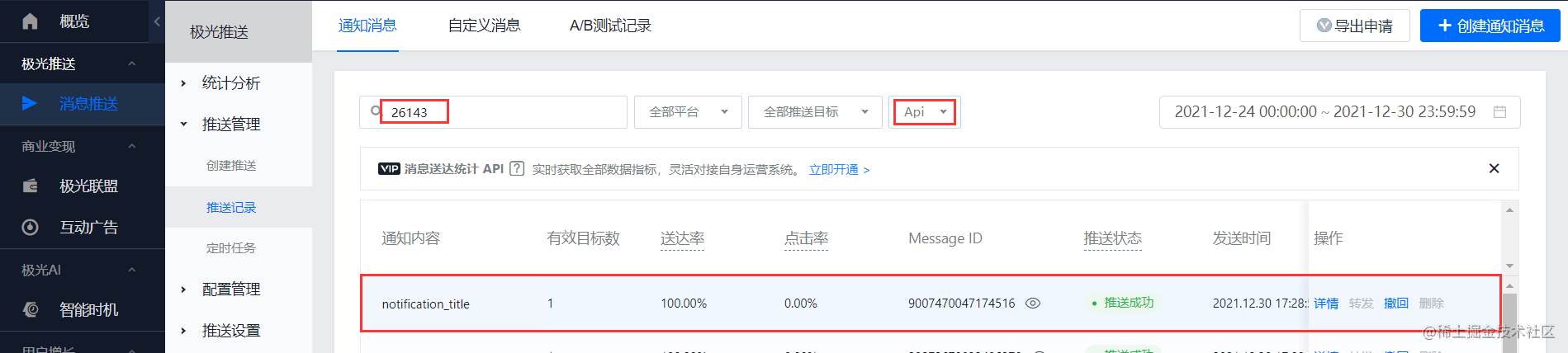
消息发送成功

---
**纸上得来终觉浅,绝知此事要躬行。**