# desktop
**Repository Path**: browsers/desktop
## Basic Information
- **Project Name**: desktop
- **Description**: 该仓库不可提交,只可下载, 镜像
- **Primary Language**: Unknown
- **License**: GPL-3.0
- **Default Branch**: master
- **Homepage**: None
- **GVP Project**: No
## Statistics
- **Stars**: 0
- **Forks**: 0
- **Created**: 2019-11-25
- **Last Updated**: 2024-06-01
## Categories & Tags
**Categories**: Uncategorized
**Tags**: None
## README

Wexond
[](https://github.com/wexond/desktop/actions)
[](https://github.com/wexond/desktop/releases)
[](https://app.fossa.io/projects/git%2Bgithub.com%2Fwexond%2Fwexond?ref=badge_shield)
[](https://www.paypal.com/cgi-bin/webscr?cmd=_s-xclick&hosted_button_id=VCPPFUAL4R6M6&source=url)
[](https://discord.gg/P7Vn4VX)
Wexond is an extensible and privacy-focused web browser with a totally different user experience, built on top of `Electron` and `React`. It aims to be fast, private, beautiful, extensible and functional.
> Note: This project is no longer under active development, though, we will still accept Pull Requests.
# Features
- **Wexond Shield** - Browse the web without any ads and don't let websites to track you. Thanks to the Wexond Shield powered by [Cliqz](https://github.com/cliqz-oss/adblocker), websites can load even 8 times faster!
- **Chromium without Google services and low resources usage** - Since Wexond uses Electron under the hood which is based on only several and the most important Chromium components, it's not bloated with redundant Google tracking services and others.
- **Beautiful and modern UI**
- **Fast and fluent UI** - The animations are really smooth and their timings are perfectly balanced.
- **Highly customizable new tab page** - Customize almost an every aspect of the new tab page!
- **Customizable browser UI** - Choose whether Wexond should have compact or normal UI.
- **Tab groups** - Easily group tabs, so it's hard to get lost.
- **Scrollable tabs**
- **Partial support for Chrome extensions** - Install some extensions directly from Chrome Web Store\* (see [#110](https://github.com/wexond/wexond/issues/110)) (WIP)
- **Packages** - Extend Wexond for your needs, by installing or developing your own packages and themes\* ([#147](https://github.com/wexond/wexond/issues/147)) (WIP)
# Screenshots

UI normal variant:

UI compact variant:


# Downloads
- [Stable and beta versions](https://github.com/wexond/desktop/releases)
- [Nightlies](https://github.com/wexond/desktop-nightly/releases)
# [Roadmap](https://github.com/wexond/wexond/projects)
# Contributing
If you have found any bugs or just want to see some new features in Wexond, feel free to open an issue. We're open to any suggestions. Bug reports would be really helpful for us and appreciated very much. Wexond is in heavy development and some bugs may occur. Also, please don't hesitate to open a pull request. This is really important to us and for the further development of this project.
## Running
Before running Wexond, please ensure you have **latest** [`Node.js`](https://nodejs.org/en/) and [`Yarn`](https://classic.yarnpkg.com/en/docs/install/#windows-stable) installed on your machine.
When running on Windows, make sure you have build tools installed. You can install them by running this command as **administrator**:
```bash
$ npm i -g windows-build-tools
```
Firstly, run this command to install all needed dependencies. If you have encountered any problems, please report it.
```bash
$ yarn
```
After a successful installation, the native modules need to be rebuilt using Electron headers. To do this, run:
```bash
$ npm run rebuild
```
The given command below will run Wexond in the development mode.
```bash
$ npm run dev
```
# Documentation
Guides and the API reference are located in [`docs`](docs) directory.
# License
For commercial or proprietary purposes, please contact me on sentialx@gmail.com
[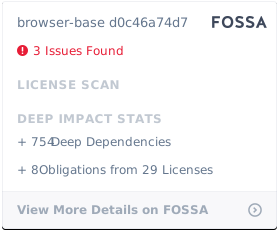](https://app.fossa.io/projects/git%2Bgithub.com%2Fwexond%2Fwexond?ref=badge_large)