# MONAILabel
**Repository Path**: chyang0822/MONAILabel
## Basic Information
- **Project Name**: MONAILabel
- **Description**: No description available
- **Primary Language**: Unknown
- **License**: Apache-2.0
- **Default Branch**: 1173-decouple-image-signal-and-guidance-signal
- **Homepage**: None
- **GVP Project**: No
## Statistics
- **Stars**: 0
- **Forks**: 0
- **Created**: 2025-07-26
- **Last Updated**: 2025-07-26
## Categories & Tags
**Categories**: Uncategorized
**Tags**: None
## README
# MONAI Label
[](https://opensource.org/licenses/Apache-2.0)
[](https://github.com/Project-MONAI/MONAILabel/commits/main)
[](https://docs.monai.io/projects/label/en/latest/?badge=latest)
[](https://badge.fury.io/py/monailabel)
[](https://dev.azure.com/projectmonai/monai-label/_test/analytics?definitionId=10&contextType=build)
[](https://dev.azure.com/projectmonai/monai-label/_build?definitionId=10)
[](https://codecov.io/gh/Project-MONAI/MONAILabel)
MONAI Label is a server-client system that facilitates interactive medical image annotation by using AI. It is an
open-source and easy-to-install ecosystem that can run locally on a machine with single or multiple GPUs. Both server
and client work on the same/different machine. It shares the same principles
with [MONAI](https://github.com/Project-MONAI). Refer to full [MONAI Label documentations](https://docs.monai.io/projects/label/en/latest/index.html) for more details.
- [MONAI Label Demo: Sample Apps](#sample-apps-in-monailabel)
- [Highlights and Features](#hightlights-and-features)
- [Installation and Usage](#installation)
- [MONAI Label Server](#current-stable-version)
- [Visualization Tools Guide](#visualization-tools)
- [Plugin Guide](#plugins)
- [Contributing Guide and Communities](#contributing)
## Sample Apps in MONAILabel
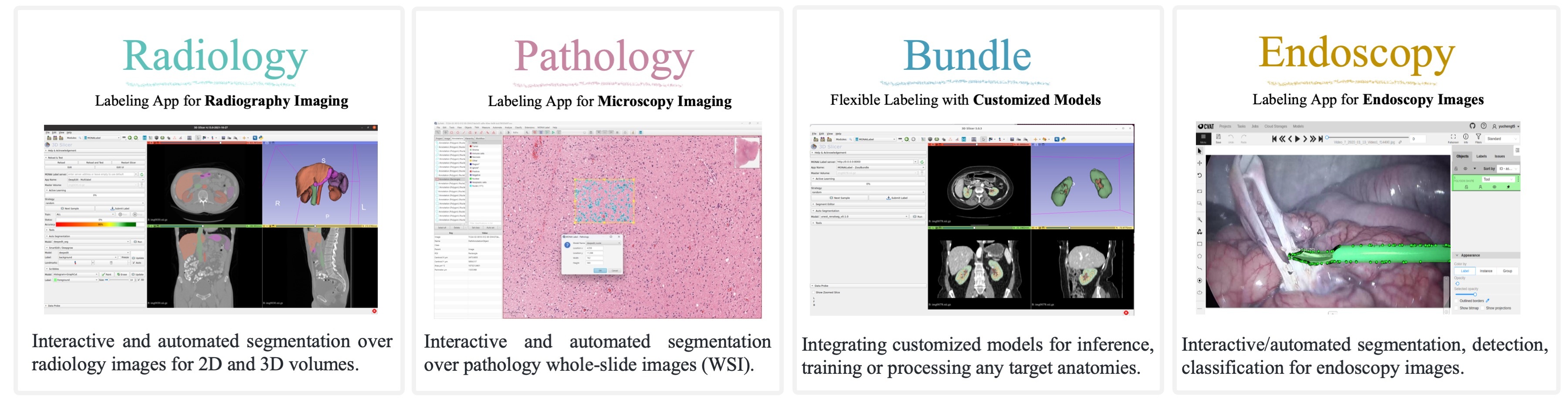
[MONAI Label](https://youtu.be/m2rYorVwXk4) | [Demo Videos](https://www.youtube.com/c/ProjectMONAI)
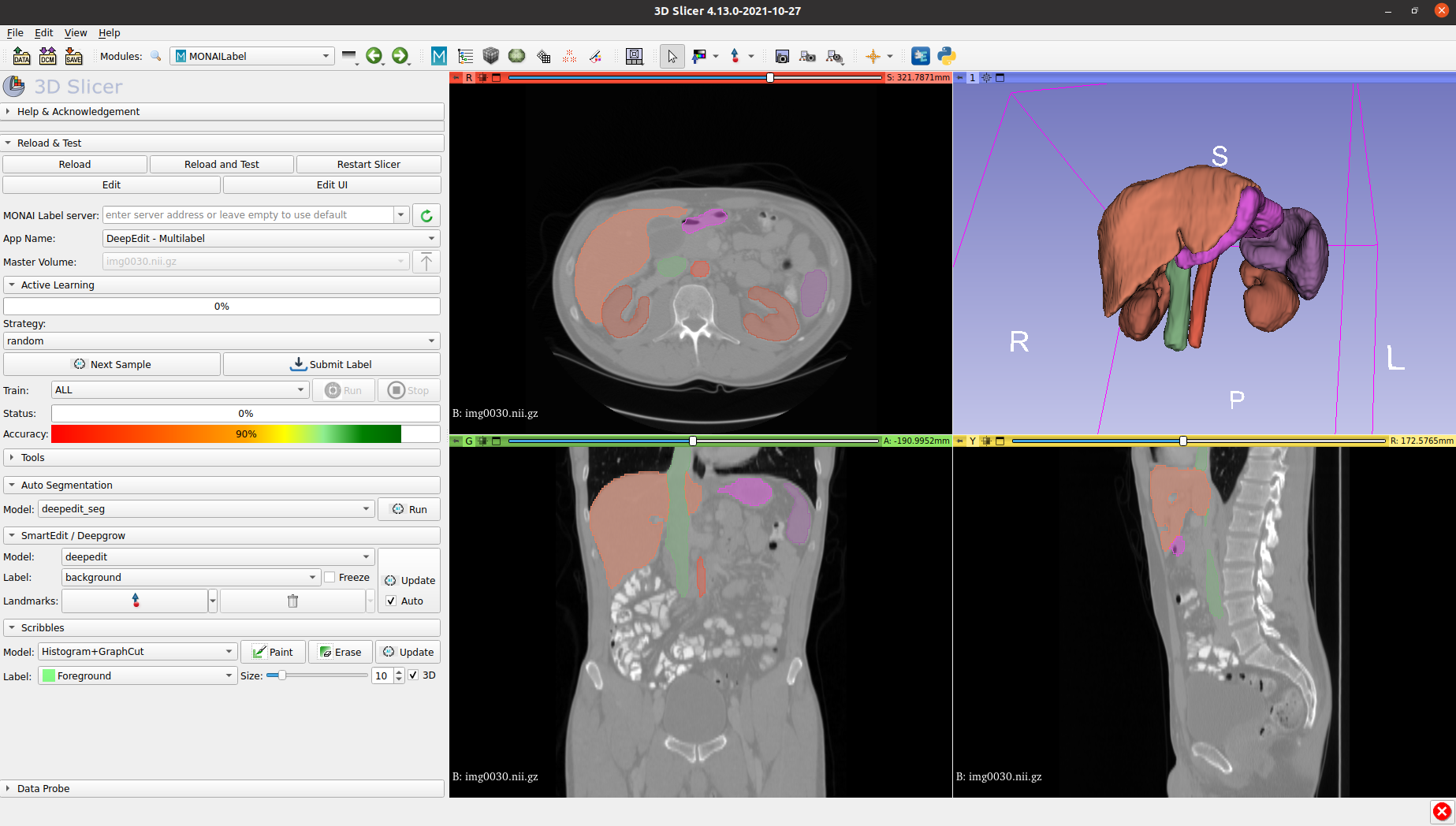
MONAI Label with visualization tools 3D Slicer, OHIF, DSA, QuPath, CVAT etc..
## Highlights and Features
> _The codebase is currently under active development._
- Framework for developing and deploying MONAI Label Apps to train and infer AI models
- Compositional & portable APIs for ease of integration in existing workflows
- Customizable labeling app design for varying user expertise
- Annotation support via [3DSlicer](https://github.com/Project-MONAI/MONAILabel/tree/main/plugins/slicer)
& [OHIF](https://github.com/Project-MONAI/MONAILabel/tree/main/plugins/ohif) for radiology
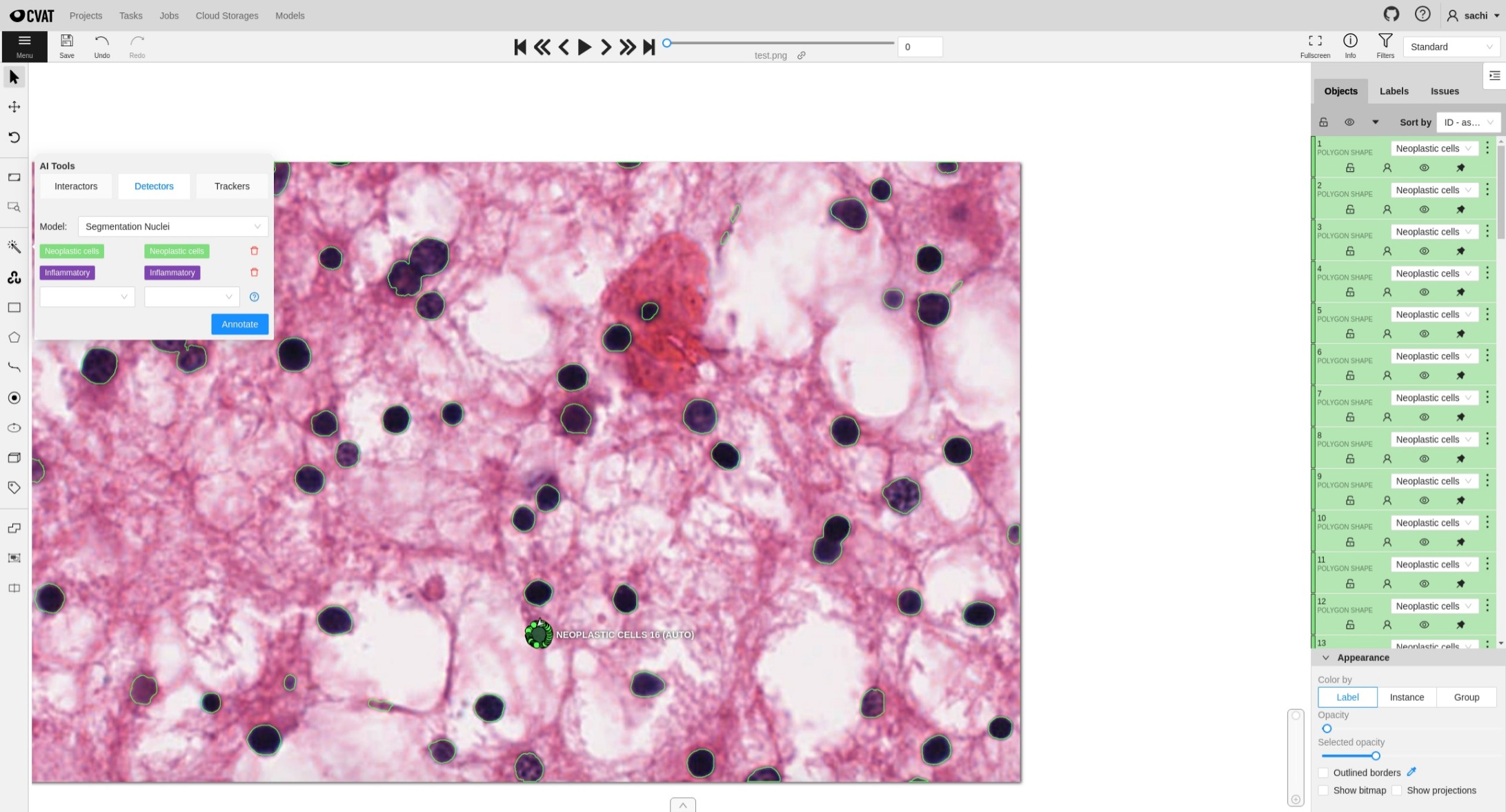
- Annotation support via [QuPath](https://github.com/Project-MONAI/MONAILabel/tree/main/plugins/qupath)
, [Digital Slide Archive](https://github.com/Project-MONAI/MONAILabel/tree/main/plugins/dsa)
& [CVAT](https://github.com/Project-MONAI/MONAILabel/tree/main/plugins/cvat) for
pathology
- Annotation support via [CVAT](https://github.com/Project-MONAI/MONAILabel/tree/main/plugins/cvat) for Endoscopy
- PACS connectivity via [DICOMWeb](https://www.dicomstandard.org/using/dicomweb)
- Automated Active Learning workflow for endoscopy using [CVAT](https://github.com/Project-MONAI/MONAILabel/tree/main/plugins/cvat)
**Radiology App**
This app has example models to do both interactive and automated segmentation over radiology (3D)
images. Including auto segmentation with the latest deep learning models (e.g., UNet, UNETR) for multiple abdominal
organs. Interactive tools include DeepEdit and Deepgrow for actively improving trained models and deployment.
**Pathology App**
This app has example models to do both interactive and automated segmentation over pathology (WSI)
images. Including nuclei multi-label segmentation for Neoplastic cells, Inflammatory, Connective/Soft tissue cells, Dead Cells, and
Epithelial. The app provides interactive tools including DeepEdits for interactive nuclei segmentation.
**Bundle App**
The Bundle app enables users with customized models for inference, training or pre and post processing any target
anatomies. The specification for MONAILabel integration of the Bundle app links archived Model-Zoo for customized labeling
(e.g., the third-party transformer model for labeling renal cortex, medulla, and pelvicalyceal system. Interactive tools such as DeepEdits).
**Endoscopy App**
The Endoscopy app enables users to use interactive, automated segmentation and classification models over 2D images for endoscopy usecase.
Combined with CVAT, it will demonstrate the fully automated Active Learning workflow to train + fine-tune a model.
## Installation
Start using MONAI Label with just three steps:
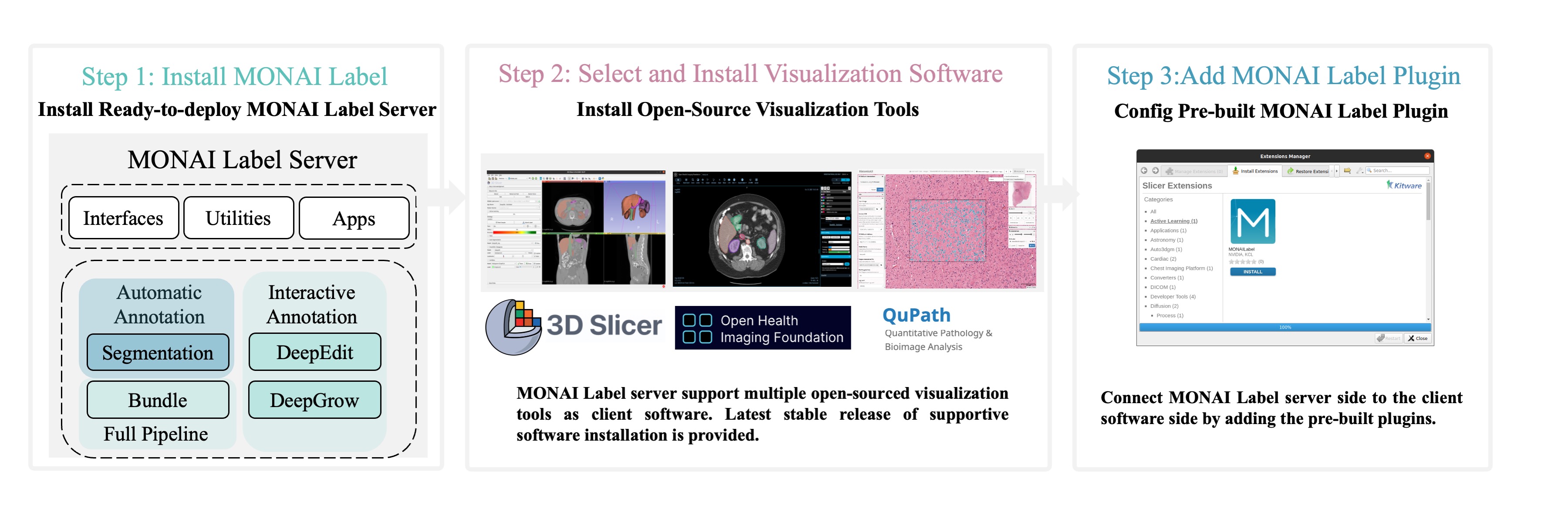
MONAI Label supports following OS with **GPU/CUDA** enabled.
- Ubuntu: Please see the [installation guide](https://docs.monai.io/projects/label/en/latest/installation.html).
- [Windows](https://docs.monai.io/projects/label/en/latest/installation.html#windows)
### [Current Stable Version](https://pypi.org/project/monailabel/#history)
```bash
pip install monailabel -U
```
### Development version
To install the _**latest features**_ using one of the following options:
#### Git Checkout (developer mode)
```bash
git clone https://github.com/Project-MONAI/MONAILabel
pip install -r MONAILabel/requirements.txt
export PATH=$PATH:`pwd`/MONAILabel/monailabel/scripts
```
If you are using DICOM-Web + OHIF then you have to build OHIF package separate. Please refer [here](https://github.com/Project-MONAI/MONAILabel/tree/main/plugins/ohif#development-setup).
#### [Weekly Release](https://pypi.org/project/monailabel-weekly/)
```bash
pip install monailabel-weekly -U
```
#### [Docker](https://hub.docker.com/r/projectmonai/monailabel/tags)
```bash
docker run --gpus all --rm -ti --ipc=host --net=host projectmonai/monailabel:latest bash
```
---
Once the package is installed, you can download sample `radiology` or `pathology` app and start monailabel server.
```bash
# download radiology app and sample dataset
monailabel apps --download --name radiology --output apps
monailabel datasets --download --name Task09_Spleen --output datasets
# start server using radiology app with deepedit model enabled
monailabel start_server --app apps/radiology --studies datasets/Task09_Spleen/imagesTr --conf models deepedit
```
More details refer docs: https://docs.monai.io/projects/label/en/stable/installation.html
> If monailabel install path is not automatically determined, then you can provide explicit install path as:
> `monailabel apps --prefix ~/.local`
For **_prerequisites_**, other installation methods (using the default GitHub branch, using Docker, etc.), please refer
to the [installation guide](https://docs.monai.io/projects/label/en/latest/installation.html).
> Once you start the MONAI Label Server, by default server will be up and serving at http://127.0.0.1:8000/. Open the
> serving URL in browser. It will provide you the list of Rest APIs available. **For this, please make sure you use the
HTTP protocol.** _You can provide ssl arguments to run server in **HTTPS mode** but this functionality is not fully
verified across all clients._
### Optional Dependencies
Following are the optional dependencies which can help you to accelerate some GPU based transforms from MONAI.
These dependencies are by-default available if you are using `projectmonai/monailabel` docker.
- [CUCIM](https://pypi.org/project/cucim/)
- [CUPY](https://docs.cupy.dev/en/stable/install.html#installing-cupy)
- [CUDA Toolkit](https://developer.nvidia.com/cuda-downloads)
## Visualization Tools
MONAI Label supports the most adopted open-source viewers for Radiology, Pathology, and Endoscopy images.
### 3D Slicer
3D Slicer, a free and open-source platform for analyzing, visualizing and understanding medical image data. In MONAI Label, 3D Slicer is most tested with radiology studies and
algorithms, develpoment and integration.
MONAI Label is most currently tested and supported with stable release of 3D Slicer every version. Preview version of 3D Slicer is not fully tested and supported.
To install stable released version of 3D Slicer, see [3D Slicer installation](https://download.slicer.org/).
Currently, Windows and Linux version are supported.
### OHIF (Web-based)
The Open Health Imaging Foundation (OHIF) Viewer is an open source, web-based, medical imaging platform.
It aims to provide a core framework for building complex imaging applications.
At this point OHIF can be used to annotate the data in the DICOM server via the MONAI Label server.
To use OHIF web-based application, refer to [extensible web imaging platform](https://ohif.org/)
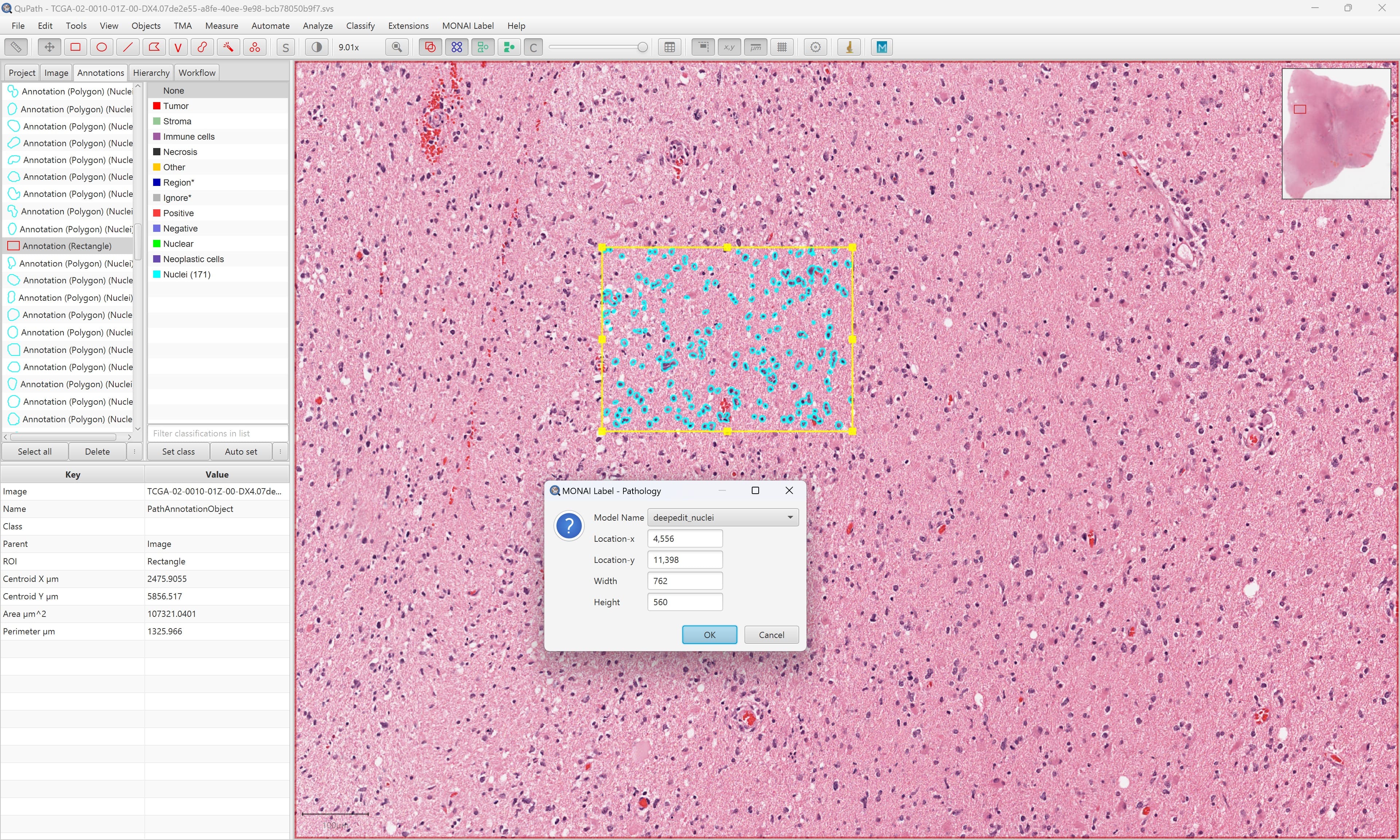
### QuPath
Quantitative Pathology & Bioimage Analysis (QuPath) is an open, powerful, flexible, extensible software platform for bioimage analysis.
To install stable released version of QuPath, see [QuPath installation](https://qupath.github.io/).
Currently, Windows and Linux version are supported. Detailed documentation can be found [QuPath Doc](https://qupath.readthedocs.io/en/stable/).
### CVAT
CVAT is an interactive video and image annotation tool for computer vision.
To install stable released version of CVAT, see [CVAT installation](https://github.com/opencv/cvat).
Currently, Windows and Linux version are supported. Detailed documentation can be found [CVAT Doc](https://opencv.github.io/cvat/docs/).
## Plugins
### [3D Slicer](https://download.slicer.org/) (radiology)
Download and install 3D Slicer with the [installation page](https://docs.monai.io/projects/label/en/latest/installation.html).
Install MONAI Label plugin from Slicer Extension Manager.
Refer [3D Slicer plugin](https://github.com/Project-MONAI/MONAILabel/tree/main/plugins/slicer) for other options to
install and run MONAI Label plugin in 3D Slicer.
> To avoid accidentally using an older Slicer version, you may want to _uninstall_ any previously installed 3D Slicer
> package.
### [OHIF](https://ohif.org/) (radiology)
MONAI Label comes with [pre-built plugin](https://github.com/Project-MONAI/MONAILabel/tree/main/plugins/ohif)
for [OHIF Viewer](https://github.com/OHIF/Viewers). To use OHIF
Viewer, you need to provide **DICOMWeb** instead of FileSystem as _studies_ when you start the server.
> Please install [Orthanc](https://www.orthanc-server.com/download.php) before using OHIF Viewer.
> For Ubuntu 20.x, Orthanc can be installed as `apt-get install orthanc orthanc-dicomweb`. However, you have to
> **upgrade to latest version** by following steps
> mentioned [here](https://book.orthanc-server.com/users/debian-packages.html#replacing-the-package-from-the-service-by-the-lsb-binaries).
>
> You can use [PlastiMatch](https://plastimatch.org/plastimatch.html#plastimatch-convert) to convert NIFTI to DICOM
```bash
# start server using DICOMWeb
monailabel start_server --app apps/radiology --studies http://127.0.0.1:8042/dicom-web
# to disable DICOM to NIFTI conversion for faster performance
export MONAI_LABEL_DICOMWEB_CONVERT_TO_NIFTI=false
monailabel start_server --app apps/radiology --studies http://127.0.0.1:8042/dicom-web
```
> NOTE:: 3D-Slicer is not supported without DICOM to NIFTI conversion
>
> OHIF Viewer will be accessible at http://127.0.0.1:8000/ohif/
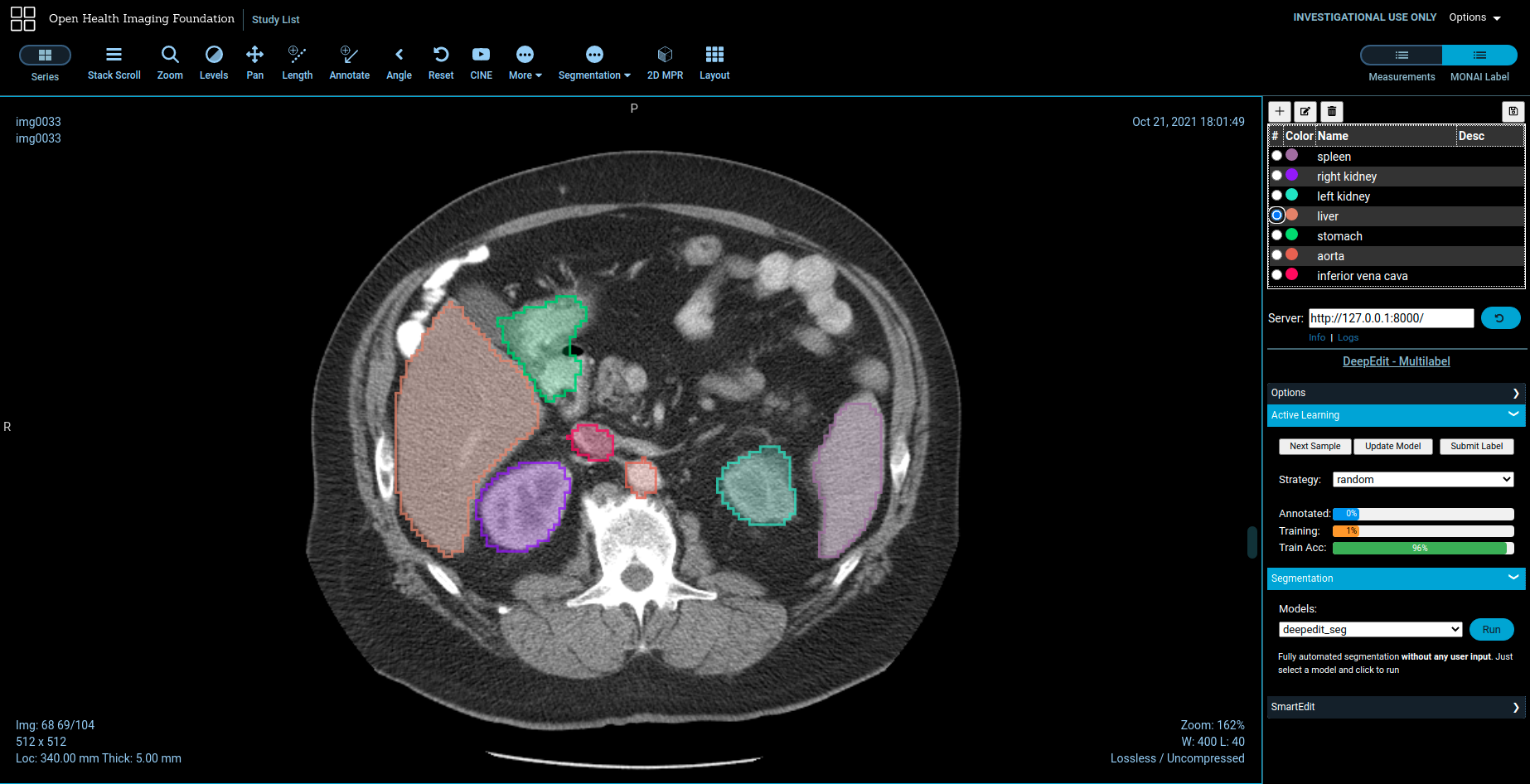
> **NOTE:** OHIF does not yet support Multi-Label interaction for DeepEdit. And you can still use 3D Slicer when MONAILabel is connected to DICOMWeb.
### [QuPath](https://qupath.github.io/) (pathology)
You can download sample whole slide images
from [https://portal.gdc.cancer.gov/repository](https://portal.gdc.cancer.gov/repository?filters=%7B%22op%22%3A%22and%22%2C%22content%22%3A%5B%7B%22op%22%3A%22in%22%2C%22content%22%3A%7B%22field%22%3A%22files.data_type%22%2C%22value%22%3A%5B%22Slide%20Image%22%5D%7D%7D%5D%7D)
```bash
# start server using pathology over downloaded whole slide images
monailabel start_server --app apps/pathology --studies wsi_images
```
Refer [QuPath](plugins/qupath) for installing and running MONAILabel plugin in QuPath.
### [Digital Slide Archive (DSA)](https://digitalslidearchive.github.io/digital_slide_archive/) (pathology)
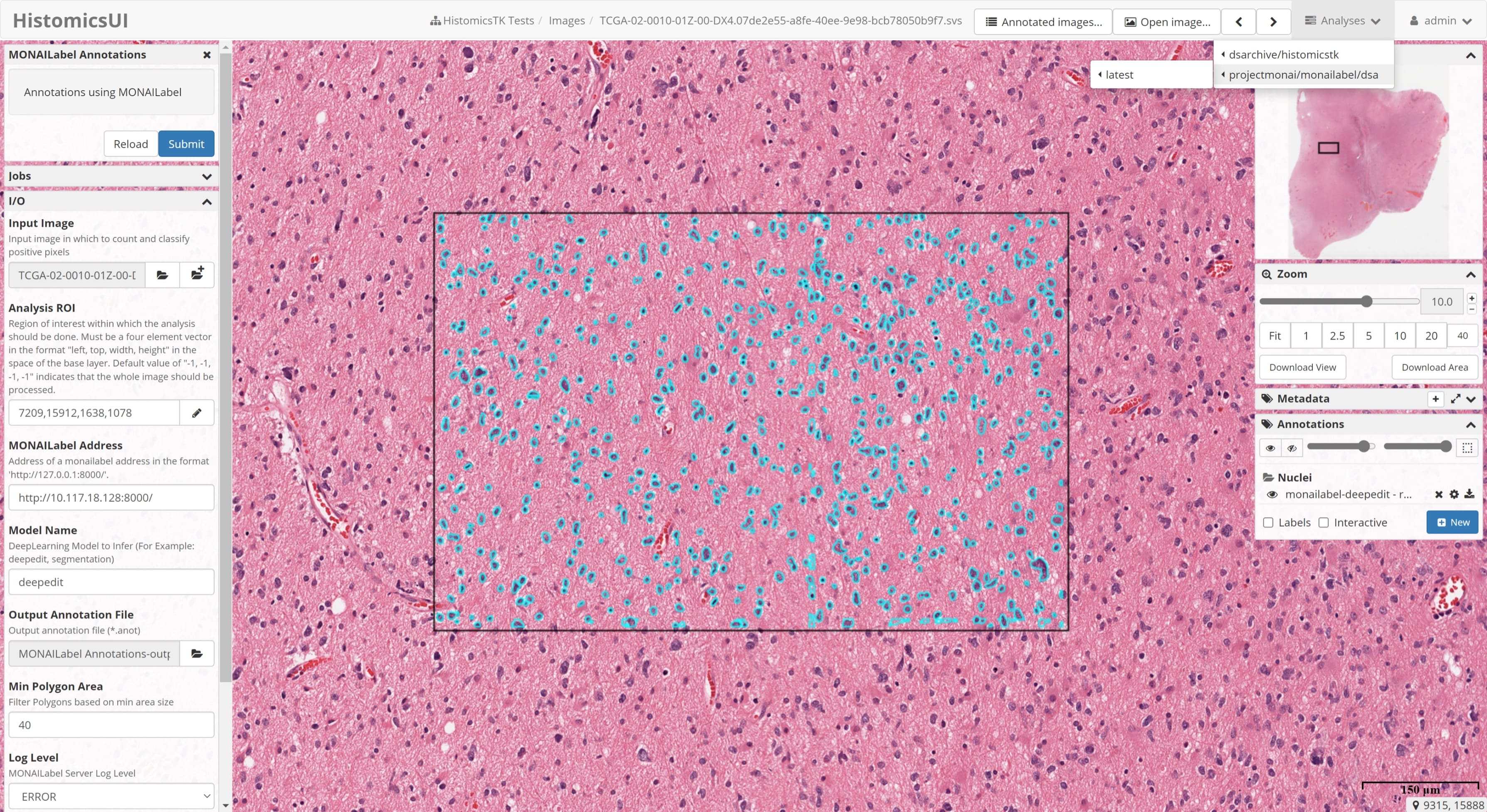
Refer [Pathology](sample-apps/pathology) for running a sample pathology use-case in MONAILabel.
> **NOTE:** The *DSA Plugin* is under *active development*.
### [CVAT](plugins/cvat)
Install [CVAT](https://opencv.github.io/cvat/docs/administration/basics/installation/) and
enable [Semi-Automatic and Automatic Annotation](https://opencv.github.io/cvat/docs/administration/advanced/installation_automatic_annotation/).
Refer [CVAT Instructions](https://github.com/Project-MONAI/MONAILabel/tree/main/plugins/cvat) for deploying available MONAILabel
pathology/endoscopy models into CVAT.
## Cite
If you are using MONAI Label in your research, please use the following citation:
```bash
@article{DiazPinto2022monailabel,
author = {Diaz-Pinto, Andres and Alle, Sachidanand and Ihsani, Alvin and Asad, Muhammad and
Nath, Vishwesh and P{\'e}rez-Garc{\'\i}a, Fernando and Mehta, Pritesh and
Li, Wenqi and Roth, Holger R. and Vercauteren, Tom and Xu, Daguang and
Dogra, Prerna and Ourselin, Sebastien and Feng, Andrew and Cardoso, M. Jorge},
title = {{MONAI Label: A framework for AI-assisted Interactive Labeling of 3D Medical Images}},
journal = {arXiv e-prints},
year = 2022,
url = {https://arxiv.org/pdf/2203.12362.pdf}
}
@inproceedings{DiazPinto2022DeepEdit,
title={{DeepEdit: Deep Editable Learning for Interactive Segmentation of 3D Medical Images}},
author={Diaz-Pinto, Andres and Mehta, Pritesh and Alle, Sachidanand and Asad, Muhammad and Brown, Richard and Nath, Vishwesh and Ihsani, Alvin and Antonelli, Michela and Palkovics, Daniel and Pinter, Csaba and others},
booktitle={MICCAI Workshop on Data Augmentation, Labelling, and Imperfections},
pages={11--21},
year={2022},
organization={Springer}
}
```
Optional Citation: if you are using active learning functionality from MONAI Label, please support us:
```bash
@article{nath2020diminishing,
title={Diminishing uncertainty within the training pool: Active learning for medical image segmentation},
author={Nath, Vishwesh and Yang, Dong and Landman, Bennett A and Xu, Daguang and Roth, Holger R},
journal={IEEE Transactions on Medical Imaging},
volume={40},
number={10},
pages={2534--2547},
year={2020},
publisher={IEEE}
}
```
## Contributing
For guidance on making a contribution to MONAI Label, see
the [contributing guidelines](https://github.com/Project-MONAI/MONAILabel/blob/main/CONTRIBUTING.md).
## Community
Join the conversation on Twitter [@ProjectMONAI](https://twitter.com/ProjectMONAI) or join
our [Slack channel](https://projectmonai.slack.com/archives/C031QRE0M1C).
Ask and answer questions over
on [MONAI Label's GitHub Discussions tab](https://github.com/Project-MONAI/MONAILabel/discussions).
## Links
- Website: https://monai.io/
- API documentation: https://docs.monai.io/projects/label
- Code: https://github.com/Project-MONAI/MONAILabel
- Project tracker: https://github.com/Project-MONAI/MONAILabel/projects
- Issue tracker: https://github.com/Project-MONAI/MONAILabel/issues
- Wiki: https://github.com/Project-MONAI/MONAILabel/wiki
- Test status: https://github.com/Project-MONAI/MONAILabel/actions
- PyPI package: https://pypi.org/project/monailabel/
- Weekly previews: https://pypi.org/project/monailabel-weekly/
- Docker Hub: https://hub.docker.com/r/projectmonai/monailabel
- Client API: https://www.youtube.com/watch?v=mPMYJyzSmyo
- Demo Videos: https://www.youtube.com/c/ProjectMONAI