# vega
**Repository Path**: cmen/vega
## Basic Information
- **Project Name**: vega
- **Description**: A visualization grammar.
- **Primary Language**: JavaScript
- **License**: BSD-3-Clause
- **Default Branch**: master
- **Homepage**: None
- **GVP Project**: No
## Statistics
- **Stars**: 0
- **Forks**: 0
- **Created**: 2020-01-13
- **Last Updated**: 2020-12-19
## Categories & Tags
**Categories**: Uncategorized
**Tags**: None
## README
# Vega: A Visualization Grammar 
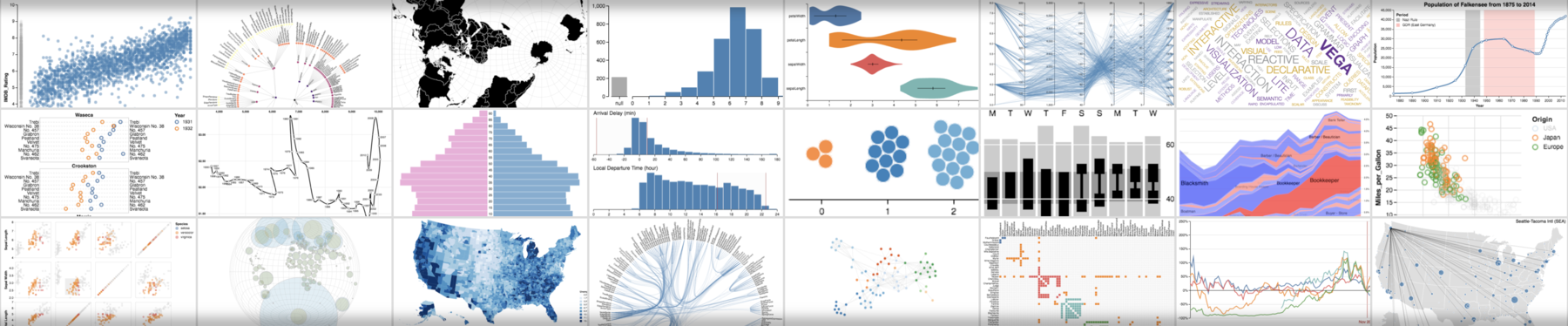 **Vega** is a *visualization grammar*, a declarative format for creating, saving, and sharing interactive visualization designs. With Vega you can describe data visualizations in a JSON format, and generate interactive views using either HTML5 Canvas or SVG.
For documentation, tutorials, and examples, see the [Vega website](https://vega.github.io/vega). For a description of changes between Vega 2 and later versions, please refer to the [Vega Porting Guide](https://vega.github.io/vega/docs/porting-guide/).
## Build Instructions
For a basic setup allowing you to build Vega and run examples:
- Clone `https://github.com/vega/vega`.
- Run `yarn` to install dependencies for all packages. If you don't have yarn installed, see https://yarnpkg.com/en/docs/install. We use [Yarn workspaces](https://yarnpkg.com/lang/en/docs/workspaces/) to manage multiple packages within this [monorepo](https://en.wikipedia.org/wiki/Monorepo).
- Once installation is complete, run `yarn test` to run test cases, or run `yarn build` to build output files for all packages.
- After running either `yarn test` or `yarn build`, run `yarn serve` to launch a local web server — your default browser will open and you can browse to the `"test"` folder to view test specifications.
This repository includes the Vega website and documentation in the `docs` folder. To launch the website locally, first run `bundle install` in the `docs` folder to install the necessary Jekyll libraries. Afterwards, use `yarn docs` to build the documentation and launch a local webserver. After launching, you can open [`http://127.0.0.1:4000/vega/`](http://127.0.0.1:4000/vega/) to see the website.
## ES5 Support
For backwards compatibility, Vega includes a [babel-ified](https://babeljs.io/) ES5-compatible version of the code in `packages/vega/build-es5` directory. Older browser would also require several polyfill libraries:
```html
```
## Contributions, Development, and Support
Interested in contributing to Vega? Please see our [contribution and development guidelines](CONTRIBUTING.md), subject to our [code of conduct](CODE_OF_CONDUCT.md).
Looking for support, or interested in sharing examples and tips? Post to the [Vega discussion forum](https://groups.google.com/forum/#!forum/vega-js) or join the [Vega slack organization](https://bit.ly/join-vega-slack-2020)! We also have examples available as [Observable notebooks](https://observablehq.com/@vega).
If you're curious about system performance, see some [in-browser benchmarks](https://observablehq.com/@vega/vega-performance-tests). Read about future plans in [our roadmap](https://docs.google.com/document/d/1fscSxSJtfkd1m027r1ONCc7O8RdZp1oGABwca2pgV_E/edit#).
**Vega** is a *visualization grammar*, a declarative format for creating, saving, and sharing interactive visualization designs. With Vega you can describe data visualizations in a JSON format, and generate interactive views using either HTML5 Canvas or SVG.
For documentation, tutorials, and examples, see the [Vega website](https://vega.github.io/vega). For a description of changes between Vega 2 and later versions, please refer to the [Vega Porting Guide](https://vega.github.io/vega/docs/porting-guide/).
## Build Instructions
For a basic setup allowing you to build Vega and run examples:
- Clone `https://github.com/vega/vega`.
- Run `yarn` to install dependencies for all packages. If you don't have yarn installed, see https://yarnpkg.com/en/docs/install. We use [Yarn workspaces](https://yarnpkg.com/lang/en/docs/workspaces/) to manage multiple packages within this [monorepo](https://en.wikipedia.org/wiki/Monorepo).
- Once installation is complete, run `yarn test` to run test cases, or run `yarn build` to build output files for all packages.
- After running either `yarn test` or `yarn build`, run `yarn serve` to launch a local web server — your default browser will open and you can browse to the `"test"` folder to view test specifications.
This repository includes the Vega website and documentation in the `docs` folder. To launch the website locally, first run `bundle install` in the `docs` folder to install the necessary Jekyll libraries. Afterwards, use `yarn docs` to build the documentation and launch a local webserver. After launching, you can open [`http://127.0.0.1:4000/vega/`](http://127.0.0.1:4000/vega/) to see the website.
## ES5 Support
For backwards compatibility, Vega includes a [babel-ified](https://babeljs.io/) ES5-compatible version of the code in `packages/vega/build-es5` directory. Older browser would also require several polyfill libraries:
```html
```
## Contributions, Development, and Support
Interested in contributing to Vega? Please see our [contribution and development guidelines](CONTRIBUTING.md), subject to our [code of conduct](CODE_OF_CONDUCT.md).
Looking for support, or interested in sharing examples and tips? Post to the [Vega discussion forum](https://groups.google.com/forum/#!forum/vega-js) or join the [Vega slack organization](https://bit.ly/join-vega-slack-2020)! We also have examples available as [Observable notebooks](https://observablehq.com/@vega).
If you're curious about system performance, see some [in-browser benchmarks](https://observablehq.com/@vega/vega-performance-tests). Read about future plans in [our roadmap](https://docs.google.com/document/d/1fscSxSJtfkd1m027r1ONCc7O8RdZp1oGABwca2pgV_E/edit#).