# gobackup
**Repository Path**: coolops/gobackup
## Basic Information
- **Project Name**: gobackup
- **Description**: No description available
- **Primary Language**: Unknown
- **License**: MIT
- **Default Branch**: feature/split
- **Homepage**: None
- **GVP Project**: No
## Statistics
- **Stars**: 0
- **Forks**: 0
- **Created**: 2021-10-26
- **Last Updated**: 2021-11-02
## Categories & Tags
**Categories**: Uncategorized
**Tags**: None
## README

GoBackup
Simple tool for backup your databases, files to cloud storages.


GoBackup is a fullstack backup tool design for web servers similar with [backup/backup](https://github.com/backup/backup), work with Crontab to backup automatically.
You can write a config file, run `gobackup perform` command by once to dump database as file, archive config files, and then package them into a single file.
It’s allow you store the backup file to local, FTP, SCP, S3 or other cloud storages.
GoBackup 是一个类似 [backup/backup](https://github.com/backup/backup) 的一站式备份工具,为中小型服务器/个人服务器而设计,配合 Crontab 以实现定时备份的目的。
使用 GoBackup 你可以通过一个简单的配置文件,一次(执行一个命令)将服务器上重要的(数据库、配置文件)东西导出、打包压缩,并备份到指定目的地(如:本地路径、FTP、云存储...)。
详细中文介绍: https://ruby-china.org/topics/34094
https://gobackup.github.io/
## Features
- No dependencies.
- Multiple Databases source support.
- Multiple Storage type support.
- Archive paths or files into a tar.
## Current Support status
### Databases
- MySQL
- PostgreSQL
- Redis - `mode: sync/copy`
- MongoDB
### Archive
Use `tar` command to archive many file or path into a `.tar` file.
### Compressor
- Tgz - `.tar.gz`
### Encryptor
- OpenSSL - `aes-256-cbc` encrypt
### Storages
- Local
- FTP
- SCP - Upload via SSH copy
- [Amazon S3](https://aws.amazon.com/s3/)
- [Aliyun OSS](https://www.aliyun.com/product/oss)
## Install (macOS / Linux)
```bash
$ curl -sSL https://git.io/gobackup | bash
```
after that, you will get `/usr/local/bin/gobackup` command.
```bash
$ gobackup -h
NAME:
gobackup - Easy full stack backup operations on UNIX-like systems
USAGE:
gobackup [global options] command [command options] [arguments...]
VERSION:
0.1.0
COMMANDS:
perform
help, h Shows a list of commands or help for one command
GLOBAL OPTIONS:
--help, -h show help
--version, -v print the version
```
## Configuration
GoBackup will seek config files in:
- ~/.gobackup/gobackup.yml
- /etc/gobackup/gobackup.yml
Example config: [gobackup_test.yml](https://github.com/huacnlee/gobackup/blob/master/gobackup_test.yml)
```yml
models:
gitlab:
compress_with:
type: tgz
store_with:
type: scp
path: ~/backup
host: your-host.com
private_key: ~/.ssh/id_rsa
username: ubuntu
password: password
timeout: 300
databases:
gitlab:
type: mysql
host: localhost
port: 3306
database: gitlab_production
username: root
password:
additional_options: --single-transaction --quick
gitlab_redis:
type: redis
mode: sync
rdb_path: /var/db/redis/dump.rdb
invoke_save: true
password:
archive:
includes:
- /home/git/.ssh/
- /etc/mysql/my.conf
- /etc/nginx/nginx.conf
- /etc/nginx/conf.d
- /etc/redis/redis.conf
- /etc/logrotate.d/
excludes:
- /home/ubuntu/.ssh/known_hosts
- /etc/logrotate.d/syslog
gitlab_repos:
store_with:
type: local
path: /data/backups/gitlab-repos/
archive:
includes:
- /home/git/repositories
```
## Usage
```bash
$ gobackup perform
2017/09/08 06:47:36 ======== ruby_china ========
2017/09/08 06:47:36 WorkDir: /tmp/gobackup/1504853256396379166
2017/09/08 06:47:36 ------------- Databases --------------
2017/09/08 06:47:36 => database | Redis: mysql
2017/09/08 06:47:36 Dump mysql dump to /tmp/gobackup/1504853256396379166/mysql/ruby-china.sql
2017/09/08 06:47:36
2017/09/08 06:47:36 => database | Redis: redis
2017/09/08 06:47:36 Copying redis dump to /tmp/gobackup/1504853256396379166/redis
2017/09/08 06:47:36
2017/09/08 06:47:36 ----------- End databases ------------
2017/09/08 06:47:36 ------------- Compressor --------------
2017/09/08 06:47:36 => Compress with Tgz...
2017/09/08 06:47:39 -> /tmp/gobackup/2017-09-08T14:47:36+08:00.tar.gz
2017/09/08 06:47:39 ----------- End Compressor ------------
2017/09/08 06:47:39 => storage | FTP
2017/09/08 06:47:39 -> Uploading...
2017/09/08 06:47:39 -> upload /ruby_china/2017-09-08T14:47:36+08:00.tar.gz
2017/09/08 06:48:04 Cleanup temp dir...
2017/09/08 06:48:04 ======= End ruby_china =======
```
## Backup schedule
You may want run backup in scheduly, you need Crontab:
```bash
$ crontab -l
0 0 * * * /usr/local/bin/gobackup perform >> ~/.gobackup/gobackup.log
```
> `0 0 * * *` means run at 0:00 AM, every day.
And after a day, you can check up the execute status by `~/.gobackup/gobackup.log`.
## License
[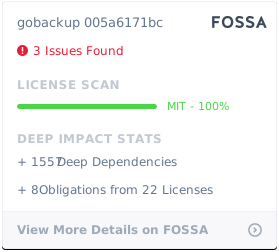](https://app.fossa.io/projects/git%2Bgithub.com%2Fhuacnlee%2Fgobackup?ref=badge_large)