# Vue-Print-Designer **Repository Path**: cpanmac/vue-print-designer ## Basic Information - **Project Name**: Vue-Print-Designer - **Description**: ๐Ÿ”ฅVue Print Designer ๆ˜ฏไธ€ๆฌพๅฏ่ง†ๅŒ–ๆ‰“ๅฐ่ฎพ่ฎกๅ™จ๏ผŒ้ขๅ‘ไธšๅŠก่กจๅ•ใ€ๆ ‡็ญพใ€็ฅจๆฎใ€ๅฟซ้€’ๅ•็ญ‰ๅœบๆ™ฏ๏ผŒๆ”ฏๆŒๆจกๆฟๅŒ–ใ€ๅ˜้‡ๅŒ–๏ผŒๅนถๆไพ›้™้ป˜ๆ‰“ๅฐไธŽไบ‘ๆ‰“ๅฐ่ƒฝๅŠ›๏ผŒๅŒๆ—ถๅ…ผๅฎนๅคš็งๅฏผๅ‡บ/ๆ‰“ๅฐๆ–นๅผใ€‚ - **Primary Language**: TypeScript - **License**: AGPL-3.0 - **Default Branch**: master - **Homepage**: https://printdot.cc/ - **GVP Project**: No ## Statistics - **Stars**: 0 - **Forks**: 195 - **Created**: 2026-09-11 - **Last Updated**: 2026-09-11 ## Categories & Tags **Categories**: Uncategorized **Tags**: None ## README

Vue Print Designer

Vue Print Designer

Visual Print Designer  ·  Labels / Receipts / Forms โ€” All Covered  ·  Silent Print & Cloud Print in One

> **Recent Update:** Removed 6 heavy third-party packages, first-load bundle size reduced by ~**65%**; render engine fully rewritten in-house, single-page render time reduced from ~**300 ms to 80 ms** (โˆ’73%); language support expanded 2 โ†’ **6**, auto-detected from the browser.

Gitee stars Gitee forks GitHub stars GitHub forks NPM Downloads NPM Version License QQ Group

ไธญๆ–‡ | English

--- Vue Print Designer is a visual print designer for business forms, labels, receipts, and waybills. It supports templating and variables, provides silent printing and cloud printing, and works with multiple export/print pipelines. **Live Demo:** [https://0ldfive.github.io/Vue-Print-Designer/](https://0ldfive.github.io/Vue-Print-Designer/) --- ## Community Join our QQ group for usage discussions, integration tips, and troubleshooting. QQ Group: **1038069636** Vue Print Designer QQ Group QR Code (1038069636) --- ## UI Preview
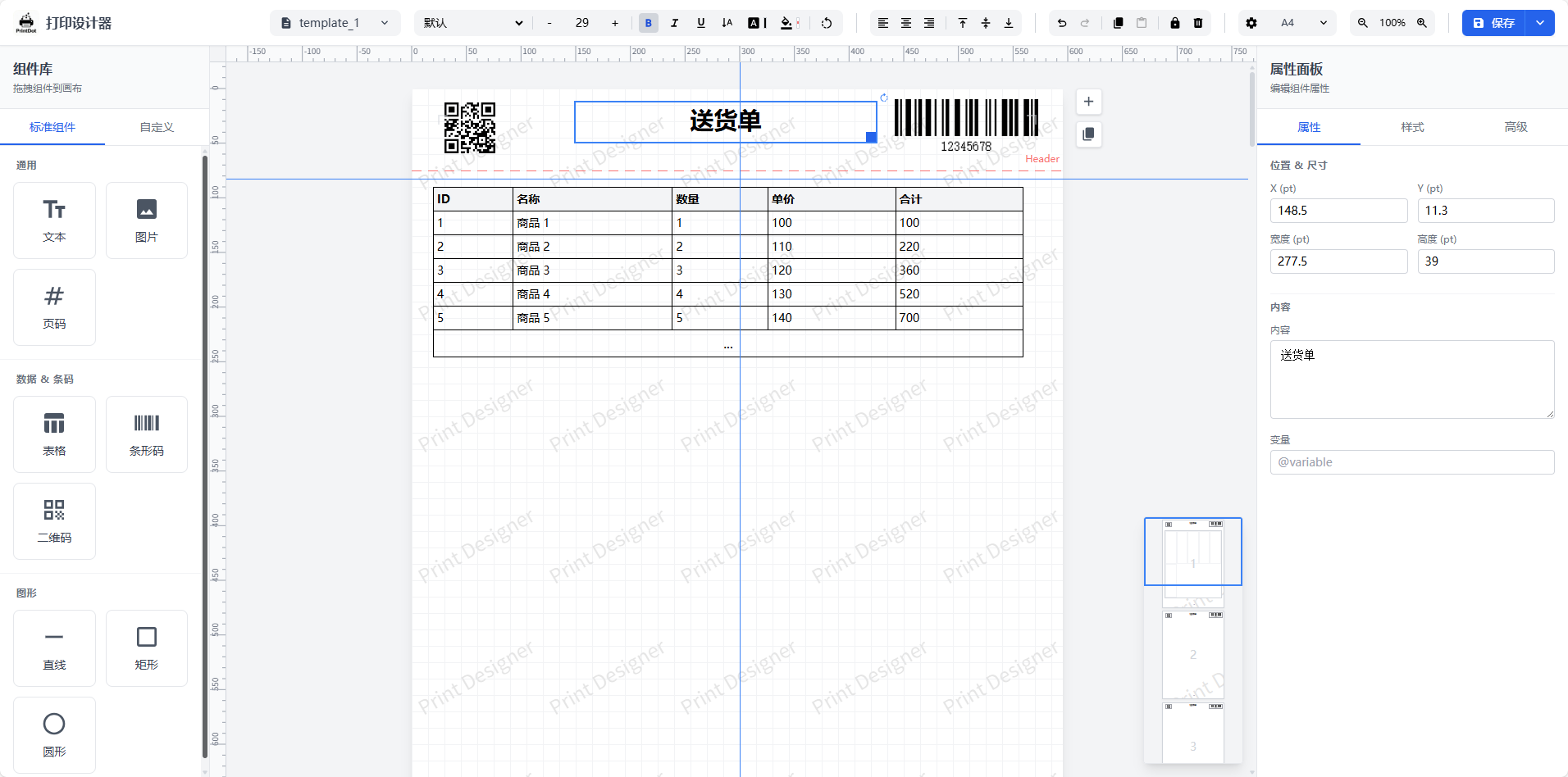
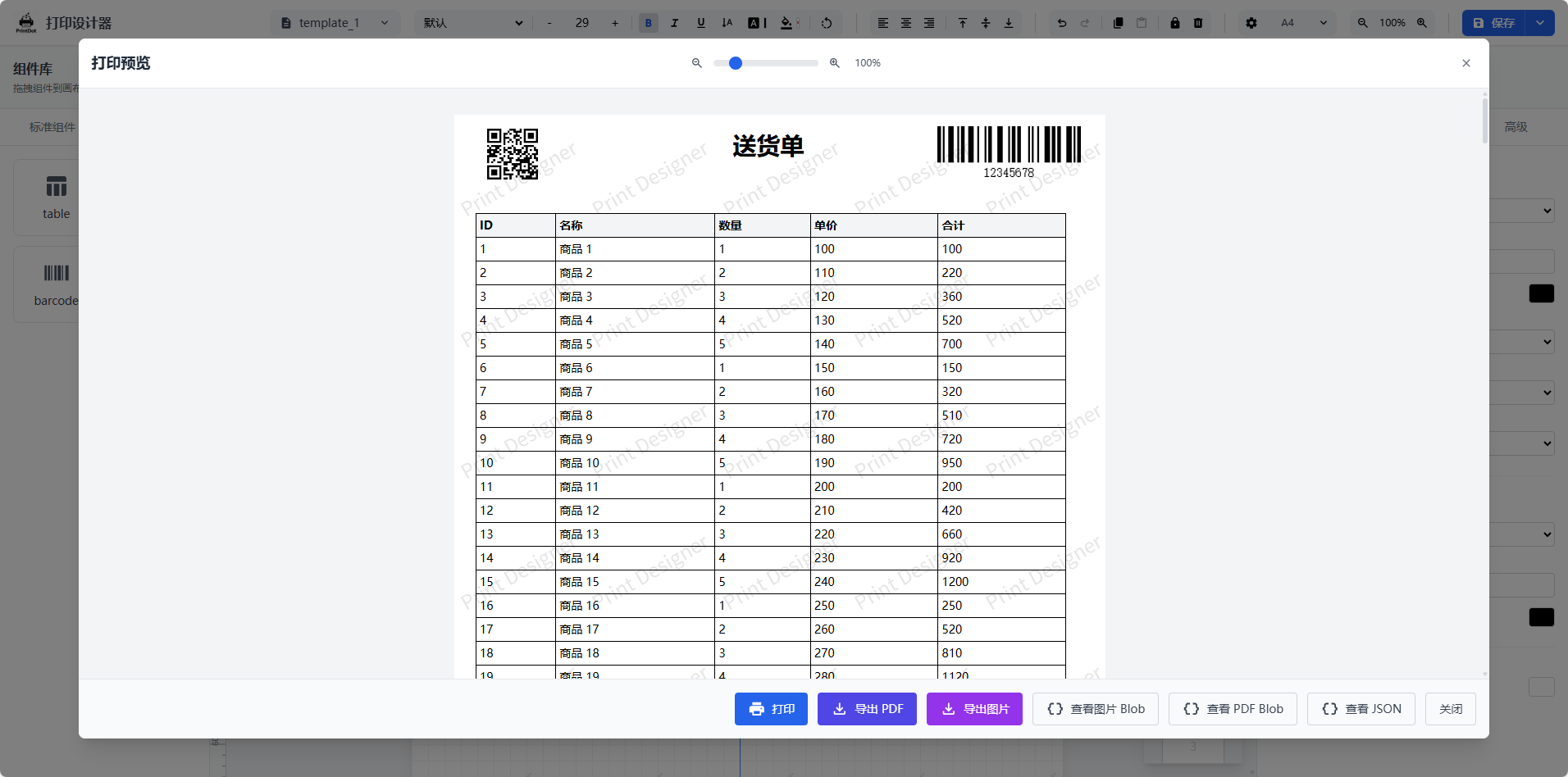
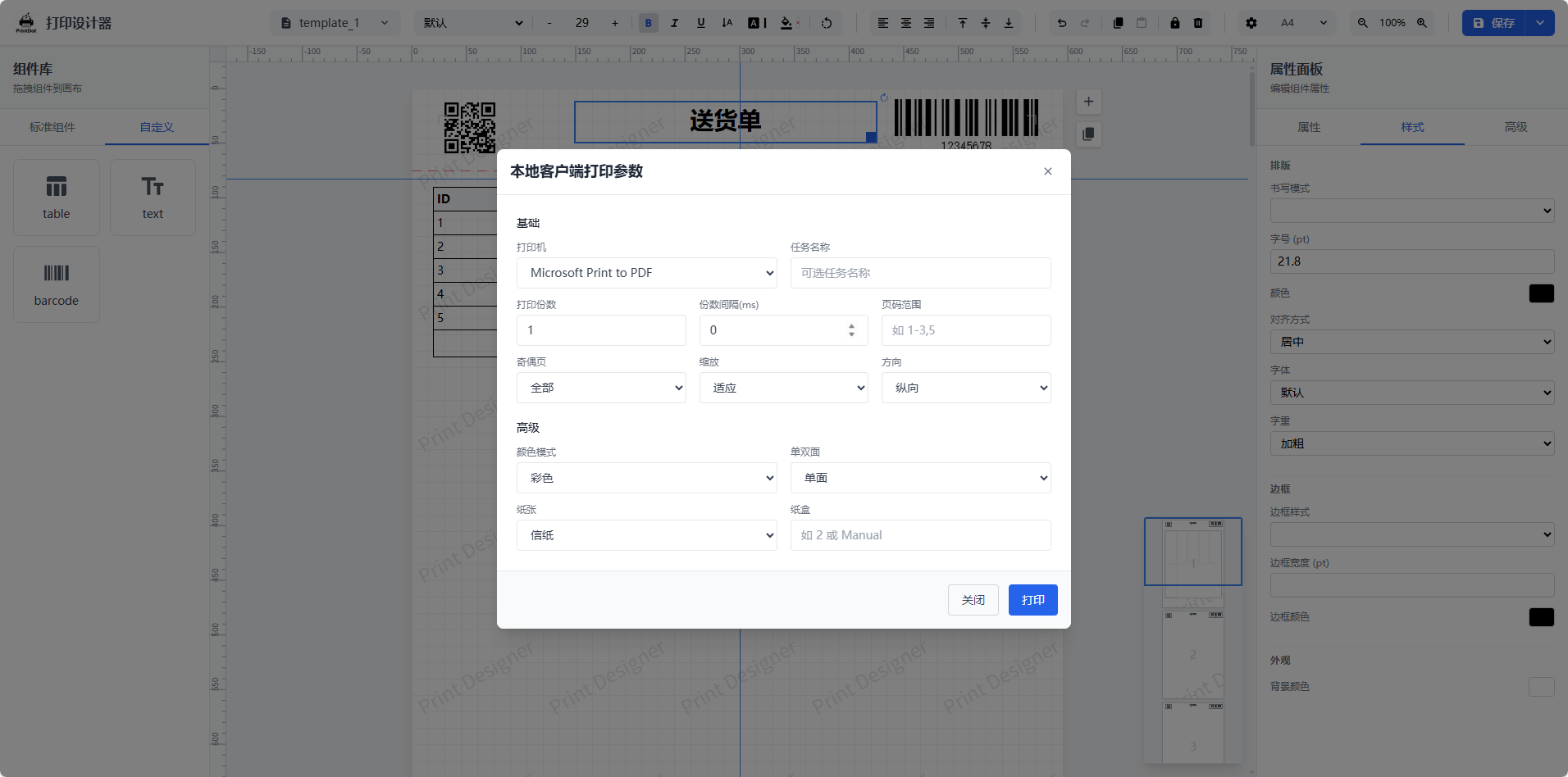
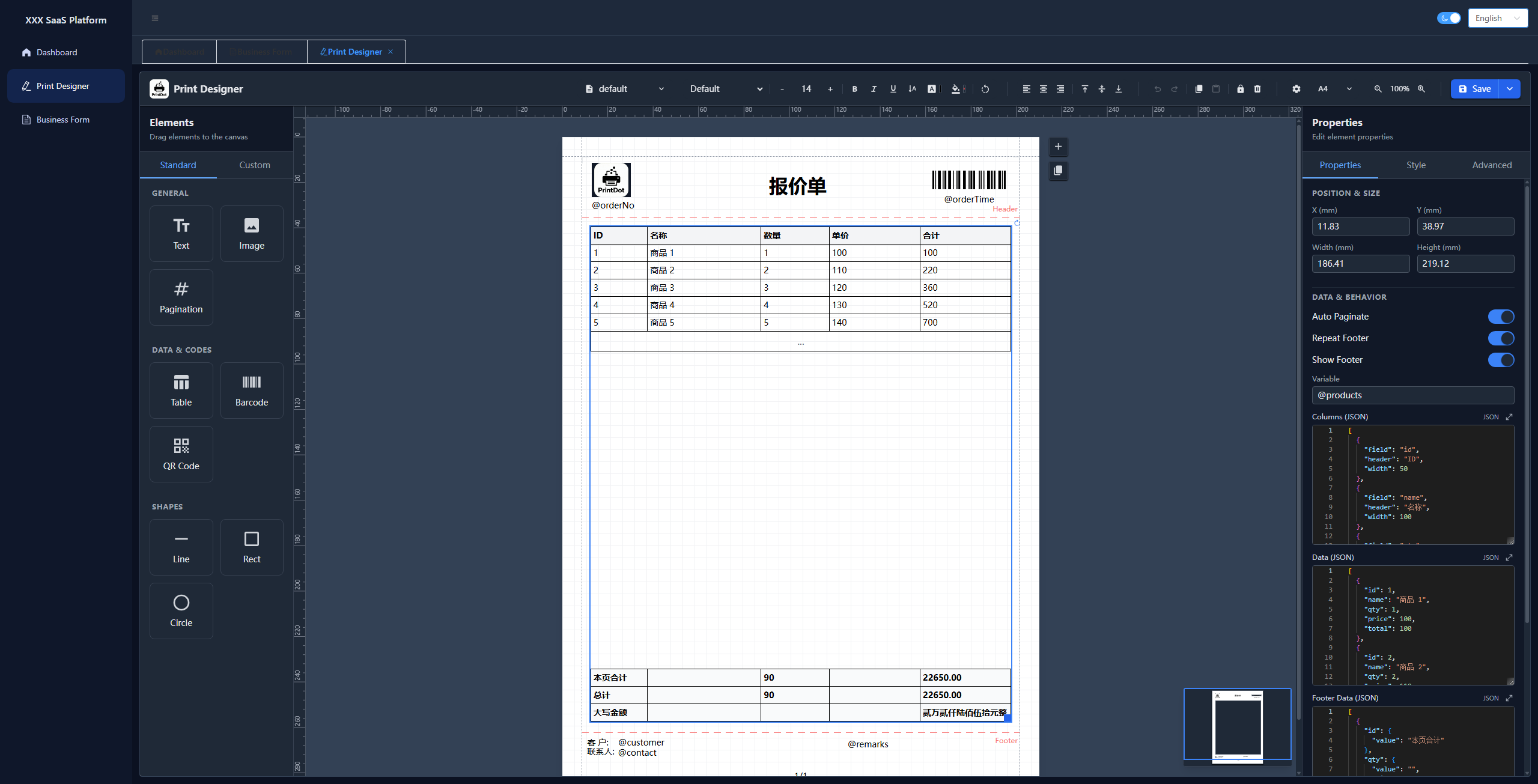
Designer main view Print preview Print parameter settings
Designer main view and canvas Print preview Print parameter settings
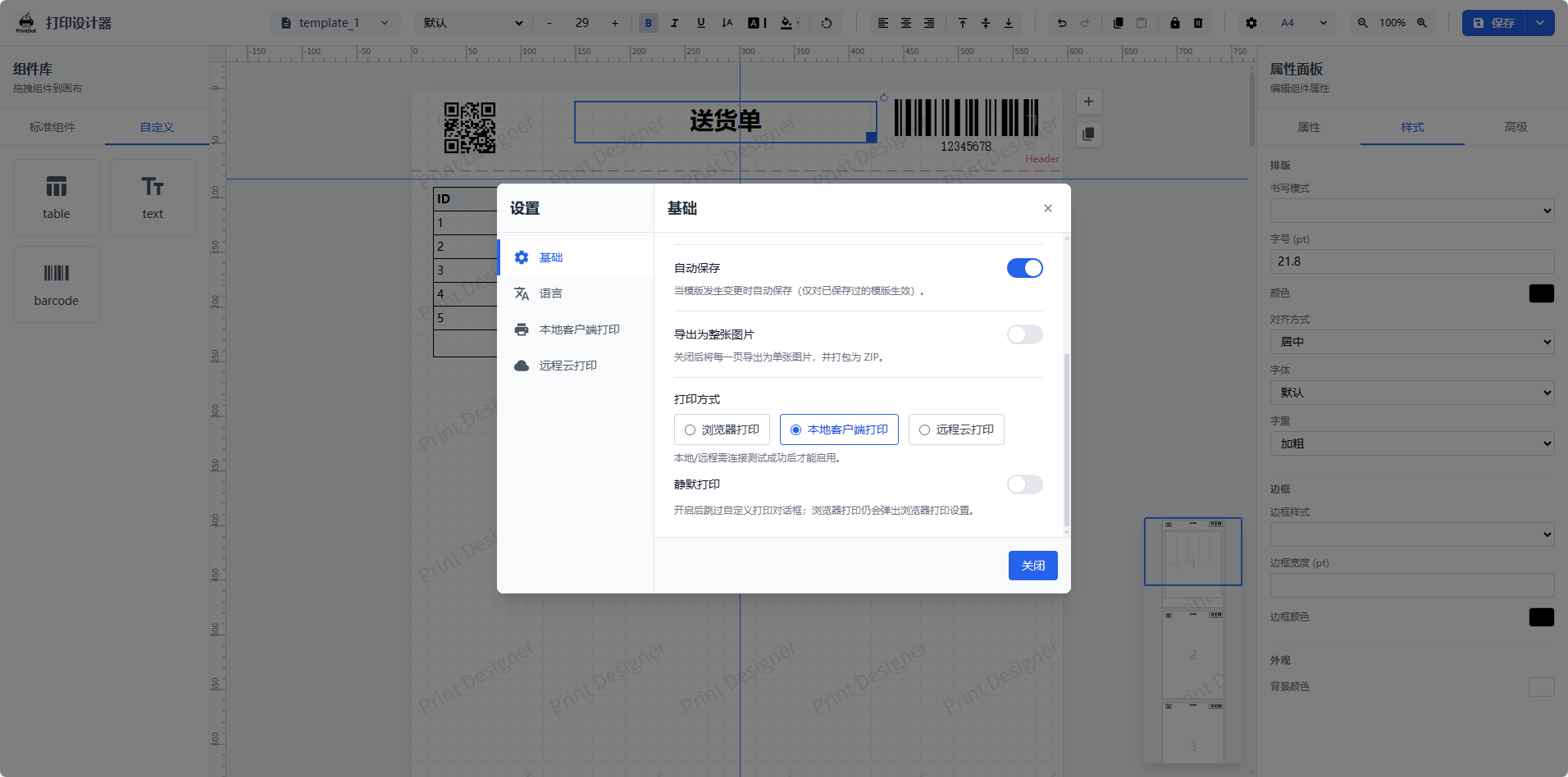
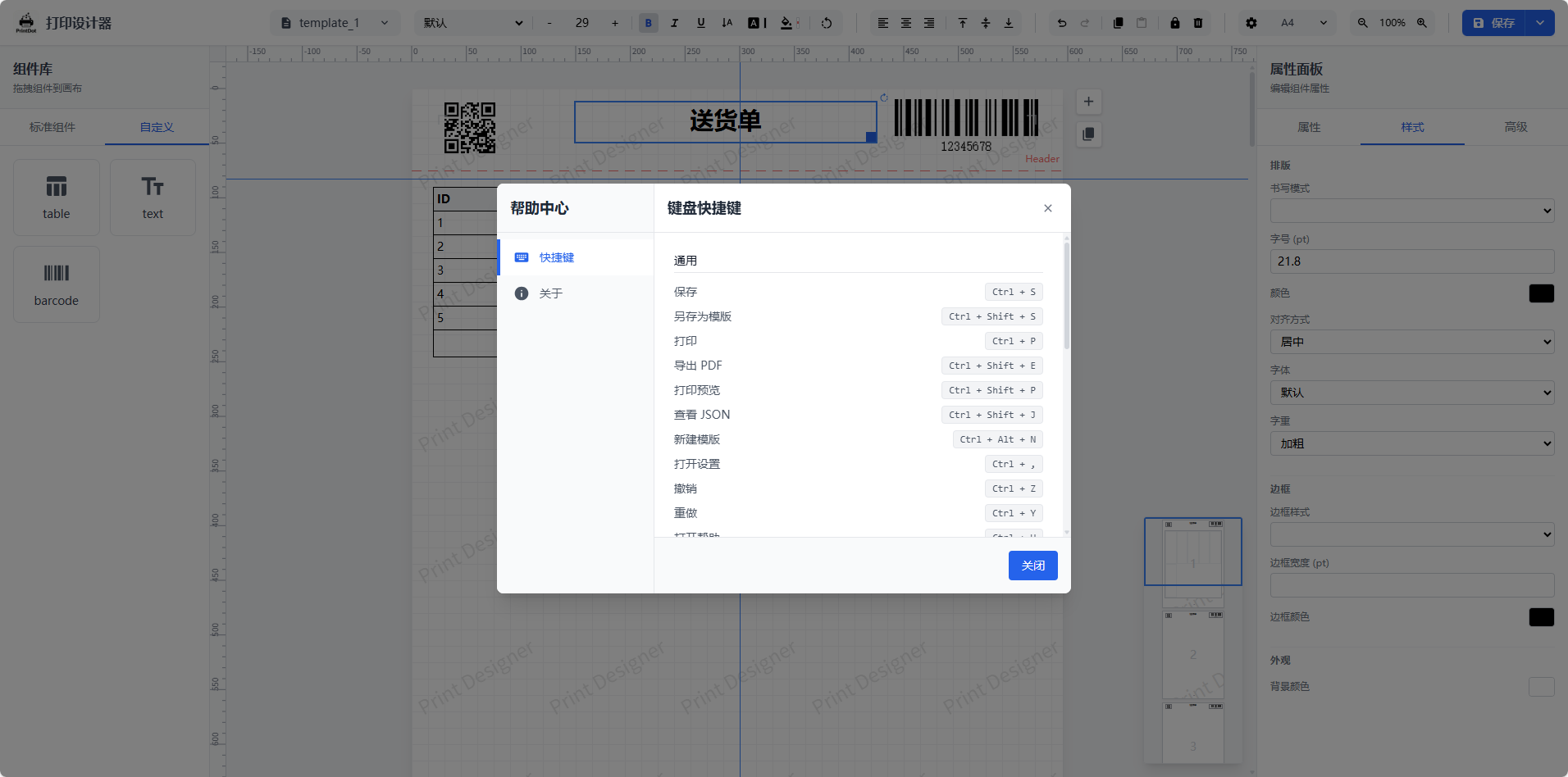
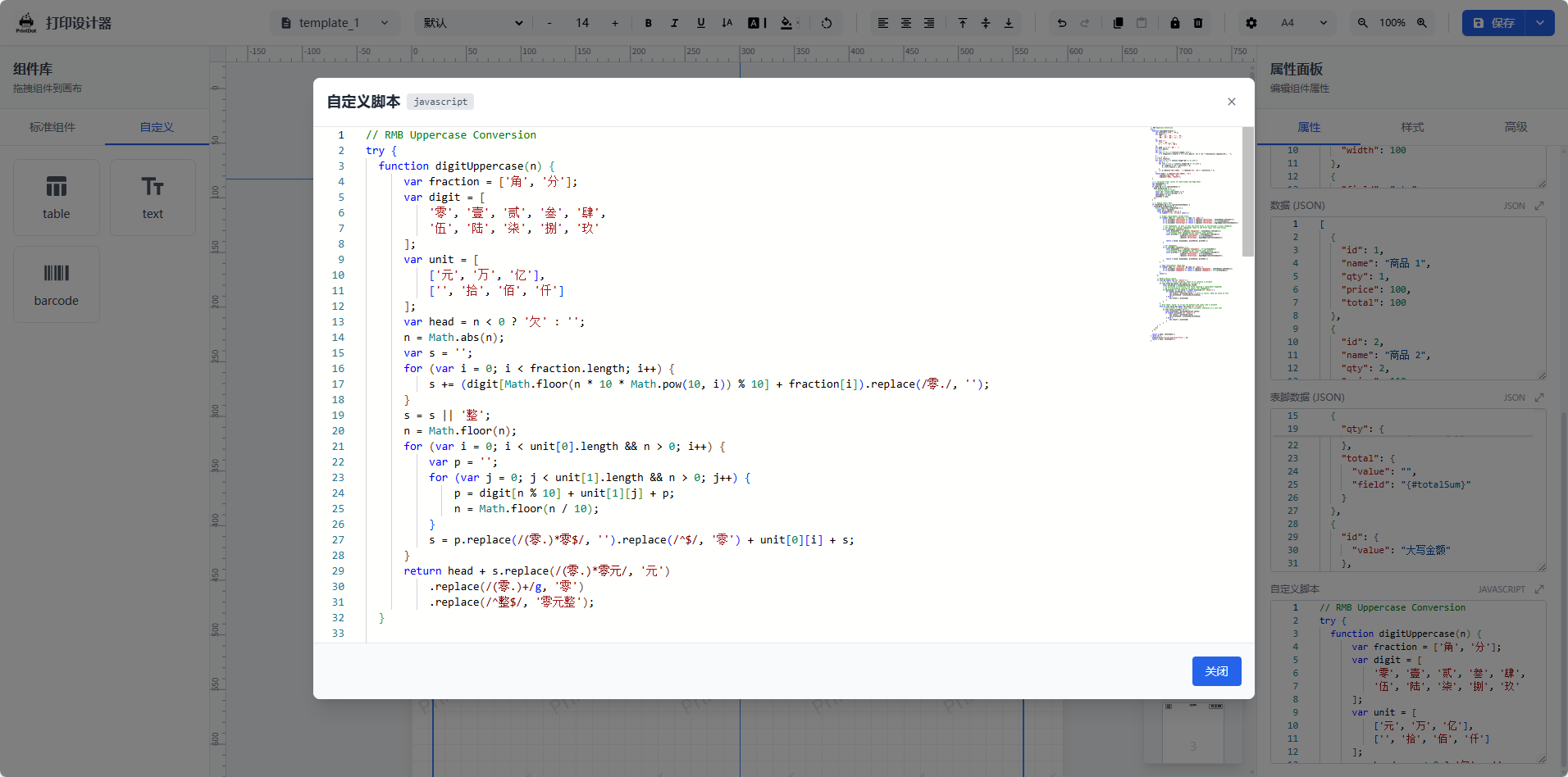
System settings Shortcut reference Advanced table editing
System settings and preferences Shortcut reference Advanced table editing
--- ## Core Features - **Visual Design**: Full-featured drag-and-drop designer supporting text / images / tables / barcodes / QR codes / shapes. Includes rulers, grids, and alignment tools. - **Smart Pagination**: Automatically handles long table pagination with header/footer repetition. No complex manual logic required โ€” what you see is what you get. - **Cross-Framework**: Built on Web Components, zero-dependency compatibility with Vue / React / Angular / native HTML. - **Comprehensive Printing**: - **Browser Print**: Native preview and print. - **Export**: Generate PDF and images (merge / split supported). - **Client Print**: Supports **Silent Printing** (direct print without dialogs) and **Cloud Printing** (remote task dispatch). - **Enterprise Ready**: Supports custom paper sizes, API data integration, template import/export, and fine-grained print parameter control (printer / copies / duplex / DPI). --- ## Companion Print Client (PrintDot Client) PrintDot Client is the companion desktop app for this project. It connects to your local printers and handles silent print jobs, so you can print straight from the browser without any pop-up dialogs. It provides service control, connection settings, print history, update notifications, and print preview to help you complete the local print workflow. - **Platforms**: Windows / macOS / Linux - **Key capabilities**: Automatic device discovery, stable connection & forwarding queue, lightweight background mode, print job history and update notifications - **Download**: [https://printdot.cc/client](https://printdot.cc/client)
PrintDot main view PrintDot settings PrintDot job history PrintDot update notification PrintDot print preview
Main view - service control and available printers Settings - cloud relay and connection config Job history - task status and retry Update notification - check for latest client Print preview - real-time preview in local client
--- ## Integration Example A complete integration example based on **Vue 3 + Element Plus**, demonstrating how to embed the print designer into a real-world business application.
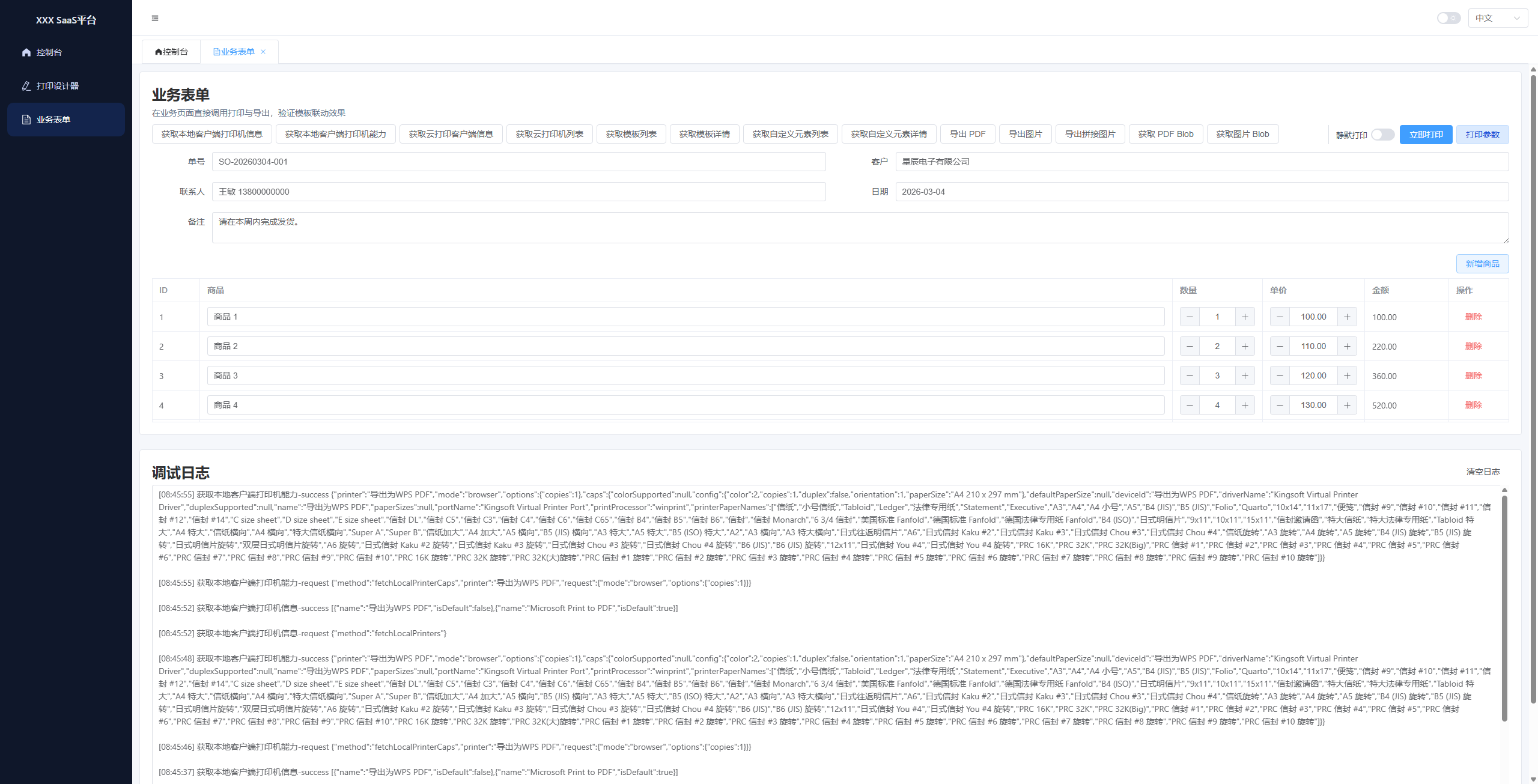
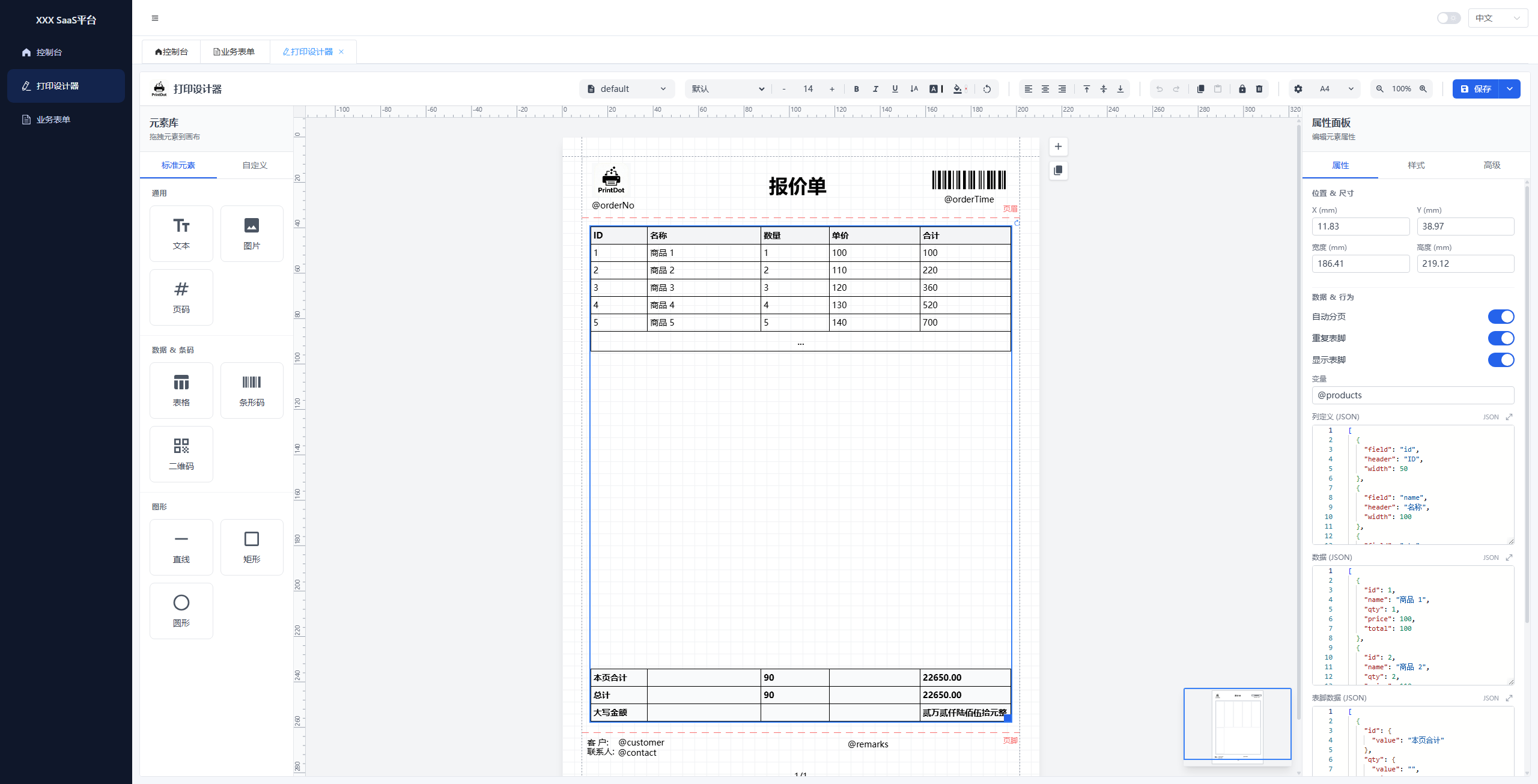
Parameter debugging Designer Dark mode
Parameter Debugging Designer Dark Mode
- **Repository**: [https://github.com/0ldFive/vue-designer-sample](https://github.com/0ldFive/vue-designer-sample) - **Live Demo**: [https://0ldfive.github.io/vue-designer-sample/#/designer](https://0ldfive.github.io/vue-designer-sample/#/designer) - **Tech Stack**: Vue 3, TypeScript, Element Plus, Vite --- ## Quick Start ### Option A: Build from Source and Integrate Your API Best for teams with deep customization requirements. #### Requirements - Node.js >= 16.0.0 - npm >= 7.0.0 or yarn / pnpm #### Recommended integration points - Template CRUD: `useTemplateStore` (replace with your API) - Custom elements CRUD: `customElements` in `useDesignerStore` - Variables and template data: instance methods `setVariables` / `loadTemplateData` Custom element extension guide: [custom-element.md](https://printdot.cc/docs) ### Option B: npm Package (Web Components) [Learn Web Components](https://developer.mozilla.org/en-US/docs/Web/API/Web_components) Works with any stack (Vue / React / Angular / Vanilla). Web Components **supports Vue 2** as a custom element โ€” no Vue 2 component adapter required. Parameters, CRUD, and JSON examples: [Web Components API Guide](https://printdot.cc/docs) #### Install ```bash npm i vue-print-designer # or pnpm add vue-print-designer # or yarn add vue-print-designer ``` #### 1) Use in Vue 3 / Vite ```ts // main.ts import "vue-print-designer"; import "vue-print-designer/style.css"; ``` ```vue ``` #### 2) Separate init from usage (Vue 3 Options API) **Designer page (init and editing)** ```vue ``` **Business pages (print / export anywhere)** ```ts const el = document.querySelector("print-designer") as any; // Print await el.print({ mode: "browser" }); // Export PDF / image / HTML / Blob await el.export({ type: "pdf", filename: "order-20240223.pdf" }); await el.export({ type: "html", filename: "order-20240223.html" }); const pdfBlob = await el.export({ type: "pdfBlob" }); ``` #### 3) Event listeners ```ts el.addEventListener("ready", () => {}); el.addEventListener("printed", (e) => {}); el.addEventListener("exported", (e) => { const blob = e.detail?.blob; }); el.addEventListener("error", (e) => { console.error(e.detail?.scope, e.detail?.error); }); ``` --- ## Project Structure ``` src/ # Project source root โ”œโ”€โ”€ App.vue # Root application component โ”œโ”€โ”€ main.ts # App bootstrap entry โ”œโ”€โ”€ style.css # Global styles โ”œโ”€โ”€ web-component.ts # Web Components registration entry โ”œโ”€โ”€ web-component.d.ts # Web Components type declarations โ”œโ”€โ”€ vite-env.d.ts # Vite environment type declarations โ”œโ”€โ”€ assets/ # Static assets โ”œโ”€โ”€ components/ # UI and editor components โ”‚ โ”œโ”€โ”€ PrintDesigner.vue # Main designer container component โ”‚ โ”œโ”€โ”€ canvas/ # Canvas area components โ”‚ โ”œโ”€โ”€ common/ # Shared UI components (modals, pickers) โ”‚ โ”œโ”€โ”€ elements/ # Print element components (text/image/table) โ”‚ โ”œโ”€โ”€ layout/ # Layout components (header/sidebar/panels) โ”‚ โ”œโ”€โ”€ print/ # Print rendering components โ”‚ โ””โ”€โ”€ properties/ # Property editor components โ”œโ”€โ”€ composables/ # Reusable Vue composables โ”œโ”€โ”€ constants/ # Constants โ”œโ”€โ”€ locales/ # i18n resources โ”œโ”€โ”€ stores/ # Pinia stores โ”œโ”€โ”€ types/ # Type declarations โ””โ”€โ”€ utils/ # Shared utility functions โ”œโ”€โ”€ print.ts # Compatibility export entry โ”œโ”€โ”€ print/ # Print capability main modules โ”‚ โ”œโ”€โ”€ index.ts # Print module unified exports โ”‚ โ”œโ”€โ”€ usePrint.ts # Print/export orchestration entry โ”‚ โ”œโ”€โ”€ dom.ts # Print-related DOM helpers โ”‚ โ”œโ”€โ”€ printChannel.ts # Local/remote print channels โ”‚ โ”œโ”€โ”€ renderEngine.ts # Render engine compatibility export entry โ”‚ โ””โ”€โ”€ renderEngine/ # Render engine submodules โ”‚ โ”œโ”€โ”€ index.ts # Render engine composition entry โ”‚ โ”œโ”€โ”€ types.ts # Shared render types โ”‚ โ”œโ”€โ”€ pagination.ts # Pagination and layout correction logic โ”‚ โ”œโ”€โ”€ iframeRenderer.ts # iframe rendering implementation โ”‚ โ””โ”€โ”€ imageRenderer.ts # Image/PDF rendering implementation โ””โ”€โ”€ ... # Other shared utility helpers ``` --- ## i18n Built-in support for 6 languages: Simplified Chinese (zh), Traditional Chinese (zh-Hant), English (en), Japanese (ja), Korean (ko), and German (de). Automatically detected from browser language by default; can also be set via API. --- ## License AGPL-3.0-only Please follow [TRADEMARKS.md](https://github.com/0ldFive/Vue-Print-Designer/blob/master/TRADEMARKS.md) for brand and logo usage. For removing or replacing branding, see [COMMERCIAL_LICENSE.md](https://github.com/0ldFive/Vue-Print-Designer/blob/master/COMMERCIAL_LICENSE.md).