# snapdom
**Repository Path**: cyrist/snapdom
## Basic Information
- **Project Name**: snapdom
- **Description**: No description available
- **Primary Language**: Unknown
- **License**: MIT
- **Default Branch**: dev
- **Homepage**: None
- **GVP Project**: No
## Statistics
- **Stars**: 1
- **Forks**: 1
- **Created**: 2025-07-02
- **Last Updated**: 2025-11-19
## Categories & Tags
**Categories**: Uncategorized
**Tags**: None
## README
# snapDOM
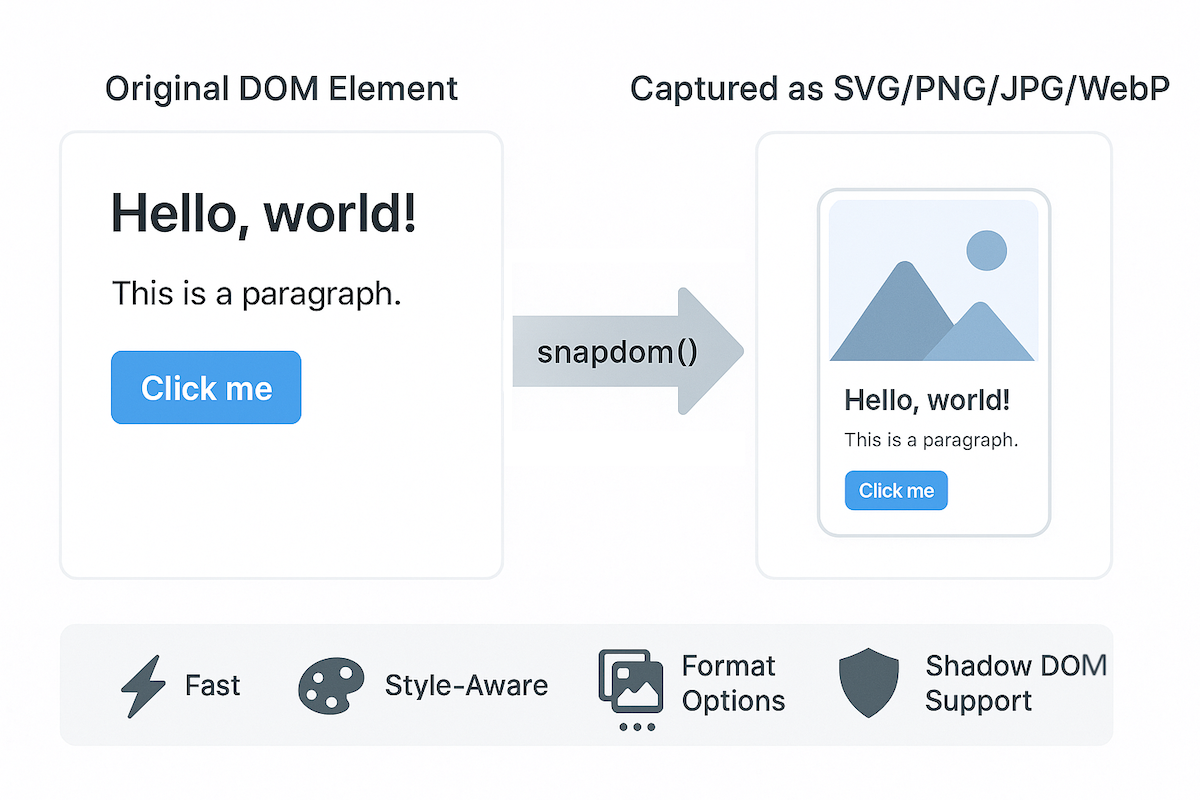




**snapDOM** is a fast and accurate DOM-to-image capture tool built for **Zumly**, a zoom-based view transition framework.
It captures any HTML element as a scalable SVG image, preserving styles, fonts, background images, pseudo-elements, and even shadow DOM. It also supports export to raster image formats and canvas.
* 📸 Full DOM capture
* 🎨 Embedded styles, pseudo-elements, and fonts
* 🖼️ Export to SVG, PNG, JPG, WebP, or `canvas`
* ⚡ Ultra fast, no dependencies
* 📦 100% based on standard Web APIs
## Demo
[https://zumerlab.github.io/snapdom/](https://zumerlab.github.io/snapdom/)
## Installation
### NPM / Yarn
```sh
npm i @zumer/snapdom
```
```sh
yarn add @zumer/snapdom
```
### CDN
```html
```
### Script tag (local)
```html
```
### ES Module
```js
import { snapdom } from './snapdom.mjs';
```
### Module via CDN
```html
```
## Basic usage
### Reusable capture
```js
const el = document.querySelector('#target');
const result = await snapdom(el, { scale: 2 });
const img = await result.toPng();
document.body.appendChild(img);
await result.download({ format: 'jpg', filename: 'my-capture' });
```
### One-step shortcuts
```js
const el = document.querySelector('#target');
const png = await snapdom.toPng(el);
document.body.appendChild(png);
const blob = await snapdom.toBlob(el);
```
## API
### `snapdom(el, options?)`
Returns an object with reusable export methods:
```js
{
url: string;
toRaw(): string;
toImg(): Promise;
toCanvas(): Promise;
toBlob(): Promise;
toPng(): Promise;
toJpg(options?): Promise;
toWebp(options?): Promise;
download(options?): Promise;
}
```
### Shortcut methods
| Method | Description |
| ------------------------------ | ------------------------------------- |
| `snapdom.toImg(el, options?)` | Returns an `HTMLImageElement` |
| `snapdom.toCanvas(el, options?) ` | Returns a `Canvas` |
| `snapdom.toBlob(el, options?)` | Returns an SVG `Blob` |
| `snapdom.toPng(el, options?)` | Returns a PNG image |
| `snapdom.toJpg(el, options?)` | Returns a JPG image |
| `snapdom.toWebp(el, options?)` | Returns a WebP image |
| `snapdom.download(el, options?) ` | Triggers download in specified format |
## Options
All capture methods accept an `options` object:
| Option | Type | Default | Description |
| ----------------- | -------- | -------- | ------------------------------------------ |
| `compress` | boolean | `true` | Removes redundant styles |
| `fast` | boolean | `true` | Skips idle delay for faster results |
| `embedFonts` | boolean | `false` | Inlines fonts (icon fonts always embedded) |
| `scale` | number | `1` | Output scale multiplier |
| `backgroundColor` | string | `"#fff"` | Fallback color for JPG/WebP |
| `quality` | number | `1` | Quality for JPG/WebP (0 to 1) |
| `crossOrigin` | function | - | Function to determine CORS mode per image URL |
### Cross-Origin Images
By default, snapDOM loads images with `crossOrigin="anonymous"`. You can customize this behavior using the `crossOrigin` option:
```js
const result = await snapdom(element, {
crossOrigin: (url) => {
// Use credentials for same-origin images
if (url.startsWith(window.location.origin)) {
return "use-credentials";
}
// Use anonymous for cross-origin images
return "anonymous";
}
});
```
This is useful when your images require authentication or when dealing with credentialed requests.
### Download options
```js
{
format?: "svg" | "png" | "jpg" | "jpeg" | "webp"; // default: "png"
filename?: string; // default: "capture"
backgroundColor?: string; // optional override
}
```
### `preCache()` – Optional helper
The `preCache()` function can be used to load external resources (like images and fonts) in advance. It is specially useful when the element to capure is big and complex.
```js
import { preCache } from '@zumer/snapdom';
await preCache(document.body);
```
```js
import { snapdom, preCache } from './snapdom.mjs';
window.addEventListener('load', async () => {
await preCache();
console.log('📦 Resources preloaded');
});
```
**Options for `preCache()`:**
* `embedFonts` *(boolean, default: true)* — Inlines non-icon fonts during preload.
* `reset` *(boolean, default: false)* — Clears all existing internal caches.
* `crossOrigin` *(function)* — Function to determine CORS mode per image URL during preload.
## Features
* Captures **shadow DOM** and Web Components
* Supports `::before` and `::after` pseudo-elements
* Inlines background images and fonts
* Handles **Font Awesome**, **Material Icons**, and more
* `data-capture="exclude"` to ignore an element
* `data-capture="placeholder"` with `data-placeholder-text` for masked replacements
## Limitations
* External images must be CORS-accessible (use `crossOrigin` option for credentialed requests)
* Iframes are not supported
* When WebP format is used on Safari, it will fallback to PNG rendering.
* `@font-face` CSS rule is well supported, but if need to use JS `FontFace()`, see this workaround [`#43`](https://github.com/zumerlab/snapdom/issues/43)
## Benchmarks
`snapDOM` is not only highly accurate — it’s **extremely fast**.
Latest benchmarks show significant performance improvements against other libraries:
| Scenario | vs. `modern-screenshot` | vs. `html2canvas` |
| -------------------------------- | :---------------------: | :---------------: |
| Small element (200×100) | 6.46× faster | 32.27× faster |
| Modal size (400×300) | 7.28× faster | 32.66× faster |
| Page view (1200×800) | 13.17× faster | 35.29× faster |
| Large scroll area (2000×1500) | 38.23× faster | 68.85× faster |
| Very large element (4000×2000) | 93.31× faster | 133.12× faster |
| Complex small element (200×100) | 3.97× faster | 15.23× faster |
| Complex modal (400×300) | 2.32× faster | 5.33× faster |
| Complex page (1200×800) | 1.62× faster | 1.65× faster |
| Complex large scroll (2000×1500) | 1.66× faster | 1.24× faster |
| Complex very large (4000×2000) | 1.52× faster | 1.28× faster |
### Run the benchmarks
To run these benchmarks yourself:
```sh
git clone https://github.com/zumerlab/snapdom.git
cd snapdom
npm install
npm run test:benchmark
```
They execute in **headless Chromium** using real DOM nodes.
## Development
To contribute or build snapDOM locally:
```sh
# Clone the repository
git clone https://github.com/zumerlab/snapdom.git
cd snapdom
# Install dependencies
npm install
# Compile the library (ESM, CJS, and minified versions)
npm run compile
# Run tests
npm test
# Run Benchmarks
npm run test:benchmark
```
The main entry point is in `src/`, and output bundles are generated in the `dist/` folder.
For detailed contribution guidelines, please see [CONTRIBUTING](https://github.com/zumerlab/snapdom/blob/main/CONTRIBUTING.md).
## Contributors 🙌


## License
MIT © Zumerlab