# doom-modeline
**Repository Path**: daave/doom-modeline
## Basic Information
- **Project Name**: doom-modeline
- **Description**: No description available
- **Primary Language**: Unknown
- **License**: GPL-3.0
- **Default Branch**: master
- **Homepage**: None
- **GVP Project**: No
## Statistics
- **Stars**: 0
- **Forks**: 0
- **Created**: 2024-03-05
- **Last Updated**: 2024-03-05
## Categories & Tags
**Categories**: Uncategorized
**Tags**: None
## README
# doom-modeline
[](https://github.com/seagle0128/doom-modeline/actions)
[](https://github.com/seagle0128/doom-modeline/release)
[](License)
[](https://melpa.org/#/doom-modeline)
[](https://stable.melpa.org/#/doom-modeline)
## Table of Contents
- [Feature](#feature)
- [Screenshots](#screenshots)
- [Install](#install)
- [Manual](#manual)
- [Use-package](#use-package)
- [Customize](#customize)
- [FAQ](#faq)
- [Donate](#donate)
A fancy and fast mode-line inspired by minimalism design.
It's integrated into [Centaur Emacs](https://github.com/seagle0128/.emacs.d), [Doom
Emacs](https://github.com/hlissner/doom-emacs) and
[Spacemacs](https://github.com/syl20bnr/spacemacs).
## Feature
The `doom-modeline` was designed for minimalism, and offers:
- A match count panel (for `anzu`, `iedit`, `multiple-cursors`, `symbol-overlay`,
and `evil-search`, etc.)
- An indicator for recording a macro
- Current environment version (e.g. `python`, `ruby`, `go`, etc.) in the major-mode
- A customizable mode-line height (see `doom-modeline-height`)
- A minor modes segment which is compatible with `minions`
- An error/warning count segment for `flymake`/`flycheck`
- A workspace number/name segment for `eyebrowse` or `tab-bar-mode`
- A perspective name segment for `persp-mode`
- A window number segment for `ace-window`, `winum` and `window-numbering`
- An indicator for modal editing state, including `evil`, `overwrite`, `god`, `ryo` and
`xah-fly-keys`, etc.
- An indicator for `battery` status
- An indicator for current input method
- An indicator for debug state
- An indicator for remote host
- An indicator for LSP state with `lsp-mode` or `eglot`
- An indicator for GitHub notifications
- An indicator for unread emails with `mu4e-alert` and `gnus`
- An indicator for IRC notifications with `circe`, `rcirc` or `erc`
- An indicator for buffer position which is compatible with `nyan-mode` or `poke-line`
- An indicator for party `parrot`
- An indicator for PDF page number with `pdf-tools`
- An indicator for markdown/org preview with `grip`
- Truncated file name, file icon, buffer state and project name in buffer
information segment, which is compatible with `project`, `projectile` and
`find-file-in-project`.
- New mode-line for `Info-mode` buffers
- New package mode-line for `paradox`
- New mode-line for `helm` buffers
- New mode-line for `git-timemachine` buffers
## Screenshots







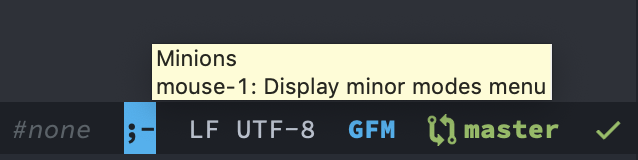
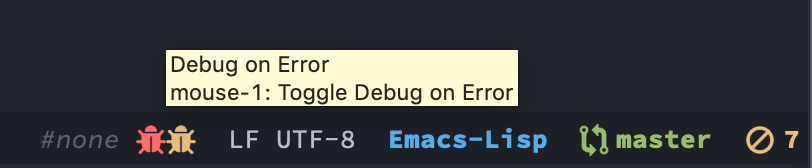


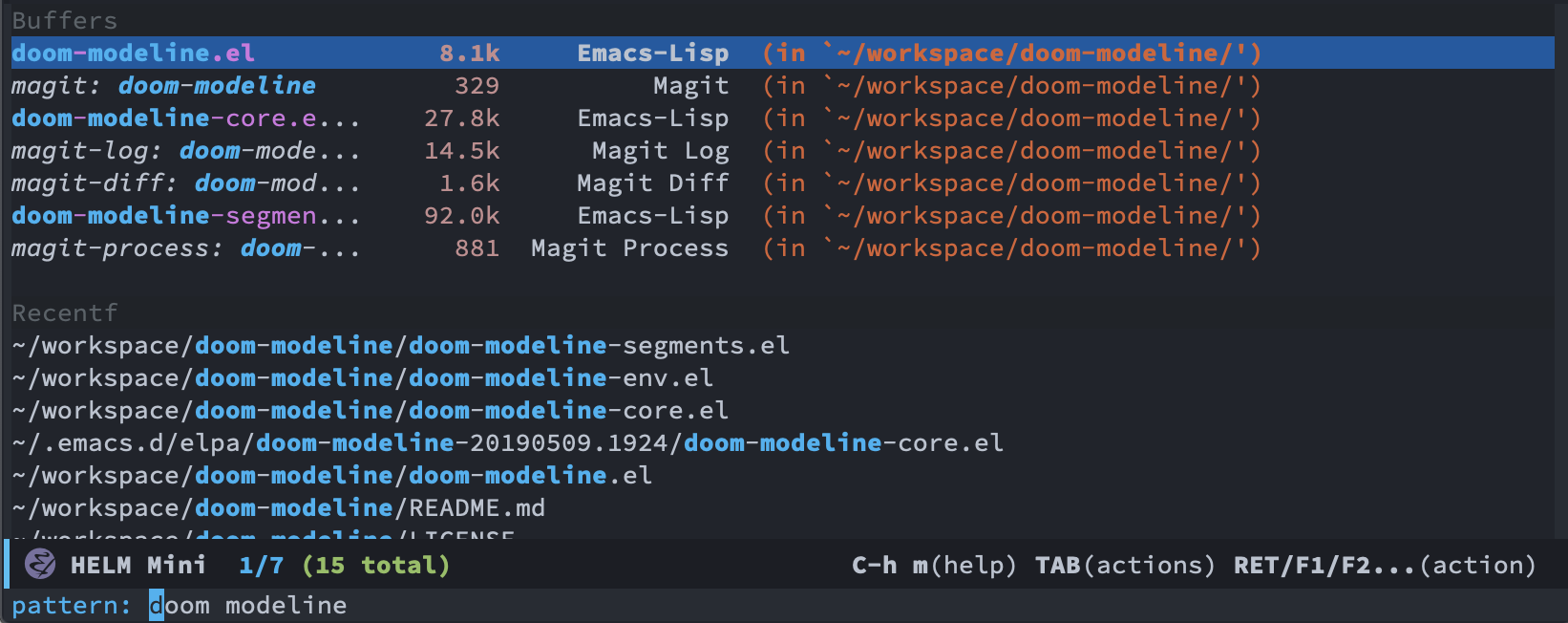
## Install
### Manual
From melpa, `M-x package-install RET doom-modeline RET`.
In `init.el`,
```emacs-lisp
(require 'doom-modeline)
(doom-modeline-mode 1)
```
or
```emacs-lisp
(add-hook 'after-init-hook #'doom-modeline-mode)
```
### Use-package
```emacs-lisp
(use-package doom-modeline
:ensure t
:init (doom-modeline-mode 1))
```
or
```emacs-lisp
(use-package doom-modeline
:ensure t
:hook (after-init . doom-modeline-mode))
```
This package is able to display icons if `nerd-icons` package and required
fonts are installed. Run `M-x nerd-icons-install-fonts` to install the
necessary fonts. Please refer to the
[installation guide](https://github.com/rainstormstudio/nerd-icons.el#installing-fonts).
Strongly recommend to use
[doom-themes](https://github.com/hlissner/emacs-doom-themes) at the same time.
## Customize
Run `M-x customize-group RET doom-modeline RET` or set the variables.
```emacs-lisp
;; If non-nil, cause imenu to see `doom-modeline' declarations.
;; This is done by adjusting `lisp-imenu-generic-expression' to
;; include support for finding `doom-modeline-def-*' forms.
;; Must be set before loading doom-modeline.
(setq doom-modeline-support-imenu t)
;; How tall the mode-line should be. It's only respected in GUI.
;; If the actual char height is larger, it respects the actual height.
(setq doom-modeline-height 25)
;; How wide the mode-line bar should be. It's only respected in GUI.
(setq doom-modeline-bar-width 4)
;; Whether to use hud instead of default bar. It's only respected in GUI.
(setq doom-modeline-hud nil)
;; The limit of the window width.
;; If `window-width' is smaller than the limit, some information won't be
;; displayed. It can be an integer or a float number. `nil' means no limit."
(setq doom-modeline-window-width-limit 85)
;; How to detect the project root.
;; nil means to use `default-directory'.
;; The project management packages have some issues on detecting project root.
;; e.g. `projectile' doesn't handle symlink folders well, while `project' is unable
;; to hanle sub-projects.
;; You can specify one if you encounter the issue.
(setq doom-modeline-project-detection 'auto)
;; Determines the style used by `doom-modeline-buffer-file-name'.
;;
;; Given ~/Projects/FOSS/emacs/lisp/comint.el
;; auto => emacs/l/comint.el (in a project) or comint.el
;; truncate-upto-project => ~/P/F/emacs/lisp/comint.el
;; truncate-from-project => ~/Projects/FOSS/emacs/l/comint.el
;; truncate-with-project => emacs/l/comint.el
;; truncate-except-project => ~/P/F/emacs/l/comint.el
;; truncate-upto-root => ~/P/F/e/lisp/comint.el
;; truncate-all => ~/P/F/e/l/comint.el
;; truncate-nil => ~/Projects/FOSS/emacs/lisp/comint.el
;; relative-from-project => emacs/lisp/comint.el
;; relative-to-project => lisp/comint.el
;; file-name => comint.el
;; buffer-name => comint.el<2> (uniquify buffer name)
;;
;; If you are experiencing the laggy issue, especially while editing remote files
;; with tramp, please try `file-name' style.
;; Please refer to https://github.com/bbatsov/projectile/issues/657.
(setq doom-modeline-buffer-file-name-style 'auto)
;; Whether display icons in the mode-line.
;; While using the server mode in GUI, should set the value explicitly.
(setq doom-modeline-icon t)
;; Whether display the icon for `major-mode'. It respects option `doom-modeline-icon'.
(setq doom-modeline-major-mode-icon t)
;; Whether display the colorful icon for `major-mode'.
;; It respects `nerd-icons-color-icons'.
(setq doom-modeline-major-mode-color-icon t)
;; Whether display the icon for the buffer state. It respects option `doom-modeline-icon'.
(setq doom-modeline-buffer-state-icon t)
;; Whether display the modification icon for the buffer.
;; It respects option `doom-modeline-icon' and option `doom-modeline-buffer-state-icon'.
(setq doom-modeline-buffer-modification-icon t)
;; Whether display the lsp icon. It respects option `doom-modeline-icon'.
(setq doom-modeline-lsp-icon t)
;; Whether display the time icon. It respects option `doom-modeline-icon'.
(setq doom-modeline-time-icon t)
;; Whether display the live icons of time.
;; It respects option `doom-modeline-icon' and option `doom-modeline-time-icon'.
(setq doom-modeline-time-live-icon t)
;; Whether to use unicode as a fallback (instead of ASCII) when not using icons.
(setq doom-modeline-unicode-fallback nil)
;; Whether display the buffer name.
(setq doom-modeline-buffer-name t)
;; Whether highlight the modified buffer name.
(setq doom-modeline-highlight-modified-buffer-name t)
;; When non-nil, mode line displays column numbers zero-based.
;; See `column-number-indicator-zero-based'.
(setq doom-modeline-column-zero-based t)
;; Specification of \"percentage offset\" of window through buffer.
;; See `mode-line-percent-position'.
(setq doom-modeline-percent-position '(-3 "%p"))
;; Format used to display line numbers in the mode line.
;; See `mode-line-position-line-format'.
(setq doom-modeline-position-line-format '("L%l"))
;; Format used to display column numbers in the mode line.
;; See `mode-line-position-column-format'.
(setq doom-modeline-position-column-format '("C%c"))
;; Format used to display combined line/column numbers in the mode line. See `mode-line-position-column-line-format'.
(setq doom-modeline-position-column-line-format '("%l:%c"))
;; Whether display the minor modes in the mode-line.
(setq doom-modeline-minor-modes nil)
;; If non-nil, a word count will be added to the selection-info modeline segment.
(setq doom-modeline-enable-word-count nil)
;; Major modes in which to display word count continuously.
;; Also applies to any derived modes. Respects `doom-modeline-enable-word-count'.
;; If it brings the sluggish issue, disable `doom-modeline-enable-word-count' or
;; remove the modes from `doom-modeline-continuous-word-count-modes'.
(setq doom-modeline-continuous-word-count-modes '(markdown-mode gfm-mode org-mode))
;; Whether display the buffer encoding.
(setq doom-modeline-buffer-encoding t)
;; Whether display the indentation information.
(setq doom-modeline-indent-info nil)
;; Whether display the total line number。
(setq doom-modeline-total-line-number nil)
;; If non-nil, only display one number for check information if applicable.
(setq doom-modeline-check-simple-format t)
;; The maximum number displayed for notifications.
(setq doom-modeline-number-limit 99)
;; The maximum displayed length of the branch name of version control.
(setq doom-modeline-vcs-max-length 12)
;; Whether display the workspace name. Non-nil to display in the mode-line.
(setq doom-modeline-workspace-name t)
;; Whether display the perspective name. Non-nil to display in the mode-line.
(setq doom-modeline-persp-name t)
;; If non nil the default perspective name is displayed in the mode-line.
(setq doom-modeline-display-default-persp-name nil)
;; If non nil the perspective name is displayed alongside a folder icon.
(setq doom-modeline-persp-icon t)
;; Whether display the `lsp' state. Non-nil to display in the mode-line.
(setq doom-modeline-lsp t)
;; Whether display the GitHub notifications. It requires `ghub' package.
(setq doom-modeline-github nil)
;; The interval of checking GitHub.
(setq doom-modeline-github-interval (* 30 60))
;; Whether display the modal state.
;; Including `evil', `overwrite', `god', `ryo' and `xah-fly-keys', etc.
(setq doom-modeline-modal t)
;; Whether display the modal state icon.
;; Including `evil', `overwrite', `god', `ryo' and `xah-fly-keys', etc.
(setq doom-modeline-modal-icon t)
;; Whether display the modern icons for modals.
(setq doom-modeline-modal-modern-icon t)
;; When non-nil, always show the register name when recording an evil macro.
(setq doom-modeline-always-show-macro-register nil)
;; Whether display the mu4e notifications. It requires `mu4e-alert' package.
(setq doom-modeline-mu4e nil)
;; also enable the start of mu4e-alert
(mu4e-alert-enable-mode-line-display)
;; Whether display the gnus notifications.
(setq doom-modeline-gnus t)
;; Whether gnus should automatically be updated and how often (set to 0 or smaller than 0 to disable)
(setq doom-modeline-gnus-timer 2)
;; Wheter groups should be excludede when gnus automatically being updated.
(setq doom-modeline-gnus-excluded-groups '("dummy.group"))
;; Whether display the IRC notifications. It requires `circe' or `erc' package.
(setq doom-modeline-irc t)
;; Function to stylize the irc buffer names.
(setq doom-modeline-irc-stylize 'identity)
;; Whether display the battery status. It respects `display-battery-mode'.
(setq doom-modeline-battery t)
;; Whether display the time. It respects `display-time-mode'.
(setq doom-modeline-time t)
;; Whether display the misc segment on all mode lines.
;; If nil, display only if the mode line is active.
(setq doom-modeline-display-misc-in-all-mode-lines t)
;; The function to handle `buffer-file-name'.
(setq doom-modeline-buffer-file-name-function #'identity)
;; The function to handle `buffer-file-truename'.
(setq doom-modeline-buffer-file-truename-function #'identity)
;; Whether display the environment version.
(setq doom-modeline-env-version t)
;; Or for individual languages
(setq doom-modeline-env-enable-python t)
(setq doom-modeline-env-enable-ruby t)
(setq doom-modeline-env-enable-perl t)
(setq doom-modeline-env-enable-go t)
(setq doom-modeline-env-enable-elixir t)
(setq doom-modeline-env-enable-rust t)
;; Change the executables to use for the language version string
(setq doom-modeline-env-python-executable "python") ; or `python-shell-interpreter'
(setq doom-modeline-env-ruby-executable "ruby")
(setq doom-modeline-env-perl-executable "perl")
(setq doom-modeline-env-go-executable "go")
(setq doom-modeline-env-elixir-executable "iex")
(setq doom-modeline-env-rust-executable "rustc")
;; What to display as the version while a new one is being loaded
(setq doom-modeline-env-load-string "...")
;; By default, almost all segments are displayed only in the active window. To
;; display such segments in all windows, specify e.g.
(setq doom-modeline-always-visible-segments '(mu4e irc))
;; Hooks that run before/after the modeline version string is updated
(setq doom-modeline-before-update-env-hook nil)
(setq doom-modeline-after-update-env-hook nil)
```
## FAQ
1. How to display icons correctly?
[nerd-icons](https://github.com/rainstormstudio/nerd-icons.el) are necessary.
Then run `M-x nerd-icons-install-fonts` to install the resource fonts.
On Windows, the fonts should be installed manually. `nerd-icons` supports both
GUI and TUI.
If you don't like color icons, `(setq nerd-icons-color-icons nil)`
to disable it. Please refer to [nerd-icons.el](https://github.com/rainstormstudio/nerd-icons.el)
for details.
If you prefer [all-the-icons](https://github.com/domtronn/all-the-icons.el), please
use release `3.4.0`. It hasn't been supported since `4.0.0`.
1. I am experiencing the laggy issue, how to resolve it?
Add this configuration into your init file:
```emacs-lisp
;; Don’t compact font caches during GC.
(setq inhibit-compacting-font-caches t)
```
1. A ridiculous path is displayed on the mode-line while visiting a symbolink.
It's the default behaviors of Vanilla Emacs. If you want to display the real
names, please put this into your init file.
```emacs-lisp
(setq find-file-visit-truename t)
```
If the file is controlled by vc, refer to the documentation of
`vc-follow-symlinks`.
1. Why doesn't change of branch reflect in modeline?
Actually it's related to `magit` and `vc-mode`.
- Workaround:
- Revert the buffers manually.
- `(setq auto-revert-check-vc-info t)` brings the performance issue.
- Refer to:
- [The mode-line information isn’t always
up-to-date](https://magit.vc/manual/magit/The-mode_002dline-information-isn_0027t-always-up_002dto_002ddate.html)
- [Maybe provide an alternative to VC's mode-line
information](https://github.com/magit/magit/issues/2687)
1. Can I add my mode-line segments myself? How to do that?
How can I define my own mode-line?
There are two methods.
- If the information is simple, just add to `mode-line-misc-info` or `global-mode-string`.
- Use `doom-modeline-def-modeline` to define your own mode-line and set it as
default.
For example:
```emacs-lisp
;; Define your custom doom-modeline
(doom-modeline-def-modeline 'my-simple-line
'(bar matches buffer-info remote-host buffer-position parrot selection-info)
'(misc-info minor-modes input-method buffer-encoding major-mode process vcs checker))
;; Set default mode-line
(add-hook 'doom-modeline-mode-hook
(lambda ()
(doom-modeline-set-modeline 'my-simple-line 'default)))
;; Configure other mode-lines based on major modes
(add-to-list 'doom-modeline-mode-alist '(my-mode . my-simple-line))
;; Or disable other mode-lines
(setq 'doom-modeline-mode-alist nil)
```
1. How to specify font family and size in modeline?
For example:
```emacs-lisp
(setq doom-modeline-height 1) ; optional
(if (facep 'mode-line-active)
(set-face-attribute 'mode-line-active nil :family "Noto Sans" :height 100) ; For 29+
(set-face-attribute 'mode-line nil :family "Noto Sans" :height 100))
(set-face-attribute 'mode-line-inactive nil :family "Noto Sans" :height 100)
```
or
```emacs-lisp
(setq doom-modeline-height 1) ; optional
(custom-set-faces
'(mode-line ((t (:family "Noto Sans" :height 0.9))))
'(mode-line-active ((t (:family "Noto Sans" :height 0.9)))) ; For 29+
'(mode-line-inactive ((t (:family "Noto Sans" :height 0.9)))))
```
Please refer to
[#189](https://github.com/seagle0128/doom-modeline/issues/189) and
[#301](https://github.com/seagle0128/doom-modeline/issues/301).
1. The right side of the modeline is cut off. How to fix it?
- Tweak `nerd-icons-scale-factor`. e.g. `(setq nerd-icons-scale-factor 1.1)`
- Use another font family or size. See above.
1. How to disable symbolic links expanding in mode-line?
If you encounter the issue like this

please try this:
```emacs-lisp
;; built-in `project' on 26+
(setq doom-modeline-project-detection 'project)
;; or `find-in-project' if it's installed
(setq doom-modeline-project-detection 'ffip)
```
For more details, refer to
[#209](https://github.com/seagle0128/doom-modeline/issues/209) and
[#224](https://github.com/seagle0128/doom-modeline/issues/224).
1. Is `doom-modeline` able to show match count while search with `evil-search`?
Yes. For better experience, should enable `anzu-mode` and load `evil-anzu`.
1. How to show that the R is running in inferior ess R mode?
The ess R mode modifies `mode-line-buffer-identification` directly to display the status.
To display the status in `doom-modeline`, you can add the status to `mode-line-process`
or `global-mode-string` as below.
```emacs-lisp
(add-hook 'inferior-ess-mode-hook
(lambda ()
(add-to-list 'mode-line-process '(:eval (nth ess--busy-count ess-busy-strings)))))
```
1. How to display company mode-line information?
Enable `doom-modeline-minor-modes` or `(add-to-list 'global-mode-string company-lighter)`.
1. How to display LaTeX compilation information in the mode line?
Use [process](https://github.com/haji-ali/procress) package.
Please refer to [#387](https://github.com/seagle0128/doom-modeline/issues/387) for more details.
```emacs-lisp
(require 'procress)
(procress-load-default-svg-images)
(add-hook 'LaTeX-mode-hook #'procress-auctex-mode)
```
1. How to prevent mode-line aligning with fill column in `visual-fill-column-mode`?
Use `(setq mode-line-right-align-edge 'right-fringe)`.
Please refer to [#672](https://github.com/seagle0128/doom-modeline/issues/672) for more details.
## Donate
If you think it's helpful for you, please consider paying a cup of coffee for
me. Thank you! :smile: