# LLPAD
**Repository Path**: daiql1988/LLPAD
## Basic Information
- **Project Name**: LLPAD
- **Description**: 可以用来查看比较大的日志文件,比如超过1G的日志文件
- **Primary Language**: Java
- **License**: MIT
- **Default Branch**: master
- **Homepage**: None
- **GVP Project**: No
## Statistics
- **Stars**: 0
- **Forks**: 0
- **Created**: 2021-12-31
- **Last Updated**: 2023-02-12
## Categories & Tags
**Categories**: Uncategorized
**Tags**: None
## README
# Overview
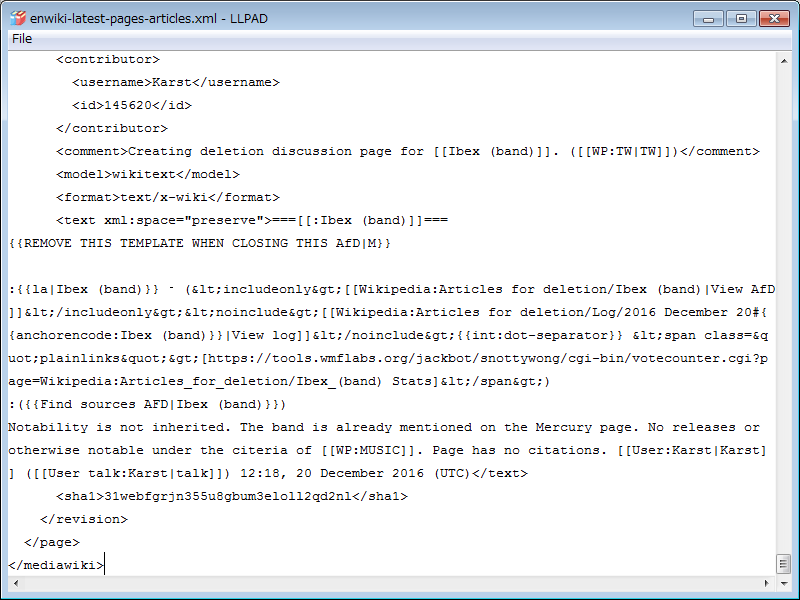
A text file viewer for very very big size text file. Easy to open a file bigger than 50GB.
[](https://maven-badges.herokuapp.com/maven-central/org.riversun/llpad)
It is licensed under [MIT](https://opensource.org/licenses/MIT).
# Features
## *Gigabyte* class text files can be opened easily and lightly.
- Can I open 10GB text file? Yes, No problem.
- Can I open 50GB text file? Yes, My pleasure.
- Can I open 100GB text file? Welcome, try it
# Install
### For Windows
Download Windows installer package
(all-in-one package)
[](http://riversun.org/downloads/LLPAD-0.5.5.zip)
[download LLPAD v0.5.5](http://riversun.org/downloads/LLPAD-0.5.5.zip)
Or You can download from maven or from Github and build yourself.
### For MacOS or Linux
You can download from maven or from Github and build yourself.
# Build & Run manually
## Create runnable jar including dependencies
```
$ mvn clean install
```
## Create installer package
(For now Windows Platform only supported)
```
> mvn clean install
> create_installer_for_windows.bat
```
## Run from command line
```
$ java -jar llpad-0.5.5-jar-with-dependencies.jar
```
# Architecture Overview
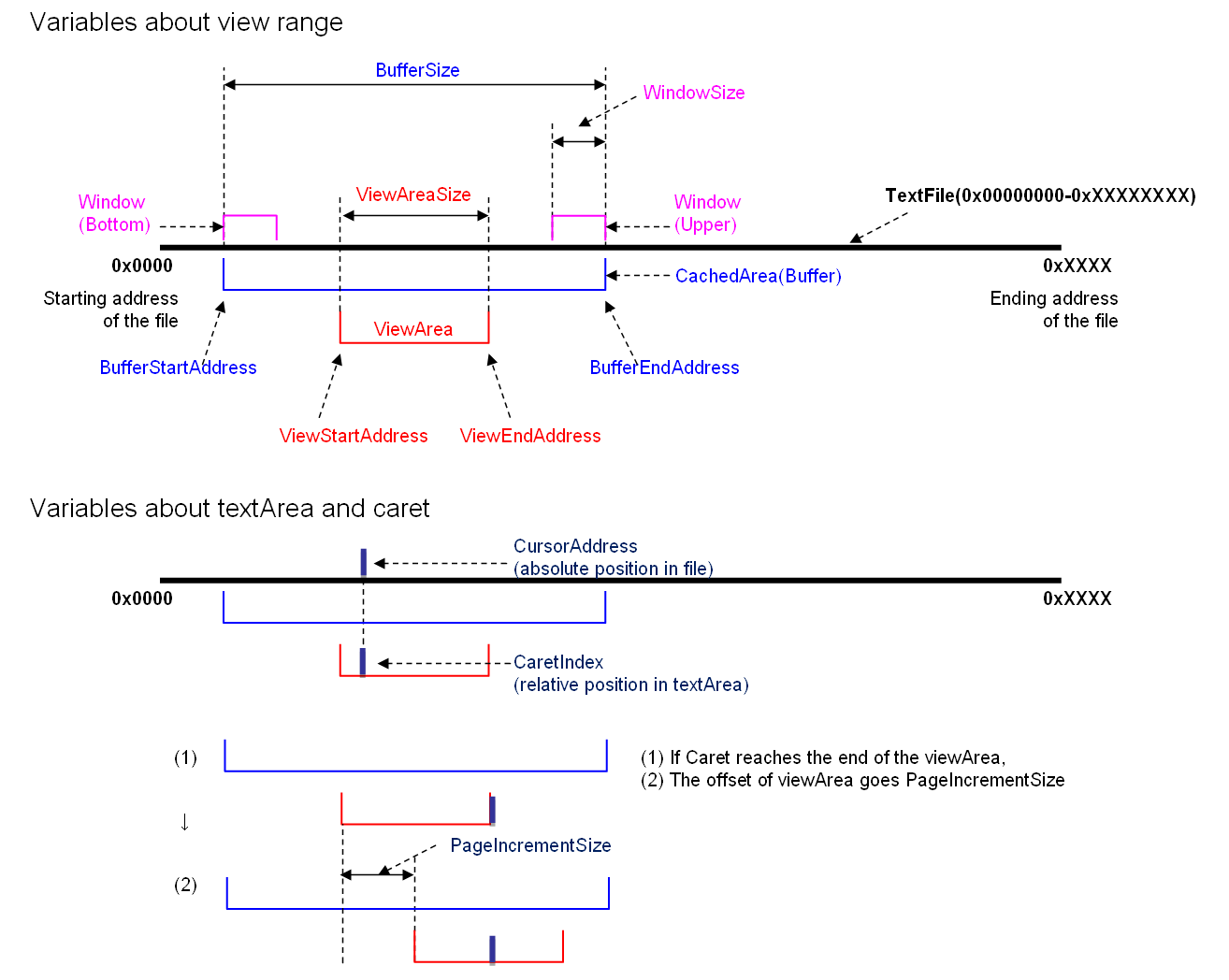
- LLPAD is not read the entire file at once.
- So in order to correspond to a big file it reads a small part of the file into buffer(CachedArea).
- The area to be displayed in the text area is called viewArea and displays a part of the buffer.
- When the caret is moved, the viewArea also moves, and when the viewArea reaches the end of the buffer, the next area is read into the buffer.
# Downloads
## maven
- You can add dependencies to maven pom.xml file.
```xml
org.riversun
llpad
0.5.5
```
## download jar
[llpad-0.5.5-jar-with-dependencies.jar](http://repo1.maven.org/maven2/org/riversun/llpad/0.5.5/llpad-0.5.5-jar-with-dependencies.jar)[[MD5]](http://repo1.maven.org/maven2/org/riversun/llpad/0.5.5/llpad-0.5.5-jar-with-dependencies.jar.md5)