# GenerateModuleFromTemplate
**Repository Path**: deng_zi/GenerateModuleFromTemplate
## Basic Information
- **Project Name**: GenerateModuleFromTemplate
- **Description**: An IntelliJ platform IDEs plugin use for create module from a highly customizable template
- **Primary Language**: Kotlin
- **License**: Not specified
- **Default Branch**: master
- **Homepage**: None
- **GVP Project**: No
## Statistics
- **Stars**: 0
- **Forks**: 0
- **Created**: 2022-03-10
- **Last Updated**: 2022-05-30
## Categories & Tags
**Categories**: Uncategorized
**Tags**: None
## README
# Generate Module From Template
[ ](https://plugins.jetbrains.com/plugin/13586-generate-module-from-template)
[ ](https://plugins.jetbrains.com/plugin/13586-generate-module-from-template)
[README - EN](https://github.com/dengzii/GenerateModuleFromTemplate/blob/master/README.md)
使用这个用于 IntelliJ IDEs 的目录模板插件, 帮助你从模板生成任何目录结构
### 功能
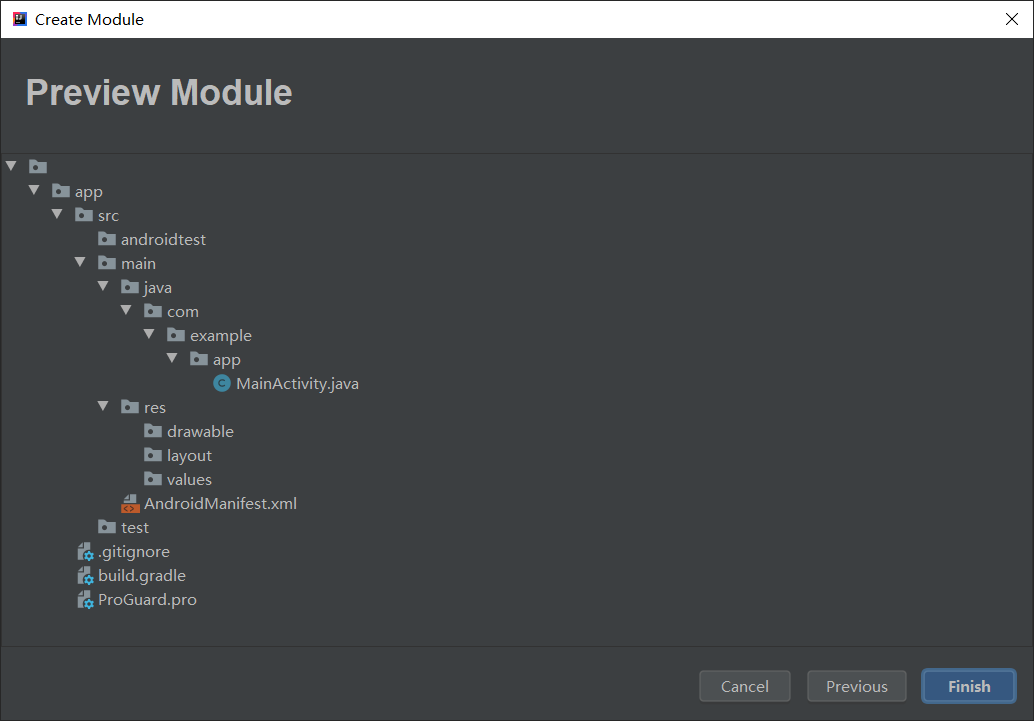
1. 自定义目录结构
2. 目录, 文件名, 文件模板支持配置占位符
3. 支持文件模板配置
4. 与小伙伴分享你的模板
### 使用
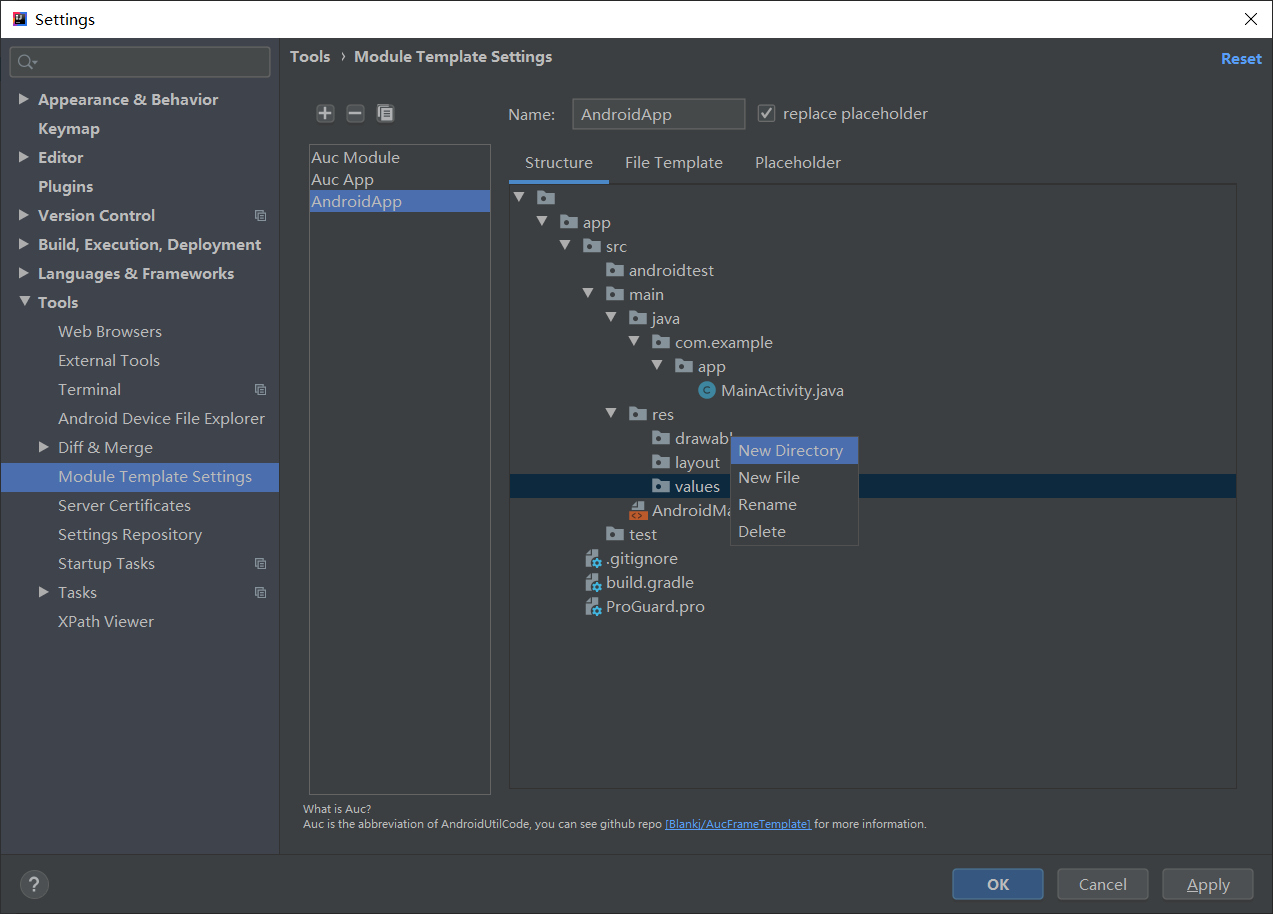
1. 在设置中配置插件的模板: File > Settings > Tools > Module Template Settings
2. 在 Structure 中配置目录树, 右键编辑树结构.
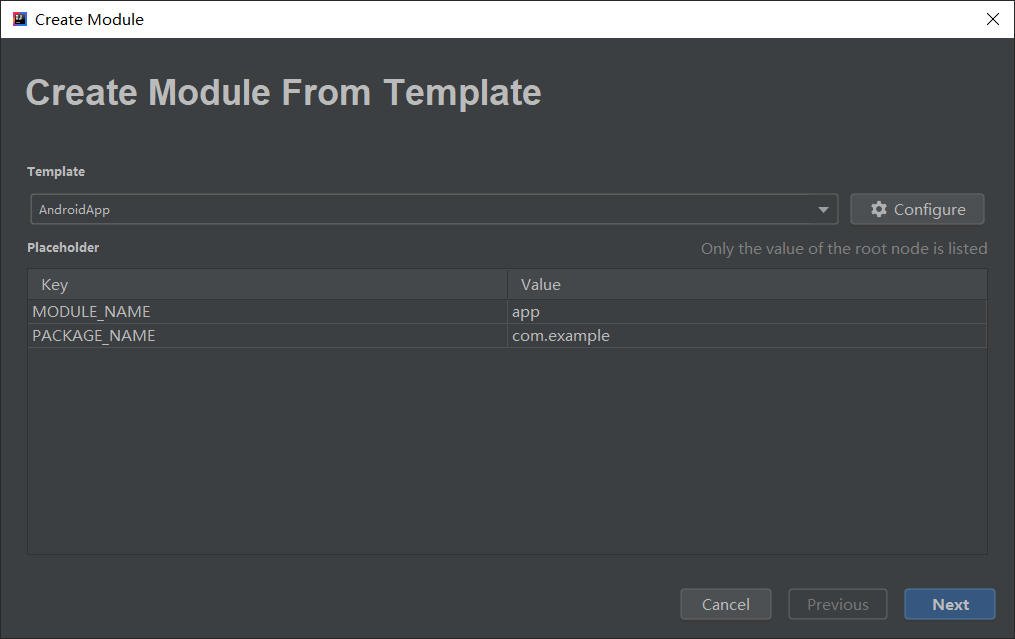
3. 目录树可以使用占位符, 占位符是这样的 -> ${YOUR_PLACEHOLDER_HERE}.
4. File Template 中可以配置指定文件的模板, 文件名中可以使用占位符, 会自动替换成你创建时配置的.
5. Placeholder 中列出了你目录树中所有的占位符, 你可以给他们设置默认值.
6. 插件中使用的模板是在 IDE 本身 Editor>File And Code Templates 中的模板.
7. 如果插件更新升级了, 则之前配置保存的模板可能会存在不兼容问题.
8. **你的 star, 是我更新的动力.**
- 已存在的文件和目录将被跳过
- 如果目录名包含 `/` 将被分割展开.
- 占位符可以无限嵌套, 例如 `${${A}_${B}}`, A=a, B=b 则会变成一个新的占位符 ${a_b}.
### 构建
IDEA 无法正常导入这个项目, 不是 gradle , pom, java 项目, 而是 IDEA Platform Plugin 项目, 需要手动处理一些问题.
#### 导入
必须使用 IDEA Community版本, `File -> New -> Project from Exsiting Sources -> Create project from exsiting sources` 然后一直点
next 直到 Finish.
快捷键 `Ctrl + Alt + Shift + S` 打开 **Project Structure** 窗口, 选择 **Project** tab, 将 **Project SDK**
改为 `IntelliJ IDEA Community Edition IC-xxxx`, 然后应用改变关闭窗口.
最后, 编辑根目录下的 `GenerateModuleFromTemplate.iml`, 把 `module` 节点的 `type` 改为 `PLUGIN_MODULE`, 最小化IDEA然后恢复, IDE 会检测到插件项目.
最最后, `Run -> Edit Configuretions -> Alt + Insert -> Plugin -> Apply`, 项目就导入成功了.
### 输出 Jar 文件
`Run -> Prepare Plugin Module xxx For Deployment`
### 更新日志
- 1.4.0: feature: Support export and import template to file, adjust action button position.
- 1.3.1: fix: AucFrame module template bugs.
- 1.3: fix: Placeholder don't work when call FileTreeNode.include.
- 1.2: feature: all IntelliJ platform IDEs support, file template selection support when edit module template.
- 1.1: feature: support create module template, placeholder, file template
- 1.1: feature: support create module template, placeholder, file template 1.0: basically feature, generate module
directories from template
- 1.0: basically feature, generate module directories from template
### 截图