# swagger-typescript-api
**Repository Path**: dext7r/swagger-typescript-api
## Basic Information
- **Project Name**: swagger-typescript-api
- **Description**: No description available
- **Primary Language**: Unknown
- **License**: MIT
- **Default Branch**: master
- **Homepage**: None
- **GVP Project**: No
## Statistics
- **Stars**: 0
- **Forks**: 0
- **Created**: 2024-06-29
- **Last Updated**: 2025-09-15
## Categories & Tags
**Categories**: Uncategorized
**Tags**: None
## README
# swagger-typescript-api
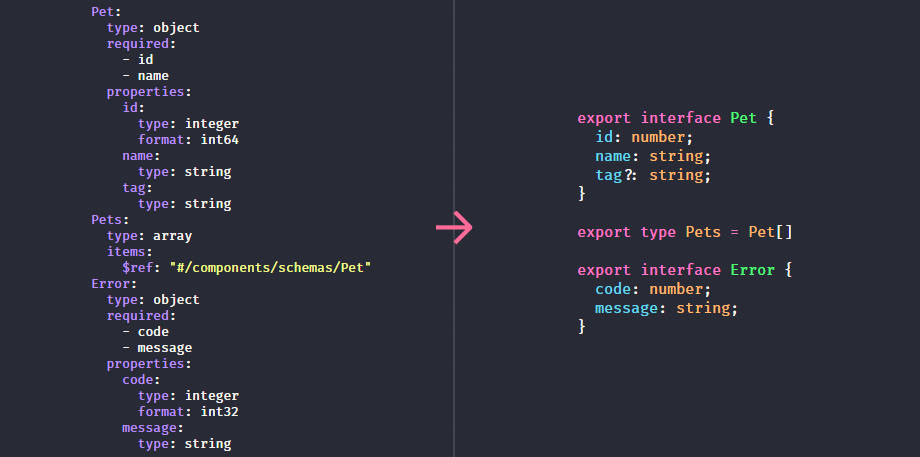
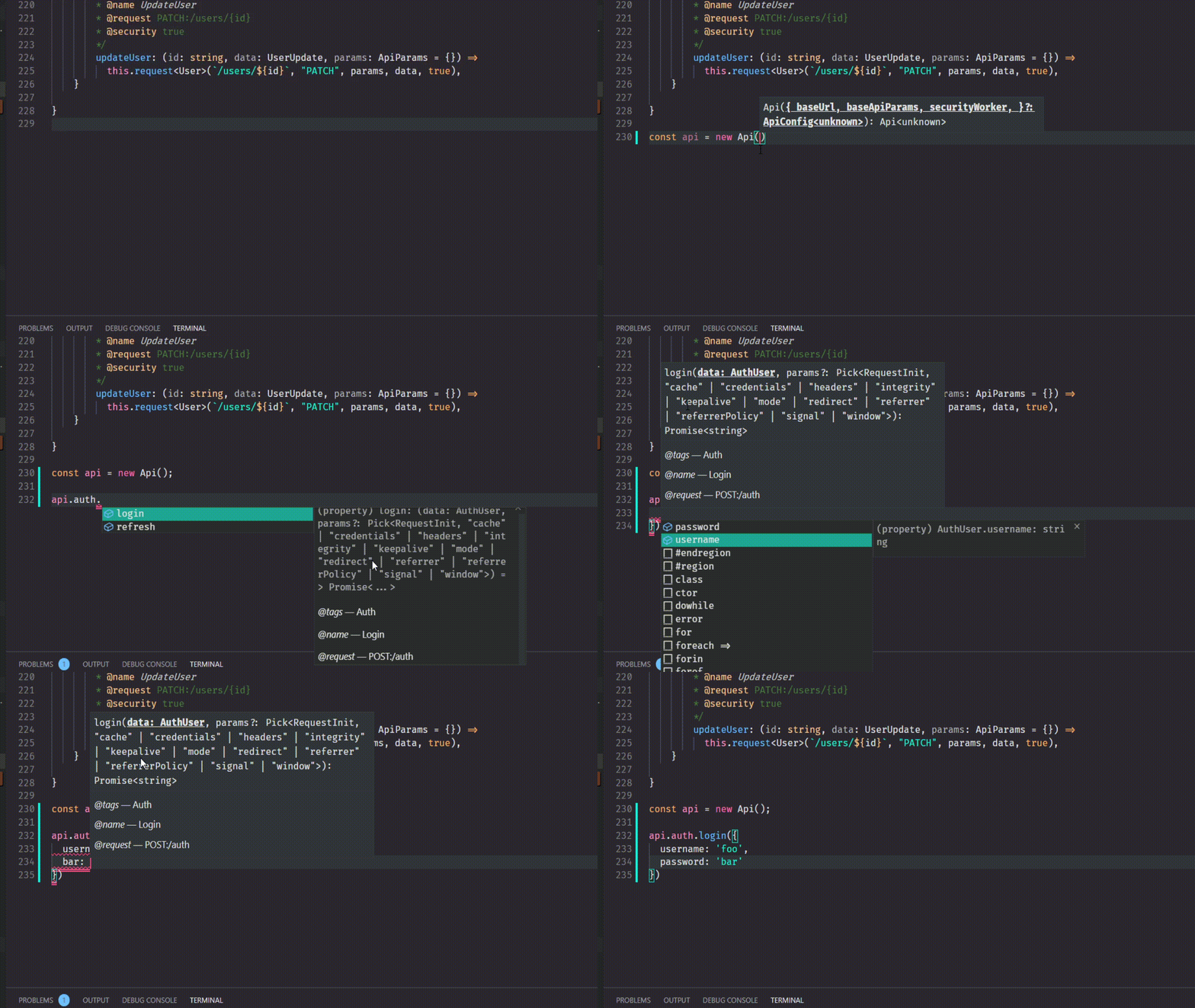
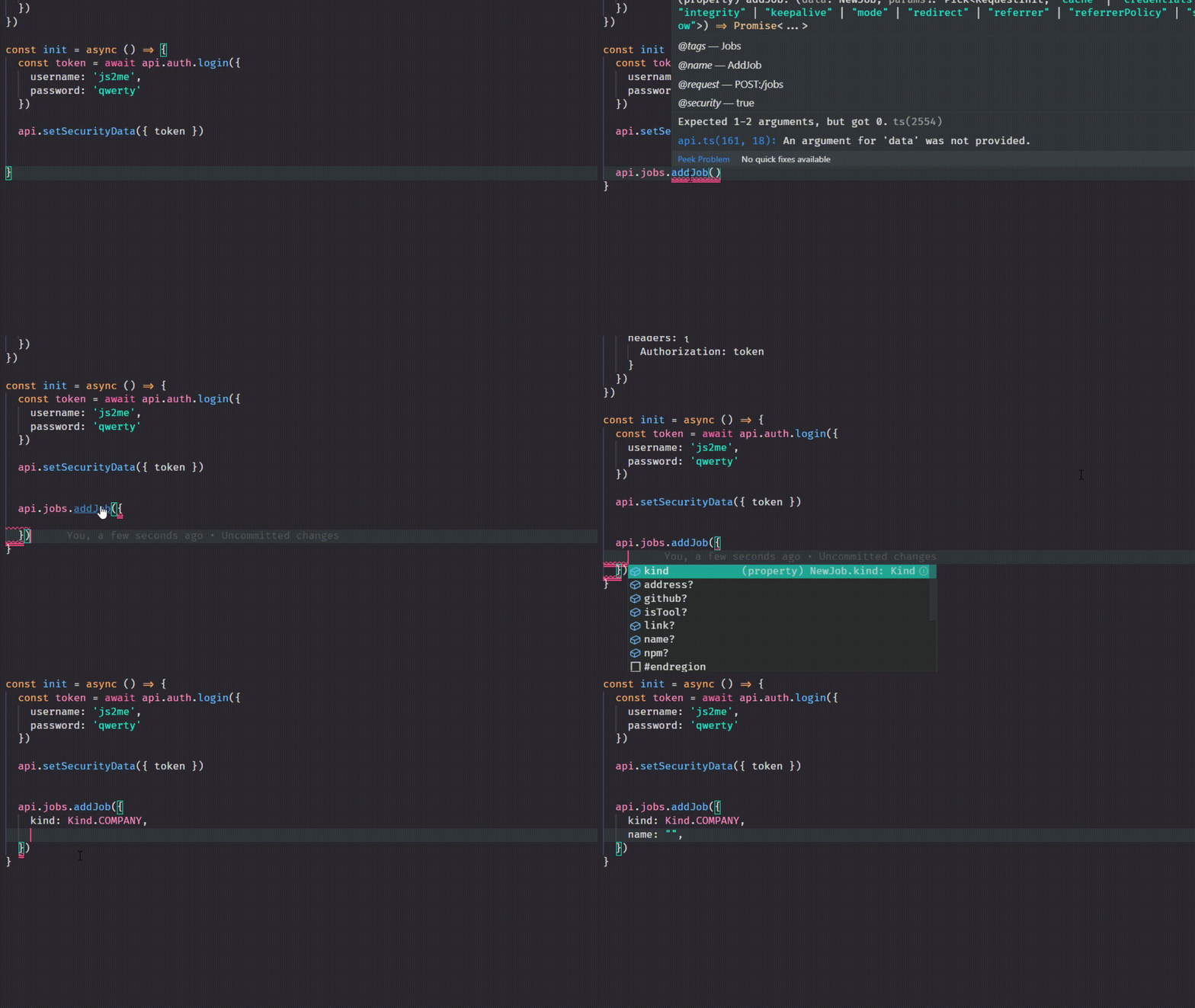
 - Generate api via swagger scheme
- Supports OA 3.0, 2.0, JSON, yaml
- Generated api module use [**Fetch Api**](https://developer.mozilla.org/en-US/docs/Web/API/Fetch_API) or [**Axios**](https://github.com/axios/axios) to make requests.
- Generate api via swagger scheme
- Supports OA 3.0, 2.0, JSON, yaml
- Generated api module use [**Fetch Api**](https://developer.mozilla.org/en-US/docs/Web/API/Fetch_API) or [**Axios**](https://github.com/axios/axios) to make requests.
Any questions you can ask [**here**](https://github.com/acacode/swagger-typescript-api/issues) or in [**our Slack**](https://join.slack.com/t/acacode/shared_invite/enQtOTQ5ODgyODQzMzYwLWYxOGI1MzQ3Yzg1ZWI5ZTI5NzNiZjExZTE5OWI1YjQ4NjBiNTk4NWVlNjM5YmU1ZWI2ZDkyMzZkZGIxNjA5NTQ)(**#swagger-typescript-api** channel)
Thanks to [JetBrains](https://www.jetbrains.com/?from=swaggertypescriptapi) for providing a free license for their excellent Webstorm IDE.
## 👀 Examples
All examples you can find [**here**](https://github.com/acacode/swagger-typescript-api/tree/master/tests)
## 📄 Usage
```muse
Usage: sta [options]
Usage: swagger-typescript-api [options]
Usage: swagger-typescript-api generate-templates [options]
Options:
-v, --version output the current version
-p, --path path/url to swagger scheme
-o, --output output path of typescript api file (default: "./")
-n, --name name of output typescript api file (default: "Api.ts")
-t, --templates path to folder containing templates
-d, --default-as-success use "default" response status code as success response too.
some swagger schemas use "default" response status code as success response type by default. (default: false)
-r, --responses generate additional information about request responses
also add typings for bad responses (default: false)
--union-enums generate all "enum" types as union types (T1 | T2 | TN) (default: false)
--add-readonly generate readonly properties (default: false)
--route-types generate type definitions for API routes (default: false)
--no-client do not generate an API class
--enum-names-as-values use values in 'x-enumNames' as enum values (not only as keys) (default: false)
--extract-request-params extract request params to data contract (Also combine path params and query params into one object) (default: false)
--extract-request-body extract request body type to data contract (default: false)
--extract-response-body extract response body type to data contract (default: false)
--extract-response-error extract response error type to data contract (default: false)
--modular generate separated files for http client, data contracts, and routes (default: false)
--js generate js api module with declaration file (default: false)
--module-name-index determines which path index should be used for routes separation (example: GET:/fruits/getFruit -> index:0 -> moduleName -> fruits) (default: 0)
--module-name-first-tag splits routes based on the first tag (default: false)
--disableStrictSSL disabled strict SSL (default: false)
--disableProxy disabled proxy (default: false)
--axios generate axios http client (default: false)
--unwrap-response-data unwrap the data item from the response (default: false)
--disable-throw-on-error Do not throw an error when response.ok is not true (default: false)
--single-http-client Ability to send HttpClient instance to Api constructor (default: false)
--silent Output only errors to console (default: false)
--default-response default type for empty response schema (default: "void")
--type-prefix data contract name prefix (default: "")
--type-suffix data contract name suffix (default: "")
--clean-output clean output folder before generate api. WARNING: May cause data loss (default: false)
--api-class-name name of the api class (default: "Api")
--patch fix up small errors in the swagger source definition (default: false)
--debug additional information about processes inside this tool (default: false)
--another-array-type generate array types as Array (by default Type[]) (default: false)
--sort-types sort fields and types (default: false)
--sort-routes sort routes in alphabetical order (default: false)
--custom-config custom config: primitiveTypeConstructs, hooks, ... (default: "")
--extract-enums extract all enums from inline interface\type content to typescript enum construction (default: false)
-h, --help display help for command
Commands:
generate-templates Generate ".ejs" templates needed for generate api
-o, --output output path of generated templates
-m, --modular generate templates needed to separate files for http client, data contracts, and routes (default: false)
--http-client http client type (possible values: "fetch", "axios") (default: "fetch")
-c, --clean-output clean output folder before generate template. WARNING: May cause data loss (default: false)
-r, --rewrite rewrite content in existing templates (default: false)
--silent Output only errors to console (default: false)
-h, --help display help for command
```
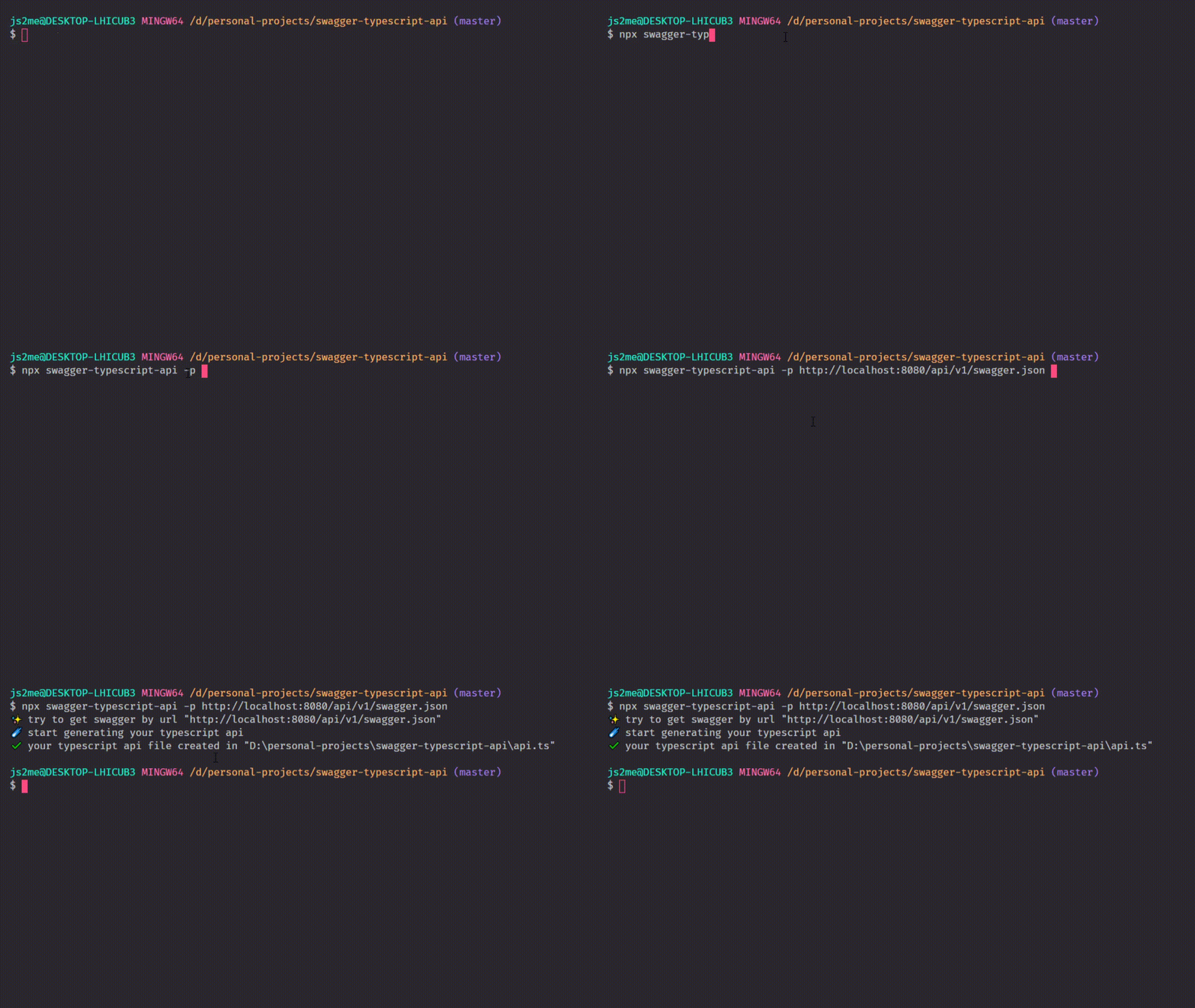
Also you can use `npx`:
```
npx swagger-typescript-api -p ./swagger.json -o ./src -n myApi.ts
```
You can use this package from nodejs:
```js
const { generateApi, generateTemplates } = require("swagger-typescript-api");
const path = require("path");
const fs = require("fs");
/* NOTE: all fields are optional expect one of `input`, `url`, `spec` */
generateApi({
name: "MySuperbApi.ts",
// set to `false` to prevent the tool from writing to disk
output: path.resolve(process.cwd(), "./src/__generated__"),
url: "http://api.com/swagger.json",
input: path.resolve(process.cwd(), "./foo/swagger.json"),
spec: {
swagger: "2.0",
info: {
version: "1.0.0",
title: "Swagger Petstore",
},
// ...
},
templates: path.resolve(process.cwd(), "./api-templates"),
httpClientType: "axios", // or "fetch"
defaultResponseAsSuccess: false,
generateClient: true,
generateRouteTypes: false,
generateResponses: true,
toJS: false,
extractRequestParams: false,
extractRequestBody: false,
extractEnums: false,
unwrapResponseData: false,
prettier: {
// By default prettier config is load from your project
printWidth: 120,
tabWidth: 2,
trailingComma: "all",
parser: "typescript",
},
defaultResponseType: "void",
singleHttpClient: true,
cleanOutput: false,
enumNamesAsValues: false,
moduleNameFirstTag: false,
generateUnionEnums: false,
typePrefix: "",
typeSuffix: "",
enumKeyPrefix: "",
enumKeySuffix: "",
addReadonly: false,
sortTypes: false,
sortRouters: false,
extractingOptions: {
requestBodySuffix: ["Payload", "Body", "Input"],
requestParamsSuffix: ["Params"],
responseBodySuffix: ["Data", "Result", "Output"],
responseErrorSuffix: [
"Error",
"Fail",
"Fails",
"ErrorData",
"HttpError",
"BadResponse",
],
},
/** allow to generate extra files based with this extra templates, see more below */
extraTemplates: [],
anotherArrayType: false,
fixInvalidTypeNamePrefix: "Type",
fixInvalidEnumKeyPrefix: "Value",
codeGenConstructs: (constructs) => ({
...constructs,
RecordType: (key, value) => `MyRecord`,
}),
primitiveTypeConstructs: (constructs) => ({
...constructs,
string: {
"date-time": "Date",
},
}),
hooks: {
onCreateComponent: (component) => {},
onCreateRequestParams: (rawType) => {},
onCreateRoute: (routeData) => {},
onCreateRouteName: (routeNameInfo, rawRouteInfo) => {},
onFormatRouteName: (routeInfo, templateRouteName) => {},
onFormatTypeName: (typeName, rawTypeName, schemaType) => {},
onInit: (configuration) => {},
onPreParseSchema: (originalSchema, typeName, schemaType) => {},
onParseSchema: (originalSchema, parsedSchema) => {},
onPrepareConfig: (currentConfiguration) => {},
},
})
.then(({ files, configuration }) => {
files.forEach(({ content, name }) => {
fs.writeFile(path, content);
});
})
.catch((e) => console.error(e));
generateTemplates({
cleanOutput: false,
output: PATH_TO_OUTPUT_DIR,
httpClientType: "fetch",
modular: false,
silent: false,
rewrite: false,
});
```
## 💎 options
### **`--templates`**
This option needed for cases when you don't want to use the default `swagger-typescript-api` output structure
You can create custom templates with extensions `.ejs` or `.eta`
Templates:
- `api.ejs` - _(generates file)_ Api class module (locations: [/templates/default](https://github.com/acacode/swagger-typescript-api/tree/next/templates/default/api.ejs), [/templates/modular](https://github.com/acacode/swagger-typescript-api/tree/next/templates/modular/api.ejs))
- `data-contracts.ejs` - _(generates file)_ all types (data contracts) from swagger schema (locations: [/templates/base](https://github.com/acacode/swagger-typescript-api/tree/next/templates/base/data-contracts.ejs))
- `http-client.ejs` - _(generates file)_ HttpClient class module (locations: [/templates/base](https://github.com/acacode/swagger-typescript-api/tree/next/templates/base/http-client.ejs))
- `procedure-call.ejs` - _(subtemplate)_ route in Api class (locations: [/templates/default](https://github.com/acacode/swagger-typescript-api/tree/next/templates/default/procedure-call.ejs), [/templates/modular](https://github.com/acacode/swagger-typescript-api/tree/next/templates/modular/procedure-call.ejs))
- `route-docs.ejs` - _(generates file)_ documentation for route in Api class (locations: [/templates/base](https://github.com/acacode/swagger-typescript-api/tree/next/templates/base/route-docs.ejs))
- `route-name.ejs` - _(subtemplate)_ route name for route in Api class (locations: [/templates/base](https://github.com/acacode/swagger-typescript-api/tree/next/templates/base/route-name.ejs))
- `route-type.ejs` - _(`--route-types` option)_ _(subtemplate)_ (locations: [/templates/base](https://github.com/acacode/swagger-typescript-api/tree/next/templates/base/route-type.ejs))
- `route-types.ejs` - _(`--route-types` option)_ _(subtemplate)_ (locations: [/templates/base](https://github.com/acacode/swagger-typescript-api/tree/next/templates/base/route-types.ejs))
- `data-contract-jsdoc.ejs` - _(subtemplate)_ generates JSDOC for data contract (locations: [/templates/base](https://github.com/acacode/swagger-typescript-api/tree/next/templates/base/data-contract-jsdoc.ejs))
[//]: # "- `enum-data-contract.ejs` - *(subtemplate)* generates `enum` data contract (locations: [/templates/base](https://github.com/acacode/swagger-typescript-api/tree/next/templates/base/enum-data-contract.ejs))"
[//]: # "- `interface-data-contract.ejs` - *(subtemplate)* generates `interface` data contract (locations: [/templates/base](https://github.com/acacode/swagger-typescript-api/tree/next/templates/base/interface-data-contract.ejs))"
[//]: # "- `type-data-contract.ejs` - *(subtemplate)* generates `type` data contract (locations: [/templates/base](https://github.com/acacode/swagger-typescript-api/tree/next/templates/base/type-data-contract.ejs))"
How to use it:
1. copy `swagger-typescript-api` templates into your place in project
- from [/templates/default](https://github.com/acacode/swagger-typescript-api/tree/next/templates/default) for single api file
- from [/templates/modular](https://github.com/acacode/swagger-typescript-api/tree/next/templates/modular) for multiple api files (with `--modular` option)
- from [/templates/base](https://github.com/acacode/swagger-typescript-api/tree/next/templates/base) for base templates (templates using both in default and modular)
1. add `--templates PATH_TO_YOUR_TEMPLATES` option
1. modify [ETA](https://eta.js.org/docs/syntax) templates as you like
NOTE:
Eta has special directive to render template in your Eta templates - `includeFile(pathToTemplate, payload)`
If you want to use some default templates from this tool you can use path prefixes: `@base`, `@default`, `@modular`.
`@base` - [path to base templates](https://github.com/acacode/swagger-typescript-api/tree/next/templates/base)
`@default` - [path to single api file templates](https://github.com/acacode/swagger-typescript-api/tree/next/templates/default)
`@modular` - [path to multiple api files templates](https://github.com/acacode/swagger-typescript-api/tree/next/templates/modular)
Examples: - `includeFile("@base/data-contracts.ejs", { ...yourData, ...it })` - `includeFile("@default/api.ejs", { ...yourData, ...it })` - `includeFile("@default/procedure-call.ejs", { ...yourData, ...it })` - `includeFile("@modular/api.ejs", { ...yourData, ...it })` - `includeFile("@modular/procedure-call.ejs", { ...yourData, ...it })` - `includeFile("@base/route-docs.ejs", { ...yourData, ...it })` - `includeFile("@base/route-name.ejs", { ...yourData, ...it })` - `includeFile("@base/route-type.ejs", { ...yourData, ...it })` - `includeFile("@base/route-types.ejs", { ...yourData, ...it })`
### **`--module-name-index`**
This option should be used in cases when you have api with one global prefix like `/api`
Example:
`GET:/api/fruits/getFruits`
`POST:/api/fruits/addFruits`
`GET:/api/vegetables/addVegetable`
with `--module-name-index 0` Api class will have one property `api`
When we change it to `--module-name-index 1` then Api class have two properties `fruits` and `vegetables`
### **`--module-name-first-tag`**
This option will group your API operations based on their first tag - mirroring how the Swagger UI groups displayed operations
### `extraTemplates` (NodeJS option)
type `(Record & { name: string, path: string })[]`
This thing allow you to generate extra ts\js files based on extra templates (one extra template for one ts\js file)
[Example here](https://github.com/acacode/swagger-typescript-api/tree/next/tests/spec/extra-templates)
## `generate-templates` command
This command allows you to generate source templates which using with option `--templates`
## Modification internal codegen structs with NodeJS API:
You are able to modify TypeScript internal structs using for generating output with using `generateApi` options `codeGenConstructs` and `primitiveTypeConstructs`.
### `codeGenConstructs`
This option has type `(struct: CodeGenConstruct) => Partial`.
```ts
generateApi({
// ...
codeGenConstructs: (struct) => ({
Keyword: {
Number: "number",
String: "string",
Boolean: "boolean",
Any: "any",
Void: "void",
Unknown: "unknown",
Null: "null",
Undefined: "undefined",
Object: "object",
File: "File",
Date: "Date",
Type: "type",
Enum: "enum",
Interface: "interface",
Array: "Array",
Record: "Record",
Intersection: "&",
Union: "|",
},
CodeGenKeyword: {
UtilRequiredKeys: "UtilRequiredKeys",
},
/**
* $A[] or Array<$A>
*/
ArrayType: (content) => {
if (this.anotherArrayType) {
return `Array<${content}>`;
}
return `(${content})[]`;
},
/**
* "$A"
*/
StringValue: (content) => `"${content}"`,
/**
* $A
*/
BooleanValue: (content) => `${content}`,
/**
* $A
*/
NumberValue: (content) => `${content}`,
/**
* $A
*/
NullValue: (content) => content,
/**
* $A1 | $A2
*/
UnionType: (contents) => _.join(_.uniq(contents), ` | `),
/**
* ($A1)
*/
ExpressionGroup: (content) => (content ? `(${content})` : ""),
/**
* $A1 & $A2
*/
IntersectionType: (contents) => _.join(_.uniq(contents), ` & `),
/**
* Record<$A1, $A2>
*/
RecordType: (key, value) => `Record<${key}, ${value}>`,
/**
* readonly $key?:$value
*/
TypeField: ({ readonly, key, optional, value }) =>
_.compact([
readonly && "readonly ",
key,
optional && "?",
": ",
value,
]).join(""),
/**
* [key: $A1]: $A2
*/
InterfaceDynamicField: (key, value) => `[key: ${key}]: ${value}`,
/**
* $A1 = $A2
*/
EnumField: (key, value) => `${key} = ${value}`,
/**
* $A0.key = $A0.value,
* $A1.key = $A1.value,
* $AN.key = $AN.value,
*/
EnumFieldsWrapper: (contents) =>
_.map(contents, ({ key, value }) => ` ${key} = ${value}`).join(",\n"),
/**
* {\n $A \n}
*/
ObjectWrapper: (content) => `{\n${content}\n}`,
/**
* /** $A *\/
*/
MultilineComment: (contents, formatFn) =>
[
...(contents.length === 1
? [`/** ${contents[0]} */`]
: ["/**", ...contents.map((content) => ` * ${content}`), " */"]),
].map((part) => `${formatFn ? formatFn(part) : part}\n`),
/**
* $A1<...$A2.join(,)>
*/
TypeWithGeneric: (typeName, genericArgs) => {
return `${typeName}${
genericArgs.length ? `<${genericArgs.join(",")}>` : ""
}`;
},
}),
});
```
For example, if you need to generate output `Record` instead of `object` you can do it with using following code:
```ts
generateApi({
// ...
codeGenConstructs: (struct) => ({
Keyword: {
Object: "Record",
},
}),
});
```
### `primitiveTypeConstructs`
It is type mapper or translator swagger schema objects. `primitiveTypeConstructs` translates `type`/`format` schema fields to typescript structs.
This option has type
```ts
type PrimitiveTypeStructValue =
| string
| ((
schema: Record,
parser: import("./src/schema-parser/schema-parser").SchemaParser,
) => string);
type PrimitiveTypeStruct = Record<
"integer" | "number" | "boolean" | "object" | "file" | "string" | "array",
| string
| ({ $default: PrimitiveTypeStructValue } & Record<
string,
PrimitiveTypeStructValue
>)
>;
declare const primitiveTypeConstructs: (
struct: PrimitiveTypeStruct,
) => Partial;
generateApi({
// ...
primitiveTypeConstructs: (struct) => ({
integer: () => "number",
number: () => "number",
boolean: () => "boolean",
object: () => "object",
file: () => "File",
string: {
$default: () => "string",
/** formats */
binary: () => "File",
file: () => "File",
"date-time": () => "string",
time: () => "string",
date: () => "string",
duration: () => "string",
email: () => "string",
"idn-email": () => "string",
"idn-hostname": () => "string",
ipv4: () => "string",
ipv6: () => "string",
uuid: () => "string",
uri: () => "string",
"uri-reference": () => "string",
"uri-template": () => "string",
"json-pointer": () => "string",
"relative-json-pointer": () => "string",
regex: () => "string",
},
array: (schema, parser) => {
const content = parser.getInlineParseContent(schema.items);
return parser.safeAddNullToType(schema, `(${content})[]`);
},
}),
});
```
For example, if you need to change `"string"/"date-time"` default output as `string` to `Date` you can do it with using following code:
```ts
generateApi({
primitiveTypeConstructs: (struct) => ({
string: {
"date-time": "Date",
},
}),
});
```
See more about [swagger schema type/format data here](https://json-schema.org/understanding-json-schema/reference/string.html#dates-and-times)
## 📄 Mass media
- [5 Lessons learned about swagger-typescript-api](https://christo8989.medium.com/5-lessons-learned-about-swagger-typescript-api-511240b34c1)
- [Why Swagger schemes are needed in frontend development ?](https://dev.to/js2me/why-swagger-schemes-are-needed-in-frontend-development-2cb4)
- [Migration en douceur vers TypeScript (French)](https://www.premieroctet.com/blog/migration-typescript/)
- [swagger-typescript-api usage (Japanese)](https://zenn.dev/watahaya/articles/2f4a716c47903b)
## 🛠️ Contribution
❗❗❗ Please use the `next` branch :)
If you need to check your changes at schemas in `tests` folder before create a PR just run command `npm run test-all`
## 🚀 How it looks
## 📝 License
Licensed under the [MIT License](https://github.com/acacode/swagger-typescript-api/blob/master/LICENSE).