# dify
**Repository Path**: dify_ai/dify
## Basic Information
- **Project Name**: dify
- **Description**: Dify 是一个易用的 LLMOps 平台,旨在让更多人可以创建可持续运营的原生 AI 应用
- **Primary Language**: Python
- **License**: Apache-2.0
- **Default Branch**: main
- **Homepage**: https://www.oschina.net/p/dify
- **GVP Project**: Yes
## Statistics
- **Stars**: 2086
- **Forks**: 1008
- **Created**: 2023-05-15
- **Last Updated**: 2026-10-21
## Categories & Tags
**Categories**: ai
**Tags**: LLMOps, AI, chatGPT
## README

Dify Cloud ·
Self-hosting ·
Documentation ·
Dify edition overview
















Dify is an open-source LLM app development platform. Its intuitive interface combines AI workflow, RAG pipeline, agent capabilities, model management, observability features (including [Opik](https://www.comet.com/docs/opik/integrations/dify), [Langfuse](https://docs.langfuse.com), and [Arize Phoenix](https://docs.arize.com/phoenix)) and more, letting you quickly go from prototype to production. Here's a list of the core features:
## Quick start
> Before installing Dify, make sure your machine meets the following minimum system requirements:
>
> - CPU >= 2 Core
> - RAM >= 4 GiB
The easiest way to start the Dify server is through [Docker Compose](docker/docker-compose.yaml). Before running Dify with the following commands, make sure that [Docker](https://docs.docker.com/get-docker/) and Docker Compose v2.24.0 or later are installed on your machine:
```bash
cd dify
cd docker
cp .env.example .env
docker compose up -d
```
After running, you can access the Dify dashboard in your browser at [http://localhost/install](http://localhost/install) and start the initialization process.
### Seeking help
Please refer to our [FAQ](https://docs.dify.ai/getting-started/install-self-hosted/faqs) if you encounter problems setting up Dify. Reach out to [the community and us](#community--contact) if you are still having issues.
> If you'd like to contribute to Dify or do additional development, refer to our [guide to deploying from source code](https://docs.dify.ai/getting-started/install-self-hosted/local-source-code)
## Key features
**1. Workflow**:
Build and test powerful AI workflows on a visual canvas, leveraging all the following features and beyond.
**2. Comprehensive model support**:
Seamless integration with hundreds of proprietary / open-source LLMs from dozens of inference providers and self-hosted solutions, covering GPT, Mistral, Llama3, and any OpenAI API-compatible models. A full list of supported model providers can be found [here](https://docs.dify.ai/getting-started/readme/model-providers).

**3. Prompt IDE**:
Intuitive interface for crafting prompts, comparing model performance, and adding additional features such as text-to-speech to a chat-based app.
**4. RAG Pipeline**:
Extensive RAG capabilities that cover everything from document ingestion to retrieval, with out-of-box support for text extraction from PDFs, PPTs, and other common document formats.
**5. Agent**: Autonomous agents with a sandbox of their own: they run commands, install software, and handle files to get open-ended tasks done. Describe the agent you want and it builds itself. Give it skills, connect tools from [Dify Marketplace](https://marketplace.dify.ai/?category=tool), MCP servers, or your own APIs, and put it to work as a chat app or as a step in any workflow.
**6. LLMOps**:
Monitor and analyze application logs and performance over time. You could continuously improve prompts, datasets, and models based on production data and annotations.
**7. Backend-as-a-Service**:
All of Dify's offerings come with corresponding APIs, so you could effortlessly integrate Dify into your own business logic.
## Using Dify
- **Cloud
**
We host [Dify Cloud](https://cloud.dify.ai) so you can try Dify without managing a server. See the [pricing page](https://dify.ai/pricing) for current plans and usage allowances. If you run into issues, [contact our Cloud support team](mailto:cloud@dify.ai?subject=%5BGitHub%5DDify%20Cloud%20Support).
- **Self-hosting Dify Community Edition
**
Quickly get Dify running in your environment with this [starter guide](#quick-start).
Use our [documentation](https://docs.dify.ai) for further references and more in-depth instructions.
- **[Dify Enterprise](https://dify.ai/dify-enterprise)
**
For organizations requiring self-hosting, SSO, RBAC Security and Enterprise Support SLAs, please fill out [this form](https://share-na2.hsforms.com/14-09ff5HS92Sh4m3f4yrcw40s9fk) to speak to a solution representative.
## Staying ahead
Star Dify on GitHub and be instantly notified of new releases.
 ## Advanced Setup
For custom configuration, observability, and deployment options, see [Advanced Setup](docs/ADVANCED_SETUP.md).
## Contributing
Dify welcomes contributions of all kinds:
- **Code**: Read the [Contribution Guide](CONTRIBUTING.md), then browse [good first issues](https://github.com/langgenius/dify/issues?q=is%3Aissue%20state%3Aopen%20label%3A%22good%20first%20issue%22).
- **Ideas and feedback**: Start or join a [GitHub Discussion](https://github.com/langgenius/dify/discussions).
- **Translations**: Follow the [internationalization guide](web/i18n/README.md) to add or update a locale.
- **Community**: Share the apps you build, help other users, and spread the word about Dify.
### Contributors
## Advanced Setup
For custom configuration, observability, and deployment options, see [Advanced Setup](docs/ADVANCED_SETUP.md).
## Contributing
Dify welcomes contributions of all kinds:
- **Code**: Read the [Contribution Guide](CONTRIBUTING.md), then browse [good first issues](https://github.com/langgenius/dify/issues?q=is%3Aissue%20state%3Aopen%20label%3A%22good%20first%20issue%22).
- **Ideas and feedback**: Start or join a [GitHub Discussion](https://github.com/langgenius/dify/discussions).
- **Translations**: Follow the [internationalization guide](web/i18n/README.md) to add or update a locale.
- **Community**: Share the apps you build, help other users, and spread the word about Dify.
### Contributors
 ## Community & contact
Choose the channel that best fits your question:
- [GitHub Discussions](https://github.com/langgenius/dify/discussions): Get help, share feedback, and propose ideas.
- [GitHub Issues](https://github.com/langgenius/dify/issues): Report reproducible bugs and track engineering work. Read the [Contribution Guide](CONTRIBUTING.md) before opening one.
- [Discord](https://discord.gg/FngNHpbcY7): Chat in real time, share your apps, and connect with other Dify users.
- [X](https://x.com/dify_ai): Follow Dify for release news and project updates.
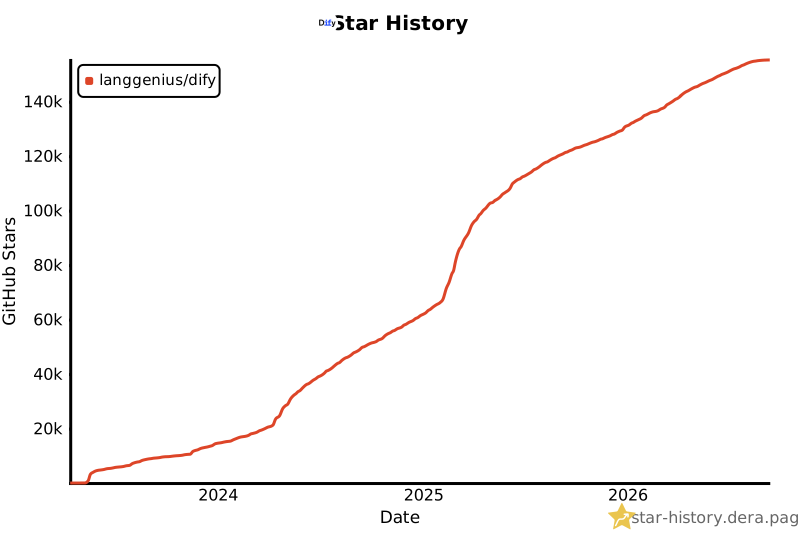
## Star History
[](https://star-history.dera.page/langgenius/dify?type=date&legend=top-left#gh-light-mode-only) [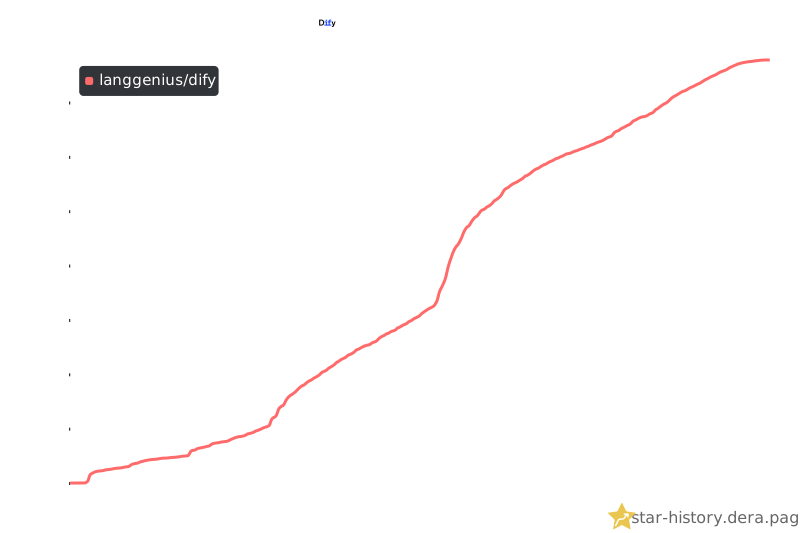](https://star-history.dera.page/langgenius/dify?type=date&legend=top-left#gh-dark-mode-only)
## Security disclosure
Report vulnerabilities privately through GitHub Security Advisories, following our [security policy](SECURITY.md). Do not disclose them in public issues, discussions, or pull requests.
## License
This repository is licensed under the [Dify Open Source License](LICENSE), based on Apache 2.0 with additional conditions.
## Community & contact
Choose the channel that best fits your question:
- [GitHub Discussions](https://github.com/langgenius/dify/discussions): Get help, share feedback, and propose ideas.
- [GitHub Issues](https://github.com/langgenius/dify/issues): Report reproducible bugs and track engineering work. Read the [Contribution Guide](CONTRIBUTING.md) before opening one.
- [Discord](https://discord.gg/FngNHpbcY7): Chat in real time, share your apps, and connect with other Dify users.
- [X](https://x.com/dify_ai): Follow Dify for release news and project updates.
## Star History
[](https://star-history.dera.page/langgenius/dify?type=date&legend=top-left#gh-light-mode-only) [](https://star-history.dera.page/langgenius/dify?type=date&legend=top-left#gh-dark-mode-only)
## Security disclosure
Report vulnerabilities privately through GitHub Security Advisories, following our [security policy](SECURITY.md). Do not disclose them in public issues, discussions, or pull requests.
## License
This repository is licensed under the [Dify Open Source License](LICENSE), based on Apache 2.0 with additional conditions.