# olivia-music
**Repository Path**: donPabloNow/olivia-music
## Basic Information
- **Project Name**: olivia-music
- **Description**: Elegant music player for LINUX
- **Primary Language**: Unknown
- **License**: MIT
- **Default Branch**: master
- **Homepage**: None
- **GVP Project**: No
## Statistics
- **Stars**: 0
- **Forks**: 0
- **Created**: 2022-01-29
- **Last Updated**: 2022-01-29
## Categories & Tags
**Categories**: Uncategorized
**Tags**: None
## README

# Olivia - Elegant music player for LINUX
by [@keshavbhatt](https://github.com/keshavbhatt) of [ktechpit.com](http://ktechpit.com) and [others]
(https://github.com/keshavbhatt/olivia/graphs/contributors)
**Olivia hits mark of 5000+ active users already**
[](https://build.snapcraft.io/user/keshavbhatt/olivia) [](https://opensource.org/licenses/MIT) [](http://isitmaintained.com/project/keshavbhatt/olivia "Average time to resolve an issue") [](http://isitmaintained.com/project/keshavbhatt/olivia "Percentage of issues still open")
**Nightly Build on any [snapd](https://docs.snapcraft.io/installing-snapd) enabled Linux Distribution can be installed using:**
[](https://snapcraft.io/olivia) [](https://snapcraft.io/olivia)
[](https://snapcraft.io/olivia)
snap install olivia
**Arch Linux ([AUR](https://aur.archlinux.org/packages/olivia/)):**
   
**Features**
- Olivia helps you discover new music and videos like no other service do.
- Smart Music recommendation, can get you songs related to any song.
- Allows organise music and videos at one place.
- Olivia can save track while you are streaming it, this saves your bandwidth.
- Olivia never stops playing song for you with its smart playlist feature it automatically starts playing related songs for you once your playlist ends.
- Watch or Download Video for any song in different audio video formats and quality.
- Allows search YouTube and add result to library, sort results and all other YouTube features like browse channels.
- Plays audio only of YouTube streams (saves data bandwidth).
- Support themes , Dynamic theme based on album art.
- Intelligent Music Search suggestions engine integrated.
- Player Mini mode aminimal player widget with always on capability and allows set transparency and make it act like a desktop widget.
- Switch to Smart mode and sit back, olivia will play songs for you automatically.
- Internet radio, allows play more than 25k online radio stations, list them sort them according to most played , most voted, language wise, country wise and by tags .
- Olivia lets you browse new music according to your location.
- Olivia lets you discover music based on their genres, moods and more.
- Its easy to discover new music - singles, albums etc easily at one place.
- Top music chart, allows list top 100 songs country wise.
- Top albums chart, allows list top 100 albums county wise.
- Beautiful Client side Decoration.
- Lyrics of playing songs and separate lyrics search.
- Powerful audio equalizers and audio filters.
- MPRIS protocol support.
- Audio export with meta tags and album art.
- More features like cloud synchronisation of your Liked Music is coming soon, so you will be able to get your music back no matter where you are.
**Consider Donating if you want this music player grow further**
[](https://paypal.me/keshavnrj/5)
[](https://www.buymeacoffee.com/keshavnrj)
**Olivia utilises power of the following tools and technologies :**
- Qt GUI Framework 5.5.1
- Bash, wget, socat, tee and other utilities that comes with "coreutils" package
- MPV Player
- Youtube-dl
- LibTag
- C++11
- Python
- Lua
- PHP, HTML, CSS, JS, JSON
- snapcraft.io/build for continuous build and delivery through snapcraft.io/store for all major Linux distributions supporting [snapd](https://snapcraft.io/docs/installing-snapd)
- "Arch User Repository" for distribution of app to Arch Linux users.
**Build requirement**
Qt >=5.5.1 with these modules
- libqt5sql5-sqlite
- libqt5webkit5 (must)
- libqt5x11extras5
mpv >= 0.29.1
coreutils >=8.25
socat >=1.7.3.1-1
python >=2.7
wget >=1.17.1
libtag1-dev
**Build instructions**
With all build requirements in place go to project root and execute:
Build:
qmake (or qmake-qt5, depending on your distro)
make
Execute :
./olivia
**Or build a snap package**
Copy snap directory from project root and paste it somewhere else (so the build will not mess with source code)
Run :
snapcraft
Try snap with :
snap try
Install snap with
snap install --dangerous name_of_snap_file
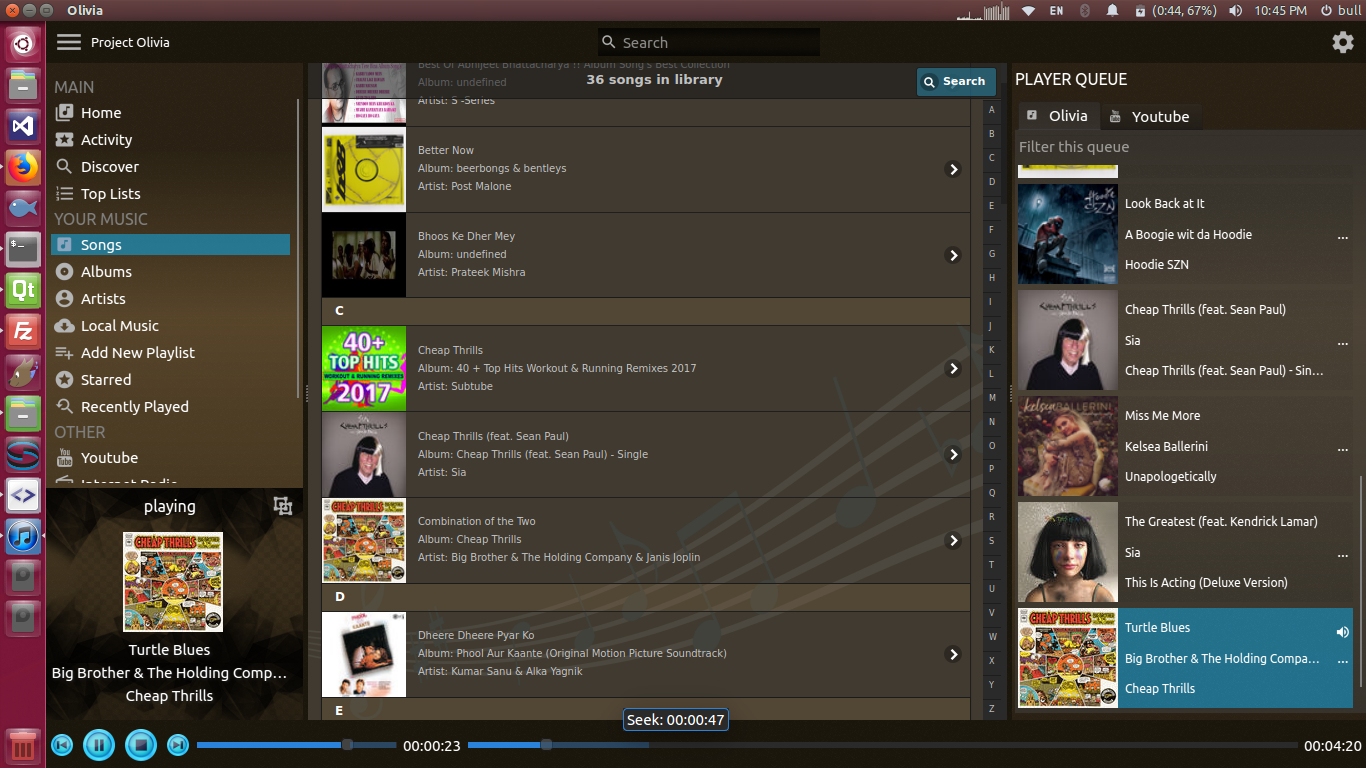
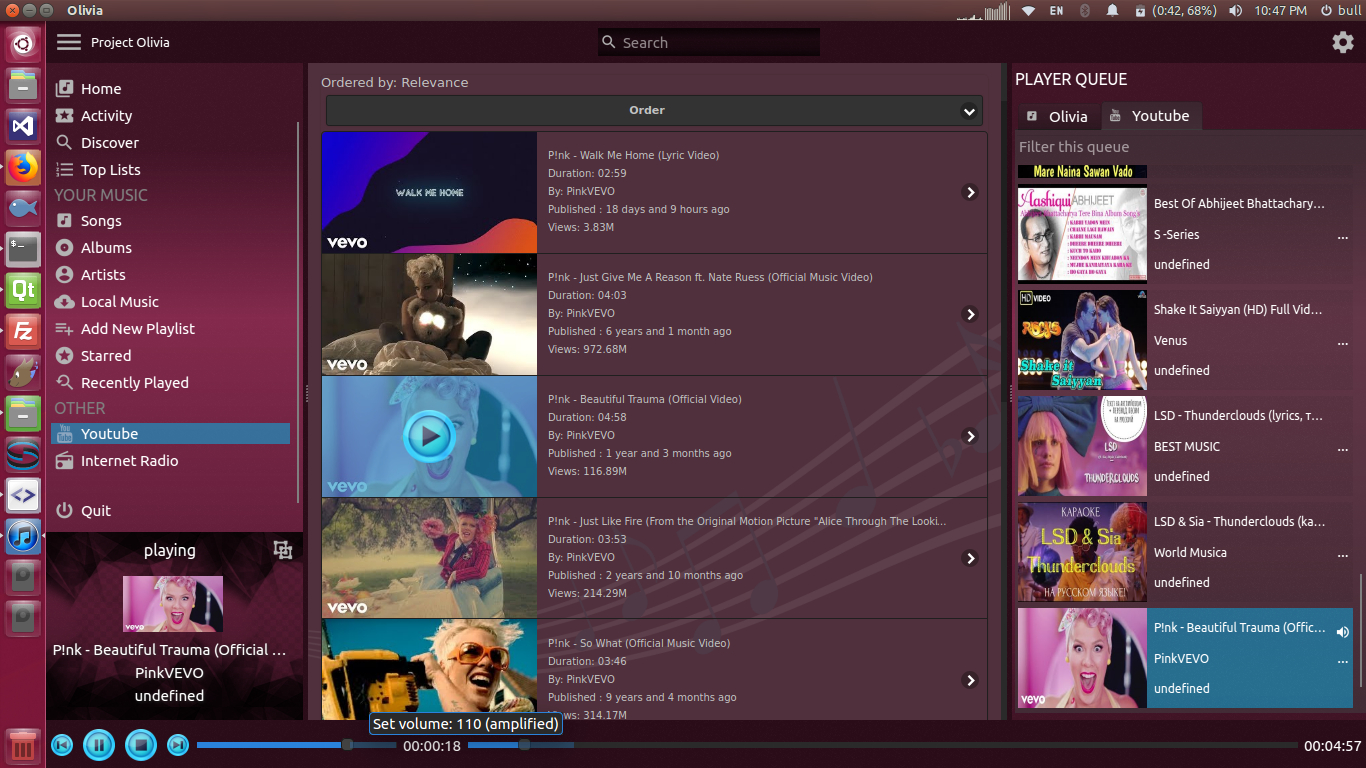
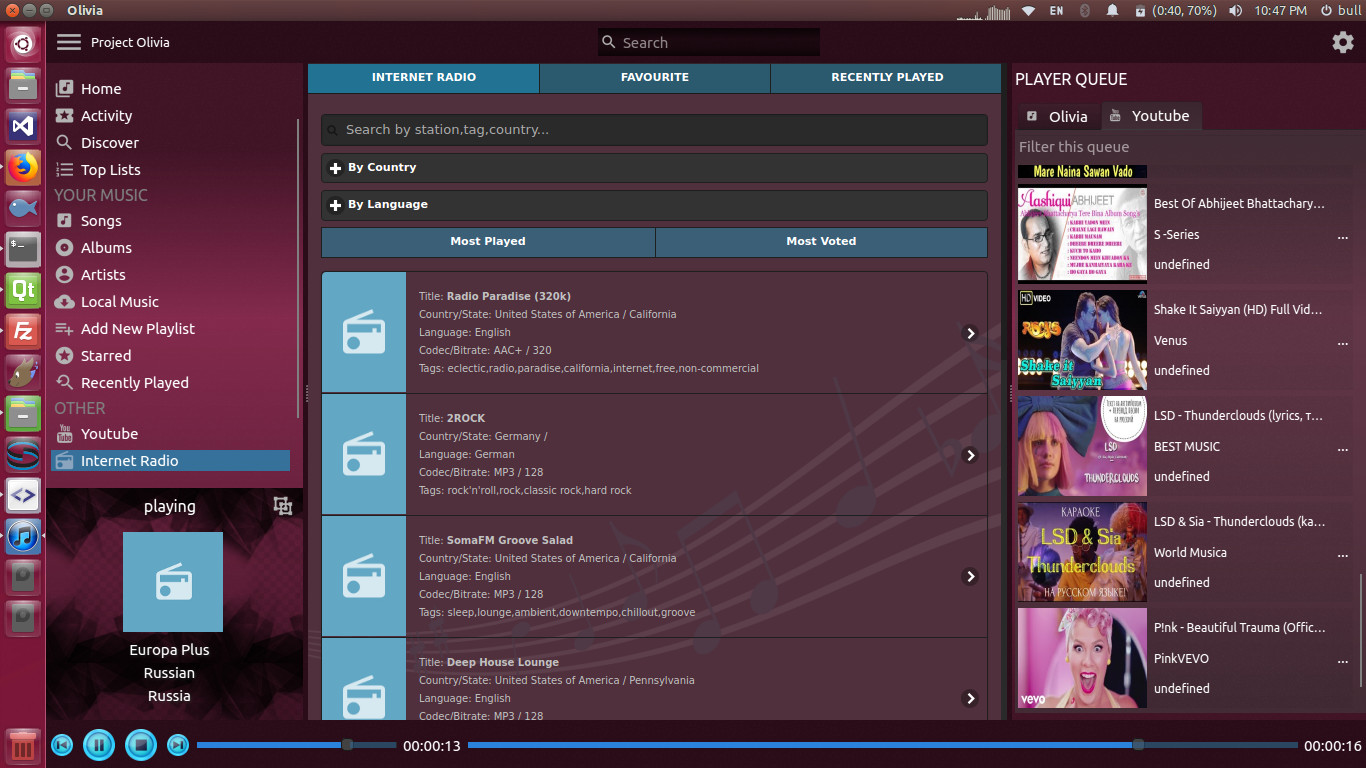
**ScreenShots:** (can be old)
## Contributors
[ ](https://github.com/keshavbhatt) [
 ](https://github.com/Bleuzen)