# animeface-2009
**Repository Path**: dscoder/animeface-2009
## Basic Information
- **Project Name**: animeface-2009
- **Description**: No description available
- **Primary Language**: Unknown
- **License**: MIT
- **Default Branch**: master
- **Homepage**: None
- **GVP Project**: No
## Statistics
- **Stars**: 0
- **Forks**: 0
- **Created**: 2020-06-27
- **Last Updated**: 2020-12-19
## Categories & Tags
**Categories**: Uncategorized
**Tags**: None
## README
# AnimeFace 2009
The face detector for anime/manga.
This is similar to [lbpcascade_animeface](https://github.com/nagadomi/lbpcascade_animeface), but it's more accurate and supports facial landmark detection.
I developed this library in 2008~2009.
Original website: http://anime.udp.jp/ (in Japanese)
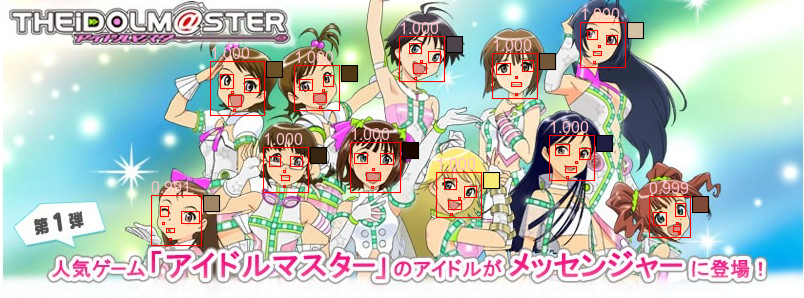
Figure (c) namco
## Installation
Requirements
- Ruby
- ImageMagick
- gcc, make
### Ubuntu
```
sudo apt-get install libmagickwand-dev
sudo gem install rmagick
./build.sh
```
### Arch Linux
Install `imagemagick-full` and `ruby-rmagick` from [AUR](https://aur.archlinux.org/),
and then run `./build.sh`.
## Run sample code (Ruby)
```
cd animeface-ruby
ruby sample.rb
```
View at `${input_image}_out.png`
## Extract landmarks for a folder of images (Ruby)
First install Ruby package `progress_bar`. Then run:
```
cd animeface-ruby
ruby proc_folder.rb