# android-flowlayout
**Repository Path**: ekber/android-flowlayout
## Basic Information
- **Project Name**: android-flowlayout
- **Description**: No description available
- **Primary Language**: Unknown
- **License**: MIT
- **Default Branch**: master
- **Homepage**: None
- **GVP Project**: No
## Statistics
- **Stars**: 0
- **Forks**: 0
- **Created**: 2017-11-30
- **Last Updated**: 2020-12-18
## Categories & Tags
**Categories**: Uncategorized
**Tags**: None
## README
[  ](https://bintray.com/lankton/maven/flowlayout/_latestVersion)
# android-flowlayout
A very convenient and powerful flow layout created by Lan.
## minSdkVersion
11
## Dependencies
### latest version
see it as an icon in the beginning of the README file.
### gradle
```
compile 'cn.lankton:flowlayout:latest version'
```
### maven
```
cn.lankton
flowlayout
latest version
pom
```
## Effect
e


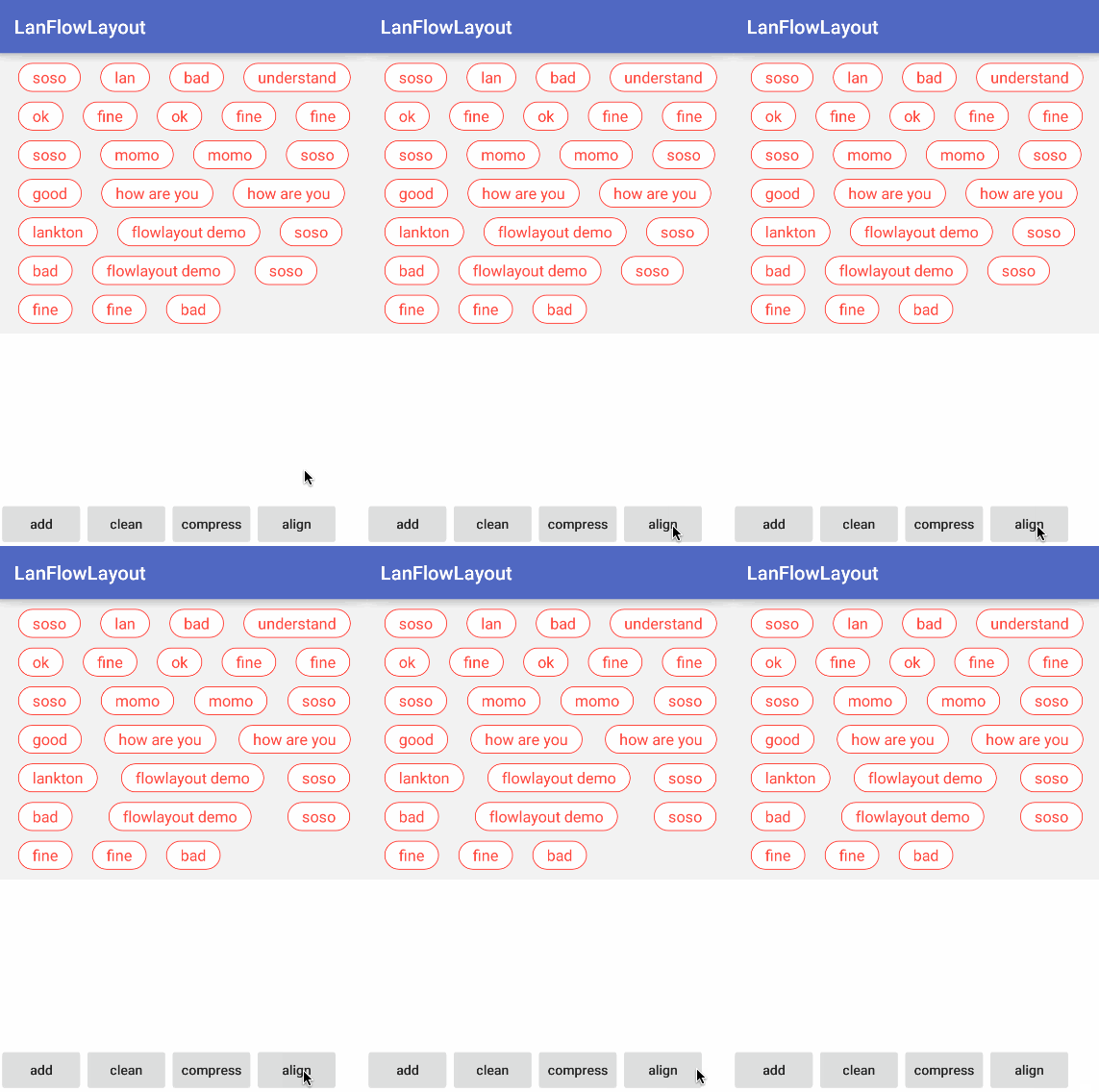 **pic left**: **add** views into the flowlayout constantly
**pic middle**: **compress** child elements to make them spend lines as fiew as possible and look tight
**pic right**: **align** child elements to make them look in alignment.
**pic left**: **add** views into the flowlayout constantly
**pic middle**: **compress** child elements to make them spend lines as fiew as possible and look tight
**pic right**: **align** child elements to make them look in alignment.
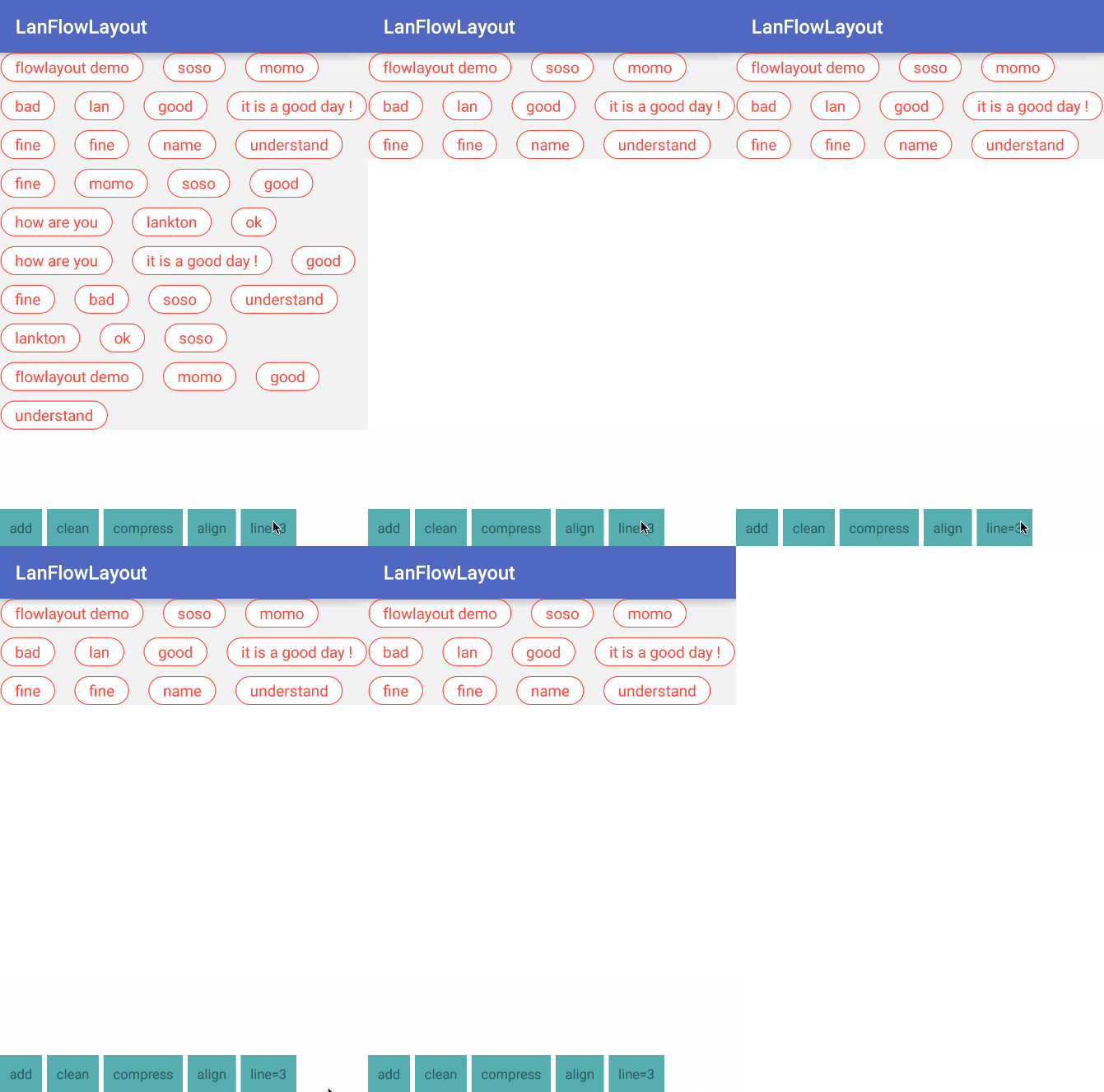 This pic shows to cut the flowlayout to the specified number of lines.
## Usage
### normal usage like other flow layouts
You can use this FlowLayout like below in your layout file
```xml
```
As you see, this FlowLayout provides an attribute named "**lineSpacing**", which can be used to set the distance between lines in the FlowLayout.
### compress child elements
When you want to compress child elements, use the code like below:
```
flowLayout.relayoutToCompress();
```
The FlowLayout compresses child elements **by changing their sequence**.
### align child elemnts
When you want to align child elements, use the code like below:
```
flowLayout.relayoutToAlign();
```
The order of child elements **won't be changed**.
### cut
You can cut the flowlayout to the specified number of lines.
```
flowLayout.specifyLines(int)
```
## summary
May this FlowLayout help you. Thanks.
This pic shows to cut the flowlayout to the specified number of lines.
## Usage
### normal usage like other flow layouts
You can use this FlowLayout like below in your layout file
```xml
```
As you see, this FlowLayout provides an attribute named "**lineSpacing**", which can be used to set the distance between lines in the FlowLayout.
### compress child elements
When you want to compress child elements, use the code like below:
```
flowLayout.relayoutToCompress();
```
The FlowLayout compresses child elements **by changing their sequence**.
### align child elemnts
When you want to align child elements, use the code like below:
```
flowLayout.relayoutToAlign();
```
The order of child elements **won't be changed**.
### cut
You can cut the flowlayout to the specified number of lines.
```
flowLayout.specifyLines(int)
```
## summary
May this FlowLayout help you. Thanks.