# SalesGPT
**Repository Path**: eternal_rider/SalesGPT
## Basic Information
- **Project Name**: SalesGPT
- **Description**: No description available
- **Primary Language**: Python
- **License**: MIT
- **Default Branch**: docs
- **Homepage**: None
- **GVP Project**: No
## Statistics
- **Stars**: 0
- **Forks**: 0
- **Created**: 2025-02-11
- **Last Updated**: 2025-02-11
## Categories & Tags
**Categories**: Uncategorized
**Tags**: None
## README
# :robot: SalesGPT - Open Source AI Agent for Sales


[](https://pepy.tech/project/salesgpt)
[](https://opensource.org/licenses/MIT)
[](https://badge.fury.io/py/salesgpt)

[](https://discord.gg/KXFucQyHf4)
[Our Vision](#our-vision-build-the-best-open-source-ai-sales-agent) | [Features](#features) | [Demos and Use Cases](#demos-and-use-cases) | [Quickstart](#quick-start) | [Setup](#setup) | [Contact Us](https://5b7mfhwiany.typeform.com/to/n6CbtxJm?utm_source=github-salesgpt&utm_medium=readme&utm_campaign=leads)
This repo is an implementation of a **context-aware** AI Agent for Sales using LLMs and can work across voice, email and texting (SMS, WhatsApp, WeChat, Weibo, Telegram, etc.).
SalesGPT is *context-aware*, which means it can understand what stage of a sales conversation it is in and act accordingly.
Morever, SalesGPT has access to tools, such as your own pre-defined product knowledge base, significantly reducing hallucinations.
# Our Vision: Build the Best Open Source AI Sales Agent
We are building SalesGPT to power your best AI Sales Agents. Hence, we would love to learn more about use cases you are building towards which will fuel SalesGPT development roadmap, so please don't hesitate to reach out.
## :red_circle: Latest News
- AI Sales Agents can now ACTUALLY sell! They autonomously generate Stripe payment links to sell products and services to customers.
- You can now test your AI Sales Agents via our frontend.
- Sales Agent can now take advantage of **tools**, such as look up products in a product catalog!
# Demos and Use Cases
Unload AI Sales Agent Demos - Powered by SalesGPT: *Our new virtual workforce?* 🤔
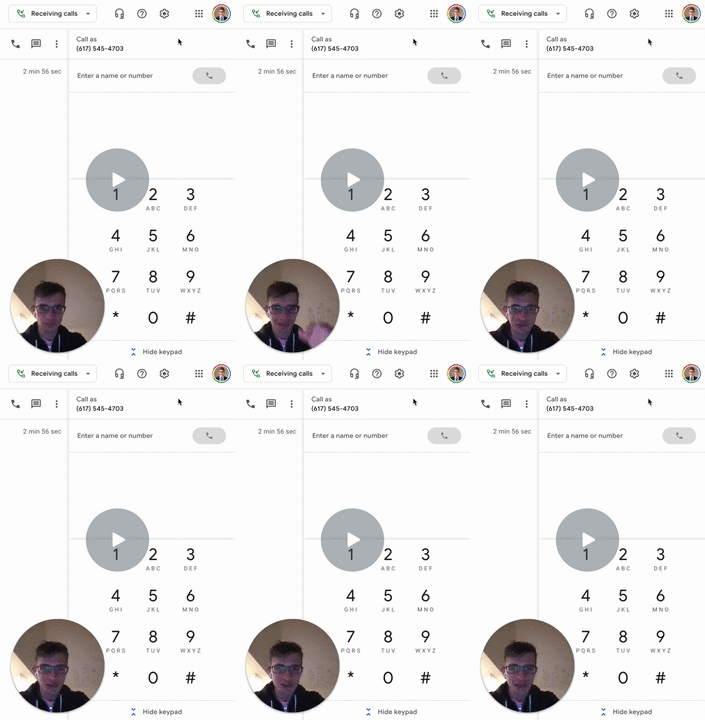
**Demo #1: Sarah - Patient Coordinator at South Orange Pediatrics**
- 100X Your Healthcare Admin with our Virtual Workforce
[](https://www.loom.com/share/314eb0562fda41ea94e25b267acda6f9)
**Demo #2: Ted - Autonomously create payment links and collect customer payments**
[](https://www.loom.com/share/440086e17aff42d79881a6eca147ae5e)
>**Try it yourself on our [SalesGPT hosted frontend demo](https://sales-gpt-frontend-git-main-filip-odysseypartns-projects.vercel.app/chat).**
# Contact Us for Suggestions, Questions, or Help
We are building SalesGPT to power your best AI Sales Agents. Hence, we would love to learn more about use cases you are building towards which will fuel SalesGPT development roadmap.
**If you want us to build better towards your needs, or need help with your AI Sales Agents, please reach out to chat with us: [SalesGPT Use Case Intake Survey](https://5b7mfhwiany.typeform.com/to/n6CbtxJm?utm_source=github-salesgpt&utm_medium=readme&utm_campaign=leads)**
# Features
### Contextual Understanding: Sales Stage Awareness
The AI Sales Agent understands the conversation stage (you can define your own stages fitting your needs):
- Introduction: Start the conversation by introducing yourself and your company.
- Qualification: Qualify the prospect by confirming if they are the right person to talk to regarding your product/service.
- Value Proposition: Briefly explain how your product/service can benefit the prospect.
- Needs Analysis: Ask open-ended questions to uncover the prospect's needs and pain points.
- Solution Presentation: Based on the prospect's needs, present your product/service as the solution that can address their pain points.
- Objection Handling: Address any objections that the prospect may have regarding your product/service.
- Close: Ask for the sale by proposing a next step.
- End Conversation: The user does not want to continue the conversation, so end the call.
### Business & Product Knowledge:
- Reference only your business information & products and significantly reduce hallucinations!
### Close sales:
- The AI Agent can actually close sales by generating Stripe payment link and closing orders from customers.
### Automated Email Communication:
- Enhance your sales process with automated email communication. SalesGPT can now send personalized emails to prospects, including follow-ups or product information.
### Calendly Meeting Scheduling
- The AI Agent can now facilitate scheduling meetings by generating Calendly links.
### Use Any LLM to Power Your AI Sales Agent
- Thanks to our integration with [LiteLLM](https://github.com/BerriAI/litellm), you can choose *any closed/open-sourced LLM* to work with SalesGPT! Thanks to LiteLLM maintainers for this contribution!
### Power Real-time Sales Conversations
- Synchronous & Asynchronous Completion with LLMs
- Synchronous & Asynchronous Streaming from LLMs
### Optimized for Low Latency in Voice Channel
- Voice AI Sales Agent boasts **<1s** round trip response rate to human speakers which includes the entire pipeline - speech to text, LLM inference, and text to speech - while ensuring stability and scalability.
### Human in the loop
- For use cases where AI sales agent needs human supervision.
### Langsmith tracing
- debug, test, evaluate, and monitor chains and intelligent agents built on any LLM framework
### Enterprise-Grade Security
- Upcoming integration with [PromptArmor](https://promptarmor.com/) to protect your AI Sales Agents against security vulnerabilities (see our roadmap).
# Quick Start
```python
import os
from salesgpt.agents import SalesGPT
from langchain_community.chat_models import ChatLiteLLM
from dotenv import load_dotenv
load_dotenv() # make sure you have .env file with your API keys, eg., OPENAI_API_KEY=sk-xxx, MINDWARE_API_KEY etc.
# select your model - we support 50+ LLMs via LiteLLM https://docs.litellm.ai/docs/providers
llm = ChatLiteLLM(temperature=0.4, model_name="gpt-4-0125-preview")
sales_agent = SalesGPT.from_llm(llm, use_tools=True, verbose=False,
product_catalog = "examples/sample_product_catalog.txt",
salesperson_name="Ted Lasso",
salesperson_role="Sales Representative",
company_name="Sleep Haven",
company_business='''Sleep Haven
is a premium mattress company that provides
customers with the most comfortable and
supportive sleeping experience possible.
We offer a range of high-quality mattresses,
pillows, and bedding accessories
that are designed to meet the unique
needs of our customers.'''
)
sales_agent.seed_agent()
sales_agent.determine_conversation_stage() # optional for demonstration, built into the prompt
# agent
sales_agent.step()
# user
user_input = input('Your response: ') # Yea, sure
sales_agent.human_step(user_input)
# agent
sales_agent.determine_conversation_stage() # optional for demonstration, built into the prompt
sales_agent.step()
# user
user_input = input('Your response: ') # What pricing do you have for your mattresses?
sales_agent.human_step(user_input)
# agent
sales_agent.determine_conversation_stage() # optional for demonstration, built into the prompt
sales_agent.step()
```
> Conversation Stage:
> Introduction: Start the conversation by introducing yourself and your company.
> Thought: Do I need to use a tool? No
> Ted Lasso: Hello, my name is Ted Lasso and I'm calling on behalf of Sleep Haven. We are a premium mattress company that provides customers with the most comfortable and supportive sleeping experience possible. I was wondering if you would be interested in learning more about our products and how they can improve your sleep?
> User: Yea, sure
> Conversation Stage:
> Value proposition: Briefly explain how your product/service can benefit the prospect.
> Thought: Do I need to use a tool? No
> Ted Lasso: Great to hear that! Our mattresses are specially designed to contour to your body shape, providing the perfect level of support and comfort for a better night's sleep. Plus, they're made with high-quality materials that are built to last. Would you like to hear more about our different mattress options?
> User: What pricing do you have for your mattresses?
> Thought: Do I need to use a tool? Yes --> AI Agent uses tools here.
> Action: ProductSearch
> ActionInput pricing for mattresses
> Observation: Sleep Haven offers three mattresses: the Classic Harmony Spring Mattress for $1,299, the Plush Serenity Bamboo Mattress for $2,599, and the Luxury Cloud-Comfort Memory Foam Mattress for $999. The sizes available vary by mattress.
> Thought: Do I need to use a tool? No
> Ted Lasso: Sleep Haven offers three mattresses at different price points. The Classic Harmony Spring Mattress is priced at $1,299, the Plush Serenity Bamboo Mattress is priced at $2,599, and the Luxury Cloud-Comfort Memory Foam Mattress is priced at $999. The prices may vary depending on the size you choose. Would you like more information about the specific sizes and features of each mattress?
> User: No, I will take two Classic Harmony Spring Mattress please.
> Thought: Do I need to use a tool? Yes --> AI Agent uses tools here.
> Action: GeneratePaymentLink
> Action Input: Classic Harmony Spring Mattress, 2, John Doe
> Observation: {"response":"https://buy.stripe.com/test_9AQ6rygc397Bbv228p"}
> Thought: Do I need to use a tool? No
> Ted Lasso: Fantastic choice! I've generated a payment link for you to order two Classic Harmony Spring Mattresses. You can complete your purchase by clicking on this link: https://buy.stripe.com/test_9AQ6rygc397Bbv228p. Is there anything else I can assist you with today?
## Architecture
 # Setup
## Install
Make sure you have a **python >=3.8,<3.12**:
Create a virtual environment at a location on your computer. We use the generic "env" name for our virtual environment in the setup. You can rename this, but make sure to then use this name later when working with the environment (also rename the VENV variable in the Makefile accordingly to be able to use make commands successfully after cloning our repository):
#### For Windows:
- Open Command Prompt or PowerShell.
- Navigate to your project directory: `cd path\to\your\project`
- Create a virtual environment: `python -m venv env`
- Activate the virtual environment: `.\env\Scripts\activate`
#### For Mac:
- Open Terminal.
- Navigate to your project directory: `cd path/to/your/project`
- Create a virtual environment: `python3 -m venv env`
- Activate the virtual environment: `source env/bin/activate`
To deactivate a virtual environment after you have stopped using it simply run: `deactivate`
Clone the SalesGPT Github repository:
`git clone https://github.com/filip-michalsky/SalesGPT.git`
Navigate to the repository and in case you used a different venv name rename the VENV variable in the Makefile:
`cd SalesGPT`
If you simply want to work with SalesGPT as an end user without local changes you can install from PyPI using:
`pip install salesgpt`
If you want to work on your own version of SalesGPT or contribute to our open-source version install by activating your virtual environment as aforementioned and then run:
`make setup`
For more detailed installation steps along with the reasons for doing each please visit CONTRIBUTING.md
Finally, for use of SalesGPT create an `.env` file just as our `.env.example` and put your API keys there by specifying a new line just as we have done.
## Run an Example AI Sales agent
Navigate into the SalesGPT directory:
`cd SalesGPT`
SalesGPT can be run in various ways, tailored to your preferences and setup. Below are the methods available:
### 1. Using Docker
For those who prefer containerization, Docker offers an isolated and consistent environment. Ensure Docker is installed on your system by following the [official Docker installation guide](https://docs.docker.com/get-docker/).
To run SalesGPT with Docker, execute the following steps:
1. **Start the Application with Docker Compose:**
Use the command below to start SalesGPT in detached mode:
```
docker-compose up -d
```
If you've made changes and want them to reflect, append `--build` to the command above.
2. **Stopping the Application:**
To stop and remove all running containers related to SalesGPT, execute:
```
docker-compose down
```
**Troubleshooting:**
- **Clean Up Docker Resources:** If you encounter errors, you can clean up Docker by removing all unused containers, networks, images, and volumes with caution:
```
docker system prune --volumes
```
- **Rebuild Without Cache:** To rebuild and start the services afresh without using cache, run:
```
docker-compose up -d --build --no-cache
```
After successful setup, access SalesGPT at [localhost:3000/chat](http://localhost:3000/chat) in your browser.
### 2. Direct User Interface Launch
If Docker is not part of your workflow, you can directly launch the SalesGPT user interface. Please refer to the `README.md` file in the frontend directory for instructions on setting up the UI locally.
### 3. Using the Terminal
For terminal enthusiasts or automation scripts, run SalesGPT with the following command:
`python run.py --verbose True --config examples/example_agent_setup.json`
### 4. Running Only the Backend
For those who wish to integrate SalesGPT's backend with their own user interface or application, running only the backend is a straightforward process. This allows you to leverage the powerful features of SalesGPT while maintaining full control over the user experience.
To run only the backend of SalesGPT, follow these steps:
1. **Start the Backend Service:**
Use the following command to start the backend service. This will initiate the server on port 8000 by default, making the API accessible:
```
docker-compose up -d backend
```
If you need to rebuild the backend image, perhaps after making changes, you can add `--build` to the command above.
2. **Accessing the Backend:**
With the backend running, you can access the API endpoints at `http://localhost:8000`. Refer to the API documentation for details on available endpoints and their usage.
3. **Stopping the Backend:**
To stop the backend service, execute:
```
docker-compose stop backend
```
If you wish to remove the backend container entirely, use:
```
docker-compose down
```
This setup is ideal for developers looking to integrate SalesGPT's backend into custom applications or those who prefer to use a different frontend technology.
## Test your setup
1. Activate your environment as described above. (run `source env/bin/activate` on Unix-like systems and `.\env\Scripts\activate` on Windows. Replace *env* with the name of your virtual environment)
2. cd `SalesGPT` If you haven't already navigated to the SalesGPT home directory
3. `make test`
All tests should pass. Warnings can be ignored.
## Repair your setup
Regular updates are added to the SalesGPT repository. If your code is not working please check the current README file for possible changes in launch. With updates often extra environment variables are added, which are however required for certain functionality. Please check current .env.example file.
For any problems you can not solve please don't hesitate to reach out to our discord #support channel.
## Uninstall SalesGPT
To delete the virtual environment you used for SalesGPT programming and your SalesGPT repository from your system navigate to the directory where you installed your virtual environment and cloned SalesGPT and run:
`make clean`
# Documentation
We leverage the [`langchain`](https://github.com/hwchase17/langchain) library in this implementation, specifically [Custom Agent Configuration](https://langchain-langchain.vercel.app/docs/modules/agents/how_to/custom_agent_with_tool_retrieval) and are inspired by [BabyAGI](https://github.com/yoheinakajima/babyagi) architecture.
## LangSmith tracing
LangSmith is a platform for building production-grade LLM applications.
It lets you debug, test, evaluate, and monitor chains and intelligent agents built on any LLM framework and seamlessly integrates with LangChain, the go-to open source framework for building with LLMs.
LangSmith is developed by LangChain, the company behind the open source LangChain framework.
To switch on the LangSmith tracing you have to do the following steps:
1. [Create a LangSmith account](https://smith.langchain.com/)
2. [Create an API key in settings](https://smith.langchain.com/settings)
3. Add you API key and Project name from LangSmith account to .env file or run.py module
4. Switch on the "LANGCHAIN_TRACING_V2" setting in run.py to "true"
5. That's it. You'll get better understanding of your agents and chaing performance in LangChain admin panel.
For futher reading take a look at the [docs](https://docs.smith.langchain.com/)
# Roadmap
1) Improve SalesGPT observability
2) Enhance prompt versioning
3) Add prompt evaluation
4) Write more documentation
5) Better code documentation
6) Refactor
7) Add tutorials on Langsmith, PromptArmor, PromptLayer etc.
8) ~~Improve reliability of the parser [issue here](https://github.com/filip-michalsky/SalesGPT/issues/26) and [here](https://github.com/filip-michalsky/SalesGPT/issues/25)~~
9) Improve Deployment Instructions
10) Calling Functionality - sample code
11) Enterprise-Grade Security - integration with [PromptArmor](https://promptarmor.com/) to protect your AI Sales Agents against security vulnerabilities
12) LLM evaluations
13) Resolve tickets and PRs (ongoing)
14) Add example implementation of OpenAI functions agent[issue here](https://github.com/filip-michalsky/SalesGPT/issues/17)
15) Add support for multiple tools [issue here](https://github.com/filip-michalsky/SalesGPT/issues/10)
16) Add an agent controller for when stages need to be traversed linearly without skips [issue here](https://github.com/filip-michalsky/SalesGPT/issues/19)
17) Add `tool_getter` to choose a tool based on vector distance to the tasks needed to be done
18) What tools should the agent have? (e.g., the ability to search the internet)
19) Add the ability of Sales Agent to interact with AI plugins on your website (.well-known/ai-plugin.json)
20) More SalesGPT examples
21) Add PromptLayer for prompt evaluation
22) Increase prompt security to prevent unauthorized access to the system prompt or changes to the bot's behavior
23) Add LangSmith Tracing for testing, evaluation and debugging chains
# About the Team
Lead Maintaner: Filip Michalsky
- [Contact Email](mailto:filipmichalsky@gmail.com)
- [LinkedIn](https://www.linkedin.com/in/filip-michalsky/)
- Follow us on X at [@FilipMichalsky](https://twitter.com/FilipMichalsky)
Our Support Team:
- AI Engineering: Honza Michna ([LinkedIn](https://www.linkedin.com/in/jan-michna-998b78132/))
- Software Engineer: Illia Makovoz
# How to Contribute
Contributions are highly encouraged! Please fork and submit a PR.
# Setup
## Install
Make sure you have a **python >=3.8,<3.12**:
Create a virtual environment at a location on your computer. We use the generic "env" name for our virtual environment in the setup. You can rename this, but make sure to then use this name later when working with the environment (also rename the VENV variable in the Makefile accordingly to be able to use make commands successfully after cloning our repository):
#### For Windows:
- Open Command Prompt or PowerShell.
- Navigate to your project directory: `cd path\to\your\project`
- Create a virtual environment: `python -m venv env`
- Activate the virtual environment: `.\env\Scripts\activate`
#### For Mac:
- Open Terminal.
- Navigate to your project directory: `cd path/to/your/project`
- Create a virtual environment: `python3 -m venv env`
- Activate the virtual environment: `source env/bin/activate`
To deactivate a virtual environment after you have stopped using it simply run: `deactivate`
Clone the SalesGPT Github repository:
`git clone https://github.com/filip-michalsky/SalesGPT.git`
Navigate to the repository and in case you used a different venv name rename the VENV variable in the Makefile:
`cd SalesGPT`
If you simply want to work with SalesGPT as an end user without local changes you can install from PyPI using:
`pip install salesgpt`
If you want to work on your own version of SalesGPT or contribute to our open-source version install by activating your virtual environment as aforementioned and then run:
`make setup`
For more detailed installation steps along with the reasons for doing each please visit CONTRIBUTING.md
Finally, for use of SalesGPT create an `.env` file just as our `.env.example` and put your API keys there by specifying a new line just as we have done.
## Run an Example AI Sales agent
Navigate into the SalesGPT directory:
`cd SalesGPT`
SalesGPT can be run in various ways, tailored to your preferences and setup. Below are the methods available:
### 1. Using Docker
For those who prefer containerization, Docker offers an isolated and consistent environment. Ensure Docker is installed on your system by following the [official Docker installation guide](https://docs.docker.com/get-docker/).
To run SalesGPT with Docker, execute the following steps:
1. **Start the Application with Docker Compose:**
Use the command below to start SalesGPT in detached mode:
```
docker-compose up -d
```
If you've made changes and want them to reflect, append `--build` to the command above.
2. **Stopping the Application:**
To stop and remove all running containers related to SalesGPT, execute:
```
docker-compose down
```
**Troubleshooting:**
- **Clean Up Docker Resources:** If you encounter errors, you can clean up Docker by removing all unused containers, networks, images, and volumes with caution:
```
docker system prune --volumes
```
- **Rebuild Without Cache:** To rebuild and start the services afresh without using cache, run:
```
docker-compose up -d --build --no-cache
```
After successful setup, access SalesGPT at [localhost:3000/chat](http://localhost:3000/chat) in your browser.
### 2. Direct User Interface Launch
If Docker is not part of your workflow, you can directly launch the SalesGPT user interface. Please refer to the `README.md` file in the frontend directory for instructions on setting up the UI locally.
### 3. Using the Terminal
For terminal enthusiasts or automation scripts, run SalesGPT with the following command:
`python run.py --verbose True --config examples/example_agent_setup.json`
### 4. Running Only the Backend
For those who wish to integrate SalesGPT's backend with their own user interface or application, running only the backend is a straightforward process. This allows you to leverage the powerful features of SalesGPT while maintaining full control over the user experience.
To run only the backend of SalesGPT, follow these steps:
1. **Start the Backend Service:**
Use the following command to start the backend service. This will initiate the server on port 8000 by default, making the API accessible:
```
docker-compose up -d backend
```
If you need to rebuild the backend image, perhaps after making changes, you can add `--build` to the command above.
2. **Accessing the Backend:**
With the backend running, you can access the API endpoints at `http://localhost:8000`. Refer to the API documentation for details on available endpoints and their usage.
3. **Stopping the Backend:**
To stop the backend service, execute:
```
docker-compose stop backend
```
If you wish to remove the backend container entirely, use:
```
docker-compose down
```
This setup is ideal for developers looking to integrate SalesGPT's backend into custom applications or those who prefer to use a different frontend technology.
## Test your setup
1. Activate your environment as described above. (run `source env/bin/activate` on Unix-like systems and `.\env\Scripts\activate` on Windows. Replace *env* with the name of your virtual environment)
2. cd `SalesGPT` If you haven't already navigated to the SalesGPT home directory
3. `make test`
All tests should pass. Warnings can be ignored.
## Repair your setup
Regular updates are added to the SalesGPT repository. If your code is not working please check the current README file for possible changes in launch. With updates often extra environment variables are added, which are however required for certain functionality. Please check current .env.example file.
For any problems you can not solve please don't hesitate to reach out to our discord #support channel.
## Uninstall SalesGPT
To delete the virtual environment you used for SalesGPT programming and your SalesGPT repository from your system navigate to the directory where you installed your virtual environment and cloned SalesGPT and run:
`make clean`
# Documentation
We leverage the [`langchain`](https://github.com/hwchase17/langchain) library in this implementation, specifically [Custom Agent Configuration](https://langchain-langchain.vercel.app/docs/modules/agents/how_to/custom_agent_with_tool_retrieval) and are inspired by [BabyAGI](https://github.com/yoheinakajima/babyagi) architecture.
## LangSmith tracing
LangSmith is a platform for building production-grade LLM applications.
It lets you debug, test, evaluate, and monitor chains and intelligent agents built on any LLM framework and seamlessly integrates with LangChain, the go-to open source framework for building with LLMs.
LangSmith is developed by LangChain, the company behind the open source LangChain framework.
To switch on the LangSmith tracing you have to do the following steps:
1. [Create a LangSmith account](https://smith.langchain.com/)
2. [Create an API key in settings](https://smith.langchain.com/settings)
3. Add you API key and Project name from LangSmith account to .env file or run.py module
4. Switch on the "LANGCHAIN_TRACING_V2" setting in run.py to "true"
5. That's it. You'll get better understanding of your agents and chaing performance in LangChain admin panel.
For futher reading take a look at the [docs](https://docs.smith.langchain.com/)
# Roadmap
1) Improve SalesGPT observability
2) Enhance prompt versioning
3) Add prompt evaluation
4) Write more documentation
5) Better code documentation
6) Refactor
7) Add tutorials on Langsmith, PromptArmor, PromptLayer etc.
8) ~~Improve reliability of the parser [issue here](https://github.com/filip-michalsky/SalesGPT/issues/26) and [here](https://github.com/filip-michalsky/SalesGPT/issues/25)~~
9) Improve Deployment Instructions
10) Calling Functionality - sample code
11) Enterprise-Grade Security - integration with [PromptArmor](https://promptarmor.com/) to protect your AI Sales Agents against security vulnerabilities
12) LLM evaluations
13) Resolve tickets and PRs (ongoing)
14) Add example implementation of OpenAI functions agent[issue here](https://github.com/filip-michalsky/SalesGPT/issues/17)
15) Add support for multiple tools [issue here](https://github.com/filip-michalsky/SalesGPT/issues/10)
16) Add an agent controller for when stages need to be traversed linearly without skips [issue here](https://github.com/filip-michalsky/SalesGPT/issues/19)
17) Add `tool_getter` to choose a tool based on vector distance to the tasks needed to be done
18) What tools should the agent have? (e.g., the ability to search the internet)
19) Add the ability of Sales Agent to interact with AI plugins on your website (.well-known/ai-plugin.json)
20) More SalesGPT examples
21) Add PromptLayer for prompt evaluation
22) Increase prompt security to prevent unauthorized access to the system prompt or changes to the bot's behavior
23) Add LangSmith Tracing for testing, evaluation and debugging chains
# About the Team
Lead Maintaner: Filip Michalsky
- [Contact Email](mailto:filipmichalsky@gmail.com)
- [LinkedIn](https://www.linkedin.com/in/filip-michalsky/)
- Follow us on X at [@FilipMichalsky](https://twitter.com/FilipMichalsky)
Our Support Team:
- AI Engineering: Honza Michna ([LinkedIn](https://www.linkedin.com/in/jan-michna-998b78132/))
- Software Engineer: Illia Makovoz
# How to Contribute
Contributions are highly encouraged! Please fork and submit a PR.