# 3x-ui-cluster
**Repository Path**: fr97/3x-ui-cluster
## Basic Information
- **Project Name**: 3x-ui-cluster
- **Description**: No description available
- **Primary Language**: Unknown
- **License**: GPL-3.0
- **Default Branch**: main
- **Homepage**: None
- **GVP Project**: No
## Statistics
- **Stars**: 0
- **Forks**: 0
- **Created**: 2026-02-16
- **Last Updated**: 2026-02-16
## Categories & Tags
**Categories**: Uncategorized
**Tags**: None
## README
# 3X-UI Cluster

[](https://github.com/Copperchaleu/3x-ui-cluster/releases)
[](https://github.com/Copperchaleu/3x-ui-cluster/actions)
[](https://www.gnu.org/licenses/gpl-3.0.en.html)
**3X-UI Cluster** 是基于 [3X-UI](https://github.com/MHSanaei/3x-ui) ,通过AI coding实现的一个**Master-Slave(主从)架构**的代理服务器管理面板,支持从单一管理面板集中管理多台 Xray 代理服务器。
> [!IMPORTANT]
> 本项目仅供个人学习使用,请勿用于非法用途或生产环境。
> 本项目是通过AI coding实现的,对于代码存在的bug,作者不承担任何责任。
> 欢迎提交[issue](https://github.com/Copperchaleu/3x-ui-cluster/issues)。
## ✨ 主要特性
### 🏗️ Master-Slave 架构
- **Master 节点**:纯管理面板,不运行 Xray 内核,集中管理多台 Slave 节点。
- **Slave 节点**:运行 Xray 内核,接收 Master 的配置推送,汇报流量统计等。
### 🔧 核心功能
- 多 Slave 节点管理
- 一键安装 Slave 节点
## 🚀 快速开始
### 安装 Master 节点
> 一键安装
```bash
bash <(curl -Ls https://raw.githubusercontent.com/Copperchaleu/3x-ui-cluster/main/install.sh)
```
### 安装 Slave 节点
在 Master 面板的 **Slaves** 页面添加新的 Slave 后,系统会自动生成安装命令。复制该命令到 Slave 服务器上执行即可。
安装命令格式:
```bash
bash <(curl -Ls https://raw.githubusercontent.com/Copperchaleu/3x-ui-cluster/main/install.sh) slave
```
## 📖 使用指南
### 添加 Slave 节点
1. 登录 Master 面板
2. 进入 **从机管理** 页面
3. 点击 **添加从机** 按钮
4. 输入 **从机名称**
5. 复制生成的安装命令到 Slave 服务器执行
### 配置 Xray
[!IMPORTANT]
> 所有从机的入站都在**入站列表**集中管理
> 出站、路由等其他xray设置需要从**从机管理**页面,找到想要设置的从机,点击**Xray设置**
#### 配置入站
1. 进入 **入站列表** 页面
2. 在此页面进行入站的CRUD操作
#### 配置出站
1. 进入 **从机管理** 页面
2. 找到想要设置出站的从机,点击**Xray设置**
3. 配置出站规则
#### 配置路由
1. 进入 **从机管理** 页面
2. 找到想要设置出站的从机,点击**Xray设置**
3. 配置路由规则
## 💡 Q&A
### 有些高级设置未经测试,欢迎测试。
- 本项目仅测试了一些基本功能,没有测试过一些高级设置,比如DNS设置,SNI,反向代理,负载均衡等。
### 代码为什么有这么多bug?
- 本项目是通过AI coding实现的,主要目的是自用,没有开发团队,没有测试条件,无法测试所有的功能。
### 代码为什么写的这么垃圾?
- 本项目是通过AI coding实现的,AI的代码质量无法保证。
### 有没有类似的项目?
- 有,貌似是俄国开发者在[3x-ui](https://github.com/MHSanaei/3x-ui)上提交了多节点的[PR#3635](https://github.com/MHSanaei/3x-ui/pull/3635)。
### master和slave可以在同一个宿主机上吗?
- 可以,master彻底移除了代理功能,只负责面板;理论上,安装在master所在的宿主机上的slave与其他slave并无区别。
### 账户是什么意思?
- [3x-ui](https://github.com/MHSanaei/3x-ui)和[Xray-core](https://github.com/XTLS/Xray-core)中对于用户的定义通常是用email来实现的,一个email是不允许出现在多个inbound中的。由于本人不懂编程,本项目只能最大限度利用原项目中的特性,因此引入了一个账户的概念,一个账户可以有多个email,每个email分别属于一个入站。
### 账户的流量限制如何实现?
- 本项目中,一个账户下的所有email的流量总和达到账户的流量额度,则停止该账户下的所有入站。也就是说,一个账户的流量额度,可以在一个入站中消耗完,也可以分在多个入站中。
## 🔄 版本说明
本项目基于 3X-UI,本人不懂编程,代码都是AI生成的,因此本项目不会PR到原项目,使用独立的版本号体系。如有侵权,请及时联系本项目作者。
## 🙏 致谢
- [MHSanaei/3x-ui](https://github.com/MHSanaei/3x-ui) - 原项目
- [XTLS/Xray-core](https://github.com/XTLS/Xray-core) - Xray 核心
## 📄 许可证
[GPL-3.0 License](https://www.gnu.org/licenses/gpl-3.0.en.html)
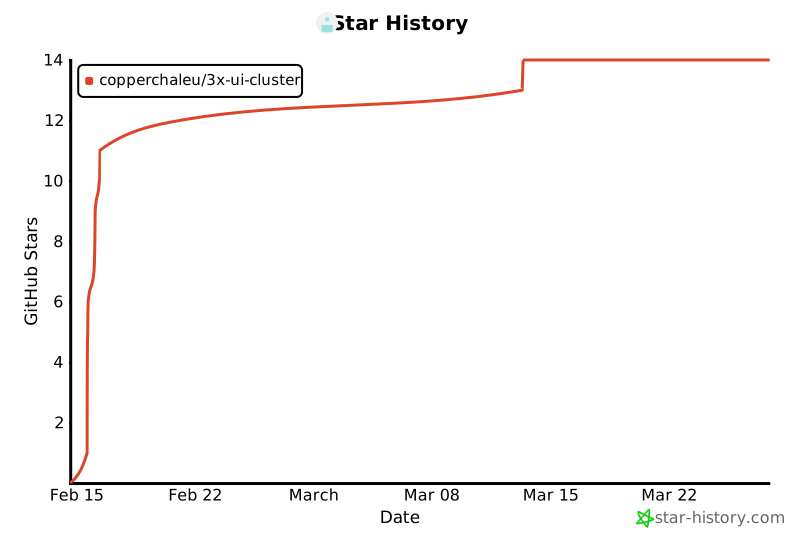
## Star History
[](https://www.star-history.com/#Copperchaleu/3x-ui-cluster&type=date&legend=top-left)