# DEIMv2
**Repository Path**: gengumeng/DEIMv2
## Basic Information
- **Project Name**: DEIMv2
- **Description**: 复制自 https://github.com/Intellindust-AI-Lab/DEIMv2.git
- **Primary Language**: Unknown
- **License**: Apache-2.0
- **Default Branch**: main
- **Homepage**: None
- **GVP Project**: No
## Statistics
- **Stars**: 0
- **Forks**: 0
- **Created**: 2025-11-30
- **Last Updated**: 2025-11-30
## Categories & Tags
**Categories**: Uncategorized
**Tags**: None
## README
Real-Time Object Detection Meets DINOv3






DEIMv2 is an evolution of the DEIM framework while leveraging the rich features from DINOv3. Our method is designed with various model sizes, from an ultra-light version up to S, M, L, and X, to be adaptable for a wide range of scenarios. Across these variants, DEIMv2 achieves state-of-the-art performance, with the S-sized model notably surpassing 50 AP on the challenging COCO benchmark.
---
1. Intellindust AI Lab 2. Xiamen University
* Equal Contribution † Corresponding Author
If you like our work, please give us a ⭐!


## 🚀 Updates
- [x] **\[2025.11.3\]** [We have uploaded our models to Hugging Face](https://huggingface.co/Intellindust)! Thanks to NielsRogge!
- [x] **\[2025.10.28\]** Optimized the attention module in ViT-Tiny, reducing memory usage by half for the S and M models.
- [x] **\[2025.10.2\]** [DEIMv2 has been integrated into X-AnyLabeling!](https://github.com/Intellindust-AI-Lab/DEIMv2/issues/25#issue-3473960491) Many thanks to the X-AnyLabeling maintainers for making this possible.
- [x] **\[2025.9.26\]** Release DEIMv2 series.
## 🧭 Table of Content
* [1. 🤖 Model Zoo](#1-model-zoo)
* [2. ⚡ Quick Start](#2-quick-start)
* [3. 🛠️ Usage](#3-usage)
* [4. 🧰 Tools](#4-tools)
* [5. 📜 Citation](#5-citation)
* [6. 🙏 Acknowledgement](#6-acknowledgement)
* [7. ⭐ Star History](#7-star-history)
## 1. Model Zoo
| Model | Dataset | AP | #Params | GFLOPs | Latency (ms) | config | Hugging Face | checkpoint | log |
| :---: | :---: | :---: | :---: | :---: |:------------:| :---: | :---: | :---: | :---: |
| **Atto** | COCO | **23.8** | 0.5M | 0.8 | 1.10 | [yml](./configs/deimv2/deimv2_hgnetv2_atto_coco.yml) | [huggingface](https://huggingface.co/Intellindust/DEIMv2_HGNetv2_ATTO_COCO) | [Google](https://drive.google.com/file/d/18sRJXX3FBUigmGJ1y5Oo_DPC5C3JCgYc/view?usp=sharing) / [Quark](https://pan.quark.cn/s/04c997582fca) | [Google](https://drive.google.com/file/d/1M7FLN8EeVHG02kegPN-Wxf_9BlkghZfj/view?usp=sharing) / [Quark](https://pan.quark.cn/s/7bf3548d3e10) |
| **Femto** | COCO | **31.0** | 1.0M | 1.7 | 1.45 | [yml](./configs/deimv2/deimv2_hgnetv2_femto_coco.yml) | [huggingface](https://huggingface.co/Intellindust/DEIMv2_HGNetv2_FEMTO_COCO) | [Google](https://drive.google.com/file/d/16hh6l9Oln9TJng4V0_HNf_Z7uYb7feds/view?usp=sharing) / [Quark](https://pan.quark.cn/s/169f3cefec1b) | [Google](https://drive.google.com/file/d/1_KWVfOr3bB5TMHTNOmDIAO-tZJmKB9-b/view?usp=sharing) / [Quark](https://pan.quark.cn/s/9dd5c4940199) |
| **Pico** | COCO | **38.5** | 1.5M | 5.2 | 2.13 | [yml](./configs/deimv2/deimv2_hgnetv2_pico_coco.yml) | [huggingface](https://huggingface.co/Intellindust/DEIMv2_HGNetv2_PICO_COCO) | [Google](https://drive.google.com/file/d/1PXpUxYSnQO-zJHtzrCPqQZ3KKatZwzFT/view?usp=sharing) / [Quark](https://pan.quark.cn/s/0db5b1dff721) | [Google](https://drive.google.com/file/d/1GwyWotYSKmFQdVN9k2MM6atogpbh0lo1/view?usp=sharing) / [Quark](https://pan.quark.cn/s/5ab2a74bb867) |
| **N** | COCO | **43.0** | 3.6M | 6.8 | 2.32 | [yml](./configs/deimv2/deimv2_hgnetv2_n_coco.yml) | [huggingface](https://huggingface.co/Intellindust/DEIMv2_HGNetv2_N_COCO) | [Google](https://drive.google.com/file/d/1G_Q80EVO4T7LZVPfHwZ3sT65FX5egp9K/view?usp=sharing) / [Quark](https://pan.quark.cn/s/1f626f191d11) | [Google](https://drive.google.com/file/d/1QhYfRrUy8HrihD3OwOMJLC-ATr97GInV/view?usp=sharing) / [Quark](https://pan.quark.cn/s/54e5c89675b3) |
| **S** | COCO | **50.9** | 9.7M | 25.6 | 5.78 | [yml](./configs/deimv2/deimv2_dinov3_s_coco.yml) | [huggingface](https://huggingface.co/Intellindust/DEIMv2_DINOv3_S_COCO) | [Google](https://drive.google.com/file/d/1MDOh8UXD39DNSew6rDzGFp1tAVpSGJdL/view?usp=sharing) / [Quark](https://pan.quark.cn/s/f4d05c349a24) | [Google](https://drive.google.com/file/d/1ydA4lWiTYusV1s3WHq5jSxIq39oxy-Nf/view?usp=sharing) / [Quark](https://pan.quark.cn/s/277660d785d2) |
| **M** | COCO | **53.0** | 18.1M | 52.2 | 8.80 | [yml](./configs/deimv2/deimv2_dinov3_m_coco.yml) | [huggingface](https://huggingface.co/Intellindust/DEIMv2_DINOv3_M_COCO) | [Google](https://drive.google.com/file/d/1nPKDHrotusQ748O1cQXJfi5wdShq6bKp/view?usp=sharing) / [Quark](https://pan.quark.cn/s/68a719248756) | [Google](https://drive.google.com/file/d/1i05Q1-O9UH-2Vb52FpFJ4mBG523GUqJU/view?usp=sharing) / [Quark](https://pan.quark.cn/s/32af04f3e4b4) |
| **L** | COCO | **56.0** | 32.2M | 96.7 | 10.47 | [yml](./configs/deimv2/deimv2_dinov3_l_coco.yml) | [huggingface](https://huggingface.co/Intellindust/DEIMv2_DINOv3_L_COCO) | [Google](https://drive.google.com/file/d/1dRJfVHr9HtpdvaHlnQP460yPVHynMray/view?usp=sharing) / [Quark](https://pan.quark.cn/s/966b7ef89bdf) | [Google](https://drive.google.com/file/d/13mrQxyrf1kJ45Yd692UQwdb7lpGoqsiS/view?usp=sharing) / [Quark](https://pan.quark.cn/s/182bd52562a7) |
| **X** | COCO | **57.8** | 50.3M | 151.6 | 13.75 | [yml](./configs/deimv2/deimv2_dinov3_x_coco.yml) | [huggingface](https://huggingface.co/Intellindust/DEIMv2_DINOv3_X_COCO) | [Google](https://drive.google.com/file/d/1pTiQaBGt8hwtO0mbYlJ8nE-HGztGafS7/view?usp=sharing) / [Quark](https://pan.quark.cn/s/038aa966b283) | [Google](https://drive.google.com/file/d/13QV0SwJw1wHl0xHWflZj1KstBUAovSsV/view?usp=drive_link) / [Quark](https://pan.quark.cn/s/333aba42b4bb) |
## 2. Quick start
### 2.0 Using Models from Hugging Face
We currently release our models on Hugging Face! Here's a simple example. You can see detailed configs and more examples in [hf_models.ipynb](./hf_models.ipynb).
Simple example
Create a .py file in the directory of DEIMv2, make sure all components are loaded successfully.
```shell
import torch.nn as nn
from huggingface_hub import PyTorchModelHubMixin
from engine.backbone import HGNetv2, DINOv3STAs
from engine.deim import HybridEncoder, LiteEncoder
from engine.deim import DFINETransformer, DEIMTransformer
from engine.deim.postprocessor import PostProcessor
class DEIMv2(nn.Module, PyTorchModelHubMixin):
def __init__(self, config):
super().__init__()
self.backbone = DINOv3STAs(**config["DINOv3STAs"])
self.encoder = HybridEncoder(**config["HybridEncoder"])
self.decoder = DEIMTransformer(**config["DEIMTransformer"])
self.postprocessor = PostProcessor(**config["PostProcessor"])
def forward(self, x, orig_target_sizes):
x = self.backbone(x)
x = self.encoder(x)
x = self.decoder(x)
x = self.postprocessor(x, orig_target_sizes)
return x
deimv2_s_config = {
"DINOv3STAs": {
...
},
...
}
deimv2_s_hf = DEIMv2.from_pretrained("Intellindust/DEIMv2_DINOv3_S_COCO")
```
### 2.1 Environment Setup
```shell
# You can use PyTorch 2.5.1 or 2.4.1. We have not tried other versions, but we recommend that the PyTorch version be 2.0 or higher.
conda create -n deimv2 python=3.11 -y
conda activate deimv2
pip install -r requirements.txt
```
### 2.2 Data Preparation
2.2.1 COCO2017 Dataset
Follow the steps below to prepare COCO dataset:
1. Download COCO2017 from [OpenDataLab](https://opendatalab.com/OpenDataLab/COCO_2017) or [COCO](https://cocodataset.org/#download).
2. Modify paths in [coco_detection.yml](./configs/dataset/coco_detection.yml)
```yaml
train_dataloader:
img_folder: /data/COCO2017/train2017/
ann_file: /data/COCO2017/annotations/instances_train2017.json
val_dataloader:
img_folder: /data/COCO2017/val2017/
ann_file: /data/COCO2017/annotations/instances_val2017.json
```
2.2.2 (Optional) Custom Dataset
To train on your custom dataset, you need to organize it in the COCO format. Follow the steps below to prepare your dataset:
1. **Set `remap_mscoco_category` to `False`:**
This prevents the automatic remapping of category IDs to match the MSCOCO categories.
```yaml
remap_mscoco_category: False
```
2. **Organize Images:**
Structure your dataset directories as follows:
```shell
dataset/
├── images/
│ ├── train/
│ │ ├── image1.jpg
│ │ ├── image2.jpg
│ │ └── ...
│ ├── val/
│ │ ├── image1.jpg
│ │ ├── image2.jpg
│ │ └── ...
└── annotations/
├── instances_train.json
├── instances_val.json
└── ...
```
- **`images/train/`**: Contains all training images.
- **`images/val/`**: Contains all validation images.
- **`annotations/`**: Contains COCO-formatted annotation files.
3. **Convert Annotations to COCO Format:**
If your annotations are not already in COCO format, you'll need to convert them. You can use the following Python script as a reference or utilize existing tools:
```python
import json
def convert_to_coco(input_annotations, output_annotations):
# Implement conversion logic here
pass
if __name__ == "__main__":
convert_to_coco('path/to/your_annotations.json', 'dataset/annotations/instances_train.json')
```
4. **Update Configuration Files:**
Modify your [custom_detection.yml](./configs/dataset/custom_detection.yml).
```yaml
task: detection
evaluator:
type: CocoEvaluator
iou_types: ['bbox', ]
num_classes: 777 # your dataset classes
remap_mscoco_category: False
train_dataloader:
type: DataLoader
dataset:
type: CocoDetection
img_folder: /data/yourdataset/train
ann_file: /data/yourdataset/train/train.json
return_masks: False
transforms:
type: Compose
ops: ~
shuffle: True
num_workers: 4
drop_last: True
collate_fn:
type: BatchImageCollateFunction
val_dataloader:
type: DataLoader
dataset:
type: CocoDetection
img_folder: /data/yourdataset/val
ann_file: /data/yourdataset/val/ann.json
return_masks: False
transforms:
type: Compose
ops: ~
shuffle: False
num_workers: 4
drop_last: False
collate_fn:
type: BatchImageCollateFunction
```
### 2.3 Backbone Preparation
- **Versions based on HGNetv2**: Backbones will be downloaded automatically during training, so you don't need to worry.
- **DEIMv2-L and X**: We use DINOv3-S and S+ as backbone, you can download them following the guide in [DINOv3](https://github.com/facebookresearch/dinov3).
- **DEIMv2-S and M**: We use our ViT-Tiny and ViT-Tiny+ distilled from DINOv3-S, you can download them from [ViT-Tiny](https://drive.google.com/file/d/1YMTq_woOLjAcZnHSYNTsNg7f0ahj5LPs/view?usp=sharing) and [ViT-Tiny+](https://drive.google.com/file/d/1COHfjzq5KfnEaXTluVGEOMdhpuVcG6Jt/view?usp=sharing).
Place dinov3 and vits into ./ckpts folder as:
```shell
ckpts/
├── dinov3_vits16.pth
├── vitt_distill.pt
├── vittplus_distill.pt
└── ...
```
## 3. Usage
3.1 COCO2017
1. Training
```shell
# for ViT-based variants
CUDA_VISIBLE_DEVICES=0,1,2,3 torchrun --master_port=7777 --nproc_per_node=4 train.py -c configs/deimv2/deimv2_dinov3_${model}_coco.yml --use-amp --seed=0
# for HGNetv2-based variants
CUDA_VISIBLE_DEVICES=0,1,2,3 torchrun --master_port=7777 --nproc_per_node=4 train.py -c configs/deimv2/deimv2_hgnetv2_${model}_coco.yml --use-amp --seed=0
```
2. Testing
```shell
# for ViT-based variants
CUDA_VISIBLE_DEVICES=0,1,2,3 torchrun --master_port=7777 --nproc_per_node=4 train.py -c configs/deimv2/deimv2_dinov3_${model}_coco.yml --test-only -r model.pth
# for HGNetv2-based variants
CUDA_VISIBLE_DEVICES=0,1,2,3 torchrun --master_port=7777 --nproc_per_node=4 train.py -c configs/deimv2/deimv2_hgnetv2_${model}_coco.yml --test-only -r model.pth
```
3. Tuning
```shell
# for ViT-based variants
CUDA_VISIBLE_DEVICES=0,1,2,3 torchrun --master_port=7777 --nproc_per_node=4 train.py -c configs/deimv2/deimv2_dinov3_${model}_coco.yml --use-amp --seed=0 -t model.pth
# for HGNetv2-based variants
CUDA_VISIBLE_DEVICES=0,1,2,3 torchrun --master_port=7777 --nproc_per_node=4 train.py -c configs/deimv2/deimv2_hgnetv2_${model}_coco.yml --use-amp --seed=0 -t model.pth
```
3.2 (Optional) Customizing Batch Size
For example, if you want to use **DEIMv2-S** and double the total batch size to 64 when training **DEIMv2** on COCO2017, here are the steps you should follow:
1. **Modify your [deimv2_dinov3_s_coco.yml](./configs/deimv2/deimv2_dinov3_s_coco.yml)** to increase the `total_batch_size`:
```yaml
train_dataloader:
total_batch_size: 64
dataset:
transforms:
ops:
...
collate_fn:
...
```
2. **Modify your [deimv2_dinov3_s_coco.yml](./configs/deimv2/deimv2_dinov3_s_coco.yml)**. Here’s how the key parameters should be adjusted:
```yaml
optimizer:
type: AdamW
params:
-
# except norm/bn/bias in self.dinov3
params: '^(?=.*.dinov3)(?!.*(?:norm|bn|bias)).*$'
lr: 0.00005 # doubled, linear scaling law
-
# including all norm/bn/bias in self.dinov3
params: '^(?=.*.dinov3)(?=.*(?:norm|bn|bias)).*$'
lr: 0.00005 # doubled, linear scaling law
weight_decay: 0.
-
# including all norm/bn/bias except for the self.dinov3
params: '^(?=.*(?:sta|encoder|decoder))(?=.*(?:norm|bn|bias)).*$'
weight_decay: 0.
lr: 0.0005 # linear scaling law if needed
betas: [0.9, 0.999]
weight_decay: 0.0001
ema: # added EMA settings
decay: 0.9998 # adjusted by 1 - (1 - decay) * 2
warmups: 500 # halved
lr_warmup_scheduler:
warmup_duration: 250 # halved
```
3.3 (Optional) Customizing Input Size
If you'd like to train **DEIMv2-S** on COCO2017 with an input size of 320x320, follow these steps:
1. **Modify your [deimv2_dinov3_s_coco.yml](./configs/deimv2/deimv2_dinov3_s_coco.yml)**:
```yaml
eval_spatial_size: [320, 320]
train_dataloader:
# Here we set the total_batch_size to 64 as an example.
total_batch_size: 64
dataset:
transforms:
ops:
# Especially for Mosaic augmentation, it is recommended that output_size = input_size / 2.
- {type: Mosaic, output_size: 160, rotation_range: 10, translation_range: [0.1, 0.1], scaling_range: [0.5, 1.5],
probability: 1.0, fill_value: 0, use_cache: True, max_cached_images: 50, random_pop: True}
...
- {type: Resize, size: [320, 320], }
...
collate_fn:
base_size: 320
...
val_dataloader:
dataset:
transforms:
ops:
- {type: Resize, size: [320, 320], }
...
```
3.4 (Optional) Customizing Epoch
If you want to finetune **DEIMv2-S** for **20** epochs, follow these steps (for reference only; feel free to adjust them according to your needs):
```yml
epoches: 32 # Total epochs: 20 for training + EMA for 4n = 12. n refers to the model size in the matched config.
flat_epoch: 14 # 4 + 20 // 2
no_aug_epoch: 12 # 4n
train_dataloader:
dataset:
transforms:
ops:
...
policy:
epoch: [4, 14, 20] # [start_epoch, flat_epoch, epoches - no_aug_epoch]
collate_fn:
...
mixup_epochs: [4, 14] # [start_epoch, flat_epoch]
stop_epoch: 20 # epoches - no_aug_epoch
copyblend_epochs: [4, 20] # [start_epoch, epoches - no_aug_epoch]
DEIMCriterion:
matcher:
...
matcher_change_epoch: 18 # ~90% of (epoches - no_aug_epoch)
```
## 4. Tools
4.1 Deployment
1. Setup
```shell
pip install onnx onnxsim
```
2. Export onnx
```shell
python tools/deployment/export_onnx.py --check -c configs/deimv2/deimv2_dinov3_${model}_coco.yml -r model.pth
```
3. Export [tensorrt](https://docs.nvidia.com/deeplearning/tensorrt/install-guide/index.html)
```shell
trtexec --onnx="model.onnx" --saveEngine="model.engine" --fp16
```
4.2 Inference (Visualization)
1. Setup
```shell
pip install -r tools/inference/requirements.txt
```
2. Inference (onnxruntime / tensorrt / torch)
Inference on images and videos is now supported.
```shell
python tools/inference/onnx_inf.py --onnx model.onnx --input image.jpg # video.mp4
python tools/inference/trt_inf.py --trt model.engine --input image.jpg
python tools/inference/torch_inf.py -c configs/deimv2/deimv2_dinov3_${model}_coco.yml -r model.pth --input image.jpg --device cuda:0
```
4.3 Benchmark
1. Setup
```shell
pip install -r tools/benchmark/requirements.txt
```
2. Model FLOPs, MACs, and Params
```shell
python tools/benchmark/get_info.py -c configs/deimv2/deimv2_dinov3_${model}_coco.yml
```
2. TensorRT Latency
```shell
python tools/benchmark/trt_benchmark.py --COCO_dir path/to/COCO2017 --engine_dir model.engine
```
4.4 Fiftyone Visualization
1. Setup
```shell
pip install fiftyone
```
2. Voxel51 Fiftyone Visualization ([fiftyone](https://github.com/voxel51/fiftyone))
```shell
python tools/visualization/fiftyone_vis.py -c configs/deimv2/deimv2_dinov3_${model}_coco.yml -r model.pth
```
4.5 Others
1. Auto Resume Training
```shell
bash reference/safe_training.sh
```
2. Converting Model Weights
```shell
python reference/convert_weight.py model.pth
```
## 5. Citation
If you use `DEIMv2` or its methods in your work, please cite the following BibTeX entries:
```latex
@article{huang2025deimv2,
title={Real-Time Object Detection Meets DINOv3},
author={Huang, Shihua and Hou, Yongjie and Liu, Longfei and Yu, Xuanlong and Shen, Xi},
journal={arXiv},
year={2025}
}
```
## 6. Acknowledgement
Our work is built upon [D-FINE](https://github.com/Peterande/D-FINE), [RT-DETR](https://github.com/lyuwenyu/RT-DETR), [DEIM](https://github.com/ShihuaHuang95/DEIM), and [DINOv3](https://github.com/facebookresearch/dinov3). Thanks for their great work!
✨ Feel free to contribute and reach out if you have any questions! ✨
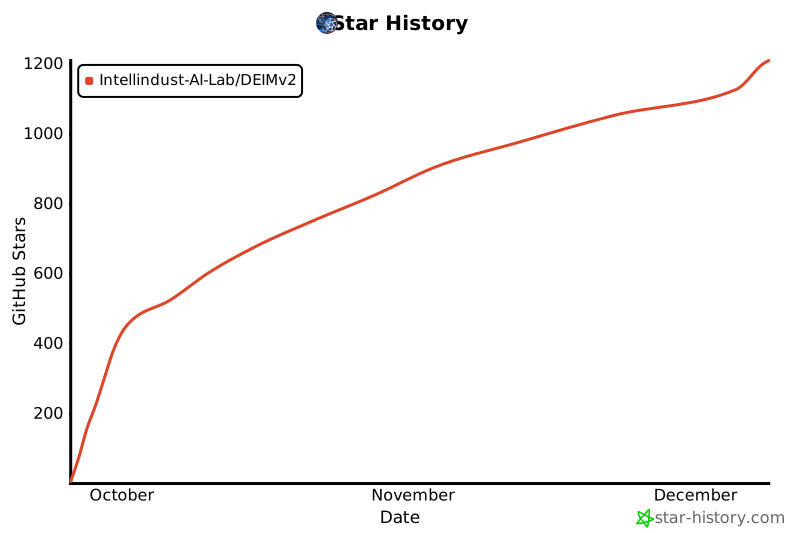
## 7. Star History
[](https://www.star-history.com/#Intellindust-AI-Lab/DEIMv2&Date)