# zpscan
**Repository Path**: gid5564/zpscan
## Basic Information
- **Project Name**: zpscan
- **Description**: No description available
- **Primary Language**: Unknown
- **License**: MIT
- **Default Branch**: main
- **Homepage**: None
- **GVP Project**: No
## Statistics
- **Stars**: 0
- **Forks**: 0
- **Created**: 2024-08-13
- **Last Updated**: 2024-08-13
## Categories & Tags
**Categories**: Uncategorized
**Tags**: None
## README
zpscan
命令行信息收集工具



## 功能
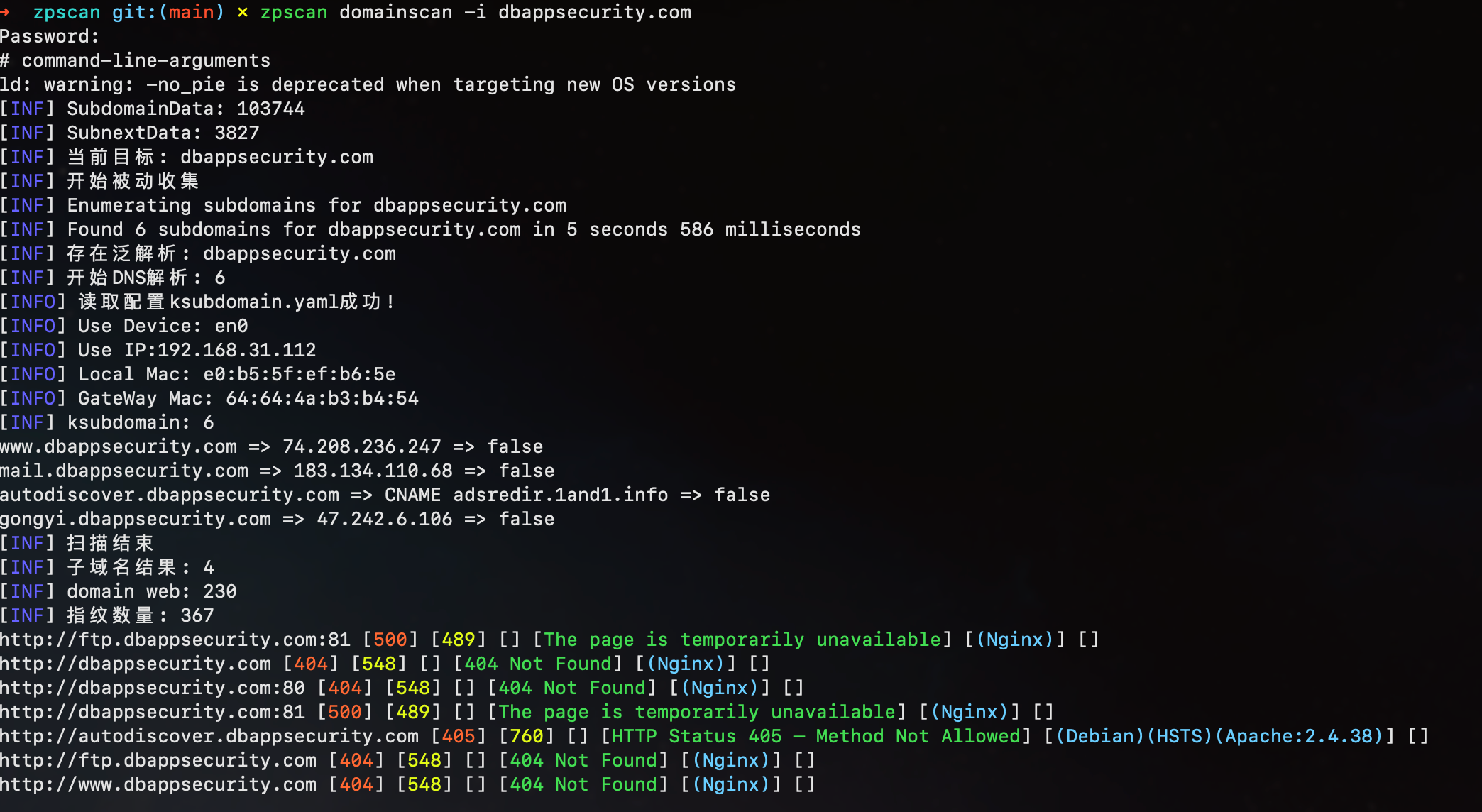
- domainscan
- 调用 subfinder 被动收集,调用 ksubdoamin 进行 dns 验证
- 泛解析、CDN 判断
- 获取 domain 相关的 web(host:port)资产,使用 webscan 扫描
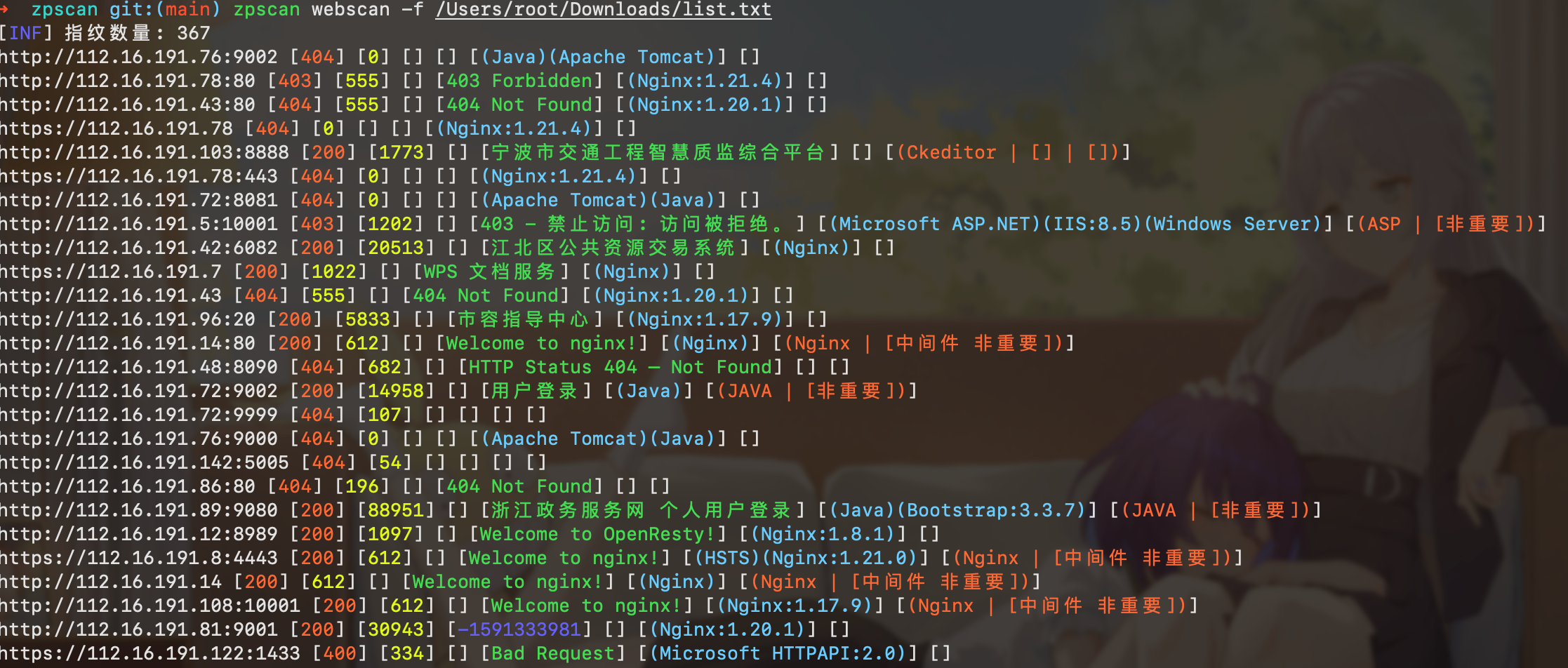
- webscan
- 支持 http/https scheme 自动判断
- 获取 statusCode、contentLength、favicon、iconHash、title、wappalyzer、finger
- title 自动中文解码
- js 静态分析跳转
- favicon 自动分析获取 iconhash
- 指纹自定义 tags 用来过滤和标记,pocTags 与 pocscan 对应
- 联动模块(webscan -> pocscan)
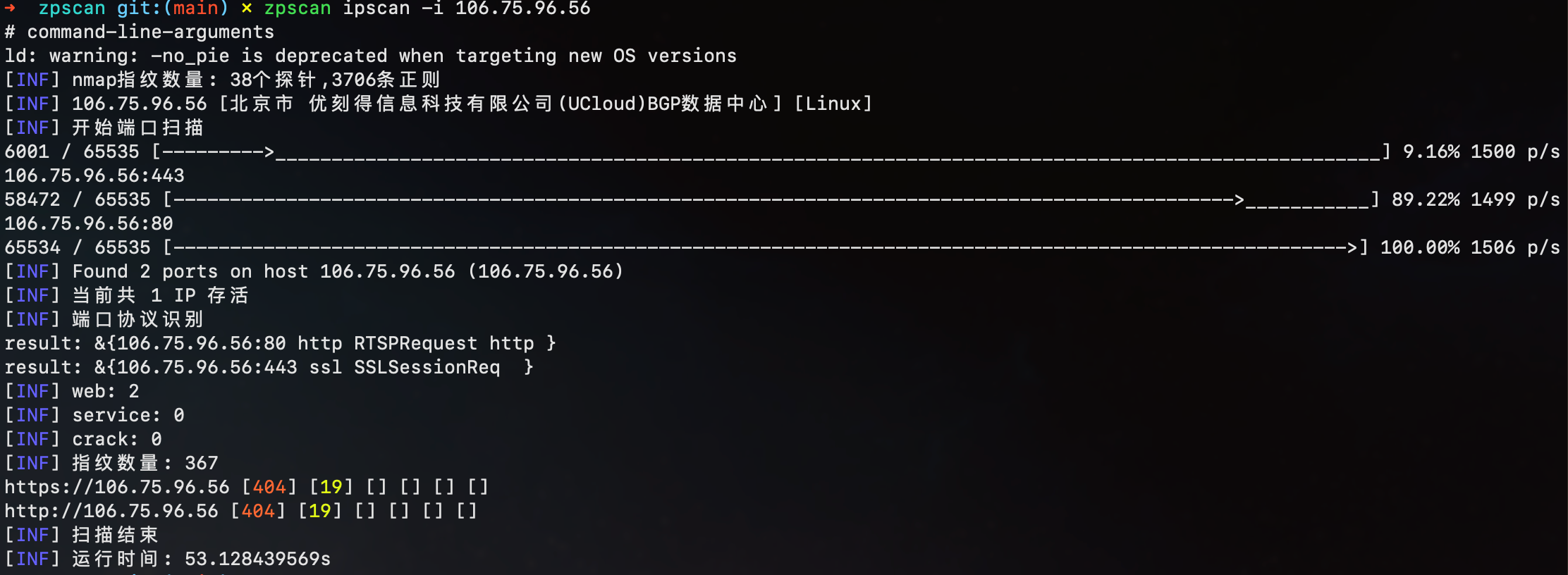
- ipscan
- 支持多种输入格式(192.168.1.1-128)(192.168.1.0/24)
- 先端口开放扫描(tcp),使用 nmap 指纹识别协议
- 获取地理位置
- 操作系统识别
- 联动模块(ipscan -> webscan -> crack)
- crack
- 支持默认端口协议和自定义协议爆破(127.0.0.1:3306)(127.0.01:3307|mysql)
- 支持常见服务口令爆破、未授权检测( ftp,ssh,wmi,wmihash,smb,mssql,oracle,mysql,rdp,postgres,redis,memcached,mongodb)
- 全部模块测试用例(爆破成功、失败、超时)
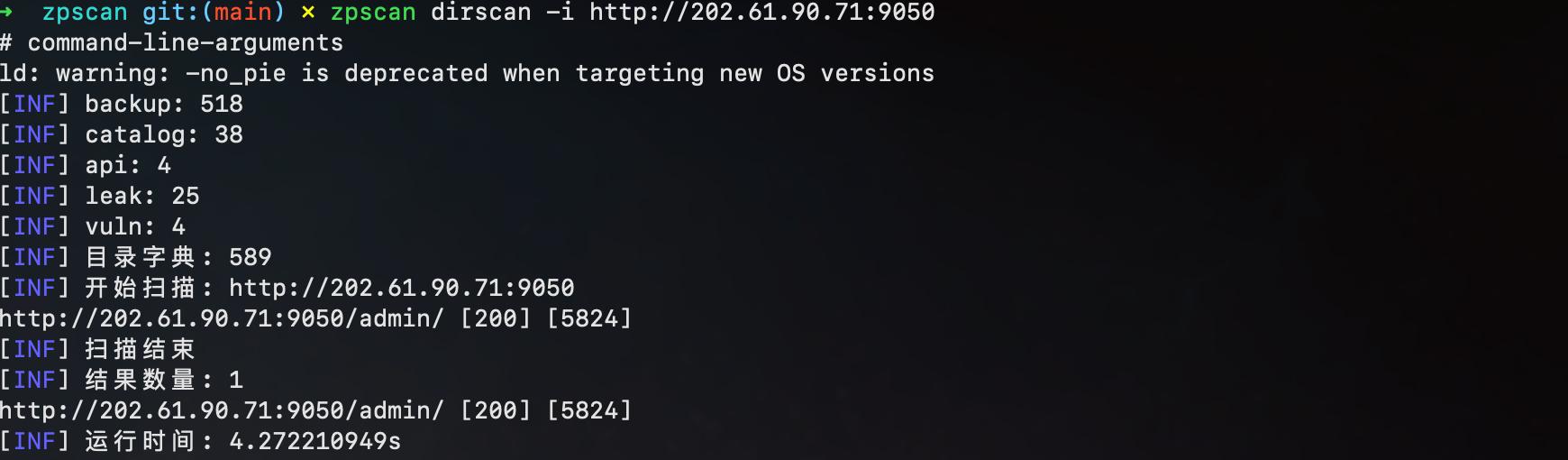
- dirscan
- 字典分类
- 结果过滤(重复 contentLength 判断)
- pocscan
- 支持多种 poc 格式(goby、xray、nuclei)
- 支持指定 tag 加载 poc
- expscan
- 基于 nuclei 的 exp 框架,通过 variables 替换 payload,通过 extractors 匹配结果
## 使用
```
➜ zpscan git:(main) ./zpscan -h
一个有点好用的信息收集工具 by zp857
Usage:
zpscan [command]
Available Commands:
crack 常见服务弱口令爆破
dirscan 目录扫描
domainscan 子域名收集
help Help about any command
ipscan 端口扫描
pocscan poc扫描
webscan web信息收集
Flags:
--debug show debug output
-h, --help help for zpscan
-i, --input string single input(example: -i 'xxx')
-f, --input-file string inputs file(example: -f 'xxx.txt')
--no-color disable colors in output
-o, --output string output file to write found results (default "result.txt")
Use "zpscan [command] --help" for more information about a command.
```
子命令(domainscan|ipscan|webscan|crack|dirscan|pocscan)
```
➜ zpscan git:(main) ./zpscan crack -h
常见服务弱口令爆破,支持ftp,ssh,wmi,wmihash,smb,mssql,oracle,mysql,rdp,postgres,redis,memcached,mongodb
Usage:
zpscan crack [flags]
Flags:
--crack-all crack all user:pass
--delay int delay between requests in seconds (0 to disable)
-h, --help help for crack
-m, --module string choose one module to crack(ftp,ssh,wmi,mssql,oracle,mysql,rdp,postgres,redis,memcached,mongodb) (default "all")
--pass string pass(example: --pass 'admin,root')
--pass-file string pass file(example: --pass-file 'pass.txt')
--threads int number of threads (default 1)
--timeout int timeout in seconds (default 10)
--user string user(example: --user 'admin,root')
--user-file string user file(example: --user-file 'user.txt')
Global Flags:
--debug show debug output
-i, --input string single input(example: -i 'xxx')
-f, --input-file string inputs file(example: -f 'xxx.txt')
--no-color disable colors in output
-o, --output string output file to write found results (default "result.txt")
[INF] 运行时间: 545.655µs
```
## 截图
domainscan
ipscan
webscan
crack

dirscan
pocscan

expscan

## 说明
- 下载并放置资源文件(config.yaml、resource/)到可执行文件的同目录下
https://niudaii.oss-cn-hangzhou.aliyuncs.com/resource.zip
## 更新
2023-01-04
- 改进 domainscan 模块的 subfinder 模块
- 改进 dirscan 模块,根据 url 自动补充字典
2022-12-21
- 增加 exp 模块(nuclei),支持走代理扫描
2022-11-10
- 增加 pocscan 模块
### TODO
- [ ] 子域名存在泛解析时爆破方式:使用 TTL 判断
## Q&A
#### 1、linux操作系统端口扫描时出现:ping err, socket: permission denied
```
sudo sysctl -w net.ipv4.ping_group_range="0 2147483647"
```
## 参考
https://github.com/projectdiscovery/subfinder
https://github.com/boy-hack/ksubdomain
https://github.com/netxfly/x-crack
https://github.com/shadow1ng/fscan
https://github.com/zu1k/nali
https://github.com/projectdiscovery/naabu
https://github.com/projectdiscovery/nuclei
https://github.com/Ciyfly/woodpecker