# NoNonsense-FilePicker
**Repository Path**: growupai_0/NoNonsense-FilePicker
## Basic Information
- **Project Name**: NoNonsense-FilePicker
- **Description**: No description available
- **Primary Language**: Unknown
- **License**: MPL-2.0
- **Default Branch**: master
- **Homepage**: None
- **GVP Project**: No
## Statistics
- **Stars**: 0
- **Forks**: 0
- **Created**: 2021-12-30
- **Last Updated**: 2021-12-30
## Categories & Tags
**Categories**: Uncategorized
**Tags**: None
## README
## Note: avoid using as SD-card file picker on Kitkat+
In Kitkat or above, use Android's built-in file-picker instead. Google has restricted the ability of external libraries like this from creating directories on external SD-cards in Kitkat and above which will manifest itself as a crash.
If you need to support pre-Kitkat devices see [#158](https://github.com/spacecowboy/NoNonsense-FilePicker/issues/158#issuecomment-353896387) for the recommendation approach.
This does not impact the library's utility for non-SD-card locations, nor does it impact you if you don't want to allow a user to create directories.
# NoNonsense-FilePicker


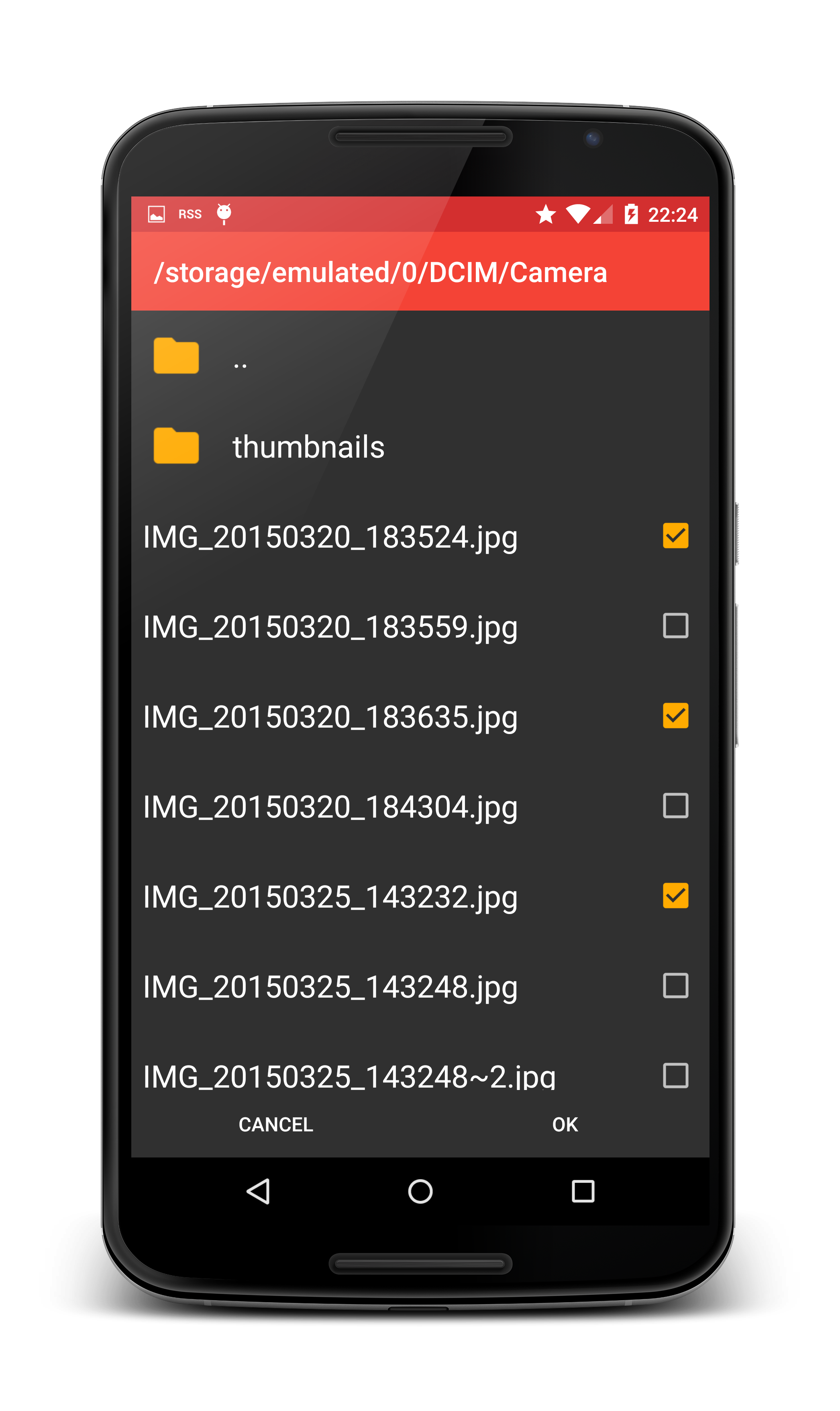

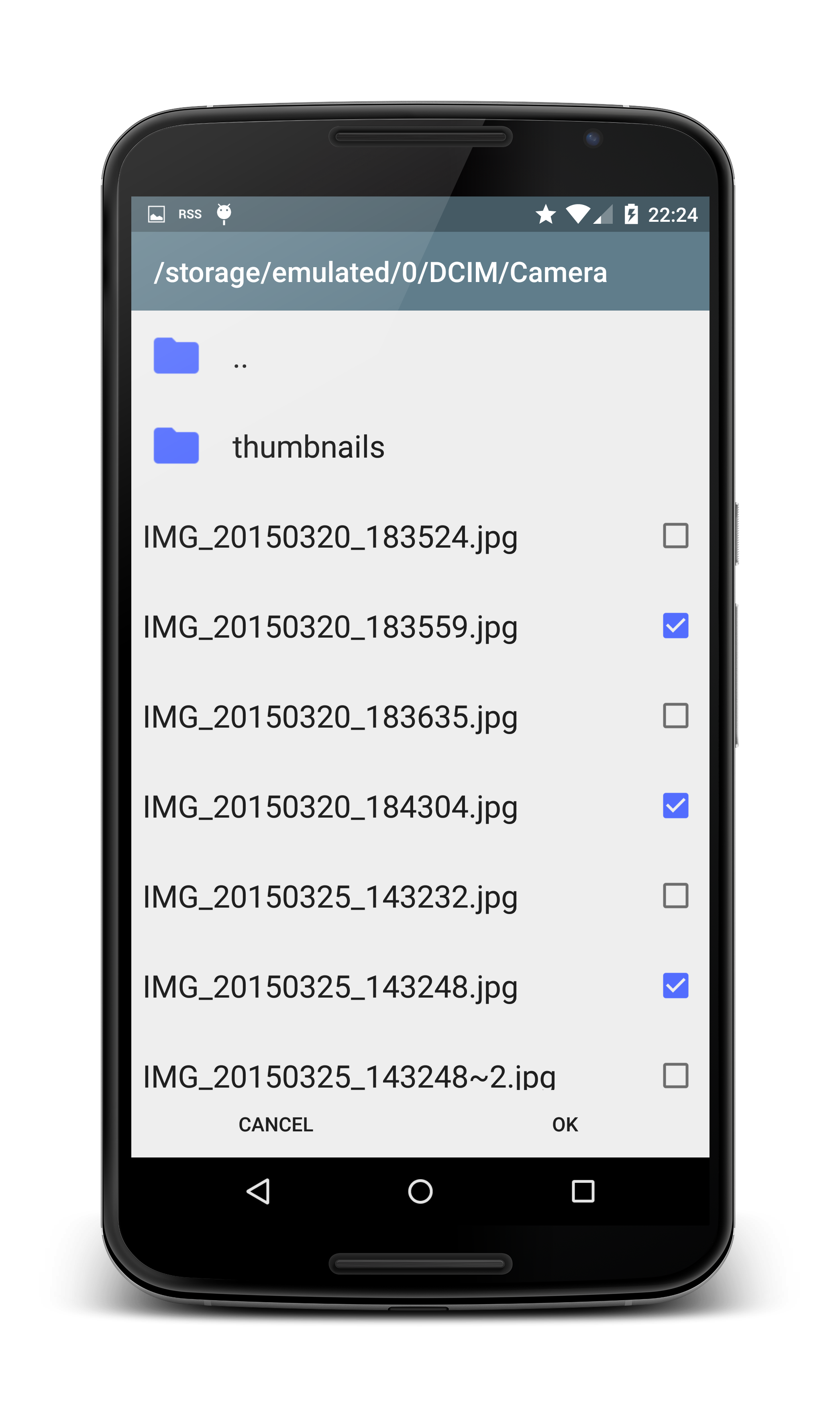

- Extendable for sources other than SD-card (Dropbox, FTP, Drive, etc)
- Can select multiple items
- Select directories or files, or both
- Create new directories in the picker
- Material theme with AppCompat
## Yet another file picker library?
I needed a file picker that had two primary properties:
1. Easy to extend: I needed a file picker that would work for normal
files on the SD-card, and also for using the Dropbox API.
2. Able to create a directory in the picker.
This project has both of those qualities. As a bonus, it also scales
nicely to work on any phone or tablet. The core is placed in abstract
classes, so it is fairly easy to extend the picker to create
your own.
The library includes an implementation that allows the user to pick
files from the SD-card. But the picker could easily be extended to get
its file listings from another source, such as Dropbox, FTP, SSH and
so on. The sample app includes implementations which browses your
Dropbox and a Linux mirror FTP-server.
By inheriting from an Activity, the picker is able to be rendered as
full screen on small screens and as a dialog on large screens. It does
this through the theme system, so it is very important for the
activity to use a correctly configured theme.
## How to include in your project (with Gradle)
Just add the dependency to your *build.gradle*:
```groovy
repositories {
jcenter()
}
dependencies {
compile 'com.nononsenseapps:filepicker:4.1.0'
}
```
## How to use the included SD-card picker:
### Include permission in your manifest
```xml
```
### Include a provider element
Due to changes in Android 6.0 Marshmallow, bare File URIs can no
longer be returned in a safe way. This change requires you to add an
entry to your manifest to use the included FilePickerFragment:
**NOTE: the authority of this provider is hard-coded in the bundled FilePickerFragment. If you have an existing content provider in your app with the same authority you will have a conflict. You'll either have to rename your existing authority or extend FilePickerFragment and override which authority is used.**
```xml
```
### Include the file picker activity
The intent filter is optional depending on your use case. Note that
the theme set in the manifest is important.
```xml
```
### Configure the theme
You must **set the theme** on the activity, but you can configure it to
match your existing application theme. You can also name it whatever
you like..
```xml
```
### Starting the picker in your app
```java
// This always works
Intent i = new Intent(context, FilePickerActivity.class);
// This works if you defined the intent filter
// Intent i = new Intent(Intent.ACTION_GET_CONTENT);
// Set these depending on your use case. These are the defaults.
i.putExtra(FilePickerActivity.EXTRA_ALLOW_MULTIPLE, false);
i.putExtra(FilePickerActivity.EXTRA_ALLOW_CREATE_DIR, false);
i.putExtra(FilePickerActivity.EXTRA_MODE, FilePickerActivity.MODE_FILE);
// Configure initial directory by specifying a String.
// You could specify a String like "/storage/emulated/0/", but that can
// dangerous. Always use Android's API calls to get paths to the SD-card or
// internal memory.
i.putExtra(FilePickerActivity.EXTRA_START_PATH, Environment.getExternalStorageDirectory().getPath());
startActivityForResult(i, FILE_CODE);
```
### Handling the result
You can use the included utility method to parse the activity result:
```java
protected void onActivityResult(int requestCode, int resultCode, Intent intent) {
if (requestCode == FILE_CODE && resultCode == Activity.RESULT_OK) {
// Use the provided utility method to parse the result
List files = Utils.getSelectedFilesFromResult(intent);
for (Uri uri: files) {
File file = Utils.getFileForUri(uri);
// Do something with the result...
}
}
}
```
## Want to customize further?
See some examples in the [Wiki](http://spacecowboy.github.io/NoNonsense-FilePicker/)
See the sample project for examples on dark and light themes, and
implementations using Dropbox and FTP.
## Not using Gradle yet?
Time to start! To convert your current Eclipse project, have a look at
my brief explanation:
## Changelog
See [CHANGELOG](https://github.com/spacecowboy/NoNonsense-FilePicker/blob/master/CHANGELOG.md)