# face-alignment
**Repository Path**: hbf1997/face-alignment
## Basic Information
- **Project Name**: face-alignment
- **Description**: 7000+FPS face alignment
- **Primary Language**: C++
- **License**: Not specified
- **Default Branch**: master
- **Homepage**: None
- **GVP Project**: No
## Statistics
- **Stars**: 0
- **Forks**: 1
- **Created**: 2019-05-31
- **Last Updated**: 2022-03-23
## Categories & Tags
**Categories**: Uncategorized
**Tags**: None
## README
LBF
=========================
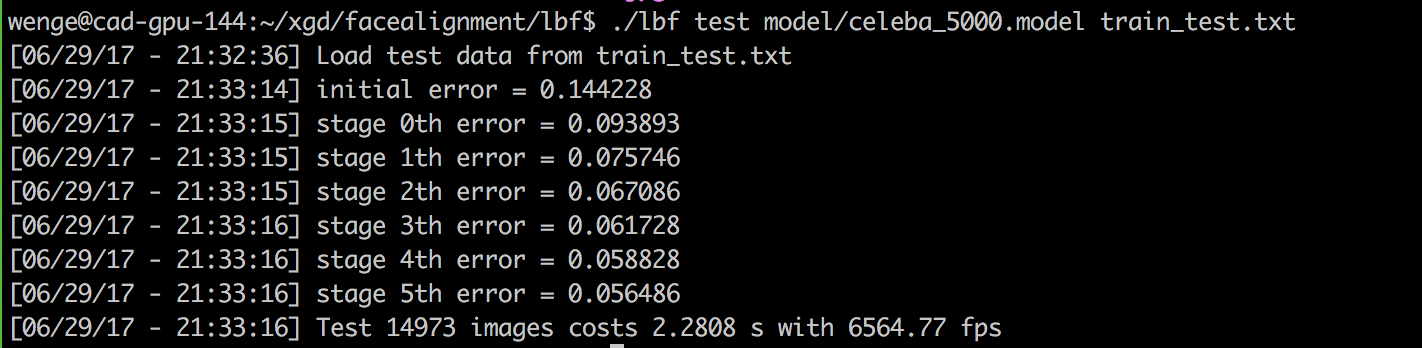
C++ implementation of Face Alignment at 3000 FPS via Regressing Local Binary Features. It could runs 7000+fps in my cpu computer.
### Build the project
We only need [OpenCV][opencv] and [CMake][cmake] to build the project.
```
git clone https://github.com/memoiry/face-alignment
cd face-alignment
mkdir build
cd build
cmake ..
make
```
The project provide several function.
1. Prepare the training file.
2. Train the model using your dataset.
3. Face alignment on a image with bounding box information and trained model.
4. Test the effectiveness of a trained model using the dataset you provide.
5. Real-time face alignment on a camera using opencv's VJ detection algorithm.
### 1. Prepare Data
We can download dataset from helen dataset. The dataset contains 68 points for every face, however it doesn't provide a bounding box for faces. We need a face detector to generate face bounding box (The haar-like cascade detection provided by OpenCV is a good choice ).
Download the dataset and extract the data (xxx.jpg and xxx.pts) to the directory e.g. `/home/test/dataset/afw`. We also need one text file `Path_Images_train.txt`to list the images used for training. The `dir` command on Windows and `find`command on Linux could do this job. Simply run the command on Linux:
```
$ find /home/test/dataset/afw/ -name "*jpg" > /home/test/dataset/afw/Path_Images_train.txt
```
When `Path_Images_train.txt` is prepared, we also need one text file `train.txt`. Each line of the text file points out an image path and face bounding box in this image with facial points location. We use VJ detector provided by OpenCV. Run `lbf prepare` command to generate the text file `train.txt`:
```
$ ./lbf prepare /home/test/dataset/afw/Path_Images_train.txt haarcascade_frontalface_alt.xml train.txt
```
- **/home/test/dataset/afw/Path_Images_train.txt**: the whole path that holds `Path_Images_train.txt`
- **haarcascade_frontalface_alt.xml**: OpenCV haar-like face detect model
- **train.txt**: output file that holds image path and face bounding box in this image with facial points location
**The effectiveness of LBF is quite dependent on the bounding box provided by detection algorithm. While opencv's cascade VJ algorithm provide a square bounding box, the SSD algorithm usually produce a rectangle bounding box. So I highly suggest using the bounding provided by the detection algorithm you will use instead of using prepare script which utilize opencv's VJ algorithm. I have provided a python script as a example to produce train.txt file**
### 2. Train
The command `$ ./lbf train` will start training from text file `train.txt`and saving model into file e.g. `my.model`
```
$ ./lbf train train.txt my.model
```
- **train.txt**: text file generated by `$ ./lbf prepare` command
- **my.model**: save model file
### 3. Face alignment on image
The command `$ ./lbf live` will find faces on input image and locate facial points.
```
$ ./lbf live my.model haarcascade_frontalface_alt.xml test.jpg
```
- **my.model**: pre-trained model file
- **haarcascade_frontalface_alt.xml**: OpenCV haar-like face detect model
- **test.jpg**: input image
### 4. Face alignment test
```bash
./lbf run ../model/celeba_5000.model ../test_model.txt
```
You may need to place the CelebA dataset in the order of test_model.txt.
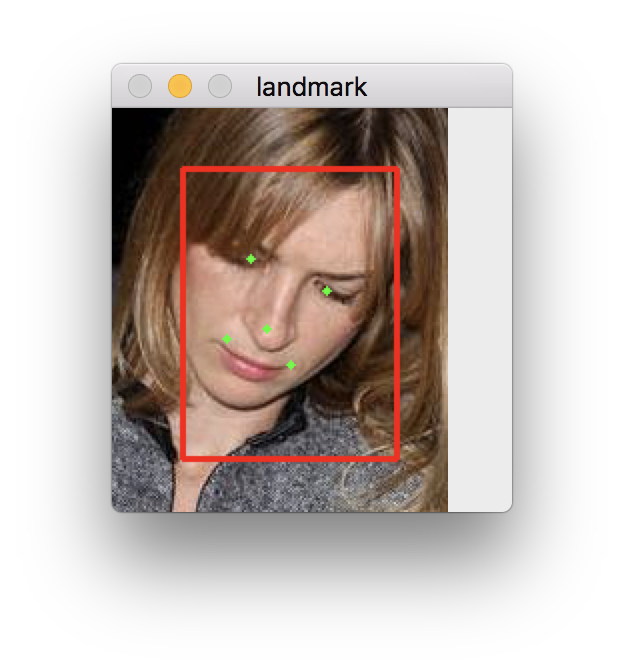
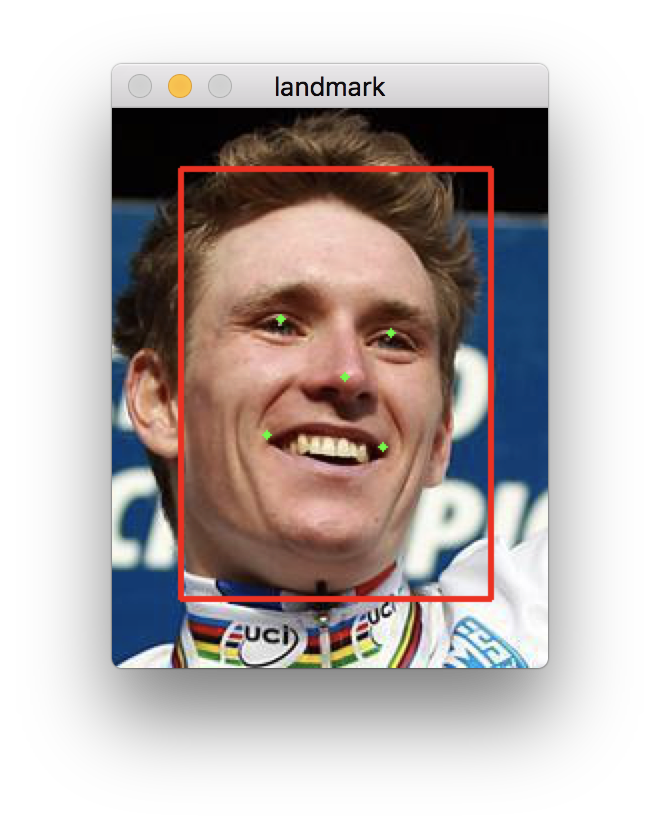
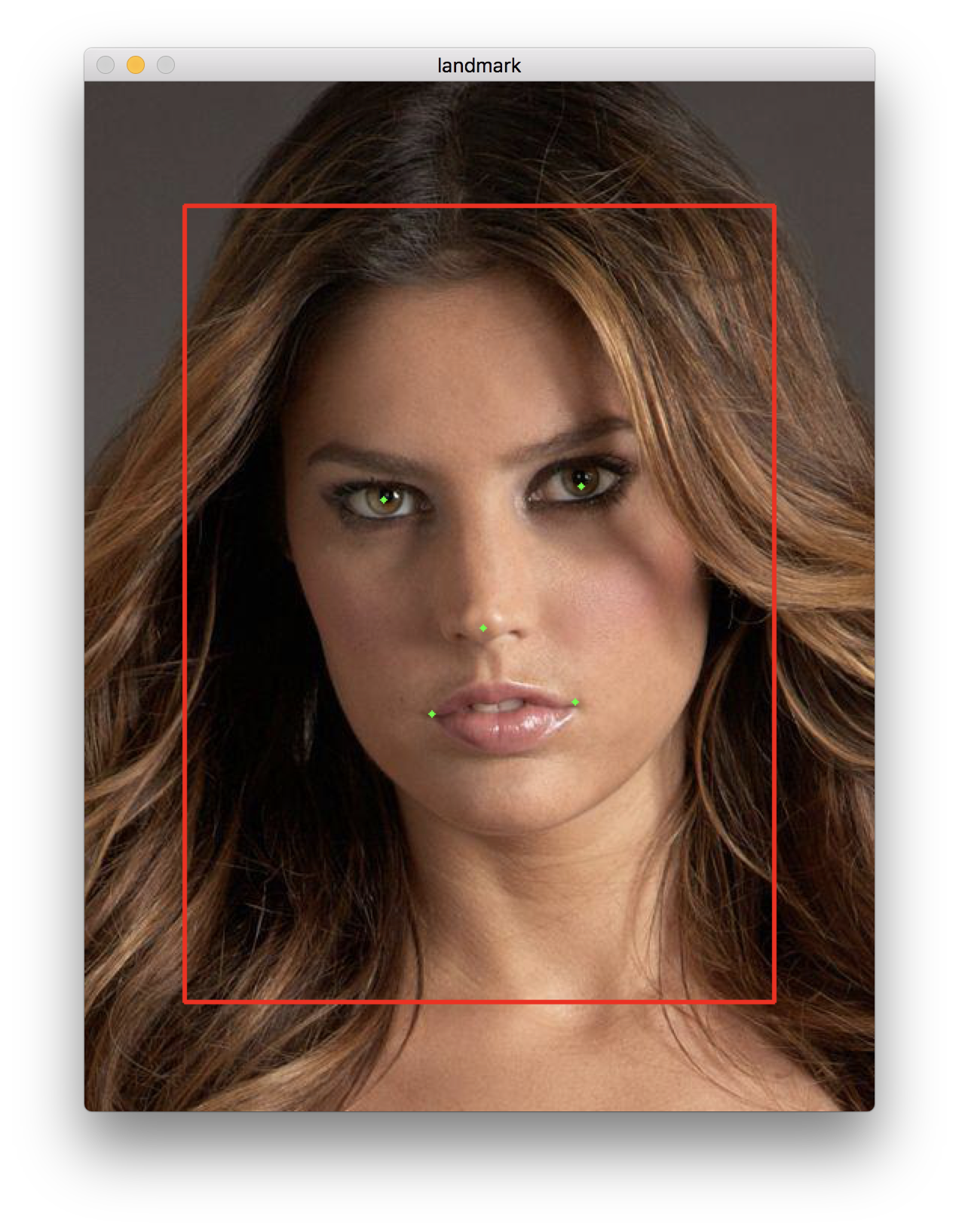 The model was trained on SSD bounding box and celebA dataset. It performs bad on VJ bounding box.
### 5. Face alignment on camera
The command `$ ./lbf camera` will find faces from you camera and locate facial points.
```
./lbf camera ../model/helen.model ../model/haarcascade_frontalface_alt.xml 0
```
- **helen.model**: pre-trained model in helen dataset(on opencv's dataset).
- **haarcascade_frontalface_alt.xml**: OpenCV haar-like face detect model
- **0**: camera index
### Pre-trained Model
I provide some pre-trained models which you can find from the directory `model`.
### Reference
- [Datasets][dataset]
- [Face Alignment at 3000 FPS via Regressing Local Binary Features](http://research.microsoft.com/en-US/people/yichenw/cvpr14_facealignment.pdf)
- [jwyang/face-alignment](https://github.com/jwyang/face-alignment)
- [yulequan/face-alignment-in-3000fps](https://github.com/yulequan/face-alignment-in-3000fps)
[dataset]: http://ibug.doc.ic.ac.uk/resources/facial-point-annotations
[opencv]: http://opencv.org/
[cmake]: http://www.cmake.org/
[vs]: https://www.visualstudio.com/
The model was trained on SSD bounding box and celebA dataset. It performs bad on VJ bounding box.
### 5. Face alignment on camera
The command `$ ./lbf camera` will find faces from you camera and locate facial points.
```
./lbf camera ../model/helen.model ../model/haarcascade_frontalface_alt.xml 0
```
- **helen.model**: pre-trained model in helen dataset(on opencv's dataset).
- **haarcascade_frontalface_alt.xml**: OpenCV haar-like face detect model
- **0**: camera index
### Pre-trained Model
I provide some pre-trained models which you can find from the directory `model`.
### Reference
- [Datasets][dataset]
- [Face Alignment at 3000 FPS via Regressing Local Binary Features](http://research.microsoft.com/en-US/people/yichenw/cvpr14_facealignment.pdf)
- [jwyang/face-alignment](https://github.com/jwyang/face-alignment)
- [yulequan/face-alignment-in-3000fps](https://github.com/yulequan/face-alignment-in-3000fps)
[dataset]: http://ibug.doc.ic.ac.uk/resources/facial-point-annotations
[opencv]: http://opencv.org/
[cmake]: http://www.cmake.org/
[vs]: https://www.visualstudio.com/