# lets-plot-kotlin **Repository Path**: hhdych_admin/lets-plot-kotlin ## Basic Information - **Project Name**: lets-plot-kotlin - **Description**: No description available - **Primary Language**: Unknown - **License**: MIT - **Default Branch**: master - **Homepage**: None - **GVP Project**: No ## Statistics - **Stars**: 0 - **Forks**: 1 - **Created**: 2024-01-10 - **Last Updated**: 2024-05-31 ## Categories & Tags **Categories**: Uncategorized **Tags**: None ## README # Lets-Plot Kotlin API [![official JetBrains project](http://jb.gg/badges/official-flat-square.svg)](https://confluence.jetbrains.com/display/ALL/JetBrains+on+GitHub) [![License MIT](https://img.shields.io/badge/License-MIT-yellow.svg)](https://raw.githubusercontent.com/JetBrains/lets-plot-kotlin/master/LICENSE) [![Latest Release](https://img.shields.io/github/v/release/JetBrains/lets-plot-kotlin)](https://github.com/JetBrains/lets-plot-kotlin/releases/latest) **Lets-Plot Kotlin API** is a Kotlin API for [Lets-Plot Multiplatform](https://github.com/JetBrains/lets-plot) plotting library, \ which is built on the principles of layered graphics first described in the \ Leland Wilkinson work [The Grammar of Graphics](https://www.goodreads.com/book/show/2549408.The_Grammar_of_Graphics).
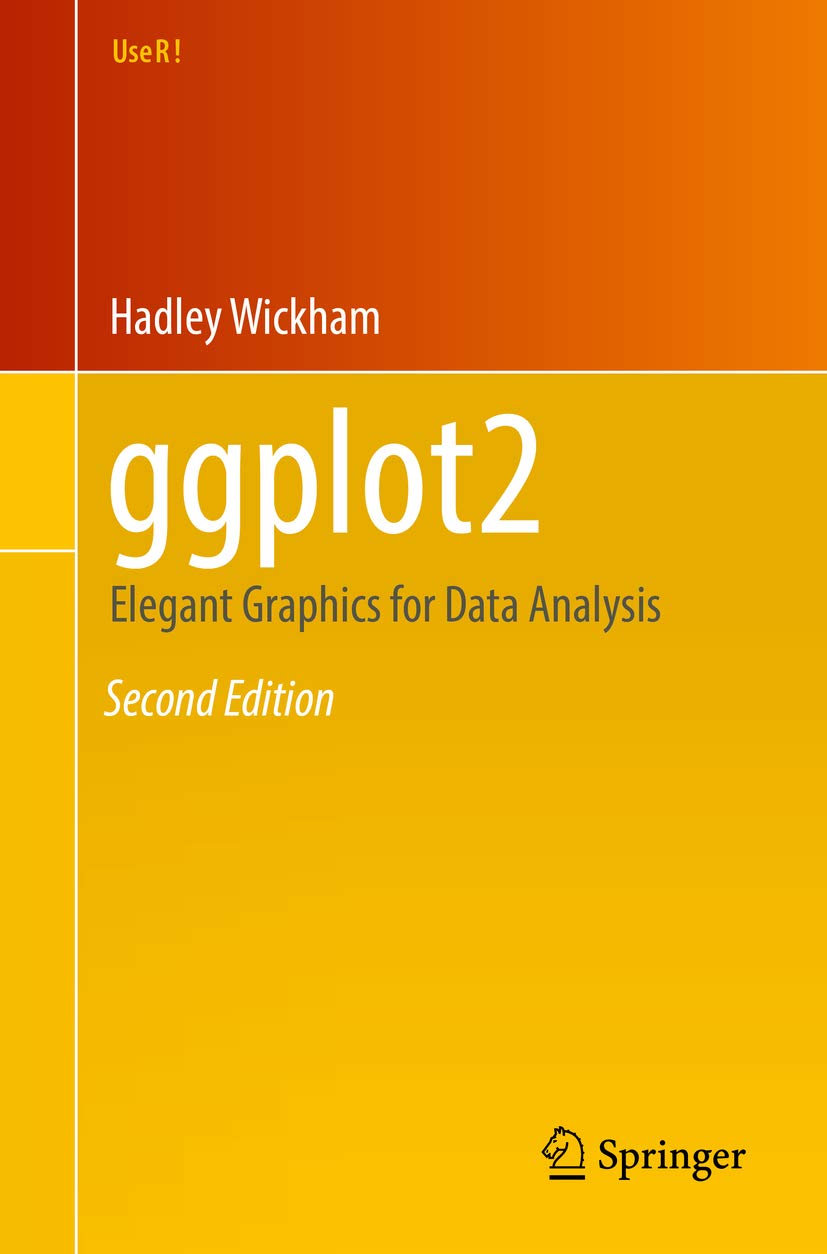
book cover

Lets-Plot Kotlin API is largely based on the API
provided by ggplot2 package well-known to data scientists who use R.

To learn more about the Grammar of Graphics,
we recommend an excellent book called
“ggplot2: Elegant Graphics for Data Analysis”.

This will be a good prerequisite for further exploration of the Lets-Plot library.
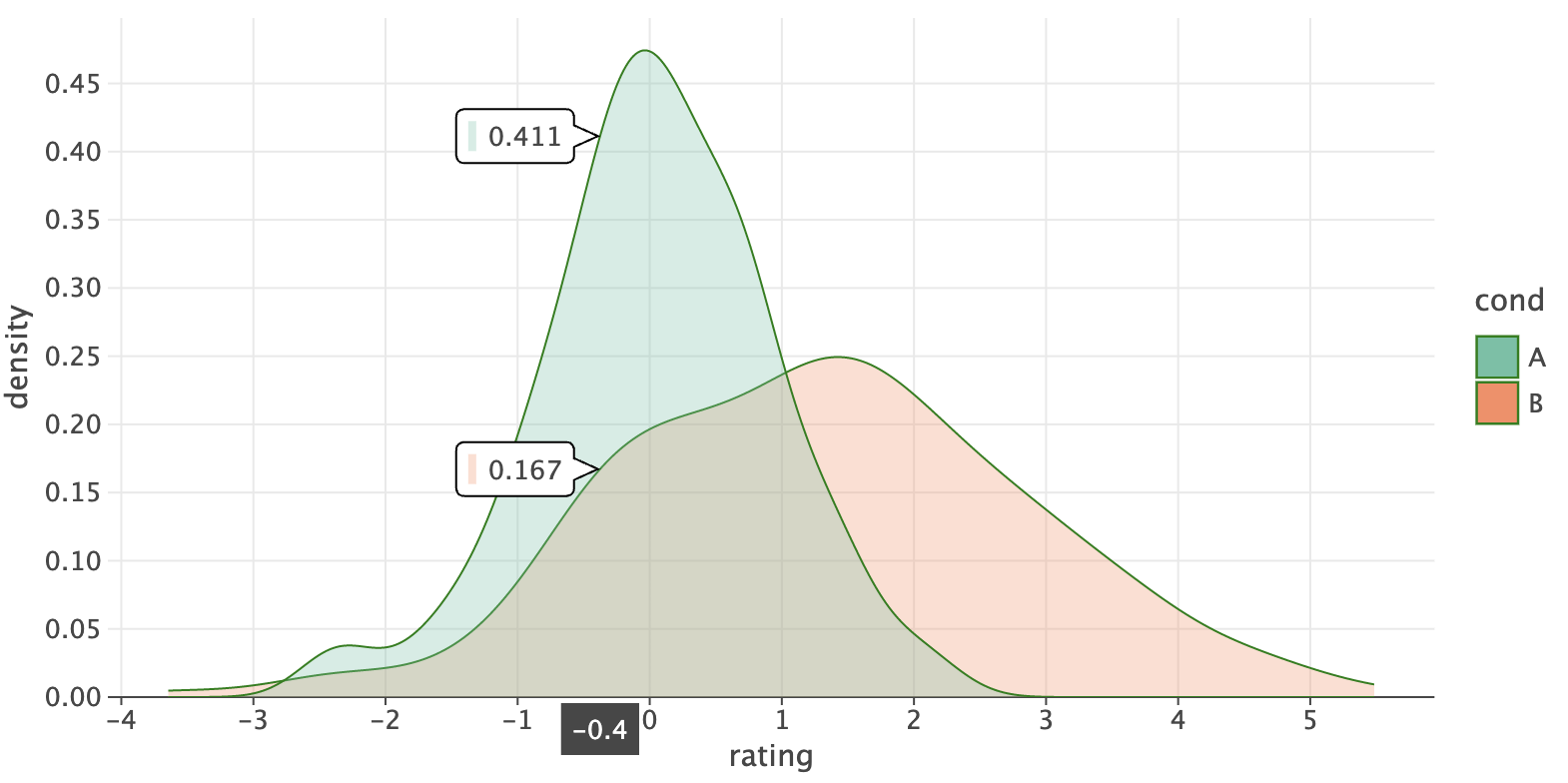
### Quickstart Inside [Kotlin Notebook](https://plugins.jetbrains.com/plugin/16340-kotlin-notebook), [Datalore](https://datalore.jetbrains.com/) or [Jupyter with Kotlin Kernel](https://github.com/Kotlin/kotlin-jupyter#readme): ``` %use lets-plot ``` ```kotlin val rand = java.util.Random() val data = mapOf( "rating" to List(200) { rand.nextGaussian() } + List(200) { rand.nextGaussian() * 1.5 + 1.5 }, "cond" to List(200) { "A" } + List(200) { "B" } ) var p = letsPlot(data) p += geomDensity(color = "dark_green", alpha = .3) { x = "rating"; fill = "cond" } p + ggsize(700, 350) ``` Couldn't load quickstart_notebook.png
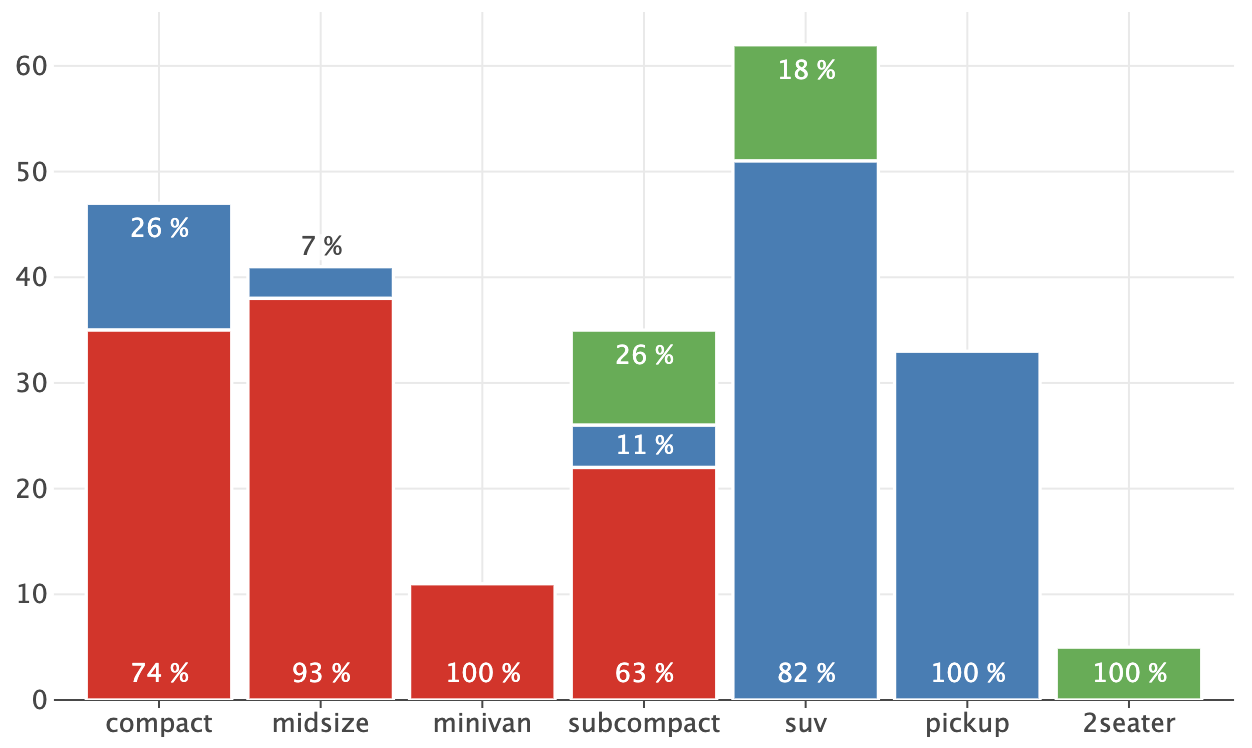
See the "Quickstart" notebook in [Datalore](https://datalore.jetbrains.com/view/notebook/aTA9lQnPkRwdCzT6uy95GZ) or [Jupyter nbviewer](https://nbviewer.jupyter.org/github/JetBrains/lets-plot-kotlin/blob/master/docs/examples/jupyter-notebooks/quickstart.ipynb). ## Table of Contents - [Usage](#usage) - [Notebooks](#in-notebook) - [Compose Multiplatform](#in-compose-multiplatform) - [JVM and Kotlin/JS](#in-jvm-js) - [Documentation](#documentation) - [What is new in 4.5.0](#new) - [Change Log](#change_log) - [Code of Conduct](#CoC) - [License](#license) ## Usage ### Notebooks With the help of Lets-Plot Kotlin API you can easily create plots in [Kotlin Notebook](https://plugins.jetbrains.com/plugin/16340-kotlin-notebook), [Datalore](https://datalore.jetbrains.com/), [Jupyter with Kotlin Kernel](https://github.com/Kotlin/kotlin-jupyter#readme) \ or any other notebook that supports `Kotlin Kernel`. #### "Line Magics" ``` %use lets-plot ``` This "line magic" will apply **Lets-Plot library descriptor** which adds to your notebook all the boilerplate code necessary to create plots. By default, `library descriptor` is bundled with the Kotlin Jupyter Kernel installed in your environment. \ However, you can override the default settings using: ``` %useLatestDescriptors ``` In this case the latest `library descriptor` will be pulled from the [Kotlin Jupyter Libraries](https://github.com/Kotlin/kotlin-jupyter-libraries) repository. #### Library Descriptor Parameters ``` %use lets-plot(api=4.5.0, lib=4.1.0, js=4.1.0, isolatedFrame=false) ``` - `api` - version of the Lets-Plot Kotlin API. - `lib` - version of the Lets-Plot Multiplatform (JARs). - `js` - version of the Lets-PLot Multiplatform JavaScript bundle. - `isolatedFrame` - If `false`: load JS just once per notebook (default in Jupyter). If `true`: include Lets-Plot JS in each output (default in [Datalore](https://datalore.jetbrains.com/) notebooks). ### Compose Multiplatform To learn how to embed Lets-Plot charts in [Compose Multiplatform](https://github.com/JetBrains/compose-multiplatform) applications, please check out the [Lets-Plot Skia Frontend](https://github.com/JetBrains/lets-plot-skia) project. ### JVM and Kotlin/JS To learn more about creating plots in JVM or Kotlin/JS environment please read [USAGE_SWING_JFX_JS.md](https://github.com/JetBrains/lets-plot-kotlin/blob/master/USAGE_SWING_JFX_JS.md). #### Examples Examples of using of the Lets-Plot Kotlin API in JVM and Kotlin/JS applications are available in the [Lets-Plot Kotlin Mini Apps (Demos)](https://github.com/alshan/lets-plot-mini-apps) GitHub repository. ## Documentation * A quick introduction to the _Grammar of Graphics_ and Lets-Plot Kotlin API: [Lets-Plot Usage Guide](https://nbviewer.jupyter.org/github/JetBrains/lets-plot-kotlin/blob/master/docs/guide/user_guide.ipynb) * Lets-Plot Kotlin API docs: [docs/README.md](https://github.com/JetBrains/lets-plot-kotlin/blob/master/docs/README.md) * Lets-Plot Kotlin API reference: https://lets-plot.org/kotlin * The "Example Notebooks" reference: [examples.md](https://github.com/JetBrains/lets-plot-kotlin/blob/master/docs/examples.md) * Example notebooks in the Binder: [mybinder.org](https://mybinder.org/v2/gh/JetBrains/lets-plot-kotlin/HEAD?labpath=docs%2Fexamples%2Fjupyter-notebooks) ## What is new in 4.5.0 - #### Annotations in Barchart
f-23e/images/annotated_bars.png See: [example notebook](https://nbviewer.org/github/JetBrains/lets-plot-kotlin/blob/master/docs/examples/jupyter-notebooks/f-4.5.0/bar_annotations.ipynb). - #### Common Theme for Subplots
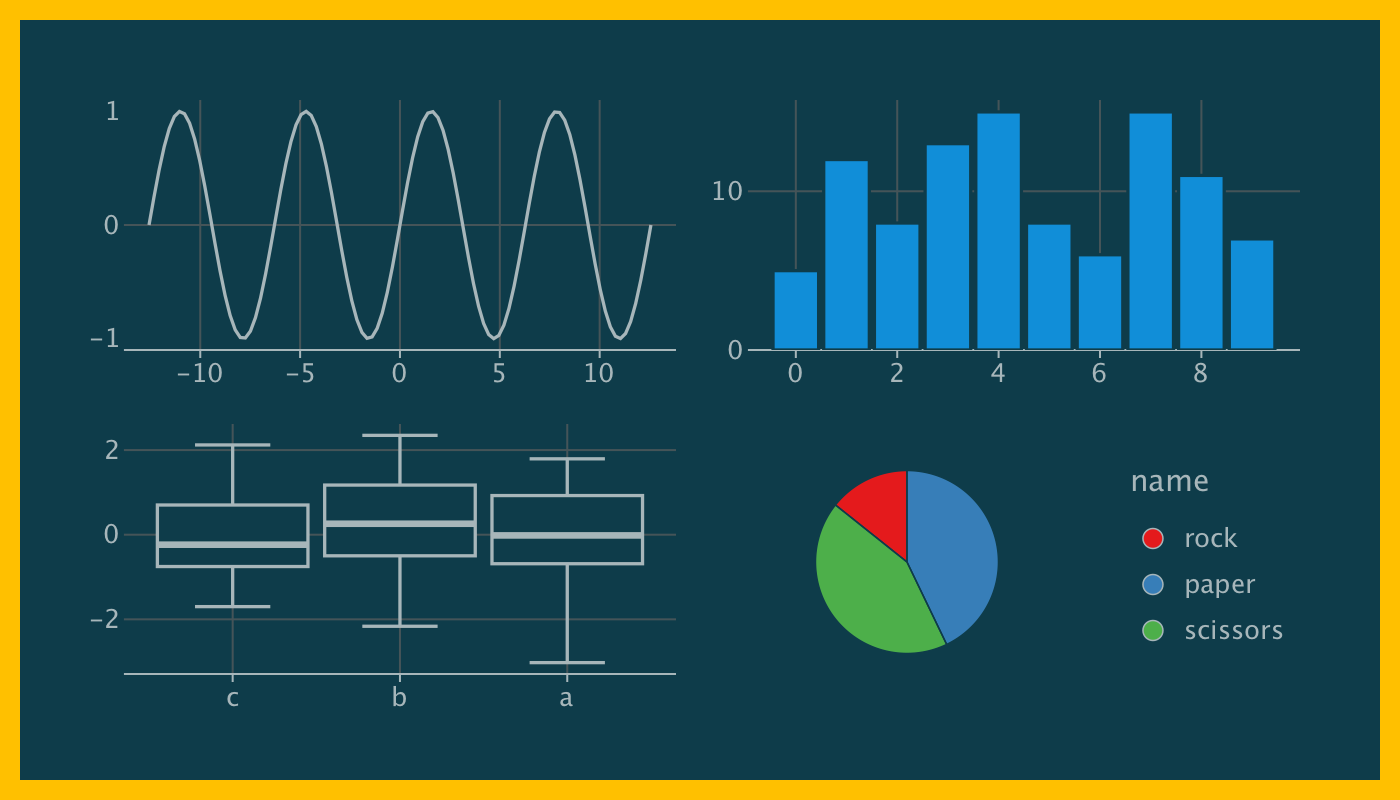
f-23e/images/gggrid_theme.png See: [example notebook](https://nbviewer.org/github/JetBrains/lets-plot-kotlin/blob/master/docs/examples/jupyter-notebooks/f-4.5.0/gggrid_theme.ipynb). - #### `HCL` and `CIELAB` Color Space for Hue Color Scale and Gradient Color Scales
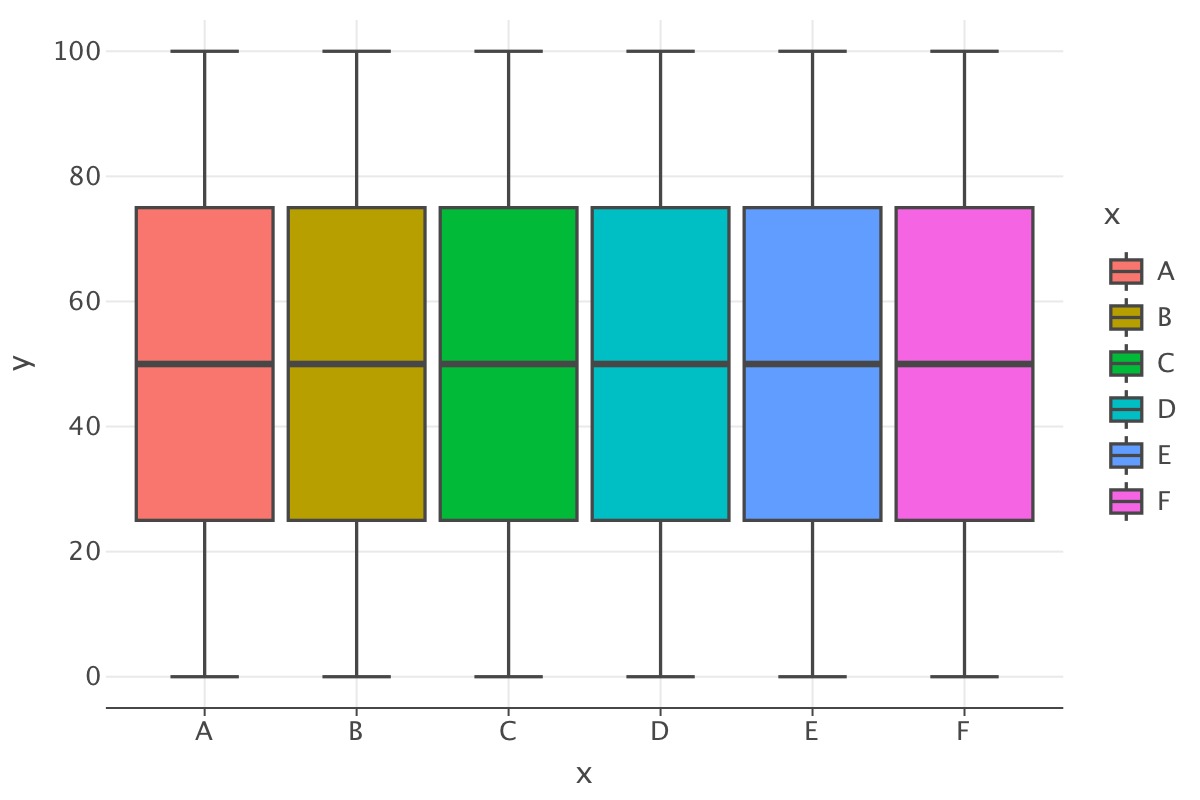
f-23e/images/hue_color_scale.png See: [example notebook](https://nbviewer.org/github/JetBrains/lets-plot-kotlin/blob/master/docs/examples/jupyter-notebooks/f-4.5.0/color_space_update.ipynb). - #### Scale Transformations: `'log2'` and `'symlog'` See: [example notebook](https://nbviewer.org/github/JetBrains/lets-plot-kotlin/blob/master/docs/examples/jupyter-notebooks/f-4.5.0/new_scale_transformations.ipynb). - #### Plot Margins See: [example notebook](https://nbviewer.org/github/JetBrains/lets-plot-kotlin/blob/master/docs/examples/jupyter-notebooks/f-4.4.4/theme_plot_margin.ipynb). - #### Dual Orientation in Geometries: - `geom_linerange()` - `geom_pointrange()` - `geom_errorbar()` - `geom_crossbar()` - `geom_ribbon()` See: [example notebook](https://nbviewer.org/github/JetBrains/lets-plot-kotlin/blob/master/docs/examples/jupyter-notebooks/f-4.4.4/horizontal_geoms.ipynb). ## Change Log See [CHANGELOG.md](https://github.com/JetBrains/lets-plot-kotlin/blob/master/CHANGELOG.md). ## Code of Conduct This project and the corresponding community are governed by the [JetBrains Open Source and Community Code of Conduct](https://confluence.jetbrains.com/display/ALL/JetBrains+Open+Source+and+Community+Code+of+Conduct). Please make sure you read it. ## License Code and documentation released under the [MIT license](https://github.com/JetBrains/lets-plot-kotlin/blob/master/LICENSE). Copyright © 2019-2023, JetBrains s.r.o.