# xlings
**Repository Path**: houjinxin/xlings
## Basic Information
- **Project Name**: xlings
- **Description**: No description available
- **Primary Language**: Unknown
- **License**: Apache-2.0
- **Default Branch**: main
- **Homepage**: None
- **GVP Project**: No
## Statistics
- **Stars**: 0
- **Forks**: 0
- **Created**: 2025-10-06
- **Last Updated**: 2025-10-07
## Categories & Tags
**Categories**: Uncategorized
**Tags**: None
## README
[](https://github.com/d2learn/xlings/actions/workflows/gitee-sync.yml)
一个高度抽象的包管理器 - 多版本管理 + 万物皆可成包
应用、库、项目模板、环境配置、插件、脚本、游戏Mods......
---
## 最近动态
- **发布xvm-0.0.5 + xpkg/xscript复用机制**
- 增加了库类型的多版本管理机制, 以及`xvm info`详情查询 - [PR](https://github.com/d2learn/xlings/pull/108) - 2025/8/16
- xpkg/xscript 即是包也是程序(脚本)的复用机制 (示例: [musl-cross-make](https://github.com/d2learn/xim-pkgindex/blob/main/pkgs/m/musl-cross-make.lua)) - [PR](https://github.com/d2learn/xlings/pull/109) - 2025/8/14
- **文档:** 初步完善文档: [快速开始](https://xlings.d2learn.org/documents/quick-start/one-click-install.html)、[常用命令](https://xlings.d2learn.org/documents/commands/install.html)、 [xpkg包](https://xlings.d2learn.org/documents/xpkg/intro.html)、[参与贡献](https://xlings.d2learn.org/documents/community/contribute/issues.html) - [PR](https://github.com/d2learn/xlings-docs/commit/122b060855e4c41cd7f95801f2656bca0a5a6fc1) - 2025/8/9
- **代码优化:** 修复一些bug并优化相关代码、适配macos - [commits](https://github.com/d2learn/xlings/commits/main/?since=2025-07-01&until=2025-07-31) - 2025/7
- **跨平台:** 初步支持MacOS平台、xim添加冲突解决功能(xpkg的`mutex_group`字段实现) - 2025/6
- **新功能:** 增加包索引网站、支持多语言i18n - 2025/5
- 优化命令行使用体验: 常用命令支持xlings调用, 高级功能使用子命令xim/xvm/d2x - [PR](https://github.com/d2learn/xlings/pull/86) - 2025/4/15
- d2x: 重构公开课/教程项目相关命令, 形成独立的d2x工具 - [PR](https://github.com/d2learn/xlings/pull/79) - 2025/2/19
- xim: 增加archlinux上aur的支持 - [PR](https://github.com/d2learn/xlings/pull/67) - 2025/1/10
- 更多动态和讨论 -> [More](https://forum.d2learn.org/category/9/xlings)
[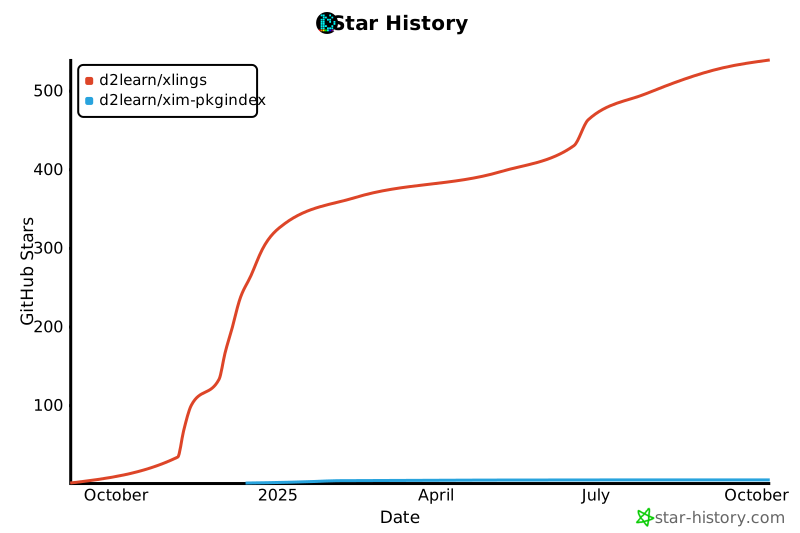](https://star-history.com/#d2learn/xlings&d2learn/xim-pkgindex&Date)
| 平台 | 使用体验 | 构建状态 | 备注 |
| --- | --- | --- | --- |
| linux | ⭐⭐⭐ | [](https://github.com/d2learn/xlings/actions/workflows/xlings-ci-linux.yml) | **欢迎参与文档编写** |
| windows | ⭐⭐ | [](https://github.com/d2learn/xlings/actions/workflows/xlings-ci-windows.yml) | 欢迎WIN用户参与贡献 |
| macos | ⭐ | [](https://github.com/d2learn/xlings/actions/workflows/xlings-ci-macos.yml) | 初步支持 |
| 使用场景 | 简介 |
| --- | --- |
| **通用包管理器** | 类似apt/pacman/homebrew用于安装软件, 并支持安装多个版本和切换 |
| **复杂环境配置** | 一键配置由多个软件和配置项组合的环境, 即把配置当包看待进行分发和共享 |
| **创建项目模板** | 用于生成各种类型的项目模板, 并能自动配置好所需环境 |
| **组织/公司私有化部署** | 支持自建包索引和资源服务器, 实现内部软件、环境配置的共享和统一管理 |
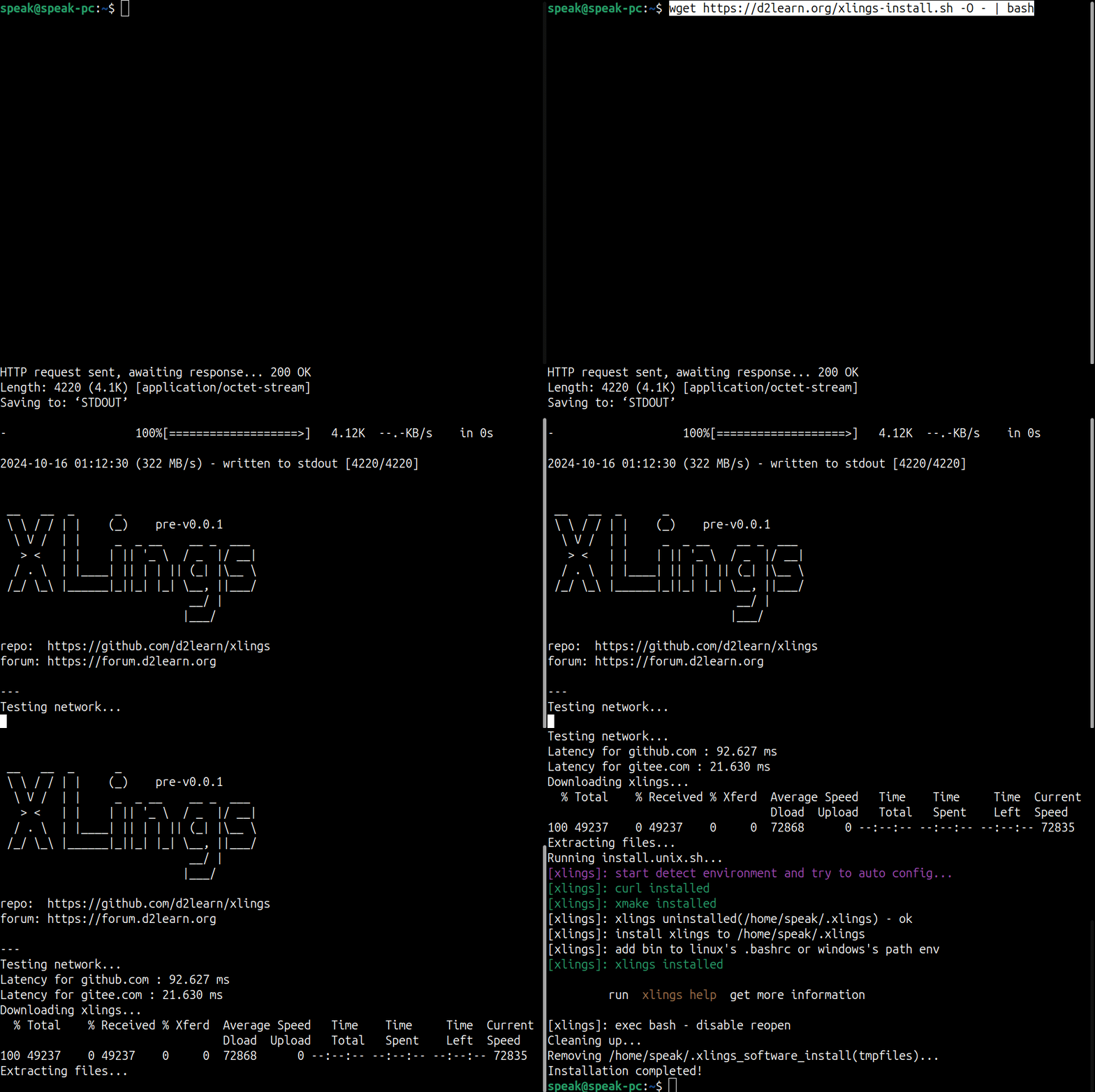
## 快速安装
> 在命令行窗口执行一键安装命令 (如果安装遇到问题可以查看 -> [常见问题列表](https://xlings.d2learn.org/documents/qa.html))
### Linux/MacOS
```bash
curl -fsSL https://d2learn.org/xlings-install.sh | bash
```
or
```bash
wget https://d2learn.org/xlings-install.sh -O - | bash
```
### Windows - PowerShell
```bash
irm https://d2learn.org/xlings-install.ps1.txt | iex
```
## 用法简介
### 一键安装配置 [ [xpkg](https://xlings.d2learn.org/documents/xpkg/intro.html) ] 并管理
> 支持**多版本共存**的包管理 - 不仅支持软件/工具安装、还支持**环境配置**
```bash
# 配置环境
xlings install c
xlings install python
xlings install nodejs
# 安装工具
xlings install devcpp
xlings install vscode
# 安装教程项目(自动安装依赖&配置好本地代码实验所需的环境)
xlings install d2x:mcpp-standard
# 安装指定版本package@version和版本切换
xlings install nodejs@20
xlings use nodejs 20
# 列出软件或配置的所有版本
xlings use nodejs
# 卸载指定版本
xlings remove nodejs@20
```
相关文档 -> [软件安装及多版本管理](https://xlings.d2learn.org/documents/quick-start/install-and-version.html)
### 项目搭建
> 搭建交互式的公开课或教程项目, 支持环境自动配置、电子书、练习代码自动检测...
>
> 示例项目: [d2ds | 动手学数据结构](https://github.com/d2learn/d2ds) / [mcpp-standard | 动手学现代C++](https://github.com/Sunrisepeak/mcpp-standard)
```bash
# 创建项目模板 - hello教程项目
xlings new hello
cd hello
# 安装项目依赖
xlings install
# 启动自动代码检测(编译器驱动开发模式)
xlings checker
```
### 项目依赖管理
> 在配置文件所在目录运行install命令安装项目依赖(`config.xlings`配置文件一般放到项目根目录)
**config.xlings配置文件示例**
```lua
xname = "ProjectName"
xim = {
cpp = "",
python = "3.12",
nodejs = "22",
vs = "2022",
-- postprocess cmds
xppcmds = {
"echo hello xlings",
}
}
```
**一键安装项目依赖**
```bash
xlings install
```
## 社区交流 & 参与贡献
- 交流群(Q): 167535744 / 1006282943
- [社区论坛](https://forum.d2learn.org/category/9/xlings): 相关技术、功能、问题的交流讨论
- [参与贡献](https://xlings.d2learn.org/documents/community/contribute/issues.html): 问题处理、文档编写、添加新xpkg包、项目维护
> 注: 复杂性问题(技术、环境等问题)推荐在论坛发帖, 并详细描述问题细节, 能更有效于问题的解决和复用
## 相关链接
- [主页](https://xlings.d2learn.org) : 工具动态和核心功能介绍和文档
- [xim-pkgindex](https://github.com/d2learn/xim-pkgindex) : xlings安装管理模块(XIM)的包索引仓库
- [xmake](https://github.com/xmake-io/xmake): 为xlings提供基础环境