# ThinkPad-E480-Hackintosh
**Repository Path**: humbert_z/ThinkPad-E480-Hackintosh
## Basic Information
- **Project Name**: ThinkPad-E480-Hackintosh
- **Description**: No description available
- **Primary Language**: Unknown
- **License**: Not specified
- **Default Branch**: master
- **Homepage**: None
- **GVP Project**: No
## Statistics
- **Stars**: 0
- **Forks**: 0
- **Created**: 2020-05-10
- **Last Updated**: 2020-12-19
## Categories & Tags
**Categories**: Uncategorized
**Tags**: None
## README
# ThinkPad E480 Hackintosh
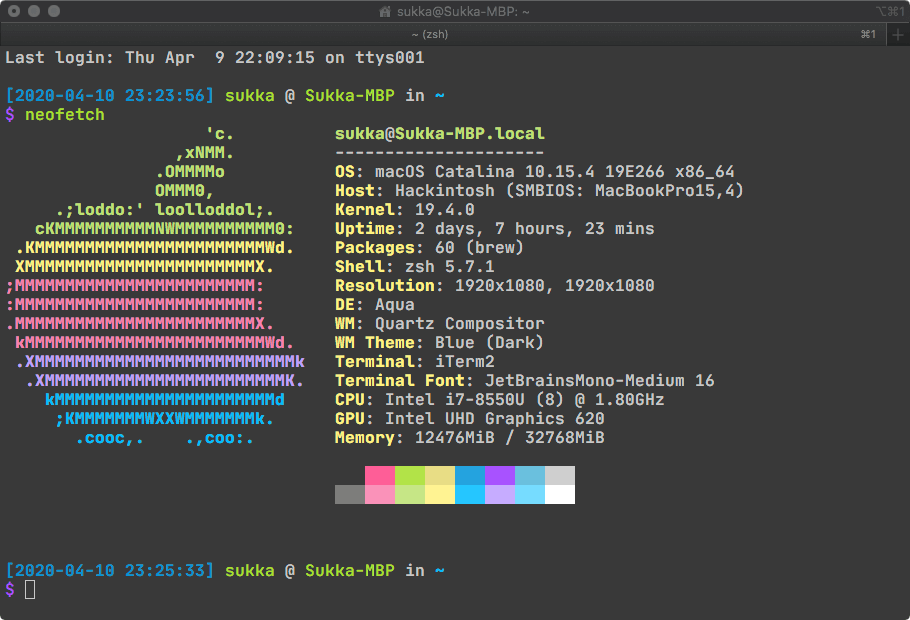
macOS Catalina on ThinkPad E480 (Hackintosh).
Tested on:
- 10.15.2
- 10.15.3
- 10.15.4 Public Beta 1
- 10.15.4 Public Beta 2
- 10.15.4 Public Beta 3
- 10.15.4 Developer Beta 4
- 10.15.4
## Disclaimer
Your warranty is now void. Please do some research if you have any concerns before replacing your EFI with mine. I am not responsible for any loss, including but not limited to Kernel Panic, device fail to boot or can not function normally, storage damage or data loss, atomic bombing, World War III, The CK-Class Restructuring Scenario that SCP Foundation can not prevent, and so on.
## Devices
| Specifications | Details |
|:---|:---|
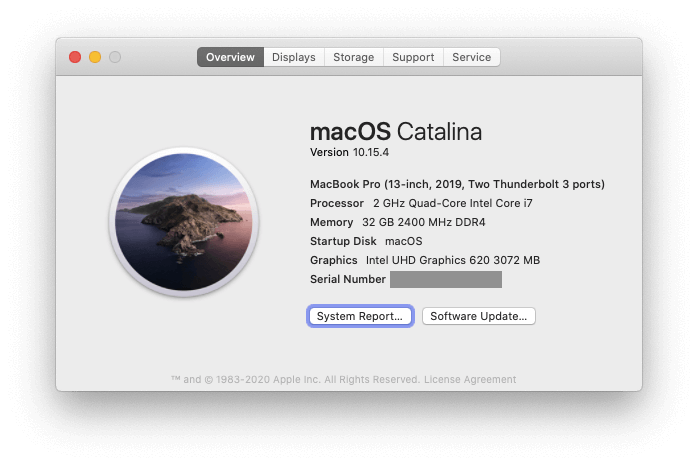
| Computer Model | ThinkPad E480 (2018) |
| CPU | Intel Core i7-8550U (Kaby Lake Rfresh) |
| Memory | DDR4 2400 Mhz. Manually upgrade to 2x16 GiB |
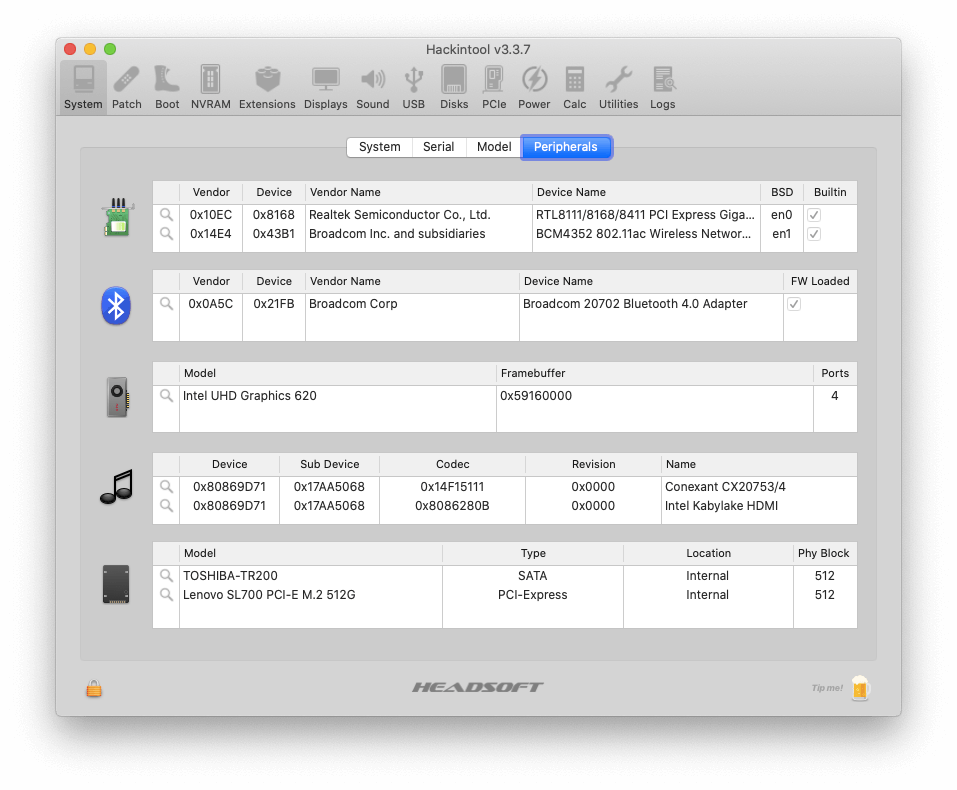
| NVMe SSD | Manually change to Lenovo SL700 M.2 512 GiB |
| SATA SSD | Manually change to Toshiba TR200 SATA 480 GiB |
| Integrated Graphics | Intel UHD Graphics 620 |
| Discrete Graphics | Radeon (TM) RX 550 (2 GiB) (Disabled using SSDT) |
| Ethernet | RTL8168/8111/8112 Gigabit Ethernet Controller |
| Sound Card | Conexant CX20753/4 (layout-id: 15) |
| Wireless Card | Manually change to BCM94352Z (DM1560) |
## What is working
#### CPU
XCPM power management is native supported. HWP is fully enabled as well.
#### Memory
Intel Core i7-8550U supports only 32 GiB RAM (2400Mhz) at most.
#### Battery
The power display is functioning normally.
#### Wi-Fi & Bluetooth
The OEM wireless model is `Realtek 8821CE Wireless LAN 802.11ac PCI-E NIC`. Suggest replacing it with BCM94352Z (DM1560). Airport, Handoff are working correctly.
> BCM94350ZAE (DW1820A) might work with disabled pins. Not recommended.
#### Camera
Camera is functioning normally.
#### USB
USB Ports Patching using HackinTool, `5 GiBps` for USB 3.0 and Type-C (Dev Speed).
#### Ethernet
Functioning normally.
#### Display
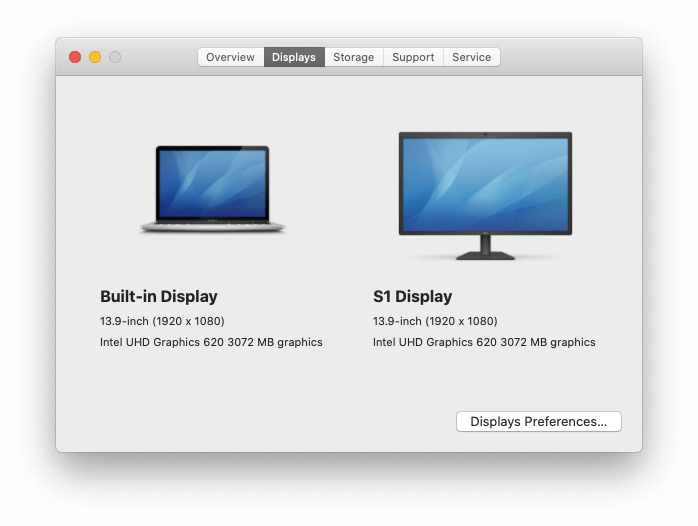
The model of Integrated Graphics is `Intel UHD Graphics 620`, faked to `Intel HD Graphics 620`. VRAM has been set to 3072 MB.
The Discrete Graphics' name is `Radeon (TM) RX 550 (2GiB)`. Disabled because macOS doesn't support Optimus technology.
The HDMI 1.4 is attached with `Intel UHD Graphics 620` and is functioning normally. `2K@60Hz` & `4K@30Hz` (through Type-C) are supported.
#### Audio
Driven by AppleALC with `layout-id: 15`. Everything is working normally (including HDMI Audio output).
Built-in mic is functioning, while line-in mic won't work with 3.5mm jack.
#### Keyboard
Functioning normally except the Insert key, which is not presented on Magic Keyboard. Keyboard backlight (Fn + Space) is working properly as well.
#### SSD
Both NVMe & SATA are functioning normally and TRIM is enabled for both of them.
#### Touchpad & Trackpoint
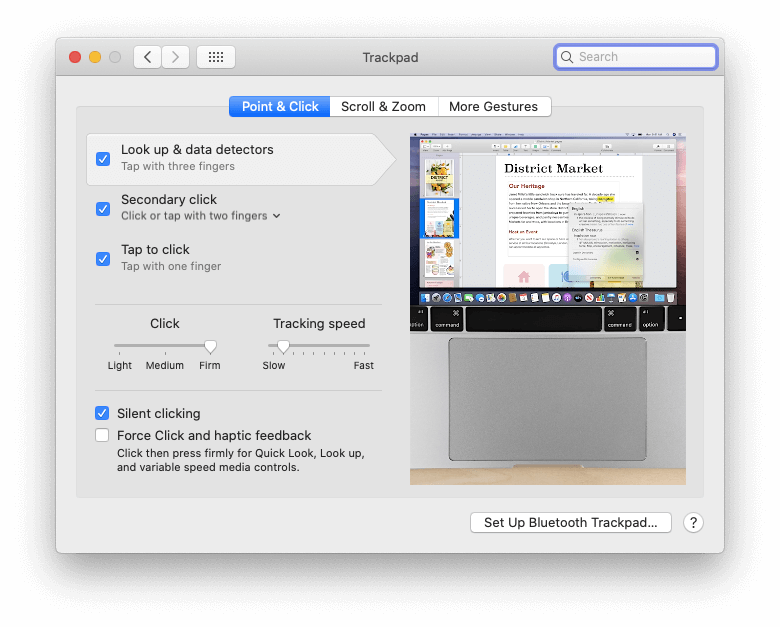
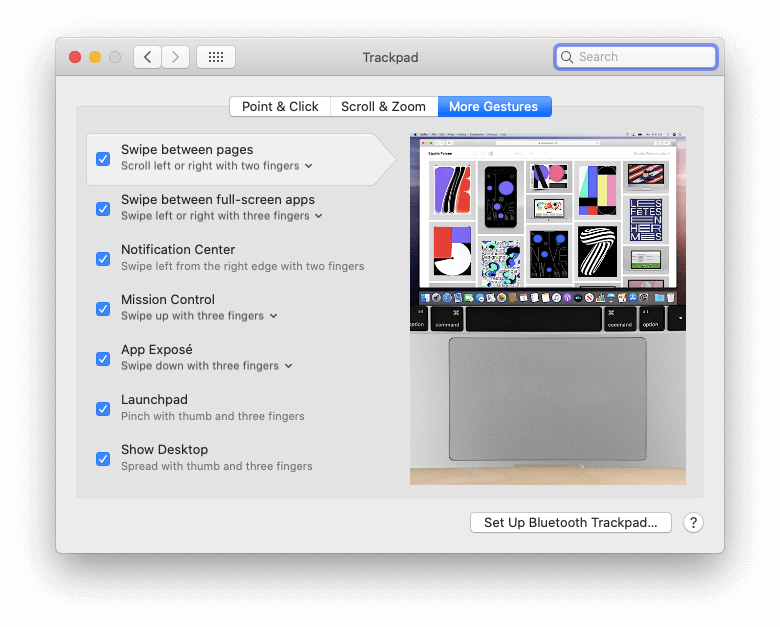
Functioning normally. Trackpoint (which is my favorite) and UltraNavs are working properly as well, and Multigesture for touchpad is supported.
## What is not working
EC Query will stop sending after S3 Sleep (S2 Sleep is not affected), which is a common bug happened among ThinkPad E470, E480 E490, E570, E580, E590, R480, R580, etc. That means:
- Fn shortcut will stop working after wake from S3 sleep.
- Close Lid to sleep will stop working as well (Lid is related with EC Query `_Q2B`)
- Battery status won't update after S3 sleep.
- That's mean after waking from S3 sleep, the battery icon won't change when you plug/unplug the AC.
## Recommended BIOS Config
> Make sure you have disabled Windows login password before entering the BIOS, because you might not be able to login with "PIN" on Windows after configuring your BIOS as following.
- Security
- Intel SGX: Disabled
- Boot
- Boot Mode: Both UEFI and Legacy
- Boot Priority: UEFI First
- Fast Boot: Disabled
## Tips
### Hibernation
Hibernation is supported (Tested with `hivernationmode 25`).
### Audio Issue
If you have faced some strange issue (like audio device is not found) after booting from Windows to macOS, you should reboot back to Windows and has a cold reboot (shutdown then start up) back to macOS. After that your audio device should be back.
### Windows Time Fix
Run following command with Administrator privileges in CMD:
```
Reg add HKLM\SYSTEM\CurrentControlSet\Control\TimeZoneInformation /v RealTimeIsUniversal /t REG_DWORD /d 1
```
This will force Windows to treat Hadware Time as UTC Time.
## Screenshots
## Maintainer
**ThinkPad E480 Hackintosh** © [Sukka](https://github.com/SukkaW). All right reserved.
> [Personal Website](https://skk.moe) · [Blog](https://blog.skk.moe) · GitHub [@SukkaW](https://github.com/SukkaW) · Telegram Channel [@SukkaChannel](https://t.me/SukkaChannel) · Twitter [@isukkaw](https://twitter.com/isukkaw) · Keybase [@sukka](https://keybase.io/sukka)