# xiliary
**Repository Path**: humphrey-gao/xiliary
## Basic Information
- **Project Name**: xiliary
- **Description**: Auxiliary libraries for Eclipse, JUnit and Java development in general.(包含可能是最好看的 Eclipse UI 插件 - Clean Sheet)
- **Primary Language**: Java
- **License**: EPL-1.0
- **Default Branch**: development
- **Homepage**: http://fappel.github.io/xiliary
- **GVP Project**: No
## Statistics
- **Stars**: 0
- **Forks**: 0
- **Created**: 2020-05-10
- **Last Updated**: 2020-12-19
## Categories & Tags
**Categories**: Uncategorized
**Tags**: None
## README
Xiliary [](https://travis-ci.org/fappel/xiliary)
=======
 ## Clean Sheet - Eclipse 扁平化主题
[](http://marketplace.eclipse.org/marketplace-client-intro?mpc_install=2588223 "Drag to your running Eclipse* workspace. *Requires Eclipse Marketplace Client")
An ergonomic theme for the Eclipse Java IDE on Windows 10 and Mac OS X.
* Attuned to lessen visual fatigue and eyestrain
* Presents a clean and low-glare look and feel
* Based on well balanced color selections
* Offers harmonic syntax highlighting
* Focused on readability
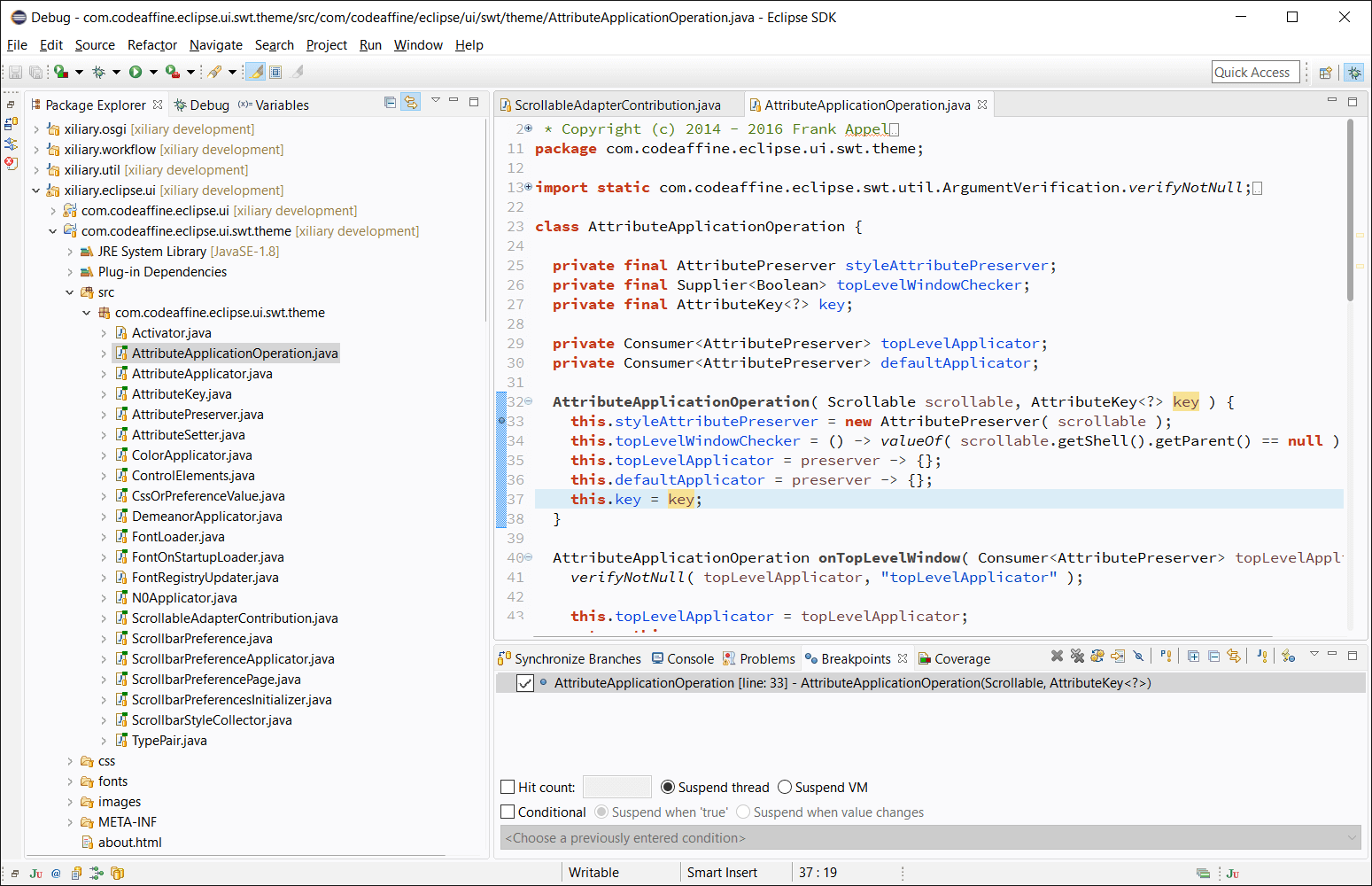
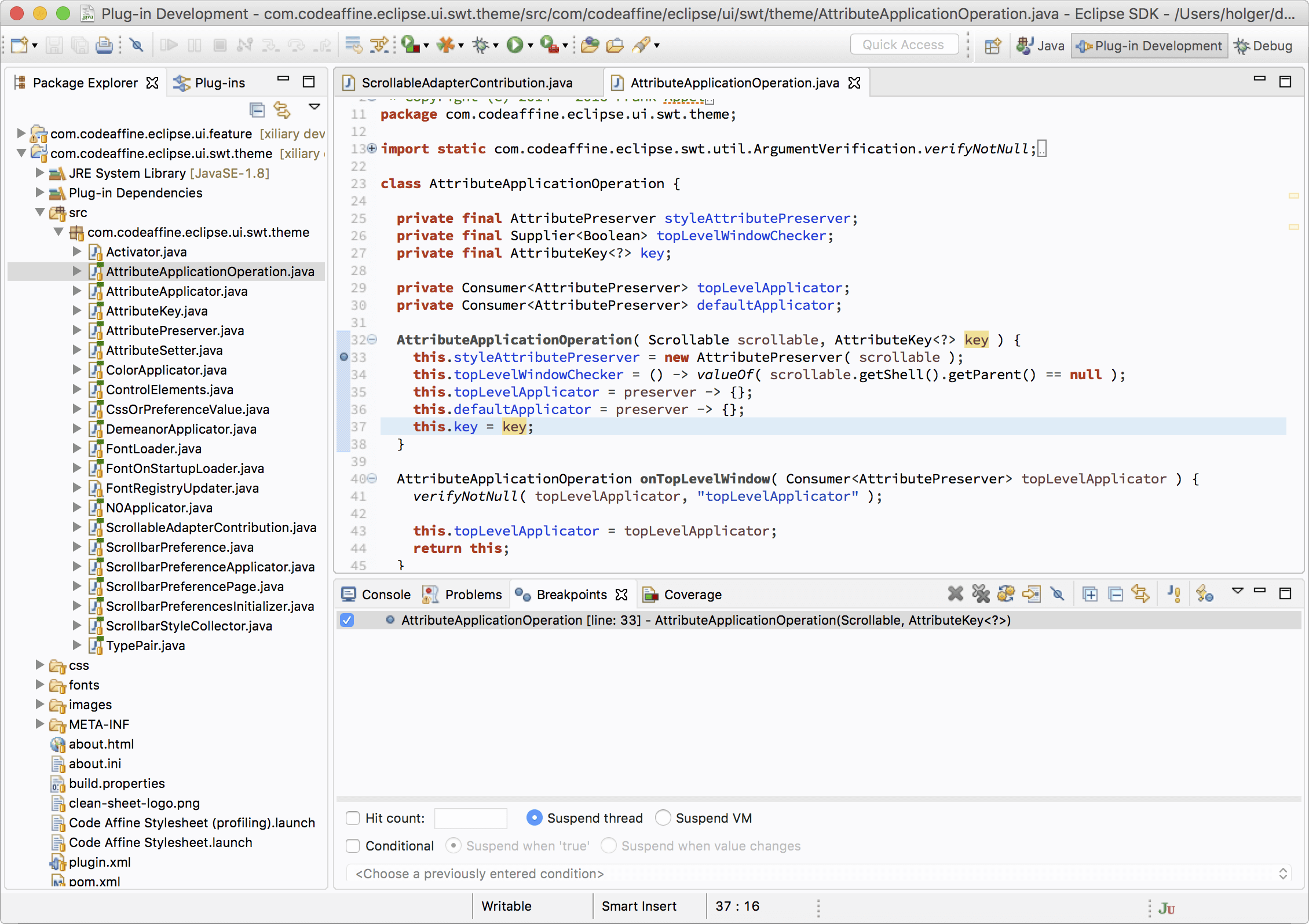
Clean Sheet 比 Devstyle 对细节的把握更出色。
比如在 Devstyle 主题下, Console View 在失去焦点后,会变成难看的灰色, Clean Sheet就不会;
Console View 获得焦点:
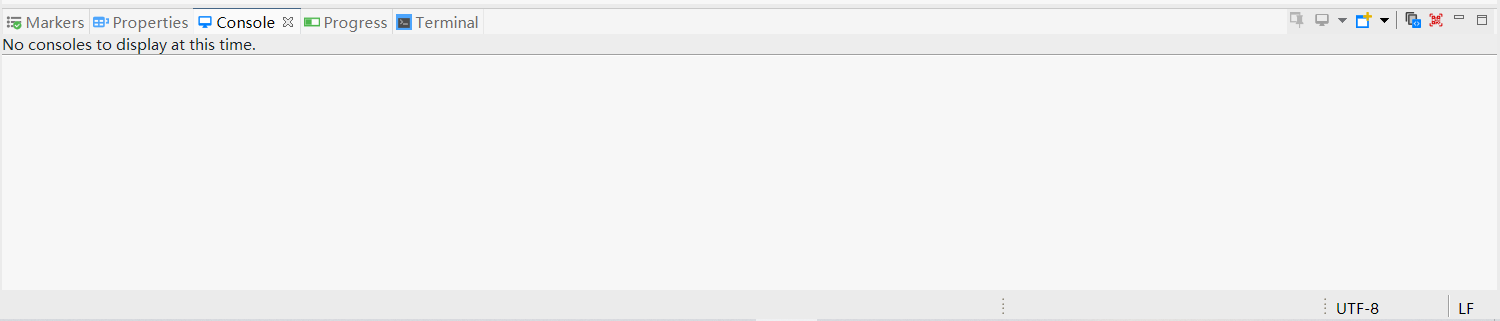
Console View 失去焦点:
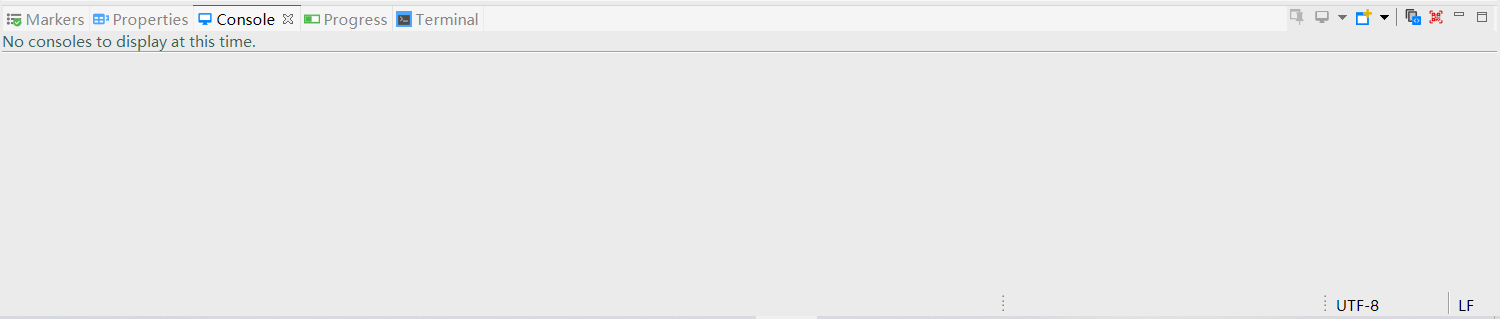
再如 Console View 标签所在的工具栏,会呈现不同颜色。
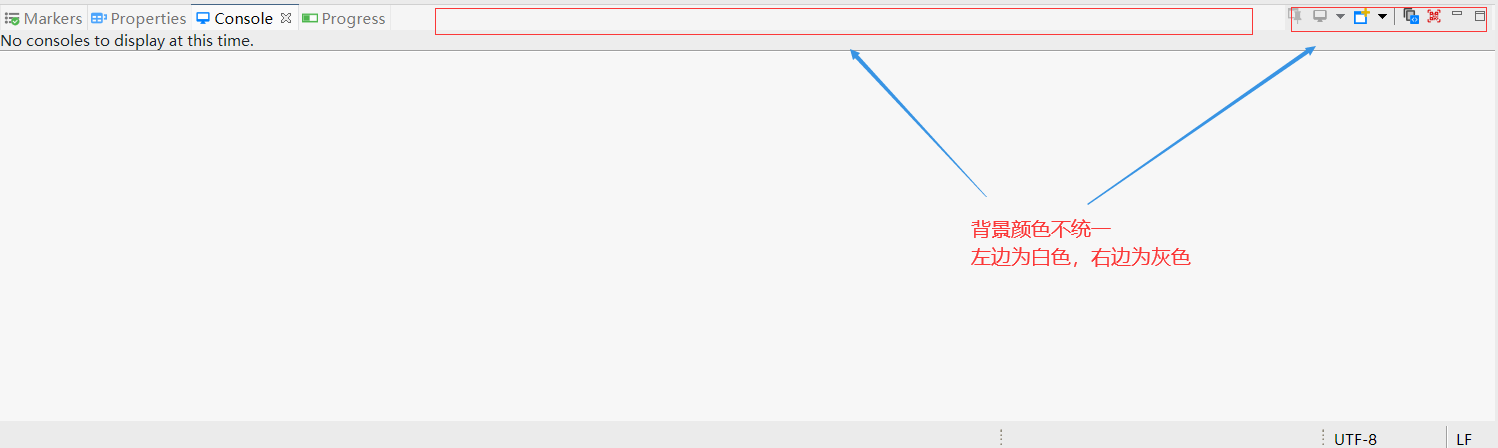
------
## Introduction
Auxiliary libraries for Eclipse, JUnit and Java development in general.
It includes the *FlatScrollBar* and more...
* Released components are available from this p2 software repository: http://fappel.github.io/xiliary
* Builds from development branch are also available: http://fappel.github.io/xiliary/development
## Development
The folder https://github.com/fappel/xiliary/tree/master/com.codeaffine.xiliary.releng contains the Xiliary.setup and
XiliaryIDE.setup files. The latter is an Oomph (https://projects.eclipse.org/projects/tools.oomph) product setup model
and the first a project setup model. Use the Oomph installer in advanced mode (http://eclipsesource.com/blogs/tutorials/oomph-basic-tutorial/)
and refer to the files on GitHub in raw mode. This should help to setup a basic development environment and workspace
in no time. However, as this is the first try on Oomph there might be some unknown depths... please report any issues you're
running into to help to improve this mechanism. See also https://github.com/fappel/xiliary/blob/master/CONTRIBUTING.md for
more information on how to contribute.
## FlatScrollBar
## Clean Sheet - Eclipse 扁平化主题
[](http://marketplace.eclipse.org/marketplace-client-intro?mpc_install=2588223 "Drag to your running Eclipse* workspace. *Requires Eclipse Marketplace Client")
An ergonomic theme for the Eclipse Java IDE on Windows 10 and Mac OS X.
* Attuned to lessen visual fatigue and eyestrain
* Presents a clean and low-glare look and feel
* Based on well balanced color selections
* Offers harmonic syntax highlighting
* Focused on readability


Clean Sheet 比 Devstyle 对细节的把握更出色。
比如在 Devstyle 主题下, Console View 在失去焦点后,会变成难看的灰色, Clean Sheet就不会;
Console View 获得焦点:

Console View 失去焦点:

再如 Console View 标签所在的工具栏,会呈现不同颜色。

------
## Introduction
Auxiliary libraries for Eclipse, JUnit and Java development in general.
It includes the *FlatScrollBar* and more...
* Released components are available from this p2 software repository: http://fappel.github.io/xiliary
* Builds from development branch are also available: http://fappel.github.io/xiliary/development
## Development
The folder https://github.com/fappel/xiliary/tree/master/com.codeaffine.xiliary.releng contains the Xiliary.setup and
XiliaryIDE.setup files. The latter is an Oomph (https://projects.eclipse.org/projects/tools.oomph) product setup model
and the first a project setup model. Use the Oomph installer in advanced mode (http://eclipsesource.com/blogs/tutorials/oomph-basic-tutorial/)
and refer to the files on GitHub in raw mode. This should help to setup a basic development environment and workspace
in no time. However, as this is the first try on Oomph there might be some unknown depths... please report any issues you're
running into to help to improve this mechanism. See also https://github.com/fappel/xiliary/blob/master/CONTRIBUTING.md for
more information on how to contribute.
## FlatScrollBar

Drop in replacement for all your Eclipse 4.4+ based RCP apps table, tree, and styled text scrollbars as easy as this in two tiny steps:
* add bundles com.codeaffine.eclipse.swt.jar and com.codeaffine.eclipse.ui.swt.theme.jar to your target platform and to your products feature.xml
* merge this snippet with your RCP apps CSS:
```
Tree {
flat-scroll-bar: true;
flat-scroll-bar-background : #ababab;
flat-scroll-bar-thumb: #cdcdcd;
flat-scroll-bar-page-increment: #f8f8f8;
flat-scroll-bar-thumb-top-level: #454545;
flat-scroll-bar-page-increment-top-level: #f8f8f8;
flat-scroll-bar-increment-length: 7;
adapter-demeanor: expand-on-mouse-over; /* fixed-width */
}
Table {
flat-scroll-bar: true;
flat-scroll-bar-background : #ababab;
flat-scroll-bar-thumb: #cdcdcd;
flat-scroll-bar-page-increment: #f8f8f8;
flat-scroll-bar-thumb-top-level: #454545;
flat-scroll-bar-page-increment-top-level: #f8f8f8;
flat-scroll-bar-increment-length: 7;
adapter-demeanor: expand-on-mouse-over; /* fixed-width */
}
StyledText {
flat-scroll-bar: true;
flat-scroll-bar-thumb: #ababab;
flat-scroll-bar-page-increment: #cdcdcd;
adapter-background-top-level: #f8f8f8;
flat-scroll-bar-thumb-top-level: #454545;
flat-scroll-bar-page-increment-top-level: #f8f8f8;
flat-scroll-bar-increment-length: 7;
adapter-demeanor: expand-on-mouse-over; /* fixed-width */
}
```
Note: In case you want to configure background-color style for your trees, tables, or styled texts that differs to the one that is defined for the composite components when using FlatScrollBar, you'll have to do this with an appropriate TreeAdapter, TreeTable, or StyledTextAdapter configuration entry in your css as shown below (see also https://github.com/fappel/xiliary/issues/94):
```
Composite * {
background-color: red;
}
Tree {
flat-scroll-bar: true;
}
TreeAdapter {
background-color: blue;
}
```