# scaffold-eth
**Repository Path**: icecream5100/scaffold-eth
## Basic Information
- **Project Name**: scaffold-eth
- **Description**: No description available
- **Primary Language**: Unknown
- **License**: Not specified
- **Default Branch**: master
- **Homepage**: None
- **GVP Project**: No
## Statistics
- **Stars**: 0
- **Forks**: 0
- **Created**: 2020-10-10
- **Last Updated**: 2021-11-02
## Categories & Tags
**Categories**: Uncategorized
**Tags**: None
## README
# 🏗 scaffold-eth
> is everything you need to get started building decentralized applications powered by smart contracts
---
## quickstart
```bash
git clone https://github.com/austintgriffith/scaffold-eth.git your-next-dapp
cd your-next-dapp
```
```bash
yarn install
```
> you might get node-gyp errors, ignore them and run:
```bash
yarn start
```
> in a second terminal window:
```bash
yarn chain
```
> in a third terminal window:
```bash
yarn deploy
```
🔏 Edit your smart contract `YourContract.sol` in `packages/buidler/contracts`
📝 Edit your frontend `App.jsx` in `packages/react-app/src`
📱 Open http://localhost:3000 to see the app
📚 Keep [solidity by example](https://solidity-by-example.org) handy and check out the [Solidity globals and units](https://solidity.readthedocs.io/en/v0.6.6/units-and-global-variables.html)
> With everything up your dev environment starts looking something like this:

> React dev server, Buidler blockchain, deploy terminal, code IDE, and frontend browser.
---
🔁 You can `yarn run deploy` any time and get a fresh new contract in the frontend:

---
💵. Each browser has an account in the top right and you can use the faucet (bottom left) to get ⛽️ testnet eth for gas:

---
🔨 Once you have funds, you can call `setPurpose` on your contract and "write" to the `purpose` storage:

---
Look for the [Buidler](https://buidler.dev) console.log() output in the `yarn run chain` terminal:

---
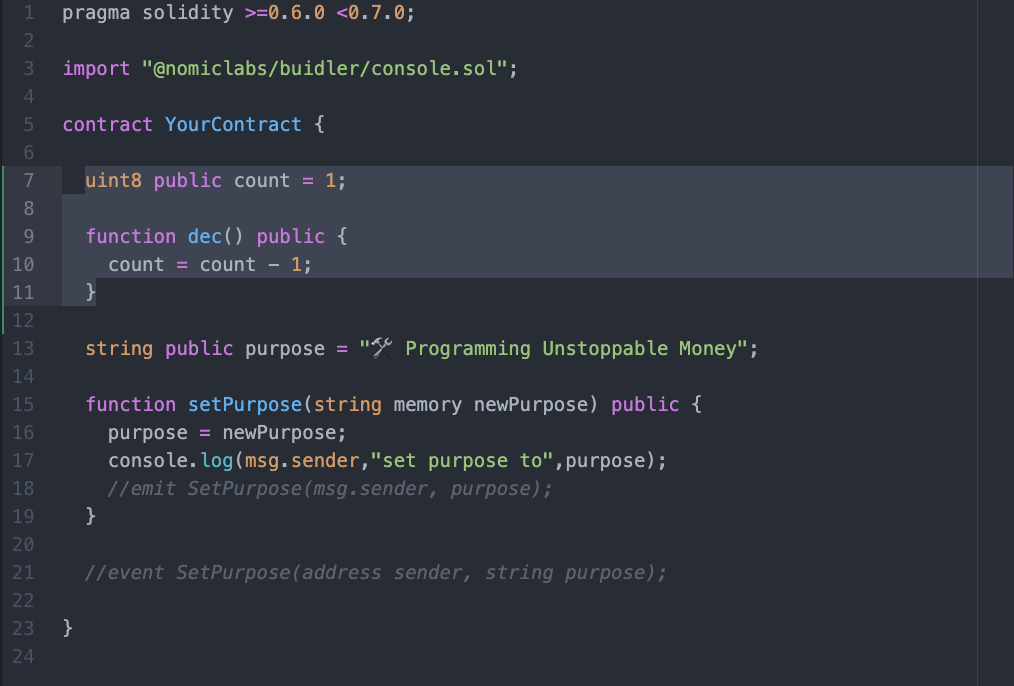
👨🏫 Maybe start super simple and add a counter `uint8 public count = 1;`
⬇️ Then a `function dec() public {}` that does a `count = count - 1;`
---
🔬 What happens with you subtract 1 from 0? Try it out in the app to see what happens!

🚽 UNDERFLOW!
🧫 You can iterate and learn as you go. Test your assumptions!
---
💵 Send testnet ETH between browsers or even on an [instantwallet.io](https://instantwallet.io) selecting `localhost`:

---
🔐 Global variables like `msg.sender` and `msg.value` are cryptographically backed and can be used to make rules
📝 Keep this [cheat sheet](https://solidity.readthedocs.io/en/v0.7.0/cheatsheet.html?highlight=global#global-variables) handy
⏳ Maybe we could use `block.timestamp` or `block.number` to track time in our contract
🔏 Or maybe keep track of an `address public owner;` then make a rule like `require( msg.sender == owner );` for an important function
🧾 Maybe create a smart contract that keeps track of a `mapping ( address => uint256 ) public balance;`
🏦 It could be like a decentralized bank that you `function deposit() public payable {}` and `withdraw()`
📟 Events are really handy for signaling to the frontend. [Read more about events here.](https://solidity-by-example.org/0.6/events/)
📲 Spend some time in `App.jsx` in `packages/react-app/src` and learn about the 🛰 [Providers](https://github.com/austintgriffith/scaffold-eth#-web3-providers)
🐜 The UI framework `Ant Design` has a [bunch of great components](https://ant.design/components/overview/).
📃 Check the console log for your app to see some extra output from hooks like `useContractReader` and `useEventListener`.
🏗 You'll notice the `` component that displays the dynamic form as scaffolding for interacting with your contract.
🔲 Try making a `` that calls `writeContracts.YourContract.setPurpose("👋 Hello World")` to explore how your UI might work
🧬 Next learn about [structs](https://solidity-by-example.org/0.6/structs/) in Solidity.
🗳 Maybe an make an array `YourStructName[] public proposals;` that could call be voted on with `function vote() public {}`
🔭 Your dev environment is perfect for *testing assumptions* and learning by prototyping.
📝 Next learn about the [fallback function](https://solidity-by-example.org/0.6/fallback/)
💸 Maybe add a `receive() external payable {}` so your contract will accept ETH?
🚁 OH! Programming decentralized money! 😎 So rad!
🛰 Ready to deploy to a testnet? Change the `defaultNetwork` in `packages/buidler/buidler.config.js`
🔐 Generate a deploy account with `yarn run generate` and view it with `yarn run account`
👩🎓 You can "graduate" from 🏗 scaffold-eth and start using 👷 [Buidler](https://buidler.dev/) and 📦 [create-eth-app](https://github.com/PaulRBerg/create-eth-app) "standalone"
( You will probably want to take some of the 🔗 [hooks](#-hooks), 🎛 [components](#-components) with you from 🏗 scaffold-eth so we started 🖇 [eth-hooks](https://www.npmjs.com/package/eth-hooks) )
🚀 Good luck!
---
[
⏱ Quickstart: 🔬 Smart Contract Sandbox
](https://github.com/austintgriffith/scaffold-eth#-smart-contract-sandbox)
Learn how to [quickly iterate on a smart contract app](https://github.com/austintgriffith/scaffold-eth#-smart-contract-sandbox) using the \ component.
---
Join the telegram [support chat 💬](https://t.me/joinchat/KByvmRe5wkR-8F_zz6AjpA) to ask questions and find others building with 🏗 scaffold-eth!
---
[](https://www.youtube.com/watch?v=ShJZf5lsXiM&feature=youtu.be&t=19)
---
🎥. [Watch the long form 🏗 scaffold-eth introduction on youtube for the EEA](https://youtu.be/_yRX8Qi75OE?t=289).
[](https://youtu.be/_yRX8Qi75OE?t=289)
---
[
Tutorial 1: 🛠 Programming Decentralized Money
](https://medium.com/@austin_48503/programming-decentralized-money-300bacec3a4f)
Learn the basics of 🏗 scaffold-eth and building on Ethereum. 👷♂️ Buidler, 📦 create-eth-app, 🔥 hot reloading smart contracts, 🛰 providers, 🔗 hooks, 🎛 components, and building a decentralized application.
[🎥 Guided Tutorial](https://youtu.be/7rq3TPL-tgI)
---
Tutorial 2: 🏵 The Token
Learn about tokens. [coming soon] What is a token? Why is it cool? How can I deploy one? Exotic mechanisms? (todo)
---
[
](https://medium.com/@austin_48503/%EF%B8%8F-minimum-viable-exchange-d84f30bd0c90)
Learn the basics of Automated Market Makers like 🦄 Uniswap. Learn how 💰Reserves affect the 📉 price, ⚖️ trading, and 💦 slippage from low liqudity.
[🏃♀️ SpeedRun 📹](https://youtu.be/eP5w6Ger1EQ)
---
[
Tutorial 4: 🚀 Connecting ETH to IPFS
](https://medium.com/@austin_48503/tl-dr-scaffold-eth-ipfs-20fa35b11c35)
Build a simple IPFS application in 🏗 scaffold-eth to learn more about distributed file storage and content addressing.
[🎥 Live Tutorial](https://youtu.be/vqrLr5eOjLo?t=342)
---
Tutorial 5: ⛽️GSN and Meta Transactions
Learn about to provide your users with better UX by abstracting away gas fees and blockchain mechanics. (todo)
---
[
Tutorial 6: 🛰 Decentralized Deployment
](https://medium.com/@austin_48503/decentralized-deployment-7d975c9d5016)
Learn how to deploy your smart contract to a production blockchain. Then deploy your applicaton to Surge, S3, and IPFS. Finally, register an ENS and point it at the decentralized content! [🎥 Live Tutorial](https://youtu.be/vqrLr5eOjLo?t=1350)
---
built with 🏗 scaffold-eth:
[
👩🎨 Nifty Ink
](https://nifty.ink)
Paintings come to life as you "ink" new creations and trade them on Ethereum. A deep dive into 🖼 NFTs, 🐳 OpenSea, 🖍 react-canvas-draw, 🎨 react-color, and 🛬 onboarding user experience.
🏃♂️ SpeedRun 📹 (TODO)
[💾 Source Code ](https://github.com/austintgriffith/scaffold-eth/tree/nifty-ink-dev)
---
[
🧙♂️ Instant Wallet
](https://instantwallet.io)
An instant wallet running on xDAI insired by [xdai.io](https://xdai.io).
[💾 Source Code ](https://github.com/austintgriffith/scaffold-eth/tree/instantwallet-dev-session)
---
[
🗳 Personal Token Voting
](https://medium.com/@austin_48503/personal-token-voting-73b44a598d8e)
Poll your holders! Build an example emoji voting system with 🏗 scaffold-eth. 🔏 Cryptographically signed votes but tracked off-chain with 📡 Zapier and 📑 Google Sheets.
[🏃♂️ SpeedRun 📹 ](https://youtu.be/Q5zgxcQtwWI)
[💾 Source Code ](https://github.com/austintgriffith/scaffold-eth/tree/emoji-vote-dev)
---
[
🌒 xmoon.exchange
](https://xmoon.exchange/)
Exchange Reddit MOONs for ETH or DAI through xDAI. Learn about different 🛰 providers and how 🌉 bridges can connect different chains with different security models.
[🏃♂️ SpeedRun 📹 ](https://www.youtube.com/watch?v=_ikHSyThDiA)
[💾 Source Code ](https://github.com/austintgriffith/scaffold-eth/tree/xmoon-dev)
---
[
Obituary.space
](https://obituary.space/)
Remember someone permanently on the blockchain. Write an obituary and upload a photo of a person and their memory will be encoded on the blockchain, forever.
---
^^^ ⛏ PR your 🏗 scaffold-eth project in above!!! ^^^
---
[
🧫 Building on Ethereum in 2020 (research)
](https://medium.com/@austin_48503/building-on-ethereum-in-2020-dca52eda5f00)
---
## ⏱ Original Quickstart with TODO List:
First, you'll need [NodeJS>=10](https://nodejs.org/en/download/) plus [Yarn](https://classic.yarnpkg.com/en/docs/install/) and [Git](https://git-scm.com/downloads) installed.
💾 install:
```bash
git clone https://github.com/austintgriffith/scaffold-eth.git rad-new-dapp
cd rad-new-dapp
git checkout quickstart
yarn install
```
> ⌚️ This will take some time. How about a quick tour of the file structure with your favorite code editor?
> 💡 Sometimes the install throws errors like "node-gyp", try the next step even if you see problems.
> (You can also [download the Apple command line tools](https://developer.apple.com/download/more/) to fix the warning.)
---
🎛 frontend
```bash
yarn start
```
📝 Edit your frontend `App.jsx` in `packages/react-app/src` and open http://localhost:3000
---
⛓ blockchain
```bash
yarn run chain
```
**Note**: You'll need to run this command in a new terminal window
> 🛠 [Use this eth.build](https://eth.build/build#1a21b864c6bcdb901070b64965fae825cdfc11b1915d74f058f00b114a8c129a) to double-check your local chain and account balances
---
⚙️ Compile your contracts:
```bash
yarn run compile
```
🚢 Deploy your contracts to the frontend:
```bash
yarn run deploy
```
🔍 _Watch_ for changes then compile, deploy, and hot reload the frontend:
```bash
yarn run watch
```
---
🔥 Your dapp hot reloads as you build your smart contracts and frontend together 🔥
---
📝 Edit your smart contract `SmartContractWallet.sol` in `packages/buidler/contracts`
> 🤡 There is a spelling error in `packages/buidler/contracts/SmartContractWallet.sol`!
🤔 Can you fix it and deploy the contract locally?

> ☢️ **Warning**: It is very important that you find `SmartContractWallet.sol` in `packages/buidler/contracts` because there are other contract folders and it can get confusing.
🔬Test your contracts by editing `myTest.js` in `packages/buidler/contracts`:
```bash
yarn run test
```
🗝 List your local accounts:
```bash
yarn run accounts
```
💰 Check account balance:
```bash
yarn run balance **YOUR-ADDRESS**
```
💸 Send ETH:
```bash
yarn run send --from 0 --amount 0.5 --to **YOUR-ADDRESS**
```
> 🔧 Configure 👷[Buidler](https://buidler.dev/config/) by editing `buidler.config.js` in `packages/buidler`
---
✨ The [BuidlerEVM](https://buidler.dev/buidler-evm/) provides _stack traces_ and _console.log_ debugging for our contracts ✨
---
## 🏃♂️ Speedrun (🎥 7 min):
[](https://youtu.be/eUAc2FtC0_s)
---
## 🔬 Smart Contract Sandbox:
💾 install:
```bash
git clone https://github.com/austintgriffith/scaffold-eth.git smart-contract-sandbox
cd smart-contract-sandbox
yarn install
```
⚙️ start
```bash
#run in original terminal window:
yarn start
#run in terminal window 2:
yarn run chain
#run in terminal window 3:
yarn run deploy
```
🔏 Edit or rename your smart contract `YourContract.sol` in `packages/buidler/contracts`
📝 Edit your frontend `App.jsx` in `packages/react-app/src`
📱 Open http://localhost:3000 to see the app
☢️ Make sure are running your local chain `yarn run chain` and your contract is deployed with `yarn run deploy`
🔥 Try `yarn run watch` and as you change your Solidity, your frontend \ will hot reload to give you access to new variables and functions:
📽 [Video Guide](https://youtu.be/ShJZf5lsXiM?t=34)
📚 RTFM: Check out [solidity by example](https://solidity-by-example.org) and check out the [Solidity globals and units](https://solidity.readthedocs.io/en/v0.4.24/units-and-global-variables.html)
🚀 Good luck, and go get 'em!
---
## 🔏 Web3 Providers:
The frontend has three different providers that provide different levels of access to different chains:
`mainnetProvider`: (read only) [Infura](https://infura.io/) connection to main [Ethereum](https://ethereum.org/developers/) network (and contracts already deployed like [DAI](https://etherscan.io/address/0x6b175474e89094c44da98b954eedeac495271d0f#code) or [Uniswap](https://etherscan.io/address/0x2a1530c4c41db0b0b2bb646cb5eb1a67b7158667)).
`localProvider`: local [Buidler](https://buidler.dev/) accounts, used to read from _your_ contracts (`.env` file points you at testnet or mainnet)
`injectedProvider`: your personal [MetaMask](https://metamask.io/download.html), [WalletConnect](https://walletconnect.org/apps) via [Argent](https://www.argent.xyz/), or other injected wallet (generates [burner-provider](https://www.npmjs.com/package/burner-provider) on page load)
---
🐜 [Ant.design](https://ant.design/components/button/) is the UI library with components like the [grids](https://ant.design/components/grid/), [menus](https://ant.design/components/menu/), [dates](https://ant.design/components/date-picker/), [times](https://ant.design/components/time-picker/), [buttons](https://ant.design/components/button/), etc.
---
## ⛑ Helpers:
`Transactor`: The transactor returns a `tx()` function to make running and tracking transactions as simple and standardized as possible. We will bring in [BlockNative's Notify](https://www.blocknative.com/notify) library to track our testnet and mainnet transactions.
```js
const tx = Transactor(props.injectedProvider, props.gasPrice);
```
Then you can use the `tx()` function to send funds and write to your smart contracts:
```js
tx({
to: readContracts[contractName].address,
value: parseEther("0.001"),
});
```
```js
tx(writeContracts["SmartContractWallet"].updateOwner(newOwner));
```
> ☢️ **Warning**: You will need to update the configuration for `react-app/src/helpers/Transactor.js` to use _your_ [BlockNative dappId](https://www.blocknative.com/notify)
---
## 🖇 Hooks:
Commonly used Ethereum hooks located in `packages/react-app/src/`:
`usePoller(fn, delay)`: runs a function on app load and then on a custom interval
```jsx
usePoller(() => {
//do something cool at start and then every three seconds
}, 3000);
```
`useBalance(address, provider, [pollTime])`: poll for the balance of an address from a provider
```js
const localBalance = useBalance(address, localProvider);
```
`useBlockNumber(provider,[pollTime])`: get current block number from a provider
```js
const blockNumber = useBlockNumber(props.provider);
```
`useGasPrice([speed])`: gets current "fast" price from [ethgasstation](https://ethgasstation.info)
```js
const gasPrice = useGasPrice();
```
`useExchangePrice(mainnetProvider, [pollTime])`: gets current price of Ethereum on the Uniswap exchange
```js
const price = useExchangePrice(mainnetProvider);
```
`useContractLoader(provider)`: loads your smart contract interface
```js
const readContracts = useContractLoader(localProvider);
const writeContracts = useContractLoader(injectedProvider);
```
`useContractReader(contracts, contractName, variableName, [pollTime])`: reads a variable from your contract and keeps it in the state
```js
const title = useContractReader(props.readContracts, contractName, "title");
const owner = useContractReader(props.readContracts, contractName, "owner");
```
`useEventListener(contracts, contractName, eventName, [provider], [startBlock])`: listens for events from a smart contract and keeps them in the state
```js
const ownerUpdates = useEventListener(
readContracts,
contractName,
"UpdateOwner",
props.localProvider,
1
);
```
---
## 📦 Components:
Your commonly used React Ethereum components located in `packages/react-app/src/`:
📬 ``: A simple display for an Ethereum address that uses a [Blockie](https://www.npmjs.com/package/ethereum-blockies), lets you copy, and links to [Etherescan](https://etherscan.io/).
```jsx
```
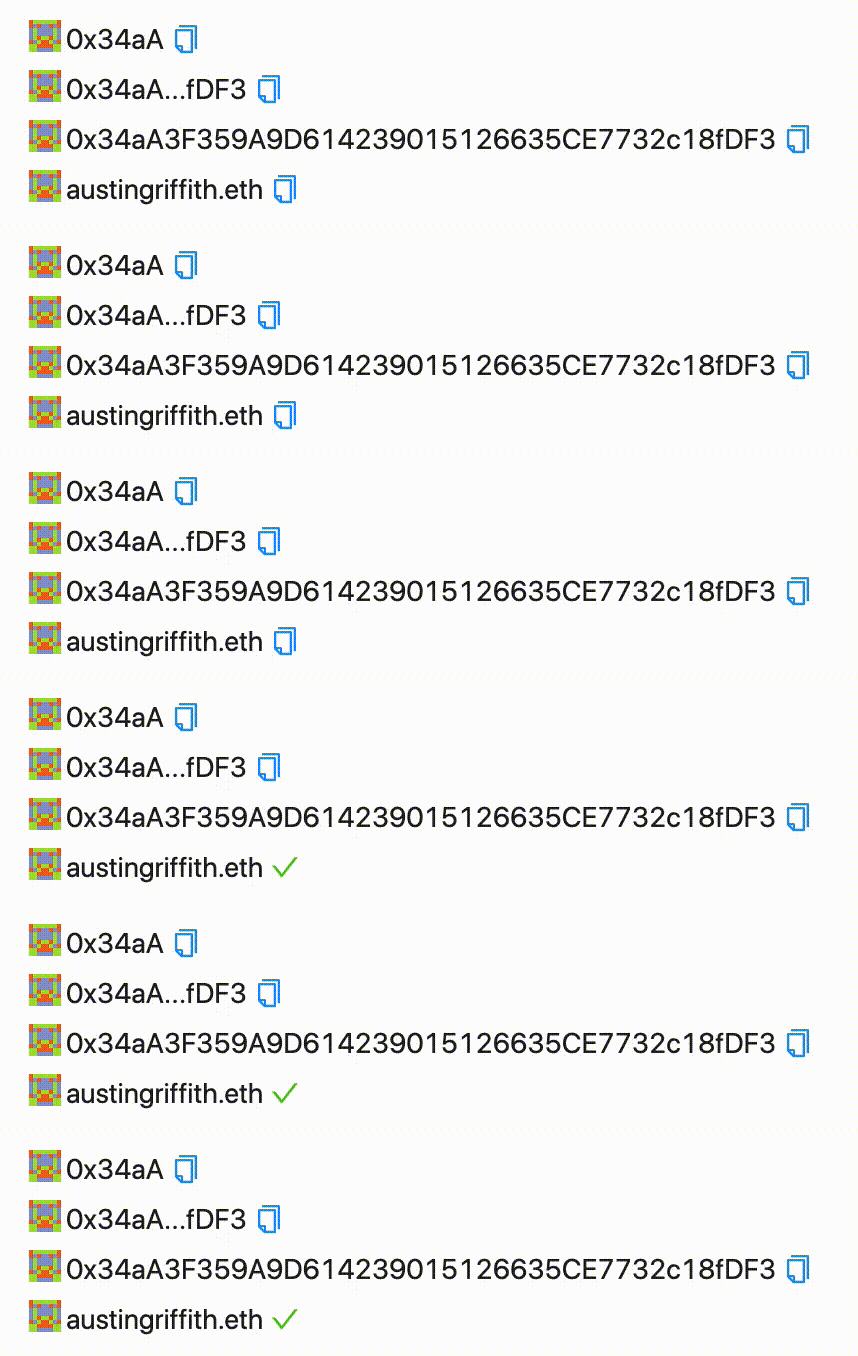
🖋 ``: An input box you control with useState for an Ethereum address that uses a [Blockie](https://www.npmjs.com/package/ethereum-blockies) and ENS lookup/display.
```jsx
const [ address, setAddress ] = useState("")
{
setAddress(address)
}}
/>
```
TODO GIF
💵 ``: Displays the balance of an address in either dollars or decimal.
```jsx
```

👤 ``: Allows your users to start with an Ethereum address on page load but upgrade to a more secure, injected provider, using [Web3Modal](https://web3modal.com/). It will track your `address` and `localProvider` in your app's state:
```jsx
const [address, setAddress] = useState();
const [injectedProvider, setInjectedProvider] = useState();
const price = useExchangePrice(mainnetProvider);
```
```jsx
```
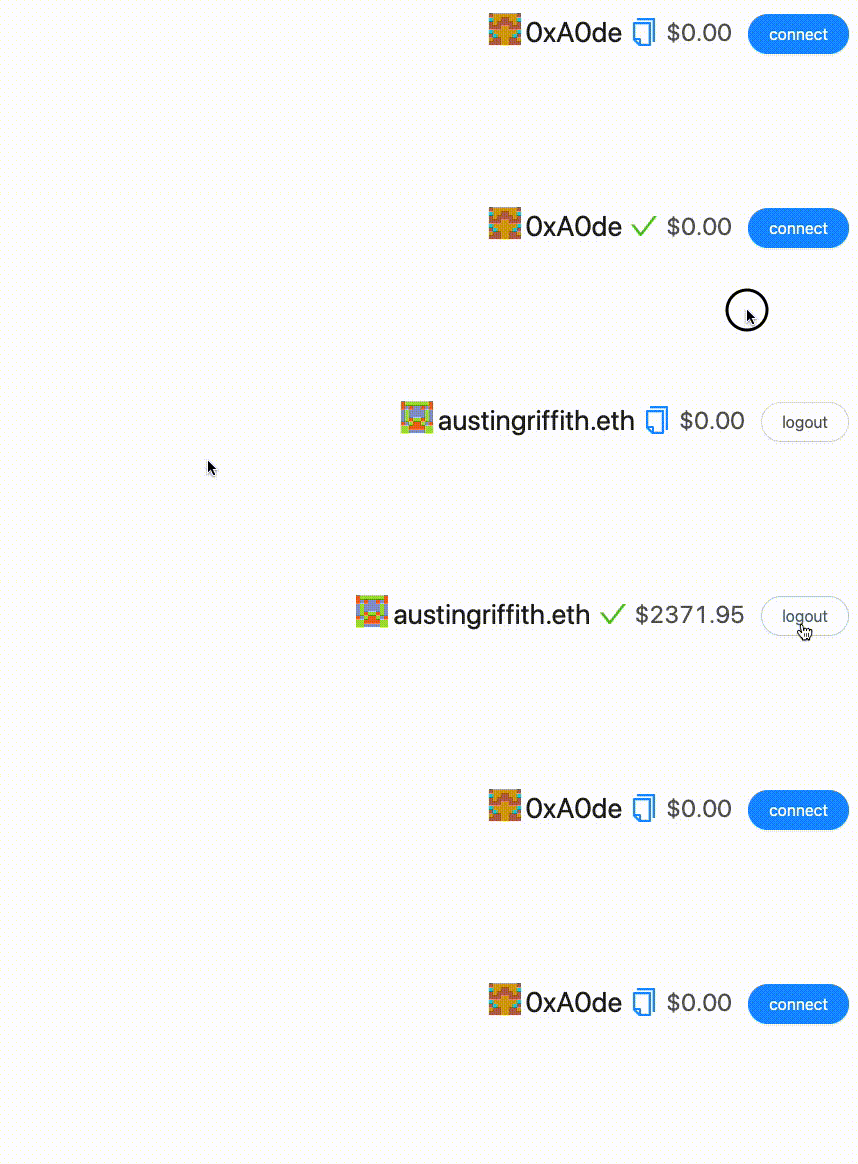
> 💡 **Notice**: the `` component will call `setAddress` and `setInjectedProvider` for you.
> ☢️ **Warning**: You will need to update the configuration for `Web3Modal` to use _your_ [Infura Id](https://infura.io/login)
📡 ``: You can choose to display the provider connection status to your users with:
```jsx
```

> 💡 **Notice**: you will need to check the network id of your `injectedProvider` compared to your `localProvider` or `mainnetProvider` and alert your users if they are on the wrong network!
---
## 📄 Smart Contract Wallet:
📝 Edit your smart contract `SmartContractWallet.sol` in `packages/buidler/contracts`
📝 Then edit the `SmartContractWallet.js` React component in `packages/react-app/src`
▶️ Run `yarn run compile` and `yarn run deploy` or just `yarn run watch`

> 🛠 Run [this eth.build](https://eth.build/build#32f1ecd6d90518387f2f34c47176bf67fdf55c855bff39f85de08d76696b850f) with your contract address to ask it who its owner is.
---
📚 OpenZeppelin Contracts -- TODO
You can import any of the [OpenZeppelin contracts](https://github.com/OpenZeppelin/openzeppelin-contracts/tree/master/contracts):
```jsx
import "@openzeppelin/contracts/token/ERC20/IERC20.sol";
```
---
🛰 The Graph -- TODO
⛽️ GSN -- TODO
---
## 📤 Save to your Git
Create a new repo with the same name as this project and then:
```bash
git remote add origin https://github.com/**YOUR_GITHUB_USERNAME**/**YOUR_COOL_PROJECT_NAME**.git
git push -u origin master
```
---
## 🛳 Ship it!
You can deploy your static site and your dapp can go live:
```bash
yarn run build
# ship it!
yarn run surge
OR
yarn run s3
OR
yarn run ipfs
```