# Rv-image-optimize
**Repository Path**: imageOptimize/Rv-image-optimize
## Basic Information
- **Project Name**: Rv-image-optimize
- **Description**: 高性能、跨框架的图片优化与懒加载解决方案。提供 React 组件、通用工具函数、浏览器/Node 压缩、Vite 静态图片打包压缩、上传编排和 IndexedDB 缓存能力,适合 React、Vue、Vite、Webpack、Node 脚本和 CLI 场景。
- **Primary Language**: JavaScript
- **License**: WTFPL
- **Default Branch**: master
- **Homepage**: https://imageoptimize.gitee.io/rv-image-optimize/
- **GVP Project**: No
## Statistics
- **Stars**: 49
- **Forks**: 2
- **Created**: 2025-11-05
- **Last Updated**: 2026-05-06
## Categories & Tags
**Categories**: vue-extensions, react-extensions
**Tags**: 图片优化, image-optimize
## README
# rv-image-optimize
高性能、跨框架的图片优化与懒加载解决方案。提供 React 组件、通用工具函数、浏览器/Node 压缩、Vite / Webpack 静态图片打包压缩、上传编排和 IndexedDB 缓存能力,适合 React、Vue、Vite、Webpack、Node 脚本和 CLI 场景。
A high-performance, cross-framework image optimization and lazy-loading solution. It provides React components, framework-agnostic utilities, browser/Node compression, Vite / Webpack static asset optimization, upload orchestration, and IndexedDB caching for React, Vue, Vite, Webpack, Node scripts, and CLI workflows.






[](https://clawhub.ai/ziji1224054593/image-compressor)
[](https://github.com/ziji1224054593/Rv-image-optimize)
[](https://www.npmjs.com/package/rv-image-optimize)
> 最新版本 / Latest version: **v3.0.30**
>
> `3.x` 只保证 `exports` 中声明的正式入口兼容,不再支持 `src/*`、`lib/*`、`dist/*` 这类内部文件直引。
> `3.x` only guarantees compatibility for the public entry points declared in `exports`. Direct imports from internal paths such as `src/*`, `lib/*`, or `dist/*` are no longer supported.
[在线预览 / Live Preview](https://imageoptimize.gitee.io/rv-image-optimize)
## 插件亮点 / Highlights
- 🚀 跨框架可用:同一个包同时覆盖 React 组件、Vue / Webpack / 原生 JS 工具函数,以及 Node / CLI 场景。 / Cross-framework support: one package covers React components, Vue / Webpack / vanilla JS utilities, and Node / CLI workflows.
- 🌐 跨语言调用友好:Java / Python / PHP 等后端可直接通过 CLI 复用压缩能力。 / Friendly for multi-language backends: Java / Python / PHP and other services can reuse the compression pipeline through the CLI.
- 🖼️ 图片优化能力完整:支持多 CDN 参数适配、自动格式选择、响应式图片、懒加载和渐进式加载。 / Complete image optimization features: multi-CDN URL adaptation, automatic format selection, responsive images, lazy loading, and progressive loading.
- ⚙️ 浏览器与服务端双压缩链路:既支持浏览器端压缩 / 无损压缩,也支持 `node-compress` 在 Node 环境原生处理图片。 / Dual compression paths for browser and server: supports browser-side compression / lossless compression and native Node processing through `node-compress`.
- 📦 支持静态图片打包压缩:可通过 `rv-image-optimize/vite-plugin` 在 `build` 后自动优化 `dist` 内静态图片。 / Static asset build optimization: use `rv-image-optimize/vite-plugin` to optimize static images in `dist` after build.
- 📤 上传链路可复用:提供 `upload-core` 和 `upload` 两层入口。 / Reusable upload pipeline: ships both `upload-core` and `upload` entry points.
- 🧱 上传链路更可接业务:支持重试、超时、响应适配,以及通过配置实现分片上传 / 断点续传。 / Upload workflows are more production-ready with retry, timeout, response adaptation, and configurable chunked / resumable uploads.
- 🧪 预览示例可直接验证新能力:示例页已内置目标体积压缩、上传超时、回调隔离和分片续传演示。 / The preview app now includes interactive demos for target-size compression, upload timeout, callback isolation, and chunked resumable uploads.
- 💾 缓存体系完善:内置 IndexedDB + Worker 缓存能力,支持多库多表、自动过期和配额检测。 / Solid caching system: built-in IndexedDB + Worker caching with multi-database, multi-table, expiration, and quota checks.
- 🧩 `JS / TS` 都可直接接入:从 `3.x` 开始提供官方 `.d.ts`。 / Ready for both `JS / TS`: official `.d.ts` files are included starting from `3.x`.
- 🤖 Agent 集成友好:可直接接入 `Cursor`、`Claude Code`、skills 型 Agent,支持通过 CLI + `--json` 自动化压缩与上传。 / Agent-friendly integration: works well with `Cursor`, `Claude Code`, and skill-based agents, including CLI + `--json` automation for both compression and upload.
## Agent 集成亮点 / Agent Integration
- 支持 `Cursor`、`Claude Code`、skills 型 Agent 直接接入。 / Supports direct integration with `Cursor`, `Claude Code`, and skill-based agents.
- 推荐统一通过 `rv-image-optimize` CLI 调用,避免 Agent 临时拼接脚本。 / Using the `rv-image-optimize` CLI is recommended so agents do not have to assemble ad hoc scripts.
- 支持 `--json` 结构化输出,方便 Agent 稳定解析成功数、失败数、输出目录和压缩结果。 / Supports structured `--json` output so agents can reliably parse success counts, failures, output paths, and compression results.
- 支持 `--target-size-bytes` / `--max-bytes` 做目标体积压缩,并支持 `--timeout-ms` 为上传链路增加超时保护。 / Supports `--target-size-bytes` / `--max-bytes` for target-size compression and `--timeout-ms` for upload timeout protection.
- 需要接口上传自动化时,可直接使用 `rv-image-optimize upload ` 并通过命令行参数或配置文件描述上传字段。 / For upload automation, use `rv-image-optimize upload ` and describe request fields through flags or a config file.
- 既适合安全输出到新目录,也支持在用户明确授权时删除原图或替换原图。 / Works for safe output into a new directory and can also delete or replace originals when explicitly authorized.
- 详细接入方式、推荐提示词和 skill 规则见 [AGENT_INTEGRATION.md](./AGENT_INTEGRATION.md)。 / See [AGENT_INTEGRATION.md](./AGENT_INTEGRATION.md) for detailed integration guidance, prompt suggestions, and skill rules.
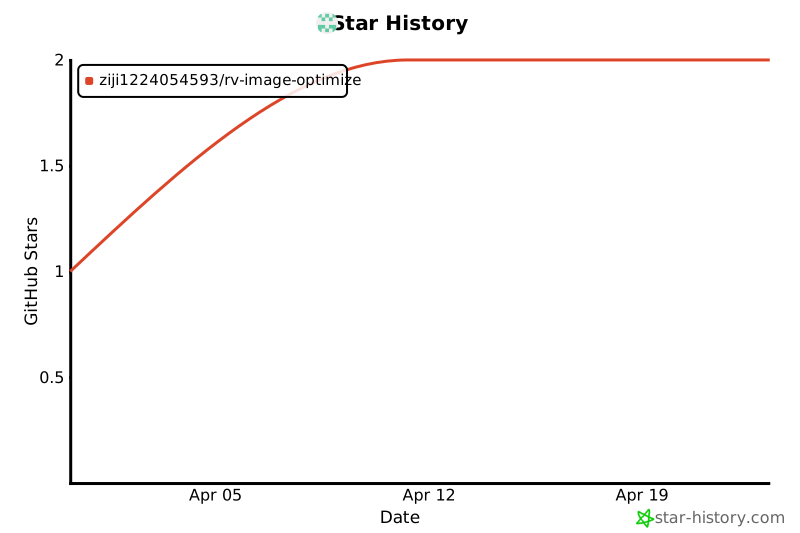
## Star History
 ## 安装 / Installation
```bash
npm install rv-image-optimize
```
## JS / TS 是否开箱即用 / JS / TS Readiness
- `JavaScript`:开箱即用。 / `JavaScript`: works out of the box.
- `TypeScript`:从 `3.x` 开始提供官方 `.d.ts`,开箱即用。 / `TypeScript`: official `.d.ts` files are included from `3.x`, so it is ready out of the box.
- React 项目:使用 `rv-image-optimize`、`rv-image-optimize/LazyImage`、`rv-image-optimize/ProgressiveImage`、`rv-image-optimize/styles`。 / For React projects, use `rv-image-optimize`, `rv-image-optimize/LazyImage`, `rv-image-optimize/ProgressiveImage`, and `rv-image-optimize/styles`.
- Vue / 原生 JS / Webpack:使用 `rv-image-optimize/utils-only`。 / For Vue / vanilla JS / Webpack runtime usage, use `rv-image-optimize/utils-only`.
- Vite 项目打包:可额外使用 `rv-image-optimize/vite-plugin`,在 `vite build` / `npm run build` 阶段自动优化 `dist` 中的静态图片。 / For Vite build-time optimization, use `rv-image-optimize/vite-plugin` to optimize static images in `dist` during `vite build` / `npm run build`.
如果你是第一次安装并直接使用 `3.x`,按本 README 示例接入即可,不需要看迁移文档。
If this is your first installation and you are starting with `3.x`, you can follow this README directly without reading the migration guide first.
## 快速开始 / Quick Start
### React
```jsx
import { LazyImage } from 'rv-image-optimize';
import 'rv-image-optimize/styles';
export default function App() {
return (
);
}
```
### Vue / 原生 JS / Webpack / Vue / Vanilla JS / Webpack
```javascript
import { optimizeImageUrl, loadImageWithCache } from 'rv-image-optimize/utils-only';
const optimized = optimizeImageUrl('https://example.com/image.jpg', {
width: 800,
quality: 80,
format: 'webp',
});
const blobUrl = await loadImageWithCache(optimized);
```
如果你是 `Webpack` 项目,建议继续查看 [WEBPACK_USAGE.md](./WEBPACK_USAGE.md)。
If you are using `Webpack`, it is recommended to continue with [WEBPACK_USAGE.md](./WEBPACK_USAGE.md).
### 浏览器端压缩返回值 / Browser Compression Return Value
`compressImageInBrowser()` 现在返回结构化结果对象,而不是单独的 `dataURL` 字符串。
`compressImageInBrowser()` now returns a structured result object instead of a single `dataURL` string.
```javascript
import { compressImageInBrowser } from 'rv-image-optimize/utils-only';
const result = await compressImageInBrowser(file, {
maxWidth: 1280,
quality: 0.82,
format: 'webp',
});
console.log(result.compressedSize, result.savedPercentage);
previewImg.src = result.dataURL || result.url;
formData.append('file', result.file);
```
常用字段 / Common fields:
- `file`:压缩后的 `File`,适合直接上传。 / The compressed `File`, suitable for direct upload.
- `blob`:压缩后的 `Blob`。 / The compressed `Blob`.
- `dataURL` / `url`:可直接用于预览。 / A preview-ready `dataURL` / `url`.
- `originalSize` / `compressedSize` / `savedPercentage`:体积对比信息。 / Size comparison metrics.
- `compressedFileName` / `compressedFormat`:输出文件名与格式。 / Output file name and output format.
### Node / CLI
```javascript
import { compressImageFile } from 'rv-image-optimize/node-compress';
const result = await compressImageFile('./images/demo.png', {
outputDir: './compressed',
format: 'webp',
quality: 82,
});
console.log(result.outputPath, result.compressedSizeFormatted);
```
```bash
rv-image-optimize ./images --output-dir ./compressed --format webp --quality 82
```
```bash
rv-image-optimize ./images --output-dir ./compressed --format webp --target-size-bytes 153600 --json
```
```bash
rv-image-optimize upload ./compressed/demo.webp --url https://example.com/admin/upload --timeout-ms 10000 --json
```
```bash
rv-image-optimize pipeline ./images --format webp --target-size-bytes 153600 --config ./upload.config.json --timeout-ms 10000 --json
```
复杂上传字段建议放进 `--config` 指向的 JSON 文件;如果只是临时增加少量字段,也可以重复传 `--header` 和 `--form-field`。
For more complex upload payloads, prefer a JSON file via `--config`; for a few ad hoc fields, repeat `--header` and `--form-field`.
如果是大文件上传、分片上传或断点续传,建议把 `chunkUpload` 配置一并写进 `--config` JSON 文件。
For large files, chunked uploads, or resumable uploads, it is recommended to keep the `chunkUpload` settings in the same `--config` JSON file.
### Vite 静态图片打包压缩 / Vite Static Image Build Optimization
适用于 `Vite` 项目构建阶段。接入后会在 `vite build` 或 `npm run build` 产物生成后,自动扫描并优化 `dist` 里的静态图片文件;默认不影响 `vite dev` 开发模式,也不改图片引用路径。
Designed for the `Vite` build stage. After integration, it scans and optimizes static image files inside `dist` after `vite build` or `npm run build`; it does not affect `vite dev` and does not change referenced asset paths by default.
```ts
import { defineConfig } from 'vite'
import vue from '@vitejs/plugin-vue'
import { rvImageOptimizeVitePlugin } from 'rv-image-optimize/vite-plugin'
export default defineConfig({
plugins: [
vue(),
rvImageOptimizeVitePlugin({
includeFormats: ['png', 'webp', 'avif', 'svg'],
}),
],
})
```
默认更适合处理这些静态资源 / The default target formats are:
- `png`
- `webp`
- `avif`
- `svg`
如果你需要更完整的配置项和注意事项,请查看 [STATIC_IMAGE_BUILD_PLUGIN.md](./STATIC_IMAGE_BUILD_PLUGIN.md)。
For more configuration details and caveats, see [STATIC_IMAGE_BUILD_PLUGIN.md](./STATIC_IMAGE_BUILD_PLUGIN.md).
### Webpack 静态图片打包压缩 / Webpack Static Image Build Optimization
适用于 `Webpack 4 / 5` 项目构建阶段。接入后会直接处理 `compilation assets` 中的图片资源,保持资源名与引用路径不变,只在体积变小时覆盖构建产物。
Designed for the `Webpack 4 / 5` build stage. It processes image assets in `compilation assets`, keeps the same file names and reference paths, and only overwrites build outputs when the optimized file is smaller.
```js
import path from 'node:path';
import { rvImageOptimizeWebpackPlugin } from 'rv-image-optimize/webpack-plugin';
export default {
mode: 'production',
entry: './src/index.js',
output: {
path: path.resolve('dist'),
filename: 'bundle.js',
},
plugins: [
rvImageOptimizeWebpackPlugin({
includeFormats: ['png', 'webp', 'avif', 'svg'],
}),
],
};
```
如果你需要更完整的配置项和差异说明,请查看 [WEBPACK_USAGE.md](./WEBPACK_USAGE.md)。
For more complete configuration options and differences, see [WEBPACK_USAGE.md](./WEBPACK_USAGE.md).
## 正式入口 / Public Entry Points
| 入口 / Export | 中文说明 | English |
| --- | --- | --- |
| `rv-image-optimize` | React 根入口,导出 `LazyImage` / `ProgressiveImage` 与常用能力 | React root entry that exports `LazyImage`, `ProgressiveImage`, and common capabilities |
| `rv-image-optimize/LazyImage` | React `LazyImage` 单独入口 | Dedicated React `LazyImage` entry |
| `rv-image-optimize/ProgressiveImage` | React `ProgressiveImage` 单独入口 | Dedicated React `ProgressiveImage` entry |
| `rv-image-optimize/styles` | React 组件样式 | React component styles |
| `rv-image-optimize/utils-only` | 不含 React 的工具函数入口,适合 Vue / Webpack / 原生 JS | React-free utility entry for Vue / Webpack / vanilla JS |
| `rv-image-optimize/cache` | 通用缓存能力 | General-purpose cache utilities |
| `rv-image-optimize/lossless` | 浏览器端无损压缩 | Browser-side lossless compression |
| `rv-image-optimize/node-compress` | Node 原生压缩 | Native Node compression |
| `rv-image-optimize/vite-plugin` | Vite 构建后静态图片压缩插件 | Vite post-build static image optimization plugin |
| `rv-image-optimize/webpack-plugin` | Webpack 4 / 5 构建期静态图片压缩插件 | Webpack 4 / 5 build-time static image optimization plugin |
| `rv-image-optimize/upload-core` | 无 UI 上传核心 | Headless upload core |
| `rv-image-optimize/upload` | 浏览器端压缩后上传编排 | Browser-side compress-then-upload orchestration |
本仓库内的本地预览示例也按上表这组正式入口联调;即使在开发环境使用 alias,alias 也只会映射到对应的公开入口包装层,而不会直接把 `lib/*` 当作对外契约。
The local preview app in this repository is also validated against the public entry points above. Even when aliases are used in development, they only map to public-entry wrappers instead of treating `lib/*` as part of the external contract.
## 框架接入建议 / Integration Recommendations
- React:优先使用 `rv-image-optimize` 或 `rv-image-optimize/LazyImage`。 / For React, prefer `rv-image-optimize` or `rv-image-optimize/LazyImage`.
- Vue / Vite:运行时统一使用 `rv-image-optimize/utils-only`,构建期静态图可配合 `rv-image-optimize/vite-plugin`。 / For Vue / Vite, use `rv-image-optimize/utils-only` at runtime and optionally pair it with `rv-image-optimize/vite-plugin` at build time.
- Webpack 5:运行时可直接使用 `rv-image-optimize/utils-only`,构建期静态图可配合 `rv-image-optimize/webpack-plugin`。 / For Webpack 5, use `rv-image-optimize/utils-only` at runtime and `rv-image-optimize/webpack-plugin` during builds.
- Webpack 4:运行时使用 `rv-image-optimize/utils-only` 并为 `.worker.js` 配置 `worker-loader`。 / For Webpack 4, use `rv-image-optimize/utils-only` at runtime and configure `worker-loader` for `.worker.js`.
- Node / CLI:使用 `rv-image-optimize/node-compress` 或直接调用 `rv-image-optimize` CLI。 / For Node / CLI, use `rv-image-optimize/node-compress` or call the `rv-image-optimize` CLI directly.
- Agent / Cursor / Claude Code / skills:优先通过 `rv-image-optimize` CLI 调用,并配合 `--json` 读取结构化结果。 / For Agent / Cursor / Claude Code / skills workflows, prefer the `rv-image-optimize` CLI with `--json` structured output.
## 常见问题 / FAQ
| 问题 / Question | 解决方式 / Solution |
| --- | --- |
| Vue 中报 `ReactCurrentDispatcher` / `ReactCurrentDispatcher` error in Vue | 导入了 React 入口,改用 `rv-image-optimize/utils-only`。 / You imported the React entry; switch to `rv-image-optimize/utils-only`. |
| Webpack `Module parse failed` | 补 `worker-loader`,或检查是否误用了不适合当前环境的入口。 / Add `worker-loader`, or check whether you imported an entry that does not fit the current environment. |
| Webpack 构建期想自动压缩静态图片 / Want automatic image optimization during Webpack build | 使用 `rv-image-optimize/webpack-plugin`。 / Use `rv-image-optimize/webpack-plugin`. |
| Node 里调用 `losslessCompress` 报浏览器 API 错误 / Browser API error when calling `losslessCompress` in Node | 改用 `rv-image-optimize/node-compress`。 / Use `rv-image-optimize/node-compress` instead. |
| 想压缩成功后删除或替换原图 / Want to delete or replace the original after compression | CLI 使用 `--delete-original` 或 `--replace-original`。 / Use `--delete-original` or `--replace-original` in the CLI. |
| 想删除整个缓存数据库但浏览器一直挂起 / Deleting the whole cache database hangs in the browser | 当前版本会在删库或版本变更时主动关闭主线程 / Worker 持有的 IndexedDB 连接,并保留阻塞等待与超时保护;如果仍有旧页面或同源标签页占用,刷新页面或关闭相关标签页后再重试。 / The current version proactively closes IndexedDB connections held by the main thread / Worker during database deletion or version changes, with blocking waits and timeout protection; if old pages or same-origin tabs are still holding the DB, refresh or close them and try again. |
## 迁移与详细文档 / Migration and Detailed Docs
README 只保留首页摘要。以下细节请看对应文档。
This README stays focused on the overview. See the following documents for detailed guidance.
| 文档 / Document | 内容 / Description |
| --- | --- |
| [REACT_MIGRATION_3X.md](./REACT_MIGRATION_3X.md) | React 项目从 2.x 升级到 3.x 的迁移对照 / Migration guide for upgrading React projects from 2.x to 3.x |
| [VUE_USAGE.md](./VUE_USAGE.md) | Vue / Vite / Webpack 详细接入说明 / Detailed usage for Vue / Vite / Webpack |
| [WEBPACK_USAGE.md](./WEBPACK_USAGE.md) | Webpack 5 / Webpack 4 / React / 原生 JS 接入说明 / Integration guide for Webpack 5 / Webpack 4 / React / vanilla JS |
| [ProgressiveImage.md](./ProgressiveImage.md) | 渐进式加载配置与示例 / Progressive loading configuration and examples |
| [LOSSLESS_COMPRESS.md](./LOSSLESS_COMPRESS.md) | 无损压缩能力与 API / Lossless compression capabilities and API |
| [NODE_CLI_COMPRESS.md](./NODE_CLI_COMPRESS.md) | Node API 与 CLI 压缩入口 / Node API and CLI compression entry points |
| [STATIC_IMAGE_BUILD_PLUGIN.md](./STATIC_IMAGE_BUILD_PLUGIN.md) | Vite / Webpack 静态图片打包压缩插件说明 / Static image build optimization for Vite / Webpack |
| [MULTI_LANGUAGE_CLI_USAGE.md](./MULTI_LANGUAGE_CLI_USAGE.md) | Java / Python / PHP 等后端通过 CLI 调用说明 / CLI usage from Java / Python / PHP and other backends |
| [AI_TOOLKIT.md](./AI_TOOLKIT.md) | 专门给 AI / Agent 使用的工具摘要与提示词模板 / Toolkit summary and prompt templates for AI / Agent usage |
| [AGENTS.md](./AGENTS.md) | 仓库级 Agent 规则,适合支持自动读取仓库指引的 AI / Repository-level agent rules for AI tools that can read repo guidance |
| [UPLOAD_PIPELINE.md](./UPLOAD_PIPELINE.md) | 上传编排、`upload-core` / `upload` 说明 / Upload orchestration with `upload-core` / `upload` |
| [STYLE_CUSTOMIZATION.md](./STYLE_CUSTOMIZATION.md) | 样式自定义 / Style customization |
| [AGENT_INTEGRATION.md](./AGENT_INTEGRATION.md) | Cursor / Claude Code / skills / Agent CLI 集成说明 / Cursor / Claude Code / skills / Agent CLI integration guide |
| [PUBLISH.md](./PUBLISH.md) | npm 发版流程 / npm publishing workflow |
| [CHANGELOG.md](./CHANGELOG.md) | 版本变更记录 / Release history |
## License
ISC
## 安装 / Installation
```bash
npm install rv-image-optimize
```
## JS / TS 是否开箱即用 / JS / TS Readiness
- `JavaScript`:开箱即用。 / `JavaScript`: works out of the box.
- `TypeScript`:从 `3.x` 开始提供官方 `.d.ts`,开箱即用。 / `TypeScript`: official `.d.ts` files are included from `3.x`, so it is ready out of the box.
- React 项目:使用 `rv-image-optimize`、`rv-image-optimize/LazyImage`、`rv-image-optimize/ProgressiveImage`、`rv-image-optimize/styles`。 / For React projects, use `rv-image-optimize`, `rv-image-optimize/LazyImage`, `rv-image-optimize/ProgressiveImage`, and `rv-image-optimize/styles`.
- Vue / 原生 JS / Webpack:使用 `rv-image-optimize/utils-only`。 / For Vue / vanilla JS / Webpack runtime usage, use `rv-image-optimize/utils-only`.
- Vite 项目打包:可额外使用 `rv-image-optimize/vite-plugin`,在 `vite build` / `npm run build` 阶段自动优化 `dist` 中的静态图片。 / For Vite build-time optimization, use `rv-image-optimize/vite-plugin` to optimize static images in `dist` during `vite build` / `npm run build`.
如果你是第一次安装并直接使用 `3.x`,按本 README 示例接入即可,不需要看迁移文档。
If this is your first installation and you are starting with `3.x`, you can follow this README directly without reading the migration guide first.
## 快速开始 / Quick Start
### React
```jsx
import { LazyImage } from 'rv-image-optimize';
import 'rv-image-optimize/styles';
export default function App() {
return (
);
}
```
### Vue / 原生 JS / Webpack / Vue / Vanilla JS / Webpack
```javascript
import { optimizeImageUrl, loadImageWithCache } from 'rv-image-optimize/utils-only';
const optimized = optimizeImageUrl('https://example.com/image.jpg', {
width: 800,
quality: 80,
format: 'webp',
});
const blobUrl = await loadImageWithCache(optimized);
```
如果你是 `Webpack` 项目,建议继续查看 [WEBPACK_USAGE.md](./WEBPACK_USAGE.md)。
If you are using `Webpack`, it is recommended to continue with [WEBPACK_USAGE.md](./WEBPACK_USAGE.md).
### 浏览器端压缩返回值 / Browser Compression Return Value
`compressImageInBrowser()` 现在返回结构化结果对象,而不是单独的 `dataURL` 字符串。
`compressImageInBrowser()` now returns a structured result object instead of a single `dataURL` string.
```javascript
import { compressImageInBrowser } from 'rv-image-optimize/utils-only';
const result = await compressImageInBrowser(file, {
maxWidth: 1280,
quality: 0.82,
format: 'webp',
});
console.log(result.compressedSize, result.savedPercentage);
previewImg.src = result.dataURL || result.url;
formData.append('file', result.file);
```
常用字段 / Common fields:
- `file`:压缩后的 `File`,适合直接上传。 / The compressed `File`, suitable for direct upload.
- `blob`:压缩后的 `Blob`。 / The compressed `Blob`.
- `dataURL` / `url`:可直接用于预览。 / A preview-ready `dataURL` / `url`.
- `originalSize` / `compressedSize` / `savedPercentage`:体积对比信息。 / Size comparison metrics.
- `compressedFileName` / `compressedFormat`:输出文件名与格式。 / Output file name and output format.
### Node / CLI
```javascript
import { compressImageFile } from 'rv-image-optimize/node-compress';
const result = await compressImageFile('./images/demo.png', {
outputDir: './compressed',
format: 'webp',
quality: 82,
});
console.log(result.outputPath, result.compressedSizeFormatted);
```
```bash
rv-image-optimize ./images --output-dir ./compressed --format webp --quality 82
```
```bash
rv-image-optimize ./images --output-dir ./compressed --format webp --target-size-bytes 153600 --json
```
```bash
rv-image-optimize upload ./compressed/demo.webp --url https://example.com/admin/upload --timeout-ms 10000 --json
```
```bash
rv-image-optimize pipeline ./images --format webp --target-size-bytes 153600 --config ./upload.config.json --timeout-ms 10000 --json
```
复杂上传字段建议放进 `--config` 指向的 JSON 文件;如果只是临时增加少量字段,也可以重复传 `--header` 和 `--form-field`。
For more complex upload payloads, prefer a JSON file via `--config`; for a few ad hoc fields, repeat `--header` and `--form-field`.
如果是大文件上传、分片上传或断点续传,建议把 `chunkUpload` 配置一并写进 `--config` JSON 文件。
For large files, chunked uploads, or resumable uploads, it is recommended to keep the `chunkUpload` settings in the same `--config` JSON file.
### Vite 静态图片打包压缩 / Vite Static Image Build Optimization
适用于 `Vite` 项目构建阶段。接入后会在 `vite build` 或 `npm run build` 产物生成后,自动扫描并优化 `dist` 里的静态图片文件;默认不影响 `vite dev` 开发模式,也不改图片引用路径。
Designed for the `Vite` build stage. After integration, it scans and optimizes static image files inside `dist` after `vite build` or `npm run build`; it does not affect `vite dev` and does not change referenced asset paths by default.
```ts
import { defineConfig } from 'vite'
import vue from '@vitejs/plugin-vue'
import { rvImageOptimizeVitePlugin } from 'rv-image-optimize/vite-plugin'
export default defineConfig({
plugins: [
vue(),
rvImageOptimizeVitePlugin({
includeFormats: ['png', 'webp', 'avif', 'svg'],
}),
],
})
```
默认更适合处理这些静态资源 / The default target formats are:
- `png`
- `webp`
- `avif`
- `svg`
如果你需要更完整的配置项和注意事项,请查看 [STATIC_IMAGE_BUILD_PLUGIN.md](./STATIC_IMAGE_BUILD_PLUGIN.md)。
For more configuration details and caveats, see [STATIC_IMAGE_BUILD_PLUGIN.md](./STATIC_IMAGE_BUILD_PLUGIN.md).
### Webpack 静态图片打包压缩 / Webpack Static Image Build Optimization
适用于 `Webpack 4 / 5` 项目构建阶段。接入后会直接处理 `compilation assets` 中的图片资源,保持资源名与引用路径不变,只在体积变小时覆盖构建产物。
Designed for the `Webpack 4 / 5` build stage. It processes image assets in `compilation assets`, keeps the same file names and reference paths, and only overwrites build outputs when the optimized file is smaller.
```js
import path from 'node:path';
import { rvImageOptimizeWebpackPlugin } from 'rv-image-optimize/webpack-plugin';
export default {
mode: 'production',
entry: './src/index.js',
output: {
path: path.resolve('dist'),
filename: 'bundle.js',
},
plugins: [
rvImageOptimizeWebpackPlugin({
includeFormats: ['png', 'webp', 'avif', 'svg'],
}),
],
};
```
如果你需要更完整的配置项和差异说明,请查看 [WEBPACK_USAGE.md](./WEBPACK_USAGE.md)。
For more complete configuration options and differences, see [WEBPACK_USAGE.md](./WEBPACK_USAGE.md).
## 正式入口 / Public Entry Points
| 入口 / Export | 中文说明 | English |
| --- | --- | --- |
| `rv-image-optimize` | React 根入口,导出 `LazyImage` / `ProgressiveImage` 与常用能力 | React root entry that exports `LazyImage`, `ProgressiveImage`, and common capabilities |
| `rv-image-optimize/LazyImage` | React `LazyImage` 单独入口 | Dedicated React `LazyImage` entry |
| `rv-image-optimize/ProgressiveImage` | React `ProgressiveImage` 单独入口 | Dedicated React `ProgressiveImage` entry |
| `rv-image-optimize/styles` | React 组件样式 | React component styles |
| `rv-image-optimize/utils-only` | 不含 React 的工具函数入口,适合 Vue / Webpack / 原生 JS | React-free utility entry for Vue / Webpack / vanilla JS |
| `rv-image-optimize/cache` | 通用缓存能力 | General-purpose cache utilities |
| `rv-image-optimize/lossless` | 浏览器端无损压缩 | Browser-side lossless compression |
| `rv-image-optimize/node-compress` | Node 原生压缩 | Native Node compression |
| `rv-image-optimize/vite-plugin` | Vite 构建后静态图片压缩插件 | Vite post-build static image optimization plugin |
| `rv-image-optimize/webpack-plugin` | Webpack 4 / 5 构建期静态图片压缩插件 | Webpack 4 / 5 build-time static image optimization plugin |
| `rv-image-optimize/upload-core` | 无 UI 上传核心 | Headless upload core |
| `rv-image-optimize/upload` | 浏览器端压缩后上传编排 | Browser-side compress-then-upload orchestration |
本仓库内的本地预览示例也按上表这组正式入口联调;即使在开发环境使用 alias,alias 也只会映射到对应的公开入口包装层,而不会直接把 `lib/*` 当作对外契约。
The local preview app in this repository is also validated against the public entry points above. Even when aliases are used in development, they only map to public-entry wrappers instead of treating `lib/*` as part of the external contract.
## 框架接入建议 / Integration Recommendations
- React:优先使用 `rv-image-optimize` 或 `rv-image-optimize/LazyImage`。 / For React, prefer `rv-image-optimize` or `rv-image-optimize/LazyImage`.
- Vue / Vite:运行时统一使用 `rv-image-optimize/utils-only`,构建期静态图可配合 `rv-image-optimize/vite-plugin`。 / For Vue / Vite, use `rv-image-optimize/utils-only` at runtime and optionally pair it with `rv-image-optimize/vite-plugin` at build time.
- Webpack 5:运行时可直接使用 `rv-image-optimize/utils-only`,构建期静态图可配合 `rv-image-optimize/webpack-plugin`。 / For Webpack 5, use `rv-image-optimize/utils-only` at runtime and `rv-image-optimize/webpack-plugin` during builds.
- Webpack 4:运行时使用 `rv-image-optimize/utils-only` 并为 `.worker.js` 配置 `worker-loader`。 / For Webpack 4, use `rv-image-optimize/utils-only` at runtime and configure `worker-loader` for `.worker.js`.
- Node / CLI:使用 `rv-image-optimize/node-compress` 或直接调用 `rv-image-optimize` CLI。 / For Node / CLI, use `rv-image-optimize/node-compress` or call the `rv-image-optimize` CLI directly.
- Agent / Cursor / Claude Code / skills:优先通过 `rv-image-optimize` CLI 调用,并配合 `--json` 读取结构化结果。 / For Agent / Cursor / Claude Code / skills workflows, prefer the `rv-image-optimize` CLI with `--json` structured output.
## 常见问题 / FAQ
| 问题 / Question | 解决方式 / Solution |
| --- | --- |
| Vue 中报 `ReactCurrentDispatcher` / `ReactCurrentDispatcher` error in Vue | 导入了 React 入口,改用 `rv-image-optimize/utils-only`。 / You imported the React entry; switch to `rv-image-optimize/utils-only`. |
| Webpack `Module parse failed` | 补 `worker-loader`,或检查是否误用了不适合当前环境的入口。 / Add `worker-loader`, or check whether you imported an entry that does not fit the current environment. |
| Webpack 构建期想自动压缩静态图片 / Want automatic image optimization during Webpack build | 使用 `rv-image-optimize/webpack-plugin`。 / Use `rv-image-optimize/webpack-plugin`. |
| Node 里调用 `losslessCompress` 报浏览器 API 错误 / Browser API error when calling `losslessCompress` in Node | 改用 `rv-image-optimize/node-compress`。 / Use `rv-image-optimize/node-compress` instead. |
| 想压缩成功后删除或替换原图 / Want to delete or replace the original after compression | CLI 使用 `--delete-original` 或 `--replace-original`。 / Use `--delete-original` or `--replace-original` in the CLI. |
| 想删除整个缓存数据库但浏览器一直挂起 / Deleting the whole cache database hangs in the browser | 当前版本会在删库或版本变更时主动关闭主线程 / Worker 持有的 IndexedDB 连接,并保留阻塞等待与超时保护;如果仍有旧页面或同源标签页占用,刷新页面或关闭相关标签页后再重试。 / The current version proactively closes IndexedDB connections held by the main thread / Worker during database deletion or version changes, with blocking waits and timeout protection; if old pages or same-origin tabs are still holding the DB, refresh or close them and try again. |
## 迁移与详细文档 / Migration and Detailed Docs
README 只保留首页摘要。以下细节请看对应文档。
This README stays focused on the overview. See the following documents for detailed guidance.
| 文档 / Document | 内容 / Description |
| --- | --- |
| [REACT_MIGRATION_3X.md](./REACT_MIGRATION_3X.md) | React 项目从 2.x 升级到 3.x 的迁移对照 / Migration guide for upgrading React projects from 2.x to 3.x |
| [VUE_USAGE.md](./VUE_USAGE.md) | Vue / Vite / Webpack 详细接入说明 / Detailed usage for Vue / Vite / Webpack |
| [WEBPACK_USAGE.md](./WEBPACK_USAGE.md) | Webpack 5 / Webpack 4 / React / 原生 JS 接入说明 / Integration guide for Webpack 5 / Webpack 4 / React / vanilla JS |
| [ProgressiveImage.md](./ProgressiveImage.md) | 渐进式加载配置与示例 / Progressive loading configuration and examples |
| [LOSSLESS_COMPRESS.md](./LOSSLESS_COMPRESS.md) | 无损压缩能力与 API / Lossless compression capabilities and API |
| [NODE_CLI_COMPRESS.md](./NODE_CLI_COMPRESS.md) | Node API 与 CLI 压缩入口 / Node API and CLI compression entry points |
| [STATIC_IMAGE_BUILD_PLUGIN.md](./STATIC_IMAGE_BUILD_PLUGIN.md) | Vite / Webpack 静态图片打包压缩插件说明 / Static image build optimization for Vite / Webpack |
| [MULTI_LANGUAGE_CLI_USAGE.md](./MULTI_LANGUAGE_CLI_USAGE.md) | Java / Python / PHP 等后端通过 CLI 调用说明 / CLI usage from Java / Python / PHP and other backends |
| [AI_TOOLKIT.md](./AI_TOOLKIT.md) | 专门给 AI / Agent 使用的工具摘要与提示词模板 / Toolkit summary and prompt templates for AI / Agent usage |
| [AGENTS.md](./AGENTS.md) | 仓库级 Agent 规则,适合支持自动读取仓库指引的 AI / Repository-level agent rules for AI tools that can read repo guidance |
| [UPLOAD_PIPELINE.md](./UPLOAD_PIPELINE.md) | 上传编排、`upload-core` / `upload` 说明 / Upload orchestration with `upload-core` / `upload` |
| [STYLE_CUSTOMIZATION.md](./STYLE_CUSTOMIZATION.md) | 样式自定义 / Style customization |
| [AGENT_INTEGRATION.md](./AGENT_INTEGRATION.md) | Cursor / Claude Code / skills / Agent CLI 集成说明 / Cursor / Claude Code / skills / Agent CLI integration guide |
| [PUBLISH.md](./PUBLISH.md) | npm 发版流程 / npm publishing workflow |
| [CHANGELOG.md](./CHANGELOG.md) | 版本变更记录 / Release history |
## License
ISC