# occamy
**Repository Path**: itcloudy/occamy
## Basic Information
- **Project Name**: occamy
- **Description**: No description available
- **Primary Language**: Unknown
- **License**: MIT
- **Default Branch**: master
- **Homepage**: None
- **GVP Project**: No
## Statistics
- **Stars**: 0
- **Forks**: 0
- **Created**: 2024-01-31
- **Last Updated**: 2024-01-31
## Categories & Tags
**Categories**: Uncategorized
**Tags**: None
## README
 # Occamy
[](https://github.com/changkun/occamy/releases)
[](https://github.com/changkun/occamy/actions)
[](https://goreportcard.com/report/github.com/changkun/occamy)
Occamy is an open source protocol and proxy for modern remote desktop control that written in Go.
## To start using Occamy
### Build
Occamy support deployment with Docker or container orchestration tool, e.g. K8s.
To build Occamy, you need:
```
git clone https://github.com/changkun/occamy.git
cd occamy
make build
```
Then you should be able to run occamy with:
```
docker run -itd occamy:latest
```
### APIs
Occamy offers two APIs:
- `/api/v1/login` distributes JWT tokens for authentication and
- `/api/v1/connect` is used for WebSocket based Occamy connection.
If you build Occamy with web client, you can also access `/static` for web client demo.
### Demo
To run a demo, you need build an occamy client first:
```
cd client/occamy-web
npm install && npm run build
```
With docker-compose, you should be able to run a working demo with:
```
make build
make run
make stop
```
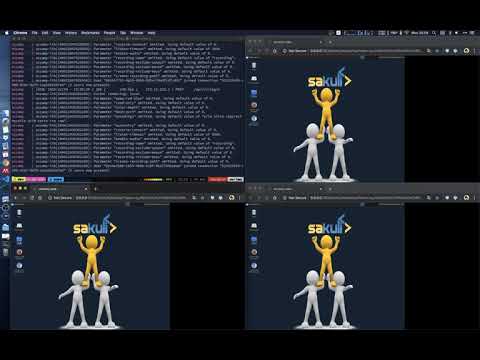
Here is a working video demo:
## Contributing
Easiest way to contribute is to provide feedback! We would love to hear
what you like and what you think is missing. PRs are welcome.
Please follow the given PR template before you send your pull request.
## Why Occamy and how it works?
Occamy implements a generic remote desktop protocol with modern approaches.
It currently performs [Guacamole](https://guacamole.apache.org/) protocol
and eventually intends to redesign and propose Occamy protocol.
The benefits of Occamy that differ from Guacamole are:
- Authentication supports
- Simplified architecture
- Streaming compression and optimization
- Modern with Go
Occamy server side currently simplifies Guacamole proxy and
Guacamole servlet client in a single middleware application.
Any client that involves Guacamole protocol and uses WebSocket
for authentication can directly switch to interact to Occamy
without any changes.
Read more details in [docs](./docs/README.md).
## License
[Occamy](https://github.com/changkun/occamy) | [MIT](./LICENSE) © 2019 [Ou Changkun](https://changkun.de)
# Occamy
[](https://github.com/changkun/occamy/releases)
[](https://github.com/changkun/occamy/actions)
[](https://goreportcard.com/report/github.com/changkun/occamy)
Occamy is an open source protocol and proxy for modern remote desktop control that written in Go.
## To start using Occamy
### Build
Occamy support deployment with Docker or container orchestration tool, e.g. K8s.
To build Occamy, you need:
```
git clone https://github.com/changkun/occamy.git
cd occamy
make build
```
Then you should be able to run occamy with:
```
docker run -itd occamy:latest
```
### APIs
Occamy offers two APIs:
- `/api/v1/login` distributes JWT tokens for authentication and
- `/api/v1/connect` is used for WebSocket based Occamy connection.
If you build Occamy with web client, you can also access `/static` for web client demo.
### Demo
To run a demo, you need build an occamy client first:
```
cd client/occamy-web
npm install && npm run build
```
With docker-compose, you should be able to run a working demo with:
```
make build
make run
make stop
```
Here is a working video demo:
## Contributing
Easiest way to contribute is to provide feedback! We would love to hear
what you like and what you think is missing. PRs are welcome.
Please follow the given PR template before you send your pull request.
## Why Occamy and how it works?
Occamy implements a generic remote desktop protocol with modern approaches.
It currently performs [Guacamole](https://guacamole.apache.org/) protocol
and eventually intends to redesign and propose Occamy protocol.
The benefits of Occamy that differ from Guacamole are:
- Authentication supports
- Simplified architecture
- Streaming compression and optimization
- Modern with Go
Occamy server side currently simplifies Guacamole proxy and
Guacamole servlet client in a single middleware application.
Any client that involves Guacamole protocol and uses WebSocket
for authentication can directly switch to interact to Occamy
without any changes.
Read more details in [docs](./docs/README.md).
## License
[Occamy](https://github.com/changkun/occamy) | [MIT](./LICENSE) © 2019 [Ou Changkun](https://changkun.de)