# x-cmd
**Repository Path**: jazz100bao/x-cmd
## Basic Information
- **Project Name**: x-cmd
- **Description**: No description available
- **Primary Language**: Unknown
- **License**: Not specified
- **Default Branch**: X
- **Homepage**: None
- **GVP Project**: No
## Statistics
- **Stars**: 0
- **Forks**: 0
- **Created**: 2025-10-17
- **Last Updated**: 2025-10-17
## Categories & Tags
**Categories**: Uncategorized
**Tags**: None
## README
[English](README.md) | 中文 | [源码](https://github.com/x-cmd/x-cmd/tree/main/mod) ⭐ 

在云上施展弹指神通 ~
https://x-cmd.com
|
微信公众号:oh my x
扫码关注官方微信公众号获取开源软件和 x-cmd 的最新用法与独家资讯
|

|
## [介绍](https://cn.x-cmd.com)
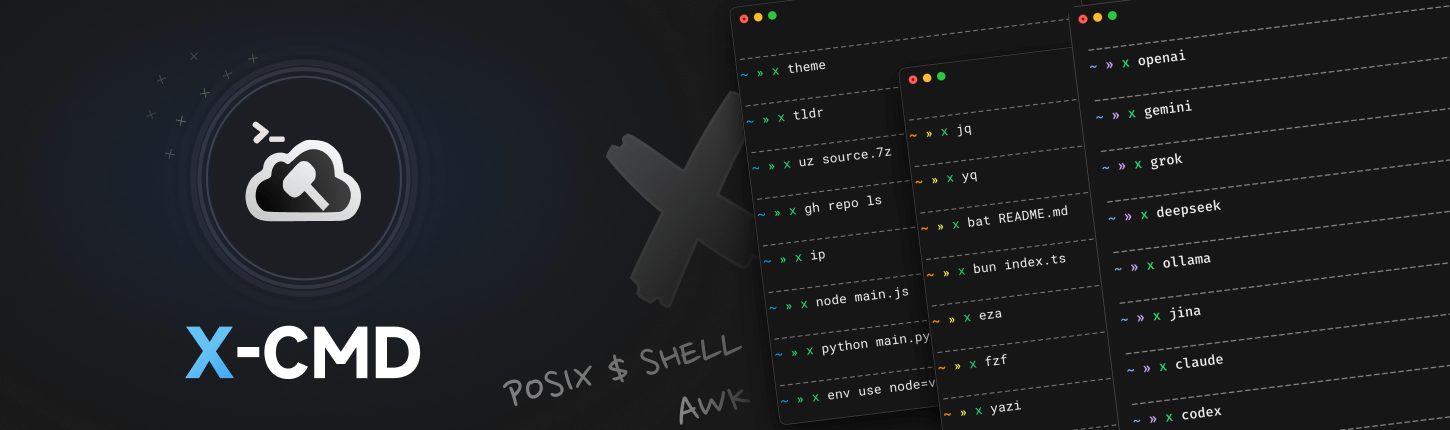
X-CMD(读作 "X Command")是一个小巧且功能强大的命令行工具集,能提供 100 多种针对不同应用场景的功能模块和一个包管理器,支持下载安装 500+ 个第三方开源软件工具。
- ⚡ **一键启用 1000+ CLI 工具**: 按需下载,像启动 App 一样启动命令行工具。
- 🧠 **AI 加持**: AI 代理, AI 对话, AI 任务, AI 生成 ... 一行命令即刻拥有 AI copilot。
- 🧩 **环境管理**: Node, Python, Java, Go … 等开发环境,即装即用。
- 🛡️ **安全沙箱**: 提供系统权限控制沙箱和基于 Docker 的隔离沙箱 — 在安全空间中放心运行工具。
- 🎨 **终端美化**: 内置终端主题与主题色切换,字体安装器,导航切换和原生的命令补全 — 美观又高效。
- ∞ **一致化设计 & 交互友好**: 统一的命令风格,直观的 TUI 交互,丝滑的流程控制,轻松的终端体验。
- 🗃️ **Hub**: 随时随地运行自托管脚本,即使在 Alpine / Busybox 等极简容器镜像。
- 🪶 **极致轻量化**: 核心包体积 ~ 1.1 MB, 加载时间控制 ~ 100 ms.
[](https://cn.x-cmd.com)
查看源码请移步至 main 分支
X 分支仅用于演示及构建 ⭐
## [安装](https://cn.x-cmd.com/start/)
在常见 shell (bash, zsh, dash, ash) 中运行[官方安装脚本](https://github.com/x-cmd/get/blob/main/index.html)
- 使用 `curl` 命令安装:
```sh
eval "$(curl https://get.x-cmd.com)"
```
- 使用 `wget` 命令安装:
```sh
eval "$(wget -O- https://get.x-cmd.com)"
```
|
**安装指南 - 系统**:
[🐧 Linux and macOS 🍎](https://cn.x-cmd.com/start/linux) | [🟦 Windows](https://cn.x-cmd.com/start/windows) | [🔴 BSD](https://cn.x-cmd.com/start/bsd)
**安装指南 - 非 POSIX Shell**:
[fish](https://cn.x-cmd.com/start/fish) | [Nushell](https://cn.x-cmd.com/start/nushell) | [Elvish](https://cn.x-cmd.com/start/elvish) | [Xonsh](https://cn.x-cmd.com/start/xonsh) | [tcsh](https://cn.x-cmd.com/start/tcsh) | [PowerShell](https://cn.x-cmd.com/start/powershell)
**安装指南 - 包管理器**:
[brew](https://cn.x-cmd.com/start/#homebrew) | [aur](https://cn.x-cmd.com/start/#homebrew) | [apt](https://cn.x-cmd.com/start/#apt) | [apk](https://cn.x-cmd.com/start/#apk) | [pacman](https://cn.x-cmd.com/start/#pacman) | [dnf](https://cn.x-cmd.com/start/#dnf)
|
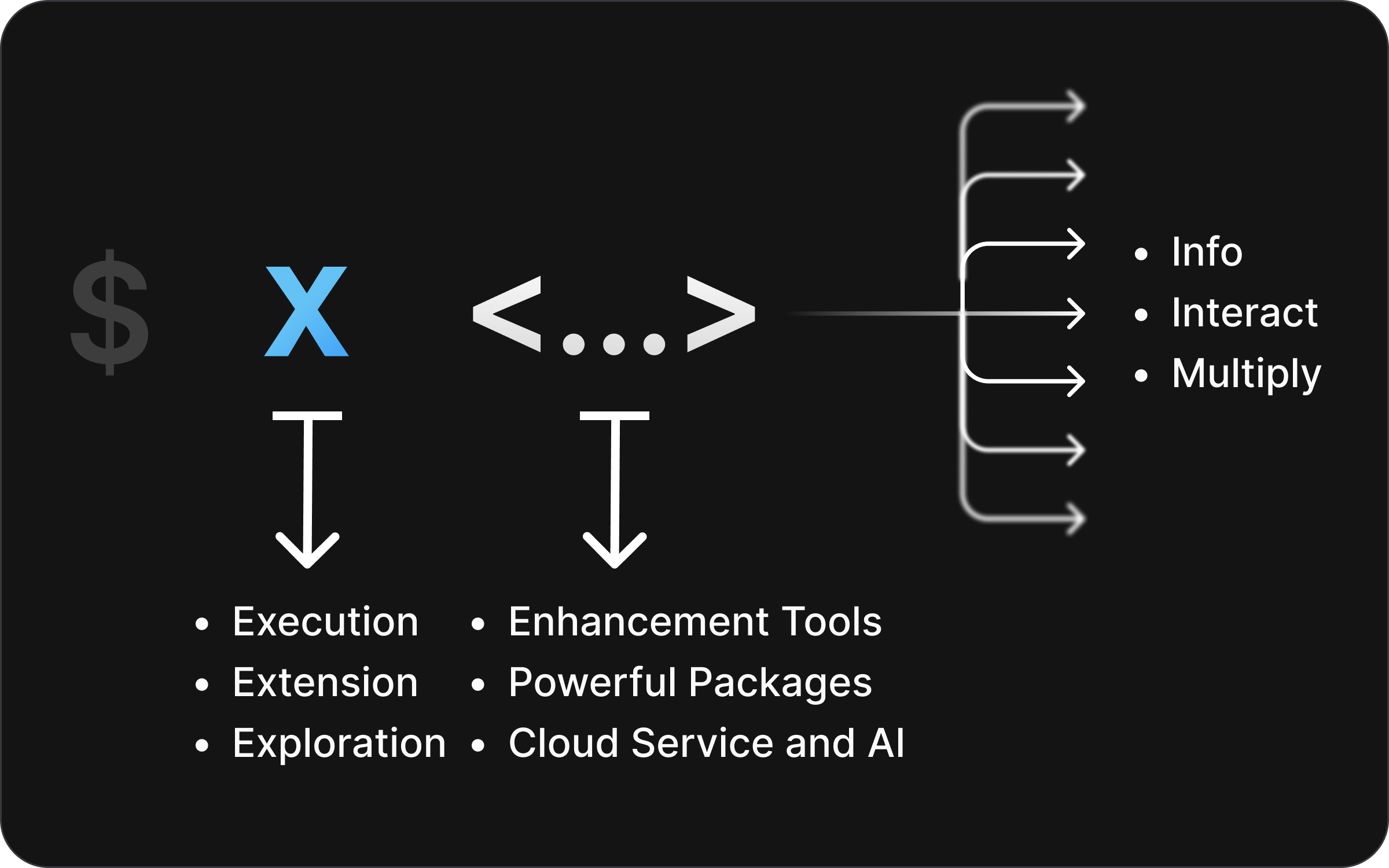
## [Synopsis](https://cn.x-cmd.com/start/design)
## [模块](https://cn.x-cmd.com/mod/)
X-CMD 提供的功能模块,通过 `x ` 的方式调用。
更多介绍请查看 [mod/get-started](https://cn.x-cmd.com/mod/get-started)
| 🤖 Agent |
🧠 AI |
|
```sh
x claude
x codex
x crush
...
```
|
```sh
x openai
x gemini
x deepseek
...
```
|
| 🖥️ 系统管理. |
📁 文件 & 存储 |
|
```sh
x mac
x cd
x top
x ps
...
```
|
```sh
x zuz
x ls
x path
x df
...
```
|
| 🫙 Git |
📦 包管理 |
|
```sh
x gh
x gt
x gl
x cb
...
```
|
```sh
x env
x install
x brew
x apt
...
```
|
|
[更多模块...](https://cn.x-cmd.com/mod/)
|
## [包](https://cn.x-cmd.com/pkg/)
X-CMD 收录的工具软件包,由 [env](https://cn.x-cmd.com/mod/env) 模块进行驱动管理。
**使用**:
对于常用的 pkg,例如 `jq` :
1. **直接使用** : 通过 `x jq` 直接运行
2. **全局安装** : `x env use jq` 后使用 `jq` 命令
3. **临时安装** : `x env try jq` 后使用 `jq` 命令 ( 通过改变当前环境变量 PATH 以在当前会话的 Shell 生效 )
**更多介绍请查看**:
- [pkg 列表](https://cn.x-cmd.com/pkg/)
- [pkg get-started](https://cn.x-cmd.com/pkg/get-started)
- [关于 pkg](https://cn.x-cmd.com/pkg/diff-install-method)
- [提供 pkg](https://cn.x-cmd.com/pkg/submit)
## License
查看我们的 [License 说明](https://cn.x-cmd.com/start/license)
## 其他
- [X-CMD 社区](https://cn.x-cmd.com/start/community)
- [X-CMD 博客](https://cn.x-cmd.com/blog/)
- [X-CMD 变更日志](https://cn.x-cmd.com/v)
- [联系我们](https://cn.x-cmd.com/start/feedback)
- [反馈缺陷](https://github.com/x-cmd/x-cmd/issues/new?template=1-bug-report.yml)
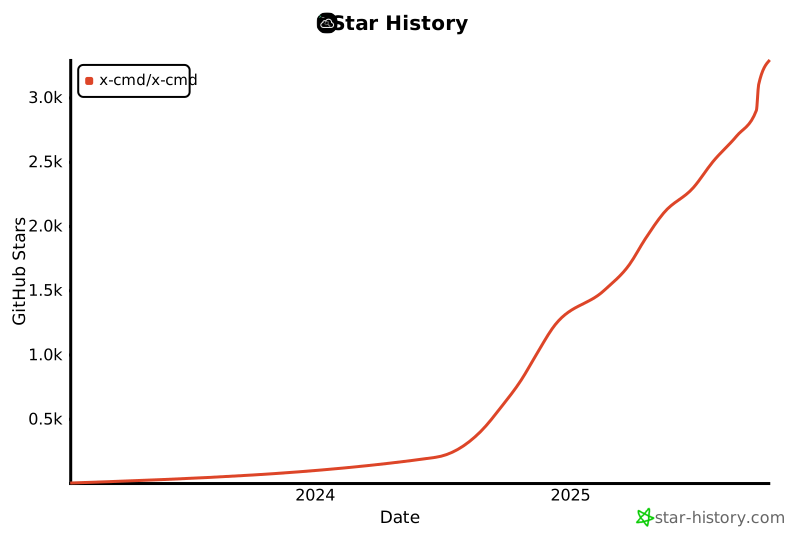
## Star History
[](https://star-history.com/#x-cmd/x-cmd&Date)