# ZFFramework
**Repository Path**: jtela/ZFFramework
## Basic Information
- **Project Name**: ZFFramework
- **Description**: cross-platform C++ application framework, do 80% work at 20% cost
- **Primary Language**: C++
- **License**: MIT
- **Default Branch**: master
- **Homepage**: http://zfframework.com
- **GVP Project**: No
## Statistics
- **Stars**: 0
- **Forks**: 4
- **Created**: 2021-03-06
- **Last Updated**: 2021-03-06
## Categories & Tags
**Categories**: Uncategorized
**Tags**: None
## README
# Introduction
welcome to ZFFramework, a cross-platform, lightweight, mid-level application framework in C++
everything here starts with "ZF", which stands for "Zero Framework"
* it's not a traditional framework, can be loaded like a dynamic library, plug and play
* designed to be able to run at any platform that supplies C++03 compatible implementation
Homepage:
* Online docs: http://ZFFramework.com
* Github repo: https://github.com/ZFFramework/ZFFramework [](https://travis-ci.com/ZFFramework/ZFFramework)
NOTE: this repo would keep clean (remove unnecessary history) and update frequently,
if you want stable or history version, please refer to [ZFFrameworkDist](https://github.com/ZFFrameworkDist/ZFFramework)
# Main features
* minimum requirement
* powerful reflection, serialzation, styleable logic
* for how powerful ZFFramework is, you may refer to [Feature page](https://zfframework.github.io/doc/_doc_tag__feature.html)
* automatic lua binding, no extra bind code or config are necessary
* automatic UI serialization
* stateful property animation
* enhanced global event observer
* fully modularization, "core + protocol + dynamic implementation" design
support any platform if you are able to supply a native C++ implementation,
most of implementation can be replaced easily, and implementation is required only if its owner module being used
* easy to communicate with native code
even to embed UI elements and native UI elements with each other
* UI module to write cross-platform UI easily
* built-in auto scale logic to support multiple screen size
you have no need to write size-dependent code in both app and implementation
# Quick overview
* this piece of code shows how to show a hello world on UI and log output
```cpp
#include "ZFUIWidget.h" // for common UI module
ZFMAIN_ENTRY(params) // app starts from here
{
// show a hello world to log output
zfLogT() << "hello wolrd";
// show a window (full screen by default)
zfblockedAlloc(ZFUIWindow, window);
window->windowShow();
// show a hello world as a text view
zfblockedAlloc(ZFUITextView, textView);
window->childAdd(textView);
textView->layoutParam()->layoutAlign(ZFUIAlign::e_LeftInner);
textView->text("hello world");
// button and click (as observer)
zfblockedAlloc(ZFUIButtonBasic, button);
window->childAdd(button);
button->layoutParam()->layoutAlign(ZFUIAlign::e_RightInner);
button->buttonLabelText("click me");
ZFLISTENER_LOCAL(onClick, {
ZFUIButtonBasic *button = userData->objectHolded();
zfLogTrimT() << "button clicked:" << button;
zfLogTrimT() << "sender:" << listenerData.sender();
})
button->onClick(onClick, button->objectHolder());
return 0;
}
```
* this piece of code shows equivalent lua code to use ZFFramework,
all the lua bindings are automatically done by reflection!
```lua
zfLog('hello world')
local window = ZFUIWindow()
window:windowShow()
local textView = zfAlloc('ZFUITextView')
window:childAdd(textView)
textView:layoutParam():layoutAlign(ZFUIAlign.e_LeftInner())
textView:text('hello wolrd')
local button = ZFUIButtonBasic.ClassData():newInstance()
window:childAdd(button)
button:layoutParam():layoutAlign(ZFUIAlign.e_RightInner())
button:buttonLabelText('click me')
button:onClick(
function (listenerData, userData)
zfLog('button clicked: %s', userData:objectHolded())
zfLog('sender: %s', listenerData:sender())
end,
button:objectHolder())
```
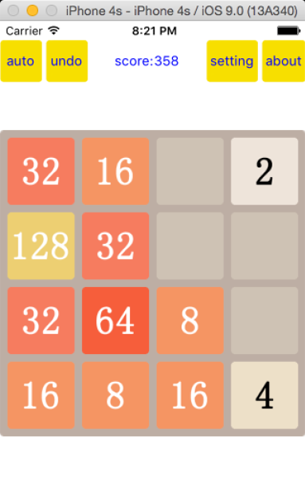
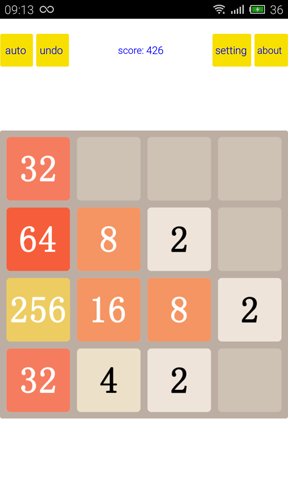
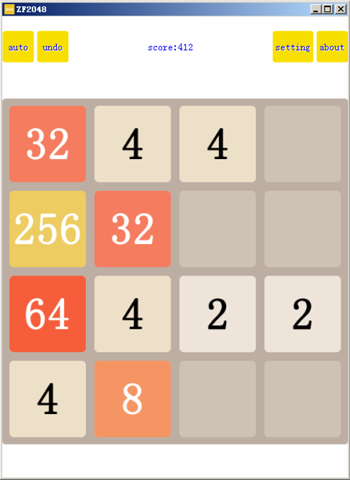
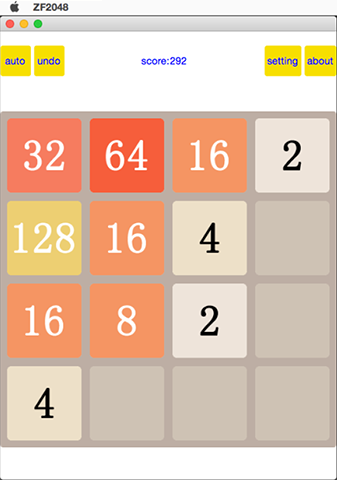
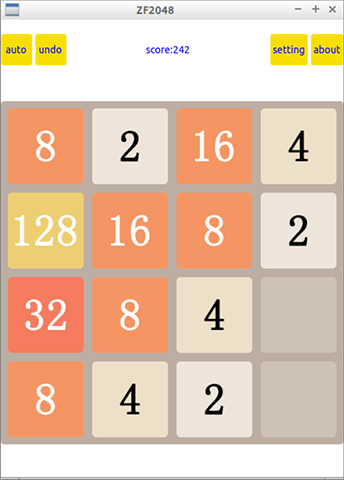
* and here are screenshot of demo 2048 game built by ZFFramework:
# Requirement
* for the core modlue:
* C++03 compatible compiler (require templates, no boost/RTTI/exceptions required)
* STL containers (require: map/unordered_map/vector/deque/list), or supply custom wrapper
* for the implementation module:
* depends on the actual platform implementation
# Current status
* finished
* core module (memory management, reflection, serialization)
* basic UI module (view, window, label, image view, button, layout, scroll view, list view)
* basic algorithm (xml, json, regexp, md5, base64, crc32, encryption, compression)
* common platform implementations (iOS, Android, Qt)
* auto lua binding by reflection
* working
* more useful UI modules
* basic network module
* basic database module
* future
* standalone visual UI editor
* more IDE / compile env integrations
* more platform implementations
# What we do
* aiming to be portable and can be ported easily,
aiming to be lightweighted and able to be embeded easily,
aiming to use 20% code to do 80% work
* supply Java-like / ObjectC-like app level APIs to build up small/medium sized app easily
# Getting started
* [Download](https://zfframework.github.io/doc/_doc_tag__download.html) necessary files
* [Setup](https://zfframework.github.io/doc/_doc_tag__setup.html) set up necessary environment for ZFFramework
* [Tutorial](https://zfframework.github.io/doc/_doc_tag__tutorial.html) quick tutorial to code with ZFFramework
* [FAQ](https://zfframework.github.io/doc/_doc_tag__f_a_q.html)
# License
ZFFramework is under MIT license ([see here](https://github.com/ZFFramework/ZFFramework/blob/master/LICENSE)),
feel free to copy or modify or use it
* project home page: [http://ZFFramework.com](http://ZFFramework.com)
* blog: [http://zsaber.com](http://zsaber.com)
* repo: [https://github.com/ZFFramework/ZFFramework](https://github.com/ZFFramework/ZFFramework)
[Issues](https://github.com/ZFFramework/ZFFramework/issues) or [Pull Request](https://github.com/ZFFramework/ZFFramework/pulls) are welcome
if you like my work, please consider donate:
* [paypal](http://paypal.com/): zerofighter@163.com
* [alipay](http://alipay.com/): zerofighter@163.com
contact master@zsaber.com (Chinese or English only) before donate, we would really appreciate for your help