# IDM-VTON
**Repository Path**: jx_scli/IDM-VTON
## Basic Information
- **Project Name**: IDM-VTON
- **Description**: [ECCV2024] IDM-VTON : Improving Diffusion Models for Authentic Virtual Try-on in the Wild
- **Primary Language**: Unknown
- **License**: Not specified
- **Default Branch**: main
- **Homepage**: None
- **GVP Project**: No
## Statistics
- **Stars**: 0
- **Forks**: 0
- **Created**: 2026-01-28
- **Last Updated**: 2026-01-28
## Categories & Tags
**Categories**: Uncategorized
**Tags**: None
## README
IDM-VTON: Improving Diffusion Models for Authentic Virtual Try-on in the Wild




This is the official implementation of the paper ["Improving Diffusion Models for Authentic Virtual Try-on in the Wild"](https://arxiv.org/abs/2403.05139).
Star ⭐ us if you like it!
---


## Requirements
```
git clone https://github.com/yisol/IDM-VTON.git
cd IDM-VTON
conda env create -f environment.yaml
conda activate idm
```
## Data preparation
### VITON-HD
You can download VITON-HD dataset from [VITON-HD](https://github.com/shadow2496/VITON-HD).
After download VITON-HD dataset, move vitonhd_test_tagged.json into the test folder, and move vitonhd_train_tagged.json into the train folder.
Structure of the Dataset directory should be as follows.
```
train
|-- image
|-- image-densepose
|-- agnostic-mask
|-- cloth
|-- vitonhd_train_tagged.json
test
|-- image
|-- image-densepose
|-- agnostic-mask
|-- cloth
|-- vitonhd_test_tagged.json
```
### DressCode
You can download DressCode dataset from [DressCode](https://github.com/aimagelab/dress-code).
We provide pre-computed densepose images and captions for garments [here](https://kaistackr-my.sharepoint.com/:u:/g/personal/cpis7_kaist_ac_kr/EaIPRG-aiRRIopz9i002FOwBDa-0-BHUKVZ7Ia5yAVVG3A?e=YxkAip).
We used [detectron2](https://github.com/facebookresearch/detectron2) for obtaining densepose images, refer [here](https://github.com/sangyun884/HR-VITON/issues/45) for more details.
After download the DressCode dataset, place image-densepose directories and caption text files as follows.
```
DressCode
|-- dresses
|-- images
|-- image-densepose
|-- dc_caption.txt
|-- ...
|-- lower_body
|-- images
|-- image-densepose
|-- dc_caption.txt
|-- ...
|-- upper_body
|-- images
|-- image-densepose
|-- dc_caption.txt
|-- ...
```
## Training
### Preparation
Download pre-trained ip-adapter for sdxl(IP-Adapter/sdxl_models/ip-adapter-plus_sdxl_vit-h.bin) and image encoder(IP-Adapter/models/image_encoder) [here](https://github.com/tencent-ailab/IP-Adapter).
```
git clone https://huggingface.co/h94/IP-Adapter
```
Move ip-adapter to ckpt/ip_adapter, and image encoder to ckpt/image_encoder.
Start training using python file with arguments,
```
accelerate launch train_xl.py \
--gradient_checkpointing --use_8bit_adam \
--output_dir=result --train_batch_size=6 \
--data_dir=DATA_DIR
```
or, you can simply run with the script file.
```
sh train_xl.sh
```
## Inference
### VITON-HD
Inference using python file with arguments,
```
accelerate launch inference.py \
--width 768 --height 1024 --num_inference_steps 30 \
--output_dir "result" \
--unpaired \
--data_dir "DATA_DIR" \
--seed 42 \
--test_batch_size 2 \
--guidance_scale 2.0
```
or, you can simply run with the script file.
```
sh inference.sh
```
### DressCode
For DressCode dataset, put the category you want to generate images via category argument,
```
accelerate launch inference_dc.py \
--width 768 --height 1024 --num_inference_steps 30 \
--output_dir "result" \
--unpaired \
--data_dir "DATA_DIR" \
--seed 42
--test_batch_size 2
--guidance_scale 2.0
--category "upper_body"
```
or, you can simply run with the script file.
```
sh inference.sh
```
## Start a local gradio demo  Download checkpoints for human parsing [here](https://huggingface.co/spaces/yisol/IDM-VTON/tree/main/ckpt).
Place the checkpoints under the ckpt folder.
```
ckpt
|-- densepose
|-- model_final_162be9.pkl
|-- humanparsing
|-- parsing_atr.onnx
|-- parsing_lip.onnx
|-- openpose
|-- ckpts
|-- body_pose_model.pth
```
Run the following command:
```python
python gradio_demo/app.py
```
## Acknowledgements
Thanks [ZeroGPU](https://huggingface.co/zero-gpu-explorers) for providing free GPU.
Thanks [IP-Adapter](https://github.com/tencent-ailab/IP-Adapter) for base codes.
Thanks [OOTDiffusion](https://github.com/levihsu/OOTDiffusion) and [DCI-VTON](https://github.com/bcmi/DCI-VTON-Virtual-Try-On) for masking generation.
Thanks [SCHP](https://github.com/GoGoDuck912/Self-Correction-Human-Parsing) for human segmentation.
Thanks [Densepose](https://github.com/facebookresearch/DensePose) for human densepose.
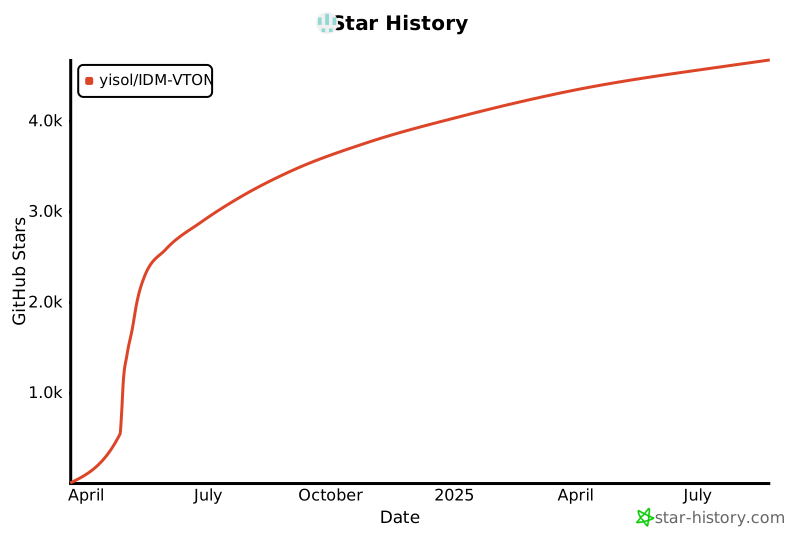
## Star History
[](https://star-history.com/#yisol/IDM-VTON&Date)
## Citation
```
@article{choi2024improving,
title={Improving Diffusion Models for Authentic Virtual Try-on in the Wild},
author={Choi, Yisol and Kwak, Sangkyung and Lee, Kyungmin and Choi, Hyungwon and Shin, Jinwoo},
journal={arXiv preprint arXiv:2403.05139},
year={2024}
}
```
## License
The codes and checkpoints in this repository are under the [CC BY-NC-SA 4.0 license](https://creativecommons.org/licenses/by-nc-sa/4.0/legalcode).
Download checkpoints for human parsing [here](https://huggingface.co/spaces/yisol/IDM-VTON/tree/main/ckpt).
Place the checkpoints under the ckpt folder.
```
ckpt
|-- densepose
|-- model_final_162be9.pkl
|-- humanparsing
|-- parsing_atr.onnx
|-- parsing_lip.onnx
|-- openpose
|-- ckpts
|-- body_pose_model.pth
```
Run the following command:
```python
python gradio_demo/app.py
```
## Acknowledgements
Thanks [ZeroGPU](https://huggingface.co/zero-gpu-explorers) for providing free GPU.
Thanks [IP-Adapter](https://github.com/tencent-ailab/IP-Adapter) for base codes.
Thanks [OOTDiffusion](https://github.com/levihsu/OOTDiffusion) and [DCI-VTON](https://github.com/bcmi/DCI-VTON-Virtual-Try-On) for masking generation.
Thanks [SCHP](https://github.com/GoGoDuck912/Self-Correction-Human-Parsing) for human segmentation.
Thanks [Densepose](https://github.com/facebookresearch/DensePose) for human densepose.
## Star History
[](https://star-history.com/#yisol/IDM-VTON&Date)
## Citation
```
@article{choi2024improving,
title={Improving Diffusion Models for Authentic Virtual Try-on in the Wild},
author={Choi, Yisol and Kwak, Sangkyung and Lee, Kyungmin and Choi, Hyungwon and Shin, Jinwoo},
journal={arXiv preprint arXiv:2403.05139},
year={2024}
}
```
## License
The codes and checkpoints in this repository are under the [CC BY-NC-SA 4.0 license](https://creativecommons.org/licenses/by-nc-sa/4.0/legalcode).