# rengine
**Repository Path**: keyboxdzd/rengine
## Basic Information
- **Project Name**: rengine
- **Description**: rengine自动侦察框架
- **Primary Language**: Unknown
- **License**: GPL-3.0
- **Default Branch**: master
- **Homepage**: None
- **GVP Project**: No
## Statistics
- **Stars**: 0
- **Forks**: 0
- **Created**: 2020-10-19
- **Last Updated**: 2020-12-19
## Categories & Tags
**Categories**: Uncategorized
**Tags**: None
## README

reNgine

[](https://www.firsttimersonly.com/)
[](https://www.gnu.org/licenses/gpl-3.0)
[](https://www.python.org/downloads/)
[](https://github.com/yogeshojha/rengine/)


An automated recon framework for web applications
What's new
·
Contribute
·
Report Bug
·
Request Feature
## Table of Contents
* [About reNgine](#about-reNgine)
* [What is reNgine](#about-reNgine)
* [Features](#features)
* [What it is not](#what-it-is-not)
* [Screenshots](#screenshots)
* [Getting Started](#getting-started)
* [Prerequisites](#prerequisites)
* [Installation](#installation)
* [Generate SSL Certificate](#generate-certificates)
* [Building reNgine](#build-rengine)
* [Register Account](#register-account)
* [Update reNgine](#how-to-update)
* [Usage](#usage)
* [Contributing](#contributing)
* [License](#license)
* [Acknowledgements & Credits](#acknowledgements-and-credits)
## About reNgine

reNgine is an automated reconnaissance framework meant for information gathering during penetration testing of web applications. reNgine has customizable scan engines, which can be used to scan the domains, endpoints, or gather information. The beauty of reNgine is that it gathers everything in one place. It has a pipeline of reconnaissance, which is highly customizable.
reNgine can be very useful when you want to perform the reconnaissance, gather endpoints, directory and file search, grab screenshots, and gather all the results in one place.
Suppose, if you have a domain hackerone.com, reNgine can perform the scan based on your scan engines, gather all the results in one place. reNgine makes it possible for use cases like, "I want to search the subdomain which has page title "Dashboard" and has page status as 200, and I quickly want to have a look at the screenshot".
Another use-case could be, "I want to list all subdomains that use PHP, and the HTTP status is 200!"
On the endpoints part, reNgine is capable of gathering the URL endpoints using tools like `gau`, `hakrawler` which gathers URL from many sources like common crawl, Wayback engine, etc.
reNgine also makes it possible for the use case like, "search the URLs that have extension .php and HTTP status is 200!"
**Assume that, you are looking for open redirection, you can quickly search for `=http` and look for HTTP status 30X, this will give high accuracy of open redirection with minimal efforts.**
## Demo
Click below to watch the demo
[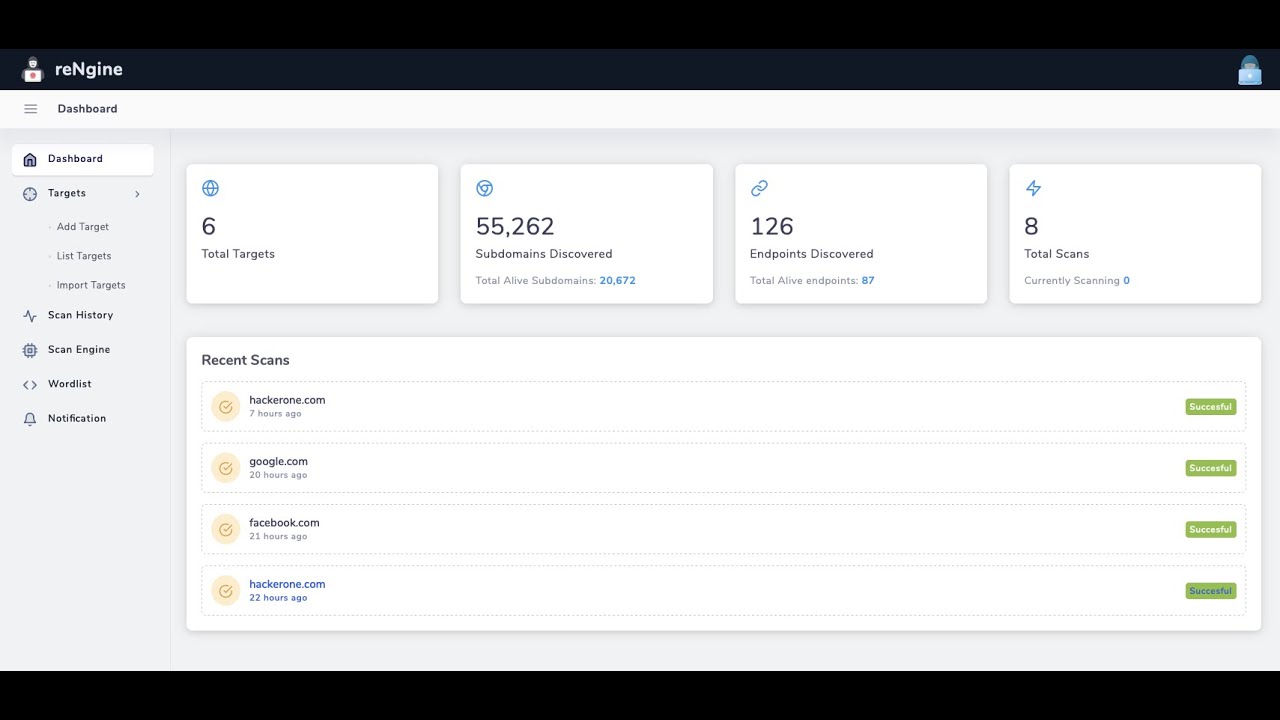](https://www.youtube.com/watch?v=u8_Z2-3-o2M)
### Key Features
- Subdomain Discovery, Ports Discovery, Endpoints Discovery, Directory Bruteforce, Visual Reconnaissance (Screenshot the targets)
- IP Discovery, CNAME discovery, Subdomain Takeover Scan
- Highly configurable scan engines
- Run multiple scans in parallel
- Run Clocked Scans (Run reconnaissance exactly at X Hours and Y minutes)
- Run Periodic Scans (Runs reconnaissance every X minutes/hours/days/week)
### What it is not
reNgine is not a:
* Vulnerability scanner!
* Reconnaissance with high accuracy (No! reNgine, uses other open-source tools, to make this pipeline possible. The accuracy and capability of reNgine is also dependent on those tools)
* Speed oriented recon framework with immediate results
### Screenshots
#### Scan results


#### Gathered Endpoints

Of course, at this point, reNgine does not give the best of the best result compared to other tools, but reNgine has certainly minimal efforts. Also, I am continuously adding new features. You may help me on this journey by creating a PR filled with new features and bug fixes. Please have a look at the [Contributing](#contributing) section before doing so.
### Flow

## Getting Started
To get a local copy up and running, follow these simple example steps.
```shell
git clone https://github.com/yogeshojha/rengine.git
cd rengine
```
### Prerequisites
* Docker
* Install docker based on your OS from [here](https://www.docker.com/get-started)
* docker-compose
* Installation instructions for docker-compose from [here](https://docs.docker.com/compose/install/)
* make
### Installation
##### Installation instructions has been changed, please read the documentation carefully.
There are currently two ways of setting up the reNgine. Using Makefile is the easiest and is recommended:

If you are setting up inside VPS with https, Makefile makes process so much simpler.
The [dotenv](.env) file should be updated when setting up reNgine, for example:
```env
AUTHORITY_NAME=reNgine
AUTHORITY_PASSWORD=nSrmNkwT
COMPANY=reNgine
DOMAIN_NAME=recon.example.com
COUNTRY_CODE=US
STATE=Georgia
CITY=Atlanta
```
Edit the file using your favourite editor (e.g. `nano .env` or `vim .env`).
Then use the `make cert` command to generate the certificate (inside the [secrets/certs](secrets/certs) folder). Assuming that you are inside the reNgine directory, generate the certificates using the following command.
#### Generate Certificates
```shell
make certs
```
Once certificates are generated, you can run reNgine with https.
#### Build reNgine
```shell
make build
```
The build process may take some time.
Alternatively, you also can run the project with pre-built Docker images (with 2FA enabled, you have to [create a new personal access token](https://github.com/settings/tokens/new) with `read:packages` scope):
```shell
make pull
```
#### Usage
> :warning: reNgine does fingerprinting, port scanning, and banner grabbing, which might be illegal in some countries. Please make sure you are authorized to perform reconnaissance on the targeted domain before using this tool.
If build process is successful, you can run reNgine by using the command
```shell
make up
```
The web application can then be accessed from [https://127.0.0.1](https://127.0.0.1), or on your VPS, `https://your_ip`
#### Registering Account
Once the application is up and running, you need an account for reNgine:
```shell
make username
```
You may now enter your username and password. Remember to keep a secure password.
#### How to update
We may add new features and fixes regularly. To get the latest version of reNgine up and running, you need to follow the following steps:
* Get the latest changes
Assuming that you are inside reNgine directory:
```shell
git pull
```
* Build the latest changes
```shell
make build
```
That is all, you can then run `make up` to run the latest version of reNgine.
## Contributing
Contributions are what make the open-source community such an amazing place to learn, inspire, and create. Any contributions you make are **greatly appreciated**. Your contributions could be as simple as fixing the indentations or fixing UI to as complex as bringing new modules and features.
See [contributing guide](.github/CONTRIBUTING.md) to get started.
### First-time Open Source contributors
Please note that reNgine is beginner-friendly. If you have never done any open-source yet, we encourage you to do so. **We will be happy and proud of your first PR ever.**
You can begin with resolving any [open issues](https://github.com/yogeshojha/rengine/issues).
## License
It is distributed under the GNU GPL v3 license License. See [LICENSE](LICENSE) for more information.
## Acknowledgements and Credits
reNgine is just a pipeline of recon. reNgine would not have been possible without the following individuals/organizations.
* Amass: [OWASP](https://github.com/OWASP/)
* httpx, subfinder, naabu: [ProjectDiscovery](https://github.com/projectdiscovery/)
* Sublist3r: [Ahmed Aboul-Ela](https://github.com/aboul3la/)
* assetfinder: [Tom Hudson](https://github.com/tomnomnom/assetfinder)
* gau: [Corben Leo](https://github.com/lc)
* hakrawler : [Luke Stephens](https://github.com/hakluke/hakrawler)
* dirsearch: [maurosoria](https://github.com/maurosoria/dirsearch)
* subjack [haccer](https://github.com/haccer/subjack)
Also, some of the icons and images used herein reNgine are from Freepik and Flaticon.