# Open3D
**Repository Path**: klinghui/Open3D
## Basic Information
- **Project Name**: Open3D
- **Description**: No description available
- **Primary Language**: Unknown
- **License**: MIT
- **Default Branch**: master
- **Homepage**: None
- **GVP Project**: No
## Statistics
- **Stars**: 0
- **Forks**: 1
- **Created**: 2020-07-02
- **Last Updated**: 2024-05-31
## Categories & Tags
**Categories**: Uncategorized
**Tags**: None
## README

# Open3D: A Modern Library for 3D Data Processing
Open3D is an open-source library that supports rapid development of software
that deals with 3D data. The Open3D frontend exposes a set of carefully selected
data structures and algorithms in both C++ and Python. The backend is highly
optimized and is set up for parallelization. We welcome contributions from
the open-source community.
[](https://github.com/intel-isl/Open3D/actions?query=workflow%3A%22Ubuntu+CI%22)
[](https://github.com/intel-isl/Open3D/actions?query=workflow%3A%22macOS+CI%22)
[](https://github.com/intel-isl/Open3D/actions?query=workflow%3A%22Windows+CI%22)
[](https://travis-ci.org/intel-isl/)
**Core features of Open3D include:**
* 3D data structures
* 3D data processing algorithms
* Scene reconstruction
* Surface alignment
* 3D visualization
* Physically based rendering (PBR)
* Available in C++ and Python
For more, please visit the [Open3D documentation](http://www.open3d.org/docs).
## Open3D viewer app
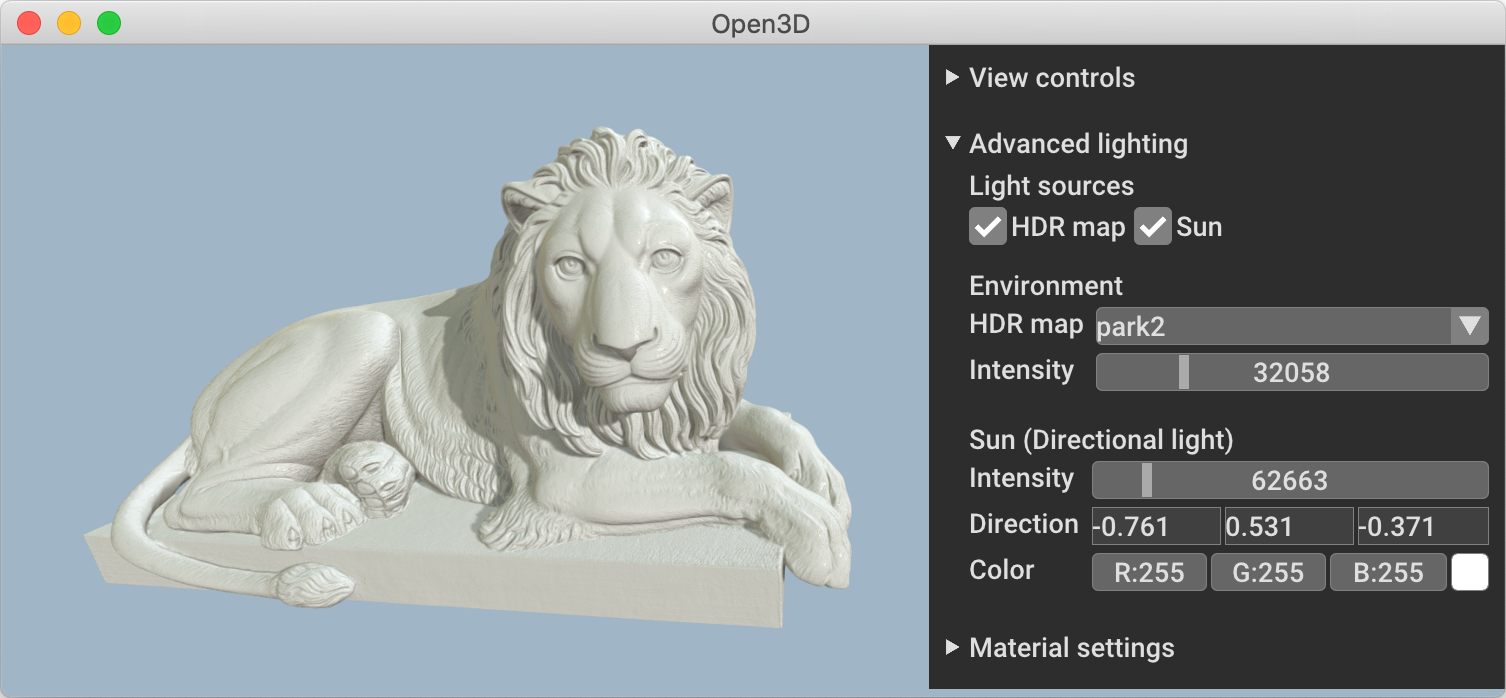 Open3D now comes with a standalone 3D viewer app available on Ubuntu and macOS.
Please stay tuned for Windows.
You can download Open3D viewer from
[our release page](https://github.com/intel-isl/Open3D/releases).
Open3D now comes with a standalone 3D viewer app available on Ubuntu and macOS.
Please stay tuned for Windows.
You can download Open3D viewer from
[our release page](https://github.com/intel-isl/Open3D/releases).
## Python quick start
Pre-built pip and conda packages support Ubuntu 18.04+, macOS 10.14+ and
Windows 10 (64-bit) with Python 3.5, 3.6, 3.7 and 3.8. If you have other Python
versions or operating systems, please
[compile Open3D from source](http://www.open3d.org/docs/release/compilation.html).
* To install Open3D with pip:
```bash
$ pip install open3d
```
* To install Open3D with Conda:
```bash
$ conda install -c open3d-admin open3d
```
* To compile Open3D from source:
* See [compiling from source](http://www.open3d.org/docs/release/compilation.html).
Test your installation with:
```bash
$ python -c "import open3d as o3d"
```
and follow the [basic tutorials](http://www.open3d.org/docs/release/tutorial/Basic/index.html)
or [Python examples](https://github.com/intel-isl/Open3D/tree/master/examples/python) to get
started.
## C++ quick start
Please refer to [compiling from source](http://www.open3d.org/docs/release/compilation.html)
and [Open3D C++ interface](http://www.open3d.org/docs/release/tutorial/C++/cplusplus_interface.html).
## Communication channels
* [GitHub Issue](https://github.com/intel-isl/Open3D/issues): bug reports,
feature requests, etc.
* [Forum](https://forum.open3d.org): discussion on the usage of Open3D.
* [Discord Chat](https://discord.gg/D35BGvn): online chats, discussions,
and collaboration with other users and developers.
## Citation
Please cite [our work](https://arxiv.org/abs/1801.09847) if you use Open3D.
```bib
@article{Zhou2018,
author = {Qian-Yi Zhou and Jaesik Park and Vladlen Koltun},
title = {{Open3D}: {A} Modern Library for {3D} Data Processing},
journal = {arXiv:1801.09847},
year = {2018},
}
```