# d3-force
**Repository Path**: knowledge_point_project/d3-force
## Basic Information
- **Project Name**: d3-force
- **Description**: Force-directed graph layout using velocity Verlet integration.
- **Primary Language**: JavaScript
- **License**: BSD-3-Clause
- **Default Branch**: master
- **Homepage**: None
- **GVP Project**: No
## Statistics
- **Stars**: 0
- **Forks**: 1
- **Created**: 2020-08-28
- **Last Updated**: 2020-12-19
## Categories & Tags
**Categories**: Uncategorized
**Tags**: None
## README
# d3-force
This module implements a [velocity Verlet](https://en.wikipedia.org/wiki/Verlet_integration) numerical integrator for simulating physical forces on particles. The simulation is simplified: it assumes a constant unit time step Δ*t* = 1 for each step, and a constant unit mass *m* = 1 for all particles. As a result, a force *F* acting on a particle is equivalent to a constant acceleration *a* over the time interval Δ*t*, and can be simulated simply by adding to the particle’s velocity, which is then added to the particle’s position.
该模块实现了一个[速度Verlet](https://en.wikipedia.org/wiki/Verlet_integration)数值积分器,用于模拟粒子上的物理力。模拟被简化:它假定每个步骤的恒定单位时间步长 **Δt = 1** ,并且对于所有颗粒,恒定单位质量 **m= 1** 。结果,作用在粒子上的力 **F** 相当于在时间间隔 **Δt** 内的恒定加速度 **a** ,并且可以简单地通过增加粒子的速度来模拟,然后将其加到粒子的位置。
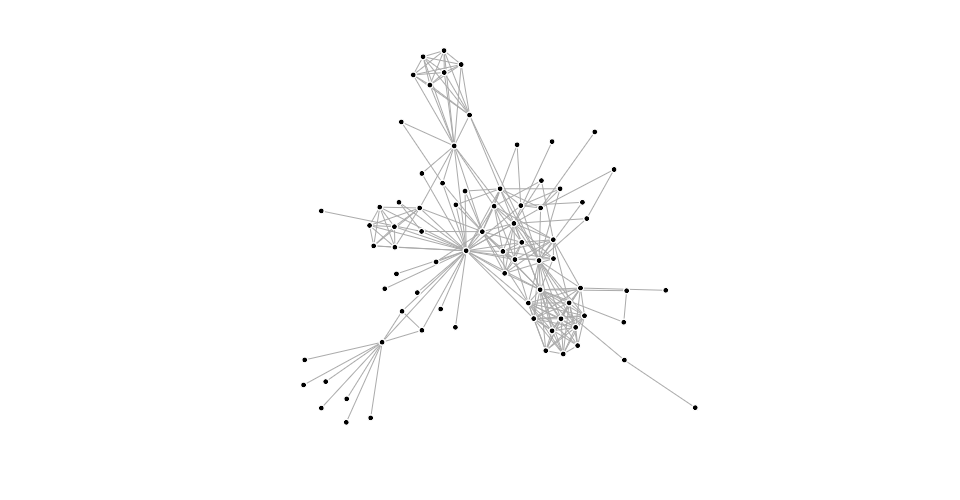
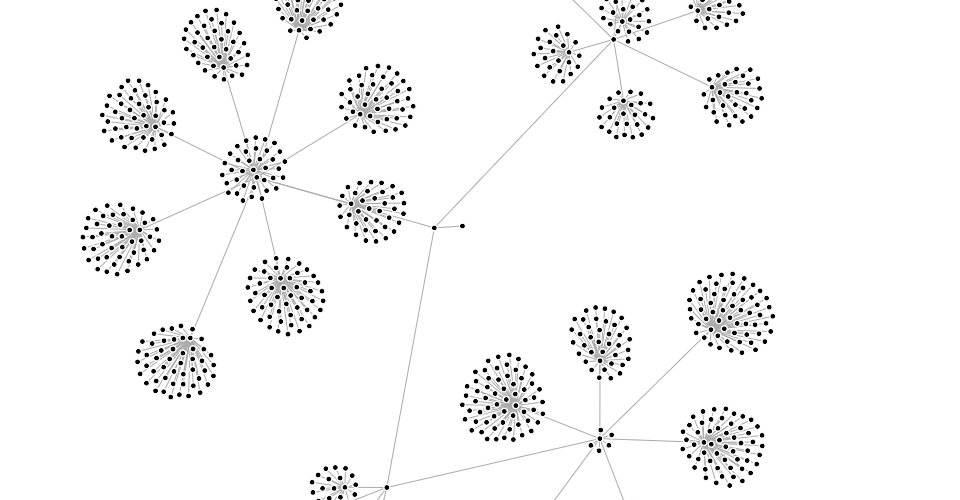
In the domain of information visualization, physical simulations are useful for studying [networks](http://bl.ocks.org/mbostock/ad70335eeef6d167bc36fd3c04378048) and [hierarchies](http://bl.ocks.org/mbostock/95aa92e2f4e8345aaa55a4a94d41ce37)!
在信息可视化领域,物理模拟对于研究 [网络](http://bl.ocks.org/mbostock/ad70335eeef6d167bc36fd3c04378048) 和 [层次结构](http://bl.ocks.org/mbostock/95aa92e2f4e8345aaa55a4a94d41ce37) 非常有用!
[ ](http://bl.ocks.org/mbostock/ad70335eeef6d167bc36fd3c04378048)[
 ](http://bl.ocks.org/mbostock/95aa92e2f4e8345aaa55a4a94d41ce37)
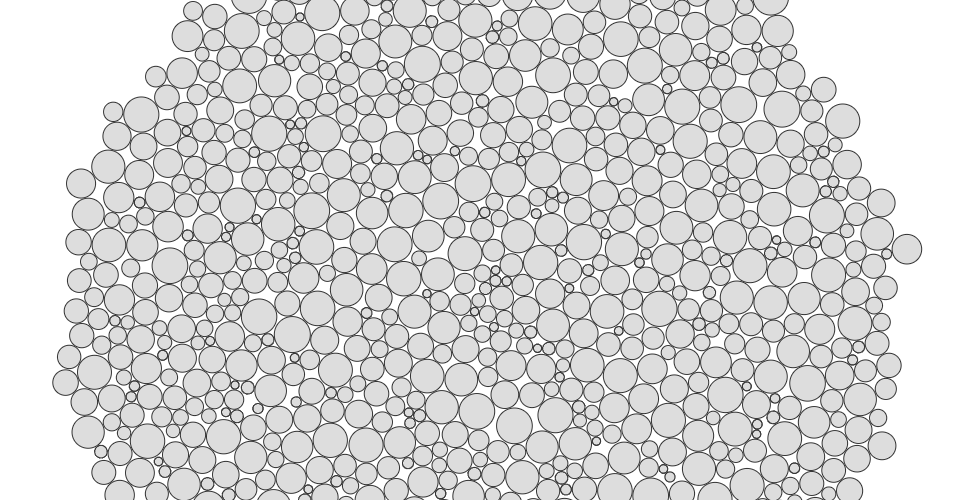
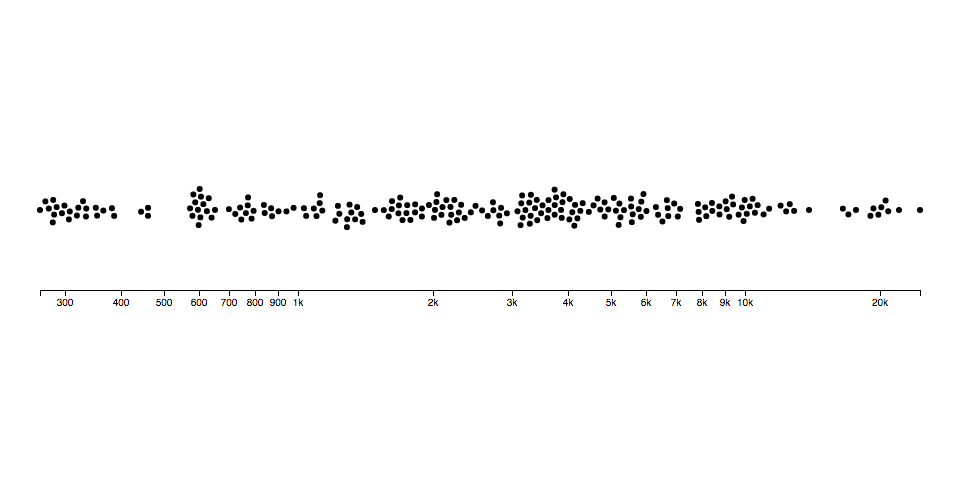
You can also simulate circles (disks) with collision, such as for [bubble charts](http://www.nytimes.com/interactive/2012/09/06/us/politics/convention-word-counts.html) or [beeswarm plots](http://bl.ocks.org/mbostock/6526445e2b44303eebf21da3b6627320):
您还可以模拟碰撞的圆圈(磁盘),例如 [气泡图](http://www.nytimes.com/interactive/2012/09/06/us/politics/convention-word-counts.html) 或 [贝壳图](http://bl.ocks.org/mbostock/6526445e2b44303eebf21da3b6627320) :
[
](http://bl.ocks.org/mbostock/95aa92e2f4e8345aaa55a4a94d41ce37)
You can also simulate circles (disks) with collision, such as for [bubble charts](http://www.nytimes.com/interactive/2012/09/06/us/politics/convention-word-counts.html) or [beeswarm plots](http://bl.ocks.org/mbostock/6526445e2b44303eebf21da3b6627320):
您还可以模拟碰撞的圆圈(磁盘),例如 [气泡图](http://www.nytimes.com/interactive/2012/09/06/us/politics/convention-word-counts.html) 或 [贝壳图](http://bl.ocks.org/mbostock/6526445e2b44303eebf21da3b6627320) :
[ ](http://bl.ocks.org/mbostock/31ce330646fa8bcb7289ff3b97aab3f5)[
 ](http://bl.ocks.org/mbostock/6526445e2b44303eebf21da3b6627320)
You can even use it as a rudimentary physics engine, say to simulate cloth:
您甚至可以将它用作基本的物理引擎,比如模拟布料:
[
](http://bl.ocks.org/mbostock/6526445e2b44303eebf21da3b6627320)
You can even use it as a rudimentary physics engine, say to simulate cloth:
您甚至可以将它用作基本的物理引擎,比如模拟布料:
[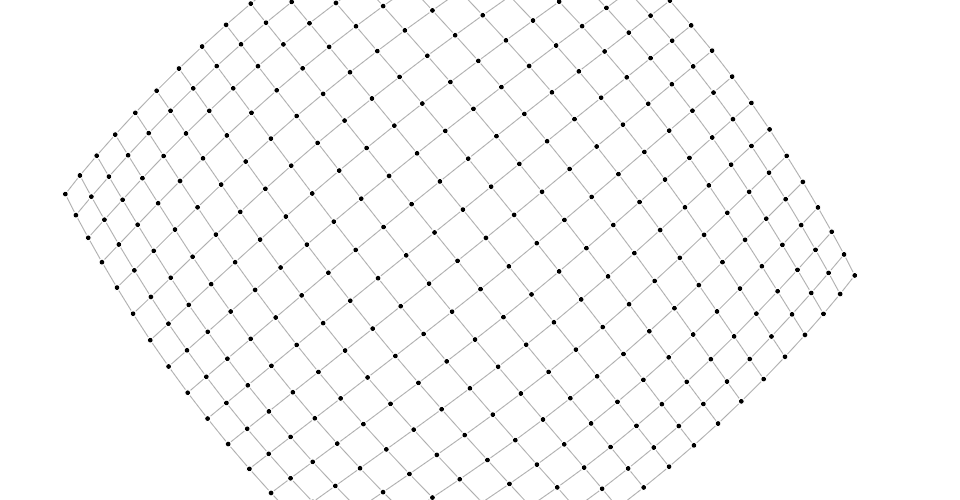 ](http://bl.ocks.org/mbostock/1b64ec067fcfc51e7471d944f51f1611)
To use this module, create a [simulation](#simulation) for an array of [nodes](#simulation_nodes), and compose the desired [forces](#simulation_force). Then [listen](#simulation_on) for tick events to render the nodes as they update in your preferred graphics system, such as Canvas or SVG.
要使用此模块,请为节点 [nodes](#simulation_nodes) 数组创建模拟器 [simulation](#simulation) ,并组合所需的力 [forces](#simulation_force)。然后 [监听](#simulation_on) tick事件,以便在首选图形系统(如Canvas或SVG)中更新节点时对其进行渲染。
## Installing
If you use NPM, `npm install d3-force`. Otherwise, download the [latest release](https://github.com/d3/d3-force/releases/latest). You can also load directly from [d3js.org](https://d3js.org), either as a [standalone library](https://d3js.org/d3-force.v2.min.js) or as part of [D3](https://github.com/d3/d3). AMD, CommonJS, and vanilla environments are supported. In vanilla, a `d3_force` global is exported:
如果您使用NPM, `npm install d3-force` 。否则,请下载 [最新版本](https://github.com/d3/d3-force/releases/latest) 。您也可以直接从 [d3js.org](https://d3js.org) 加载,作为 [独立库](https://d3js.org/d3-force.v2.min.js) 或作为 [D3 4.0](https://github.com/d3/d3) 的一部分。支持AMD,CommonJS和vanilla环境。在vanilla中,export了一个全局变量 `d3_force` :
```html
```
[Try d3-force in your browser.](https://beta.observablehq.com/@mbostock/d3-force-directed-graph)
[在浏览器中尝试使用d3-force。](https://beta.observablehq.com/@mbostock/d3-force-directed-graph)
## API Reference
### Simulation
# d3.forceSimulation([nodes]) [<>](https://github.com/d3/d3-force/blob/master/src/simulation.js "Source")
Creates a new simulation with the specified array of [*nodes*](#simulation_nodes) and no [forces](#simulation_force). If *nodes* is not specified, it defaults to the empty array. The simulator [starts](#simulation_restart) automatically; use [*simulation*.on](#simulation_on) to listen for tick events as the simulation runs. If you wish to run the simulation manually instead, call [*simulation*.stop](#simulation_stop), and then call [*simulation*.tick](#simulation_tick) as desired.
使用指定的节点数组 [**nodes**](#simulation_nodes) 创建新模拟,但没有 [forces](#simulation_force) 。
如果未指定 **nodes** ,则默认为空数组。
模拟器自动启动 [starts](#simulation_restart) ; 在模拟器运行时使用 [**simulation.on**](#simulation_on) 监听tick事件。如果您希望手动运行模拟,请调用 [**simulation.stop**](#simulation_stop) ,然后根据需要调用 [**simulation.tick**](#simulation_tick) 。
# simulation.restart() [<>](https://github.com/d3/d3-force/blob/master/src/simulation.js#L86 "Source")
Restarts the simulation’s internal timer and returns the simulation. In conjunction with [*simulation*.alphaTarget](#simulation_alphaTarget) or [*simulation*.alpha](#simulation_alpha), this method can be used to “reheat” the simulation during interaction, such as when dragging a node, or to resume the simulation after temporarily pausing it with [*simulation*.stop](#simulation_stop).
重新启动模拟的内部计时器并返回模拟。会同 [**simulation.alphaTarget**](#simulation_alphaTarget) 或 [**simulation.alpha**](#simulation_alpha) ,此方法可用于保持模拟器在交互期间的快速响应,例如拖动节点时或恢复使用 [**simulation.stop**](#simulation_stop) 暂时暂停的模拟器。
# simulation.stop() [<>](https://github.com/d3/d3-force/blob/master/src/simulation.js#L90 "Source")
Stops the simulation’s internal timer, if it is running, and returns the simulation. If the timer is already stopped, this method does nothing. This method is useful for running the simulation manually; see [*simulation*.tick](#simulation_tick).
停止模拟的内部计时器(如果它正在运行)并返回模拟。如果计时器已经停止,则此方法不执行任何操作。此方法对于手动运行模拟非常有用; 见[**simulation.tick**](#simulation_tick) 。
# simulation.tick([iterations]) [<>](https://github.com/d3/d3-force/blob/master/src/simulation.js#L38 "Source")
Manually steps the simulation by the specified number of *iterations*, and returns the simulation. If *iterations* is not specified, it defaults to 1 (single step).
通过指定的迭代步数 **iterations** 手动执行模拟,并返回模拟。
如果未指定 **iterations** ,则默认为1(单步)。
For each iteration, it increments the current [*alpha*](#simulation_alpha) by ([*alphaTarget*](#simulation_alphaTarget) - *alpha*) × [*alphaDecay*](#simulation_alphaDecay); then invokes each registered [force](#simulation_force), passing the new *alpha*; then decrements each [node](#simulation_nodes)’s velocity by *velocity* × [*velocityDecay*](#simulation_velocityDecay); lastly increments each node’s position by *velocity*.
对于每次迭代,它将当前的 [**alpha**](#simulation_alpha) 增加 ([**alphaTarget](#simulation_alphaTarget) - alpha) × [alphaDecay](#simulation_alphaDecay)** ; 然后调用每个注册的 [force](#simulation_force) ,传递新的 **alpha** ; 然后通过 **velocity × [velocityDecay](#simulation_velocityDecay)** 递减每个 [node](#simulation_nodes) 的速度 ; 最后通过 **velocity** 递增每个节点的位置。
This method does not dispatch [events](#simulation_on); events are only dispatched by the internal timer when the simulation is started automatically upon [creation](#forceSimulation) or by calling [*simulation*.restart](#simulation_restart). The natural number of ticks when the simulation is started is ⌈*log*([*alphaMin*](#simulation_alphaMin)) / *log*(1 - [*alphaDecay*](#simulation_alphaDecay))⌉; by default, this is 300.
此方法不会调度 [events](#simulation_on) ; 只有在创建 [creation](#forceSimulation) 时自动启动模拟或通过调用 **[simulation.restart](#simulation_restart)** 时,内部计时器才会调度事件。当模拟器启动时ticks的初始值是 **log([alphaMin](#simulation_alphaMin)) / log(1 - [alphaDecay](#simulation_alphaDecay))** ; 默认情况下是300。
This method can be used in conjunction with [*simulation*.stop](#simulation_stop) to compute a [static force layout](https://bl.ocks.org/mbostock/1667139). For large graphs, static layouts should be computed [in a web worker](https://bl.ocks.org/mbostock/01ab2e85e8727d6529d20391c0fd9a16) to avoid freezing the user interface.
这种方法可以结合 [**simulation.stop**](#simulation_stop) 来计算 [static force layout](https://bl.ocks.org/mbostock/1667139) 。对于数据量较大的图形,应在 [Web worker](https://bl.ocks.org/mbostock/01ab2e85e8727d6529d20391c0fd9a16) 中计算静态布局,以避免阻塞用户界面。
# simulation.nodes([nodes]) [<>](https://github.com/d3/d3-force/blob/master/src/simulation.js#L94 "Source")
If *nodes* is specified, sets the simulation’s nodes to the specified array of objects, initializing their positions and velocities if necessary, and then [re-initializes](#force_initialize) any bound [forces](#simulation_force); returns the simulation. If *nodes* is not specified, returns the simulation’s array of nodes as specified to the [constructor](#forceSimulation).
如果节点 **nodes** 被指定时,将模拟器的节点设置为指定的对象数组,必要的时候初始化它们的位置和速度,然后重新初始化 [re-initializes](#force_initialize) 绑定的任何 [forces](#simulation_force) ; 返回模拟。
如果未指定 **nodes** ,则返回模拟器中指定给forceSimulation的构造函数 [constructor](#forceSimulation) 的节点数组。
Each *node* must be an object. The following properties are assigned by the simulation:
每个节点 **node** 必须是一个对象。模拟器指定的节点属性如下:
* `index` - the node’s zero-based index into *nodes*
* `x` - the node’s current *x*-position
* `y` - the node’s current *y*-position
* `vx` - the node’s current *x*-velocity
* `vy` - the node’s current *y*-velocity
* `index` - 节点在 **nodes** 中从0开始的索引值
* `x` - 节点当前的 **x位置**
* `y` - 节点当前的 **y位置**
* `vx` - 节点当前的 **x速度**
* `vy` - 节点当前的 **y速度**
The position ⟨*x*,*y*⟩ and velocity ⟨*vx*,*vy*⟩ may be subsequently modified by [forces](#forces) and by the simulation. If either *vx* or *vy* is NaN, the velocity is initialized to ⟨0,0⟩. If either *x* or *y* is NaN, the position is initialized in a [phyllotaxis arrangement](http://bl.ocks.org/mbostock/11478058), so chosen to ensure a deterministic, uniform distribution around the origin.
模拟器和 [forces](#forces) 可以修改节点的位置 **⟨x,y⟩** 和速度 **velocity⟨vx,vy⟩**。
如果 **vx** 或 **vy** 是NaN,则速度初始化为⟨0,0⟩。
如果 **x** 或 **y** 是NaN,则位置以螺旋排列算法 [phyllotaxis arrangement](http://bl.ocks.org/mbostock/11478058) 初始化,所以选择该位置以确保节点在原点周围的确定的均匀分布。
To fix a node in a given position, you may specify two additional properties:
* `fx` - the node’s fixed *x*-position
* `fy` - the node’s fixed *y*-position
要修正节点的位置,您可以指定另外两个属性:
* `fx` - 节点的固定 **x位置**
* `fy` - 节点的固定 **y位置**
At the end of each [tick](#simulation_tick), after the application of any forces, a node with a defined *node*.fx has *node*.x reset to this value and *node*.vx set to zero; likewise, a node with a defined *node*.fy has *node*.y reset to this value and *node*.vy set to zero. To unfix a node that was previously fixed, set *node*.fx and *node*.fy to null, or delete these properties.
在每个 [tick](#simulation_tick) 结束时,在应用任何 **force** 之后,具有已定义 **node.fx** 的节点将 **node.x** 重置为此值并将 **node.vx** 设置为0; 同样,具有已定义节点的 **node.fy** 将 **node.y** 重置为此值,将节点 **node.vy** 设置为0。
要解除先前修复的节点,请将 **node .fx** 和 **node .fy** 设置为null,或删除这些属性。
If the specified array of *nodes* is modified, such as when nodes are added to or removed from the simulation, this method must be called again with the new (or changed) array to notify the simulation and bound forces of the change; the simulation does not make a defensive copy of the specified array.
如果修改了指定的节点数组 **nodes** ,例如在模拟器中添加或删除节点时,必须使用新的(或更改的)数组再次调用此方法,以通知模拟器和绑定的force更改; 模拟不会生成指定数组的副本。
# simulation.alpha([alpha]) [<>](https://github.com/d3/d3-force/blob/master/src/simulation.js#L98 "Source")
If **alpha** is specified, sets the current alpha to the specified number in the range [0,1] and returns this simulation. If *alpha* is not specified, returns the current alpha value, which defaults to 1.
如果 **alpha** 指定,将当前的 **alpha** 设置为[0,1]区间的数,并返回该模拟器。
如果未指定 **alpha** ,则返回当前 **alpha** 的值,默认值为1。
# simulation.alphaMin([min]) [<>](https://github.com/d3/d3-force/blob/master/src/simulation.js#L102 "Source")
If *min* is specified, sets the minimum *alpha* to the specified number in the range [0,1] and returns this simulation. If *min* is not specified, returns the current minimum *alpha* value, which defaults to 0.001. The simulation’s internal timer stops when the current [*alpha*](#simulation_alpha) is less than the minimum *alpha*. The default [alpha decay rate](#simulation_alphaDecay) of ~0.0228 corresponds to 300 iterations.
如果指定了 **min** ,则将最小 **alpha** 设置为[0,1]范围内的指定数字并返回此模拟器。
如果未指定 **min** ,则返回当前最小 **alpha** 值,默认值为0.001。
当前 [*alpha*](#simulation_alpha) 小于最小 **alpha** 时,模拟的内部计时器停止。默认的衰减绿 [alpha decay rate](#simulation_alphaDecay) ~0.0228对应300次迭代。
# simulation.alphaDecay([decay]) [<>](https://github.com/d3/d3-force/blob/master/src/simulation.js#L106 "Source")
If *decay* is specified, sets the [*alpha*](#simulation_alpha) decay rate to the specified number in the range [0,1] and returns this simulation. If *decay* is not specified, returns the current *alpha* decay rate, which defaults to 0.0228… = 1 - *pow*(0.001, 1 / 300) where 0.001 is the default [minimum *alpha*](#simulation_alphaMin).
如果衰减率 **decay** 指定,设置 [*alpha*](#simulation_alpha) 的衰减率为范围[0,1]中的指定数,并返回该模拟器。
如果未指定 **decay**,则返回当前的 **alpha** 的衰减率,默认为0.0228 ... = 1 - pow(0.001,1 / 300),其中0.001是默认的 [**minimum alpha**](#simulation_alphaMin)。
The alpha decay rate determines how quickly the current alpha interpolates towards the desired [target *alpha*](#simulation_alphaTarget); since the default target *alpha* is zero, by default this controls how quickly the simulation cools. Higher decay rates cause the simulation to stabilize more quickly, but risk getting stuck in a local minimum; lower values cause the simulation to take longer to run, but typically converge on a better layout. To have the simulation run forever at the current *alpha*, set the *decay* rate to zero; alternatively, set a [target *alpha*](#simulation_alphaTarget) greater than the [minimum *alpha*](#simulation_alphaMin).
alpha衰减率决定了当前alpha插入所需 [**target alpha**] 的速度 ; 由于默认 **target alpha** 为0,因此默认情况下它控制模拟器冷却的速度。较高的衰减率会使模拟器更快地稳定,但有可能陷入局部最小值; 较低的值会导致模拟器运行时间更长,但通常会收敛到更好的布局。要使模拟器永远在当前alpha运行,请将衰减率设置为0; 或者将 [**target alpha**](#simulation_alphaTarget) 设置为大于[**minimum alpha**](#simulation_alphaMin) 。
# simulation.alphaTarget([target]) [<>](https://github.com/d3/d3-force/blob/master/src/simulation.js#L110 "Source")
If *target* is specified, sets the current target [*alpha*](#simulation_alpha) to the specified number in the range [0,1] and returns this simulation. If *target* is not specified, returns the current target alpha value, which defaults to 0.
如果指定 **target** ,将当前的目标的 [**alpha**](#simulation_alpha) 设置为[0,1]范围内的数,并返回该模拟器。
如果未指定 **target** ,则返回当前目标alpha值,默认值为0。
# simulation.velocityDecay([decay]) [<>](https://github.com/d3/d3-force/blob/master/src/simulation.js#L114 "Source")
If *decay* is specified, sets the velocity decay factor to the specified number in the range [0,1] and returns this simulation. If *decay* is not specified, returns the current velocity decay factor, which defaults to 0.4. The decay factor is akin to atmospheric friction; after the application of any forces during a [tick](#simulation_tick), each node’s velocity is multiplied by 1 - *decay*. As with lowering the [alpha decay rate](#simulation_alphaDecay), less velocity decay may converge on a better solution, but risks numerical instabilities and oscillation.
如果衰减率 **decay** 指定,设定速度衰减因子为范围[0,1]中的指定数,并返回该模拟器。
如果未指定 **decay** ,则返回当前速度衰减因子,默认值为0.4。
衰变因子类似于大气摩擦; 在 [tick](#simulation_tick) 期间施加任何力之后,每个节点的速度乘以 **1 - decay** 。与降低 [alpha decay rate](#simulation_alphaDecay) 一样,较小的速度衰减可能会收敛于更好的解决方案,但存在数值不稳定性和振荡的风险。
# simulation.force(name[, force]) [<>](https://github.com/d3/d3-force/blob/master/src/simulation.js#L118 "Source")
If *force* is specified, assigns the [force](#forces) for the specified *name* and returns this simulation. If *force* is not specified, returns the force with the specified name, or undefined if there is no such force. (By default, new simulations have no forces.) For example, to create a new simulation to layout a graph, you might say:
如果 **force** 指定,分配 [force](#forces) 指定的 **name** ,并返回该模拟器。
如果未指定 **force** ,则返回具有指定名称的force,如果没有此类force,则返回undefined。(默认情况下,新模拟器没有forces。)例如,要创建新的模拟来布局图形,您可能如下定义:
```js
var simulation = d3.forceSimulation(nodes)
.force("charge", d3.forceManyBody())
.force("link", d3.forceLink(links))
.force("center", d3.forceCenter());
```
To remove the force with the given *name*, pass null as the *force*. For example, to remove the charge force:
要删除具有给定 **name** 的force,请将null作为 **force** 传递。例如,要删除名为 **charge** 的 **force**:
```js
simulation.force("charge", null);
```
# simulation.find(x, y[, radius]) [<>](https://github.com/d3/d3-force/blob/master/src/simulation.js#L122 "Source")
Returns the node closest to the position ⟨*x*,*y*⟩ with the given search *radius*. If *radius* is not specified, it defaults to infinity. If there is no node within the search area, returns undefined.
返回给定的搜索半径 **radius** 内最靠近节点位置 **⟨x,y⟩** 的节点。
如果未指定 **radius** ,则默认为无穷大。
如果搜索区域内没有节点,则返回undefined。
# simulation.on(typenames, [listener]) [<>](https://github.com/d3/d3-force/blob/master/src/simulation.js#L145 "Source")
If *listener* is specified, sets the event *listener* for the specified *typenames* and returns this simulation. If an event listener was already registered for the same type and name, the existing listener is removed before the new listener is added. If *listener* is null, removes the current event listeners for the specified *typenames*, if any. If *listener* is not specified, returns the first currently-assigned listener matching the specified *typenames*, if any. When a specified event is dispatched, each *listener* will be invoked with the `this` context as the simulation.
如果侦听器 **listener** 指定,设置事件侦听器 **listener** 指定的 **typenames** 并返回此模拟器。
如果事件侦听器已经注册了相同的类型和名称,则在添加新侦听器之前将删除现有侦听器。
如果 **listener** 为null,则删除指定类型名称的当前事件侦听器(如果有)。
如果 **listener** 没有指定,返回匹配 *typenames* 的第一个侦听器,如果有的话。当指定的事件被调度时,将使用上下文中`this`作为模拟器调用每个侦听器。
The *typenames* is a string containing one or more *typename* separated by whitespace. Each *typename* is a *type*, optionally followed by a period (`.`) and a *name*, such as `tick.foo` and `tick.bar`; the name allows multiple listeners to be registered for the same *type*. The *type* must be one of the following:
所述 **typenames** 是含有一个或多个由空格分隔的字符串类型名。每个 **typename** 都是一个 **type** ,可选地后跟一个句点(.)和一个 **name** ,例如 `tick.foo` 和 `tick.bar` ; 该名称允许多个侦听器注册相同的 **type** 。该 **type** 必须是下列之一:
* `tick` - 在模拟内部计时器的每个滴答之后。
* `end` - 模拟的计时器在 **alpha < [alphaMin](#simulation_alphaMin)** 时停止。
Note that *tick* events are not dispatched when [*simulation*.tick](#simulation_tick) is called manually; events are only dispatched by the internal timer and are intended for interactive rendering of the simulation. To affect the simulation, register [forces](#simulation_force) instead of modifying nodes’ positions or velocities inside a tick event listener.
请注意,手动调用 [**simulation.tick**](#simulation_tick) 时不会调度 **tick** 事件; 事件仅由内部计时器调度,用于模拟器的交互式渲染。要影响模拟,请注册 [forces](#simulation_force) 而不是修改节点事件侦听器内的节点位置或速度。
See [*dispatch*.on](https://github.com/d3/d3-dispatch#dispatch_on) for details.
有关详细信息,请参阅 [**dispatch.on**](https://github.com/d3/d3-dispatch#dispatch_on)。
### Forces
A *force* is simply a function that modifies nodes’ positions or velocities; in this context, a *force* can apply a classical physical force such as electrical charge or gravity, or it can resolve a geometric constraint, such as keeping nodes within a bounding box or keeping linked nodes a fixed distance apart. For example, a simple positioning force that moves nodes towards the origin ⟨0,0⟩ might be implemented as:
**force** 仅仅是修改节点的位置或速度的函数; 在这种情况下, **force** 可以施加经典物理力,例如电荷或重力,或者它可以解决几何约束,例如将节点保持在边界框内或保持链接节点相隔固定距离。例如,将节点移向原点⟨0,0⟩ 的简单定位力可以实现为:
```js
function force(alpha) {
for (var i = 0, n = nodes.length, node, k = alpha * 0.1; i < n; ++i) {
node = nodes[i];
node.vx -= node.x * k;
node.vy -= node.y * k;
}
}
```
Forces typically read the node’s current position ⟨*x*,*y*⟩ and then add to (or subtract from) the node’s velocity ⟨*vx*,*vy*⟩. However, forces may also “peek ahead” to the anticipated next position of the node, ⟨*x* + *vx*,*y* + *vy*⟩; this is necessary for resolving geometric constraints through [iterative relaxation](https://en.wikipedia.org/wiki/Relaxation_\(iterative_method\)). Forces may also modify the position directly, which is sometimes useful to avoid adding energy to the simulation, such as when recentering the simulation in the viewport.
Forces典型地读取的节点的当前位置 **⟨x,y⟩** 然后添加至(或减去)该节点的速度 **⟨vx,vy⟩** 。然而,力也可“预测”到节点的预期下一个位置 **⟨x + vx,y + vy⟩** ; 这对于通过迭代松弛算法 [iterative relaxation](https://en.wikipedia.org/wiki/Relaxation_\(iterative_method\)) 来解决几何约束是必要的。force也可以直接修改位置,这有时可以避免向模拟添加能量,例如在视口中重新定位模拟时。
Simulations typically compose multiple forces as desired. This module provides several for your enjoyment:
Simulations通常根据需要组成多个forces。这个模块提供了几个供您选择:
* 定心力 [Centering](#centering)
* 碰撞力 [Collision](#collision)
* 链接 [Links](#links)
* 多体力 [Many-Body](#many-body)
* 定位力 [Positioning](#positioning)
Forces may optionally implement [*force*.initialize](#force_initialize) to receive the simulation’s array of nodes.
Forces可以选择实现 **[force.initialize](#force_initialize)** 来接收模拟的节点数组。
# force(alpha) [<>](https://github.com/d3/d3-force/blob/master/src/simulation.js#L47 "Source")
Applies this force, optionally observing the specified *alpha*. Typically, the force is applied to the array of nodes previously passed to [*force*.initialize](#force_initialize), however, some forces may apply to a subset of nodes, or behave differently. For example, [d3.forceLink](#links) applies to the source and target of each link.
应用force,可选择观察指定的 **alpha** 。通常,force被应用于先前传递给 **[force.initialize](#force_initialize)** 的节点阵列,然而,一些力可能应用于节点的子集,或者表现不同。例如, [d3.forceLink](#links) 适用于每个链接的源和目标。
# force.initialize(nodes) [<>](https://github.com/d3/d3-force/blob/master/src/simulation.js#L77 "Source")
Assigns the array of *nodes* to this force. This method is called when a force is bound to a simulation via [*simulation*.force](#simulation_force) and when the simulation’s nodes change via [*simulation*.nodes](#simulation_nodes). A force may perform necessary work during initialization, such as evaluating per-node parameters, to avoid repeatedly performing work during each application of the force.
将 **nodes** 数组分配给此force。当通过 **[simulation.force](#simulation_force)** 将力绑定到模拟器时以及当模拟节点通过 **[simulation.nodes](#simulation_nodes)** 更改时,将调用此方法。force可以在初始化期间执行必要的工作,例如评估每个节点参数,以避免在每次施加力期间重复执行工作。
#### Centering
The centering force translates nodes uniformly so that the mean position of all nodes (the center of mass if all nodes have equal weight) is at the given position ⟨[*x*](#center_x),[*y*](#center_y)⟩. This force modifies the positions of nodes on each application; it does not modify velocities, as doing so would typically cause the nodes to overshoot and oscillate around the desired center. This force helps keeps nodes in the center of the viewport, and unlike the [positioning force](#positioning), it does not distort their relative positions.
定心力转换节点均匀,使得所有节点的平均位置(重心如果所有节点都具有相同的权重)是在给定位置 **⟨[x](#center_x),[y](#center_y)⟩** 。该力修改每个应用程序上节点的位置; 它不会改变速度,因为这样做通常会导致节点过冲并围绕所需的中心振荡。此力有助于将节点保持在视口的中心,与定位力 [positioning force](#positioning) 不同,它不会扭曲它们的相对位置。
# d3.forceCenter([x, y]) [<>](https://github.com/d3/d3-force/blob/master/src/center.js#L1 "Source")
Creates a new centering force with the specified [*x*-](#center_x) and [*y*-](#center_y) coordinates. If *x* and *y* are not specified, they default to ⟨0,0⟩.
创建具有指定一个新的定心力 **[x-](#center_x)和[y-](#center_y)** 坐标。
如果未指定 **x** 和 **y**,则默认为⟨0,0⟩。
# center.x([x]) [<>](https://github.com/d3/d3-force/blob/master/src/center.js#L27 "Source")
If *x* is specified, sets the *x*-coordinate of the centering position to the specified number and returns this force. If *x* is not specified, returns the current *x*-coordinate, which defaults to zero.
如果 **x** 指定,设置中心位置的 **x** 为指定数,并返回force。
如果未指定 **x** ,则返回当前 **x** 坐标,默认为0。
# center.y([y]) [<>](https://github.com/d3/d3-force/blob/master/src/center.js#L31 "Source")
If *y* is specified, sets the *y*-coordinate of the centering position to the specified number and returns this force. If *y* is not specified, returns the current *y*-coordinate, which defaults to zero.
如果 **y** 指定,设置中心位置的 **y** 为指定数,并返回force。
如果未指定 **y** ,则返回当前 **y** 坐标,默认为0。
#### Collision
The collision force treats nodes as circles with a given [radius](#collide_radius), rather than points, and prevents nodes from overlapping. More formally, two nodes *a* and *b* are separated so that the distance between *a* and *b* is at least *radius*(*a*) + *radius*(*b*). To reduce jitter, this is by default a “soft” constraint with a configurable [strength](#collide_strength) and [iteration count](#collide_iterations).
碰撞力将节点视为具有给定半径 [radius](#collide_radius) 而不是点的圆,并防止节点重叠。更正式地,两个节点 **a** 和 **b** 被分开,使得 **a** 和 **b**之间的距离至少是 **radius(a) + radius(b)** 。为了减少抖动,默认情况下这是一个具有可配置强度 [strength](#collide_strength) 和迭代步数 [iteration count](#collide_iterations) 的“软”约束。
# d3.forceCollide([radius]) [<>](https://github.com/d3/d3-force/blob/master/src/collide.js "Source")
Creates a new circle collision force with the specified [*radius*](#collide_radius). If *radius* is not specified, it defaults to the constant one for all nodes.
创建具有指定半径 [**radius**](#collide_radius) 的新圆碰撞力。
如果未指定 **radius** ,则默认为所有节点的常量。
# collide.radius([radius]) [<>](https://github.com/d3/d3-force/blob/master/src/collide.js#L86 "Source")
If *radius* is specified, sets the radius accessor to the specified number or function, re-evaluates the radius accessor for each node, and returns this force. If *radius* is not specified, returns the current radius accessor, which defaults to:
如果 **radius** 指定,设定 **radius** 访问器到指定的数值或函数,重新评估每个节点的半径访问器,并返回force。
如果未指定 **radius** ,则返回当前半径访问器,默认为:
```js
function radius() {
return 1;
}
```
The radius accessor is invoked for each [node](#simulation_nodes) in the simulation, being passed the *node* and its zero-based *index*. The resulting number is then stored internally, such that the radius of each node is only recomputed when the force is initialized or when this method is called with a new *radius*, and not on every application of the force.
为模拟器中的每个节点 [node](#simulation_nodes) 调用 radius 访问器,传递节点 **node** 及其从0开始的索引 **index**。然后将结果数存储在内部,这样每个节点的半径仅在初始化力时或者使用新 **radius** 调用此方法时重新计算,而不是在力的每个应用上调用。
# collide.strength([strength]) [<>](https://github.com/d3/d3-force/blob/master/src/collide.js#L82 "Source")
If *strength* is specified, sets the force strength to the specified number in the range [0,1] and returns this force. If *strength* is not specified, returns the current strength which defaults to 0.7.
如果强度 **strength** 指定,设定 **strength**为范围[0,1]之间的指定数,并返回force。
如果未指定 **strength** ,则返回当前 **strength** , 默认为0.7。
Overlapping nodes are resolved through iterative relaxation. For each node, the other nodes that are anticipated to overlap at the next tick (using the anticipated positions ⟨*x* + *vx*,*y* + *vy*⟩) are determined; the node’s velocity is then modified to push the node out of each overlapping node. The change in velocity is dampened by the force’s strength such that the resolution of simultaneous overlaps can be blended together to find a stable solution.
通过迭代松弛解决重叠节点。对于每个节点,可预期其他节点在下一个tick中的位置重叠(使用预期位置 **⟨x + vx,y + vy⟩** ); 然后修改节点的速度以将节点推出每个重叠节点。force的变化受到 force **strength** 的抑制,使得同时重叠的分辨率可以混合在一起以找到稳定的解。
# collide.iterations([iterations]) [<>](https://github.com/d3/d3-force/blob/master/src/collide.js#L78 "Source")
If *iterations* is specified, sets the number of iterations per application to the specified number and returns this force. If *iterations* is not specified, returns the current iteration count which defaults to 1. Increasing the number of iterations greatly increases the rigidity of the constraint and avoids partial overlap of nodes, but also increases the runtime cost to evaluate the force.
如果迭代步数 **iterations** 指定,设置每个应用的迭代到的数值并返回force。
如果未指定 **iterations** ,则返回当前迭代计数, 默认值为1。增加迭代次数会大大增加约束的刚性并避免节点的部分重叠,但也会增加运行时成本以评估力。
#### Links
The link force pushes linked nodes together or apart according to the desired [link distance](#link_distance). The strength of the force is proportional to the difference between the linked nodes’ distance and the target distance, similar to a spring force.
链接力根据期望的链接距离 [link distance](#link_distance) 将链接的节点推到一起或分开。力的强度与链节点的距离和目标距离之间的差值成比例,类似于弹簧力。
# d3.forceLink([links]) [<>](https://github.com/d3/d3-force/blob/master/src/link.js "Source")
Creates a new link force with the specified *links* and default parameters. If *links* is not specified, it defaults to the empty array.
使用指定的链接 **links** 和默认参数创建新的链接力。
如果未指定链接 **links**,则默认为空数组。
# link.links([links]) [<>](https://github.com/d3/d3-force/blob/master/src/link.js#L92 "Source")
If *links* is specified, sets the array of links associated with this force, recomputes the [distance](#link_distance) and [strength](#link_strength) parameters for each link, and returns this force. If *links* is not specified, returns the current array of links, which defaults to the empty array.
如果链接 **links** 被指定时,设置与该力相关联的链接阵列,对于每个链路重新计算距离 [distance](#link_distance) 和强度 [strength](#link_strength) 参数,并返回该力。
如果未指定 **links**,则返回当前链接数组,默认为空数组。
Each link is an object with the following properties:
每个链接都是具有以下属性的对象:
* `source` - the link’s source node; see [*simulation*.nodes](#simulation_nodes)
* `target` - the link’s target node; see [*simulation*.nodes](#simulation_nodes)
* `index` - the zero-based index into *links*, assigned by this method
* `source` - 链接的源节点; 见 [**simulation**.nodes](#simulation_nodes)
* `target` - 链接的目标节点; 见 [**simulation**.nodes](#simulation_nodes)
* `index` - 通过此方法分配的在 **links** 中基于0的索引
For convenience, a link’s source and target properties may be initialized using numeric or string identifiers rather than object references; see [*link*.id](#link_id). When the link force is [initialized](#force_initialize) (or re-initialized, as when the nodes or links change), any *link*.source or *link*.target property which is *not* an object is replaced by an object reference to the corresponding *node* with the given identifier.
为方便起见,可以使用数字或字符串标识符而不是对象引用来初始化链接的源和目标属性; 见 [**link**.id](#link_id) 。当链接力初始化 [initialized](#force_initialize) (或重新初始化,如节点或链接发生更改时)时,任何 **不是** 对象的 **link**.source 或 **link**.target 属性都将被对象引用替换为具有给定标识符的相应节点 **node**。
If the specified array of *links* is modified, such as when links are added to or removed from the simulation, this method must be called again with the new (or changed) array to notify the force of the change; the force does not make a defensive copy of the specified array.
# link.id([id]) [<>](https://github.com/d3/d3-force/blob/master/src/link.js#L96 "Source")
If *id* is specified, sets the node id accessor to the specified function and returns this force. If *id* is not specified, returns the current node id accessor, which defaults to the numeric *node*.index:
如果 **id** 指定,设置节点ID访问到指定的函数,并返回force。
如果未指定 **id** ,则返回当前节点id访问器,默认为数字 **node**.index:
```js
function id(d) {
return d.index;
}
```
The default id accessor allows each link’s source and target to be specified as a zero-based index into the [nodes](#simulation_nodes) array. For example:
默认的id访问器允许将每个链接的源和目标指定为 [nodes](#simulation_nodes) 数组中从0开始的索引。例如:
```js
var nodes = [
{"id": "Alice"},
{"id": "Bob"},
{"id": "Carol"}
];
var links = [
{"source": 0, "target": 1}, // Alice → Bob
{"source": 1, "target": 2} // Bob → Carol
];
```
Now consider a different id accessor that returns a string:
现在考虑一个返回字符串的不同id访问器:
```js
function id(d) {
return d.id;
}
```
With this accessor, you can use named sources and targets:
使用此访问器,您可以使用命名的源和目标:
```js
var nodes = [
{"id": "Alice"},
{"id": "Bob"},
{"id": "Carol"}
];
var links = [
{"source": "Alice", "target": "Bob"},
{"source": "Bob", "target": "Carol"}
];
```
This is particularly useful when representing graphs in JSON, as JSON does not allow references. See [this example](http://bl.ocks.org/mbostock/f584aa36df54c451c94a9d0798caed35).
这在使用JSON表示图形时特别有用,因为JSON不允许引用。看这个 [例子](http://bl.ocks.org/mbostock/f584aa36df54c451c94a9d0798caed35) 。
The id accessor is invoked for each node whenever the force is initialized, as when the [nodes](#simulation_nodes) or [links](#link_links) change, being passed the node and its zero-based index.
每当初始化force时,就会为每个节点调用id访问器,就像节点 [nodes](#simulation_nodes) 或链接 [links](#link_links) 发生变化时一样,传递节点及其从0开始的索引。
# link.distance([distance]) [<>](https://github.com/d3/d3-force/blob/master/src/link.js#L108 "Source")
If **distance** is specified, sets the distance accessor to the specified number or function, re-evaluates the distance accessor for each link, and returns this force. If *distance* is not specified, returns the current distance accessor, which defaults to:
如果距离 **distance** 指定,设定距离访问器为指定的数值或函数,重新评估每个链路的距离访问器,并返回force。
如果未指定距离 **distance** ,则返回当前距离访问者,默认为:
```js
function distance() {
return 30;
}
```
The distance accessor is invoked for each [link](#link_links), being passed the *link* and its zero-based *index*. The resulting number is then stored internally, such that the distance of each link is only recomputed when the force is initialized or when this method is called with a new *distance*, and not on every application of the force.
为每个链接 [link](#link_links) 调用距离访问器,传递链接 **link** 及其从0开始的索引 **index** 。然后在内部存储所得到的数字,使得每个链接的距离仅在初始化力时或者以新距离 **distance** 调用该方法时重新计算,而不是在力的每个应用上调用。
# link.strength([strength]) [<>](https://github.com/d3/d3-force/blob/master/src/link.js#L104 "Source")
If *strength* is specified, sets the strength accessor to the specified number or function, re-evaluates the strength accessor for each link, and returns this force. If *strength* is not specified, returns the current strength accessor, which defaults to:
如果强度 **strength** 指定,设置强度访问器为指定的数值或函数,重新评估每一个环节的力访问器,并返回force。
如果未指定 **strength** ,则返回当前强度访问器,默认为:
```js
function strength(link) {
return 1 / Math.min(count(link.source), count(link.target));
}
```
Where *count*(*node*) is a function that returns the number of links with the given node as a source or target. This default was chosen because it automatically reduces the strength of links connected to heavily-connected nodes, improving stability.
其中 **count(node)** 是一个函数,它返回给定节点作为源或目标的链接数。选择此默认值是因为它会自动降低连接到重度连接节点的链路强度,从而提高稳定性。
The strength accessor is invoked for each [link](#link_links), being passed the *link* and its zero-based *index*. The resulting number is then stored internally, such that the strength of each link is only recomputed when the force is initialized or when this method is called with a new *strength*, and not on every application of the force.
为每个链接 [link](#link_links) 调用strength访问器,传递链接 **link** 及其从0开始的索引 **index** 。然后在内部存储所得到的数字,使得每个链接的强度仅在初始化力时或者以新强度 *strength* 调用该方法时重新计算,而不是在力的每个应用上调用。
# link.iterations([iterations]) [<>](https://github.com/d3/d3-force/blob/master/src/link.js#L100 "Source")
If *iterations* is specified, sets the number of iterations per application to the specified number and returns this force. If *iterations* is not specified, returns the current iteration count which defaults to 1. Increasing the number of iterations greatly increases the rigidity of the constraint and is useful for [complex structures such as lattices](http://bl.ocks.org/mbostock/1b64ec067fcfc51e7471d944f51f1611), but also increases the runtime cost to evaluate the force.
如果迭代 **iterations** 指定,设置每个应用的迭代次数为指定数值并返回force。
如果未指定迭代次数 **iterations** ,则返回当前迭代计数,默认值为1。增加迭代次数会大大增加约束的刚性,并且对 [格子等复杂结构](http://bl.ocks.org/mbostock/1b64ec067fcfc51e7471d944f51f1611) 非常有用,但也会增加运行时成本以评估力。
#### Many-Body
The many-body (or *n*-body) force applies mutually amongst all [nodes](#simulation_nodes). It can be used to simulate gravity (attraction) if the [strength](#manyBody_strength) is positive, or electrostatic charge (repulsion) if the strength is negative. This implementation uses quadtrees and the [Barnes–Hut approximation](https://en.wikipedia.org/wiki/Barnes–Hut_simulation) to greatly improve performance; the accuracy can be customized using the [theta](#manyBody_theta) parameter.
多体(或n体)力在所有节点 [nodes](#simulation_nodes) 之间相互应用。如果强度 [strength](#manyBody_strength) 为正,它可用于模拟重力(吸引力),如果强度为负,则可用于模拟静电荷(排斥)。该实现使用 ** 四叉树(quadtrees)** 和 [Barnes-Hut近似](https://en.wikipedia.org/wiki/Barnes–Hut_simulation) 来大大提高性能; 可以使用 [theta](#manyBody_theta) 参数自定义精度。
Unlike links, which only affect two linked nodes, the charge force is global: every node affects every other node, even if they are on disconnected subgraphs.
与仅影响两个链接节点的链接不同,charge force 是全局的:每个节点都会影响所有其他节点,即使它们位于断开连接的子图上。
# d3.forceManyBody() [<>](https://github.com/d3/d3-force/blob/master/src/manyBody.js "Source")
Creates a new many-body force with the default parameters.
使用默认参数创建新的多体力。
# manyBody.strength([strength]) [<>](https://github.com/d3/d3-force/blob/master/src/manyBody.js#L97 "Source")
If *strength* is specified, sets the strength accessor to the specified number or function, re-evaluates the strength accessor for each node, and returns this force. A positive value causes nodes to attract each other, similar to gravity, while a negative value causes nodes to repel each other, similar to electrostatic charge. If *strength* is not specified, returns the current strength accessor, which defaults to:
如果强度 **strength** 指定,设定强度访问器为指定的数或函数,重新评估每个节点的强度访问器,并返回force。正值使节点彼此吸引,类似于重力,而负值导致节点相互排斥,类似于静电电荷。
如果未指定 **strength** ,则返回当前强度访问器,默认为:
```js
function strength() {
return -30;
}
```
The strength accessor is invoked for each [node](#simulation_nodes) in the simulation, being passed the *node* and its zero-based *index*. The resulting number is then stored internally, such that the strength of each node is only recomputed when the force is initialized or when this method is called with a new *strength*, and not on every application of the force.
为模拟中的每个节点 [node](#simulation_nodes) 调用强度访问器,传递节点 **node** 及其从0开始的索引 **index** 。然后在内部存储得到的数字,使得每个节点的强度仅在初始化力时或者以新的力量 **strength** 调用该方法时重新计算,而不是在力的每个应用上调用。
# manyBody.theta([theta]) [<>](https://github.com/d3/d3-force/blob/master/src/manyBody.js#L109 "Source")
If *theta* is specified, sets the Barnes–Hut approximation criterion to the specified number and returns this force. If *theta* is not specified, returns the current value, which defaults to 0.9.
如果指定了 **theta**,则将 Barnes-Hut近似标准 设置为指定的数字并返回force。
如果未指定 **theta** ,则返回当前值,默认值为0.9。
To accelerate computation, this force implements the [Barnes–Hut approximation](http://en.wikipedia.org/wiki/Barnes–Hut_simulation) which takes O(*n* log *n*) per application where *n* is the number of [nodes](#simulation_nodes). For each application, a [quadtree](https://github.com/d3/d3-quadtree) stores the current node positions; then for each node, the combined force of all other nodes on the given node is computed. For a cluster of nodes that is far away, the charge force can be approximated by treating the cluster as a single, larger node. The *theta* parameter determines the accuracy of the approximation: if the ratio *w* / *l* of the width *w* of the quadtree cell to the distance *l* from the node to the cell’s center of mass is less than *theta*, all nodes in the given cell are treated as a single node rather than individually.
为了加速计算,该力实现了 [Barnes-Hut近似](http://en.wikipedia.org/wiki/Barnes–Hut_simulation) ,每个应用需要 **O(n log(n))** ,其中 **n** 是节点 [nodes](#simulation_nodes) 数。对于每个应用程序,四叉树 [quadtree](https://github.com/d3/d3-quadtree) 存储当前节点位置; 然后,对于每个节点,计算给定节点上所有其他节点的合并力。对于远处的节点集群,可以通过将集群视为单个较大节点来近似计算充电力。所述 **theta** 参数决定近似的精度:如果比率 **w / l** 中四叉树的宽度 **w** 的除于从节点到单元的质心距离 **l** 小于 **theta** ,给定单元中的所有节点都被视为单个节点而不是单独节点。
# manyBody.distanceMin([distance]) [<>](https://github.com/d3/d3-force/blob/master/src/manyBody.js#L101 "Source")
If *distance* is specified, sets the minimum distance between nodes over which this force is considered. If *distance* is not specified, returns the current minimum distance, which defaults to 1. A minimum distance establishes an upper bound on the strength of the force between two nearby nodes, avoiding instability. In particular, it avoids an infinitely-strong force if two nodes are exactly coincident; in this case, the direction of the force is random.
如果距离 **distance** 指定,设置为该力中节点之间的最小距离。
如果未指定距离 **distance** ,则返回当前最小距离,默认为1。最小距离确定两个附近节点之间力的强度的上限,从而避免不稳定。特别是,如果两个节点完全重合,它可以避免无限大的力; 在这种情况下,力的方向是随机的。
# manyBody.distanceMax([distance]) [<>](https://github.com/d3/d3-force/blob/master/src/manyBody.js#L105 "Source")
If *distance* is specified, sets the maximum distance between nodes over which this force is considered. If *distance* is not specified, returns the current maximum distance, which defaults to infinity. Specifying a finite maximum distance improves performance and produces a more localized layout.
如果距离 **distance** 指定,设置为该力中节点之间的最大距离。
如果未指定距离 **distance** ,则返回当前最大距离,默认为无穷大。指定有限的最大距离可提高性能并产生更加局部化的布局。
#### Positioning
The [*x*](#forceX)- and [*y*](#forceY)-positioning forces push nodes towards a desired position along the given dimension with a configurable strength. The [*radial*](#forceRadial) force is similar, except it pushes nodes towards the closest point on a given circle. The strength of the force is proportional to the one-dimensional distance between the node’s position and the target position. While these forces can be used to position individual nodes, they are intended primarily for global forces that apply to all (or most) nodes.
该 [**x**](#forceX)- 和 [**y**](#forceY)-位置力推动节点朝向沿与可配置的强度给定的尺寸的期望的位置。径向力 [**radial**](#forceRadial) 是类似的,除了它推向上的给定圆的最近点的节点。力的强度与节点位置和目标位置之间的一维距离成比例。虽然这些力可用于定位单个节点,但它们主要用于适用于所有(或大多数)节点的全局力。
# d3.forceX([x]) [<>](https://github.com/d3/d3-force/blob/master/src/x.js "Source")
Creates a new positioning force along the *x*-axis towards the given position [*x*](#x_x). If *x* is not specified, it defaults to 0.
沿 **x** 轴朝向给定位置 [**x**](#x_x) 创建新的定位力。如果未指定 **x** ,则默认为0。
# x.strength([strength]) [<>](https://github.com/d3/d3-force/blob/master/src/x.js#L32 "Source")
If *strength* is specified, sets the strength accessor to the specified number or function, re-evaluates the strength accessor for each node, and returns this force. The *strength* determines how much to increment the node’s *x*-velocity: ([*x*](#x_x) - *node*.x) × *strength*. For example, a value of 0.1 indicates that the node should move a tenth of the way from its current *x*-position to the target *x*-position with each application. Higher values moves nodes more quickly to the target position, often at the expense of other forces or constraints. A value outside the range [0,1] is not recommended.
如果强度 **strength** 指定,设定强度访问器为指定的数或函数,重新评估每个节点的强度访问器,并返回force。
**strength** 决定了有多少递增节点的 **x-velocity:([x](#x_x) - node.x) × strength**。例如,值为0.1表示节点应该从每个应用程序的当前 **x** 位置移动到目标 **x** 位置的十分之一。较高的值会更快地将节点移动到目标位置,通常以其他力或约束为代价。不建议超出范围[0,1]的值。
If *strength* is not specified, returns the current strength accessor, which defaults to:
如果未指定 **strength** ,则返回当前强度访问器,默认为:
```js
function strength() {
return 0.1;
}
```
The strength accessor is invoked for each [node](#simulation_nodes) in the simulation, being passed the *node* and its zero-based *index*. The resulting number is then stored internally, such that the strength of each node is only recomputed when the force is initialized or when this method is called with a new *strength*, and not on every application of the force.
为模拟中的每个节点 [node](#simulation_nodes) 调用强度访问器,传递节点 **node** 及其从0开始的索引 **index** 。然后在内部存储得到的数字,使得每个节点的强度仅在初始化力时或者以新的 *strength* 调用该方法时重新计算,而不是在力的每个应用上调用。
# x.x([x]) [<>](https://github.com/d3/d3-force/blob/master/src/x.js#L36 "Source")
If *x* is specified, sets the *x*-coordinate accessor to the specified number or function, re-evaluates the *x*-accessor for each node, and returns this force. If *x* is not specified, returns the current *x*-accessor, which defaults to:
如果 **x** 被指定,设定 **x**坐标为指定的数或函数,重新评估的X为每个**x**访问器,并且返回force。
如果未指定 **x** ,则返回当前的 **x**访问器,默认为:
```js
function x() {
return 0;
}
```
The *x*-accessor is invoked for each [node](#simulation_nodes) in the simulation, being passed the *node* and its zero-based *index*. The resulting number is then stored internally, such that the target *x*-coordinate of each node is only recomputed when the force is initialized or when this method is called with a new *x*, and not on every application of the force.
在该模拟器中 **x** 访问器被调用用于每个节点 [node](#simulation_nodes),传递参数为节点 **node** 和节点在所有节点中基于0的索引 **index** 。然后在内部存储得到的数字,使得每个节点的目标 **x** 坐标仅在初始化力时或者用新 **x** 调用此方法时重新计算,而不是在力的每个应用上调用。
# d3.forceY([y]) [<>](https://github.com/d3/d3-force/blob/master/src/y.js "Source")
Creates a new positioning force along the *y*-axis towards the given position [*y*](#y_y). If *y* is not specified, it defaults to 0.
沿y轴向给定位置 [**y**](#y_y) 创建新的定位力。如果未指定 **y** ,则默认为0。
# y.strength([strength]) [<>](https://github.com/d3/d3-force/blob/master/src/y.js#L32 "Source")
If *strength* is specified, sets the strength accessor to the specified number or function, re-evaluates the strength accessor for each node, and returns this force. The *strength* determines how much to increment the node’s *y*-velocity: ([*y*](#y_y) - *node*.y) × *strength*. For example, a value of 0.1 indicates that the node should move a tenth of the way from its current *y*-position to the target *y*-position with each application. Higher values moves nodes more quickly to the target position, often at the expense of other forces or constraints. A value outside the range [0,1] is not recommended.
如果强度 **strength** 指定,设定强度访问器为指定的数或函数,重新评估每个节点的强度访问器,并返回force。
**strength** 决定了有多少递增节点的 **y-velocity:([y](#y_y) - node.y) × strength** 。例如,值为0.1表示节点应该在每个应用程序中从其当前 **y** 位置移动到目标 **y** 位置的十分之一。较高的值会更快地将节点移动到目标位置,通常以其他力或约束为代价。不建议超出范围[0,1]的值。
If *strength* is not specified, returns the current strength accessor, which defaults to:
如果未指定 **strength** ,则返回当前强度访问器,默认为:
```js
function strength() {
return 0.1;
}
```
The strength accessor is invoked for each [node](#simulation_nodes) in the simulation, being passed the *node* and its zero-based *index*. The resulting number is then stored internally, such that the strength of each node is only recomputed when the force is initialized or when this method is called with a new *strength*, and not on every application of the force.
为模拟中的每个节点 [node](#simulation_nodes) 调用强度访问器,传递节点 **node** 及其从零开始的索引 **index** 。然后在内部存储得到的数字,使得每个节点的强度仅在初始化力时或者以新的 **strength** 调用该方法时重新计算,而不是在力的每个应用上调用。
# y.y([y]) [<>](https://github.com/d3/d3-force/blob/master/src/y.js#L36 "Source")
If *y* is specified, sets the *y*-coordinate accessor to the specified number or function, re-evaluates the *y*-accessor for each node, and returns this force. If *y* is not specified, returns the current *y*-accessor, which defaults to:
如果 **y** 被指定时,设置 **y** 访问器为指定的数或函数,重新为每个节点评估 **y** 访问器 ,并返回force。
如果未指定 **y** ,则返回当前的 **y** 访问器,默认为:
```js
function y() {
return 0;
}
```
The *y*-accessor is invoked for each [node](#simulation_nodes) in the simulation, being passed the *node* and its zero-based *index*. The resulting number is then stored internally, such that the target *y*-coordinate of each node is only recomputed when the force is initialized or when this method is called with a new *y*, and not on every application of the force.
在该模拟器中 **y** 访问器被调用用于每个节点 [node](#simulation_nodes),正在传递的节点 **node** 和它的基于零的索引 **index** 。然后在内部存储得到的数字,使得每个节点的目标 **y** 坐标仅在初始化力时或者用新 **y** 用此方法时重新计算,而不是在力的每个应用上调用。
# d3.forceRadial(radius[, x][, y]) [<>](https://github.com/d3/d3-force/blob/master/src/radial.js "Source")
[
](http://bl.ocks.org/mbostock/1b64ec067fcfc51e7471d944f51f1611)
To use this module, create a [simulation](#simulation) for an array of [nodes](#simulation_nodes), and compose the desired [forces](#simulation_force). Then [listen](#simulation_on) for tick events to render the nodes as they update in your preferred graphics system, such as Canvas or SVG.
要使用此模块,请为节点 [nodes](#simulation_nodes) 数组创建模拟器 [simulation](#simulation) ,并组合所需的力 [forces](#simulation_force)。然后 [监听](#simulation_on) tick事件,以便在首选图形系统(如Canvas或SVG)中更新节点时对其进行渲染。
## Installing
If you use NPM, `npm install d3-force`. Otherwise, download the [latest release](https://github.com/d3/d3-force/releases/latest). You can also load directly from [d3js.org](https://d3js.org), either as a [standalone library](https://d3js.org/d3-force.v2.min.js) or as part of [D3](https://github.com/d3/d3). AMD, CommonJS, and vanilla environments are supported. In vanilla, a `d3_force` global is exported:
如果您使用NPM, `npm install d3-force` 。否则,请下载 [最新版本](https://github.com/d3/d3-force/releases/latest) 。您也可以直接从 [d3js.org](https://d3js.org) 加载,作为 [独立库](https://d3js.org/d3-force.v2.min.js) 或作为 [D3 4.0](https://github.com/d3/d3) 的一部分。支持AMD,CommonJS和vanilla环境。在vanilla中,export了一个全局变量 `d3_force` :
```html
```
[Try d3-force in your browser.](https://beta.observablehq.com/@mbostock/d3-force-directed-graph)
[在浏览器中尝试使用d3-force。](https://beta.observablehq.com/@mbostock/d3-force-directed-graph)
## API Reference
### Simulation
# d3.forceSimulation([nodes]) [<>](https://github.com/d3/d3-force/blob/master/src/simulation.js "Source")
Creates a new simulation with the specified array of [*nodes*](#simulation_nodes) and no [forces](#simulation_force). If *nodes* is not specified, it defaults to the empty array. The simulator [starts](#simulation_restart) automatically; use [*simulation*.on](#simulation_on) to listen for tick events as the simulation runs. If you wish to run the simulation manually instead, call [*simulation*.stop](#simulation_stop), and then call [*simulation*.tick](#simulation_tick) as desired.
使用指定的节点数组 [**nodes**](#simulation_nodes) 创建新模拟,但没有 [forces](#simulation_force) 。
如果未指定 **nodes** ,则默认为空数组。
模拟器自动启动 [starts](#simulation_restart) ; 在模拟器运行时使用 [**simulation.on**](#simulation_on) 监听tick事件。如果您希望手动运行模拟,请调用 [**simulation.stop**](#simulation_stop) ,然后根据需要调用 [**simulation.tick**](#simulation_tick) 。
# simulation.restart() [<>](https://github.com/d3/d3-force/blob/master/src/simulation.js#L86 "Source")
Restarts the simulation’s internal timer and returns the simulation. In conjunction with [*simulation*.alphaTarget](#simulation_alphaTarget) or [*simulation*.alpha](#simulation_alpha), this method can be used to “reheat” the simulation during interaction, such as when dragging a node, or to resume the simulation after temporarily pausing it with [*simulation*.stop](#simulation_stop).
重新启动模拟的内部计时器并返回模拟。会同 [**simulation.alphaTarget**](#simulation_alphaTarget) 或 [**simulation.alpha**](#simulation_alpha) ,此方法可用于保持模拟器在交互期间的快速响应,例如拖动节点时或恢复使用 [**simulation.stop**](#simulation_stop) 暂时暂停的模拟器。
# simulation.stop() [<>](https://github.com/d3/d3-force/blob/master/src/simulation.js#L90 "Source")
Stops the simulation’s internal timer, if it is running, and returns the simulation. If the timer is already stopped, this method does nothing. This method is useful for running the simulation manually; see [*simulation*.tick](#simulation_tick).
停止模拟的内部计时器(如果它正在运行)并返回模拟。如果计时器已经停止,则此方法不执行任何操作。此方法对于手动运行模拟非常有用; 见[**simulation.tick**](#simulation_tick) 。
# simulation.tick([iterations]) [<>](https://github.com/d3/d3-force/blob/master/src/simulation.js#L38 "Source")
Manually steps the simulation by the specified number of *iterations*, and returns the simulation. If *iterations* is not specified, it defaults to 1 (single step).
通过指定的迭代步数 **iterations** 手动执行模拟,并返回模拟。
如果未指定 **iterations** ,则默认为1(单步)。
For each iteration, it increments the current [*alpha*](#simulation_alpha) by ([*alphaTarget*](#simulation_alphaTarget) - *alpha*) × [*alphaDecay*](#simulation_alphaDecay); then invokes each registered [force](#simulation_force), passing the new *alpha*; then decrements each [node](#simulation_nodes)’s velocity by *velocity* × [*velocityDecay*](#simulation_velocityDecay); lastly increments each node’s position by *velocity*.
对于每次迭代,它将当前的 [**alpha**](#simulation_alpha) 增加 ([**alphaTarget](#simulation_alphaTarget) - alpha) × [alphaDecay](#simulation_alphaDecay)** ; 然后调用每个注册的 [force](#simulation_force) ,传递新的 **alpha** ; 然后通过 **velocity × [velocityDecay](#simulation_velocityDecay)** 递减每个 [node](#simulation_nodes) 的速度 ; 最后通过 **velocity** 递增每个节点的位置。
This method does not dispatch [events](#simulation_on); events are only dispatched by the internal timer when the simulation is started automatically upon [creation](#forceSimulation) or by calling [*simulation*.restart](#simulation_restart). The natural number of ticks when the simulation is started is ⌈*log*([*alphaMin*](#simulation_alphaMin)) / *log*(1 - [*alphaDecay*](#simulation_alphaDecay))⌉; by default, this is 300.
此方法不会调度 [events](#simulation_on) ; 只有在创建 [creation](#forceSimulation) 时自动启动模拟或通过调用 **[simulation.restart](#simulation_restart)** 时,内部计时器才会调度事件。当模拟器启动时ticks的初始值是 **log([alphaMin](#simulation_alphaMin)) / log(1 - [alphaDecay](#simulation_alphaDecay))** ; 默认情况下是300。
This method can be used in conjunction with [*simulation*.stop](#simulation_stop) to compute a [static force layout](https://bl.ocks.org/mbostock/1667139). For large graphs, static layouts should be computed [in a web worker](https://bl.ocks.org/mbostock/01ab2e85e8727d6529d20391c0fd9a16) to avoid freezing the user interface.
这种方法可以结合 [**simulation.stop**](#simulation_stop) 来计算 [static force layout](https://bl.ocks.org/mbostock/1667139) 。对于数据量较大的图形,应在 [Web worker](https://bl.ocks.org/mbostock/01ab2e85e8727d6529d20391c0fd9a16) 中计算静态布局,以避免阻塞用户界面。
# simulation.nodes([nodes]) [<>](https://github.com/d3/d3-force/blob/master/src/simulation.js#L94 "Source")
If *nodes* is specified, sets the simulation’s nodes to the specified array of objects, initializing their positions and velocities if necessary, and then [re-initializes](#force_initialize) any bound [forces](#simulation_force); returns the simulation. If *nodes* is not specified, returns the simulation’s array of nodes as specified to the [constructor](#forceSimulation).
如果节点 **nodes** 被指定时,将模拟器的节点设置为指定的对象数组,必要的时候初始化它们的位置和速度,然后重新初始化 [re-initializes](#force_initialize) 绑定的任何 [forces](#simulation_force) ; 返回模拟。
如果未指定 **nodes** ,则返回模拟器中指定给forceSimulation的构造函数 [constructor](#forceSimulation) 的节点数组。
Each *node* must be an object. The following properties are assigned by the simulation:
每个节点 **node** 必须是一个对象。模拟器指定的节点属性如下:
* `index` - the node’s zero-based index into *nodes*
* `x` - the node’s current *x*-position
* `y` - the node’s current *y*-position
* `vx` - the node’s current *x*-velocity
* `vy` - the node’s current *y*-velocity
* `index` - 节点在 **nodes** 中从0开始的索引值
* `x` - 节点当前的 **x位置**
* `y` - 节点当前的 **y位置**
* `vx` - 节点当前的 **x速度**
* `vy` - 节点当前的 **y速度**
The position ⟨*x*,*y*⟩ and velocity ⟨*vx*,*vy*⟩ may be subsequently modified by [forces](#forces) and by the simulation. If either *vx* or *vy* is NaN, the velocity is initialized to ⟨0,0⟩. If either *x* or *y* is NaN, the position is initialized in a [phyllotaxis arrangement](http://bl.ocks.org/mbostock/11478058), so chosen to ensure a deterministic, uniform distribution around the origin.
模拟器和 [forces](#forces) 可以修改节点的位置 **⟨x,y⟩** 和速度 **velocity⟨vx,vy⟩**。
如果 **vx** 或 **vy** 是NaN,则速度初始化为⟨0,0⟩。
如果 **x** 或 **y** 是NaN,则位置以螺旋排列算法 [phyllotaxis arrangement](http://bl.ocks.org/mbostock/11478058) 初始化,所以选择该位置以确保节点在原点周围的确定的均匀分布。
To fix a node in a given position, you may specify two additional properties:
* `fx` - the node’s fixed *x*-position
* `fy` - the node’s fixed *y*-position
要修正节点的位置,您可以指定另外两个属性:
* `fx` - 节点的固定 **x位置**
* `fy` - 节点的固定 **y位置**
At the end of each [tick](#simulation_tick), after the application of any forces, a node with a defined *node*.fx has *node*.x reset to this value and *node*.vx set to zero; likewise, a node with a defined *node*.fy has *node*.y reset to this value and *node*.vy set to zero. To unfix a node that was previously fixed, set *node*.fx and *node*.fy to null, or delete these properties.
在每个 [tick](#simulation_tick) 结束时,在应用任何 **force** 之后,具有已定义 **node.fx** 的节点将 **node.x** 重置为此值并将 **node.vx** 设置为0; 同样,具有已定义节点的 **node.fy** 将 **node.y** 重置为此值,将节点 **node.vy** 设置为0。
要解除先前修复的节点,请将 **node .fx** 和 **node .fy** 设置为null,或删除这些属性。
If the specified array of *nodes* is modified, such as when nodes are added to or removed from the simulation, this method must be called again with the new (or changed) array to notify the simulation and bound forces of the change; the simulation does not make a defensive copy of the specified array.
如果修改了指定的节点数组 **nodes** ,例如在模拟器中添加或删除节点时,必须使用新的(或更改的)数组再次调用此方法,以通知模拟器和绑定的force更改; 模拟不会生成指定数组的副本。
# simulation.alpha([alpha]) [<>](https://github.com/d3/d3-force/blob/master/src/simulation.js#L98 "Source")
If **alpha** is specified, sets the current alpha to the specified number in the range [0,1] and returns this simulation. If *alpha* is not specified, returns the current alpha value, which defaults to 1.
如果 **alpha** 指定,将当前的 **alpha** 设置为[0,1]区间的数,并返回该模拟器。
如果未指定 **alpha** ,则返回当前 **alpha** 的值,默认值为1。
# simulation.alphaMin([min]) [<>](https://github.com/d3/d3-force/blob/master/src/simulation.js#L102 "Source")
If *min* is specified, sets the minimum *alpha* to the specified number in the range [0,1] and returns this simulation. If *min* is not specified, returns the current minimum *alpha* value, which defaults to 0.001. The simulation’s internal timer stops when the current [*alpha*](#simulation_alpha) is less than the minimum *alpha*. The default [alpha decay rate](#simulation_alphaDecay) of ~0.0228 corresponds to 300 iterations.
如果指定了 **min** ,则将最小 **alpha** 设置为[0,1]范围内的指定数字并返回此模拟器。
如果未指定 **min** ,则返回当前最小 **alpha** 值,默认值为0.001。
当前 [*alpha*](#simulation_alpha) 小于最小 **alpha** 时,模拟的内部计时器停止。默认的衰减绿 [alpha decay rate](#simulation_alphaDecay) ~0.0228对应300次迭代。
# simulation.alphaDecay([decay]) [<>](https://github.com/d3/d3-force/blob/master/src/simulation.js#L106 "Source")
If *decay* is specified, sets the [*alpha*](#simulation_alpha) decay rate to the specified number in the range [0,1] and returns this simulation. If *decay* is not specified, returns the current *alpha* decay rate, which defaults to 0.0228… = 1 - *pow*(0.001, 1 / 300) where 0.001 is the default [minimum *alpha*](#simulation_alphaMin).
如果衰减率 **decay** 指定,设置 [*alpha*](#simulation_alpha) 的衰减率为范围[0,1]中的指定数,并返回该模拟器。
如果未指定 **decay**,则返回当前的 **alpha** 的衰减率,默认为0.0228 ... = 1 - pow(0.001,1 / 300),其中0.001是默认的 [**minimum alpha**](#simulation_alphaMin)。
The alpha decay rate determines how quickly the current alpha interpolates towards the desired [target *alpha*](#simulation_alphaTarget); since the default target *alpha* is zero, by default this controls how quickly the simulation cools. Higher decay rates cause the simulation to stabilize more quickly, but risk getting stuck in a local minimum; lower values cause the simulation to take longer to run, but typically converge on a better layout. To have the simulation run forever at the current *alpha*, set the *decay* rate to zero; alternatively, set a [target *alpha*](#simulation_alphaTarget) greater than the [minimum *alpha*](#simulation_alphaMin).
alpha衰减率决定了当前alpha插入所需 [**target alpha**] 的速度 ; 由于默认 **target alpha** 为0,因此默认情况下它控制模拟器冷却的速度。较高的衰减率会使模拟器更快地稳定,但有可能陷入局部最小值; 较低的值会导致模拟器运行时间更长,但通常会收敛到更好的布局。要使模拟器永远在当前alpha运行,请将衰减率设置为0; 或者将 [**target alpha**](#simulation_alphaTarget) 设置为大于[**minimum alpha**](#simulation_alphaMin) 。
# simulation.alphaTarget([target]) [<>](https://github.com/d3/d3-force/blob/master/src/simulation.js#L110 "Source")
If *target* is specified, sets the current target [*alpha*](#simulation_alpha) to the specified number in the range [0,1] and returns this simulation. If *target* is not specified, returns the current target alpha value, which defaults to 0.
如果指定 **target** ,将当前的目标的 [**alpha**](#simulation_alpha) 设置为[0,1]范围内的数,并返回该模拟器。
如果未指定 **target** ,则返回当前目标alpha值,默认值为0。
# simulation.velocityDecay([decay]) [<>](https://github.com/d3/d3-force/blob/master/src/simulation.js#L114 "Source")
If *decay* is specified, sets the velocity decay factor to the specified number in the range [0,1] and returns this simulation. If *decay* is not specified, returns the current velocity decay factor, which defaults to 0.4. The decay factor is akin to atmospheric friction; after the application of any forces during a [tick](#simulation_tick), each node’s velocity is multiplied by 1 - *decay*. As with lowering the [alpha decay rate](#simulation_alphaDecay), less velocity decay may converge on a better solution, but risks numerical instabilities and oscillation.
如果衰减率 **decay** 指定,设定速度衰减因子为范围[0,1]中的指定数,并返回该模拟器。
如果未指定 **decay** ,则返回当前速度衰减因子,默认值为0.4。
衰变因子类似于大气摩擦; 在 [tick](#simulation_tick) 期间施加任何力之后,每个节点的速度乘以 **1 - decay** 。与降低 [alpha decay rate](#simulation_alphaDecay) 一样,较小的速度衰减可能会收敛于更好的解决方案,但存在数值不稳定性和振荡的风险。
# simulation.force(name[, force]) [<>](https://github.com/d3/d3-force/blob/master/src/simulation.js#L118 "Source")
If *force* is specified, assigns the [force](#forces) for the specified *name* and returns this simulation. If *force* is not specified, returns the force with the specified name, or undefined if there is no such force. (By default, new simulations have no forces.) For example, to create a new simulation to layout a graph, you might say:
如果 **force** 指定,分配 [force](#forces) 指定的 **name** ,并返回该模拟器。
如果未指定 **force** ,则返回具有指定名称的force,如果没有此类force,则返回undefined。(默认情况下,新模拟器没有forces。)例如,要创建新的模拟来布局图形,您可能如下定义:
```js
var simulation = d3.forceSimulation(nodes)
.force("charge", d3.forceManyBody())
.force("link", d3.forceLink(links))
.force("center", d3.forceCenter());
```
To remove the force with the given *name*, pass null as the *force*. For example, to remove the charge force:
要删除具有给定 **name** 的force,请将null作为 **force** 传递。例如,要删除名为 **charge** 的 **force**:
```js
simulation.force("charge", null);
```
# simulation.find(x, y[, radius]) [<>](https://github.com/d3/d3-force/blob/master/src/simulation.js#L122 "Source")
Returns the node closest to the position ⟨*x*,*y*⟩ with the given search *radius*. If *radius* is not specified, it defaults to infinity. If there is no node within the search area, returns undefined.
返回给定的搜索半径 **radius** 内最靠近节点位置 **⟨x,y⟩** 的节点。
如果未指定 **radius** ,则默认为无穷大。
如果搜索区域内没有节点,则返回undefined。
# simulation.on(typenames, [listener]) [<>](https://github.com/d3/d3-force/blob/master/src/simulation.js#L145 "Source")
If *listener* is specified, sets the event *listener* for the specified *typenames* and returns this simulation. If an event listener was already registered for the same type and name, the existing listener is removed before the new listener is added. If *listener* is null, removes the current event listeners for the specified *typenames*, if any. If *listener* is not specified, returns the first currently-assigned listener matching the specified *typenames*, if any. When a specified event is dispatched, each *listener* will be invoked with the `this` context as the simulation.
如果侦听器 **listener** 指定,设置事件侦听器 **listener** 指定的 **typenames** 并返回此模拟器。
如果事件侦听器已经注册了相同的类型和名称,则在添加新侦听器之前将删除现有侦听器。
如果 **listener** 为null,则删除指定类型名称的当前事件侦听器(如果有)。
如果 **listener** 没有指定,返回匹配 *typenames* 的第一个侦听器,如果有的话。当指定的事件被调度时,将使用上下文中`this`作为模拟器调用每个侦听器。
The *typenames* is a string containing one or more *typename* separated by whitespace. Each *typename* is a *type*, optionally followed by a period (`.`) and a *name*, such as `tick.foo` and `tick.bar`; the name allows multiple listeners to be registered for the same *type*. The *type* must be one of the following:
所述 **typenames** 是含有一个或多个由空格分隔的字符串类型名。每个 **typename** 都是一个 **type** ,可选地后跟一个句点(.)和一个 **name** ,例如 `tick.foo` 和 `tick.bar` ; 该名称允许多个侦听器注册相同的 **type** 。该 **type** 必须是下列之一:
* `tick` - 在模拟内部计时器的每个滴答之后。
* `end` - 模拟的计时器在 **alpha < [alphaMin](#simulation_alphaMin)** 时停止。
Note that *tick* events are not dispatched when [*simulation*.tick](#simulation_tick) is called manually; events are only dispatched by the internal timer and are intended for interactive rendering of the simulation. To affect the simulation, register [forces](#simulation_force) instead of modifying nodes’ positions or velocities inside a tick event listener.
请注意,手动调用 [**simulation.tick**](#simulation_tick) 时不会调度 **tick** 事件; 事件仅由内部计时器调度,用于模拟器的交互式渲染。要影响模拟,请注册 [forces](#simulation_force) 而不是修改节点事件侦听器内的节点位置或速度。
See [*dispatch*.on](https://github.com/d3/d3-dispatch#dispatch_on) for details.
有关详细信息,请参阅 [**dispatch.on**](https://github.com/d3/d3-dispatch#dispatch_on)。
### Forces
A *force* is simply a function that modifies nodes’ positions or velocities; in this context, a *force* can apply a classical physical force such as electrical charge or gravity, or it can resolve a geometric constraint, such as keeping nodes within a bounding box or keeping linked nodes a fixed distance apart. For example, a simple positioning force that moves nodes towards the origin ⟨0,0⟩ might be implemented as:
**force** 仅仅是修改节点的位置或速度的函数; 在这种情况下, **force** 可以施加经典物理力,例如电荷或重力,或者它可以解决几何约束,例如将节点保持在边界框内或保持链接节点相隔固定距离。例如,将节点移向原点⟨0,0⟩ 的简单定位力可以实现为:
```js
function force(alpha) {
for (var i = 0, n = nodes.length, node, k = alpha * 0.1; i < n; ++i) {
node = nodes[i];
node.vx -= node.x * k;
node.vy -= node.y * k;
}
}
```
Forces typically read the node’s current position ⟨*x*,*y*⟩ and then add to (or subtract from) the node’s velocity ⟨*vx*,*vy*⟩. However, forces may also “peek ahead” to the anticipated next position of the node, ⟨*x* + *vx*,*y* + *vy*⟩; this is necessary for resolving geometric constraints through [iterative relaxation](https://en.wikipedia.org/wiki/Relaxation_\(iterative_method\)). Forces may also modify the position directly, which is sometimes useful to avoid adding energy to the simulation, such as when recentering the simulation in the viewport.
Forces典型地读取的节点的当前位置 **⟨x,y⟩** 然后添加至(或减去)该节点的速度 **⟨vx,vy⟩** 。然而,力也可“预测”到节点的预期下一个位置 **⟨x + vx,y + vy⟩** ; 这对于通过迭代松弛算法 [iterative relaxation](https://en.wikipedia.org/wiki/Relaxation_\(iterative_method\)) 来解决几何约束是必要的。force也可以直接修改位置,这有时可以避免向模拟添加能量,例如在视口中重新定位模拟时。
Simulations typically compose multiple forces as desired. This module provides several for your enjoyment:
Simulations通常根据需要组成多个forces。这个模块提供了几个供您选择:
* 定心力 [Centering](#centering)
* 碰撞力 [Collision](#collision)
* 链接 [Links](#links)
* 多体力 [Many-Body](#many-body)
* 定位力 [Positioning](#positioning)
Forces may optionally implement [*force*.initialize](#force_initialize) to receive the simulation’s array of nodes.
Forces可以选择实现 **[force.initialize](#force_initialize)** 来接收模拟的节点数组。
# force(alpha) [<>](https://github.com/d3/d3-force/blob/master/src/simulation.js#L47 "Source")
Applies this force, optionally observing the specified *alpha*. Typically, the force is applied to the array of nodes previously passed to [*force*.initialize](#force_initialize), however, some forces may apply to a subset of nodes, or behave differently. For example, [d3.forceLink](#links) applies to the source and target of each link.
应用force,可选择观察指定的 **alpha** 。通常,force被应用于先前传递给 **[force.initialize](#force_initialize)** 的节点阵列,然而,一些力可能应用于节点的子集,或者表现不同。例如, [d3.forceLink](#links) 适用于每个链接的源和目标。
# force.initialize(nodes) [<>](https://github.com/d3/d3-force/blob/master/src/simulation.js#L77 "Source")
Assigns the array of *nodes* to this force. This method is called when a force is bound to a simulation via [*simulation*.force](#simulation_force) and when the simulation’s nodes change via [*simulation*.nodes](#simulation_nodes). A force may perform necessary work during initialization, such as evaluating per-node parameters, to avoid repeatedly performing work during each application of the force.
将 **nodes** 数组分配给此force。当通过 **[simulation.force](#simulation_force)** 将力绑定到模拟器时以及当模拟节点通过 **[simulation.nodes](#simulation_nodes)** 更改时,将调用此方法。force可以在初始化期间执行必要的工作,例如评估每个节点参数,以避免在每次施加力期间重复执行工作。
#### Centering
The centering force translates nodes uniformly so that the mean position of all nodes (the center of mass if all nodes have equal weight) is at the given position ⟨[*x*](#center_x),[*y*](#center_y)⟩. This force modifies the positions of nodes on each application; it does not modify velocities, as doing so would typically cause the nodes to overshoot and oscillate around the desired center. This force helps keeps nodes in the center of the viewport, and unlike the [positioning force](#positioning), it does not distort their relative positions.
定心力转换节点均匀,使得所有节点的平均位置(重心如果所有节点都具有相同的权重)是在给定位置 **⟨[x](#center_x),[y](#center_y)⟩** 。该力修改每个应用程序上节点的位置; 它不会改变速度,因为这样做通常会导致节点过冲并围绕所需的中心振荡。此力有助于将节点保持在视口的中心,与定位力 [positioning force](#positioning) 不同,它不会扭曲它们的相对位置。
# d3.forceCenter([x, y]) [<>](https://github.com/d3/d3-force/blob/master/src/center.js#L1 "Source")
Creates a new centering force with the specified [*x*-](#center_x) and [*y*-](#center_y) coordinates. If *x* and *y* are not specified, they default to ⟨0,0⟩.
创建具有指定一个新的定心力 **[x-](#center_x)和[y-](#center_y)** 坐标。
如果未指定 **x** 和 **y**,则默认为⟨0,0⟩。
# center.x([x]) [<>](https://github.com/d3/d3-force/blob/master/src/center.js#L27 "Source")
If *x* is specified, sets the *x*-coordinate of the centering position to the specified number and returns this force. If *x* is not specified, returns the current *x*-coordinate, which defaults to zero.
如果 **x** 指定,设置中心位置的 **x** 为指定数,并返回force。
如果未指定 **x** ,则返回当前 **x** 坐标,默认为0。
# center.y([y]) [<>](https://github.com/d3/d3-force/blob/master/src/center.js#L31 "Source")
If *y* is specified, sets the *y*-coordinate of the centering position to the specified number and returns this force. If *y* is not specified, returns the current *y*-coordinate, which defaults to zero.
如果 **y** 指定,设置中心位置的 **y** 为指定数,并返回force。
如果未指定 **y** ,则返回当前 **y** 坐标,默认为0。
#### Collision
The collision force treats nodes as circles with a given [radius](#collide_radius), rather than points, and prevents nodes from overlapping. More formally, two nodes *a* and *b* are separated so that the distance between *a* and *b* is at least *radius*(*a*) + *radius*(*b*). To reduce jitter, this is by default a “soft” constraint with a configurable [strength](#collide_strength) and [iteration count](#collide_iterations).
碰撞力将节点视为具有给定半径 [radius](#collide_radius) 而不是点的圆,并防止节点重叠。更正式地,两个节点 **a** 和 **b** 被分开,使得 **a** 和 **b**之间的距离至少是 **radius(a) + radius(b)** 。为了减少抖动,默认情况下这是一个具有可配置强度 [strength](#collide_strength) 和迭代步数 [iteration count](#collide_iterations) 的“软”约束。
# d3.forceCollide([radius]) [<>](https://github.com/d3/d3-force/blob/master/src/collide.js "Source")
Creates a new circle collision force with the specified [*radius*](#collide_radius). If *radius* is not specified, it defaults to the constant one for all nodes.
创建具有指定半径 [**radius**](#collide_radius) 的新圆碰撞力。
如果未指定 **radius** ,则默认为所有节点的常量。
# collide.radius([radius]) [<>](https://github.com/d3/d3-force/blob/master/src/collide.js#L86 "Source")
If *radius* is specified, sets the radius accessor to the specified number or function, re-evaluates the radius accessor for each node, and returns this force. If *radius* is not specified, returns the current radius accessor, which defaults to:
如果 **radius** 指定,设定 **radius** 访问器到指定的数值或函数,重新评估每个节点的半径访问器,并返回force。
如果未指定 **radius** ,则返回当前半径访问器,默认为:
```js
function radius() {
return 1;
}
```
The radius accessor is invoked for each [node](#simulation_nodes) in the simulation, being passed the *node* and its zero-based *index*. The resulting number is then stored internally, such that the radius of each node is only recomputed when the force is initialized or when this method is called with a new *radius*, and not on every application of the force.
为模拟器中的每个节点 [node](#simulation_nodes) 调用 radius 访问器,传递节点 **node** 及其从0开始的索引 **index**。然后将结果数存储在内部,这样每个节点的半径仅在初始化力时或者使用新 **radius** 调用此方法时重新计算,而不是在力的每个应用上调用。
# collide.strength([strength]) [<>](https://github.com/d3/d3-force/blob/master/src/collide.js#L82 "Source")
If *strength* is specified, sets the force strength to the specified number in the range [0,1] and returns this force. If *strength* is not specified, returns the current strength which defaults to 0.7.
如果强度 **strength** 指定,设定 **strength**为范围[0,1]之间的指定数,并返回force。
如果未指定 **strength** ,则返回当前 **strength** , 默认为0.7。
Overlapping nodes are resolved through iterative relaxation. For each node, the other nodes that are anticipated to overlap at the next tick (using the anticipated positions ⟨*x* + *vx*,*y* + *vy*⟩) are determined; the node’s velocity is then modified to push the node out of each overlapping node. The change in velocity is dampened by the force’s strength such that the resolution of simultaneous overlaps can be blended together to find a stable solution.
通过迭代松弛解决重叠节点。对于每个节点,可预期其他节点在下一个tick中的位置重叠(使用预期位置 **⟨x + vx,y + vy⟩** ); 然后修改节点的速度以将节点推出每个重叠节点。force的变化受到 force **strength** 的抑制,使得同时重叠的分辨率可以混合在一起以找到稳定的解。
# collide.iterations([iterations]) [<>](https://github.com/d3/d3-force/blob/master/src/collide.js#L78 "Source")
If *iterations* is specified, sets the number of iterations per application to the specified number and returns this force. If *iterations* is not specified, returns the current iteration count which defaults to 1. Increasing the number of iterations greatly increases the rigidity of the constraint and avoids partial overlap of nodes, but also increases the runtime cost to evaluate the force.
如果迭代步数 **iterations** 指定,设置每个应用的迭代到的数值并返回force。
如果未指定 **iterations** ,则返回当前迭代计数, 默认值为1。增加迭代次数会大大增加约束的刚性并避免节点的部分重叠,但也会增加运行时成本以评估力。
#### Links
The link force pushes linked nodes together or apart according to the desired [link distance](#link_distance). The strength of the force is proportional to the difference between the linked nodes’ distance and the target distance, similar to a spring force.
链接力根据期望的链接距离 [link distance](#link_distance) 将链接的节点推到一起或分开。力的强度与链节点的距离和目标距离之间的差值成比例,类似于弹簧力。
# d3.forceLink([links]) [<>](https://github.com/d3/d3-force/blob/master/src/link.js "Source")
Creates a new link force with the specified *links* and default parameters. If *links* is not specified, it defaults to the empty array.
使用指定的链接 **links** 和默认参数创建新的链接力。
如果未指定链接 **links**,则默认为空数组。
# link.links([links]) [<>](https://github.com/d3/d3-force/blob/master/src/link.js#L92 "Source")
If *links* is specified, sets the array of links associated with this force, recomputes the [distance](#link_distance) and [strength](#link_strength) parameters for each link, and returns this force. If *links* is not specified, returns the current array of links, which defaults to the empty array.
如果链接 **links** 被指定时,设置与该力相关联的链接阵列,对于每个链路重新计算距离 [distance](#link_distance) 和强度 [strength](#link_strength) 参数,并返回该力。
如果未指定 **links**,则返回当前链接数组,默认为空数组。
Each link is an object with the following properties:
每个链接都是具有以下属性的对象:
* `source` - the link’s source node; see [*simulation*.nodes](#simulation_nodes)
* `target` - the link’s target node; see [*simulation*.nodes](#simulation_nodes)
* `index` - the zero-based index into *links*, assigned by this method
* `source` - 链接的源节点; 见 [**simulation**.nodes](#simulation_nodes)
* `target` - 链接的目标节点; 见 [**simulation**.nodes](#simulation_nodes)
* `index` - 通过此方法分配的在 **links** 中基于0的索引
For convenience, a link’s source and target properties may be initialized using numeric or string identifiers rather than object references; see [*link*.id](#link_id). When the link force is [initialized](#force_initialize) (or re-initialized, as when the nodes or links change), any *link*.source or *link*.target property which is *not* an object is replaced by an object reference to the corresponding *node* with the given identifier.
为方便起见,可以使用数字或字符串标识符而不是对象引用来初始化链接的源和目标属性; 见 [**link**.id](#link_id) 。当链接力初始化 [initialized](#force_initialize) (或重新初始化,如节点或链接发生更改时)时,任何 **不是** 对象的 **link**.source 或 **link**.target 属性都将被对象引用替换为具有给定标识符的相应节点 **node**。
If the specified array of *links* is modified, such as when links are added to or removed from the simulation, this method must be called again with the new (or changed) array to notify the force of the change; the force does not make a defensive copy of the specified array.
# link.id([id]) [<>](https://github.com/d3/d3-force/blob/master/src/link.js#L96 "Source")
If *id* is specified, sets the node id accessor to the specified function and returns this force. If *id* is not specified, returns the current node id accessor, which defaults to the numeric *node*.index:
如果 **id** 指定,设置节点ID访问到指定的函数,并返回force。
如果未指定 **id** ,则返回当前节点id访问器,默认为数字 **node**.index:
```js
function id(d) {
return d.index;
}
```
The default id accessor allows each link’s source and target to be specified as a zero-based index into the [nodes](#simulation_nodes) array. For example:
默认的id访问器允许将每个链接的源和目标指定为 [nodes](#simulation_nodes) 数组中从0开始的索引。例如:
```js
var nodes = [
{"id": "Alice"},
{"id": "Bob"},
{"id": "Carol"}
];
var links = [
{"source": 0, "target": 1}, // Alice → Bob
{"source": 1, "target": 2} // Bob → Carol
];
```
Now consider a different id accessor that returns a string:
现在考虑一个返回字符串的不同id访问器:
```js
function id(d) {
return d.id;
}
```
With this accessor, you can use named sources and targets:
使用此访问器,您可以使用命名的源和目标:
```js
var nodes = [
{"id": "Alice"},
{"id": "Bob"},
{"id": "Carol"}
];
var links = [
{"source": "Alice", "target": "Bob"},
{"source": "Bob", "target": "Carol"}
];
```
This is particularly useful when representing graphs in JSON, as JSON does not allow references. See [this example](http://bl.ocks.org/mbostock/f584aa36df54c451c94a9d0798caed35).
这在使用JSON表示图形时特别有用,因为JSON不允许引用。看这个 [例子](http://bl.ocks.org/mbostock/f584aa36df54c451c94a9d0798caed35) 。
The id accessor is invoked for each node whenever the force is initialized, as when the [nodes](#simulation_nodes) or [links](#link_links) change, being passed the node and its zero-based index.
每当初始化force时,就会为每个节点调用id访问器,就像节点 [nodes](#simulation_nodes) 或链接 [links](#link_links) 发生变化时一样,传递节点及其从0开始的索引。
# link.distance([distance]) [<>](https://github.com/d3/d3-force/blob/master/src/link.js#L108 "Source")
If **distance** is specified, sets the distance accessor to the specified number or function, re-evaluates the distance accessor for each link, and returns this force. If *distance* is not specified, returns the current distance accessor, which defaults to:
如果距离 **distance** 指定,设定距离访问器为指定的数值或函数,重新评估每个链路的距离访问器,并返回force。
如果未指定距离 **distance** ,则返回当前距离访问者,默认为:
```js
function distance() {
return 30;
}
```
The distance accessor is invoked for each [link](#link_links), being passed the *link* and its zero-based *index*. The resulting number is then stored internally, such that the distance of each link is only recomputed when the force is initialized or when this method is called with a new *distance*, and not on every application of the force.
为每个链接 [link](#link_links) 调用距离访问器,传递链接 **link** 及其从0开始的索引 **index** 。然后在内部存储所得到的数字,使得每个链接的距离仅在初始化力时或者以新距离 **distance** 调用该方法时重新计算,而不是在力的每个应用上调用。
# link.strength([strength]) [<>](https://github.com/d3/d3-force/blob/master/src/link.js#L104 "Source")
If *strength* is specified, sets the strength accessor to the specified number or function, re-evaluates the strength accessor for each link, and returns this force. If *strength* is not specified, returns the current strength accessor, which defaults to:
如果强度 **strength** 指定,设置强度访问器为指定的数值或函数,重新评估每一个环节的力访问器,并返回force。
如果未指定 **strength** ,则返回当前强度访问器,默认为:
```js
function strength(link) {
return 1 / Math.min(count(link.source), count(link.target));
}
```
Where *count*(*node*) is a function that returns the number of links with the given node as a source or target. This default was chosen because it automatically reduces the strength of links connected to heavily-connected nodes, improving stability.
其中 **count(node)** 是一个函数,它返回给定节点作为源或目标的链接数。选择此默认值是因为它会自动降低连接到重度连接节点的链路强度,从而提高稳定性。
The strength accessor is invoked for each [link](#link_links), being passed the *link* and its zero-based *index*. The resulting number is then stored internally, such that the strength of each link is only recomputed when the force is initialized or when this method is called with a new *strength*, and not on every application of the force.
为每个链接 [link](#link_links) 调用strength访问器,传递链接 **link** 及其从0开始的索引 **index** 。然后在内部存储所得到的数字,使得每个链接的强度仅在初始化力时或者以新强度 *strength* 调用该方法时重新计算,而不是在力的每个应用上调用。
# link.iterations([iterations]) [<>](https://github.com/d3/d3-force/blob/master/src/link.js#L100 "Source")
If *iterations* is specified, sets the number of iterations per application to the specified number and returns this force. If *iterations* is not specified, returns the current iteration count which defaults to 1. Increasing the number of iterations greatly increases the rigidity of the constraint and is useful for [complex structures such as lattices](http://bl.ocks.org/mbostock/1b64ec067fcfc51e7471d944f51f1611), but also increases the runtime cost to evaluate the force.
如果迭代 **iterations** 指定,设置每个应用的迭代次数为指定数值并返回force。
如果未指定迭代次数 **iterations** ,则返回当前迭代计数,默认值为1。增加迭代次数会大大增加约束的刚性,并且对 [格子等复杂结构](http://bl.ocks.org/mbostock/1b64ec067fcfc51e7471d944f51f1611) 非常有用,但也会增加运行时成本以评估力。
#### Many-Body
The many-body (or *n*-body) force applies mutually amongst all [nodes](#simulation_nodes). It can be used to simulate gravity (attraction) if the [strength](#manyBody_strength) is positive, or electrostatic charge (repulsion) if the strength is negative. This implementation uses quadtrees and the [Barnes–Hut approximation](https://en.wikipedia.org/wiki/Barnes–Hut_simulation) to greatly improve performance; the accuracy can be customized using the [theta](#manyBody_theta) parameter.
多体(或n体)力在所有节点 [nodes](#simulation_nodes) 之间相互应用。如果强度 [strength](#manyBody_strength) 为正,它可用于模拟重力(吸引力),如果强度为负,则可用于模拟静电荷(排斥)。该实现使用 ** 四叉树(quadtrees)** 和 [Barnes-Hut近似](https://en.wikipedia.org/wiki/Barnes–Hut_simulation) 来大大提高性能; 可以使用 [theta](#manyBody_theta) 参数自定义精度。
Unlike links, which only affect two linked nodes, the charge force is global: every node affects every other node, even if they are on disconnected subgraphs.
与仅影响两个链接节点的链接不同,charge force 是全局的:每个节点都会影响所有其他节点,即使它们位于断开连接的子图上。
# d3.forceManyBody() [<>](https://github.com/d3/d3-force/blob/master/src/manyBody.js "Source")
Creates a new many-body force with the default parameters.
使用默认参数创建新的多体力。
# manyBody.strength([strength]) [<>](https://github.com/d3/d3-force/blob/master/src/manyBody.js#L97 "Source")
If *strength* is specified, sets the strength accessor to the specified number or function, re-evaluates the strength accessor for each node, and returns this force. A positive value causes nodes to attract each other, similar to gravity, while a negative value causes nodes to repel each other, similar to electrostatic charge. If *strength* is not specified, returns the current strength accessor, which defaults to:
如果强度 **strength** 指定,设定强度访问器为指定的数或函数,重新评估每个节点的强度访问器,并返回force。正值使节点彼此吸引,类似于重力,而负值导致节点相互排斥,类似于静电电荷。
如果未指定 **strength** ,则返回当前强度访问器,默认为:
```js
function strength() {
return -30;
}
```
The strength accessor is invoked for each [node](#simulation_nodes) in the simulation, being passed the *node* and its zero-based *index*. The resulting number is then stored internally, such that the strength of each node is only recomputed when the force is initialized or when this method is called with a new *strength*, and not on every application of the force.
为模拟中的每个节点 [node](#simulation_nodes) 调用强度访问器,传递节点 **node** 及其从0开始的索引 **index** 。然后在内部存储得到的数字,使得每个节点的强度仅在初始化力时或者以新的力量 **strength** 调用该方法时重新计算,而不是在力的每个应用上调用。
# manyBody.theta([theta]) [<>](https://github.com/d3/d3-force/blob/master/src/manyBody.js#L109 "Source")
If *theta* is specified, sets the Barnes–Hut approximation criterion to the specified number and returns this force. If *theta* is not specified, returns the current value, which defaults to 0.9.
如果指定了 **theta**,则将 Barnes-Hut近似标准 设置为指定的数字并返回force。
如果未指定 **theta** ,则返回当前值,默认值为0.9。
To accelerate computation, this force implements the [Barnes–Hut approximation](http://en.wikipedia.org/wiki/Barnes–Hut_simulation) which takes O(*n* log *n*) per application where *n* is the number of [nodes](#simulation_nodes). For each application, a [quadtree](https://github.com/d3/d3-quadtree) stores the current node positions; then for each node, the combined force of all other nodes on the given node is computed. For a cluster of nodes that is far away, the charge force can be approximated by treating the cluster as a single, larger node. The *theta* parameter determines the accuracy of the approximation: if the ratio *w* / *l* of the width *w* of the quadtree cell to the distance *l* from the node to the cell’s center of mass is less than *theta*, all nodes in the given cell are treated as a single node rather than individually.
为了加速计算,该力实现了 [Barnes-Hut近似](http://en.wikipedia.org/wiki/Barnes–Hut_simulation) ,每个应用需要 **O(n log(n))** ,其中 **n** 是节点 [nodes](#simulation_nodes) 数。对于每个应用程序,四叉树 [quadtree](https://github.com/d3/d3-quadtree) 存储当前节点位置; 然后,对于每个节点,计算给定节点上所有其他节点的合并力。对于远处的节点集群,可以通过将集群视为单个较大节点来近似计算充电力。所述 **theta** 参数决定近似的精度:如果比率 **w / l** 中四叉树的宽度 **w** 的除于从节点到单元的质心距离 **l** 小于 **theta** ,给定单元中的所有节点都被视为单个节点而不是单独节点。
# manyBody.distanceMin([distance]) [<>](https://github.com/d3/d3-force/blob/master/src/manyBody.js#L101 "Source")
If *distance* is specified, sets the minimum distance between nodes over which this force is considered. If *distance* is not specified, returns the current minimum distance, which defaults to 1. A minimum distance establishes an upper bound on the strength of the force between two nearby nodes, avoiding instability. In particular, it avoids an infinitely-strong force if two nodes are exactly coincident; in this case, the direction of the force is random.
如果距离 **distance** 指定,设置为该力中节点之间的最小距离。
如果未指定距离 **distance** ,则返回当前最小距离,默认为1。最小距离确定两个附近节点之间力的强度的上限,从而避免不稳定。特别是,如果两个节点完全重合,它可以避免无限大的力; 在这种情况下,力的方向是随机的。
# manyBody.distanceMax([distance]) [<>](https://github.com/d3/d3-force/blob/master/src/manyBody.js#L105 "Source")
If *distance* is specified, sets the maximum distance between nodes over which this force is considered. If *distance* is not specified, returns the current maximum distance, which defaults to infinity. Specifying a finite maximum distance improves performance and produces a more localized layout.
如果距离 **distance** 指定,设置为该力中节点之间的最大距离。
如果未指定距离 **distance** ,则返回当前最大距离,默认为无穷大。指定有限的最大距离可提高性能并产生更加局部化的布局。
#### Positioning
The [*x*](#forceX)- and [*y*](#forceY)-positioning forces push nodes towards a desired position along the given dimension with a configurable strength. The [*radial*](#forceRadial) force is similar, except it pushes nodes towards the closest point on a given circle. The strength of the force is proportional to the one-dimensional distance between the node’s position and the target position. While these forces can be used to position individual nodes, they are intended primarily for global forces that apply to all (or most) nodes.
该 [**x**](#forceX)- 和 [**y**](#forceY)-位置力推动节点朝向沿与可配置的强度给定的尺寸的期望的位置。径向力 [**radial**](#forceRadial) 是类似的,除了它推向上的给定圆的最近点的节点。力的强度与节点位置和目标位置之间的一维距离成比例。虽然这些力可用于定位单个节点,但它们主要用于适用于所有(或大多数)节点的全局力。
# d3.forceX([x]) [<>](https://github.com/d3/d3-force/blob/master/src/x.js "Source")
Creates a new positioning force along the *x*-axis towards the given position [*x*](#x_x). If *x* is not specified, it defaults to 0.
沿 **x** 轴朝向给定位置 [**x**](#x_x) 创建新的定位力。如果未指定 **x** ,则默认为0。
# x.strength([strength]) [<>](https://github.com/d3/d3-force/blob/master/src/x.js#L32 "Source")
If *strength* is specified, sets the strength accessor to the specified number or function, re-evaluates the strength accessor for each node, and returns this force. The *strength* determines how much to increment the node’s *x*-velocity: ([*x*](#x_x) - *node*.x) × *strength*. For example, a value of 0.1 indicates that the node should move a tenth of the way from its current *x*-position to the target *x*-position with each application. Higher values moves nodes more quickly to the target position, often at the expense of other forces or constraints. A value outside the range [0,1] is not recommended.
如果强度 **strength** 指定,设定强度访问器为指定的数或函数,重新评估每个节点的强度访问器,并返回force。
**strength** 决定了有多少递增节点的 **x-velocity:([x](#x_x) - node.x) × strength**。例如,值为0.1表示节点应该从每个应用程序的当前 **x** 位置移动到目标 **x** 位置的十分之一。较高的值会更快地将节点移动到目标位置,通常以其他力或约束为代价。不建议超出范围[0,1]的值。
If *strength* is not specified, returns the current strength accessor, which defaults to:
如果未指定 **strength** ,则返回当前强度访问器,默认为:
```js
function strength() {
return 0.1;
}
```
The strength accessor is invoked for each [node](#simulation_nodes) in the simulation, being passed the *node* and its zero-based *index*. The resulting number is then stored internally, such that the strength of each node is only recomputed when the force is initialized or when this method is called with a new *strength*, and not on every application of the force.
为模拟中的每个节点 [node](#simulation_nodes) 调用强度访问器,传递节点 **node** 及其从0开始的索引 **index** 。然后在内部存储得到的数字,使得每个节点的强度仅在初始化力时或者以新的 *strength* 调用该方法时重新计算,而不是在力的每个应用上调用。
# x.x([x]) [<>](https://github.com/d3/d3-force/blob/master/src/x.js#L36 "Source")
If *x* is specified, sets the *x*-coordinate accessor to the specified number or function, re-evaluates the *x*-accessor for each node, and returns this force. If *x* is not specified, returns the current *x*-accessor, which defaults to:
如果 **x** 被指定,设定 **x**坐标为指定的数或函数,重新评估的X为每个**x**访问器,并且返回force。
如果未指定 **x** ,则返回当前的 **x**访问器,默认为:
```js
function x() {
return 0;
}
```
The *x*-accessor is invoked for each [node](#simulation_nodes) in the simulation, being passed the *node* and its zero-based *index*. The resulting number is then stored internally, such that the target *x*-coordinate of each node is only recomputed when the force is initialized or when this method is called with a new *x*, and not on every application of the force.
在该模拟器中 **x** 访问器被调用用于每个节点 [node](#simulation_nodes),传递参数为节点 **node** 和节点在所有节点中基于0的索引 **index** 。然后在内部存储得到的数字,使得每个节点的目标 **x** 坐标仅在初始化力时或者用新 **x** 调用此方法时重新计算,而不是在力的每个应用上调用。
# d3.forceY([y]) [<>](https://github.com/d3/d3-force/blob/master/src/y.js "Source")
Creates a new positioning force along the *y*-axis towards the given position [*y*](#y_y). If *y* is not specified, it defaults to 0.
沿y轴向给定位置 [**y**](#y_y) 创建新的定位力。如果未指定 **y** ,则默认为0。
# y.strength([strength]) [<>](https://github.com/d3/d3-force/blob/master/src/y.js#L32 "Source")
If *strength* is specified, sets the strength accessor to the specified number or function, re-evaluates the strength accessor for each node, and returns this force. The *strength* determines how much to increment the node’s *y*-velocity: ([*y*](#y_y) - *node*.y) × *strength*. For example, a value of 0.1 indicates that the node should move a tenth of the way from its current *y*-position to the target *y*-position with each application. Higher values moves nodes more quickly to the target position, often at the expense of other forces or constraints. A value outside the range [0,1] is not recommended.
如果强度 **strength** 指定,设定强度访问器为指定的数或函数,重新评估每个节点的强度访问器,并返回force。
**strength** 决定了有多少递增节点的 **y-velocity:([y](#y_y) - node.y) × strength** 。例如,值为0.1表示节点应该在每个应用程序中从其当前 **y** 位置移动到目标 **y** 位置的十分之一。较高的值会更快地将节点移动到目标位置,通常以其他力或约束为代价。不建议超出范围[0,1]的值。
If *strength* is not specified, returns the current strength accessor, which defaults to:
如果未指定 **strength** ,则返回当前强度访问器,默认为:
```js
function strength() {
return 0.1;
}
```
The strength accessor is invoked for each [node](#simulation_nodes) in the simulation, being passed the *node* and its zero-based *index*. The resulting number is then stored internally, such that the strength of each node is only recomputed when the force is initialized or when this method is called with a new *strength*, and not on every application of the force.
为模拟中的每个节点 [node](#simulation_nodes) 调用强度访问器,传递节点 **node** 及其从零开始的索引 **index** 。然后在内部存储得到的数字,使得每个节点的强度仅在初始化力时或者以新的 **strength** 调用该方法时重新计算,而不是在力的每个应用上调用。
# y.y([y]) [<>](https://github.com/d3/d3-force/blob/master/src/y.js#L36 "Source")
If *y* is specified, sets the *y*-coordinate accessor to the specified number or function, re-evaluates the *y*-accessor for each node, and returns this force. If *y* is not specified, returns the current *y*-accessor, which defaults to:
如果 **y** 被指定时,设置 **y** 访问器为指定的数或函数,重新为每个节点评估 **y** 访问器 ,并返回force。
如果未指定 **y** ,则返回当前的 **y** 访问器,默认为:
```js
function y() {
return 0;
}
```
The *y*-accessor is invoked for each [node](#simulation_nodes) in the simulation, being passed the *node* and its zero-based *index*. The resulting number is then stored internally, such that the target *y*-coordinate of each node is only recomputed when the force is initialized or when this method is called with a new *y*, and not on every application of the force.
在该模拟器中 **y** 访问器被调用用于每个节点 [node](#simulation_nodes),正在传递的节点 **node** 和它的基于零的索引 **index** 。然后在内部存储得到的数字,使得每个节点的目标 **y** 坐标仅在初始化力时或者用新 **y** 用此方法时重新计算,而不是在力的每个应用上调用。
# d3.forceRadial(radius[, x][, y]) [<>](https://github.com/d3/d3-force/blob/master/src/radial.js "Source")
[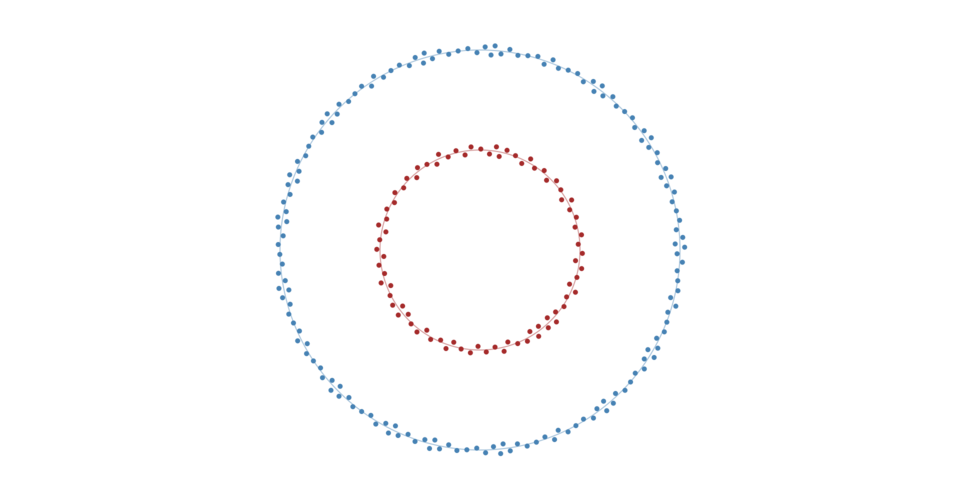 ](https://bl.ocks.org/mbostock/cd98bf52e9067e26945edd95e8cf6ef9)
Creates a new positioning force towards a circle of the specified [*radius*](#radial_radius) centered at ⟨[*x*](#radial_x),[*y*](#radial_y)⟩. If *x* and *y* are not specified, they default to ⟨0,0⟩.
创建朝向圆心为 **⟨[x](#radial_x),[y](#radial_y)⟩** 指定的圆一个新的定位力半径 [**radius**](#radial_radius)。如果未指定 **x** 和 **y**,则默认为⟨0,0⟩。
# radial.strength([strength]) [<>](https://github.com/d3/d3-force/blob/master/src/radial.js "Source")
If *strength* is specified, sets the strength accessor to the specified number or function, re-evaluates the strength accessor for each node, and returns this force. The *strength* determines how much to increment the node’s *x*- and *y*-velocity. For example, a value of 0.1 indicates that the node should move a tenth of the way from its current position to the closest point on the circle with each application. Higher values moves nodes more quickly to the target position, often at the expense of other forces or constraints. A value outside the range [0,1] is not recommended.
如果强度 **strength** 指定,设定强度访问器为指定的数或函数,重新评估每个节点的强度访问器,并返回该force。
**strength** 决定了有多少递增节点的**x**0和**y**-velocity。例如,值为0.1表示节点应该从每个应用程序的当前位置移动到圆上最近点的十分之一。较高的值会更快地将节点移动到目标位置,通常以其他力或约束为代价。不建议超出范围[0,1]的值。
If *strength* is not specified, returns the current strength accessor, which defaults to:
如果未指定 **strength** ,则返回当前强度访问器,默认为:
```js
function strength() {
return 0.1;
}
```
The strength accessor is invoked for each [node](#simulation_nodes) in the simulation, being passed the *node* and its zero-based *index*. The resulting number is then stored internally, such that the strength of each node is only recomputed when the force is initialized or when this method is called with a new *strength*, and not on every application of the force.
为模拟中的每个节点 [node](#simulation_nodes) 调用强度访问器,传递节点 **node** 及其从零开始的索引 **index**。然后在内部存储得到的数字,使得每个节点的强度仅在初始化力时或者以新的 **strength** 调用该方法时重新计算,而不是在力的每个应用上调用。
# radial.radius([radius]) [<>](https://github.com/d3/d3-force/blob/master/src/radial.js "Source")
If *radius* is specified, sets the circle *radius* to the specified number or function, re-evaluates the *radius* accessor for each node, and returns this force. If *radius* is not specified, returns the current *radius* accessor.
如果半径 **radius** 指定,设置圆半径 **radius** 为指定的数目或函数,重新评估每个节点的半径 **radius** 访问器,并返回force。
如果未指定 **radius**,则返回当前半径访问器。
The *radius* accessor is invoked for each [node](#simulation_nodes) in the simulation, being passed the *node* and its zero-based *index*. The resulting number is then stored internally, such that the target radius of each node is only recomputed when the force is initialized or when this method is called with a new *radius*, and not on every application of the force.
在该模拟器中为每个节点 [node](#simulation_nodes) 调用半径访问器,传递参数为节点 **node** 和它的基于0的索引 **index**。然后在内部存储得到的数字,使得每个节点的目标半径仅在初始化力时或者在使用新半径 **radius** 调用此方法时重新计算,而不是在力的每个应用上调用。
# radial.x([x]) [<>](https://github.com/d3/d3-force/blob/master/src/radial.js "Source")
If *x* is specified, sets the *x*-coordinate of the circle center to the specified number and returns this force. If *x* is not specified, returns the current *x*-coordinate of the center, which defaults to zero.
如果 **x** 指定,设置圆心的x坐标为指定数值并返回force。如果未指定 **x** ,则返回中心的当前x坐标,默认为0。
# radial.y([y]) [<>](https://github.com/d3/d3-force/blob/master/src/radial.js "Source")
If *y* is specified, sets the *y*-coordinate of the circle center to the specified number and returns this force. If *y* is not specified, returns the current *y*-coordinate of the center, which defaults to zero.
如果 **y** 指定,设置圆心的y坐标为指定数值并返回force。如果未指定 **y** ,则返回中心的当前y坐标,默认为0。
](https://bl.ocks.org/mbostock/cd98bf52e9067e26945edd95e8cf6ef9)
Creates a new positioning force towards a circle of the specified [*radius*](#radial_radius) centered at ⟨[*x*](#radial_x),[*y*](#radial_y)⟩. If *x* and *y* are not specified, they default to ⟨0,0⟩.
创建朝向圆心为 **⟨[x](#radial_x),[y](#radial_y)⟩** 指定的圆一个新的定位力半径 [**radius**](#radial_radius)。如果未指定 **x** 和 **y**,则默认为⟨0,0⟩。
# radial.strength([strength]) [<>](https://github.com/d3/d3-force/blob/master/src/radial.js "Source")
If *strength* is specified, sets the strength accessor to the specified number or function, re-evaluates the strength accessor for each node, and returns this force. The *strength* determines how much to increment the node’s *x*- and *y*-velocity. For example, a value of 0.1 indicates that the node should move a tenth of the way from its current position to the closest point on the circle with each application. Higher values moves nodes more quickly to the target position, often at the expense of other forces or constraints. A value outside the range [0,1] is not recommended.
如果强度 **strength** 指定,设定强度访问器为指定的数或函数,重新评估每个节点的强度访问器,并返回该force。
**strength** 决定了有多少递增节点的**x**0和**y**-velocity。例如,值为0.1表示节点应该从每个应用程序的当前位置移动到圆上最近点的十分之一。较高的值会更快地将节点移动到目标位置,通常以其他力或约束为代价。不建议超出范围[0,1]的值。
If *strength* is not specified, returns the current strength accessor, which defaults to:
如果未指定 **strength** ,则返回当前强度访问器,默认为:
```js
function strength() {
return 0.1;
}
```
The strength accessor is invoked for each [node](#simulation_nodes) in the simulation, being passed the *node* and its zero-based *index*. The resulting number is then stored internally, such that the strength of each node is only recomputed when the force is initialized or when this method is called with a new *strength*, and not on every application of the force.
为模拟中的每个节点 [node](#simulation_nodes) 调用强度访问器,传递节点 **node** 及其从零开始的索引 **index**。然后在内部存储得到的数字,使得每个节点的强度仅在初始化力时或者以新的 **strength** 调用该方法时重新计算,而不是在力的每个应用上调用。
# radial.radius([radius]) [<>](https://github.com/d3/d3-force/blob/master/src/radial.js "Source")
If *radius* is specified, sets the circle *radius* to the specified number or function, re-evaluates the *radius* accessor for each node, and returns this force. If *radius* is not specified, returns the current *radius* accessor.
如果半径 **radius** 指定,设置圆半径 **radius** 为指定的数目或函数,重新评估每个节点的半径 **radius** 访问器,并返回force。
如果未指定 **radius**,则返回当前半径访问器。
The *radius* accessor is invoked for each [node](#simulation_nodes) in the simulation, being passed the *node* and its zero-based *index*. The resulting number is then stored internally, such that the target radius of each node is only recomputed when the force is initialized or when this method is called with a new *radius*, and not on every application of the force.
在该模拟器中为每个节点 [node](#simulation_nodes) 调用半径访问器,传递参数为节点 **node** 和它的基于0的索引 **index**。然后在内部存储得到的数字,使得每个节点的目标半径仅在初始化力时或者在使用新半径 **radius** 调用此方法时重新计算,而不是在力的每个应用上调用。
# radial.x([x]) [<>](https://github.com/d3/d3-force/blob/master/src/radial.js "Source")
If *x* is specified, sets the *x*-coordinate of the circle center to the specified number and returns this force. If *x* is not specified, returns the current *x*-coordinate of the center, which defaults to zero.
如果 **x** 指定,设置圆心的x坐标为指定数值并返回force。如果未指定 **x** ,则返回中心的当前x坐标,默认为0。
# radial.y([y]) [<>](https://github.com/d3/d3-force/blob/master/src/radial.js "Source")
If *y* is specified, sets the *y*-coordinate of the circle center to the specified number and returns this force. If *y* is not specified, returns the current *y*-coordinate of the center, which defaults to zero.
如果 **y** 指定,设置圆心的y坐标为指定数值并返回force。如果未指定 **y** ,则返回中心的当前y坐标,默认为0。