
Tronscan Super Representative Template
How to use • Example • FAQ • Tronscan.org
## Intro Tronscan provides a way for Super Representatives to publish their information right where the voters are, on Tronscan! Super Representatives can use this template to build a static page which will be shown on Tronscan. The link will be placed in the voting overview page right next to the name. By editing files in the repository on Github the Super Representative can manage their own content. ## Example The example shows which files are presented where. Whenever the files on Github are modified the page will instantly be updated 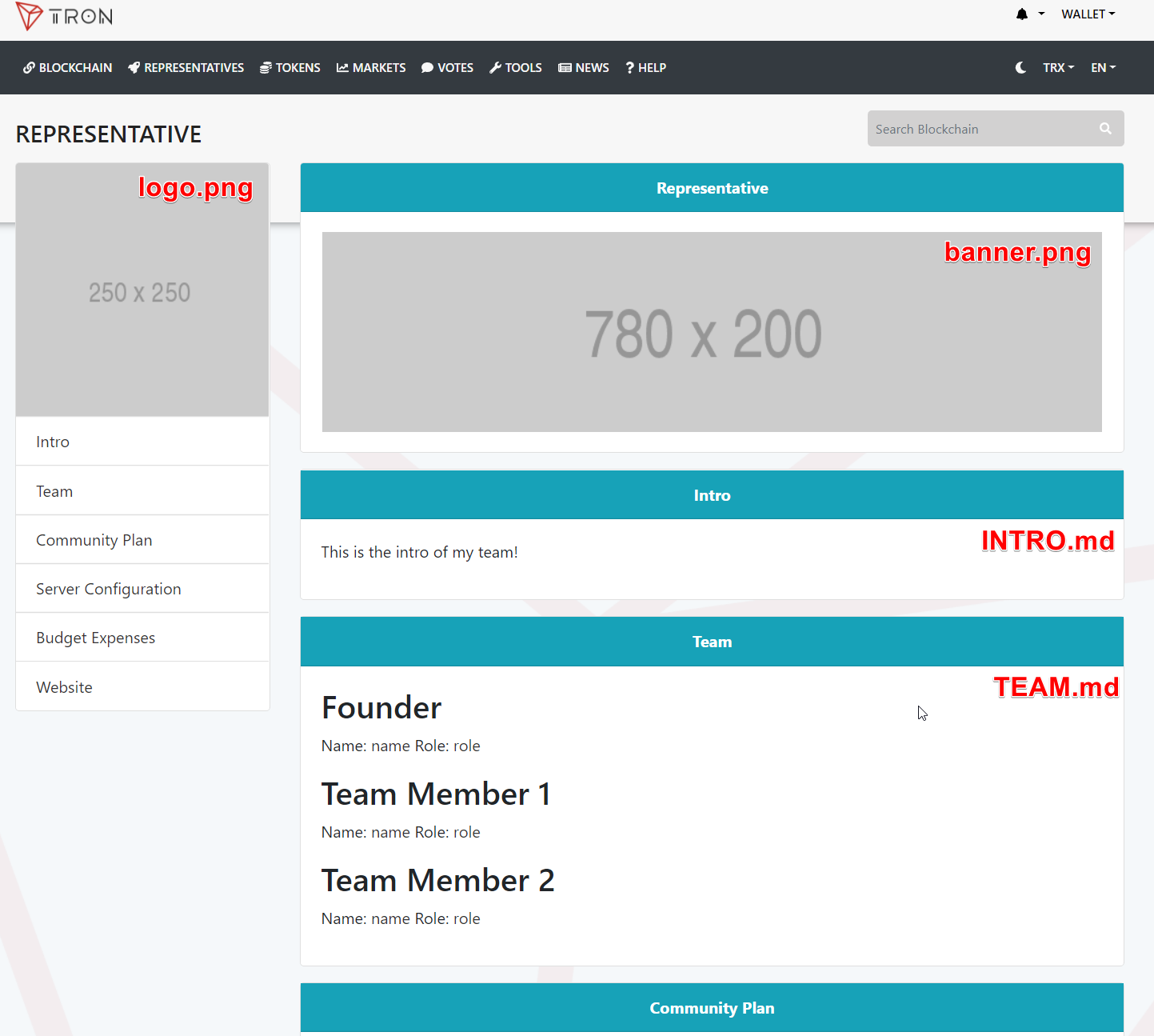 __Example Super Representative Pages__ * [CryptoGuyInZA](https://www.tronscan.org/#/representative/27WDUwfv7FzWmNuj4rbrmRjxQvgHnC46Kcf) * [Skypeople](https://www.tronscan.org/#/representative/27d5JV5sJH2ERb7Kddcp5p2n2yR2zuKCAQs) * [CryptoChain](https://www.tronscan.org/#/representative/27WK11uSBUjxmnbtQ3AArs1hLpUkPg4WAJF) ## How to use __This guide assumes that you already have an account which has Super Representative (candidate) status__ ### Step 1: Copy/Fork the template on Github * Go to https://github.com/tronscan/tronsr-template * Fork the repository 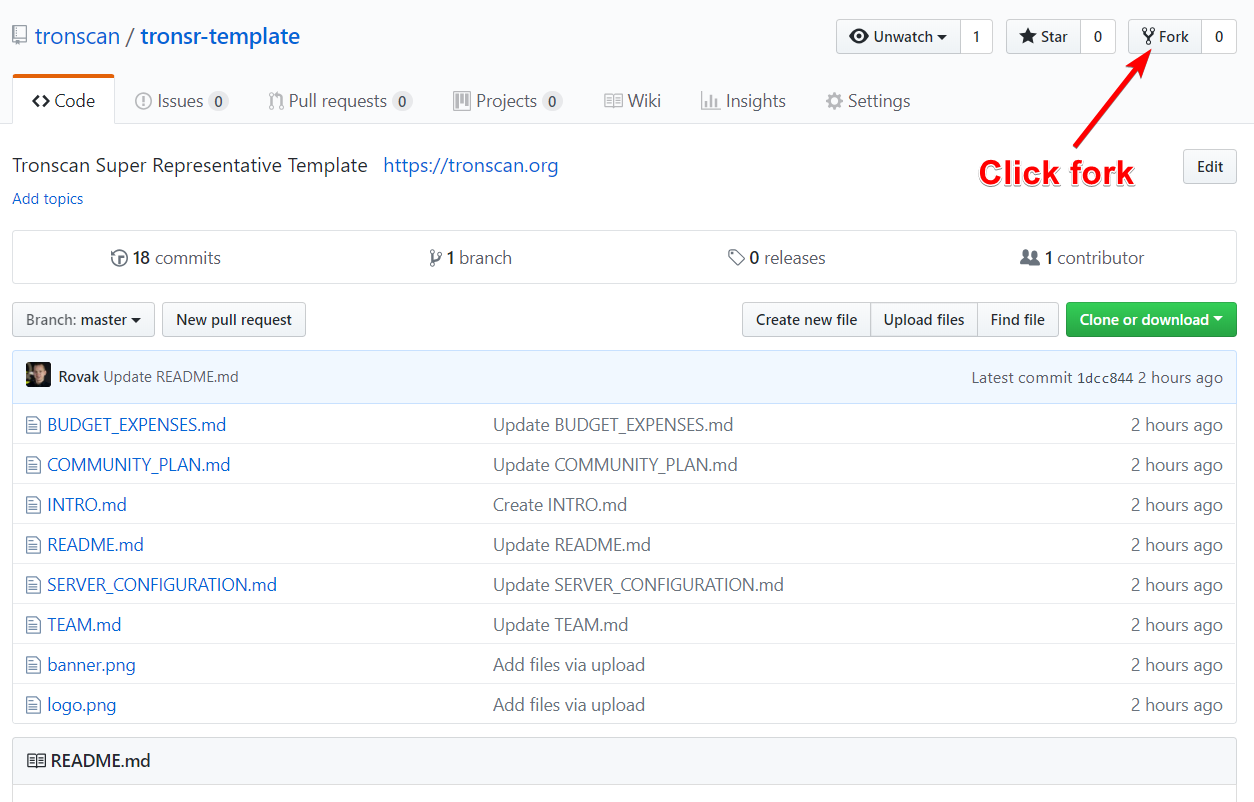 After forking the repository you will be navigated to your own `tronsr-template` version of the repository where you can make changes ## Step 2: Fill in the template The template can now be modified by editing files on Github. * Click the file you want to edit 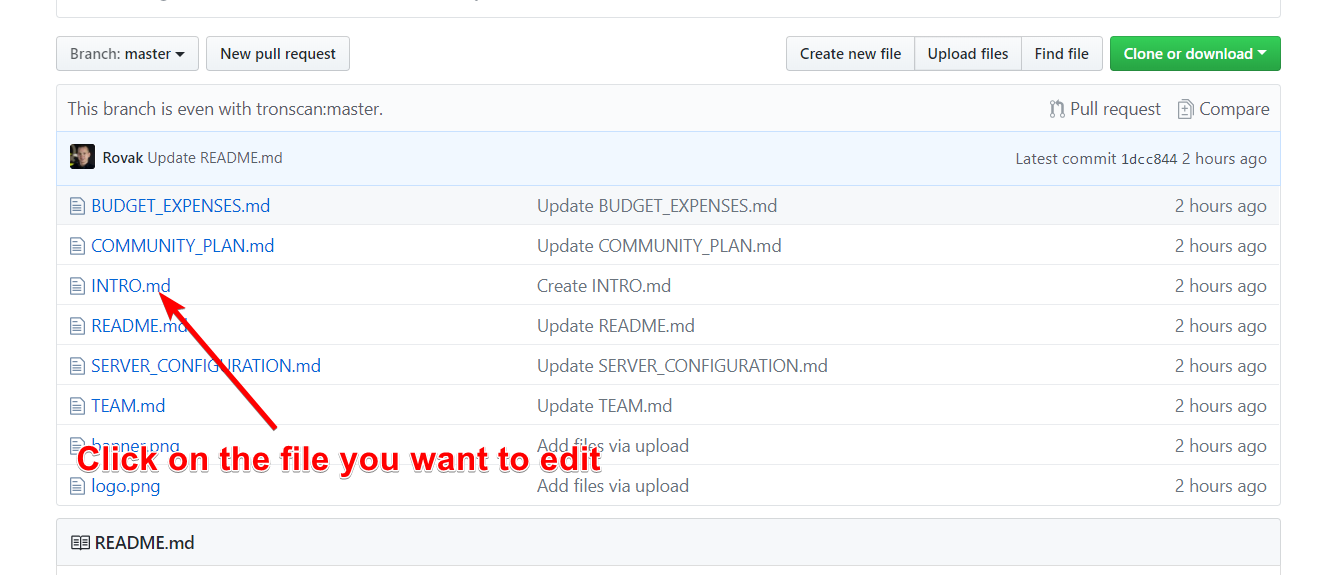 * Open edit modus 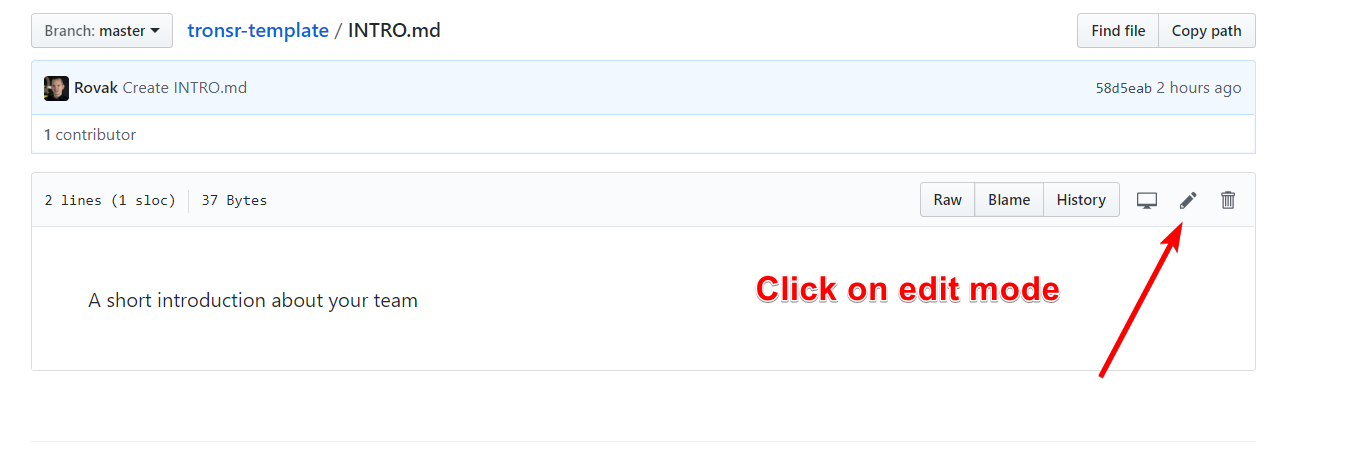 * Add some information to the file 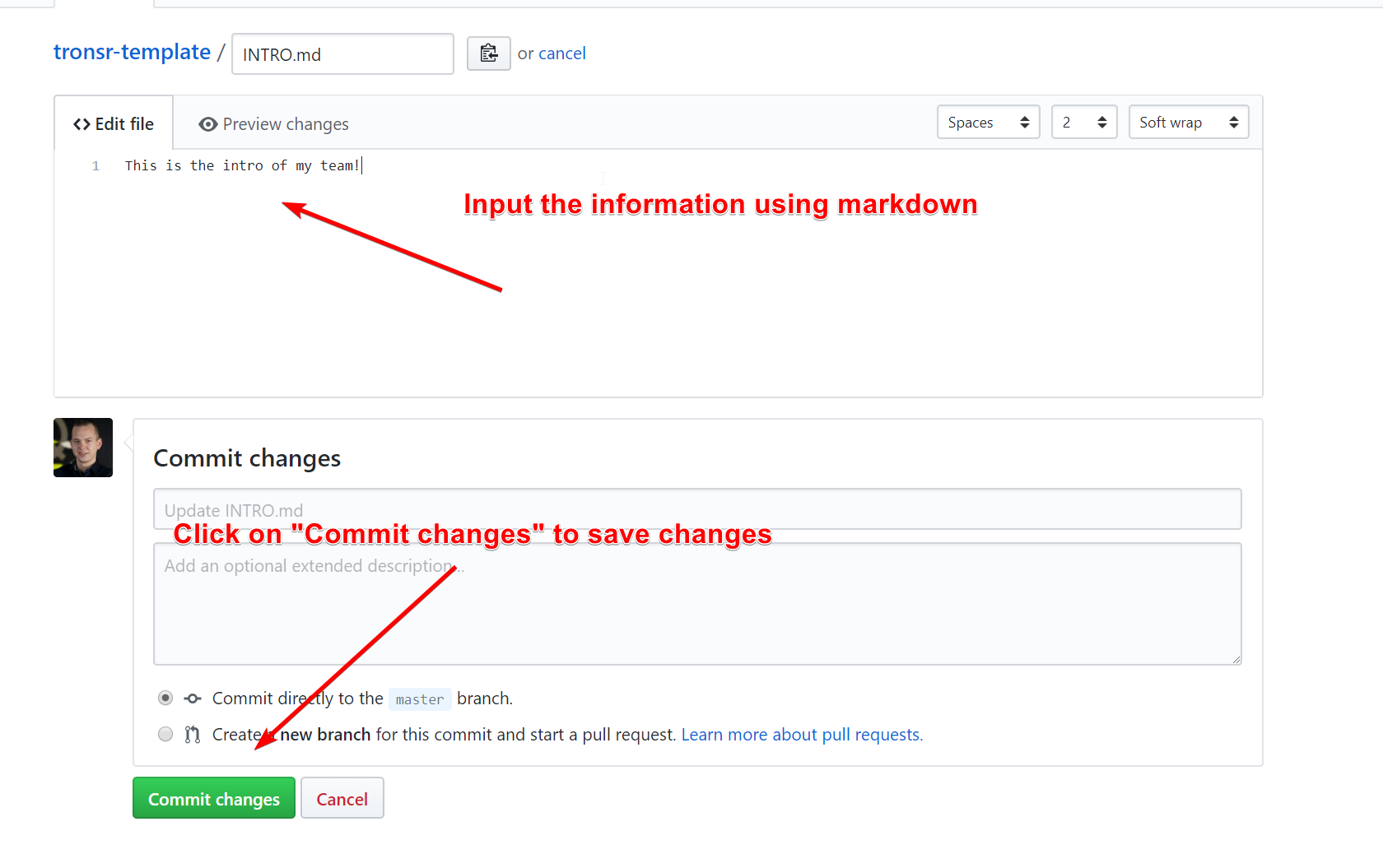 Files are written in markdown format. An excellent intro can be found at https://guides.github.com/features/mastering-markdown/ * Update the logo.png and banner.png 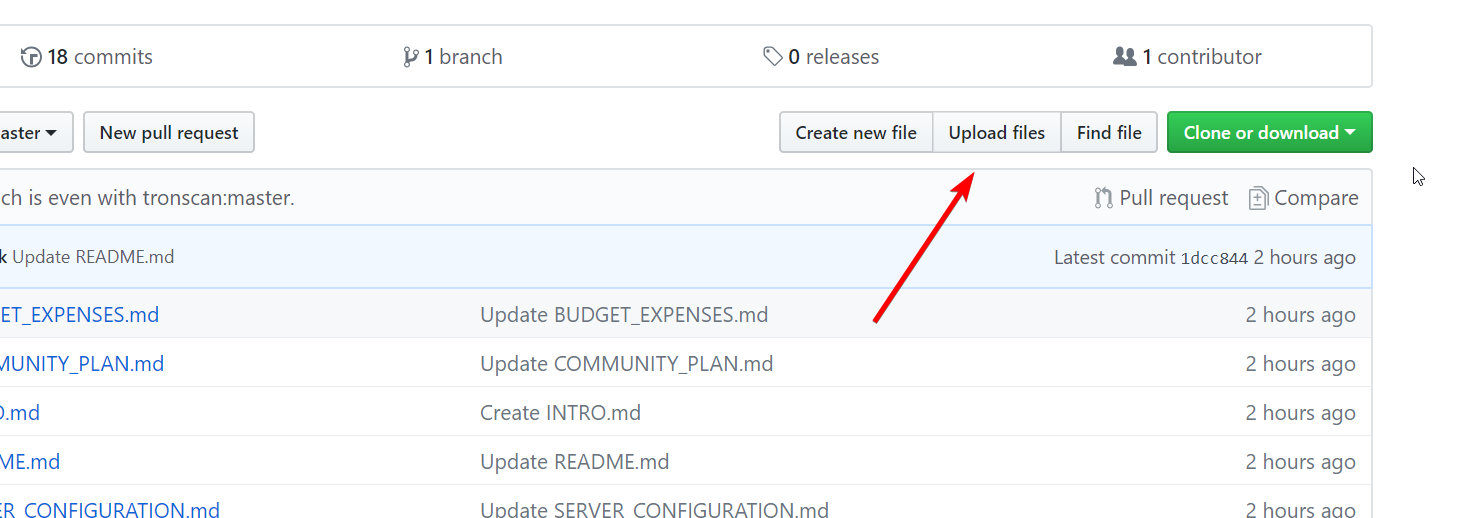 Then click on "choose your files" and make sure the logo or banner you want to upload is named `logo.png` or `banner.png` to overwrite the placeholder images. After you filled in the template it can now be published on https://tronscan.org ## Step 3: Publish to Tronscan * Navigate to https://tronscan.org * Login to your account. In this example it shows using the private key, but you may use any login method. 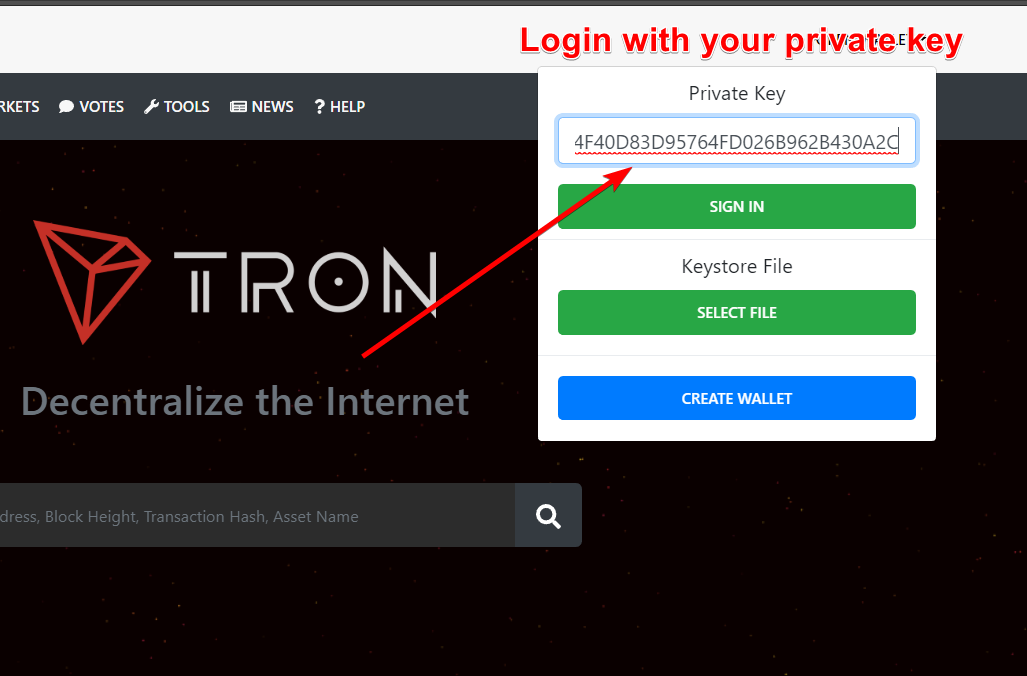 * Open account and make sure the "Representative" label is visible 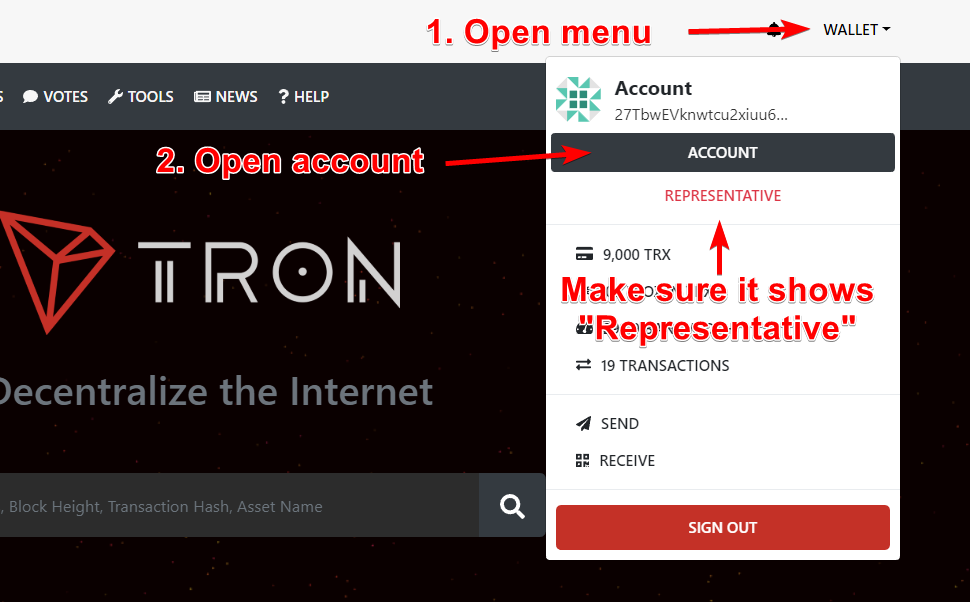 * Scroll to the bottom and click "Set Github Link" 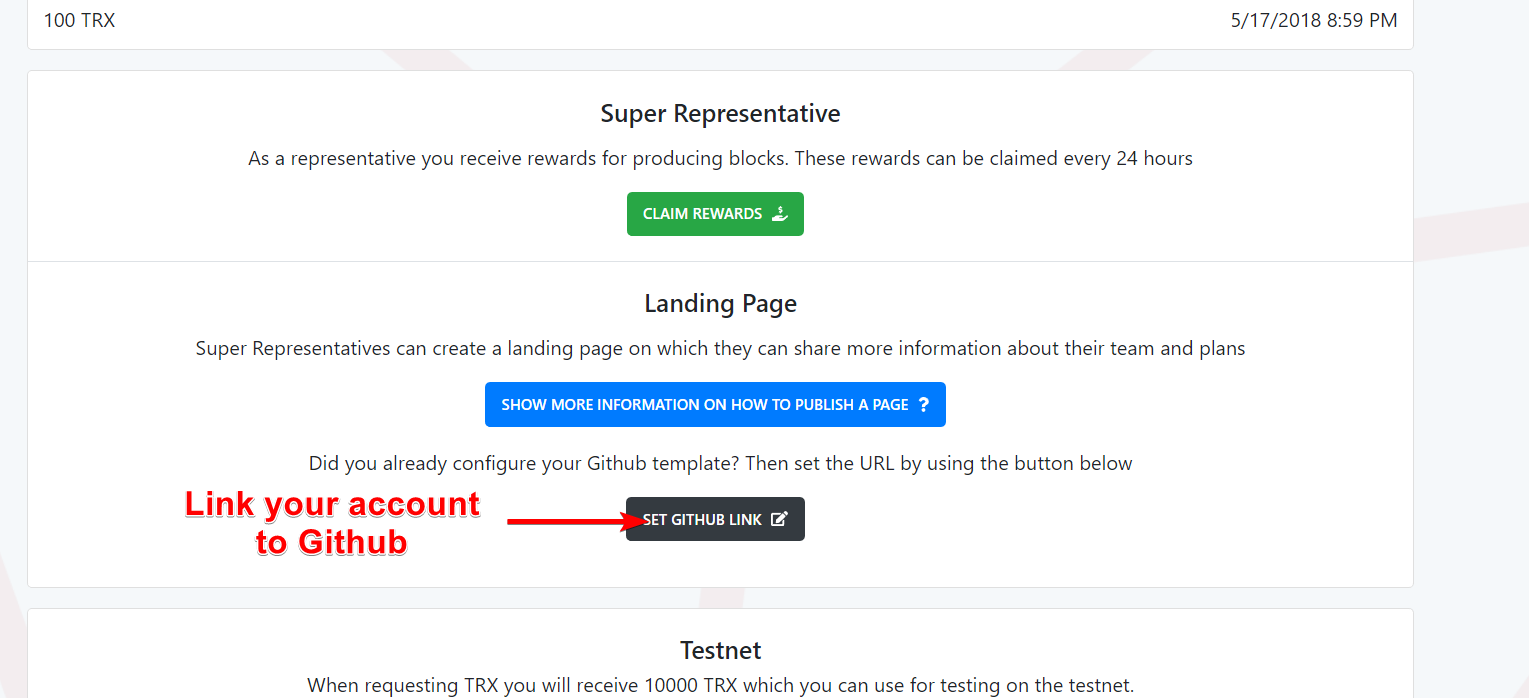 * Input your Github username and then press "Link Github" 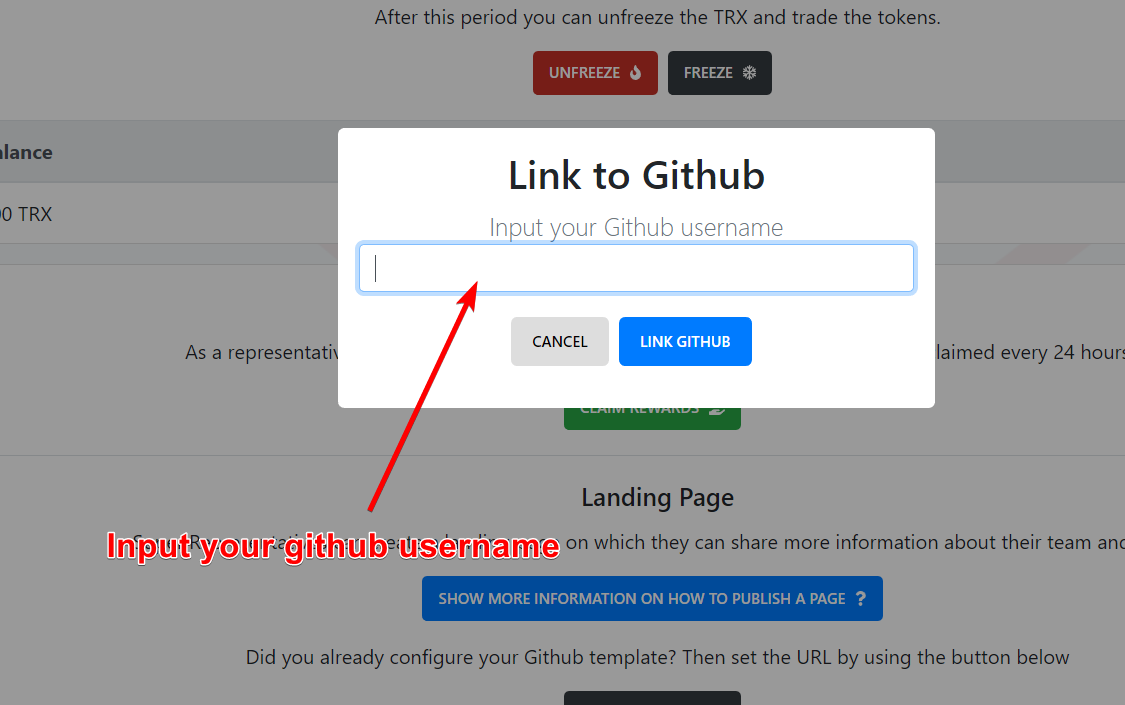 * View your new Page! 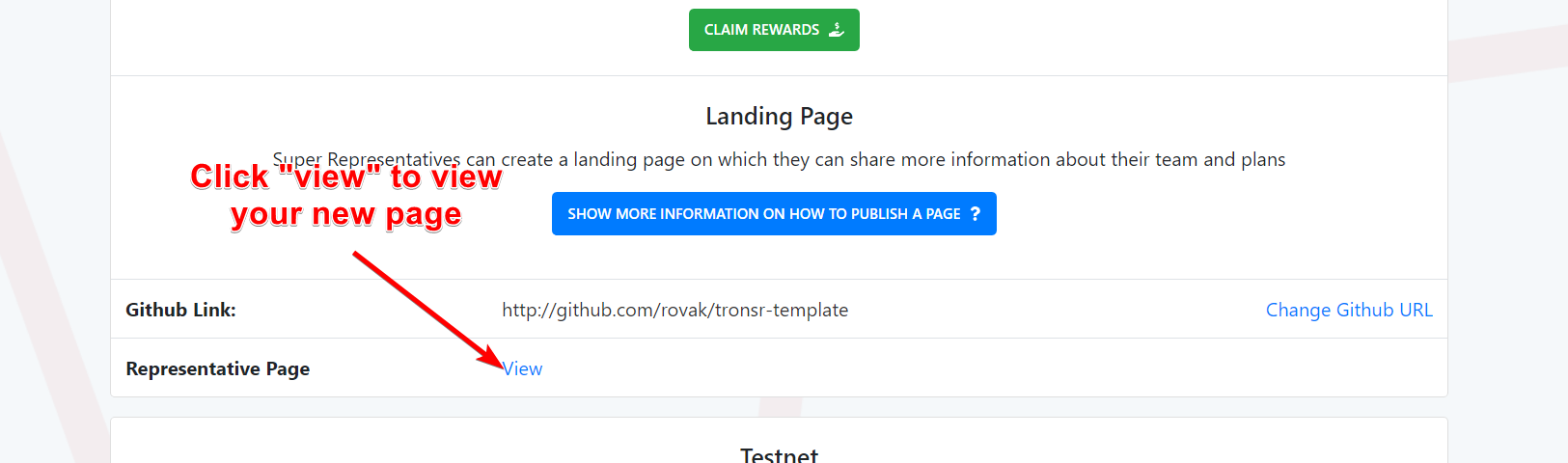 ## Translations Checkout the [Pages](/pages) directory for the translation readme ## FAQ * __I've modified a file but the changes aren't visible on tronscan.org?__ Contents from the repository are served using the Github CDN which uses aggressive caching. It may take a few minutes before the changes are reflected on tronscan.org. * __Why are HTML elements visible on Github but not on tronscan.org?__ Tronscan.org will sanitize all HTML tags for security reasons, only standard markdown tags are allowed