# present
**Repository Path**: lcalca1/present
## Basic Information
- **Project Name**: present
- **Description**: No description available
- **Primary Language**: Unknown
- **License**: Apache-2.0
- **Default Branch**: master
- **Homepage**: None
- **GVP Project**: No
## Statistics
- **Stars**: 0
- **Forks**: 0
- **Created**: 2020-09-08
- **Last Updated**: 2020-12-19
## Categories & Tags
**Categories**: Uncategorized
**Tags**: None
## README
# present
[](https://present.readthedocs.io/en/latest/) [](https://pypi.org/project/present/) [](https://pypi.org/project/present/) [](https://github.com/ambv/black) [](https://repl.it/@amasad/terminal-present)
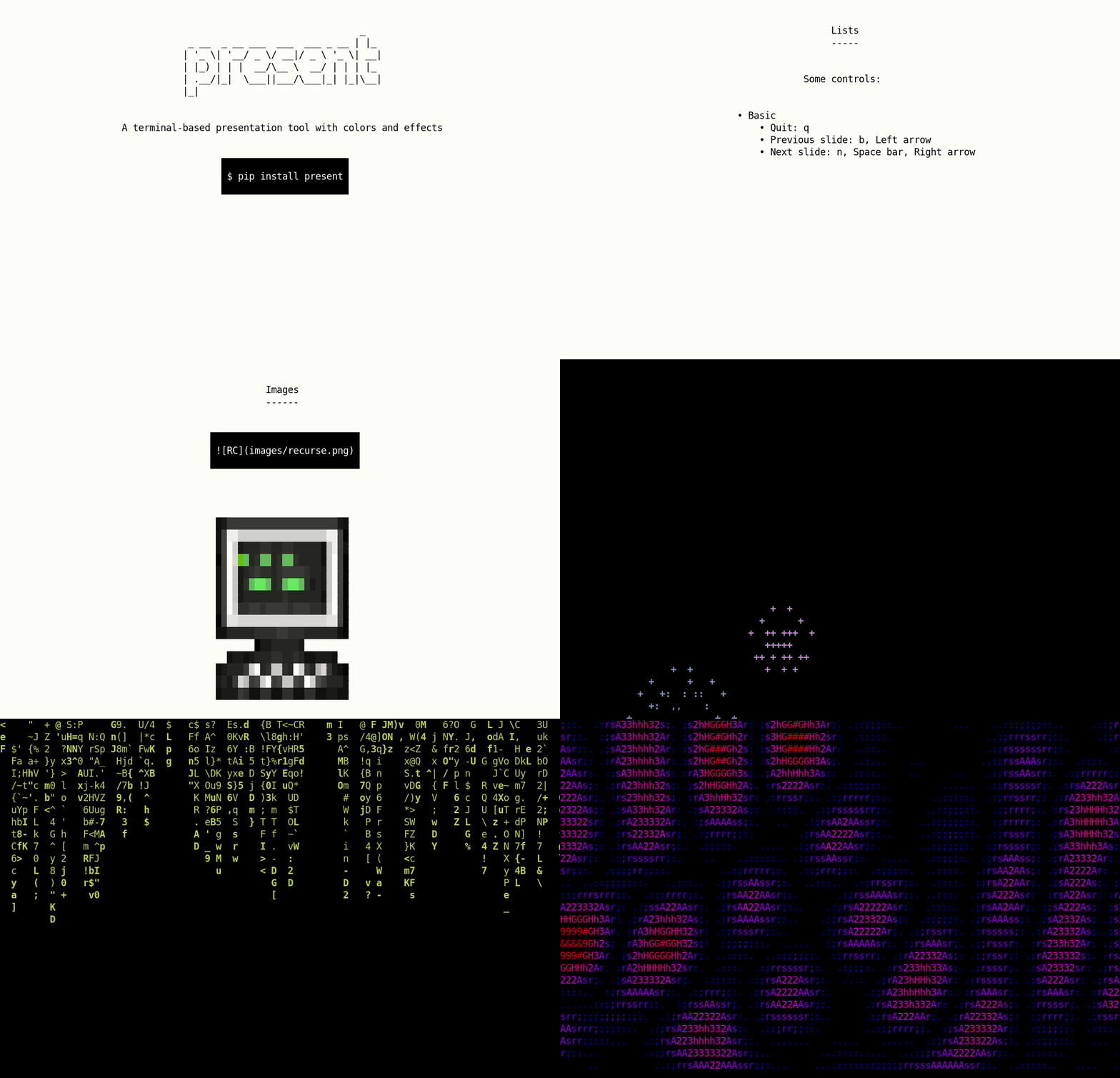
A terminal-based presentation tool with colors and effects.
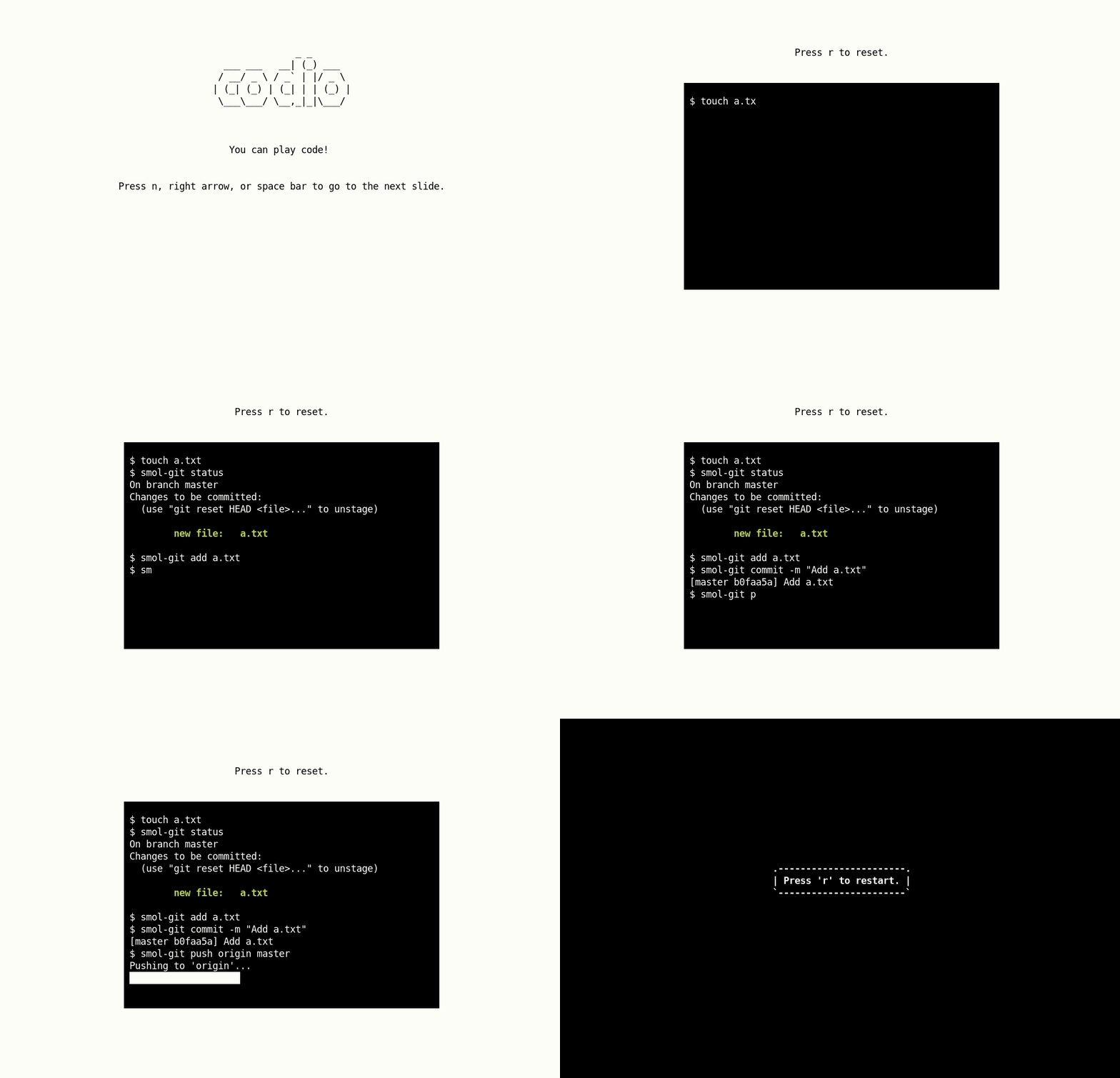
You can also play a [codio](https://present.readthedocs.io/en/latest/codio.html) (pre-recorded code block) on a slide.
`present` is built on [asciimatics](https://github.com/peterbrittain/asciimatics), and it works with `Python>=3.7`.
Check out the [gallery](https://present.readthedocs.io/en/latest/gallery/index.html) to see what everyone is making with `present`! You can add your slides by simply [opening an issue](https://github.com/vinayak-mehta/present/issues/new?assignees=&labels=made-with-present&template=submit-slides-to-gallery.md&title=Add+slides+to+gallery).
## Installation
You can simply use pip to install `present`:
```bash
$ pip install present
```
## Usage
```bash
$ present sample.md
```
Some controls:
- Quit: `q`
- Previous slide: `b`, Left arrow
- Next slide: `n`, Space bar, Right arrow
At the end, you can press `r` to restart the presentation.
## Syntax
Slides follow [Markdown](https://guides.github.com/features/mastering-markdown/) syntax. You can check out the [sample slides](https://github.com/vinayak-mehta/present/blob/master/examples/sample.md) for reference.
**Note:** Some things aren't supported yet:
- Effects and colors on the same slide.
- Effects and code on the same slide.
### Separator
Each slide can be separated with a `---`.
```
Slide 1
---
Slide 2
```
### Headers
Level 1 headings become figlets, level 2 headings get underlined with `-`, and level 3 headings become bold.
```
# Heading 1
## Heading 2
### Heading 3
```
### Text
```
This is normal text
This is **bold text**
This is `inline code`
This is a [link](www.google.com)
As Kanye West said:
> We're living the future so
> the present is our past.
```
### Lists
Ordered lists become unordered lists automatically.
```
- Item 1
- Item 1a
- Item 1b
- Item 1c
- Item 2
- Item 2a
```
### Images
Image paths are relative to the directory where your slides are kept, and where you invoke `present`.
```

```
Note: You can use high resolution images and tweak the terminal font size to get the best results.
### Code blocks
```
import os

os.getcwd()
```
### Codios
Codios are pre-recorded playable code blocks which can be useful for live demos. You can find out how to write one in the [codio](https://present.readthedocs.io/en/latest/codio.html) section of the documentation.
```

```
### Style
Each slide can be styled with foreground / background colors and effects. By default, slides are black on white with no effects. You can add style to a slide by adding a comment at the beginning of the slide (after the slide separator):
```
Slide 1
---
Slide 2
---
Slide 3
```
Colors: `black`, `red`, `green`, `yellow`, `blue`, `magenta`, `cyan`, `white`.
Effects: `fireworks`, `explosions`, `stars`, `matrix`, `plasma`. More coming soon!
## Contributing
The [Contributor's Guide](https://present.readthedocs.io/en/latest/contributing.html) has detailed information about contributing issues, documentation, code, and tests.
## Versioning
`present` uses [Semantic Versioning](https://semver.org/). For the available versions, see the tags on the GitHub repository.
## License
This project is licensed under the Apache License, see the [LICENSE](https://github.com/vinayak-mehta/present/blob/master/LICENSE) file for details.